Pew: 84% Of Adults Use YouTube As Platform Growth Continues via @sejournal, @MattGSouthern
YouTube and Facebook continue to lead U.S. social media usage, but TikTok, Instagram, WhatsApp and Reddit are showing consistent growth, according to new data from Pew Research Center.

The report surveyed 5,022 U.S and found 84% use YouTube and 71% use Facebook. Instagram reached 50% adoption, making it the only other platform used by at least half of American adults.

What The Data Says

TikTok Growth Continues

TikTok usage among U.S. adults has increased to 37%, a slight rise from last year and nearly twice the 21% recorded in 2021. Approximately 24% of TikTok users visit the platform daily.

Instagram Reaches Milestone

Half of U.S. adults now use Instagram, matching 2024 levels but rising from 40% in 2021. The platform is especially popular among younger users.

WhatsApp and Reddit Gain Users

WhatsApp usage increased to 32%, rising from 23% in 2021. Reddit grew to 26%, up from 18% four years earlier.

New Platforms Show Limited Reach

Among U.S. adults, Threads has an 8% adoption rate, Bluesky is at 4%, and Truth Social stands at 3%.

Usage Frequency Varies by Platform

Approximately half of adults (52%) visit Facebook every day, with 37% checking it multiple times. YouTube has 48% daily usage, with 33% visiting more than once a day.

TikTok is used daily by 24% of adults, while X (formerly Twitter) has a 10% daily usage rate.

Platform Demographics

Age is the strongest predictor of platform use. Eight in ten adults aged 18-29 use Instagram, versus 19% of those 65+. Similar gaps are seen for Snapchat (58% vs. 4%), TikTok (63% vs. 5%) and Reddit (48% vs. 6%).

YouTube and Facebook are used by most age groups, but younger adults still lead in YouTube at 95%, versus 64% for those 65+.

Women are more likely to use Facebook (78% vs. 63%), Instagram (55% vs. 44%) and TikTok (42% vs. 30%), while men favor X (29% vs. 15%) and Reddit (37% vs. 15%). Adults with college degrees are more likely to use Reddit (40%), WhatsApp (41%) and Instagram (58%) than those with high school or less.

Why This Matters

These usage patterns can help inform your content distribution plans.

YouTube and Facebook are key for reaching a wide audience, while TikTok, Instagram, and newer platforms focus on specific groups.

Since different age groups prefer different platforms, it’s a good idea to tailor strategies for each platform rather than sharing the same content everywhere.

Looking Ahead

Pew’s data indicates gradual changes rather than sudden growth. Younger adults are continuing to favor familiar platforms like YouTube, Instagram, TikTok, Snapchat, and Reddit, while older adults are still more reliant on Facebook and YouTube.

Newer platforms such as Threads and Bluesky are still niche but indicate where politically active users might experiment next.

Pew’s trend series and methodology notes offer a baseline to monitor whether these divides increase, decrease, or stabilize in future data.


Featured Image: Vasylisa Dvoichenkova/Shutterstock
YouTube Debunks 24-48 Hour Upload Delay Recommendation via @sejournal, @MattGSouthern

YouTube’s Rene Ritchie says the recommendation system relies on audience behavior that only begins once a video is public.. Waiting 24–48 hours offers no benefit.

  • YouTube’s recommendation system relies on audience behavior, which starts only when a video is public.
  • You can upload early to let copyright and monetization checks finish before publishing.
  • Waiting hours, weeks, or months won’t yield different results.
YouTube Separates Organic & Paid Metrics In Channel Analytics via @sejournal, @MattGSouthern

YouTube introduced separate filtering for organic and paid traffic metrics in YouTube Analytics, allowing you to distinguish between unpaid and promoted content performance.

Channels can now filter views, engaged views, likes, comments, shares, and watchtime by traffic source. The update addresses longstanding questions about how paid advertising affects organic channel growth.

YouTube’s announcement included clarification that advertising doesn’t negatively impact organic performance, stating the two systems operate independently.

What’s New

The Analytics update adds traffic source filtering across core engagement metrics.

You can view performance data split between organic sources and paid advertisements, including YouTube Promote campaigns and brand-sponsored content.

YouTube’s announcement stated:

“Organic performance is determined by how the platform’s algorithm recommends your video to viewers based on factors like watch time, engagement, and audience retention. This is your video’s word of mouth reach, determined by the quality of the content itself. Whether or not it also runs as an ad has no impact.”

The platform distinguishes paid ad performance as determined by budget and targeting settings rather than algorithmic recommendations.

This is explained in more detail in the video below:

Addressing Performance Questions

YouTube addressed creator concerns about lower aggregate metrics when combining organic and paid performance.

The announcement noted that advertising often targets new audiences who may engage at lower rates than existing subscribers, which can reduce overall retention and click-through metrics when viewed in aggregate.

The new filtering allows creators to analyze each traffic source separately rather than viewing combined data.

Why This Matters

You can now measure organic content performance without paid promotion data affecting your metrics.

This separation helps identify which growth strategies work independently rather than attributing paid gains to organic strategy or vice versa.

The filtering clarifies whether audience retention issues stem from content quality or new audience targeting in ad campaigns.

Looking Ahead

The traffic filtering feature is available now in YouTube Analytics. YouTube didn’t specify whether additional metrics or filtering options will be added to the organic versus paid breakdown.

The update coincides with YouTube’s October 2025 terminology change renaming the “Views” metric to “TrueView views” in Google Ads reporting, though this naming change doesn’t affect how views are counted or billed.


Featured Image: T. Schneider/Shutterstock

YouTube Introduces ‘Ask Studio’ AI For Channel Analytics via @sejournal, @MattGSouthern

YouTube launched Ask Studio, an AI assistant built into YouTube Studio that analyzes channel data to provide insights and content suggestions.

The tool appears as a chat interface accessed through a sparkle icon in YouTube Studio. You can ask for comment summaries, video performance analysis, and content ideas based on your channel’s data.

What’s New

Ask Studio analyzes three primary types of channel data: comments, analytics, and past content performance.

For comments, Ask Studio can summarize key themes and sentiment across videos. You can ask for summaries on a specific video or get an overall view of what viewers are talking about.

For analytics, Ask Studio pulls from the same performance metrics already in YouTube Studio. It identifies patterns and suggests areas for improvement based on the channel’s data.

For content planning, Ask Studio can generate ideas tailored to what viewers already respond to. You can prompt it for new angles on an ongoing series, ask what topics are resonating with your audience, or get title and outline suggestions.

See a full walkthrough in the video below:

How It Differs From Inspiration Tab

Ask Studio and the Inspiration Tab are both designed to help with content ideas, but they work differently.

Inspiration Tab is a visual surface. It shows idea cards, images, and thumbnail suggestions for creators who like to browse concepts.

Ask Studio is conversational. You type a prompt and get an answer in plain language. It’s meant for creators who already have a direction and want help sharpening the angle, planning the next video, or understanding what viewers are saying.

Both use your channel data, but Ask Studio responds in real time. Inspiration Tab curates pre-generated suggestions.

Availability

Ask Studio is currently available in English to a limited group of creators in the United States.

YouTube says it’s continuing to expand access to more U.S. creators, experimenting with additional languages, and working on international rollout.

Some prompts may return a generic response or “I can’t help with that.” YouTube says that happens when Ask Studio doesn’t have enough context or doesn’t support that request yet.

Why This Matters

Ask Studio can surface patterns in your comments and analytics without manually digging through dashboards or scrolling hundreds of viewer messages. That reduces the time spent on reporting and lets you focus on packaging the next video.

The current limitation is reach. Right now it’s U.S.-only, English-only, and only some channels are in the test group, which restricts access for international creators and teams that work across multiple languages.

Looking Ahead

YouTube says it plans to roll out Ask Studio to more creators in the United States before expanding internationally. The company is also testing additional language support but hasn’t announced specific languages or dates.

The launch continues YouTube’s push toward AI-assisted creator tools inside YouTube Studio, alongside features like the Inspiration Tab for idea generation.


Featured Image: vrlibsstudio/Shutterstock

YouTube Expands Likeness Detection To All Monetized Channels via @sejournal, @MattGSouthern

YouTube is beginning to expand access to its likeness detection tool to all channels in the YouTube Partner Program over the next few months.

The technology helps you identify unauthorized videos where your facial likeness has been altered or generated with AI.

YouTube announced the expansion after testing the tool with a small group of creators.

The tool addresses a growing concern as AI-generated content becomes more sophisticated and accessible.

How Likeness Detection Works

Channels can access the tool through YouTube Studio’s content detection tab under a new likeness section.

The onboarding process requires identity verification. You scan a QR code with your phone’s camera, then submit a photo ID and record a brief selfie video performing specific motions.

YouTube processes this information on Google servers, typically granting access within a few days.

Once verified, creators see a dashboard displaying videos that match their facial likeness. The interface shows video titles, upload dates, upload channels, view counts, and subscriber numbers. YouTube’s systems flag some matches as higher priority for review.

Taking Action On Detected Content

You have three options when reviewing matches.

You can request removal under YouTube’s privacy guidelines, submit a copyright claim, or archive the video without action. The tool automatically fills legal name and email information when starting a removal request.

Privacy removal requests apply to altered or synthetic content that violates specific criteria. YouTube’s announcement highlighted two examples: AI-generated videos showing creators endorsing political candidates, and infomercials with creators’ faces added through AI.

Copyright claims follow different rules and must consider fair use exceptions. Videos using short clips from a creator’s channel may not qualify for privacy removal but could warrant copyright action.

See a demonstration in the video below:

Policy Differences

YouTube stressed the distinction between privacy and copyright policies.

Privacy policy violations involve altered or synthetic content judged against criteria including whether the content is parody, satire, or includes AI disclosure. Copyright infringement covers unauthorized use of original content, including cropped videos to avoid detection or videos with changed audio.

The tool surfaces some short clips from creators’ own channels. These don’t qualify for privacy removal but may be eligible for copyright claims if fair use doesn’t apply.

Why This Matters

This gives YouTube Partner Program creators direct control over how AI-generated content uses their likeness.

Monetized channels can now monitor unauthorized deepfakes and request removal when videos mislead the audience about endorsements or statements that were never made.

Looking Ahead

The tool will roll out to eligible creators over the next few months. Those who see no matches shouldn’t be concerned. YouTube says this indicates no detected unauthorized use of their likeness on the platform.

Channels can withdraw consent and stop using the tool at any time through the manage likeness detection settings.

YouTube Upgrades Shorts Editor With Timeline View via @sejournal, @MattGSouthern

YouTube is launching an all-new timeline editor for Shorts that puts video clips, overlays, and audio in one unified view.

The update responds to creator requests for more precise controls inside the YouTube app.

What’s New

The editor adds timeline-level controls you can use without switching modes. You can trim and reorder clips via drag-and-drop and use zoom for precise timing and transitions.

YouTube states in a video announcement:

“When you’re creating a short, you’ve told us how critical it is to be able to make all of your edits to a video in one place to be able to really make something you’re proud of. We appreciate the feedback and we’ve been listening. So, we’re launching an all new Shorts timeline editor. Now, everything is visible in one place. all of your video clips, overlays, and audio. You can trim, reorder the clips, simple drag and drop. You can zoom in to make precise edits.”

See it in action in the video below:

Planned Additions

YouTube says it plans to add slip editing, clip splitting, and the ability to add media directly from the timeline. No release window was provided in the video.

YouTube adds:

“And this is just the beginning. We’re making a lot more key improvements, for example, like being able to do slip editing, being able to do splitting, and adding media directly from timeline.”

YouTube also said it will continue expanding Edit with AI, the Gemini-assisted tool that can assemble a first-draft edit with music, transitions, and voiceover.

While integration with the new timeline editor is planned, YouTube didn’t share timing or regional availability.

YouTube said:

“We also plan to continue to expand Edit with AI… to make it even easier for you to craft your vision with Gemini Assistance.”

Why This Matters

A unified timeline brings more of the desktop editing experience into the YouTube app.

The single view reduces mode switching, and the upcoming slip and split controls should improve pacing and transitions without relying on third-party editors.

As YouTube put it:

“The goal is really simple. More creative freedom with less friction. We’re really committed to building easy to use creation tools that help you be your most creative self and make something you’re really proud of.”

Looking Ahead

YouTube didn’t specify when the timeline editor will reach all creators or which regions will get it first.

These updates fit into YouTube’s broader push to enhance Shorts creation tools, following earlier improvements like beat syncing, templates, and AI-generated stickers.


Featured Image: FotoField/Shutterstock

YouTube Lets Some Terminated Creators Request A New Channel via @sejournal, @MattGSouthern

YouTube is piloting a policy change that allows some previously terminated creators to request a new channel after a one-year waiting period.

The program will roll out to eligible creators over the coming weeks and months, according to YouTube’s official announcement.

How The Second Chances Pilot Works

Eligible creators will start seeing an option in YouTube Studio (desktop) to request a new channel when signed in with their previously terminated channel credentials.

The YouTube Team wrote:

“We know many terminated creators deserve a second chance… we’ve had our share of second chances to get things right with our community too.”

Creators become eligible to apply one year after termination. During that year, they can still appeal the original decision if they believe YouTube made a mistake.

What A New Channel Includes

YouTube frames this as a fresh start rather than a restoration of the original channel. Creators can rebuild their community and may re-upload prior videos that comply with current Community Guidelines.

Once the new channel meets the YouTube Partner Program criteria, creators can apply for monetization like any other channel.

Eligibility & Exclusions

When reviewing requests, YouTube says it will consider factors such as whether violations were severe or persistent and whether on- or off-platform activity harmed, or could continue to harm, the YouTube community.

YouTube cites channels that endangered kids’ safety as an example that may be disqualified.

The pilot does not apply to:

  • Creators terminated for copyright infringement
  • Creators who violated Creator Responsibility policies
  • Creators who deleted their YouTube channel or Google account

Appeals Versus New Channel Requests

Appeals remain available for one year after termination. YouTube says appeals are evaluated based on how policies apply at the time of the appeal.

Successful appeals reinstate the original channel with its content and subscribers. If the appeal is unsuccessful, the creator may request a new channel after one year.

Why This Matters For Marketers

The pilot softens the finality of termination without fully removing the consequences.

Creators may re-upload compliant videos, but they’ll still need to rebuild from scratch on new channels.

Looking Ahead

YouTube says it will monitor the pilot and adjust as it learns from early applications.

For more details, see the video from YouTube’s Creator Liaison below:

YouTube View Drops Likely Tied To Ad-Block List Change via @sejournal, @MattGSouthern

Creators have reported view declines on YouTube since mid-August.

YouTube’s official Liaison account says the change wasn’t on YouTube’s side and points to a widely shared explanation on X: an ad-blocking list update that interferes with how views are logged.

What YouTube Has Said

Responding to creators, YouTube’s Creator Liaison wrote:

“The change wasn’t on YouTube’s side… this is the most common explanation I’ve personally seen.”

The post links to an analysis that attributes the decline to the EasyPrivacy update. YouTube hasn’t announced any separate product or policy changes related to view counting.

What Changed

Tech creator ThioJoe highlighted an EasyPrivacy update that added a rule blocking the request youtube.com/api/stats/atr.

The thread argues that blocking this request may prevent the player from sending the data YouTube uses to log a view.

The EasyPrivacy commit shows the single-line addition in easyprivacy_specific.txt for ||youtube.com/api/stats/atr.

EasyPrivacy is a community-maintained filter list developed by the EasyList project. Ad blockers use these lists to determine which network requests to block. EasyPrivacy specifically targets tracking requests like analytics and behavioral beacons to help reduce data collection.

Several popular ad blockers, such as uBlock Origin Lite, include EasyPrivacy as part of their default or recommended list of filters.

Why This Affects YouTube Views

When a YouTube video plays, the player sends small background requests to log what happened. Think of them as receipts that say a playback started or progressed.

The thread at the center of this discussion points to one of those requests, …/api/stats/atr, as being blocked by the EasyPrivacy change.

If that request is blocked, a playback may not be recorded as a view in analytics even though the video still loaded for the viewer.

What Creators Reported

Posts discussing the issue indicate that the timing of the drops coincides with the EasyPrivacy change, and the rule was incorporated into uBlock Origin Lite shortly afterward, according to posts in the same thread.

These posts also note that the impact is most noticeable on desktop, where browser extensions are more common, while mobile app viewing seems less affected. Some creators have mentioned that their RPM remained relatively stable despite a decrease in raw views, and their like-to-view ratios increased because likes still count even when some views do not.

These insights come from public threads and are not official platform-wide metrics from YouTube.

Why This Matters

If you noticed unexplained drops starting mid-August, some of the decline might be due to ad-blocked sessions rather than a change in audience interest or YouTube policies.

For reporting and planning, compare trends on desktop and mobile, review revenue and watch-time alongside view counts, and note the affected period for teams and clients.

The key takeaway is that updates to third-party filter lists can influence your analytics data even if the platform itself remains unchanged.


Featured Image: miss.cabul/Shutterstock

YouTube Answers Creator Questions On Profanity Monetization via @sejournal, @MattGSouthern

YouTube released a video to clarify how its recent update to advertiser-friendly guidelines affects creators.

The company acknowledged communication gaps and outlined what it has already done for previously affected uploads.

What Changed?

YouTube relaxed its rules about strong language at the beginning of videos, making it easier for creators to monetize their content.

The company also took a fresh look at videos that were previously demonetized due to strong language in the first few seconds and has now restored some of those videos to full monetization.

Since creators weren’t notified about these changes, YouTube recommends checking your monetization status in Studio and reaching out to support if you think something might have been missed.

YouTube said in the video:

“For content where there was strong profanity within the first 7 seconds… we identified uploads that were demonetized solely for this reason and no other, and re-reviewed them, flipping the rating to a green dollar icon.”

YouTube clarified that isolated uses of strong words do not, on their own, cause demonetization.

Limited ads are more likely when the focus of the whole video is on sensitive topics.

See the full video below:

Restrictions Remain

The seven-second flexibility doesn’t extend to graphic violence. YouTube reiterated that content with explicit or highly realistic violence tends to receive limited monetization.

That also includes video game footage when the graphicness is the focus.

Why This Matters

For creators, this clarification helps ease uncertainties and prevents unnecessary self-censorship. It also clearly defines boundaries for content involving sensitive topics.

For advertisers, this update is designed to help maintain brand suitability while allowing more creator content to be fully monetized.

It has the potential to slightly increase the amount of ad-eligible content, helping advertisers reach a broader audience, especially those who don’t exclude this type of content.

However, the overall effect will depend on individual brand-suitability choices and creator ad-blocking settings.

Looking Ahead

YouTube plans to improve how it explains retroactive reviews when policies change and is considering providing more detailed examples without establishing a strict ‘forbidden words’ list.


Featured Image: Visuals6x/Shutterstock

YouTube Monetization Updates Across Long-Form, Shorts, & Live via @sejournal, @MattGSouthern

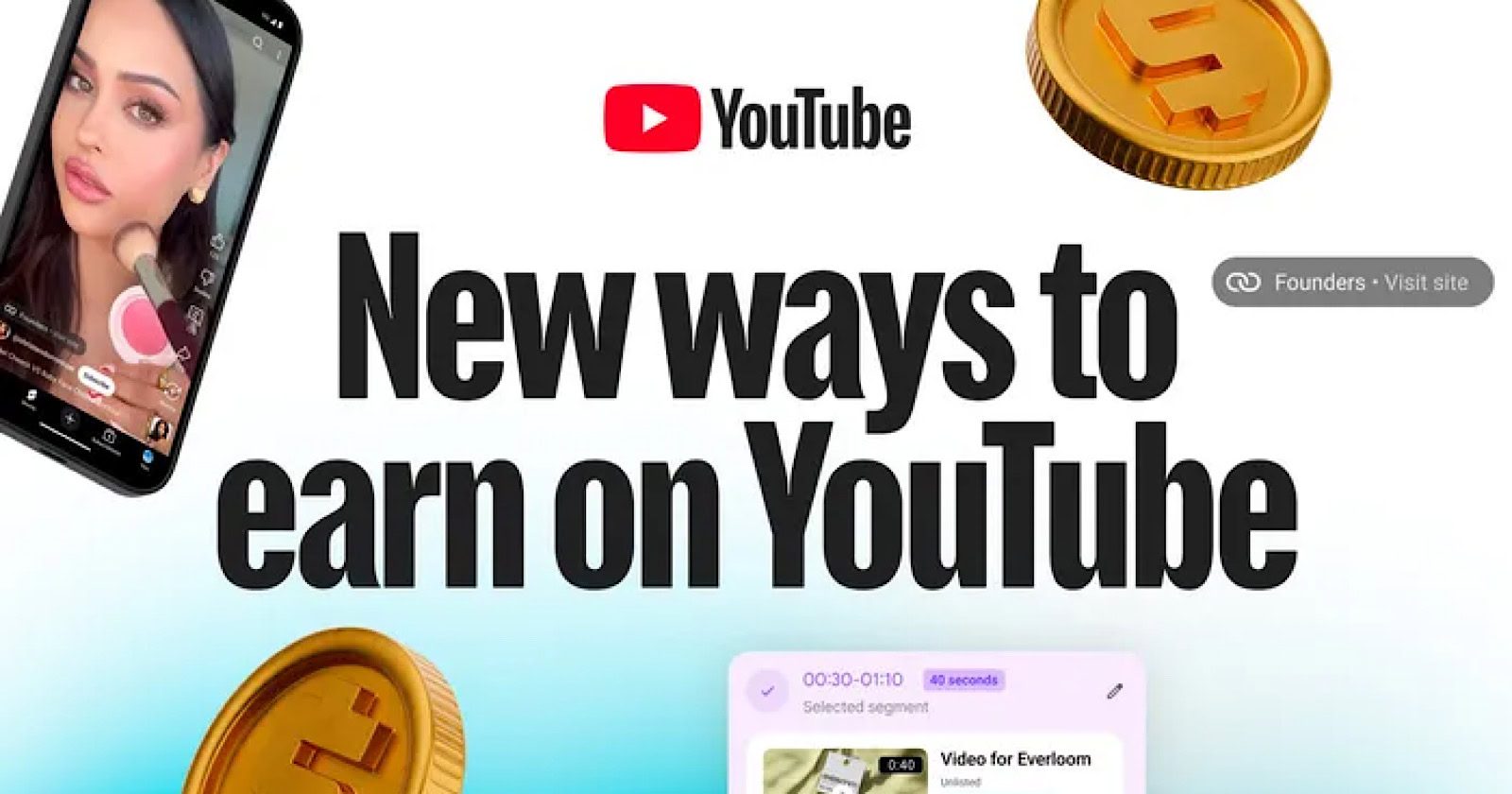
YouTube has announced a suite of monetization updates designed to help creators diversify their revenue streams.

Key updates include dynamic sponsorship for long-form videos, brand linking in Shorts, AI-powered product tagging for Shopping, and side-by-side live ads.

The updates come as YouTube revealed it paid out over $100 billion to creators, artists, and media companies globally over the past four years.

What’s New

Dynamic Sponsorship

YouTube is introducing a new way for creators to manage sponsorships in their videos.

Creators will soon be able to dynamically add brand segments to their content, rather than having to permanently embed them.

YouTube’s announcement reads:

“This new format enables you to remove the sponsorship when the deal is complete, resell the slot to another brand or eventually sell the same slot to multiple brands in different markets — transforming your videos into living assets to grow your business. Creators can choose the perfect moment to insert the branded segment, and will see detailed performance insights directly in YouTube Studio, which can also be shared with the brand.”

Testing starts with a small group early next year.

Shorts Links

YouTube is adding the ability to link directly to a sponsor’s website from Shorts.

YouTube states:

“For Shorts creators, they’ll soon be able to add a link to a brand’s site specifically for brand deals. This will make it easier for viewers to discover and buy products, while giving creators a powerful way to drive results for brand partners.”

Shopping

YouTube Shopping is getting a series of updates to improve the shopping experience for both creators and viewers.

The platform is adding automatic timestamps that show when products are available in videos, making it simpler for viewers to find and buy featured items.

YouTube is also automating product selection in Merchant Center, which reduces the manual work creators have to do to tag and link products to their content.

YouTube’s announcement reads:

“We know tagging products can be time-consuming, so to make the experience better for creators, we’re leaning on an AI-powered system to identify the optimal moment a product is mentioned and automatically display the product tag at that time, capturing viewer interest when it’s highest. We’ll also begin testing the ability to automatically identify and tag all eligible products mentioned in your video later this year.”

These updates are planned for later this year.

Live Streaming

Live streaming, which draws more than 30 percent of YouTube’s daily logged-in viewers, according to company data, is getting new features to help creators earn more money.

YouTube is rolling out live ads that show up next to streams, rather than interrupting them.

YouTube’s announcement reads:

“The new side-by-side ads are a less intrusive format for viewers, while helping creators get paid without pulling their audience away.

YouTube is also introducing a feature that lets live streams transition directly to member communities and channel memberships.

The company adds:

… We’re rolling out a new feature that allows channel membership creators to easily transition from public to members-only livestreams, without disruption. This makes it easy to create premium, members-only content, while strengthening your community and attracting new paid members.

Why This Matters

These updates are a move toward giving creators more control over how they make money from their content, while also giving brands more ways to partner with them.

By opening up new revenue streams beyond traditional pre-roll and mid-roll ads, YouTube is equipping creators with tools that could make the platform more attractive for full-time publishing.