Microsoft announced its Copilot Fall Release, introducing features to make AI more personal and collaborative.
New capabilities include group collaboration, long-term memory, health tools, and voice-enabled learning.
Mustafa Suleyman, head of Microsoft AI, wrote in the announcement that the release represents a shift in how AI supports users.
Suleyman wrote:
“… technology should work in service of people. Not the other way around. Ever.”
What’s New
Search Improvements
Copilot Search combines AI-generated answers with traditional results in one view, providing cited responses for faster discovery.
Microsoft also highlighted its in-house models, including MAI-Voice-1, MAI-1-Preview, and MAI-Vision-1, as groundwork for more immersive Copilot experiences.
Memory & Personalization
Copilot now includes long-term memory that tracks user preferences and information across conversations.
You can ask Copilot to remember specific details like training for a marathon or an anniversary, and the AI can recall this information in future interactions. Users can edit, update, or delete memories at any time.
Search Across Services
New connector features link Copilot to OneDrive, Outlook, Gmail, Google Drive, and Google Calendar so you can search for documents, emails, and calendar events across multiple accounts using natural language.
Microsoft notes this is rolling out gradually and may not yet be available in all regions or languages.
Edge & Windows Integration
Copilot Mode in Edge is evolving into what Microsoft calls an “AI browser.”
With user permission, Copilot can see open tabs, summarize information, and take actions like booking hotels or filling forms.
Voice-only navigation enables hands-free browsing. Journeys and Actions are currently available in the U.S. only.
Shared AI Sessions
The Groups feature turns Copilot into a collaborative workspace for up to 32 people.
You can invite friends, classmates, or teammates to shared sessions. Start a session by sending a link, and anyone with the link can join and see the same conversation in real time.
This feature is U.S. only at launch.
Health Features
Copilot for health grounds responses in credible sources like Harvard Health for medical questions.
Health features are available only in the U.S. at copilot.microsoft.com and in the Copilot iOS app.
Voice Tutoring
Learn Live provides voice-enabled Socratic tutoring for educational topics.
Interactive whiteboards help you work through concepts for test preparation, language practice, or exploring new subjects. U.S. only.
“Mico” Character
Microsoft introduced Mico, an optional visual character that reacts during voice conversations.
Separately, Copilot adds a “real talk” conversation style that challenges assumptions and adapts to user preferences.
Why This Matters
These features change how Copilot fits into your workflow.
The move from individual to collaborative sessions means teams can use AI together rather than separately synthesizing results.
Long-term memory reduces the need to repeat context, which matters for ongoing projects where Copilot needs to understand your specific situation.
Looking Ahead
Features are live in the U.S. now. Microsoft says updates are rolling out across the UK, Canada, and beyond in the next few weeks.
Some features require a Microsoft 365 Personal, Family, or Premium subscription; usage limits apply. Specific availability varies by market, device, and platform.
Before you get started, it’s important to heed this warning: There is math ahead! If doing math and learning equations makes your head swim, or makes you want to sit down and eat a whole cake, prepare yourself (or grab a cake). But if you like math, if you enjoy equations, and you really do believe that k=N (you sadist!), oh, this article is going to thrill you as we explore hybrid search in a bit more depth.
(Image Credit: Duane Forrester)
For years (decades), SEO lived inside a single feedback loop. We optimized, ranked, and tracked. Everything made sense because Google gave us the scoreboard. (I’m oversimplifying, but you get the point.)
Now, AI assistants sit above that layer. They summarize, cite, and answer questions before a click ever happens. Your content can be surfaced, paraphrased, or ignored, and none of it shows in analytics.
That doesn’t make SEO obsolete. It means a new kind of visibility now runs parallel to it. This article shows ideas of how to measure that visibility without code, special access, or a developer, and how to stay grounded in what we actually know.
Why This Matters
Search engines still drive almost all measurable traffic. Google alone handles almost 4 billion searches per day. By comparison, Perplexity’s reported total annual query volume is roughly 10 billion.
So yes, assistants are still small by comparison. But they’re shaping how information gets interpreted. You can already see it when ChatGPT Search or Perplexity answers a question and links to its sources. Those citations reveal which content blocks (chunks) and domains the models currently trust.
The challenge is that marketers have no native dashboard to show how often that happens. Google recently added AI Mode performance data into Search Console. According to Google’s documentation, AI Mode impressions, clicks, and positions are now included in the overall “Web” search type.
That inclusion matters, but it’s blended in. There’s currently no way to isolate AI Mode traffic. The data is there, just folded into the larger bucket. No percentage split. No trend line. Not yet.
Until that visibility improves, I’m suggesting we can use a proxy test to understand where assistants and search agree and where they diverge.
Two Retrieval Systems, Two Ways To Be Found
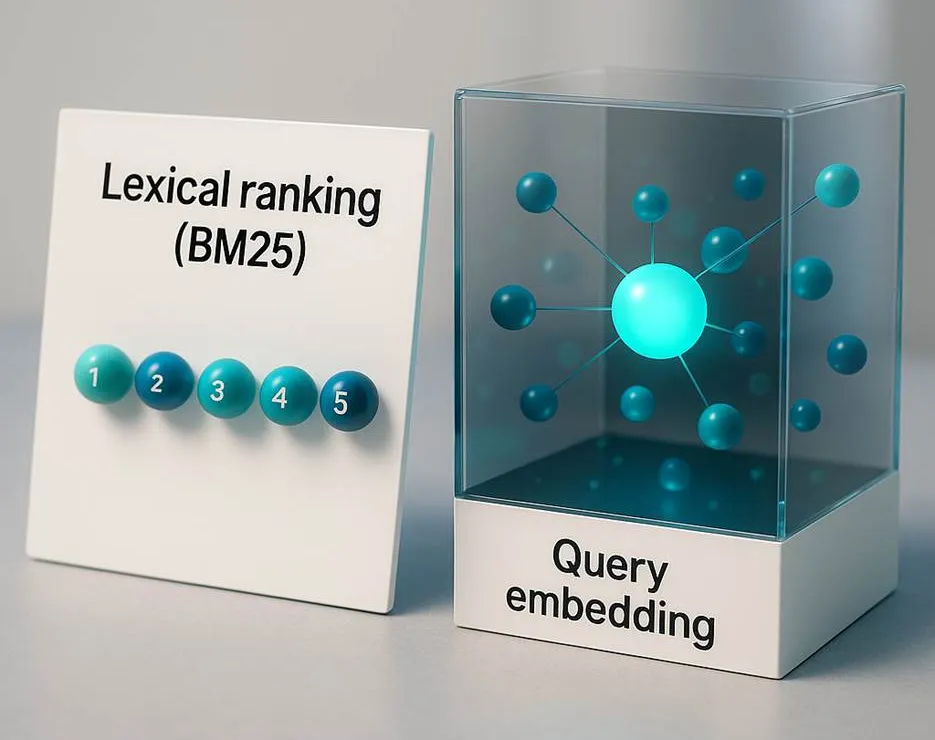
Traditional search engines use lexical retrieval, where they match words and phrases directly. The dominant algorithm, BM25, has powered solutions like Elasticsearch and similar systems for years. It’s also in use in today’s common search engines.
AI assistants rely on semantic retrieval. Instead of exact words, they map meaning through embeddings, the mathematical fingerprints of text. This lets them find conceptually related passages even when the exact words differ.
Each system makes different mistakes. Lexical retrieval misses synonyms. Semantic retrieval can connect unrelated ideas. But when combined, they produce better results.
Inside most hybrid retrieval systems, the two methods are fused using a rule called Reciprocal Rank Fusion (RRF). You don’t have to be able to run it, but understanding the concept helps you interpret what you’ll measure later.
RRF In Plain English
Hybrid retrieval merges multiple ranked lists into one balanced list. The math behind that fusion is RRF.
The formula is simple: score equals one divided by k plus rank. This is written as 1 ÷ (k + rank). If an item appears in several lists, you add those scores together.
Here, “rank” means the item’s position in that list, starting with 1 as the top. “k” is a constant that smooths the difference between top and mid-ranked items. Most systems typically use something near 60, but each may tune it differently.
It’s worth remembering that a vector model doesn’t rank results by counting word matches. It measures how close each document’s embedding is to the query’s embedding in multi-dimensional space. The system then sorts those similarity scores from highest to lowest, effectively creating a ranked list. It looks like a search engine ranking, but it’s driven by distance math, not term frequency.
(Image Credit: Duane Forrester)
Let’s make it tangible with small numbers and two ranked lists. One from BM25 (keyword relevance) and one from a vector model (semantic relevance). We’ll use k = 10 for clarity.
Document A is ranked number 1 in BM25 and number 3 in the vector list. From BM25: 1 ÷ (10 + 1) = 1 ÷ 11 = 0.0909. From the vector list: 1 ÷ (10 + 3) = 1 ÷ 13 = 0.0769. Add them together: 0.0909 + 0.0769 = 0.1678.
Document B is ranked number 2 in BM25 and number 1 in the vector list. From BM25: 1 ÷ (10 + 2) = 1 ÷ 12 = 0.0833. From the vector list: 1 ÷ (10 + 1) = 1 ÷ 11 = 0.0909. Add them: 0.0833 + 0.0909 = 0.1742.
Document C is ranked number 3 in BM25 and number 2 in the vector list. From BM25: 1 ÷ (10 + 3) = 1 ÷ 13 = 0.0769. From the vector list: 1 ÷ (10 + 2) = 1 ÷ 12 = 0.0833. Add them: 0.0769 + 0.0833 = 0.1602.
Document B wins here as it ranks high in both lists. If you raise k to 60, the differences shrink, producing a smoother, less top-heavy blend.
This example is purely illustrative. Every platform adjusts parameters differently, and no public documentation confirms which k values any engine uses. Think of it as an analogy for how multiple signals get averaged together.
Where This Math Actually Lives
You’ll never need to code it yourself as RRF is already part of modern search stacks. Here are examples of this type of system from their foundational providers. If you read through all of these, you’ll have a deeper understanding of how platforms like Perplexity do what they do:
All of them follow the same basic process: Retrieve with BM25, retrieve with vectors, score with RRF, and merge. The math above explains the concept, not the literal formula inside every product.
Observing Hybrid Retrieval In The Wild
Marketers can’t see those internal lists, but we can observe how systems behave at the surface. The trick is comparing what Google ranks with what an assistant cites, then measuring overlap, novelty, and consistency. This external math is a heuristic, a proxy for visibility. It’s not the same math the platforms calculate internally.
Step 1. Gather The Data
Pick 10 queries that matter to your business.
For each query:
Run it in Google Search and copy the top 10 organic URLs.
Run it in an assistant that shows citations, such as Perplexity or ChatGPT Search, and copy every cited URL or domain.
Now you have two lists per query: Google Top 10 and Assistant Citations.
(Be aware that not every assistant shows full citations, and not every query triggers them. Some assistants may summarize without listing sources at all. When that happens, skip that query as it simply can’t be measured this way.)
Step 2. Count Three Things
Intersection (I): how many URLs or domains appear in both lists.
Novelty (N): how many assistant citations do not appear in Google’s top 10. If the assistant has six citations and three overlap, N = 6 − 3 = 3.
Frequency (F): how often each domain appears across all 10 queries.
Step 3. Turn Counts Into Quick Metrics
For each query set:
Shared Visibility Rate (SVR) = I ÷ 10. This measures how much of Google’s top 10 also appears in the assistant’s citations.
Unique Assistant Visibility Rate (UAVR) = N ÷ total assistant citations for that query. This shows how much new material the assistant introduces.
Repeat Citation Count (RCC) = (sum of F for each domain) ÷ number of queries. This reflects how consistently a domain is cited across different answers.
Example:
Google top 10 = 10 URLs. Assistant citations = 6. Three overlap. I = 3, N = 3, F (for example.com) = 4 (appears in four assistant answers). SVR = 3 ÷ 10 = 0.30. UAVR = 3 ÷ 6 = 0.50. RCC = 4 ÷ 10 = 0.40.
You now have a numeric snapshot of how closely assistants mirror or diverge from search.
Step 4. Interpret
These scores are not industry benchmarks by any means, simply suggested starting points for you. Feel free to adjust as you feel the need:
High SVR (> 0.6) means your content aligns with both systems. Lexical and semantic relevance are in sync.
Moderate SVR (0.3 – 0.6) with high RCC suggests your pages are semantically trusted but need clearer markup or stronger linking.
Low SVR (< 0.3) with high UAVR shows assistants trust other sources. That often signals structure or clarity issues.
High RCC for competitors indicates the model repeatedly cites their domains, so it’s worth studying for schema or content design cues.
Step 5. Act
If SVR is low, improve headings, clarity, and crawlability. If RCC is low for your brand, standardize author fields, schema, and timestamps. If UAVR is high, track those new domains as they may already hold semantic trust in your niche.
(This approach won’t always work exactly as outlined. Some assistants limit the number of citations or vary them regionally. Results can differ by geography and query type. Treat it as an observational exercise, not a rigid framework.)
Why This Math Is Important
This math gives marketers a way to quantify agreement and disagreement between two retrieval systems. It’s diagnostic math, not ranking math. It doesn’t tell you why the assistant chose a source; it tells you that it did, and how consistently.
That pattern is the visible edge of the invisible hybrid logic operating behind the scenes. Think of it like watching the weather by looking at tree movement. You’re not simulating the atmosphere, just reading its effects.
On-Page Work That Helps Hybrid Retrieval
Once you see how overlap and novelty play out, the next step is tightening structure and clarity.
Write in short claim-and-evidence blocks of 200-300 words.
Use clear headings, bullets, and stable anchors so BM25 can find exact terms.
Add structured data (FAQ, HowTo, Product, TechArticle) so vectors and assistants understand context.
Keep canonical URLs stable and timestamp content updates.
Publish canonical PDF versions for high-trust topics; assistants often cite fixed, verifiable formats first.
These steps support both crawlers and LLMs as they share the language of structure.
Reporting And Executive Framing
Executives don’t care about BM25 or embeddings nearly as much as they care about visibility and trust.
Your new metrics (SVR, UAVR, and RCC) can help translate the abstract into something measurable: how much of your existing SEO presence carries into AI discovery, and where competitors are cited instead.
Pair those findings with Search Console’s AI Mode performance totals, but remember: You can’t currently separate AI Mode data from regular web clicks, so treat any AI-specific estimate as directional, not definitive. Also worth noting that there may still be regional limits on data availability.
These limits don’t make the math less useful, however. They help keep expectations realistic while giving you a concrete way to talk about AI-driven visibility with leadership.
Summing Up
The gap between search and assistants isn’t a wall. It’s more of a signal difference. Search engines rank pages after the answer is known. Assistants retrieve chunks before the answer exists.
The math in this article is an idea of how to observe that transition without developer tools. It’s not the platform’s math; it’s a marketer’s proxy that helps make the invisible visible.
In the end, the fundamentals stay the same. You still optimize for clarity, structure, and authority.
Now you can measure how that authority travels between ranking systems and retrieval systems, and do it with realistic expectations.
That visibility, counted and contextualized, is how modern SEO stays anchored in reality.
A new research paper from Google DeepMind proposes a new AI search ranking algorithm called BlockRank that works so well it puts advanced semantic search ranking within reach of individuals and organizations. The researchers conclude that it “can democratize access to powerful information discovery tools.”
In-Context Ranking (ICR)
The research paper describes the breakthrough of using In-Context Ranking (ICR), a way to rank web pages using a large language model’s contextual understanding abilities.
It prompts the model with:
Instructions for the task (for example, “rank these web pages”)
Candidate documents (the pages to rank)
And the search query.
ICR is a relatively new approach first explored by researchers from Google DeepMind and Google Research in 2024 (Can Long-Context Language Models Subsume Retrieval, RAG, SQL, and More?PDF). That earlier study showed that ICR could match the performance of retrieval systems built specifically for search.
But that improvement came with a downside in that it requires escalating computing power as the number of pages to be ranked are increased.
When a large language model (LLM) compares multiple documents to decide which are most relevant to a query, it has to “pay attention” to every word in every document and how each word relates to all others. This attention process gets much slower as more documents are added because the work grows exponentially.
The new research solves that efficiency problem, which is why the research paper is called, Scalable In-context Ranking with Generative Models, because it shows how to scale In-context Ranking (ICR) with what they call BlockRank.
How BlockRank Was Developed
The researchers examined how the model actually uses attention during In-Context Retrieval and found two patterns:
Inter-document block sparsity: The researchers found that when the model reads a group of documents, it tends to focus mainly on each document separately instead of comparing them all to each other. They call this “block sparsity,” meaning there’s little direct comparison between different documents. Building on that insight, they changed how the model reads the input so that it reviews each document on its own but still compares all of them against the question being asked. This keeps the part that matters, matching the documents to the query, while skipping the unnecessary document-to-document comparisons. The result is a system that runs much faster without losing accuracy.
Query-document block relevance: When the LLM reads the query, it doesn’t treat every word in that question as equally important. Some parts of the question, like specific keywords or punctuation that signal intent, help the model decide which document deserves more attention. The researchers found that the model’s internal attention patterns, particularly how certain words in the query focus on specific documents, often align with which documents are relevant. This behavior, which they call “query-document block relevance,” became something the researchers could train the model to use more effectively.
The researchers identified these two attention patterns and then designed a new approach informed by what they learned. The first pattern, inter-document block sparsity, revealed that the model was wasting computation by comparing documents to each other when that information wasn’t useful. The second pattern, query-document block relevance, showed that certain parts of a question already point toward the right document.
Based on these insights, they redesigned how the model handles attention and how it is trained. The result is BlockRank, a more efficient form of In-Context Retrieval that cuts unnecessary comparisons and teaches the model to focus on what truly signals relevance.
Benchmarking Accuracy Of BlockRank
The researchers tested BlockRank for how well it ranks documents on three major benchmarks:
BEIR A collection of many different search and question-answering tasks used to test how well a system can find and rank relevant information across a wide range of topics.
MS MARCO A large dataset of real Bing search queries and passages, used to measure how accurately a system can rank passages that best answer a user’s question.
Natural Questions (NQ) A benchmark built from real Google search questions, designed to test whether a system can identify and rank the passages from Wikipedia that directly answer those questions.
They used a 7-billion-parameter Mistral LLM and compared BlockRank to other strong ranking models, including FIRST, RankZephyr, RankVicuna, and a fully fine-tuned Mistral baseline.
BlockRank performed as well as or better than those systems on all three benchmarks, matching the results on MS MARCO and Natural Questions and doing slightly better on BEIR.
The researchers explained the results:
“Experiments on MSMarco and NQ show BlockRank (Mistral-7B) matches or surpasses standard fine-tuning effectiveness while being significantly more efficient at inference and training. This offers a scalable and effective approach for LLM-based ICR.”
They also acknowledged that they didn’t test multiple LLMs and that these results are specific to Mistral 7B.
Is BlockRank Used By Google?
The research paper says nothing about it being used in a live environment. So it’s purely conjecture to say that it might be used. Also, it’s natural to try to identify where BlockRank fits into AI Mode or AI Overviews but the descriptions of how AI Mode’s FastSearch and RankEmbed work are vastly different from what BlockRank does. So it’s unlikely that BlockRank is related to FastSearch or RankEmbed.
Why BlockRank Is A Breakthrough
What the research paper does say is that this is a breakthrough technology that puts an advanced ranking system within reach of individuals and organizations that wouldn’t normally be able to have this kind of high quality ranking technology.
The researchers explain:
“The BlockRank methodology, by enhancing the efficiency and scalability of In-context Retrieval (ICR) in Large Language Models (LLMs), makes advanced semantic retrieval more computationally tractable and can democratize access to powerful information discovery tools. This could accelerate research, improve educational outcomes by providing more relevant information quickly, and empower individuals and organizations with better decision-making capabilities.
Furthermore, the increased efficiency directly translates to reduced energy consumption for retrieval-intensive LLM applications, contributing to more environmentally sustainable AI development and deployment.
By enabling effective ICR on potentially smaller or more optimized models, BlockRank could also broaden the reach of these technologies in resource-constrained environments.”
SEOs and publishers are free to their opinions of whether or not this could be used by Google. I don’t think there’s evidence of that but it would be interesting to ask a Googler about it.
Google appears to be in the process of making BlockRank available on GitHub, but it doesn’t appear to have any code available there yet.
The research assessed free/consumer versions of ChatGPT, Copilot, Gemini, and Perplexity, answering news questions in 14 languages across 22 public-service media organizations in 18 countries.
The EBU said in announcing the findings:
“AI’s systemic distortion of news is consistent across languages and territories.”
What The Study Found
In total, 2,709 core responses were evaluated, with qualitative examples also drawn from custom questions.
Overall, 45% of responses contained at least one significant issue, and 81% had some issue. Sourcing was the most common problem area, affecting 31% of responses at a significant level.
How Each Assistant Performed
Performance varied by platform. Google Gemini showed the most issues: 76% of its responses contained significant problems, driven by 72% with sourcing issues.
The other assistants were at or below 37% for major issues overall and below 25% for sourcing issues.
Examples Of Errors
Accuracy problems included outdated or incorrect information.
For instance, several assistants identified Pope Francis as the current Pope in late May, despite his death in April, and Gemini incorrectly characterized changes to laws on disposable vapes.
Methodology Notes
Participants generated responses between May 24 and June 10, using a shared set of 30 core questions plus optional local questions.
The study focused on the free/consumer versions of each assistant to reflect typical usage.
Many organizations had technical blocks that normally restrict assistant access to their content. Those blocks were removed for the response-generation period and reinstated afterward.
Why This Matters
When using AI assistants for research or content planning, these findings reinforce the need to verify claims against original sources.
As a publication, this could impact how your content is represented in AI answers. The high rate of errors increases the risk of misattributed or unsupported statements appearing in summaries that cite your content.
Looking Ahead
The EBU and BBC published a News Integrity in AI Assistants Toolkit alongside the report, offering guidance for technology companies, media organizations, and researchers.
Reuters reports the EBU’s view that growing reliance on assistants for news could undermine public trust.
As EBU Media Director Jean Philip De Tender put it:
“When people don’t know what to trust, they end up trusting nothing at all, and that can deter democratic participation.”
Brave disclosed security vulnerabilities in AI browsers that could allow malicious websites to hijack AI assistants and access sensitive user accounts.
The issues affect Perplexity Comet, Fellou, and potentially other AI browsers that can take actions on behalf of users.
The vulnerabilities stem from indirect prompt injection attacks where websites embed hidden instructions that AI browsers process as legitimate user commands. Brave published the findings after reporting the issues to affected companies.
What Brave Found
Perplexity Comet Vulnerability
Comet’s screenshot feature can be exploited by embedding nearly invisible text in webpages.
When users take screenshots to ask questions, the AI extracts hidden text using what appears to be OCR and processes it as commands rather than untrusted content.
Brave notes Comet isn’t open-source, so this behavior is inferred and can’t be verified from source code.
The hidden instructions use faint colors that humans can barely see but AI systems extract and execute. This lets attackers issue commands to the AI assistant without the user’s knowledge.
Fellou Navigation Vulnerability
Fellou browser sends webpage content to its AI system when users navigate to a site.
Asking the AI assistant to visit a webpage causes the browser to pass the page’s visible content to the AI in a way that lets the webpage text override user intent.
This means visiting a malicious site could trigger unintended AI actions without requiring explicit user interaction with the AI assistant.
Access To Sensitive Accounts
The vulnerabilities become dangerous because AI assistants operate with user authentication privileges.
A hijacked AI browser can access banking sites, email providers, work systems, and cloud storage where users remain logged in.
Brave notes that even summarizing a Reddit post could result in attackers stealing money or private data if the post contains hidden malicious instructions.
Industry Context
Brave describes indirect prompt injection as a systemic challenge facing AI browsers rather than an isolated issue.
The problem revolves around AI systems failing to distinguish between trusted user input and untrusted webpage content when constructing prompts.
Brave is withholding details of one additional vulnerability found in another browser until next week.
Why This Matters
Brave argues that traditional web security models break when AI agents act on behalf of users.
Natural language instructions on any webpage can trigger cross-domain actions reaching banks, healthcare providers, corporate systems, and email hosts.
Same-origin policy protections become irrelevant because AI assistants execute with full user privileges across all authenticated sites.
The disclosure arrives the same day OpenAI launched ChatGPT Atlas with agent mode capabilities, highlighting the tension between AI browser functionality and security.
People using AI browsers with agent features face a tradeoff between automation capabilities and exposure to these systemic vulnerabilities.
Looking Ahead
Brave’s research continues with additional findings scheduled for disclosure next week.
The company indicated it’s exploring longer-term solutions to address the trust boundary problems in agentic browsing.
OpenAI released ChatGPT Atlas today, describing it as “the browser with ChatGPT built in.”
OpenAI announced the launch in a blog post and livestream featuring CEO Sam Altman and team members including Ben Goodger, who previously helped develop Google Chrome and Mozilla Firefox.
Atlas is available now on macOS worldwide for Free, Plus, Pro, and Go users. Windows, iOS, and Android versions are coming soon.
What Does ChatGPT Atlas Do?
Unified New Tab Experience
Opening a new tab creates a starting point where you can ask questions or enter URLs. Results appear with tabs to switch between links, images, videos, and news where available.
OpenAI describes this as showing faster, more useful results in one place. The tab-based navigation keeps ChatGPT answers and traditional search results within the same view.
ChatGPT Sidebar
A ChatGPT sidebar appears in any browser window to summarize content, compare products, or analyze data from the page you’re viewing.
The sidebar provides assistance without leaving the current page.
Cursor
Cursor chat lets you highlight text in emails, calendar invites, or documents and get ChatGPT help with one click.
The feature can rewrite selected text inline without opening a separate chat window.
Agent Mode
Agent mode can open tabs and click through websites to complete tasks with user approval. OpenAI says it can research products, book appointments, or organize tasks inside your browser.
The company describes it as an early experience that may make mistakes on complex workflows, but is rapidly improving reliability and task success rates.
Browser Memories
Browser memories let ChatGPT remember context from sites you visit and bring back relevant details when needed. The feature can continue product research or build to-do lists from recent activity.
Browser memories are optional. You can view all memories in settings, archive ones no longer relevant, and clear browsing history to delete them.
A site-level toggle in the address bar controls which pages ChatGPT can see.
Privacy Controls
Users control what ChatGPT can see and remember. You can clear specific pages, clear entire browsing history, or open an incognito window to temporarily log out of ChatGPT.
By default, OpenAI doesn’t use browsing content to train models. You can opt in by enabling “include web browsing” in data controls settings.
OpenAI added safeguards for agent mode. It cannot run code in the browser, download files, install extensions, or access other apps on your computer or file system. It pauses to ensure you’re watching when taking actions on sensitive sites like financial institutions.
The company acknowledges agents remain susceptible to hidden malicious instructions in webpages or emails that could override intended behavior. OpenAI ran thousands of hours of red-teaming and designed safeguards to adapt to novel attacks, but notes the safeguards won’t stop every attack.
Why This Matters
Atlas blurs the line between browser and search engine by putting ChatGPT responses alongside traditional search results in the same view. This changes the browsing model from ‘visit search engine, then navigate to sites’ to ‘ask questions and browse simultaneously.’
This matters because it’s another major platform where AI-generated answers appear before organic links.
The agent mode also introduces a new variable: AI systems that can navigate sites, fill forms, and complete purchases on behalf of users without traditional click-through patterns.
The privacy controls around site visibility and browser memories create a permission layer that hasn’t existed in traditional browsers. Sites you block from ChatGPT’s view won’t contribute to AI responses or memories, which could affect how your content gets discovered and referenced.
Looking Ahead
OpenAI is rolling out Atlas for macOS starting today. First-run setup imports bookmarks, saved passwords, and browsing history from your current browser.
Windows, iOS, and Android versions are scheduled to launch in the coming months without specific release dates.
The roadmap includes multi-profile support, improved developer tools, and guidance for websites to add ARIA tags to help the agent work better with their content.
The Wikimedia Foundation (WMF) reported a decline in human pageviews on Wikipedia compared with the same months last year.
Marshall Miller, Senior Director of Product, Core Experiences at Wikimedia Foundation, wrote that the organization believes the decline reflects changes in how people access information, particularly through AI search and social platforms.
What Changed In The Data
Wikimedia observed unusually high traffic around May. The traffic appeared human but investigation revealed bots designed to evade detection.
WMF updated its bot detection systems and applied the new logic to reclassify traffic from March through August.
Miller noted the revised data shows “a decrease of roughly 8% as compared to the same months in 2024.”
WMF cautions that comparisons require careful interpretation because bot detection rules changed over time.
The Role Of AI Search
Miller attributed the decline to generative AI and social platforms reshaping information discovery.
He wrote that search engines are “providing answers directly to searchers, often based on Wikipedia content.”
This creates a scenario where Wikipedia serves as source material for AI-powered search features without generating traffic to the site itself.
Wikipedia’s Role In AI Systems
The traffic decline comes as AI systems increasingly depend on Wikipedia as source material.
Research from Profound analyzing 680 million AI citations finds that within ChatGPT’s top 10 most-cited sources, Wikipedia accounts for 47.9% of the top-10 share. For Google AI Overviews, Wikipedia’s top-10 share is 5.7%, with Reddit 21.0% and YouTube 18.8%.
WMF also reported a 50% surge in bandwidth from AI bots since January 2024. These bots scrape content primarily for training computer vision models.
Wikipedia launched Wikimedia Enterprise in 2021, offering commercial, SLA-backed data access for high-volume reusers, including search and AI companies.
Why This Matters
If Wikipedia loses traffic while serving as ChatGPT’s most-cited source, the model that sustains content creation is breaking. You can produce authoritative content that AI systems depend on and still see referral traffic decline.
The incentive structure assumes publishers benefit from creating material that powers AI answers, but Wikipedia’s data shows that assumption doesn’t hold.
Track how AI features affect your traffic and whether being cited translates to meaningful engagement.
Looking Ahead
WMF says it will continue updating bot detection systems and monitoring how generative AI and social media shape information access.
Wikipedia remains a core dataset for modern search and AI systems, even when users don’t visit the site directly. Publishers should expect similar dynamics as AI search features expand across platforms.
GEO/AEO is criticized by SEOs who claim that it’s just SEO at best and unsupported lies at worst. Are SEOs right, or are they just defending their turf? Bing recently published a guide to AI search visibility that provides a perfect opportunity to test whether optimization for AI answers recommendations is distinct from traditional SEO practices.
Chunking Content
Some AEO/GEO optimizers are saying that it’s important to write content in chunks because that’s how AI and LLMs break up a pages of content, into chunks of content. Bing’s guide to answer engine optimization, written by Krishna Madhavan, Principal Product Manager at Bing, echoes the concept of chunking.
Bing’s Madhavan writes:
“AI assistants don’t read a page top to bottom like a person would. They break content into smaller, usable pieces — a process called parsing. These modular pieces are what get ranked and assembled into answers.”
The thing that some SEOs tend to forget is that chunking content is not new. It’s been around for at least five years. Google introduced their passage ranking algorithm back in 2020. The passages algorithm breaks up a web page into sections to understand how the page and a section of it is relevant to a search query.
“Passage ranking is an AI system we use to identify individual sections or “passages” of a web page to better understand how relevant a page is to a search.”
“Very specific searches can be the hardest to get right, since sometimes the single sentence that answers your question might be buried deep in a web page. We’ve recently made a breakthrough in ranking and are now able to better understand the relevancy of specific passages. By understanding passages in addition to the relevancy of the overall page, we can find that needle-in-a-haystack information you’re looking for. This technology will improve 7 percent of search queries across all languages as we roll it out globally.”
As far as chunking is concerned, any SEO who has optimized content for Google’s Featured Snippets can attest to the importance of creating passages that directly answer questions. It’s been a fundamental part of SEO since at least 2014, when Google introduced Featured Snippets.
Titles, Descriptions, and H1s
The Bing guide to ranking in AI also states that descriptions, headings, and titles are important signals to AI systems.
I don’t think I need to belabor the point that descriptions, headings, and titles are fundamental elements of SEO. So again, there is nothing her to differentiate AEO/GEO from SEO.
Lists and Tables
Bing recommends bulleted lists and tables as a way to easily communicate complex information to users and search engines. This approach to organizing data is similar to an advanced SEO method called disambiguation. Disambiguation is about making the meaning and purpose of a web page as clear as possible, to make it less ambiguous.
Making a page less ambiguous can incorporate semantic HTML to clearly delineate which part of a web page is the main content (MC in the parlance of Google’s third-party quality rater guidelines) and which part of the web page is just advertisements, navigation, a sidebar, or the footer.
Another form of disambiguation is through the proper use of HTML elements like ordered lists (OL) and the use of tables to communicate tabular data such as product comparisons or a schedule of dates and times for an event.
The use of HTML elements (like H, OL, and UL) give structure to on-page information, which is why it’s called structured information. Structured information and structured data are two different things. Structured information is on the page and is seen in the browser and by crawlers. Structured data is meta data that only a bot will see.
There are studies that structured information helps AI Agents make sense of a web page, so I have to concede that structured information is something that is particularly helpful to AI Agents in a unique way.
Question And Answer Pairs
Bing recommends Q&A’s, which are question and answer pairs that an AI can use directly. Bing’s Madhavan writes:
“Direct questions with clear answers mirror the way people search. Assistants can often lift these pairs word for word into AI-generated responses.”
This is a mix of passage ranking and the SEO practice of writing for featured snippets, where you pose a question and give the answer. It’s a risky approach to create an entire page of questions and answers but if it feels useful and helpful then it may be worth doing.
Something to keep in mind is that Google’s systems consider content lacking in unique insight on the same level of spam. Google also considers content created specifically for search engines as low quality as well.
Anyone considering writing questions and answers on a web page for the purpose of AI SEO should first consider the whether it’s useful for people and think deeply about the quality of the question and answer pairs. Otherwise it’s just a page of rote made for search engine content.
Be Precise With Semantic Clarity
Bing also recommends semantic clarity. This is also important for SEO. Madhavan writes:
“Write for intent, not just keywords. Use phrasing that directly answers the questions users ask.
Avoid vague language. Terms like innovative or eco mean little without specifics. Instead, anchor claims in measurable facts.
Add context. A product page should say “42 dB dishwasher designed for open-concept kitchens” instead of just “quiet dishwasher.”
Use synonyms and related terms. This reinforces meaning and helps AI connect concepts (quiet, noise level, sound rating).”
They also advise to not use abstract words like “next-gen” or “cutting edge” because it doesn’t really say anything. This is a big, big issue with AI-generated content because it tends to use abstract words that can completely be removed and not change the meaning of the sentence or paragraph.
Lastly, they advise to not use decorative symbols, which is good a tip. Decorative symbols like the arrow → symbol don’t really communicate anything semantically.
All of this advice is good. It’s good for SEO, good for AI, and like all the other AI SEO practices, there is nothing about it that is specific to AI.
Bing Acknowledges Traditional SEO
The funny thing about Bing’s guide to ranking better for AI is that it explicitly acknowledges that traditional SEO is what matters.
Bing’s Madhavan writes:
“Whether you call it GEO, AIO, or SEO, one thing hasn’t changed: visibility is everything. In today’s world of AI search, it’s not just about being found, it’s about being selected. And that starts with content.
…traditional SEO fundamentals still matter.”
AI Search Optimization = SEO
Google and Bing have incorporated AI into traditional search for about a decade. AI Search ranking is not new. So it should not be surprising that SEO best practices align with ranking for AI answers. The same considerations also parallel with considerations about users and how they interact with content.
Many SEOs are still stuck in the decades-old keyword optimization paradigm and maybe for them these methods of disambiguation and precision are new to them. So perhaps it’s a good thing that the broader SEO industry catches up with many of these concepts for optimizing content and to recognize that there is no AEO/GEO, it’s still just SEO.
Search has never stood still. Every few years, a new layer gets added to how people find and evaluate information. Generative AI systems like ChatGPT, Copilot Search, and Perplexity haven’t replaced Google or Bing. They’ve added a new surface where discovery happens earlier, and where your visibility may never show up in analytics.
Call it Generative Engine Optimization, call it AI visibility work, or just call it the next evolution of SEO. Whatever the label, the work is already happening. SEO practitioners are already tracking citations, analyzing which content gets pulled into AI responses, and adapting strategies as these platforms evolve weekly.
This work doesn’t replace SEO, rather it builds on top of it. Think of it as the “answer layer” above the traditional search layer. You still need structured content, clean markup, and good backlinks, among the other usual aspects of SEO. That’s the foundation assistants learn from. The difference is that assistants now re-present that information to users directly inside conversations, sidebars, and app interfaces.
If your work stops at traditional rankings, you’ll miss the visibility forming in this new layer. Tracking when and how assistants mention, cite, and act on your content is how you start measuring that visibility.
Your brand can appear in multiple generative answers without you knowing. These citations don’t show up in any analytics tool until someone actually clicks.
Image Credi: Duane Forrester
Perplexity explains that every answer it gives includes numbered citations linking to the original sources. OpenAI’s ChatGPT Search rollout confirms that answers now include links to relevant sites and supporting sources. Microsoft’s Copilot Search does the same, pulling from multiple sources and citing them inside a summarized response. And Google’s own documentation for AI overviews makes it clear that eligible content can be surfaced inside generative results.
Each of these systems now has its own idea of what a “citation” looks like. None of them report it back to you in analytics.
That’s the gap. Your brand can appear in multiple generative answers without you knowing. These are the modern zero-click impressions that don’t register in Search Console. If we want to understand brand visibility today, we need to measure mentions, impressions, and actions inside these systems.
But there’s yet another layer of complexity here: content licensing deals. OpenAI has struck partnerships with publishers including the Associated Press, Axel Springer, and others, which may influence citation preferences in ways we can’t directly observe. Understanding the competitive landscape, not just what you’re doing, but who else is being cited and why, becomes essential strategic intelligence in this environment.
In traditional SEO, impressions and clicks tell you how often you appeared and how often someone acted. Inside assistants, we get a similar dynamic, but without official reporting.
Mentions are when your domain, name, or brand is referenced in a generative answer.
Impressions are when that mention appears in front of a user, even if they don’t click.
Actions are when someone clicks, expands, or copies the reference to your content.
These are not replacements for your SEO metrics. They’re early indicators that your content is trusted enough to power assistant answers.
If you read last week’s piece, where I discussed how 2026 is going to be an inflection year for SEOs, you’ll remember the adoption curve. During 2026, assistants are projected to reach around 1 billion daily active users, embedding themselves into phones, browsers, and productivity tools. But that doesn’t mean they’re replacing search. It means discovery is happening before the click. Measuring assistant mentions is about seeing those first interactions before the analytics data ever arrives.
Let’s be clear. Traditional search is still the main driver of traffic. Google handles over 3.5 billion searches per day. In May 2025, Perplexity processed 780 million queries in a full month. That’s roughly what Google handles in about five hours.
The data is unambiguous. AI assistants are a small, fast-growing complement, not a replacement (yet).
But if your content already shows up in Google, it’s also being indexed and processed by the systems that train and quote inside these assistants. That means your optimization work already supports both surfaces. You’re not starting over. You’re expanding what you measure.
Ranking is an output-aligned process. The system already knows what it’s trying to show and chooses the best available page to match that intent. Retrieval, on the other hand, is pre-answer-aligned. The system is still assembling the information that will become the answer and that difference can change everything.
When you optimize for ranking, you’re trying to win a slot among visible competitors. When you optimize for retrieval, you’re trying to be included in the model’s working set before the answer even exists. You’re not fighting for position as much as you’re fighting for participation.
That’s why clarity, attribution, and structure matter so much more in this environment. Assistants pull only what they can quote cleanly, verify confidently, and synthesize quickly.
When an assistant cites your site, it’s doing so because your content met three conditions:
It answered the question directly, without filler.
It was machine-readable and easy to quote or summarize.
It carried provenance signals the model trusted: clear authorship, timestamps, and linked references.
Those aren’t new ideas. They’re the same best practices SEOs have worked with for years, just tested earlier in the decision chain. You used to optimize for the visible result. Now you’re optimizing for the material that builds the result.
One critical reality to understand: citation behavior is highly volatile. Content cited today for a specific query may not appear tomorrow for that same query. Assistant responses can shift based on model updates, competing content entering the index, or weighting adjustments happening behind the scenes. This instability means you’re tracking trends and patterns, not guarantees (not that ranking was guaranteed, but they are typically more stable). Set expectations accordingly.
Not all content has equal citation potential, and understanding this helps you allocate resources wisely. Assistants excel at informational queries (”how does X work?” or “what are the benefits of Y?”). They’re less relevant for transactional queries like “buy shoes online” or navigational queries like “Facebook login.”
If your content serves primarily transactional or branded navigational intent, assistant visibility may matter less than traditional search rankings. Focus your measurement efforts where assistant behavior actually impacts your audience and where you can realistically influence outcomes.
The simplest way to start is manual testing.
Run prompts that align with your brand or product, such as:
“What is the best guide on [topic]?”
“Who explains [concept] most clearly?”
“Which companies provide tools for [task]?”
Use the same query across ChatGPT Search, Perplexity, and Copilot Search. Document when your brand or URL appears in their citations or answers.
Log the results. Record the assistant used, the prompt, the date, and the citation link if available. Take screenshots. You’re not building a scientific study here; you’re building a visibility baseline.
Once you’ve got a handful of examples, start running the same queries weekly or monthly to track change over time.
You can even automate part of this. Some platforms now offer API access for programmatic querying, though costs and rate limits apply. Tools like n8n or Zapier can capture assistant outputs and push them to a Google Sheet. Each row becomes a record of when and where you were cited. (To be fair, it’s more complicated than 2 short sentences make it sound, but it’s doable by most folks, if they’re willing to learn some new things.)
This is how you can create your first “ai-citation baseline“ report if you’re willing to just stay manual in your approach.
But don’t stop at tracking yourself. Competitive citation analysis is equally important. Who else appears for your key queries? What content formats do they use? What structural patterns do their cited pages share? Are they using specific schema markup or content organization that assistants favor? This intelligence reveals what assistants currently value and where gaps exist in the coverage landscape.
We don’t have official impression data yet, but we can infer visibility.
Look at the types of queries where you appear in assistants. Are they broad, informational, or niche?
Use Google Trends to gauge search interest for those same queries. The higher the volume, the more likely users are seeing AI answers for them.
Track assistant responses for consistency. If you appear across multiple assistants for similar prompts, you can reasonably assume high impression potential.
Impressions here don’t mean analytics views. They mean assistant-level exposure: your content seen in an answer window, even if the user never visits your site.
Actions are the most difficult layer to observe, but not because assistant ecosystems hide all referrer data. The tracking reality is more nuanced than that.
Most AI assistants (Perplexity, Copilot, Gemini, and paid ChatGPT users) do send referrer data that appears in Google Analytics 4 as perplexity.ai / referral or chatgpt.com / referral. You can see these sources in your standard GA4 Traffic Acquisition reports. (useful article)
The real challenges are:
Free-tier users don’t send referrers. Free ChatGPT traffic arrives as “Direct” in your analytics, making it impossible to distinguish from bookmark visits, typed URLs, or other referrer-less traffic sources. (useful article)
No query visibility. Even when you see the referrer source, you don’t know what question the user asked the AI that led them to your site. Traditional search gives you some query data through Search Console. AI assistants don’t provide this.
Volume is still small but growing. AI referral traffic typically represents 0.5% to 3% of total website traffic as of 2025, making patterns harder to spot in the noise of your overall analytics. (useful article)
Here’s how to improve tracking and build a clearer picture of AI-driven actions:
Set up dedicated AI traffic tracking in GA4. Create a custom exploration or channel group using regex filters to isolate all AI referral sources in one view. Use a pattern like the excellent example in this Orbit Media article to capture traffic from major platforms ( ^https://(www.meta.ai|www.perplexity.ai|chat.openai.com|claude.ai|gemini.google.com|chatgpt.com|copilot.microsoft.com)(/.*)?$ ). This separates AI referrals from generic referral traffic and makes trends visible.
Add identifiable UTM parameters when you control link placement. In content you share to AI platforms, in citations you can influence, or in public-facing URLs. Even platforms that send referrer data can benefit from UTM tagging for additional attribution clarity. (useful article)
Monitor “Direct” traffic patterns. Unexplained spikes in direct traffic, especially to specific landing pages that assistants commonly cite, may indicate free-tier AI users clicking through without referrer data. (useful article)
Track which landing pages receive AI traffic. In your AI traffic exploration, add “Landing page + query string” as a dimension to see which specific pages assistants are citing. This reveals what content AI systems find valuable enough to reference.
Watch for copy-paste patterns in social media, forums, or support tickets that match your content language exactly. That’s a proxy for text copied from an assistant summary and shared elsewhere.
Each of these tactics helps you build a more complete picture of AI-driven actions, even without perfect attribution. The key is recognizing that some AI traffic is visible (paid tiers, most platforms), some is hidden (free ChatGPT), and your job is to capture as much signal as possible from both.
Machine-Validated Authority (MVA) isn’t visible to us as it’s an internal trust signal used by AI systems to decide which sources to quote. What we can measure are the breadcrumbs that correlate with it:
Frequency of citation
Presence across multiple assistants
Stability of the citation source (consistent URLs, canonical versions, structured markup)
When you see repeat citations or multi-assistant consistency, you’re seeing a proxy for MVA. That consistency is what tells you the systems are beginning to recognize your content as reliable.
Perplexity reports almost 10 billion queries a year across its user base. That’s meaningful visibility potential even if it’s small compared to search.
Microsoft’s Copilot Search is embedded in Windows, Edge, and Microsoft 365. That means millions of daily users see summarized, cited answers without leaving their workflow.
Google’s rollout of AI Overviews adds yet another surface where your content can appear, even when no one clicks through. Their own documentation describes how structured data helps make content eligible for inclusion.
Each of these reinforces a simple truth: SEO still matters, but it now extends beyond your own site.
Start small. A basic spreadsheet is enough.
Columns:
Date.
Assistant (ChatGPT Search, Perplexity, Copilot).
Prompt used.
Citation found (yes/no).
URL cited.
Competitor citations observed.
Notes on phrasing or ranking position.
Add screenshots and links to the full answers for evidence. Over time, you’ll start to see which content themes or formats surface most often.
If you want to automate, set up a workflow in n8n that runs a controlled set of prompts weekly and logs outputs to your sheet. Even partial automation will save time and let you focus on interpretation, not collection. Use this sheet and its data to augment what you can track in sources like GA4.
Before investing heavily in assistant monitoring, consider resource allocation carefully. If assistants represent less than 1% of your traffic and you’re a small team, extensive tracking may be premature optimization. Focus on high-value queries where assistant visibility could materially impact brand perception or capture early-stage research traffic that traditional search might miss.
Manual quarterly audits may suffice until the channel grows to meaningful scale. This is about building baseline understanding now so you’re prepared when adoption accelerates, not about obsessive daily tracking of negligible traffic sources.
Executives understand and prefer dashboards, not debates about visibility layers, so show them real-world examples. Put screenshots of your brand cited inside ChatGPT or Copilot next to your Search Console data. Explain that this is not a new algorithm update but a new front end for existing content. It’s up to you to help them understand this critical difference.
Frame it as additive reach. You’re showing leadership that the company’s expertise is now visible in new interfaces before clicks happen. That reframing keeps support for SEO strong and positions you as the one tracking the next wave.
It’s worth noting that citation practices exist within a shifting legal landscape. Publishers and content creators have raised concerns about copyright and fair use as AI systems train on and reproduce web content. Some platforms have responded with licensing agreements, while legal challenges continue to work through courts.
This environment may influence how aggressively platforms cite sources, which sources they prioritize, and how they balance attribution with user experience. The frameworks we build today should remain flexible as these dynamics evolve and as the industry establishes clearer norms around content usage and attribution.
AI assistant visibility is not yet a major traffic source. It’s a small but growing signal of trust.
By measuring mentions and citations now, you build an early-warning system. You’ll see when your content starts appearing in assistants long before any of your analytics tools do. This means that when 2026 arrives and assistants become a daily habit, you won’t be reacting to the curve. You’ll already have data on how your brand performs inside these new systems.
If you extend the concept here of “data” to a more meta level, you could say it’s already telling us that the growth is starting, it’s explosive, and it’s about to have an impact in consumer’s behaviors. So now is the moment to take that knowledge and focus it on the more day-to-day work you do and start to plan for how those changes impact that daily work.
Traditional SEO remains your base layer. Generative visibility sits above it. Machine-Validated Authority lives inside the systems. Watching mentions, impressions, and actions is how we start making what’s in the shadows measurable.
We used to measure rankings because that’s what we could see. Today, we can measure retrieval for the same reason. This is just the next evolution of evidence-based SEO. Ultimately, you can’t fix what you can’t see. We cannot see how trust is assigned inside the system, but we can see the outputs of each system.
The assistants aren’t replacing search (yet). They’re simply showing you how visibility behaves when the click disappears. If you can measure where you appear in those layers now, you’ll know when the slope starts to change and you’ll already be ahead of it.
Google Search Advocate John Mueller provided detailed technical SEO feedback to a developer on Reddit who vibe coded a website in two days and launched it on Product Hunt.
The developer posted in r/vibecoding that they built a Bento Grid Generator for personal use, published it on Product Hunt, and received over 90 upvotes within two hours.
Mueller responded with specific technical issues affecting the site’s search visibility.
Mueller wrote:
“I love seeing vibe-coded sites, it’s cool to see new folks make useful & self-contained things for the web, I hope it works for you.
This is just a handful of the things I noticed here. I’ve seen similar things across many vibe-coded sites, so perhaps this is useful for others too.”
Mueller’s Technical Feedback
Mueller identified multiple issues with the site.
The homepage stores key content in a llms.txt JavaScript file. Mueller noted that Google doesn’t use this file, and he’s not aware of other search engines using it either.
Mueller wrote:
“Generally speaking, your homepage should have everything that people and bots need to understand what your site is about, what the value of your service / app / site is.”
He recommended adding a popup-welcome-div in HTML that includes the information to make it immediately available to bots.
For meta tags, Mueller said the site only needs title and description tags. The keywords, author, and robots meta tags provide no SEO benefit.
The site includes hreflang tags despite having just one language version. Mueller said these aren’t necessary for single-language sites.
Mueller flagged the JSON-LD structured data as ineffective, noting:
“Check out Google’s ‘Structured data markup that Google Search supports’ for the types supported by Google. I don’t think anyone else supports your structured data.”
He called the hidden h1 and h2 tags “cheap & useless.” Mueller suggested using a visible, dismissable banner in the HTML instead.
The robots.txt file contains unnecessary directives. Mueller recommended skipping the sitemap if it’s just one page.
Mueller suggested adding the domain to Search Console and making it easier for visitors to understand what the app or site does.
Setting Expectations
Mueller closed his feedback with realistic expectations about the impact of technical SEO fixes.
He said:
“Will you automatically get tons of traffic from just doing these things? No, definitely not. However, it makes it easier for search engines to understand your site, so that they could be sending you traffic from search.”
He noted that implementing these changes now sets you up for success later.
Mueller added:
“Doing these things sets you up well, so that you can focus more on the content & functionality, without needing to rework everything later on.”
The Vibe Coding Trade-Off
This exchange highlights a tension with vibe coding and search visibility.
The developer built a functional product that generated immediate user engagement. The site works, looks polished, and achieved success on Product Hunt within hours.
None of the flagged issues affects user experience. But every implementation choice Mueller criticized shares the same characteristic. It works for visitors while providing nothing to search engines.
Sites built for rapid launch can achieve product success without search visibility. But the technical debt adds up.
The fixes aren’t too challenging, but they require addressing issues that seemed fine when the goal was to ship fast rather than rank well.