Websites Created With Google Business Profiles To Shut Down In March via @sejournal, @kristileilani

Do you have a website created through Google Business Profiles for your local business?

If so, you must find an alternative website solution as Google plans to shut down websites created with Google Business Profiles in March.

Websites Created With Google Business Profiles Will Redirect Until June 10, 2024

A redirect will be put in place from your GBP website to your Google Business Profile until June 10, 2024.

“Websites made with Google Business Profiles are basic websites powered by the information on your Business Profile.

In March 2024, websites made with Google Business Profiles will be turned off and customers visiting your site will be redirected to your Business Profile instead.

The redirect will work until June 10, 2024.”

How To Find Out If You Have A Google Business Profile Website

To find out if your business has a website made with Google Business Profile, search for my business or your business name on Google. Once you find your Google Business Profile, edit your profile and check for your website in the contact section.

If you have a Google Business Profile site, it should say, “You have a website created with Google.”

Otherwise, it will allow you to add the link to your website.
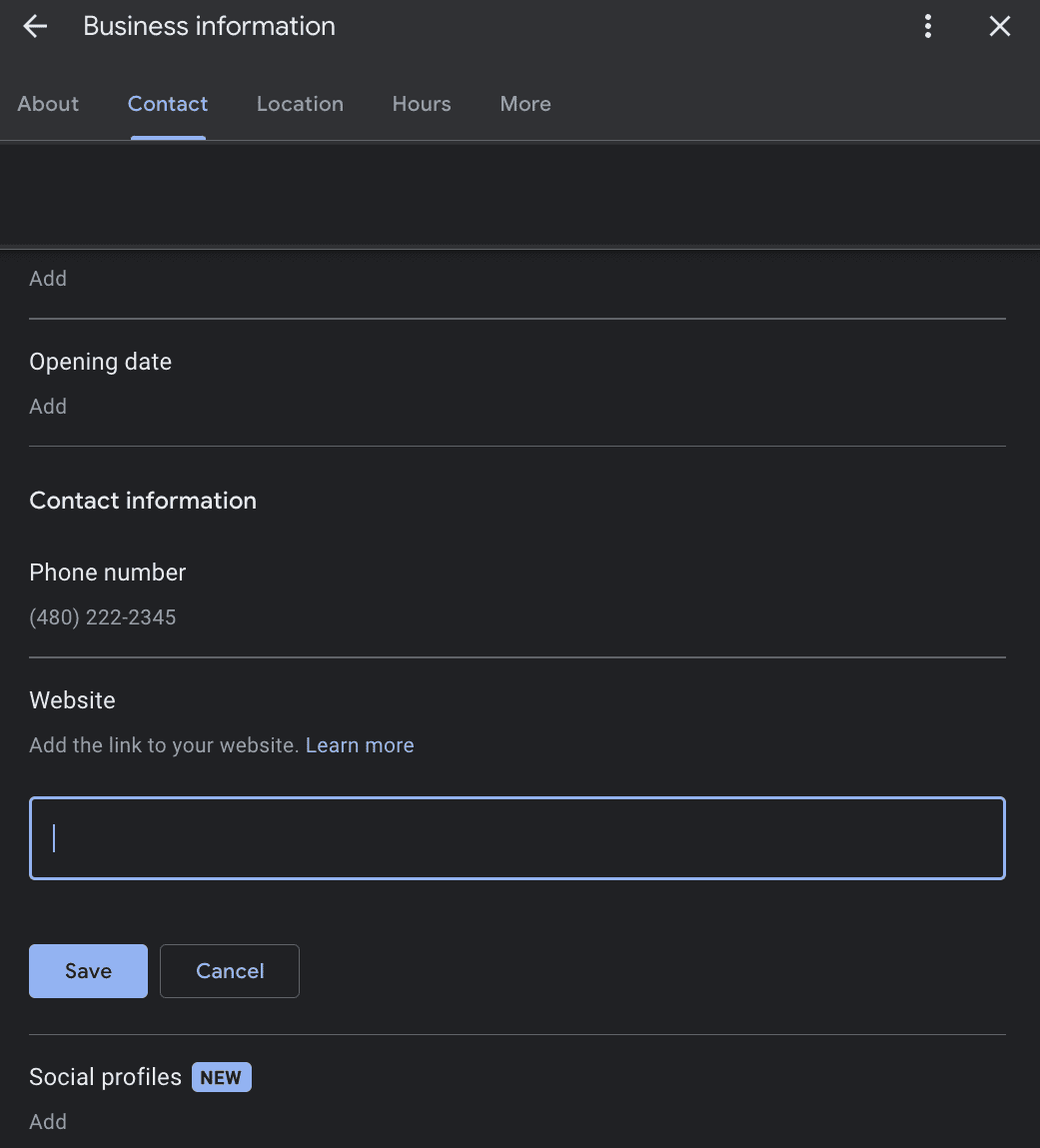
Websites Created With Google Business Profiles To Shut Down In MarchScreenshot from Google, February 2024

Choosing An Alternative Website Builders For Small Businesses

Google suggests Wix, Squarespace, GoDaddy, Google Sites, Shopify for ecommerce, Durable, Weebly, Strikingly, and WordPress as alternative website builders to create a new website or ad landing page to replace the Google Business Profiles site.

While some, like WordPress, offer a free website builder with generative AI features, its users’ content may reportedly be sold to OpenAI and Midjourney as training data unless they opt out.

Regarding Core Web Vitals, WordPress, Wix, and Squarespace showed the most improvements in performance.

It’s also worth noting that while Google Deepmind used a Google Sites website to introduce Genie, its new AI model, Google Sites may not be best for SEO.

Updating Ad Campaigns

If you have a Google Ads campaign that links to a website created with Google Business Profiles, the ad campaign will also stop running on March 1, 2024, until the website link is updated.

There’s still time to update your business website to ensure visitors are not sent to a 404 error page after June 10, 2024. If you haven’t chosen a new website builder or hosting service, review the reviews to find the most reliable, affordable, and optimized solution for your business.

Featured image: Vladimka production/Shutterstock
Google Local Guides Program: How To Earn Points & Badges via @sejournal, @MattGSouthern

Google depends on volunteers called Local Guides to keep Search and Maps updated with information about local businesses and attractions.

These volunteers contribute reviews, photos, and videos that help you make decisions when visiting a new place.

Though they do it to benefit searchers, Local Guides get virtual rewards from Google’s program, which incentivizes people to help keep Maps current.

Local Guides may also verify info submitted by businesses. Anyone can join and contribute reviews to earn recognition and perks.

This article explains the Local Guide program – how to join, what you do, and the rewards you can earn.

What Is The Google Local Guide Program?

The Google Local Guide program incentivizes users to help improve Google Maps and Business Profiles.

It’s set up like a game where you earn points for contributions that let you advance to higher levels and unlock badges.

Your badge appears next to your name when you write reviews or answer questions on Maps. This identifies you as someone knowledgeable about the local area.

Points, Levels & Badges

Points can be earned with the following contributions to Google Maps:

  • Write a review – 10 points.
    • Write a 200+ character review – 10 bonus points.
  • Rate a business – 1 point.
  • Upload a photo – 5 points.
  • Tag a photo – 3 points.
  • Add a caption to a photo – 10 points.
  • Upload a video – 7 points.
  • Answer – 1 point.
  • Respond to Q&As – 3 points.
  • Edit information – 5 points.
  • Add a place – 15 points.
  • Add a road – 15 points.
  • Check a fact – 1 point.

You’ll reach higher levels in the Local Guides program as you build up points.

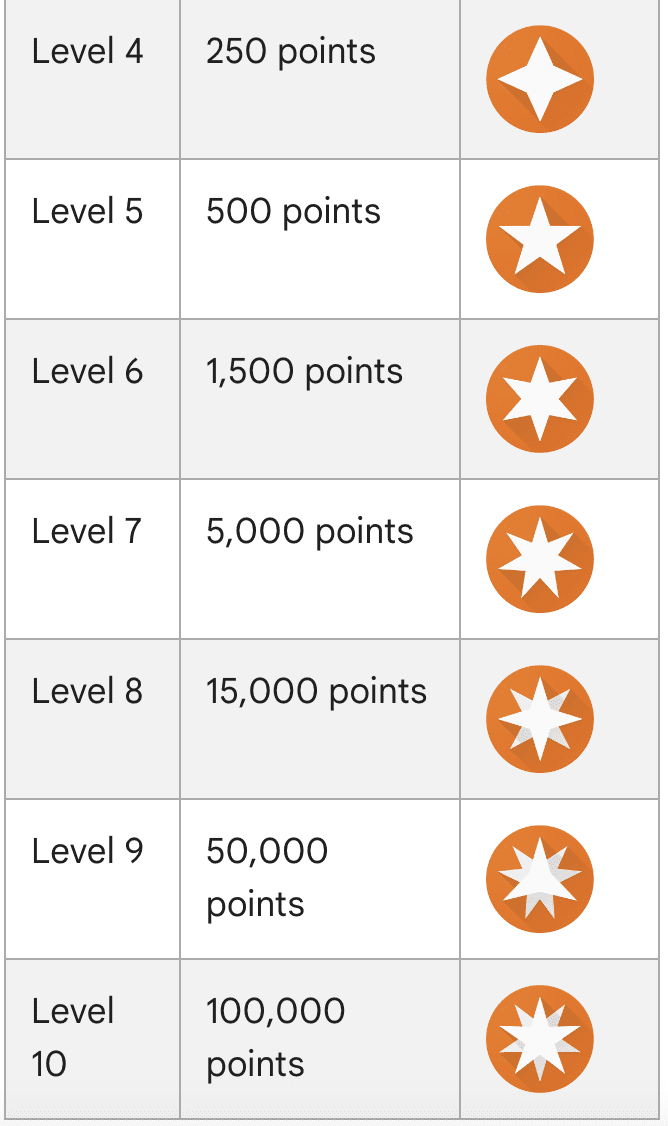
The levels of the local guides program are as follows:

  • Level 1 – 0 points.
  • Level 2 – 15 points.
  • Level 3 – 75 points.
  • Level 4 – 250 points.
  • Level 5 – 500 points.
  • Level 6 – 1,500 points.
  • Level 7 – 5,000 points.
  • Level 8 – 15,000 points.
  • Level 9 – 50,000 points.
  • Level 10 – 100,000 points.

At level four and higher, you’ll earn a badge that’s displayed next to your name when it appears in Google Maps.

Google Maps Local Guides levelsScreenshot from maps.google.com/localguides/, February 2024

Google used to provide nice perks to Local Guides, including free cloud storage and discounts on apps and media.

However, as the Local Guides program expanded, Google discontinued those extras and now only awards badges to recognize user contributions.

Though it doesn’t promise anything, Google may give early access to new features to Local Guides on occasion.

How To Join The Google Local Guides Program

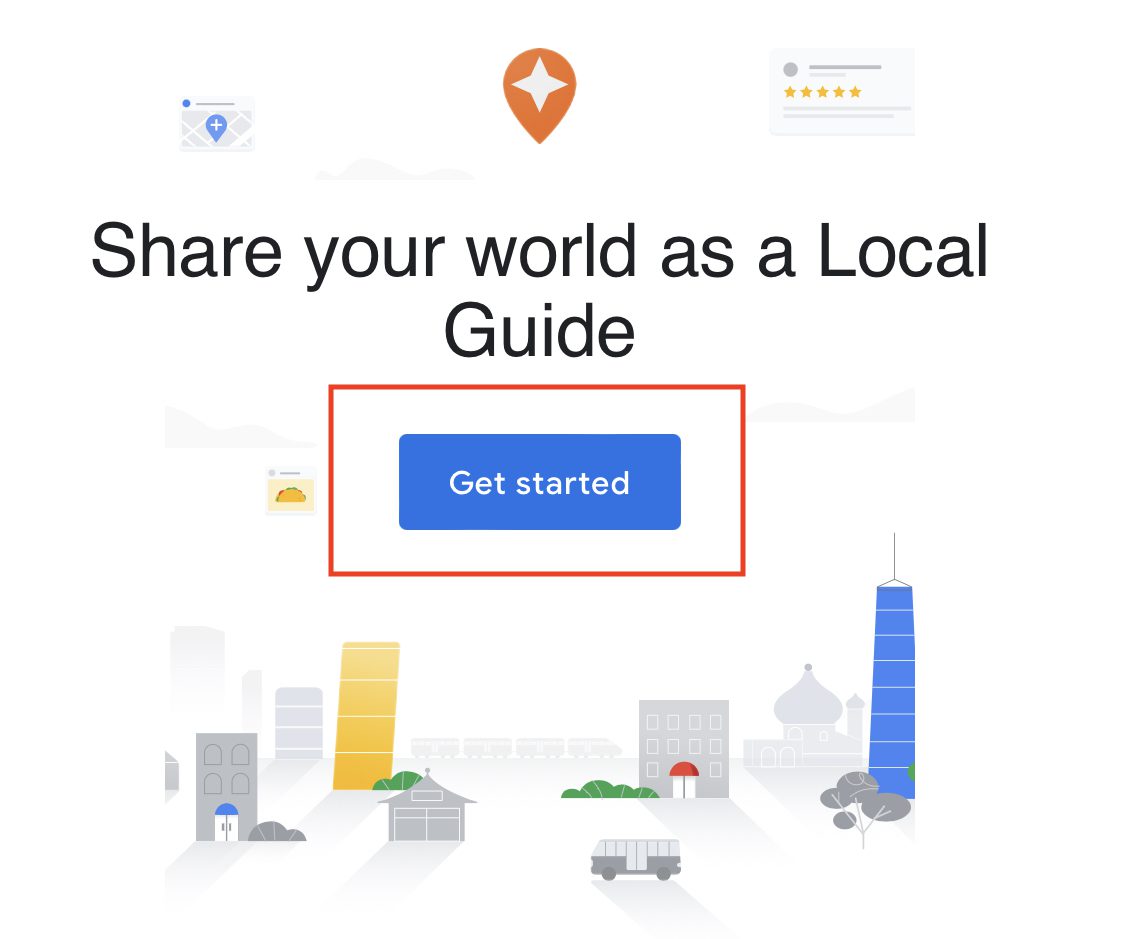
Step One

How To Join The Google Local Guides Program Step 1Screenshot from maps.google.com/localguides, February 2024

Visit the Google Local Guides signup page and click on Get Started.

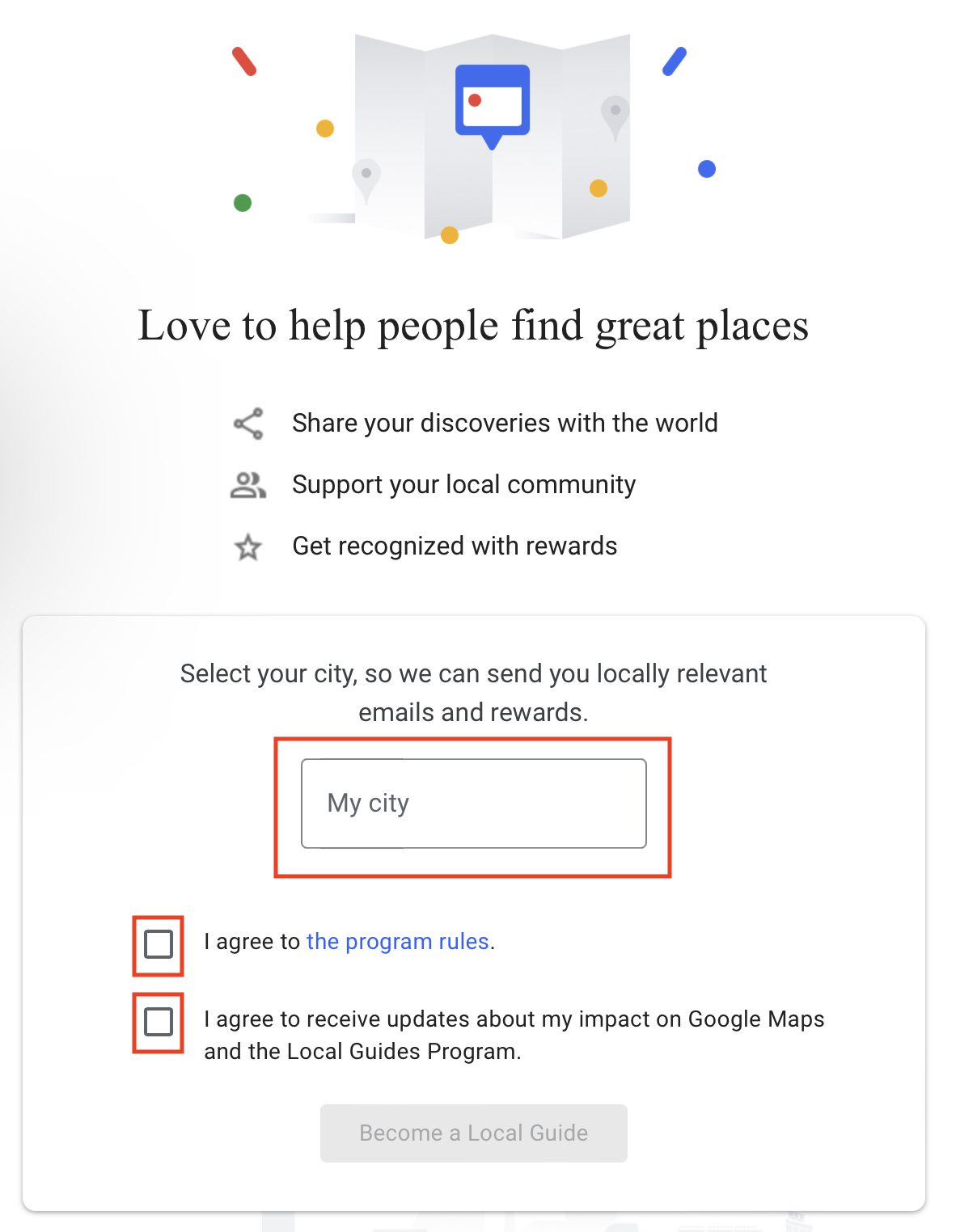
Step Two

How To Join The Google Local Guides Program Step 2Screenshot from maps.google.com/localguides, February 2024

Enter the name of your city and click on Become a Local Guide.

Step Three

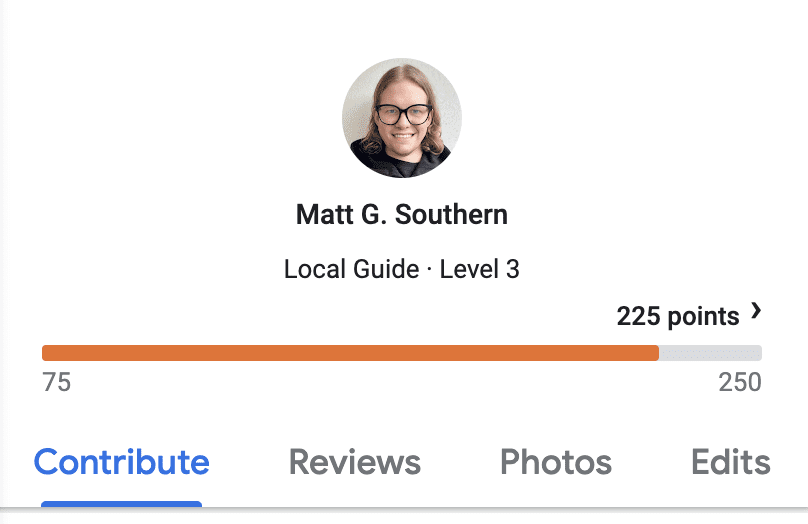
Google Local Guides Program: How To Earn Points & BadgesScreenshot from: maps.google.com/localguides/, February 2024

You can start collecting points on Google Maps by contributing content.

Like the one shown above, the dashboard lets you monitor your progress toward reaching the next level.

If you allow Google to access your location history, you’ll get suggestions for places to review based on the spots you’ve visited.

But you don’t need to enable location tracking to be a Local Guide. You can always search for places yourself and add information about them.

How Local Guides Can Impact SEO

Local search marketing relies heavily on Local Guides and the content they contribute.

Reviews, photos, and other user-generated content that Local Guides post about a business can significantly improve its visibility and search rankings.

Businesses can spotlight this content by engaging with it, responding to reviews, and interacting with influential Local Guides.

Additionally, getting involved in the Local Guides community can provide valuable consumer insights and help build relationships with key users who can promote the business.

Keeping up with changes to the Local Guides program allows businesses to capitalize on new opportunities.

In Summary

Anyone with a Google account can sign up to be a Google Local Guide.

All you need to do is make enough contributions by adding accurate information, photos, and thoughtful reviews to Google Maps and Business Profiles.

Once you reach level four, Google will add a badge next to your name on your reviews. This shows other people that you are a knowledgeable Local Guide.

The Local Guides program is Google’s way of thanking people who take the time to keep Google Maps up-to-date and useful.

It’s a nice bonus that can boost your online presence and credibility in the eyes of Google users.

So, if you want recognition for helping improve Google Maps, sign up to be a Local Guide today.

More Resources:


Featured Image: ViDl Studio/Shutterstock