Businesses looking for more traffic and sales turn to marketing. This checklist of potent marketing tactics is a starting point for success.
Search Engine Optimization
Search engine optimization communicates a page’s purpose and relevance to Google and others to help align user queries with results.
Technical SEO is a critical subset that addresses a website’s structure so that search engine bots can efficiently crawl and index its pages. Unlike other strategies that concentrate on content and link building, technical SEO involves behind-the-scenes work.
1. Improve Core Web Vitals
Google launched Core Web Vitals (CWVs) in 2020 to help developers and website owners understand how it thinks about user experience. CWVs are evolving standards for page speed, interactivity, and visual stability. Until March 2024, the CWVs included three metrics:
- Largest Contentful Paint to measure loading performance,
- First Input Delay to measure interactivity,
- And Cumulative Layout Shift to measure visual stability.
Google announced last year that it would replace First Input Delay with Interaction to Next Paint in March 2024. Google Search Console reports CWVs, and site owners should use them as the gold standard for website performance. CWVs directly impact how Google ranks websites.
Read more:
—
2. Focus on mobile
Smartphones are the dominant internet device worldwide. Hence in 2015, Google released a “mobile-friendly” update to show in search results more web pages that look and function well on mobile devices. A year later, in 2016, Google started crawling and indexing mobile-first.
A website should meet or exceed Google’s CWVs thresholds on a mobile device. Doing so will clear a significant ranking hurdle.
Read more:
—
3. Include structured data markup
Structured data helps search engines understand and classify a web page. It also assists with voice and AI-generated search. Structured data markup can take three forms: JSN-LD, RDFa, and microdata. Schema.org is a helpful resource.
Structured data markup on an ecommerce product page can identify the item’s price, image, availability, shipping options, and return information, enabling Google and other search engines to provide relatively better and more visual results.
Read more:
—
4. Build a robots.txt file
Here is a tip for websites with thousands of pages: Use a robots.txt file to manage the crawl budget. Google and other search engines balance indexing web pages quickly without overwhelming their (the search engines’) servers. “Crawl budget” describes the number of pages Googlebot will access on a site in a given time frame.
The robots.txt file tells the search bot which pages it should focus on. Thus, you can help the bot avoid duplicate content, resources like files or images, and similar issues. There is no guarantee the bot will crawl only what you want, but it can help.
Read more:
—
5. Publish a sitemap
Every website, large and small, should have a sitemap.
Sitemaps provide search engines with a list of all indexable pages, making it easier to find and crawl and likely speed up indexing. An owner can publish sitemaps specifically for pages, images, videos, and even news in some cases.
Most content management systems or related extensions will automatically generate well-formed sitemaps, but they must still be submitted to search engines. With Google, this is done in the Search Console.
Read more:
—
6. Confirm indexing
Google Search Console is not just for Core Web Vitals and sitemaps. It’s an excellent tool for confirming a site’s pages are indexed. Common problems preventing indexing include:
- Server errors (5xx).
- Redirect errors.
- Improper blocking in robots.txt.
- Not found (404) errors, meaning Googlebot couldn’t find a page.
- “Soft 404” wherein Google interprets the page as a 404 even though it doesn’t return a 404 status code.
- General crawl anomalies where Googlebot encountered unspecified errors.
Read more:
—
7. Replace or update broken links
Broken links on a website provide a poor user experience and can negatively impact a site’s organic search rankings. Regular website audits can find and fix or replace broken links, ensuring both search engines and users can access content without issues. Search Console can help, as can specialized broken link checkers in Ahrefs, Semrush, and others.
Read more:
—
8. Remove or resurrect zombie pages
In the SEO context, “zombies” refer to web pages that exist on a site but add little to no value. Zombie pages might be outdated, have duplicate content, or no longer align with the site’s goals. The pages can negatively impact SEO by diluting the site’s authority and wasting crawl budget — especially for sites with thousands of pages.
Identifying and dealing with these pages — either updating or removing them — is crucial for maintaining a healthy, SEO-friendly website.
Read more:
—
9. Use HTTPS
Search engines prefer secure websites and may rank a secure site above a non-secure one when all other ranking factors are equal. The reason is simple. Search engines want to protect users.
“HTTPS helps prevent intruders from tampering with the communications between your websites and users’ browsers. Intruders include intentionally malicious attackers and legitimate but intrusive companies, such as ISPs or hotels that inject ads into pages,” wrote Kayce Basques of Google’s Chrome Dev Team.
Read more:
—
10. Produce clean, accessible URLs
Your site’s URLs should be keyword-rich, unique, and brief. The path should also be easy for a person to read, accessible to users with disabilities, and free of clutter. A URL consists of three parts: the domain, the sub-domain, and the slug.
https://subdomain.domain.tld/slug
The domain is the name of the site. It can be helpful to have a keyword in the domain name. The subdomain is still part of your site, but Google and other search engines may treat a subdomain as a separate entity when considering site authority. So be careful how you use subdomains.
The slug is the part of the URL that describes the particular page in view. It may include the year, category, or similar, but it should also describe the specific page in view. The slug for this article, for example, is checklist.
Separate words in the slug with hyphens, remove articles and propositions such as “the” and “of,” and avoid using a keyword more than once. Google hates keyword stuffing.
Read more:
11. Optimize images
Optimizing images offers at least three benefits for technical SEO.
- Site speed. Optimize for performance.
- Context. Include keywords in alt tags and captions to assist search bots in understanding the image.
- Links. Users search for images related to a topic. Linking the company’s website drives traffic.
Read more:
—
Link Building Strategies
Search engines such as Google treat inbound links as a measure of authority. Links are important for top rankings, but obtaining links can be a lot of work.
12. Ask colleagues for a link
Recently, a family member self-published a book on Amazon. She shared the link with everyone in the family. I bought the book, becoming her first customer. Marketers can do the same thing with links. New online shops can ask suppliers, top customers, and agencies to mention the business in a blog post or article and link to the site. Just be sure that the friend you ask has a clean and respected domain.
Read more:
—
13. Help out a reporter
Help a Reporter Out (HARO) connects journalists with sources for their stories. By responding to journalists’ queries, individuals and companies can get their names and expertise featured in articles and publications.
This exposure often includes a backlink to the source’s website. It’s a good way to get quality, authoritative backlinks from reputable news sites or industry blogs. These links can significantly boost a site’s visibility and search engine rankings.
Read more:
—
14. Create broken link alternatives
A broken link points to a page that is no longer available. Sites should avoid them. Use tools such as the W3C’s Link Checker, Dead Link Checker, PowerMapper’s SortSite, Ahrefs, or Semrush to create a list of sites with broken links. Next, create content that genuinely replaces the no-longer-available content. Then contact each publisher. Point out the broken link and ask her to consider your new and fresh content as a replacement.
Read more:
—
15. Help out a blogger
Blogging and email newsletter writing are experiencing a renaissance thanks to growth in the creator economy. And every one of those creators needs something to write about. As a link-building strategy, identify top bloggers and newsletter creators in your company’s industry. Reach out to them, offering resources and topic ideas.
Read more:
—
16. Unlinked mentions
Positive mentions of your business on other websites or social media raise visibility and otherwise send shoppers your way. Those mentions can also be an SEO link-building opportunity. Try to find unlinked mentions using a search engine or a monitoring service such as Mention, Ahrefs Alert, or Awario. Then contact the site owner with those mentions, thank him, and ask for a link.
Read more:
—
17. Link from sites you control or influence
This is a longstanding and still effective technique. In a video (below) describing how to get the first few links for a site, Rand Fishkin — founder of Moz, SparkToro, and SnackBar Studios — explains how to search Google for the name of your business or the name of its founders to identify sites you might influence, to obtain a direct link.
Read more:
—
18. Guest blogging
Guest blogging benefits both the contributor and the host site. It’s one of the most challenging yet rewarding ways to build inbound links. Guest bloggers identify industry-related websites and then contact the owner, pitch the article, and earn a link. It sounds straightforward; just expect to receive a “no” 50 times for one “yes.”
Read more:
—
Content Marketing
Content marketing is the act of creating or curating content and then publishing or broadcasting it. Content drives SEO, social media posts, and email newsletters.
—
19. Put the keyword in the page title
For each page on your site, write a descriptive, accurate, and engaging title that includes the primary keyword phrase for which the content should rank. Think of the title tag as an advertising headline. It will help your page rank in search engines and encourage humans to investigate.
“The title tag is typically the most weighted on-page element, so it’s important that you optimize it correctly,” said SEO practitioner Greg Gifford in a lecture from Semrush’s Academy’s SEO Fundamentals Course. “Remember, this will be the blue link on the search result page.”
Read more:
—
20. Lead with the keyword phrase
Position your keywords early in titles, headings, and the first few sentences. It helps readers and search engines identify the topic.
Read more:
—
21. Build topic clusters
Content topic clusters begin with a comprehensive “pillar” page linked to detailed “cluster” pages addressing specific aspects. This structure communicates to search engines the depth and breadth of a site’s content on particular subjects. Plus, topic clusters distribute link equity from the pillar to the cluster pages. This tactic has been around for years and is still one of the best ways to encourage organic website traffic.
Read more:
—
22. Use the help-hub-hero tactic
Help-hub-hero content provides answers and solutions to a target audience’s questions and challenges. It also establishes expertise and trust in the merchant publishing it.
- Help content is typically detailed and instructional, such as guides, FAQs, tutorials, and explainer articles or videos. For example, craft retailer Michael’s has published over 600 classes on its YouTube channel and website, helping customers and prospects learn a skill or complete a project.
- Hub (or “hygiene”) content keeps your audience coming back. It consists of recurring material such as blog posts, videos, podcasts, and email newsletters that align with your audience’s interests. It acts as a hub — thus the name — for your community, fostering engagement by providing value.
- Hero content is the blockbuster that captures wide attention and showcases your brand. It’s ambitious, often longer than help or hub content, and aims to impact a broad audience. Hero content includes viral videos, extensive guides, groundbreaking research, or information that stands out for its creativity, quality, and ability to engage and drive immediate attention to your site.
Read more:
—
23. Delve into definitions
There are at least two ways to incorporate definitions into a content marketing strategy. The first is “what is” articles such as dictionaries or glossaries — competing for a top spot on search result pages for a target term and also optimizing for voice or generative AI. For example, an online store selling outdoor adventure gear could publish a glossary of “Adventure Racing Jargon” with definitions for “TA” (transition area), “bikewhacking,” and “dotwatcher.”
A second way is to include a definition at the top of an article. An online guitar boutique with an article teaching “Travis picking” could start it with a definition, such as “Named after musician Merle Travis. Travis picking is a fingerpicking technique for the guitar that features alternating bass notes struck with the thumb while playing treble notes using any of the other fingers.”
Read more:
—
24. Include FAQ sections
Done well, content builds trust, explains complex products or topics succinctly, and earns prominent search engine rankings. A section for frequently asked questions on your site or product detail pages can accomplish all these.
Read more:
—
25. Produce a podcast
Podcasts can be a highly effective promotional tool, an opportunity to engage with customers and prospects. The audio (or video) format allows for deep storytelling, putting a voice (or face) to your business while directing listeners (or viewers) to your site.
A podcast can also be a source for more content, such as a show-notes article, social media posts, or a newsletter. And podcasts breed inbound links, especially from guest interviewees.
Read more:
—
26. Construct calculators
Businesses have long used calculators for content marketing and conversions. For example, marketing guru Ryan Pearson noted, “One particularly effective type of interactive marketing content is the calculator. Calculators allow users to estimate their potential savings, returns on investment, or other financial metrics. This type of content can be extremely valuable to users, especially those making important financial decisions.”
Retail, B2B, and direct-to-consumer companies use calculators. For example, Lowes.com contains a mulch and soil calculator that estimates the required material for a gardening project.
Read more:
—
27. Create a newsletter
Editorial newsletters are the new blogs. For example, Brian Dean of Backlinko noted in March 2024 that Substack — a newsletter platform with social-media-like features — was home to more than 17,000 editorial email newsletters. Newsletters combine content marketing with email, one of the most powerful marketing mediums.
Read more:
—
28. Promote on social media
Promotion is an essential aspect of content marketing. An effective strategy is repurposing long-form articles or podcast episodes into smaller social updates. For example, a listicle or video podcast containing 10 ways to prepare for a marathon can morph into 10 social posts or even 10 short-form videos on TikTok, Reels, and the like.
Read more:
—
Email Marketing
Email marketing is direct communication with customers or prospects. Marketing via email encourages recipients to visit a site for information, purchases, or special deals.
Email performance is easily tracked with open rates, click-through rates, and conversions, providing valuable insights into customer behavior and preferences.
Email marketing drives website traffic and fosters loyalty, making it indispensable for digital marketing.
29. Ask for subscribers
“If you want to get subscribers to your email [list], you’ll need to work hard at it. Include a subscription form on every page of your website. Promote signups through free whitepapers, ebooks, or other products,” wrote Dr. Ralph Wilson, the founder of Web Marketing Today and the original author of this checklist.
Always use a double opt-in signup wherein subscribers first initiate the action on your site and then confirm it via a subsequent email. Double opt-ins reduce spam and help with deliverability.
Read more:
—
30. Develop a welcome series
An email welcome series contains at least three messages triggered when someone subscribes to your list. The first message should deploy moments after the subscriber completes the double opt-in registration, confirming her status and what to expect.
About two days later, send another message encouraging her to engage with your business. It could be an invitation to connect on social media, discover content on your blog, or shop on your site. Finally, send a special offer if the new subscriber does not purchase in the first week, perhaps offering free shipping or a discount.
Read more:
—
31. Create a post-purchase series
There are several potential email messages to send a customer after a purchase. The goal is to communicate about the order, encourage feedback, and earn additional orders. These messages typically include:
- An order confirmation thanking the customer and listing the purchased items. This message should include links to customer service personnel and methods to contact your business.
- A shipping notice when the order leaves your warehouse. Remember the tracking information.
- A delivery confirmation with an invitation to a Net Promoter survey.
- A few days after delivery, send an email requesting a product review and social media post.
- A week later, send a personalized product recommendation, inviting the customer back.
Read more:
—
32. Be a good sender
In 2024, Google and Yahoo enacted new email-sending policies to reduce the volume of unwanted email messages.
“We firmly believe that users worldwide deserve a more secure email environment, with fewer unwanted messages for an improved overall experience,” said Neil Kumaran, a Gmail group product manager, in a published statement.
To meet these policy requirements, marketers should:
- Authenticate email messages using the Sender Policy Framework (SPF), DomainKeys Identified Mail (DKIM), and Domain-based Message Authentication, Reporting, and Conformance (DMARC) protocols.
- Make it easy to unsubscribe. Senders who deploy 5,000 emails in one day to Gmail or Yahoo Mail must offer a one-click unsubscribe link.
- Send emails folks want. Email senders must keep spam rates reported in Google Postmaster Tools below 0.3%.
Read more:
—
33. Segment recipients
Not everyone on your list is the same. Segmenting your email list may seem obvious, but many businesses still err by sending the same message to every subscriber. Contributor Andrew Aversa revealed his secrets of email segmentation, such as focusing on top customers, lapsed customers, and customers’ preferences.
Email segmentation is not new. What is new is the amount of available data.
Read more:
—
34. Use BIMI
Brand Indicators for Message Identification is an email specification that allows businesses to display a logo in line with an email message’s subject or sending address in the inbox of clients such as Gmail, Apple Mail, Yahoo Mail, and more.
A July 2021 report from Entrust (a payment security provider) and Red Shift (a data connectivity firm) stated that adding BIMI could boost email open rates by 21%; increase brand recall by 18%; and raise average purchase likelihood by an incredible 34%. Even a 3% increase would prompt most marketers to set up BIMI immediately.
Read more:
Advertising
Advertisements connect businesses with potential customers. Facebook, for example, does its best to connect advertisers’ products or services with interested users.
Advertising is often measured in return on advertising spend.
35. Buy search engine ads
Advertising on Google and other search engines is one of the easiest ways to promote a website. Pay-per-click or pay-per-impression ads are available via Google’s self-service platform, can be set up in moments, and are relatively easy to optimize.
Search ads can drive ecommerce sales, encourage newsletter subscriptions, and promote content. They are the Swiss Army knife of modern advertising. Google’s Smart Shopping campaigns simplify advertising for small and mid-sized businesses. Finally, you can run many campaigns with search ads, so it is a good idea to have a plan for organizing them.
Read more:
—
36. Advertise on social platforms
Facebook, Instagram, X, TikTok, and Snapchat all offer quick, customizable advertising campaign setups that can boost website traffic. Social media ads are more than visibility. They’re conversion machines for generating sales, driving traffic, or increasing signups — a marketer’s secret weapon.
Read more:
—
37. Leverage retargeting ads
Retargeting ads operate like digital boomerangs, gently reminding visitors who didn’t purchase to return for further shopping.
These ads rely on the familiarity principle, capitalizing on the previous interest to nudge potential customers closer to conversion. Google, Facebook, and many more search and social channels offer retargeting. Retargeting ads are quick to launch and typically include granular control over whom you target and how. The Loves Data channel on YouTube contains a helpful tutorial (below) on setting up retargeting ads.
Read more:
—
38. Invest in podcast sponsorships
Podcast hosts have a strong influence on their listeners. Folks hear or see a podcaster and develop trust with that person. This connection makes podcasts an opportunity for ecommerce brands. Podcast advertising can drive top-of-the-funnel awareness. AG1 (formerly Athletic Greens) is an example advertiser, a direct-to-consumer merchant promoting its product on dozens of podcasts.
Read more:
—
39. Advertise in email newsletters
Third-party tracking cookies will soon disappear. That might be good for privacy advocates, but many advertisers will have less visibility into performance and attribution. Email newsletters are, in a sense, cookie-proof. Advertisers have two options. First, they can insert newsletter ads programmatically, targeting individual subscribers similar to search and social media ads. LiveIntent and Paved are examples of programmatic ad providers.
Second, advertisers can target email subscribers contextually. The ads often include a direct endorsement from the newsletter creator.
Read more:
—
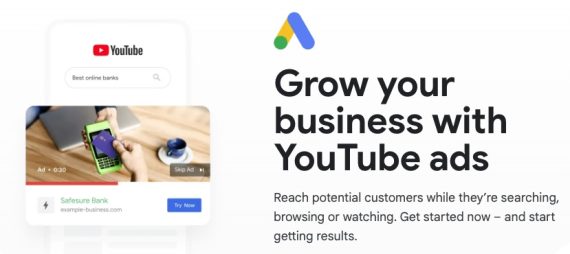
40. Advertise on YouTube
YouTube ads can connect your business with a massive audience of potential customers. The video format is powerful for communicating the value of products and services. Create a YouTube channel for your video ads. Define campaigns that make sense for YouTube, create your video ad, define your target audience using YouTube’s extensive demographics, and run your campaign.
Then monitor the campaign and optimize it for conversions.
Read more:
—
41. Create an affiliate marketing program
Affiliate marketing connects businesses with independent marketers willing to invest time and money to sell the company’s products. As with other forms of performance advertising, companies pay when affiliates deliver a specified customer action — typically a purchase. This pay-for-what-you-get approach makes affiliate marketing cost-effective.
Setting up an affiliate program takes some work but can be very effective. Affiliate marketing networks (ShareASale, CJ Affiliate, many more) can help. However, you must still define campaigns, set the payment (commission) per action, monitor how affiliates promote your business, measure campaign effectiveness, and optimize conversions, sales, and profits.
Read more:
42. Promote via shared direct mail
Valpack is a leading U.S. shared mail provider. Each month, it sends an envelope full of coupons to millions of qualified homes. Frequent shared mail advertisers include Best Buy, Target, Old Navy, Macy’s, Lowe’s, and Sam’s Club.
Create a coupon code for your direct-mail flyer. Then, measure the number of coupon codes redeemed. Update the coupon, and test again next month. Broad offers tend to work better than narrow ones. Some brick-and-click retailers have reportedly earned more than $20 in sales for every $1 invested in shared mail promotions.
Read more:
—
This Checklist’s Lineage
Internet marketing pioneer Dr. Ralph F. Wilson wrote the original Web Marketing Checklist for Web Marketing Today, his popular online magazine published from 1995 to 2016.
Wilson sought to help businesses succeed online. Many companies benefited from his work. In 2012, Practical Ecommerce acquired Web Marketing Today and in 2016 merged its content into this site.