Google Workspace Support: Unclear If Opting Out AI Features Avoids Price Hike via @sejournal, @MattGSouthern

Google has made its AI-powered features in Gmail, Docs, Sheets, and Meet free for all Workspace users, but questions remain around pricing adjustments and feature visibility for specific accounts.

AI Now Included Without Extra Cost

Google announced that its full suite of AI tools, previously available only through the $20-per-user-per-month Gemini for Workspace plan, is now included in its standard offerings at no additional charge.

AI capabilities like automated email summaries, meeting note-taking, spreadsheet design suggestions, and the Gemini chatbot are now accessible to all customers.

However, this announcement comes with a catch: Workspace plans will see a $2 price hike per user per month.

The new pricing structure raises the base cost of the Workspace Business Standard plan from $12 to $14 per user, effective immediately for new customers.

Starting March 17, existing customers will see the change reflected. Small business accounts are currently exempt from this adjustment.

Confusion Over Pricing & Settings

While the price increase has been widely reported, Google Workspace support has offered additional clarification, indicating that it may not apply to all users.

According to support representatives, it’s unclear whether organizations that opt out of AI features will still face the increased costs. Official guidance on this matter has yet to be issued, leaving many customers uncertain.

Screenshot from Google support chat, January 2025.

Chats between Google Workspace reps and the Search Engine Journal development team reveal that opting out of AI features isn’t straightforward.

The settings to turn off AI features like Gemini aren’t visible by default for business accounts.

Administrators must contact Google support to enable access to these settings. For enterprise customers, the settings are accessible directly within the Workspace admin console.

Competitive Push Against Microsoft

Google’s move to bundle AI features into its standard Workspace offerings mirrors Microsoft’s recent decision to integrate its Copilot Pro AI tools into the standard Microsoft 365 subscription.

Both companies aim to attract more users to their AI-powered productivity platforms while simplifying pricing structures.

Key Takeaways

For organizations using Google Workspace, here are the critical points to note:

  1. AI Features Are Enabled by Default: Gemini and other AI tools will be active for most accounts unless explicitly disabled.
  2. Opt-Out Process Is Complicated: Business account holders must contact Google support to access and change the AI feature settings. Enterprise accounts can manage these settings directly.
  3. Pricing Uncertainty: It’s unclear whether the $2 price increase will still apply if you opt out of AI tools. Google has stated that further updates on this issue are forthcoming.

Businesses are advised to monitor their Workspace settings closely and contact Google support for clarification.

Google Retires Web Vitals Extension, Moves Everything to DevTools via @sejournal, @MattGSouthern

Google has officially shut down its Web Vitals Chrome extension with the release of Chrome 132.

All its key features are now fully integrated into DevTools’ Performance panel, making it the go-to tool for measuring Core Web Vitals.

While nearly 200,000 users used the extension, the Chrome team has decided to focus solely on DevTools, which offers a more powerful and centralized platform for debugging site performance.

Why the Extension Was Retired

The Web Vitals extension was great for early Core Web Vitals monitoring, but DevTools now offers the same functionality—and more.

By moving everything into DevTools, Google provides developers with a more seamless performance optimization workflow.

What’s New in DevTools?

The Performance panel in DevTools now replicates and expands on the extension’s capabilities:

  • Live Metrics: Real-time Core Web Vitals data for your local tests.
  • Field Data: Compare local metrics to CrUX data for URLs and origins, including desktop and mobile views.
  • Largest Contentful Paint (LCP) Details: Find the specific element behind your LCP score, see phase breakdowns like Time to First Byte (TTFB), and render delay.
  • Interaction To Next Paint (INP) Interaction Log: Track interactions contributing to INP with detailed timing for input delay, processing, and presentation.
  • Cumulative Layout Shift (CLS) Log: See grouped layout shifts contributing to your CLS score.
  • Diagnostic Metrics: Includes TTFB and First Contentful Paint (FCP).

DevTools provides everything the extension did, plus advanced debugging tools, all in one place.

What Developers Should Do Next

If you’re still using the Web Vitals extension, it’s time to switch to DevTools.

Google has even created a migration guide to make the transition easier.

For those who can’t migrate, Google has shared instructions for maintaining a local copy of the extension.

However, the CrUX API key tied to the extension will soon be revoked, so field data integration may break unless you generate a new key through the CrUX API docs.

Looking Ahead

This move signals Google’s commitment to making DevTools the best performance monitoring tool for developers. The Performance panel covers everything from Core Web Vitals to advanced diagnostics, and more updates are coming.

The Web Vitals extension was a helpful tool, but its best features now live in DevTools, making it easier for developers to monitor and optimize site performance from one place.

For more details, check out the official announcement or the GitHub repository.


Featured Image: William Potter/Shutterstock

Google Adds Data Collection Period To PageSpeed Insights (PSI) via @sejournal, @MattGSouthern

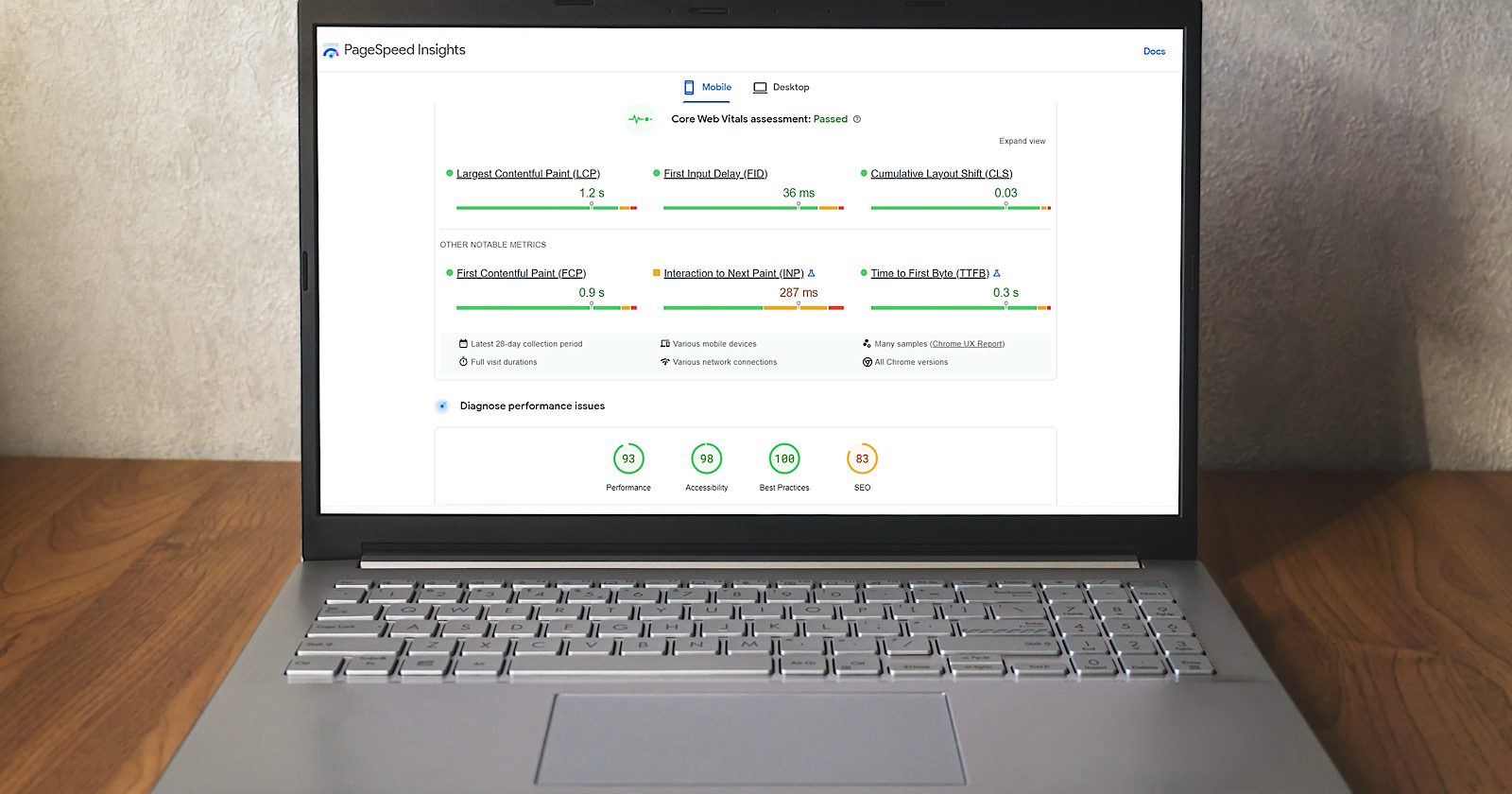
Google has updated PageSpeed Insights (PSI) to display the data collection period for Chrome User Experience Report (CrUX) metrics, addressing a common frustration among developers.

Barry Pollard, Web Performance Developer Advocate at Google Chrome, announced the change on X:

“Good post. But this thing bugged us: ‘Unfortunately, PageSpeed Insights does not show the data collection period in their UI.’ You know what—they’re right! We thought we should fix that. So we did. Available now on PSI.”

The comment was in response to a DebugBear blog post explaining how to interpret CrUX data and pointing out PSI’s lack of clarity around the time range covered by its metrics.

What Changed In PSI

CrUX data in PSI is based on the 75th percentile of real user visits over a rolling 28-day period, with a two-day delay.

For example, a test run on January 5 would show data from December 7 to January 3.

Previously, PSI didn’t show this date range, forcing developers to dig into Chrome DevTools to find it.

With the update, the data collection period is now displayed directly in the PSI interface, making it easier for developers to understand the context of the metrics.

Why It Matters

CrUX data is critical for measuring real-world user experience and is even used as a ranking factor for Google search results.

Knowing the data’s time frame helps developers track changes and improvements after optimizing their sites.

CrUX Data Across Tools

CrUX data shows up in multiple Google tools, but each handles it a bit differently:

  • PageSpeed Insights (PSI): Reports data for specific URLs or the whole site (origin-level), covering 28 days with a two-day delay.
  • Google Search Console: Groups CrUX data by related pages (page groups) rather than individual URLs, which can sometimes lead to confusion.
  • BigQuery: Offers monthly CrUX data dumps, including extra details like histograms and geographic breakdowns. This origin-level data updates about 10 days after the end of each month.

Looking Ahead

Google’s update to PSI makes CrUX data easier to interpret and more transparent.

This small but impactful change simplifies the analysis of real-world user data for developers working to optimize performance and improve search rankings.


Featured Image: salarko/Shutterstock

Google Search Console Adds Hourly Data Export To 24-Hour View via @sejournal, @MattGSouthern

Google has expanded its newly launched 24-hour data view in Search Console by adding the ability to export hourly performance data.

This enhancement comes in response to user feedback since the feature’s initial rollout.

The announcement, shared on LinkedIn, stated:

“Last month we announced the 24-hour view in the Search Console Performance reports, and we got lots of positive feedback and feature requests. Today, we’re making the export button available for that view (one of the most requested features): the ability to export data on an hourly basis for the last 24 hours. Enjoy the new data!”

This update allows users to access detailed website performance data within the last 24 hours, broken down by the hour, and export it for further analysis.


Key Details About the 24-Hour Data View

The 24-hour data view, introduced in December, is an upgrade to Google Search Console’s performance reports.

It aims to provide near real-time insights into how website content performs across Google Search, Discover, and News.

Fresher, Faster Data

With the 24-hour view, website owners no longer need to wait up to 48 hours for performance metrics to update.

Data for clicks, impressions, average click-through rate (CTR), and average position is now available with minimal delay.

This feature is handy for monitoring the early performance of newly published content or tracking the immediate impact of updates to existing pages.

It provides timely insights into which search queries drive traffic and how pages rank in search results.

Hourly Breakdown

The 24-hour view includes an hourly breakdown of performance metrics displayed in an overtime graph.

While the data updates as soon as it becomes available, Google notes that incomplete data is marked with a dotted line in the interface to indicate ongoing collection.

You can filter the data by query, page, or country and analyze performance within their local time zone, as determined by browser settings.


How the Export Feature Enhances the 24-Hour View

Adding an export button to the 24-hour view addresses one of the most requested features from users.

With this functionality, you can now download hourly data for the past day, enabling deeper analysis through external tools like Excel or Google Sheets.

This enhancement is expected to help businesses better respond to performance trends and optimize their content strategies.


Why It Matters

By making website metrics more accessible and timely, Google is helping marketers and SEO professionals stay competitive.

To access the 24-hour view, you can go to the performance reports section of Search Console and select the “24 hours” tab. The export button is now available to all users with access to this feature.

As the rollout continues over the coming months, this update highlights Google’s broader commitment to providing real-time tools that enhance website performance tracking and optimization.


Featured Image: Vladimka production/Shutterstock

Track Santa With NORAD & Google For Christmas Eve 2024 via @sejournal, @MattGSouthern

It’s Christmas Eve, excitement fills the air as children around the world eagerly await Santa Claus’s arrival.

The waiting is over and the inevitable questions start:

“Where is Santa?”

“Do you think he’s in our neighborhood yet?”

This year, the original Santa tracker from NORAD will help you to track Santa’s whereabouts as he starts his night shift at the International Date Line in the Pacific Ocean and heads to New Zealand and Australia.

And Google also continues its tradition with an interactive website and mobile app so users can follow Old Saint Nick’s journey as he delivers presents worldwide until he finishes in South America.

NORAD Santa Tracker: A Holiday Tradition

For over 65 years, the NORAD Santa Tracker has helped families follow Santa’s whereabouts.

The NORAD Santa Tracker began in 1955 when a misprinted phone number in a Sears advertisement directed children to call NORAD’s predecessor, the Continental Air Defense Command (CONAD), instead of Santa.

Colonel Harry Shoup, the director of operations, instructed his staff to give updates on Santa’s location to every child who called.

NORAD continues the tradition to this day.

Screenshot from: noradsanta.org/en/, December 2024.

How To Track Santa With NORAD

  1. Visit the NORAD Santa Tracker website.
  2. On Christmas Eve, the live map will display Santa’s current location and next stop.
  3. For a more traditional experience, call the NORAD Tracks Santa hotline at 1-877-HI-NORAD (1-877-446-6723) to speak with a volunteer who will provide you with Santa’s current location.
  4. Follow NORAD’s social media channels for regular daily updates.

This year, NORAD has added an AI chatbot called Radar to help you get the latest updates.

The Evolution of Google’s Santa Tracker

Since it launched in 2004, Google’s Santa Tracker has changed and improved. The team uses this project to try out new technologies and make design updates. Some of these new features, like “View in 3D,” are later added to other Google products and services.

What’s In The 2024 Google Santa Tracker

This year’s collection includes games like Elf Ski and Penguin Dash, alongside creative activities such as Santa’s Canvas and the coding-focused Code Lab.

Young learners can explore global cultures through the Translations activity, while classic favorites like Present Bounce and Snowball Storm deliver pure holiday fun.

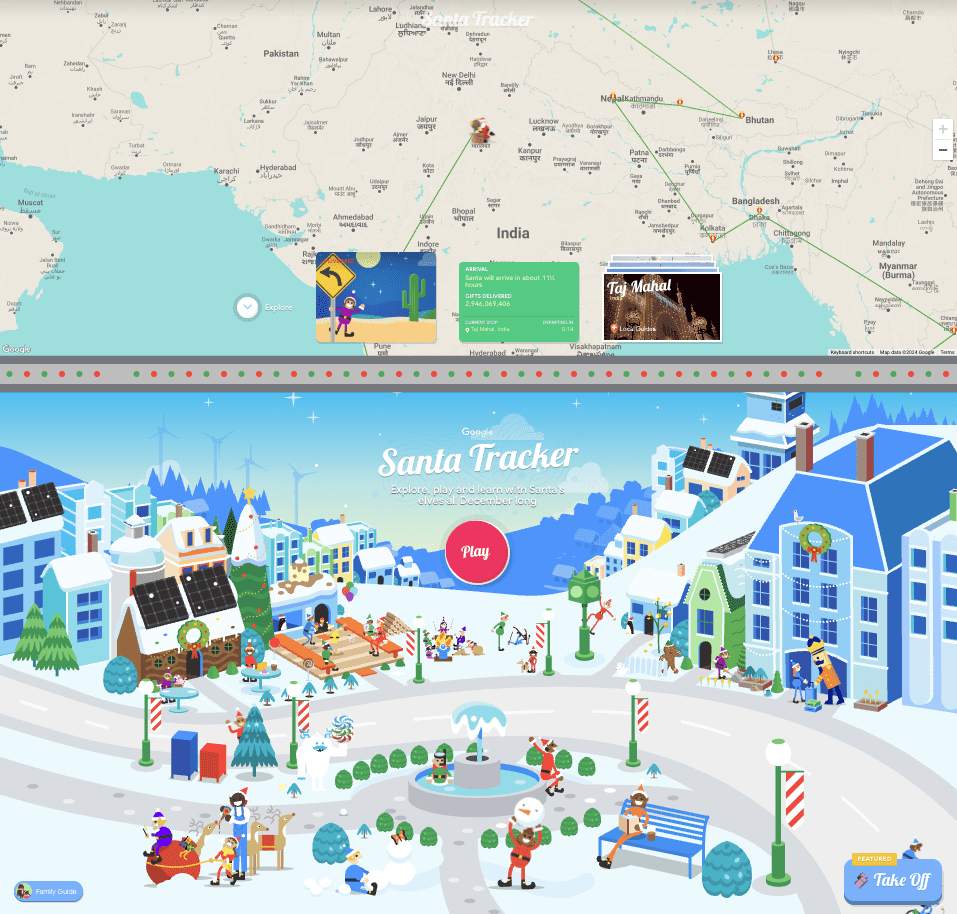
The centerpiece remains the actual Santa tracking feature, which uses a playful mapping interface to “follow” Santa’s journey across the globe.

Complete with arrival times and destination information, it creates an engaging way for families to build anticipation on Christmas Eve.

Screenshot from: santatracker.google.com, December 2024.

How to Use the Google Santa Tracker

  1. Visit the Google Santa Tracker website or download the mobile app for Android devices.
  2. On Christmas Eve, the live map will show Santa’s current location, the number of gifts delivered, and his estimated arrival time at your location.
  3. Explore the map to learn more about the 500+ locations Santa visits, with photos and information provided by Google’s Local Guides.

Extra Features & Activities

Beyond games, the platform showcases detailed animated environments ranging from cozy kitchens where elves prepare holiday treats to snowy outdoor scenes filled with winter activities.

The experience is wrapped in Google’s characteristic bright, cheerful art style, with colorful illustrations that bring North Pole activities to life.

For parents seeking both entertainment and educational value during the holiday season, Google Santa Tracker offers a free, accessible way to channel children’s excitement into engaging activities.

Whether practicing basic coding concepts or learning holiday traditions from around the world, kids can explore while counting down to Christmas.

To All, A Good Night

As you wait for Santa this Christmas Eve, you can choose Google’s interactive features or enjoy the nostalgic feel of NORAD’s tradition.

Happy holidays from all of us at Search Engine Journal!


Featured Image: alphaspirit.it/Shutterstock

Google Launches New ’24 Hours’ View In Search Console via @sejournal, @MattGSouthern

Google launches 24-hour data view in Search Console, offering near real-time insights for website performance monitoring.

  • Google Search Console now shows performance data from the last 24 hours with minimal delay.
  • The new feature includes hourly data breakdowns and works across Search, Discover, and News reports.
  • Google has cut data delay times by nearly half, making performance tracking more immediate.
Google Rolls Out One-Click Event Tracking In GA4 via @sejournal, @MattGSouthern

Google simplifies analytics tracking with new one-click key event features in GA4, powered by machine learning.

  • Google released one-click event tracking in GA4 with two features: “Mark as key event” and “Create key event.”
  • Machine learning identifies important site events automatically, eliminating manual setup time.
  • These features are now available for all GA4 properties and enable better tracking and reporting.
New Google Analytics Features Help Fix Hidden Product Listings via @sejournal, @MattGSouthern

Google Analytics adds new features to help merchants identify and fix hidden product listings, improving visibility on Google Shopping.

  • Google Analytics now shows product disapproval alerts directly in its dashboard.
  • Custom Channel Groups now support manual ad content parameters for better tracking.
  • This can help fix product listings ahead of the busy shopping season.