Google revamped their product structured data documentation by splitting up one comprehensive page into three pages that are more closely focused on their topics, providing an example of how to rewrite a page that’s too big and turn it into multiple topically relevant webpages.
Google Product Structured Data
Product structured data is essential for ecommerce and product review websites because they help make them eligible for rich result listings in Google’s search engine results pages (SERPs). When correctly deployed, the product structured data can make a significant contribution to the amount of traffic received by a website and earnings.
Google’s restructuring of the official documentation gives the ecommerce community a lot to take in but also simplifies the increasingly large products structured data webpage.
What Changed?
The most notable change to the documentation is that the entire document has been split into three pages. The original document, Product Structured Data, was renamed to Introduction To Product Structured Data. The word count went from 4,808 words to only 667 words, with approximately 50% of the new document containing the same content. Aside from trivial changes there is a brand new section of the revamped page called Deciding Which Markup To Use, which serves as a jumping off point to the two new pages.
Merchants, product review site publishers and SEOs now have three product structured data documents to read:
Introduction To Product structured data
Product Snippet Structured Data
Merchant listing Structured Data
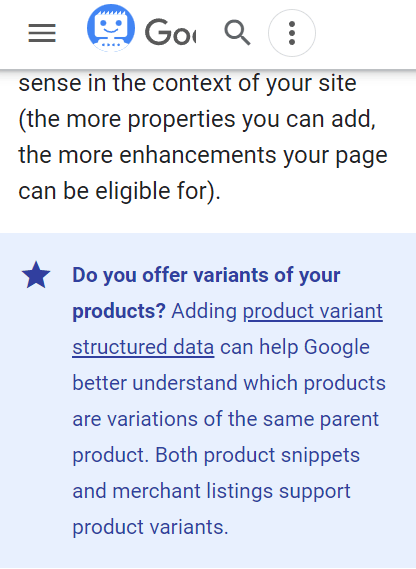
In addition to the above changes there’s a new blue tinted callout box that draws attention to the Product Variant Structured Data page that replaces similar text that was buried in the document and easily overlooked.
Screenshot of Callout Box
Document Extensively Rewritten
There are instances where the headings of the new documentation were rewritten to make clear what the topic of each section is about.
The new Introduction To Structured Data page now contains a brand new section. The old section was called “Result types” and the revamped section is called Deciding Which Markup To Use, a more descriptive heading.
This is the new content:
“Deciding which markup to use There are two main classes of product structured data. Follow the requirements for the type that best suits your use case:
Product snippets: For product pages where people can’t directly purchase the product. This markup has more options for specifying review information, like pros and cons on an editorial product review page.
Merchant listings: For pages where customers can purchase products from you. This markup has more options for specifying detailed product information, like apparel sizing, shipping details, and return policy information.
Note that there is some overlap between these two features. In general, adding the required product information properties for merchant listings means that your product pages can also be eligible for product snippets. Both features have their own enhancements, so be sure to review both when deciding which markup makes sense in the context of your site (the more properties you can add, the more enhancements your page can be eligible for).”
First New Page: Product Snippets
I addition to the revamped introduction to product structured data there is now a new standalone page focused on adding product structured data to become eligible for rich results about ratings, reviews, price and product availability.
The title element for the new page is How To Add Product Snippet Structured Data. Excluding some of the structured data examples, the new product snippet page has about 2,500 words.
Much of the content on this new page isn’t new. The similarities between a section of the old 6,000 word mega-page and this new standalone page indicates that they split this section off the old documentation and turned it into its own page..
Second New Page: Merchant Listing Structured Data
The second new page is dedicated to the product structured data that’s specific to merchant listings, critical for surfacing products in the shopping-related rich results which Google calls Merchant Listing Experiences.
Apart from a single illustration, the dedicated page for Merchant Listing Structured Data has no information at all about what Merchant Listing Experiences are and how they look in the search results. The second paragraph of the new page encourages a reader to visit the Introduction To Product Structured Data webpage to learn more about what the Merchant Listing Experiences rich results look like.
An argument could be made that Merchant Structured Data page has context for the Merchant Listing Experiences information. But someone at Google decided that this one page needs to be 100% focused on a single topic (structured data).
The new webpage comes in at about (more or less) 1,700 words.
Editorial Decisions Based On User Needs
Rather than have one giant and comprehensive page about a topic the decision was made to split into its constituent subtopics, resulting in three pages that are now more tightly focused and presumably will not only be better for users but will also rank better.
Integrating digital PR & SEO with a full-funnel strategy both influences audience behavior and top-three rankings in search engines.
In my recent webinar with Search Engine Journal about how to earn links with digital PR, I didn’t have time to dive into the importance of the audience journey and a full-funnel strategy. This article is to remedy that.
Have you found that ranking in search engines is more difficult lately? Or maybe your link building isn’t driving the top 3 ranking it used to.
Google representatives have been actively discussing the decrease in the importance of links in Google’s algorithm.
What does this mean?
This doesn’t seem to mean links don’t work, but that links and brand mentions in the context of the audience’s journey are factors that help to break into the top 3 positions of Google – and, I believe, eventually, how you’ll make it into SGE or other high-visibility areas of search.
A full-funnel PR and SEO strategy is a method for building links and brand mentions in the context of the audience’s journey online, creating an off-page user experience.
Here’s a quick snapshot of the key takeaways you’ll find throughout this article:
Audience Journey Insight: Your audience interacts with diverse content across platforms long before they search, influencing their perception and decision-making.
Case Study: Lectric eBikes showcased how aligning content with the customer journey and securing authoritative links and mentions can significantly boost SEO performance, brand trust, and, ultimately, sales.
Strategy Blueprint: This guide offers a structured approach for businesses to navigate digital marketing complexities efficiently, guiding the audience from awareness to conversion.
Integration of Digital PR and SEO: Combining digital PR and SEO creates a cohesive journey that guides the audience from awareness to decision-making, influencing audience behavior and search engine rankings.
Digital PR for SEO: Digital PR links and brand mentions are in the context of the audience journey and are needed to rank in the top three positions in search.
Off-Page Audience Experience With The Brand Matters
Google recommends being helpful to the audience and demonstrating Experience, Expertise, Authority, and trust (E-E-A-T) in a category to rank highly.
Your audiences are constantly looking for a solution that solves their problem or creates an opportunity, and for trusted sources to guide them through the decision-making process.
They may become aware of this problem or the solutions long before they even reach the search engines.
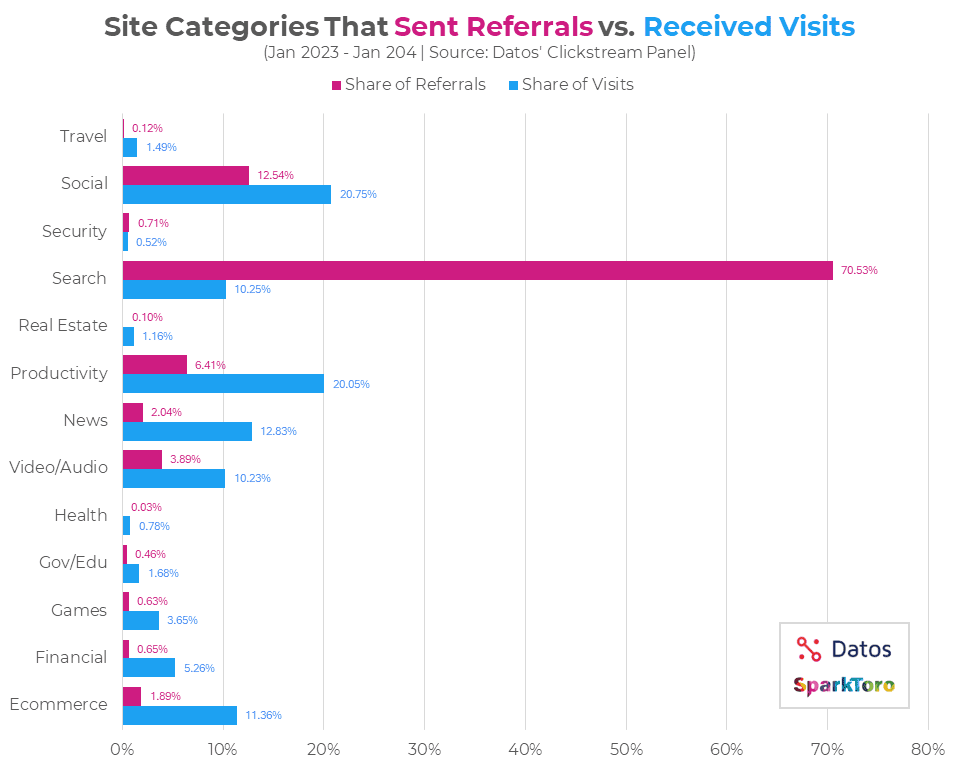
The chart below illustrates the sites that receive the most visits vs. those that send the most referral traffic.
This data indicates that search engines will drive the most traffic to sites, but any given audience spends a significant amount of time engaging on other platforms, digesting content about various topics.
Social and News sites get 20% and 12% of the shares of visits, respectively, while search engines drive over 70% of total traffic.
Image from Sparktoro, April 2024
If the audience is using several touchpoints to learn about a given product or solution, wouldn’t Google use these to determine which company is a helpful source and what its E-E-A-T is for those topics?
I had my digital PR data team at PureLinq gather data for sites that ranked in Google for a seed set of cybersecurity keywords.
We then identified all of the keywords that those sites ranked in the top three positions. From that, we gathered data about the count of brand mentions and brand search volume for each domain.
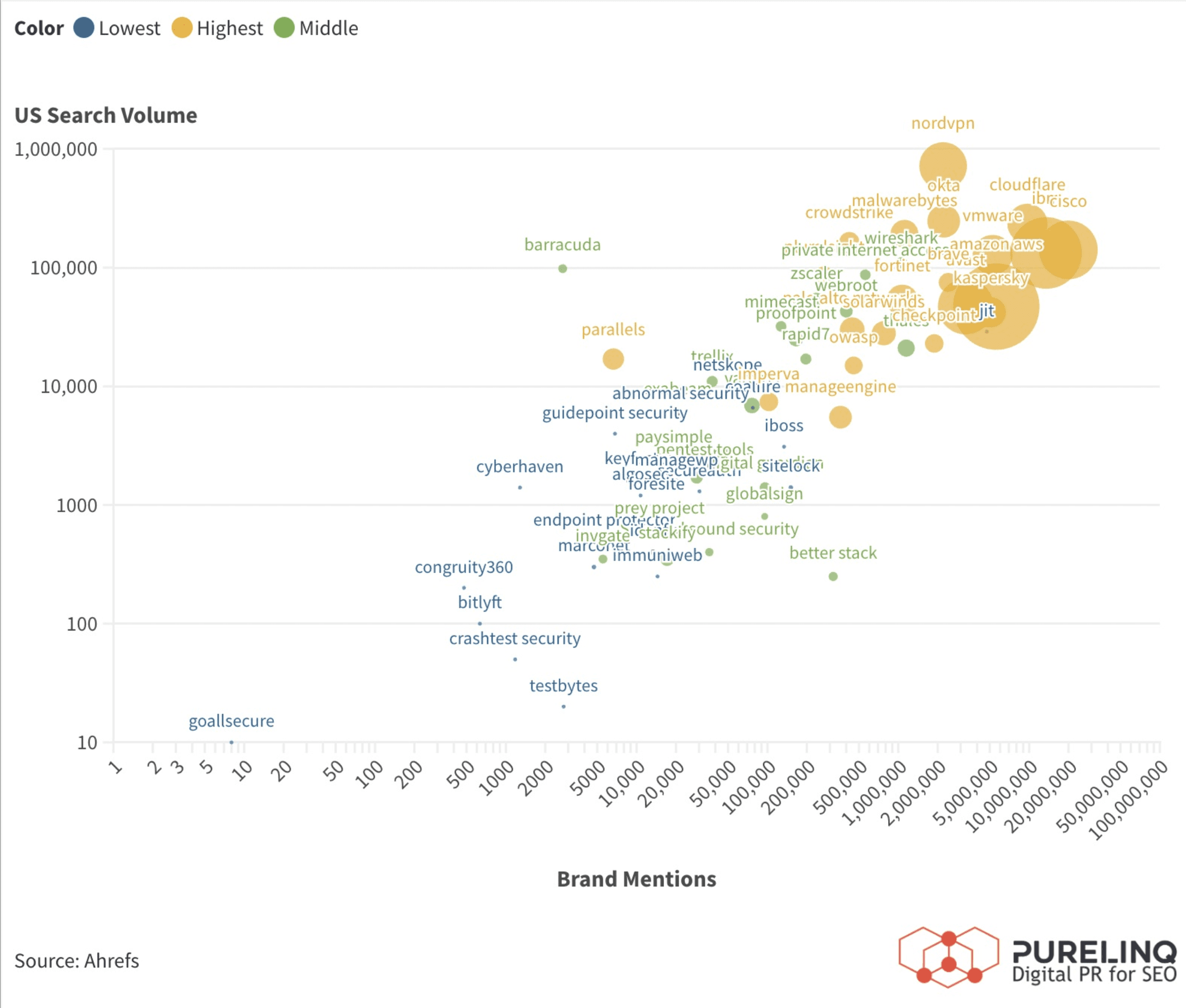
The chart below shows the number of brand mentions (x-axis), U.S. search volume for brand keywords (y-axis), and the count of keywords in the top three (bubble size). Larger bubbles mean a higher count of keywords ranked in the top three.
This data set is only for cybersecurity brands.
As brand mentions increase, the bubbles grow in size, showing that a larger number of brand mentions correlates with a higher count in the top three rankings.
Brand mentions seem to influence ranking. I know there are a large number of confounding variables in this analysis. However, the idea that Google can use these measures to identify E-E-A-T is believable.
How does this play out in the real world? To understand more, I looked at Lectric eBike.
Case Study: Lectric eBike Full Funnel PR & SEO
This case study demonstrates the power of integrating digital PR with SEO to create a cohesive and effective full-funnel marketing strategy.
The key to success was the strategic alignment of content across all stages of the customer journey, ensuring that each piece contributed to building awareness, trust, and, finally, decision-making confidence.
By securing authoritative links and mentions, Lectric eBikes not only improved its SEO performance but also established itself as a trusted brand in the eyes of consumers and search engines alike.
The rise in organic visibility and brand searches directly contributed to the overall increase in website traffic and, ultimately, sales.
This case underscores the importance of a holistic approach to digital marketing, where PR and SEO work hand in hand to guide the customer journey from awareness to conversion.
Maximum Organic Visibility
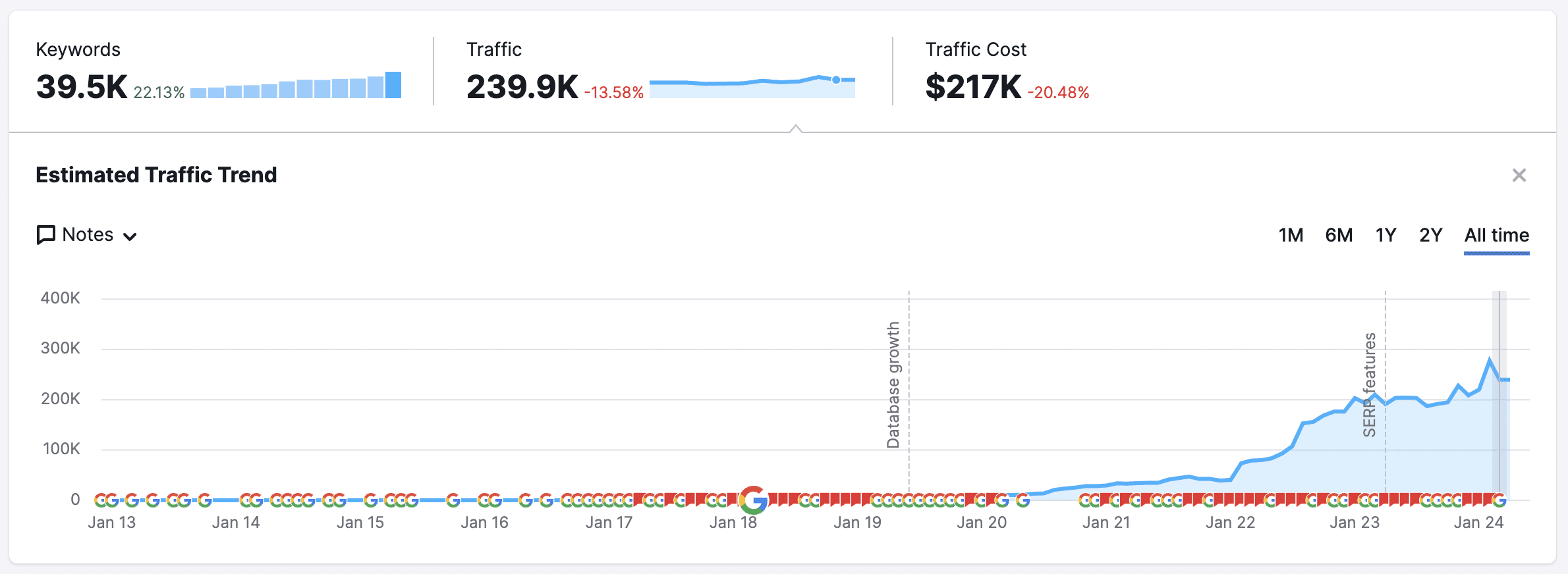
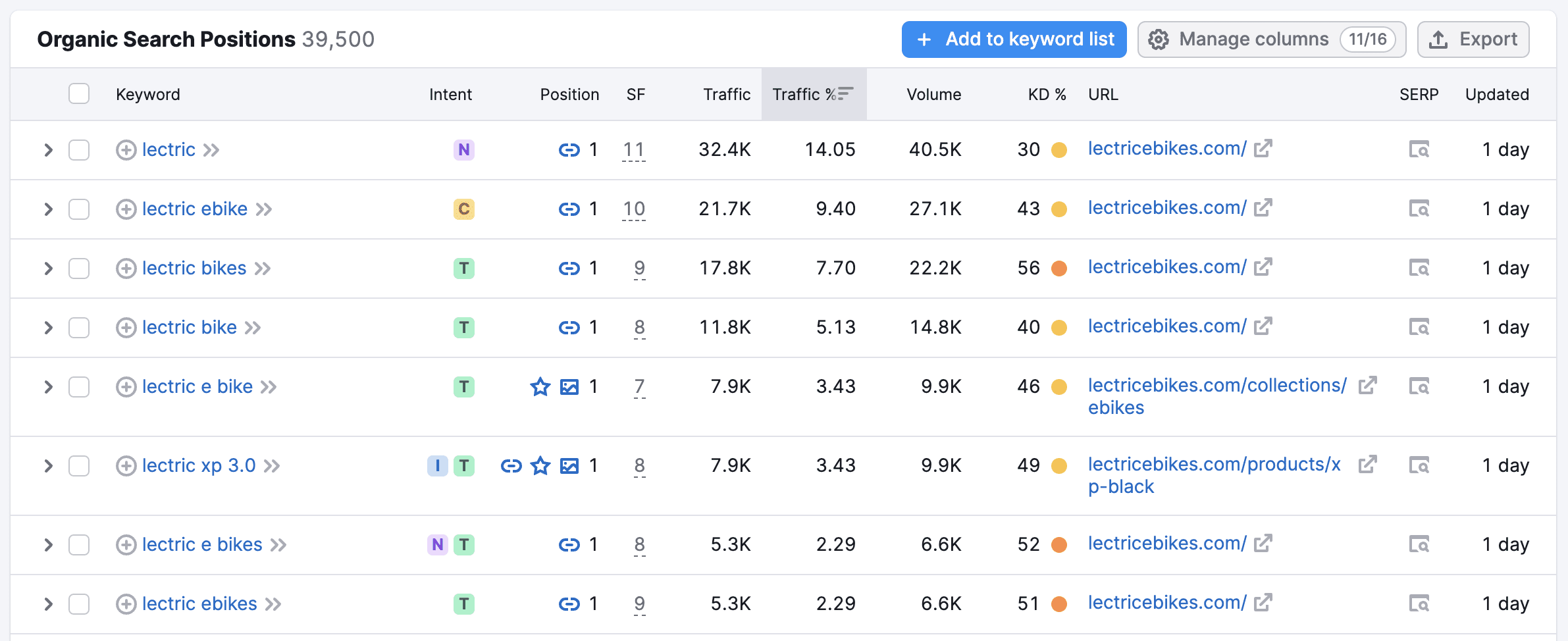
At the time of this analysis, Lectric was ranked in position 1 for “ebike” and 3 for “ebikes.”
Screenshot from Semrush, April 2024
As a result of the non-brand and brand visibility, the website went from <40>
Screenshot from Semrush, April 2024
How They Did It
Lectric integrated digital PR and SEO together with a full-funnel PR & SEO strategy.
Late in 2022, Lectric began to secure more media links & brand mentions.
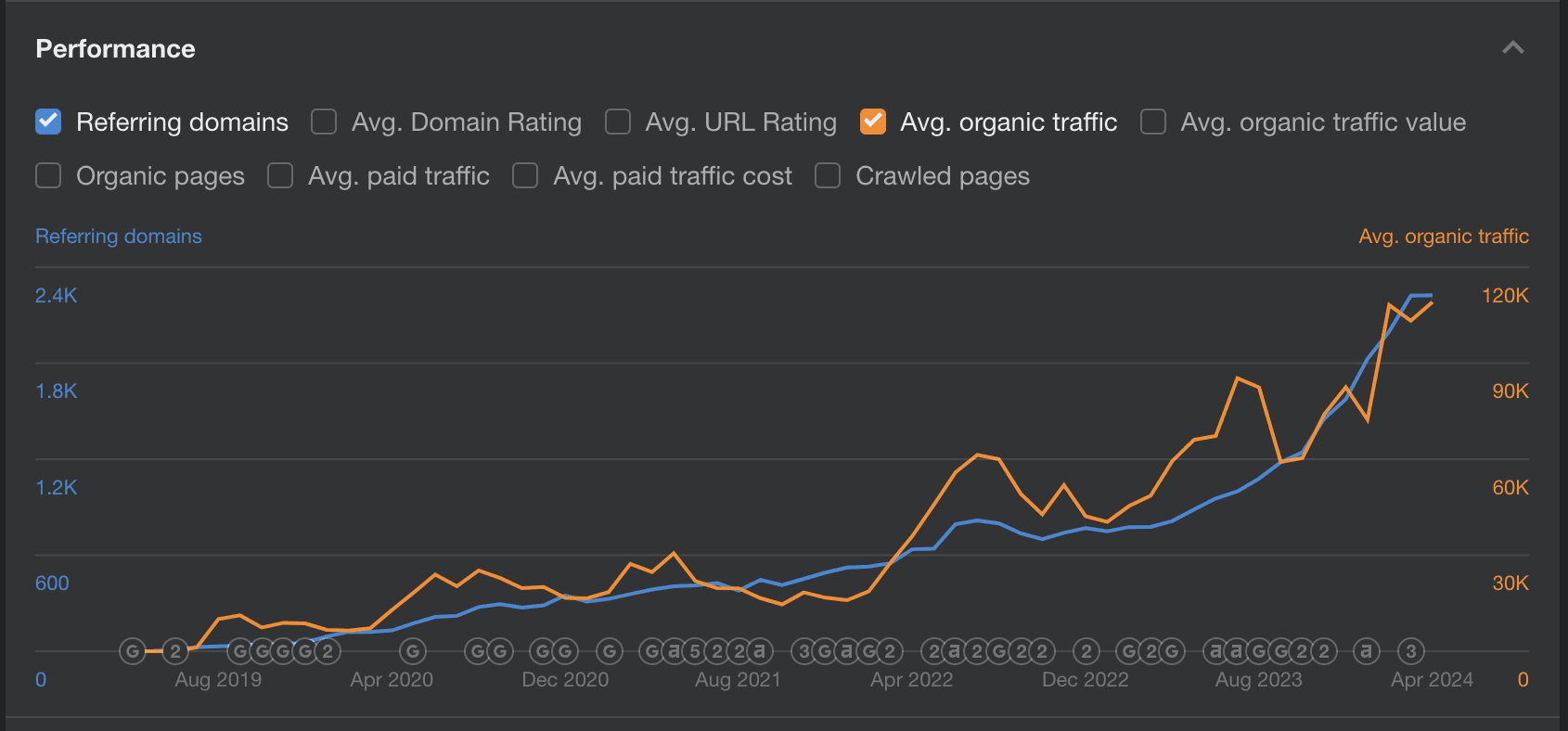
At first glance, you might think that the growth in backlinks was the major factor in the organic traffic growth.
The famous Ahrefs chart shows a strong correlation between the number of referring domains and organic traffic growth.
However, this chart causes much confusion since it doesn’t tell the full story.
Screenshot from Ahrefs, April 2024
Note: Semrush and Ahrefs have very different traffic estimates lately. However, any traffic estimate will be inherently inaccurate. They estimate these based on position, average monthly search volume, and estimated clickthrough rate (CTR) using Google’s keyword planner data. They all calculate CTR differently.
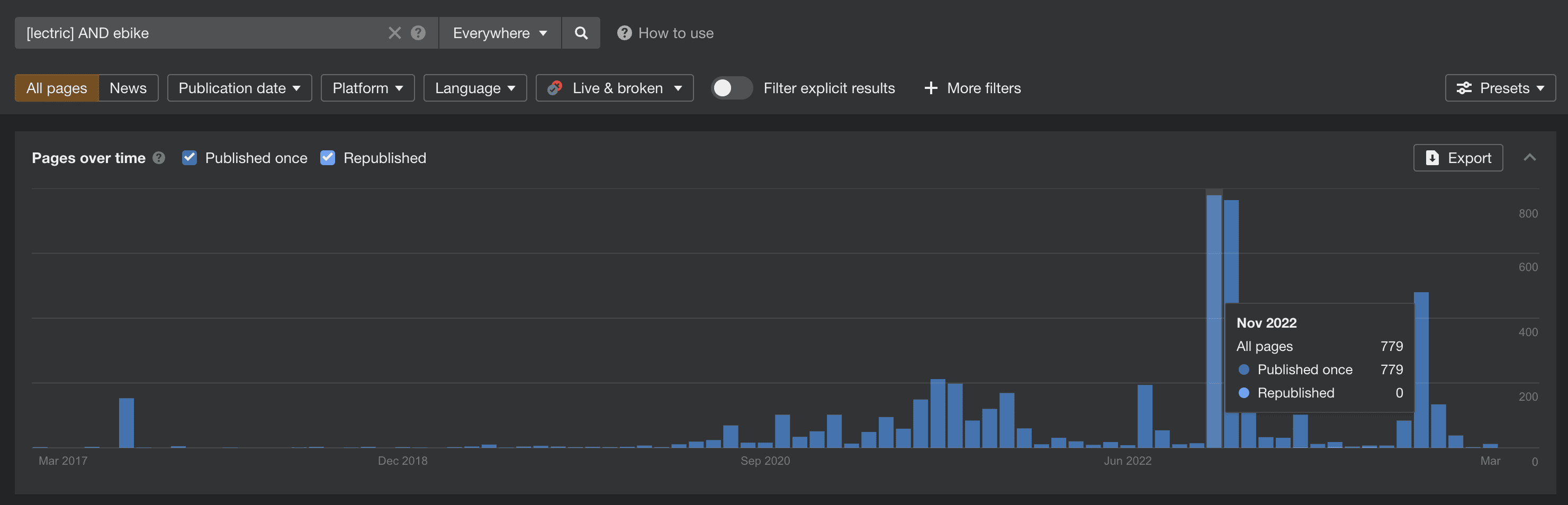
A little more digging with Ahref’s content explorer and BuzzSumo shows that the site saw growth in brand mentions starting in mid-2022, around the same time the organic traffic began to grow.
Screenshot from Ahrefs, April 2024
Lectric gained much of the organic traffic improvement by focusing on creating content for each stage of the audience journey.
The brand generated links and brand mentions based on the audience’s needs and wants, driving brand search volume.
Screenshot from Semrush, April 2024
Awareness
Lectric eBikes secured media coverage on environmental and technology news platforms and podcasts. This effort placed the brand in front of a broad audience, emphasizing its commitment to eco-friendliness and innovation.
Placements gained during this stage aimed to educate the audience on the environmental benefits of e-bikes, leveraging unique data and expert commentary to secure media coverage.
Consumers are drawn to sustainable transportation, seeing e-bikes as a way to align with environmental values. (Rv Lifestyle)
The unique, self-funded growth story of Lectric eBikes appeals to those seeking reliable and ethically operated companies. (The Verge)
Insights from the CEO of Lectric eBikes highlight the enjoyment and utility of e-bikes, broadening the appeal to a wider audience. (Autonocast)
These placements generated topically relevant and authoritative links and brand mentions related to the company and individual expertise.
Expert commentary and unique data appeal to journalists. Lectric could have used PR outreach to pitch Lectric’s sales data and CEO commentary to obtain media coverage.
I almost exclusively use unique data and expert commentary to secure media coverage in digital PR. This is a very effective technique.
Consideration
The company obtained mentions in articles that discussed market success, customer satisfaction, and endorsements from reputable sources. This helped build trust and positioned Lectric eBikes as a reliable choice.
Coverage included comparative discussions on pricing and quality, showing how Lectric stands out from competitors. This was crucial for audiences evaluating their options.
Lectric eBikes’ market success and customer satisfaction offer social proof, encouraging new customers to consider an e-bike. (Electrek article)
Gaining trust from the audience by applying for awards from trusted sources (Arizona Tech Council).
Media coverage and expert commentary discussing how they focus on a lower price over incentive programs (Axios)
Securing links and mentions in articles that evaluate options for e-bikes (Earth911)
Digital PR Insight
The Axios article is a great example of a technique I use in data campaigns. Find data about specific states or cities that relate to your niche. Then, use that data to pitch media about a given topic.
Decision
The website’s content was tailored to answer final questions and overcome objections. This included detailed product comparisons, reviews, and clear, transparent pricing information.
By this stage, Lectric eBikes focused on ranking for both non-brand and brand-specific keywords, facilitating easy access for users ready to make a purchase decision.
The audience is actively searching Lectric by name as a result of the digital PR.
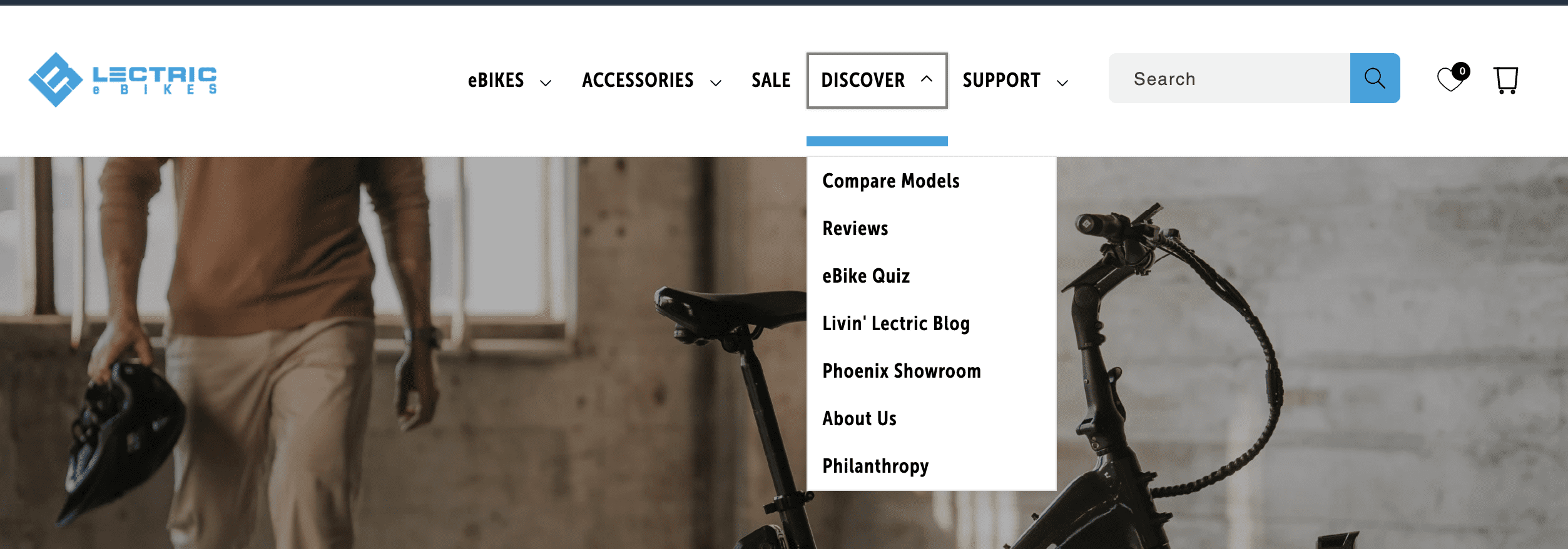
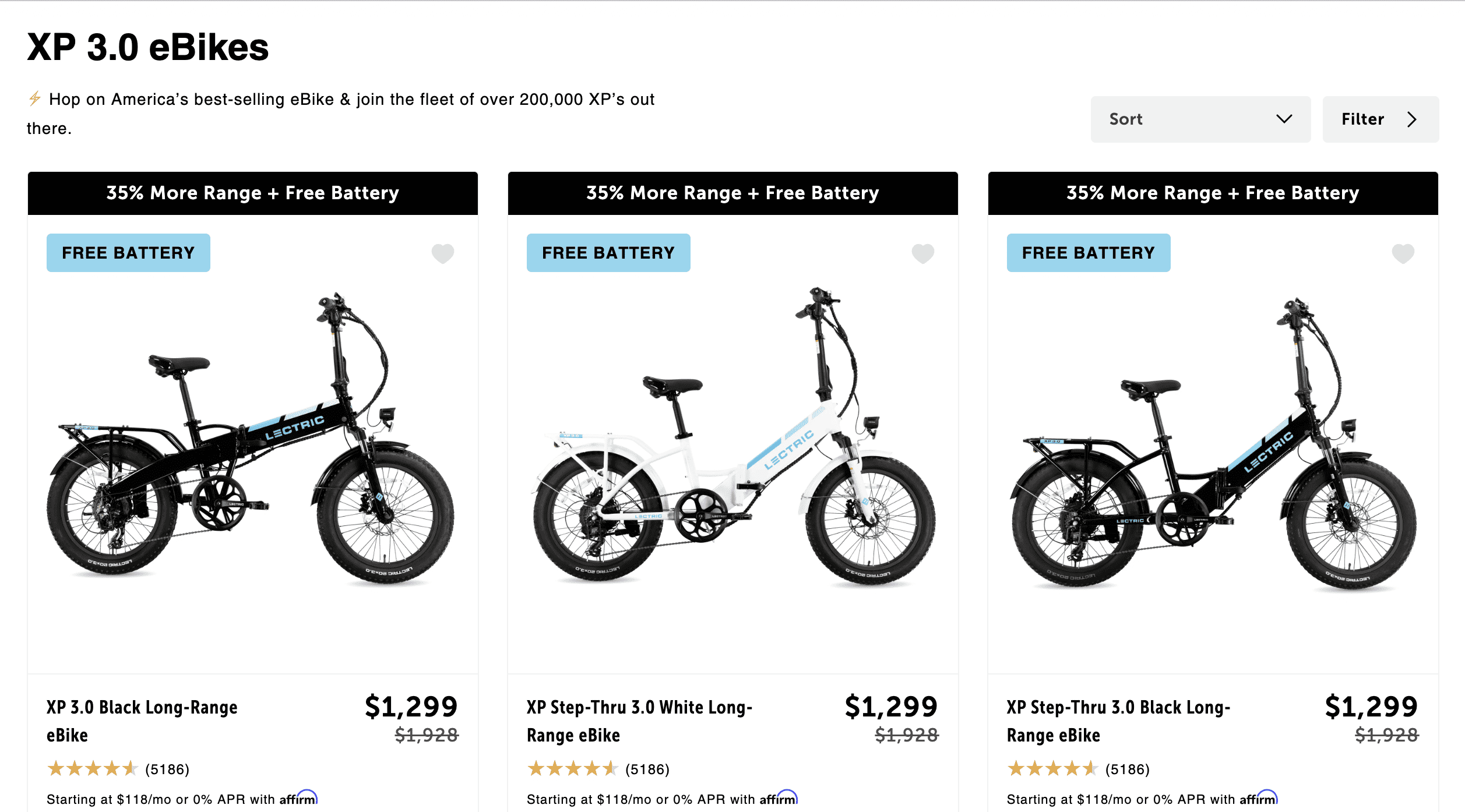
Lectic’s site has comparison, reviews, and showroom information easily accessible in the main navigation.
Screenshot by author, April 2024
It also has clear pricing and product options.
Screenshot by author, April 2024
Pro tip: Brand search for a company or product seems to have an impact on a site’s ability to rank in the top three for non-brand keywords.
If you’re unfamiliar with the audience journey, here’s an overview.
What Is Full-Funnel PR & SEO?
It’s The Stages Of The Audience Journey
A full-funnel strategy means that you create content for each stage in the audience’s journey and at the touchpoints where they are going for that type of information.
The audience journey has several stages:
Awareness Stage: The customer becomes aware of a need, opportunity, or problem and starts looking for solutions.
Consideration Stage: The customer evaluates different options and solutions to address their need or problem.
Decision Stage: The customer decides on the best solution and buys or takes action.
A full-funnel strategy creates content for each stage of the audience journey.
Using e-bikes as an example:
Situation: Consumers want to have less of a carbon footprint, and e-bikes are an option.
Awareness: Provide graphics showing the amount of carbon an e-bike produces compared to a car.
Considerations: Show how your e-bike compares to others in terms of carbon footprint.
Decision: Provide information about pricing and maybe carbon savings during the checkout process.
It’s Wherever The Audience Is
The audience journey has touchpoints they use to learn or gather insights at different stages.
For example:
Awareness Stage: The audience reads news sites, so you use digital PR to pitch unique data to journalists who cover environmental issues.
Consideration Stage: The audience searches Google for [e-bikes with lowest carbon footprint], so you rank articles with data showing how your e-bike has the lowest carbon footprint.
Decision Stage: The audience will search your e-bike’s brand name and purchase intent keywords, so you should focus on ranking your e-commerce pages for brand and non-brand keywords.
Targeting each stage of the audience’s journey can create topically relevant links at key touchpoints.
Designing A Full-Funnel Strategy
Designing a strategy means laying out a structured roadmap for businesses to effectively guide their target audience from awareness to decision-making.
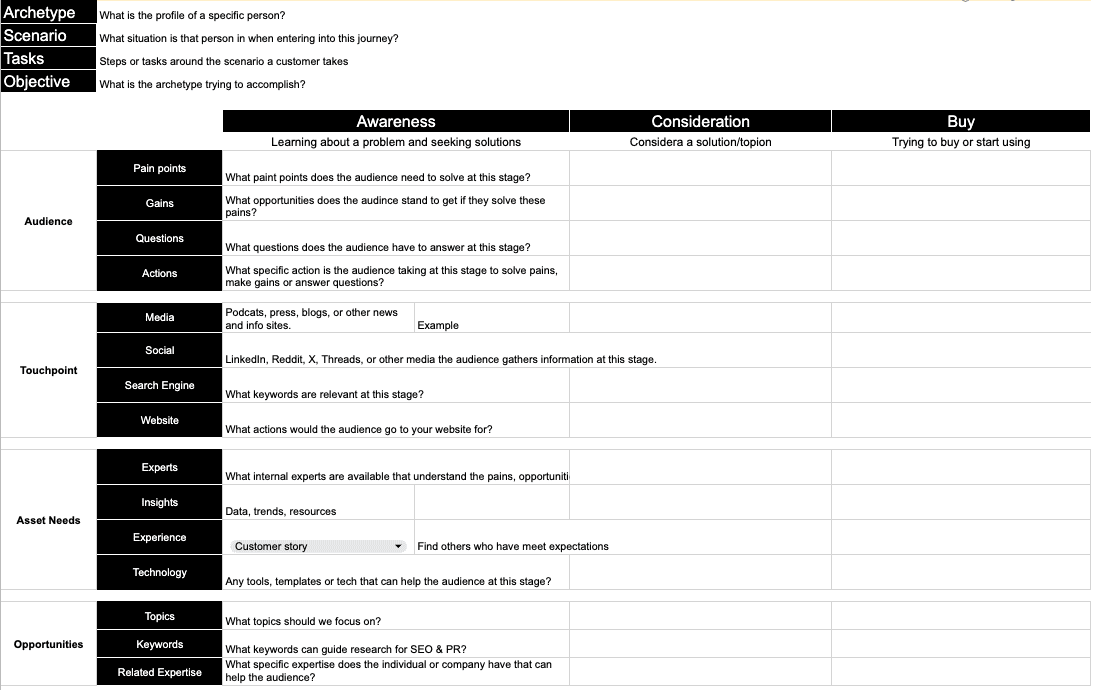
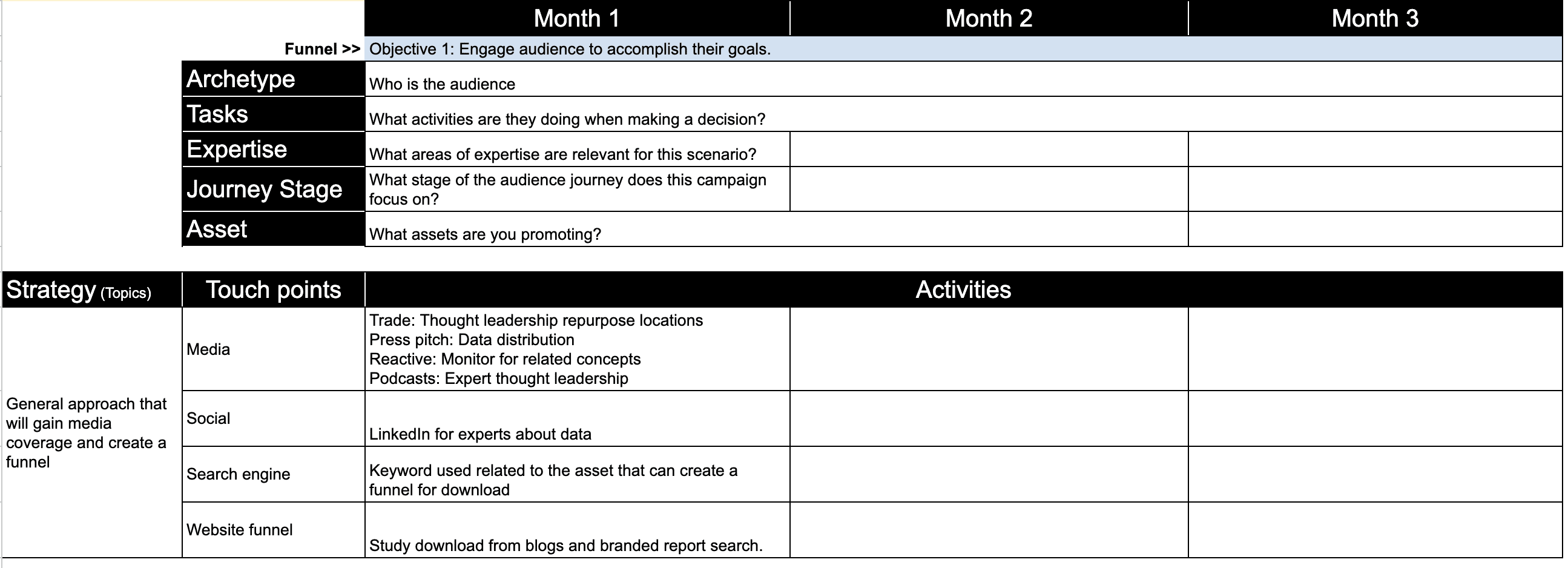
I’m a big fan of templates that simplify processes. I created this React Workbook as part of my Digital PR for SEO Mini MBA course. You can use it to create an audience journey map, identify assets, and create an integrated PR and SEO strategy. Screenshots are below.
Create An Audience Journey Map
Start by mapping your audience’s journey, identifying key stages, touchpoints, and content needs. This will serve as the foundation for your strategy.
Understand and visualize the path your audience takes from first becoming aware of a need or problem to making a purchase decision.
The screenshot below is of an audience journey map template I created to make the process of mapping the audience journey more actionable.
Screenshot by author, April 2024
Create Owned Assets For Each Stage
Develop a variety of unique assets and resources tailored to each stage of the audience journey, designed to engage, inform, and convert your target audience. These assets should be useful for both digital PR and SEO.
Instead of creating endless blog articles, create assets that are linkable and shareable.
Expert commentary: Leverage internal experts and the C-suite to provide commentary on trends in the media.
Unique data: Research unique data and insights into trends or data about the company’s growth.
Expert resources: Have internal experts identify resources that are helpful to the audience.
Guides: Create easy-to-use guides that help your audience accomplish something at a stage in their journey
In my webinar with SEJ, I gave the example of how my digital PR team earned links by analyzing publicly available data in manufacturing around the outsourcing of manufacturing overseas due to increasing labor costs in the US.
This idea was a result of recent media trends discussing the idea that US manufacturing may be in a recession. We did this for a CFO consultancy that worked with manufacturing companies.
Thus, these assets can show your overall expertise in a given category.
With assets in hand, start an integrated digital PR and SEO program.
Implement Integrated Digital PR And SEO
Launch a coordinated digital PR and SEO campaign that leverages external media coverage (links and brand mentions) and optimized online content to improve organic search visibility and drive targeted traffic to your website.
Digital PR tactics: Pitch story ideas, unique data, and expert commentary to journalists and influencers to secure media mentions and backlinks.
SEO integration: Align your digital PR efforts with SEO by targeting keywords and phrases that have high search volumes and are relevant to the content being pitched. Use the media coverage and backlinks obtained through digital PR to enhance your website’s E-E-A-T and ranking.
Cross-channel promotion: Amplify the reach of your media coverage and owned content through social media, email marketing, and other digital channels, ensuring that your target audience sees your brand across multiple touchpoints.
Pro Tips
Use digital PR strategies instead of traditional link building as it builds your E-E-A-T (Experience, Expertise, Authority, and Trust) and the associated ranking factors.
Have a technical expert or leadership contribute to on-site content and digital PR.
Leveraging Digital PR and SEO Builds A Powerful Online Presence
Implementing this full-funnel strategy requires ongoing collaboration between your PR, SEO, and content teams to ensure all efforts are aligned and focused on guiding the audience toward conversion.
By systematically mapping the audience journey, creating engaging content for each stage, and leveraging both digital PR and SEO, businesses can build a powerful online presence by ranking in the top three and driving brand search.
Generating leads is crucial to boosting your sales – but if your landing pages aren’t effective, you’re going to struggle to turn visitors into customers.
Landing pages play a key role in elevating the effectiveness of your marketing efforts and differentiating, refining, and enhancing the user experience.
In this article, we’ll explore how to choose the right landing page builder for your business before highlighting the nine top landing page builders and what makes them stand out.
Let’s get into it.
Choosing The Right Landing Page Builder For Your Business
With so many options to choose from, how can you decide which landing page builder is right for you?
Here are a few things to consider when making your decision.
Marketing objectives: Start by deciding what you want to achieve with your landing pages. Are you looking to collect email subscribers, drive sales, generate leads, or promote an event? Each platform caters to different use cases, so leading with your goals can help you refine your search.
Ease of use: Different builders have different learning curves. If you’re a novice, you should probably opt for a tool that caters to beginners. If you have more technical experience, like coding knowledge, you might want to look to more advanced builders to get the most power.
Integration needs: Do you want your landing pages to integrate with other software or tools you’re already using?
Mobile optimization: It’s essential that your landing pages cater to mobile users, so make sure your builder considers that with features like responsive design.
Budget constraints: Unfortunately, budget matters. Landing page builders come with various price tags depending on their capabilities and features. Make sure you’re working within the boundaries of what you can afford.
While this is, by no means, an exhaustive list of considerations, it’s a starting point to help you choose a landing page builder that makes sense for your business needs.
Now, let’s look at nine of the best landing page builders to choose from.
1. Carrd
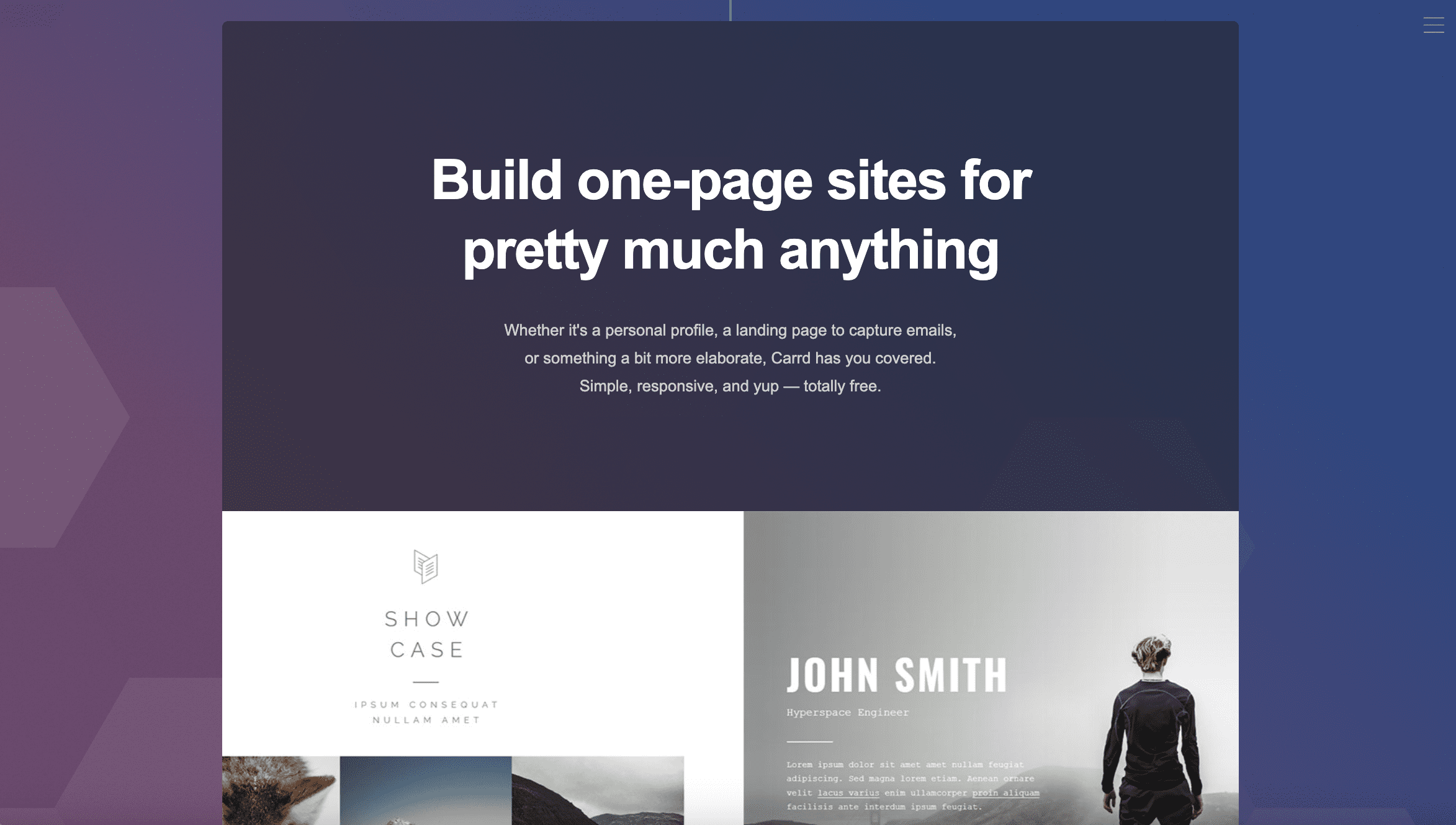
Screenshot from Carrd.com, April 2024
Best for: Simple projects, personal use, and small budgets.
Looking for a great landing page builder that won’t break the bank? Look no further than Carrd.
Carrd is a streamlined landing page builder that focuses on creating single-page websites quickly and easily. It’s designed for simplicity, making it ideal for anyone who wants to quickly create a webpage without needing to build a multi-page site.
Think portfolios, personal profiles, project presentations, and small business showcases.
Carrd’s user-friendly interface and selection of themes allow users to create sleek pages in the blink of an eye without even needing an account – you can just visit the website, pick a theme, and get started. However, you will need to sign up to save or publish your site.
It balances simplicity and functionality to help you craft that pages are clean, focused, and responsive across all devices. If you’re just testing the waters or working with slim budgets, this is the right tool for you.
Pros:
Extremely affordable, with a free tier available.
Intuitive and user-friendly interface.
Responsive design.
Fast and lightweight, making it ideal for quick and simple sites.
Cons:
Limited to single-page websites.
Restrictive layouts/themes, which limit creative freedom.
Lacks advanced features and integrations found in more comprehensive builders.
Pricing:
Carrd’s free basic plan allows you to launch three sites with Carrd branding to .carrd.co domains.
Paid plans range from $9 to $49 per year, and offer additional features like no Carrd branding, custom domains, and Google Analytics support (depending on your membership tier).
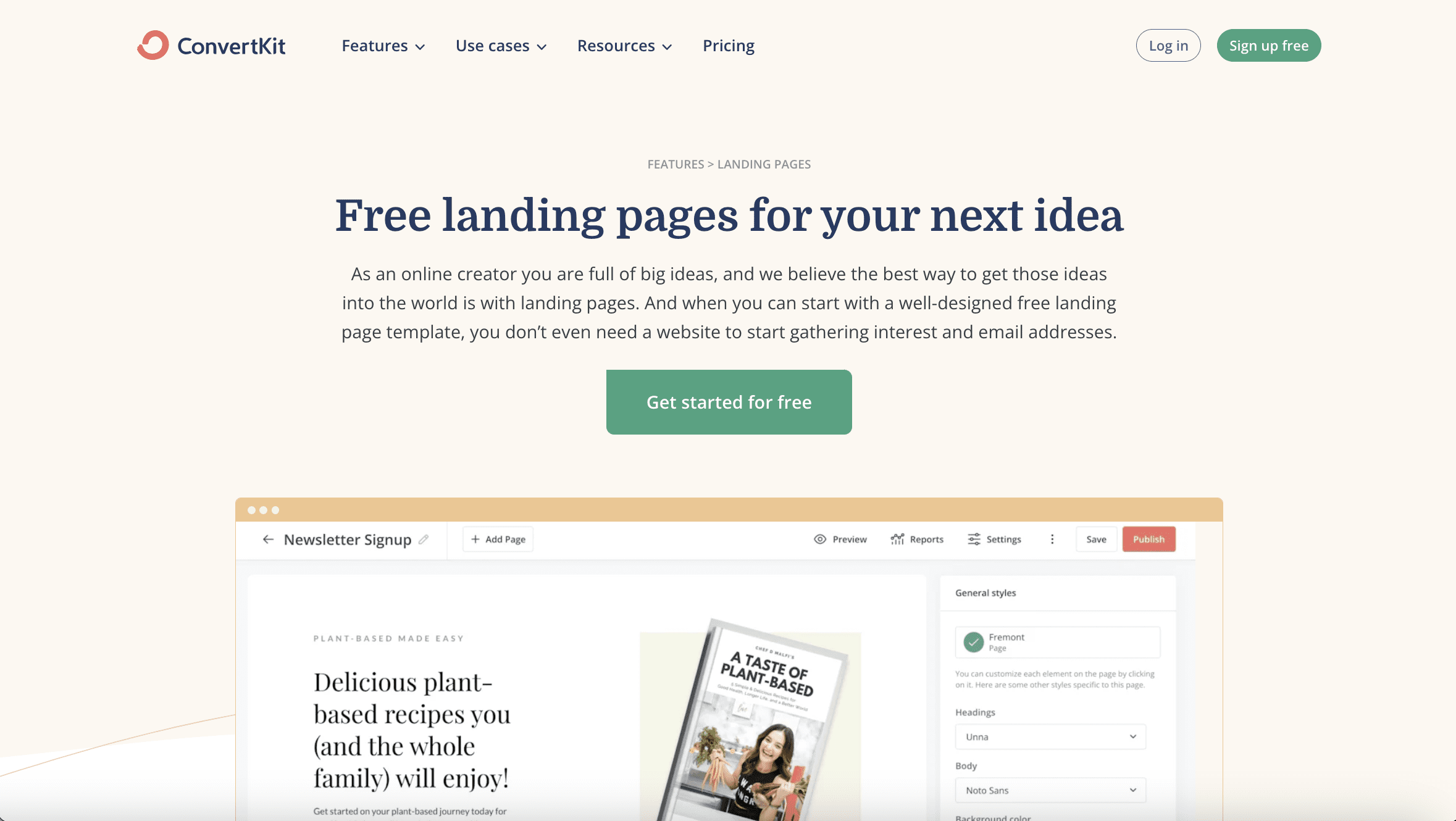
2. ConvertKit
Screenshot from ConvertKit.com, April 2024
Best for: Content creators, bloggers, and marketers focused on growing their audience through email.
Billing itself as “the creator marketing platform,” ConvertKit’s landing page builder is targeted at creators, bloggers, and marketers who want to expand their email subscriber base.
If your goal is to create a landing page to help you build an email list, ConvertKit might be the right option for you.
ConvertKit’s landing page builder offers a range of high-quality, customizable templates and integrates with third-party tools to help you get the most out of your site.
It also integrates with the stock photo platform Unsplash to offer access to 100,000+ free images for your landing page.
While ConvertKit’s analytics and customization options might not be as extensive as those of some of its competitors, its ease of use and focused approach make it a standout for email-driven campaigns.
Pros:
No cost for starting (up to 1,000 subscribers).
Access to thousands of free images.
Robust third-party integration capabilities.
Cons:
Limited template customization and flexibility.
A/B testing and analytics features are less advanced.
Priced higher than some basic landing page builders.
Pricing:
Free plan for up to 10,000 subscribers.
The Creator plan starts at $25/month and includes benefits like automation features and app integrations. Pricing scales are based on subscriber count.
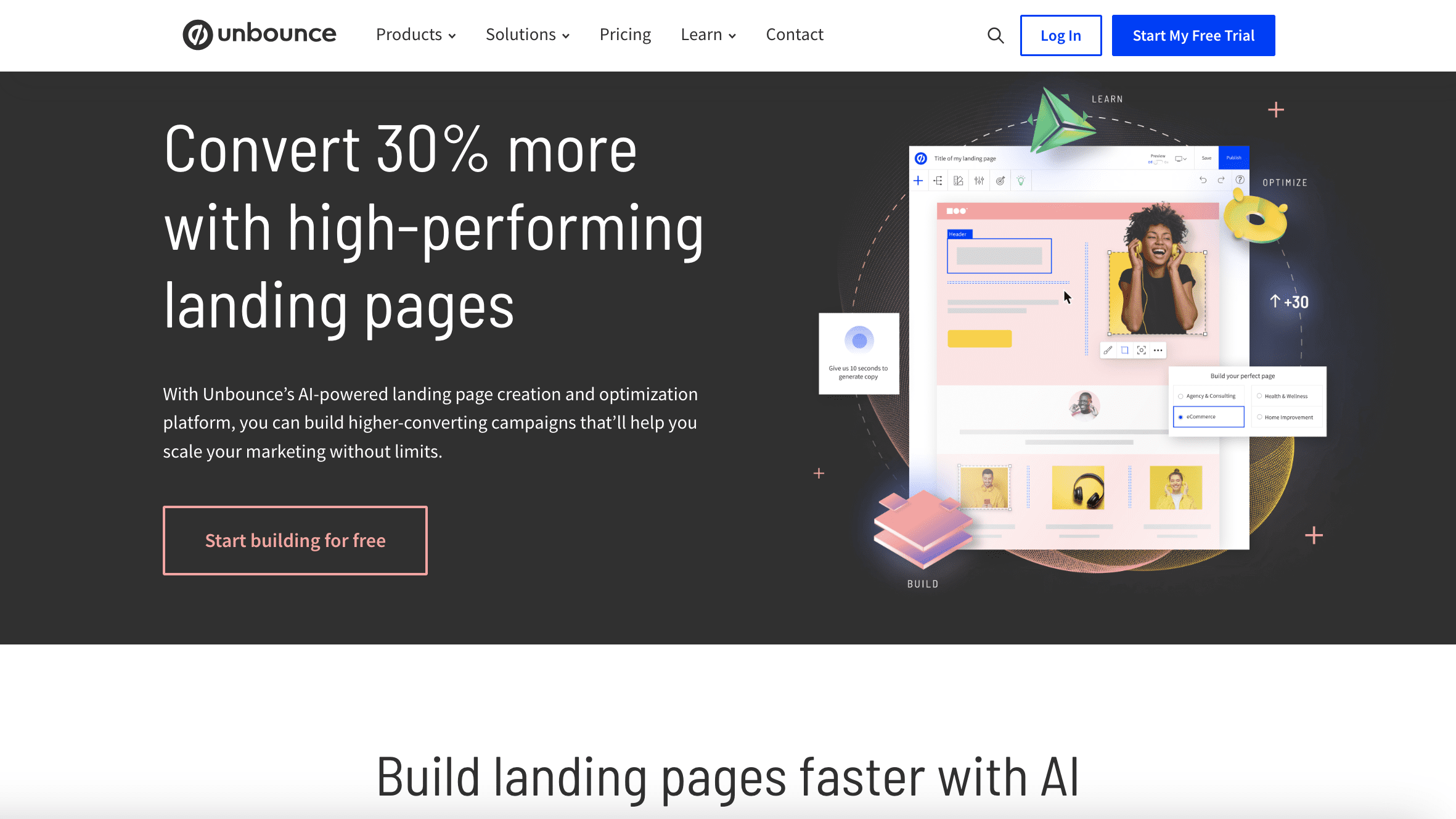
3. Unbounce
Screenshot from Unbounce.com, April 2024
Unbounce is a leading landing page builder renowned for its focus on conversion rate optimization (CRO). Its website promises to help you “build high-converting landing pages with ease.”
It offers a suite of advanced tools, such as A/B testing, dynamic text replacement, and the Smart Traffic system, which uses AI to optimize visitor flow to the highest-converting page variant based on user behavior and characteristics.
It also focuses on features that can help you boost your lead gen efforts, such as opt-in email popups and sticky banners.
With 100+ responsive templates, Unbound makes it easy to create landing pages that are both engaging and effective.
Compared to some other options on this list, Unbounce is a particularly robust platform with tons of customization and integrations – and the price point reflects that.
As a premium offering with a steeper learning curve, it might not be the best for beginners – but its AI-powered features and conversion-focused tools make it a formidable tool for achieving your goals.
Pros:
Advanced A/B testing and AI-driven optimization.
Large selection of responsive templates.
Integrated features for enhancing lead capture.
Cons:
Higher price point than some other builders, which might not work for those with limited budgets.
Complex setup and steeper learning curve for new users.
Some customization limitations.
Pricing
The Build plan starts at $74/month and covers unlimited conversions, one root domain, and up to 20,000 monthly unique visitors.
Other paid plans range from $112/month up to $649/month.
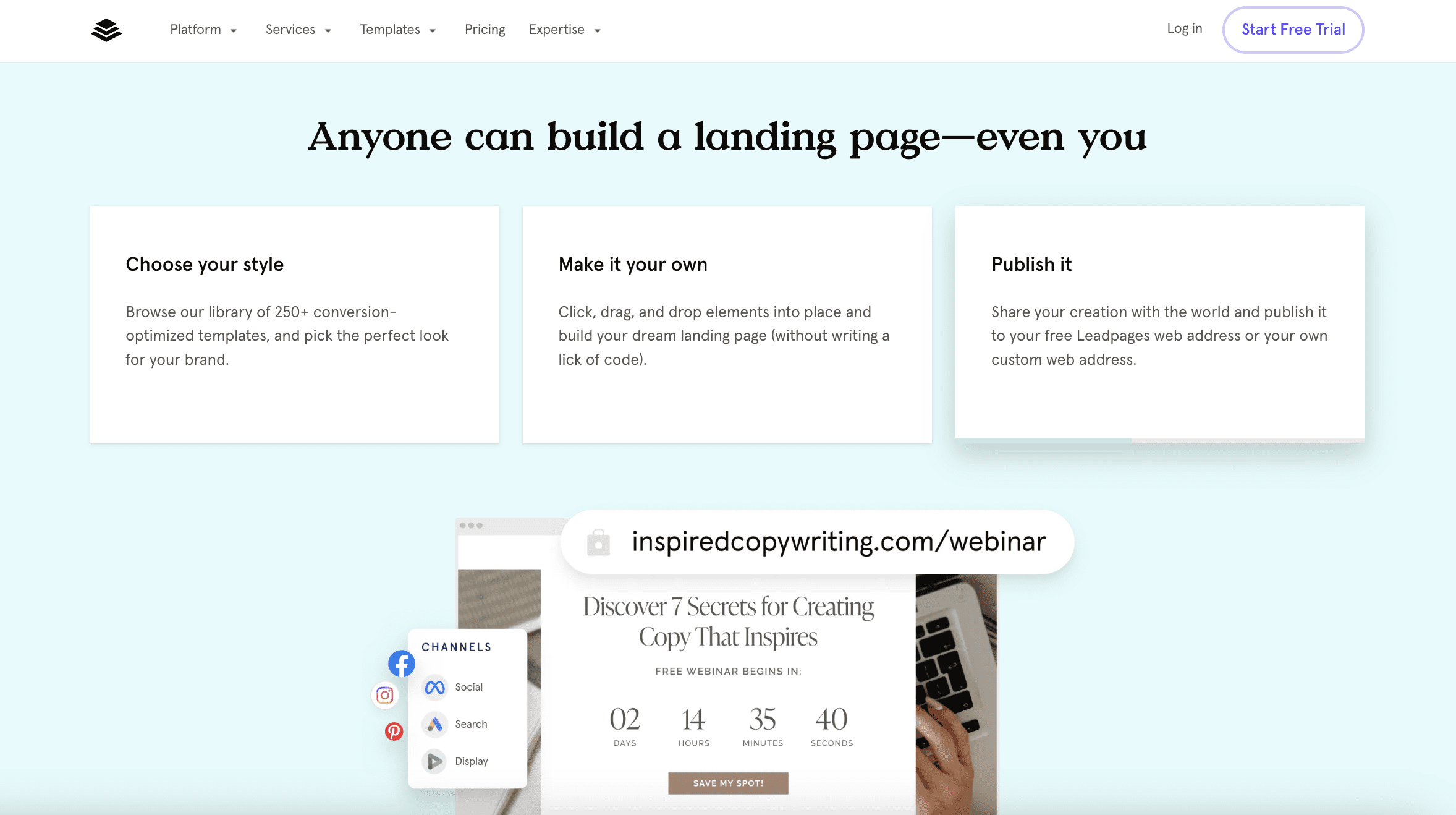
4. Leadpages
Screenshot from Leadpages.com, April 2024
Best for: Small businesses and entrepreneurs looking to generate sales.
Need a landing page that will help you generate sales? Consider taking a look at Leadpages.
Its strength lies in its user-friendly, drag-and-drop editor and an extensive collection of templates that streamline the page-building process. Plus, according to the Leadpages website, it’s a platform that converts five times better than the industry average.
Leadages offers CRO tools, real-time analytics, and A/B testing capabilities, enabling users to enhance their page performance effectively.
Its various widgets allow you to add videos, images, forms, and even payment integrations directly onto your landing pages, making it a versatile tool for businesses that want to combine content with sales functionality.
On top of all this, Leadpages now includes an AI Engine for creating headlines and images and an AI writing assistant at some membership tiers, which can help you write better content.
Pros:
Intuitive no-code editor and easy payment integration.
Comprehensive A/B testing and real-time analytics.
Extensive template library with over 250 options.
Cons:
Higher cost compared to some alternatives.
Limited ecommerce features and potential mobile responsiveness issues.
Some users report mobile responsiveness issues.
Pricing:
The standard plan starts at $37/month for one custom domain, unlimited traffic and leads, and 10,000 monthly AI Engine credits.
More advanced features are available in higher-tier plans, which start at $74/month.
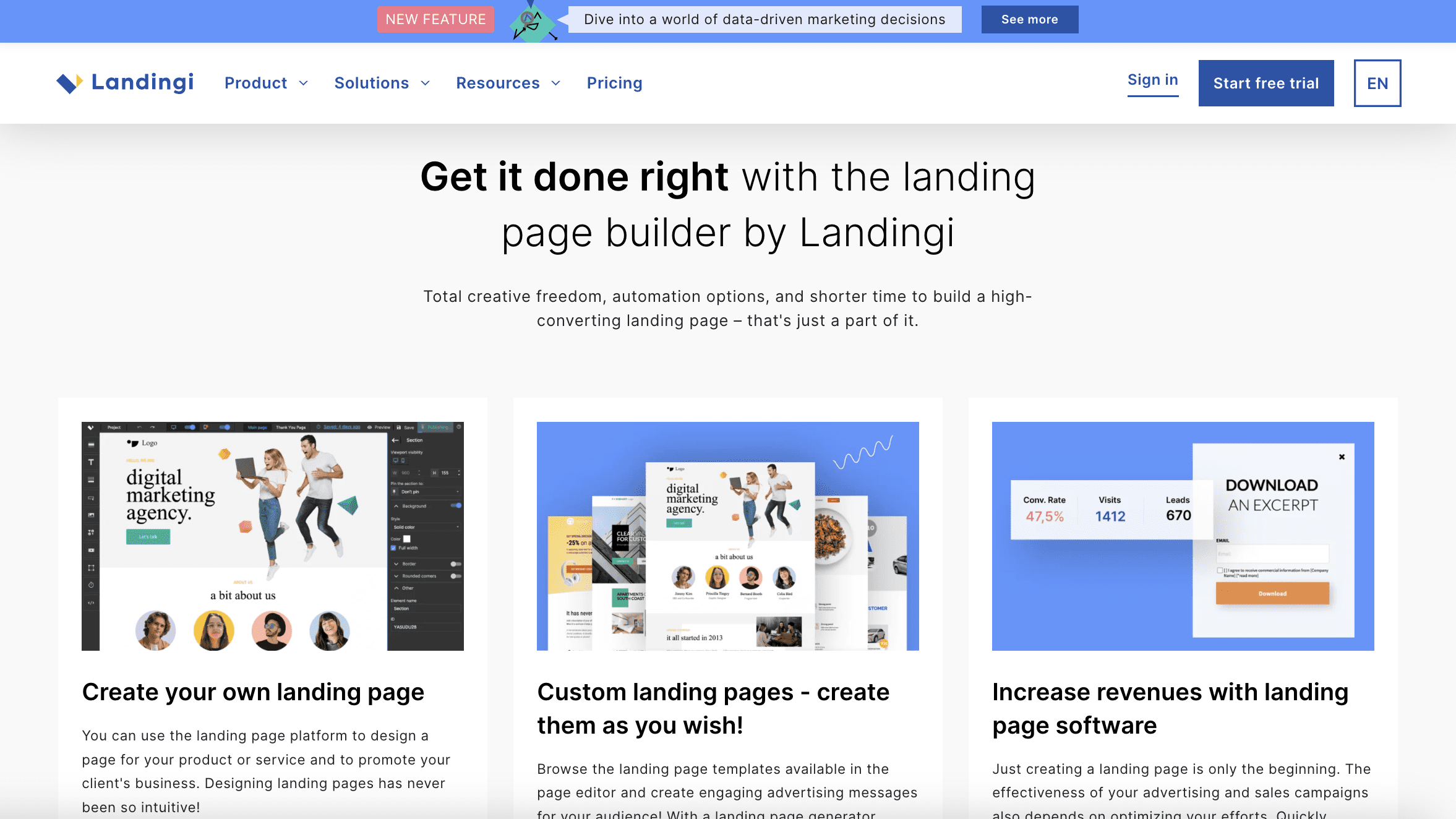
5. Landingi
Screenshot from Landingi.com, April 2024
Best for: Businesses seeking a versatile landing page solution with a wide range of features.
If you’re in the market for versatility, Landingi is worth investigating.
Landingi offers a flexible, comprehensive landing page builder with a robust set of features, including an advanced editor, popups, A/B testing, and a substantial library of 300+ templates.
Its unique Smart Sections feature allows you to reuse and easily update specific page elements across multiple designs, saving time and headaches.
Designed to serve businesses of all sizes, Landingi’s simple, drag-and-drop builder can help you create and optimize various types of landing pages – and if you have any HTML and CSS knowledge, it can be a pretty impressive editor.
Landingi is a particularly strong choice for small businesses looking to target different customer segments with unique landing pages. The integration capabilities with numerous apps, including payment gateways like Stripe, make it a great choice for companies looking to sell products.
While its rich feature set can be overwhelming for newcomers, and creating pages might take a bit longer compared to other platforms, the level of customization and control it offers makes Landingi one of the best landing page builders out there.
Pros:
Extensive template library with 300+ customizable options.
Powerful editing capabilities with Smart Sections for efficient design.
Broad integration with various apps, including payment systems.
Cons:
Steeper learning curve for beginners.
Potentially longer time to create landing pages compared to simpler platforms.
Pricing:
The Lite plan starts at $35/month and gives you 10 digital assets, unlimited conversions, 5,000 visits per month, and one custom domain.
Landingi also offers Professional and Unlimited tiers with more advanced features and capabilities.
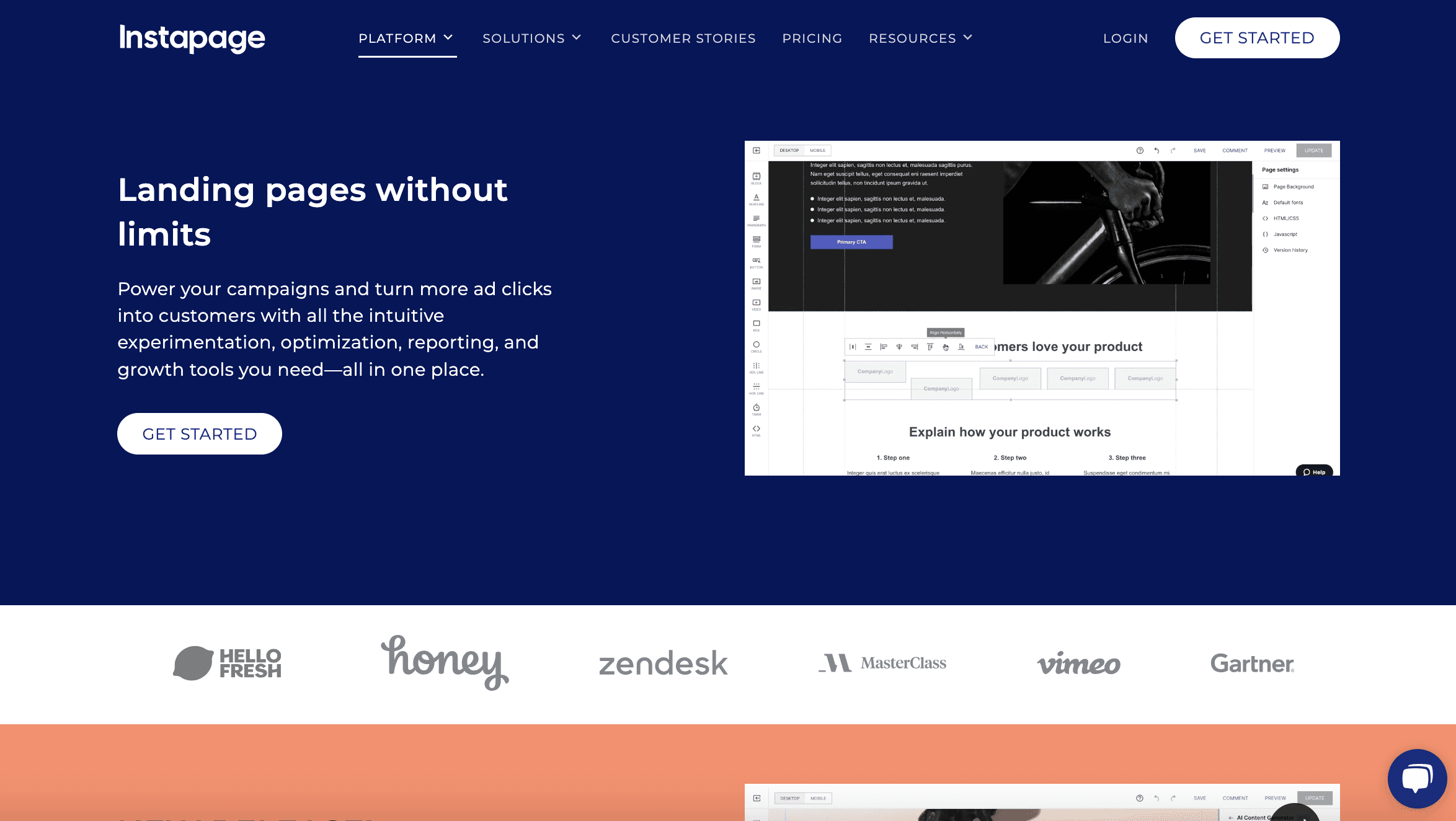
6. Instapage
Screenshot from Instapage.com, April 2024
Best for: Large businesses, marketing teams, or agencies that require collaboration and advanced optimization features.
If you’re seeking a more high-end landing page platform, Instapage might be the one for you. It offers advanced features tailored for professional marketing teams and agencies with a need to create optimized landing pages at scale.
In addition to a drag-and-drop builder and plenty of high-quality templates, Instapage offers a bevy of features, including advanced cloud-based team collaboration tools, heatmaps for user engagement analysis, robust A/B testing capabilities, AI-generated content creation, and more.
One of its standout features is Instablocks, which allows users to create custom page components that can be easily reused across different projects.
Instapage supports advanced marketing goals with features like AdMap to align ads with page content. Plus, its mobile-friendly design ensures a fast, seamless user experience.
While Instapage offers a premium experience with its comprehensive set of tools and features, its higher price point and complex functionalities may be a barrier for smaller businesses or those new to landing page optimization.
Pros:
Extensive customization with a library of professional templates.
Instablocks for efficient design and asset reuse.
Effective team collaboration features.
Cons:
Premium pricing will be a barrier for many businesses.
Steep learning curve for utilizing advanced features.
Limitations in reporting and visitor tracking for lower-tier plans.
Pricing:
The Build plan starts at $199/month, with a 14-day free trial.
Customers will need to upgrade to a customized Convert plan to access some of the more complex features, such as AdMap, heatmaps, and more.
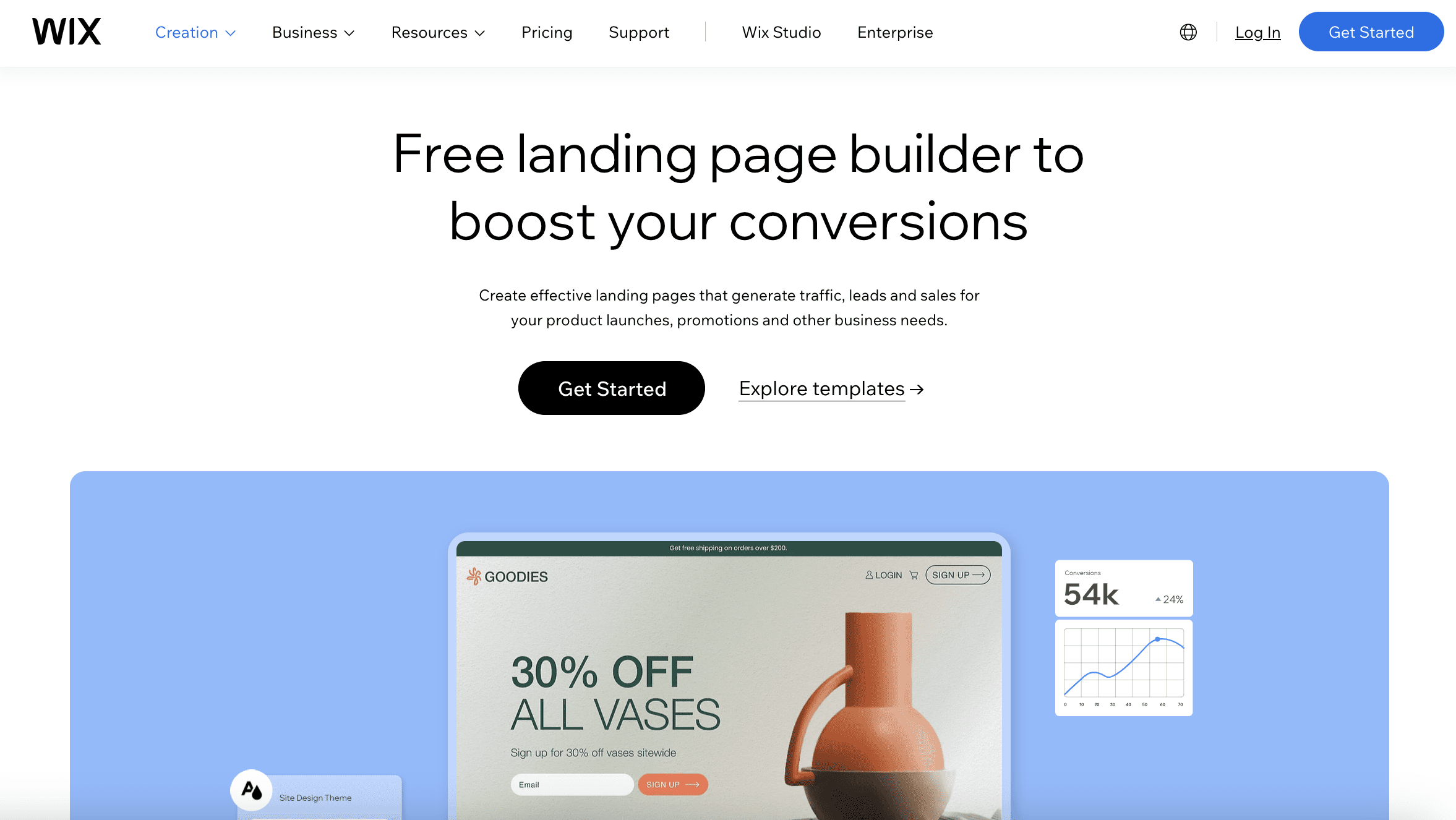
7. Wix
Screenshot from Wix.com, April 2024
Best for: Individuals and small businesses seeking creative control without advanced coding.
Now for something much more accessible: Wix is renowned for its user-friendly platform, which is ideal for creating attractive landing pages with minimal effort.
Like other options on this list, Wix offers an accessible drag-and-drop editor and a range of existing templates to help users craft aesthetically pleasing and functional landing pages.
Wix’s platform has a reputation for being particularly beginner-friendly, with a low learning curve and a free plan to help new users get started without any upfront investment.
For those focused on ecommerce, Wix provides specific features to build landing pages that showcase products and promotions, supported by over 50 payment solutions and tools like heatmaps to enhance user engagement and conversion rates.
While it offers a free starter plan, accessing more advanced functionalities and removing Wix ads requires upgrading to a paid subscription.
Wix’s balance of user-friendly design tools, ecommerce support, and cost-effective pricing makes it a favorable option for those new to web design or businesses needing straightforward, visually appealing landing pages.
Pros:
User-friendly with an intuitive drag-and-drop interface.
Free plan available, making it accessible for beginners.
Ecommerce capabilities with extensive payment integration.
Cons:
Advanced features and ad-free experience require a paid plan.
Potential limitations in customization for complex requirements.
Site speed may decrease with more intricate designs.
Pricing:
A free plan is available, but it includes Wix branding and lacks more advanced features like payments.
Paid plans start at $17/month, offering additional features.
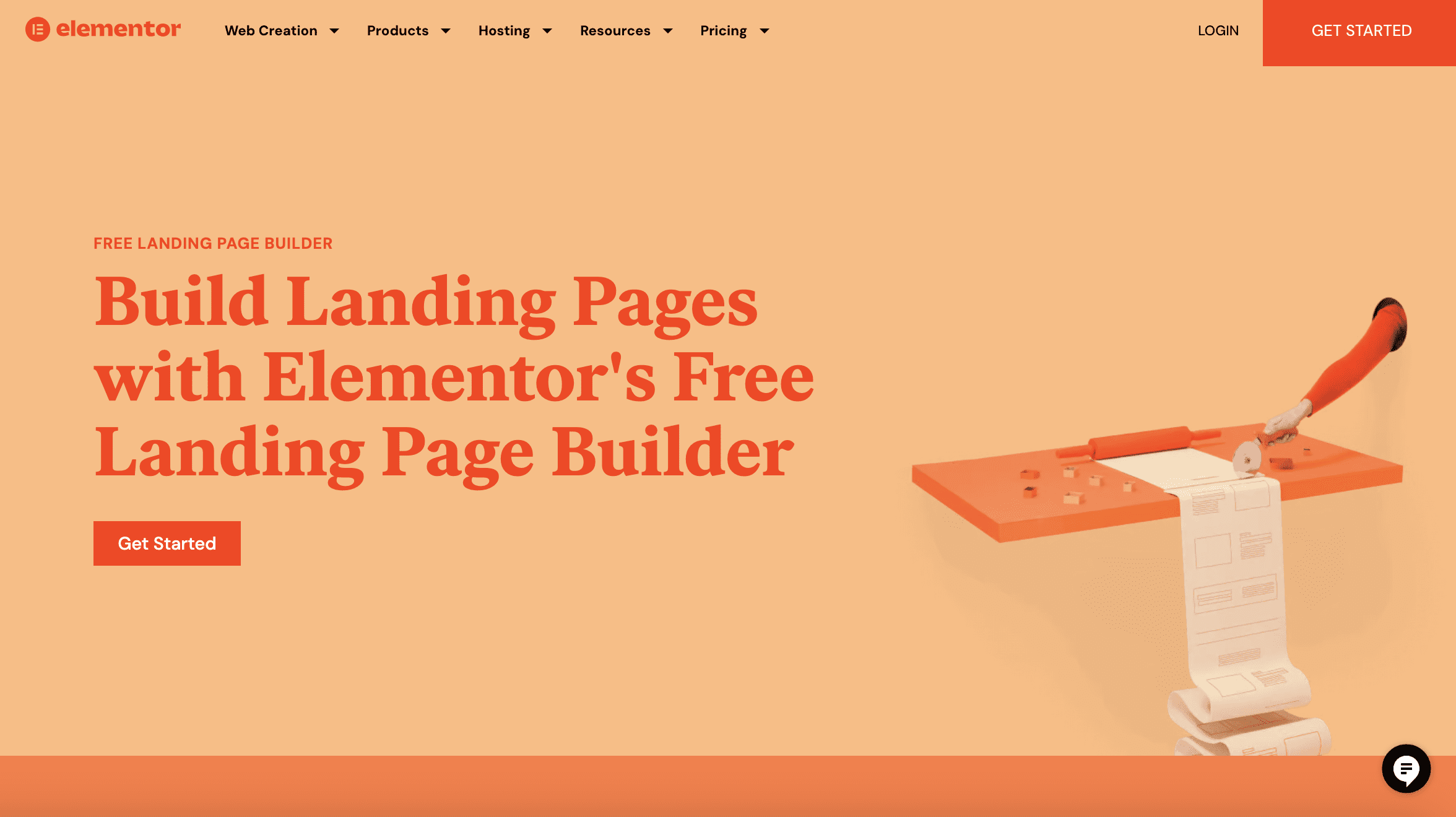
8. Elementor
Screenshot from Elementor.com, April 2024
Best for: WordPress users looking for a powerful and intuitive landing page builder.
If you’re a WordPress user, you’ll want to know about Elementor.
It’s a WordPress page builder that has gained popularity for its flexibility, comprehensive customization capabilities, and user-friendly interface.
Elementor allows users to design dynamic and detailed landing pages within WordPress. This feature makes it the perfect choice for WordPress users who want to extend the functionality of their website with sleek landing pages that maintain a consistent look and feel with their existing content.
Its real-time editing features allow for immediate feedback on design changes without any coding.
It also offers dozens of designer-made templates to choose from. You can add custom forms and popups to your landing page, save page components for reuse, and seamlessly integrate with your customer relationship management (CRM) tools to create a powerful customer experience.
While Elementor offers a ton in terms of design flexibility and integration, it’s important to note that it’s exclusively for WordPress users and can be resource-intensive – so it might impact site performance, especially on more complex websites.
Pros:
Advanced customization and design flexibility.
Real-time editing and instant feedback.
Seamless WordPress integration.
Cons:
Exclusively for WordPress users.
Potentially impacts site performance due to resource intensity.
Pricing:
Free version with limited functionality.
Paid versions start at $59/year, providing advanced features and support.
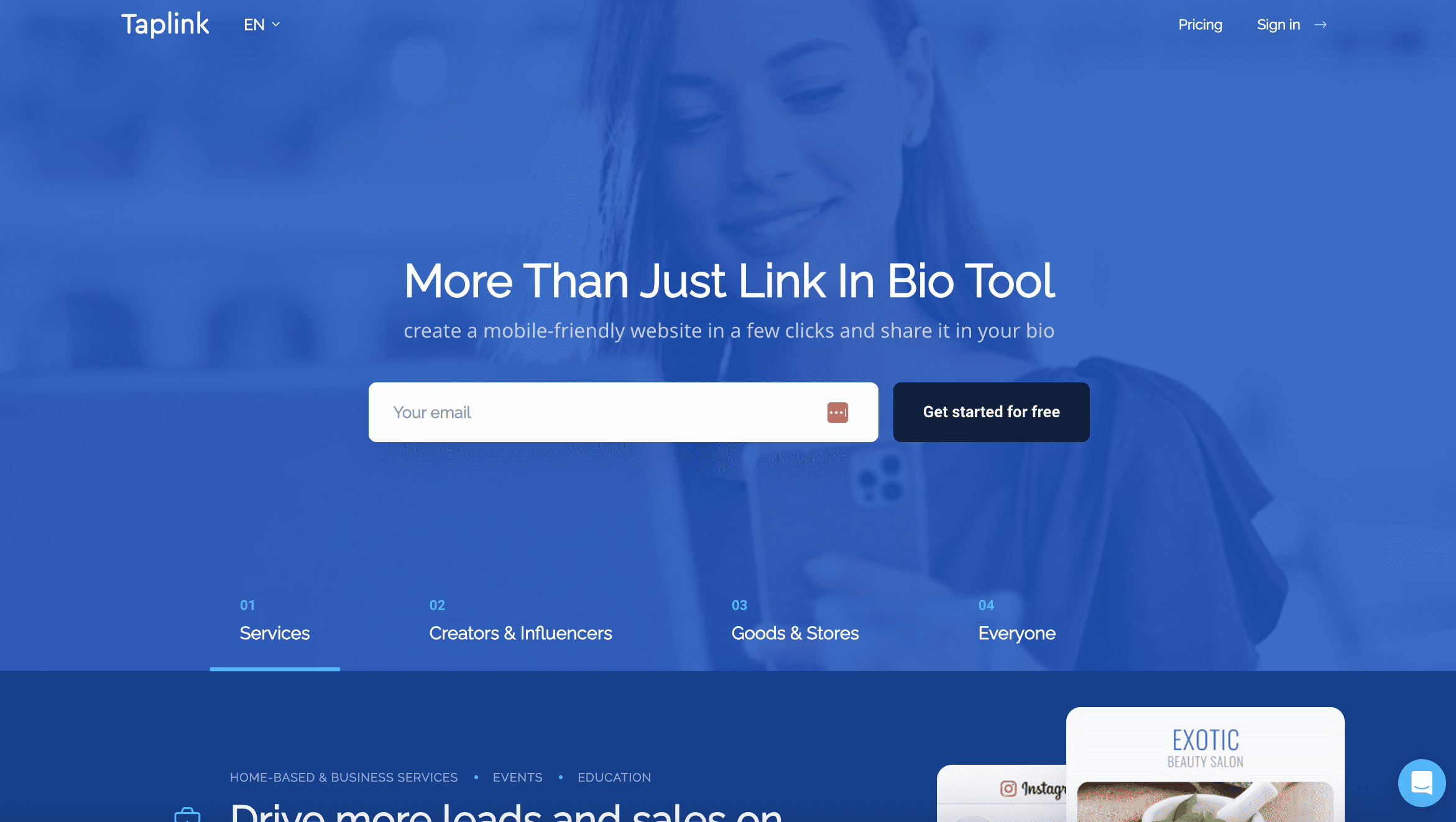
9. Taplink
Screenshot from Taplink.at, April 2024
Best for: Social media influencers and businesses looking to direct traffic from social platforms to other content or actions.
This one’s a little different than some of the other examples here, but it deserves highlighting.
Taplink is a specialized micro-landing page builder optimized for social media profiles. It’s perfect for businesses and influencers that want to drive traffic from social media to other content or actions. You just use Taplink to create landing pages and share them on your social profiles.
Taplink stands out for its simplicity and mobile optimization, which is crucial when targeting social media audiences.
The focus on quick, effective page creation allows users to engage with their audience without the complexities of traditional website development.
For those aiming to convert social media interest into tangible outcomes – such as lead generation, sales, or content promotion – Taplink is a winner.
While its feature set is more limited than some of the more comprehensive builders featured here, its affordability and user-friendly design make it a great tool for those looking to maximize their social engagement with minimal effort and investment.
Pros:
Simple and quick setup.
Mobile-optimized for social media engagement.
Cost-effective for targeted campaigns.
Cons:
Designed primarily for micro-landing pages, limiting the scope.
Fewer features and customization options than extensive landing page builders.
Pricing:
Taplink offers a free basic plan, with premium features available on paid plans starting from $3/month. The most expensive tier, the Business tier, is $6/month.
There’s A Landing Page Platform To Help You Convert Visitors
Choosing the right landing page builder for your business can significantly impact your marketing success – but the decision will depend on your specific goals and needs.
As we’ve explored, each tool has unique strengths and caters to different aspects of the landing page creation and optimization process.
Whether you’re looking for advanced design capabilities, a user-friendly interface, or specific functionalities like CRO, there’s a platform that can help you not just streamline your landing page design process, but start converting visitors into loyal customers.
According to data from GS Statcounter, Google’s search engine market share has fallen to 86.99%, the lowest point since the firm began tracking search engine share in 2009.
The drop represents a more than 4% decrease from the previous month, marking the largest single-month decline on record.
Screenshot from: https://gs.statcounter.com/search-engine-market-share/, May 2024.
U.S. Market Impact
The decline is most significant in Google’s key market, the United States, where its share of searches across all devices fell by nearly 10%, reaching 77.52%.
Screenshot from: https://gs.statcounter.com/search-engine-market-share/, May 2024.
Concurrently, competitors Microsoft Bing and Yahoo Search have seen gains. Bing reached a 13% market share in the U.S. and 5.8% globally, its highest since launching in 2009.
Yahoo Search’s worldwide share nearly tripled to 3.06%, a level not seen since July 2015.
Screenshot from: https://gs.statcounter.com/search-engine-market-share/, May 2024.
Search Quality Concerns
Many industry experts have recently expressed concerns about the declining quality of Google’s search results.
A portion of the SEO community believes that the search giant’s results have worsened following the latest update.
These concerns have begun to extend to average internet users, who are increasingly voicing complaints about the state of their search results.
Alternative Perspectives
Web analytics platform SimilarWeb provided additional context on X (formerly Twitter), stating that its data for the US for March 2024 suggests Google’s decline may not be as severe as initially reported.
From our data (Search Engine website category, US, March 2024) it doesn’t look like we’re there yet: pic.twitter.com/RBUJp4ZLeb
SimilarWeb also highlighted Yahoo’s strong performance, categorizing it as a News and Media platform rather than a direct competitor to Google in the Search Engine category.
Don’t underestimate Yahoo. They’re doing great. On our platform they’re categorized as News and Media, and hence not a direct competitor to Google in the Search Engine category. But they rank #10 worldwide, #6 in the US, and #1 in their category. Much higher than Bing and OpenAI. pic.twitter.com/O4yJu5QEK6
The shifting search engine market trends can impact businesses, marketers, and regular users.
Google has been on top for a long time, shaping how we find things online and how users behave.
However, as its market share drops and other search engines gain popularity, publishers may need to rethink their online strategies and optimize for multiple search platforms besides Google.
Users are becoming vocal about Google’s declining search quality over time. As people start trying alternate search engines, the various platforms must prioritize keeping users satisfied if they want to maintain or grow their market position.
It will be interesting to see how they respond to this boost in market share.
What It Means for SEO Pros
As Google’s competitors gain ground, SEO strategies may need to adapt by accounting for how each search engine’s algorithms and ranking factors work.
This could involve diversifying SEO efforts across multiple platforms and staying up-to-date on best practices for each one.
The increased focus on high-quality search results emphasizes the need to create valuable, user-focused content that meets the needs of the target audience.
SEO pros must prioritize informative, engaging, trustworthy content that meets search engine algorithms and user expectations.
Remain flexible, adaptable, and proactive to navigate these shifts. Keeping a pulse on industry trends, user behaviors, and competing search engine strategies will be key for successful SEO campaigns.
Software makes the SEO world go round. From analyzing your website data to performing research, effective SEO relies on a series of tools to assist humans in decision-making.
Paid subscription tools can be highly effective and usually come with support. But if you don’t have a large monthly budget, they might be out of the question.
The good news is that there are plenty of free tools. With a bit of time and know-how, you can create a free stack of software that helps you achieve your SEO goals.
What Are SEO Tools?
Think of SEO tools as your digital magnifying glass and toolkit for your website. They’re not just about providing numbers and graphs; they’re about offering insights and strategies to enhance your website’s visibility and performance.
These tools are the compass and map for navigating the vast world of search engine optimization, helping you pinpoint exactly where you stand and what steps you need to take to improve and boost visibility in search engine results pages (SERPs).
Each SEO tool has a unique function, just like how a hammer is distinct from a screwdriver in a traditional toolbox. They offer specialized assistance in various aspects of SEO:
Analytics – Understand your website traffic and user behavior.
Keyword Research – Discover what your audience is searching for.
Links – Analyze your backlink profile and build quality links.
Local SEO – Optimize your site for local search results.
Mobile SEO – Ensure your site is optimized for mobile users.
On-page SEO – Improve the content and structure of your website pages.
Research – Dive deep into market trends and competitor strategies.
Rank Checking – Monitor where your pages stand in search results.
Site Speed – Enhance the loading speed of your pages.
WordPress SEO – Optimize your WordPress site specifically for SEO.
SEO tools are incredibly useful, but you must understand how to use them to get the most out of them.
There are even a few toolsets that can help you in more than the areas we just mentioned, giving you more of an all-at-once glance at your SEO performance.
Do You Need SEO Tools?
The short answer is yes, you need SEO tools.
Imagine trying to build a table using only your hands.
You wouldn’t get very far, would you? No.
You will need tools – saws, a measuring tape, a drill, and screwdrivers, to name a few.
Similarly, while you can certainly create a website with basic knowledge and intuition, truly optimizing and understanding its performance requires the right tools.
Without them, you’re essentially playing a guessing game.
Without SEO tools, you’re missing out on:
The volume of traffic reaching your site.
Alerts on sudden drops in website visits.
Identifying and fixing HTML errors.
Tracking the quantity and quality of your backlinks.
Discovering potential keywords to drive more traffic.
And much, much more.
So, while it’s theoretically possible to manage a website without SEO tools, if you’re serious about maximizing its potential and reaching your audience effectively, leveraging these tools isn’t just recommended – it’s essential.
What Are The Best Free SEO Tools?
If you’re looking to get started with SEO or want to achieve better results for the low cost of $0, here are 110 of the best free SEO tools you should be using.
Free SEO Analytics Tools
1. Google Analytics 4
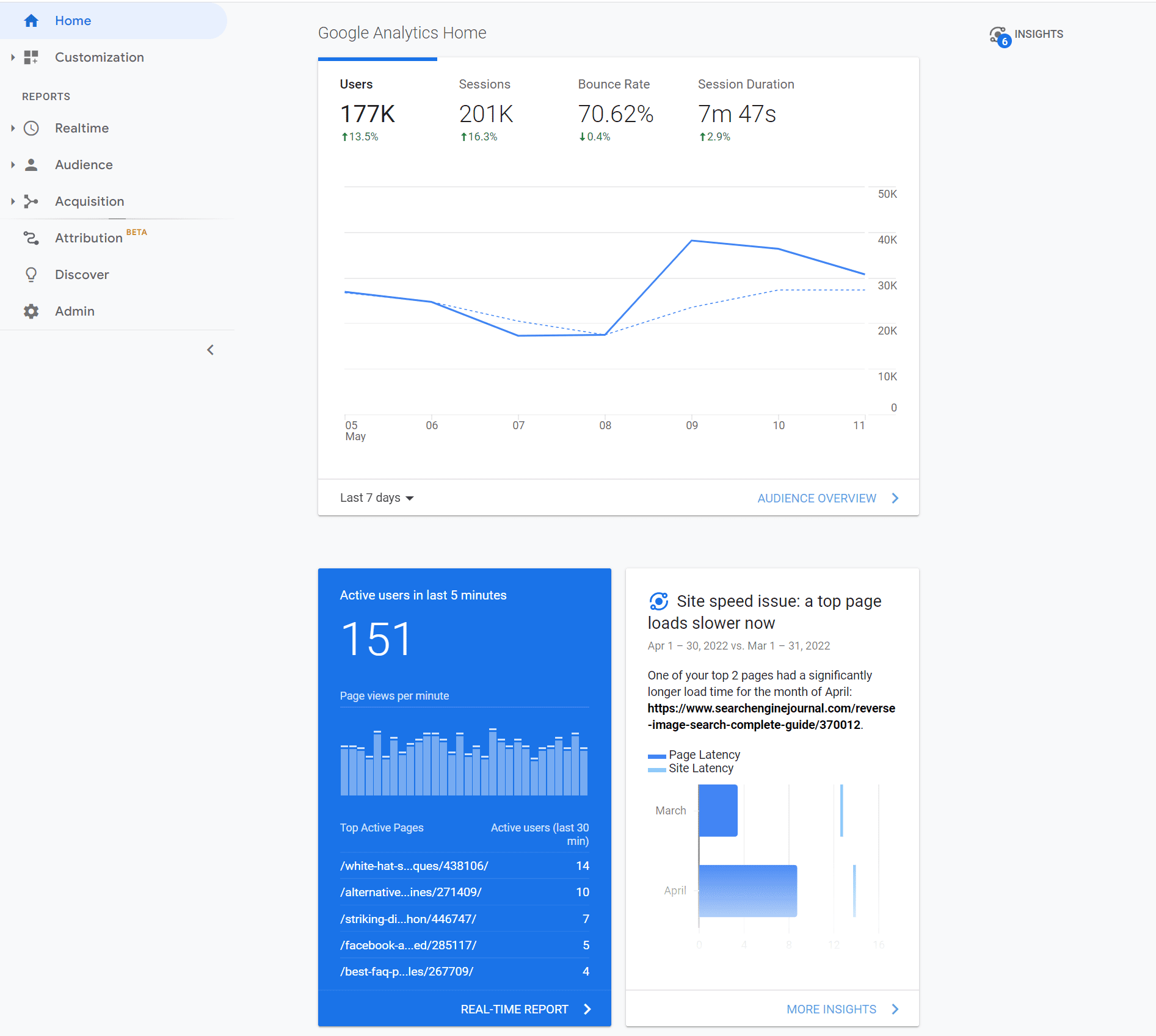
Screenshot by author, May 2022
Google Analytics 4 is an invaluable resource that is virtually indispensable to any digital marketer serious about SEO.
It provides plenty of handy data about websites, such as the number of site visits, traffic sources, and location demographics.
With the detailed information from Google Analytics, digital marketers can tweak their content strategy and figure out what works and what doesn’t.
More advanced users can learn how to use CASE statements for better Data Studio segments here.
3. Keyword Hero
Missing keyword data? Leave it to Keyword Hero, which uses advanced math and machine learning to fill in the blanks.
This service is free for up to 2,000 sessions per month. Keyword Hero also provides a 14-day free trial of any of its plans.
4. Mozcast
Mozcast tracks changes big and small to Google’s search algorithm.
With Google making hundreds of changes every year, keeping abreast of the latest developments helps you ensure you’re doing everything to have the best SERPs.
5. Panguin Tool
The Panguin Tool, provided by Barracuda Digital, lines up your search traffic with known changes to the Google search algorithm.
If you see a drop that lines up with an update, you’ve likely found the culprit and can work on fixing it!
6. Google Search Console Enhancer
A Chrome extension that beefs up your Google Search Console (GSC) with additional features and insights. Google Search Console Enhancer is like putting a turbocharger on your Console, providing you with more detailed data to fine-tune your SEO approach.
If you’re into the nitty-gritty of SEO data, this tool helps you create more sophisticated search patterns to dive deeper into your website’s search query data.
8. Lost Impressions Index Check
This tool from TameTheBots helps you uncover potential SEO opportunities by identifying where you might be losing visibility in search results.
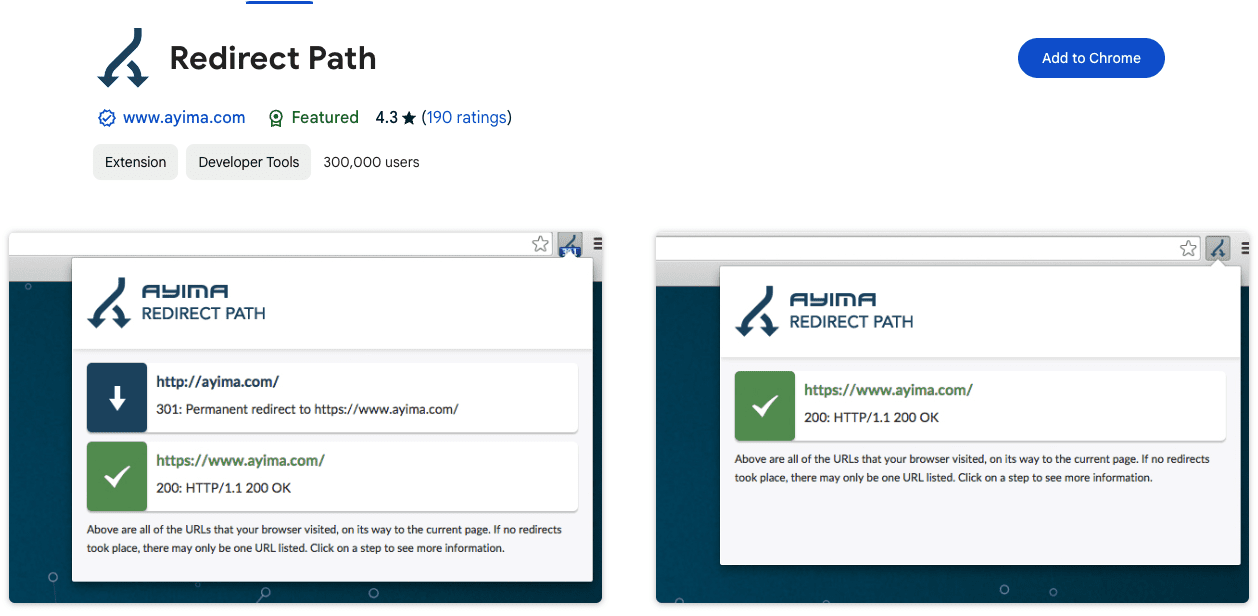
Additionally, client-side redirects like meta and JavaScript redirects will also be flagged, ensuring any redirect issue can be uncovered immediately.
HTTP Headers, such as server types and caching headers, as well as the server IP address, can also be displayed with the click of a button.
Furthermore, all of these details can be copied to your clipboard for easy sharing or addition to a technical audit document.
10. Link Redirect Trace
Use this Chrome plugin to make sure all your link redirects are directing people and crawlers to where you want them to go.
11. Screaming Frog SEO Spider
Crawl your website for SEO errors.
Discover HTTP header errors, JavaScript rendering hiccups, excess HTML, crawl mistakes, duplicate content, and more with Screaming Frog SEO Spider.
12. Screaming Frog Log File Analyzer
Upload your log files to Screaming Frog’s Log File Analyzer to confirm search engine bots, check which URLs have been crawled, and study search bot data.
13. SEOlyzer
Another SEO log analysis tool that provides data in real-time and page categorization.
14. Xenu
One of the original free SEO tools, Xenu is a crawler that provides basic site audits, looks for broken links, and the other usual suspects.
15. Where Goes?
Track where redirection URLs and shortened links go with Where Goes?
16. Check My Links
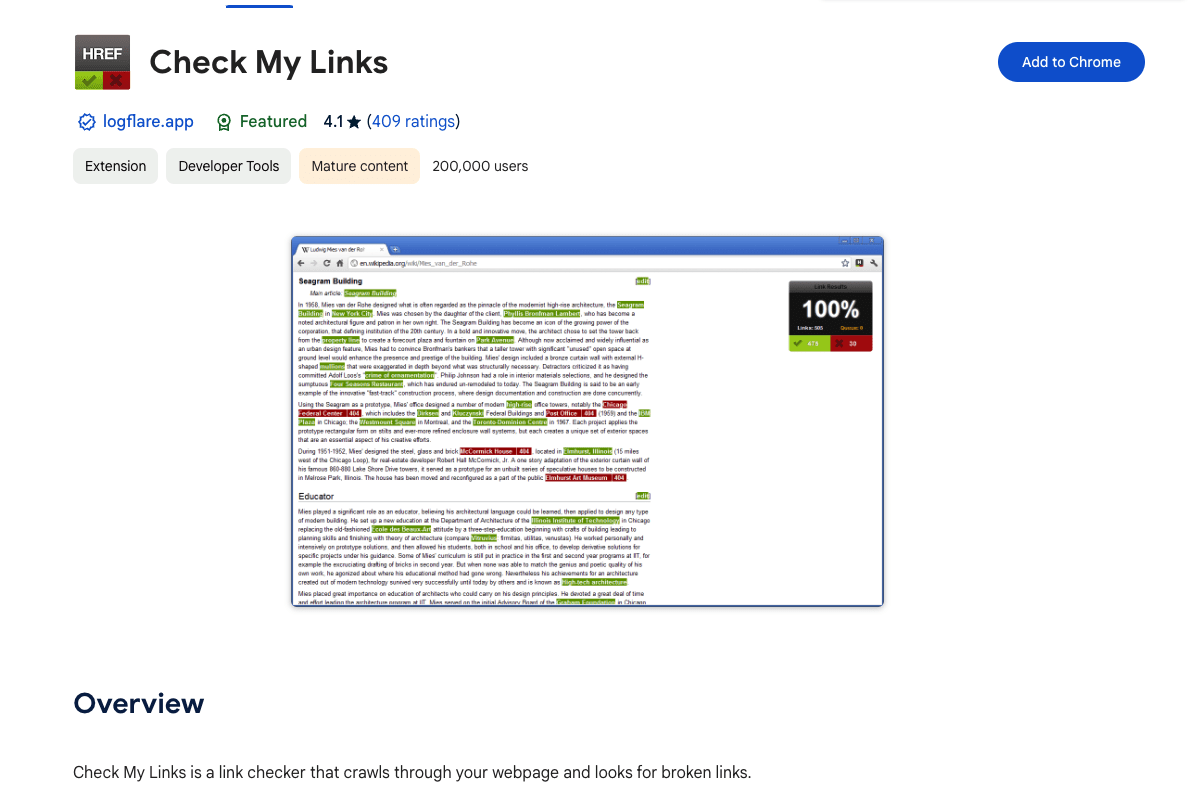
Screenshot from Check My Links, May 2024
Check My Links is a nifty Chrome Extension that crawls through your webpage and identifies the status code for each link on the page – including broken links.
Each status code is color-coded with 200 status codes returning dark green, 300 status codes returning light green, and 400 status codes returning red.
Once identified, you can copy all bad links to your clipboard with one click.
17. Robots.txt Generator
Create a correct robots.txt file instantly so search engines know how to crawl your website.
This Google Title Rewrite Checker will allow you to check if Google is rewriting the title of a list of pages, allowing for deeper Title Tag structure analysis.
Free Keyword Research Tools
25. AnswerThePublic
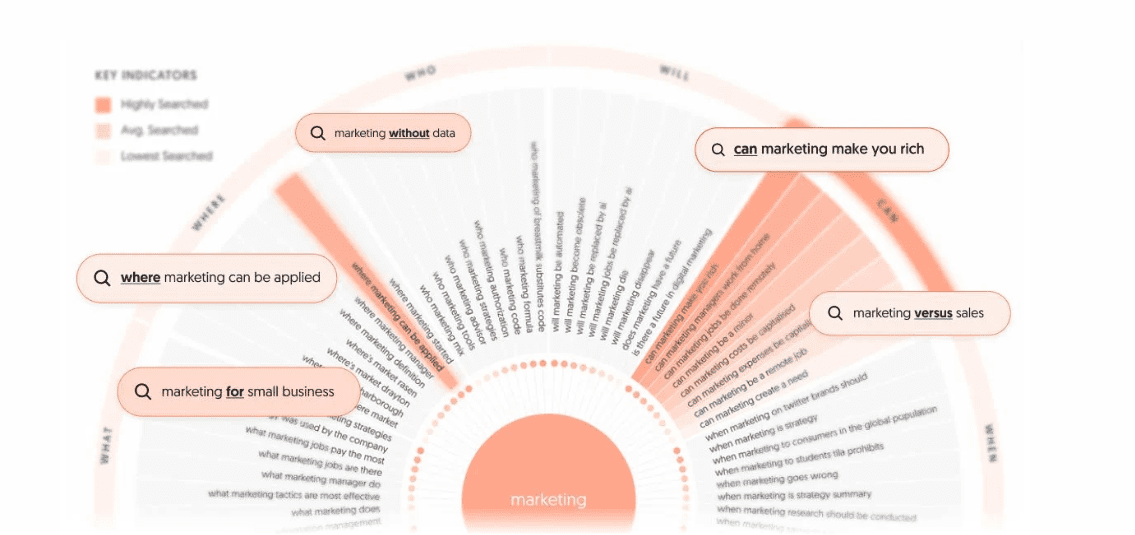
Screenshot from AnswerThePublic, May 2024
AnswerThePublic is a nifty tool that provides content marketers with valuable data about the questions people ask online.
Once you input a keyword, it fetches popular queries based on that keyword and generates a cool graphic with the questions and phrases people use when they search for that keyword.
This data gives content creators insight into potential customers’ concerns and desires, and enables them to craft highly targeted content that addresses those needs.
AnswerThePublic also provides keyword suggestions using prepositions such as “versus,” “like,” and “with.”
It is an excellent research tool that can help you create better content that people will enjoy and be more likely to share.
26. Keyword Explorer
This keyword research tool will give you up to 1,000 keyword suggestions, a keyword difficulty score, a click-through rate date, and SERP analysis.
You get three free searches per day.
27. Keyword Planner
Google’s Keyword Planner is designed for ad campaigns, but you can use it for keyword research by seeing how keywords perform in ads.
28. Keyword Sheeter
Get keyword volume, cost per click, and competition data with this free keyword tool.
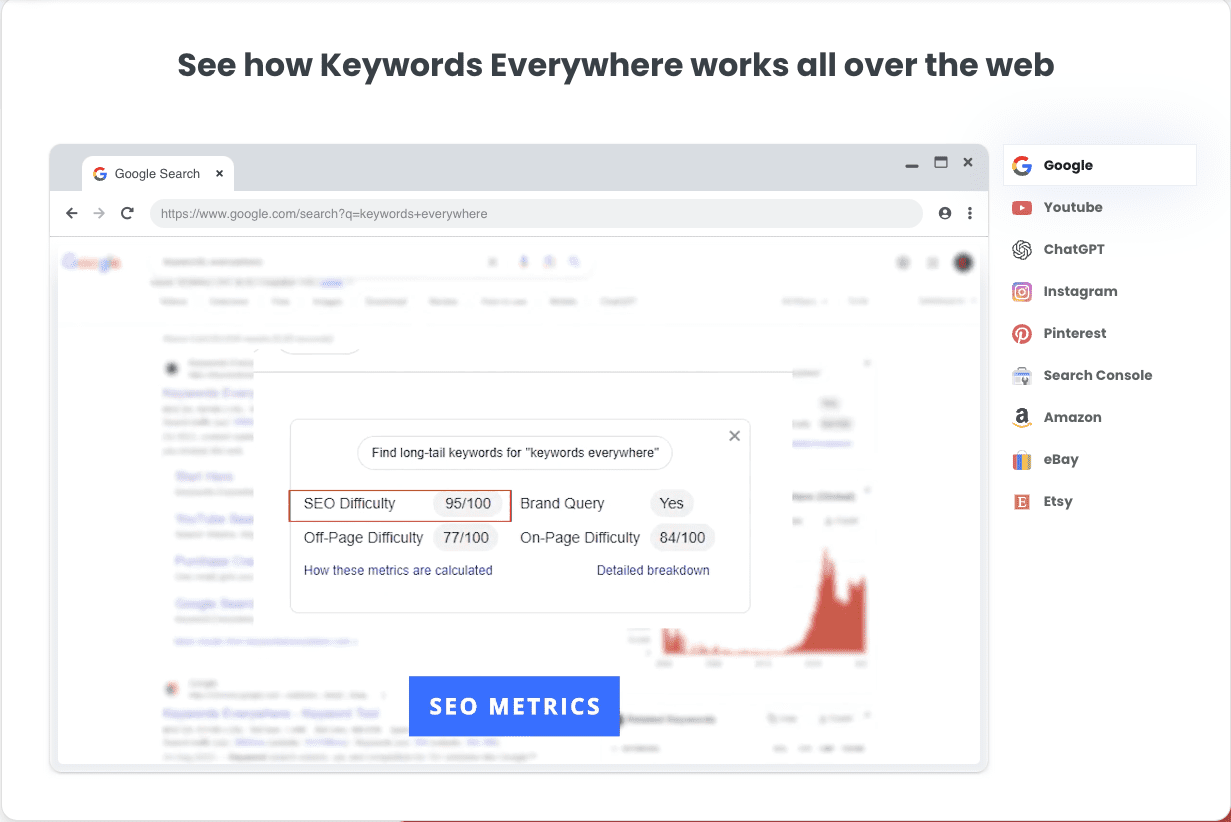
29. Keywords Everywhere
Screenshot from Keywords Everywhere, May 2024
Keywords Everywhere is a must-use keyword research tool due to the massive list of sites that it provides free search volume, CPC, and competition data for:
This tool lets you discover how difficult it will be to rank in the top 10 search results for any keyword.
Simply enter your term and choose your location, and Ahrefs will give you a score, with 0 being easy and 100 being extremely difficult.
31. Also Asked
Find out what questions people are asking about particular keywords so that you can write content that answers those questions with Also Asked.
Conduct searches by country and in different languages. You can claim three free searches to start.
32. Google Trends
With Google Trends, you can see the interest in a particular term from as recently as an hour to as far back as 2004.
Sort by categories, country, and type of search. See related topics, popularity by region, latest most frequently searched-for terms, and compare to other terms.
It’s a goldmine for SEO strategists looking to tap into current interests and emerging searches.
34. Keyword Surfer
This Chrome extension shows you the search volume in your Google search results. You can also see the word count and the number of keywords for top-ranking pages.
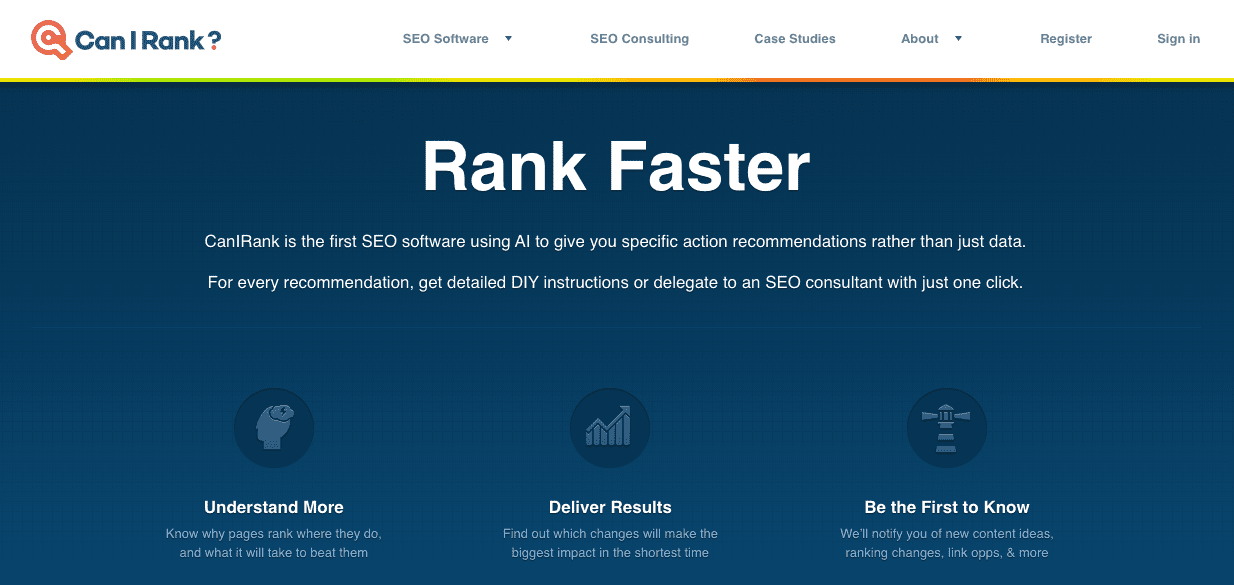
35. CanIRank
Screenshot by author, March 2024
As the name implies, CanIRank helps you determine if you can rank on the first page of search engines for a particular keyword.
Unlike other tools that merely provide data about how competitive keywords are, CanIRank lets you know the probability that you’ll rank for a search term and uses AI to give you suggestions on how to better target keywords.
CanIRank provides great competitive analysis data and actionable steps to get your site ranking higher with better SEO.
36. Seed Keywords
Come up with a question or topic you want to research, send it to your contacts, and have them select the keywords they would search for to get the information you want with Seed Keywords.
37. Exploding Topics
Similar to Google Trends, Exploding Topics will help uncover topics that are about to become popularly searched before they become popularly searched!
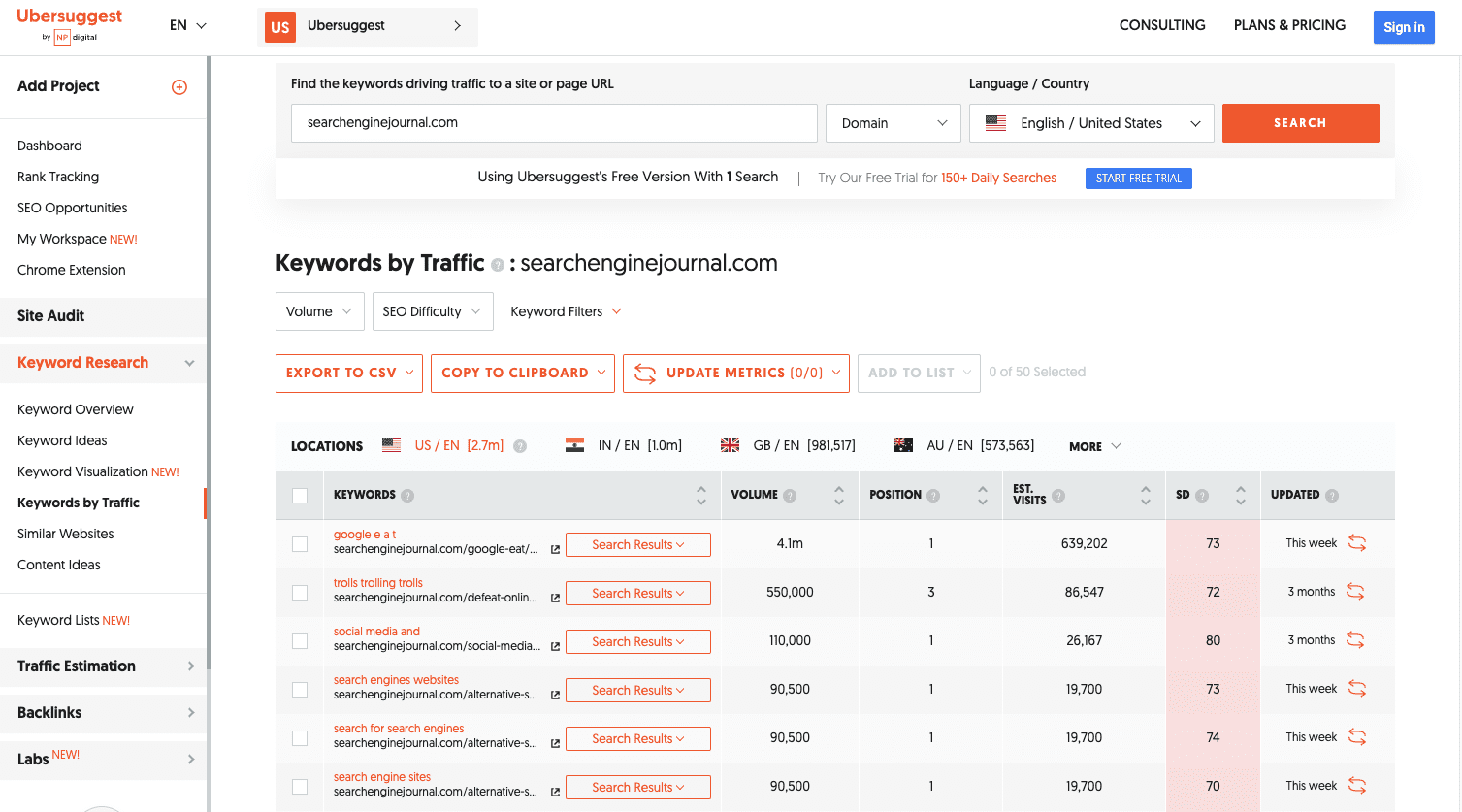
38. Ubersuggest
Screenshot by Ubersuggest, May 2024
Ubersuggest is a simple keyword research tool that scrapes data from Google’s Keyword Planner for keyword ideas based on a keyword you provide.
The tool also returns handy data for each keyword, including the search volume, CPC, and level of competition.
An excellent feature of Ubersuggest is its ability to filter out keywords you’re not interested in from search results.
The tool has recently added a feature where you can type in a competitor’s domain to get better keyword ideas.
39. Keys4Up
Get the related keywords, also known as semantically linked keywords, for any search with Keys4Up.
40. Wordtracker Scout
Wordtracker Scout will help discover what keywords people search for when they’re ready to make a purchase.
41. KWFinder
With KWFinder, you can discover long-tail keywords – those more specific, less frequently used keywords that yield higher results because of how specific they are.
42. Keywords People Use
Get into the minds of your audience by discovering the exact phrases and questions they use.
This tool helps you align your content with real user searches, making your site more visible and relevant.
See the backlink profile and domain authority of any URL with Link Explorer.
45. Link Miner
Discover if a given URL has any broken links and discover the metrics of those links, including both search and social data with the Link Miner extension.
46. Backlink Checker
Use this Backlink Checker to discover all the backlink data about a particular URL.
See the number of referring domains, the number of backlinks, the domain and URL rating, and its Ahrefs Rank, a domain’s position in Ahrefs’s list of most powerful sites.
47. The Anchor Text Suggestion Tool By Outreach Labs
Track your citations, discover new opportunities, and get the citations your competitors have with this Local Citation Finder.
57. Review Handout Generator
Print instructions on how to leave a Google review via desktop or mobile device for your business with Whitespark’s Review Handout Generator.
58. Fakespot Review Checker
This Chrome extension lets you know if the product you’re about to buy comes from a reputable seller and, if not, provides an alternative.
59. Mobile SERP Test
See your local SERPS on various mobile devices with Mobile SERP Test from Mobile Moxie.
Mobile SEO Tools
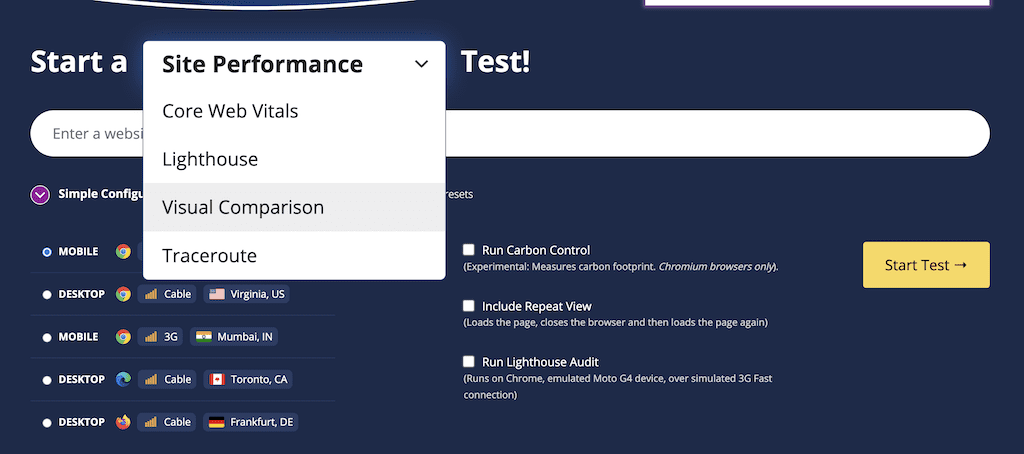
60. WebPageTest
Screenshot by author, March 2024
Get visual insights for Core Web Vitals, including the primary image responsible for low LCP scores, scripts responsible for render-blocking, and .gif examples of cumulative layout shifts from the WebPageTest.
61. Merkle Mobile-First Index Checker
See how your website stacks up relative to SEO best practices, depending on whether it’s your desktop or mobile version, with Mobile-First Index Checker.
Discover what’s keeping it from loading as fast as possible, and see what steps to take to optimize load speed.
64. Cloudflare
A free content delivery network (CDN) is a network of servers that speeds up content loading by using the server closest to the person doing the loading.
65. Reddico SERP Speed Test
Reddico’s SERP Speed Test tool allows you to compare your page speed at keyword level with the rest of the pages ranking on page 1.
The best part? Most countries are supported – simply choose your local from the drop-down.
Free Multi-Tools
66. Semrush Free Account
Screenshot from Semrush, March 2024
Semrush is an excellent keyword research SEO tool that, among other things, makes it easy to find out what keywords any page on the web is ranking for.
It provides detailed information about those keywords, including their position in SERPs, the URLs to which they drive traffic, and the traffic trends over the past 12 months.
With this feature-packed tool, you can easily find out what keywords your competitors are ranking for and craft great content around those terms and phrases.
Semrush also offers more features and unlimited access with various paid plans.
While they’re not cheap, you can get started with a 14-day free trial to test the premium features. Or follow the company’s guide on how to use features with a free account.
A suite of tools to make it easier to create content, including a plagiarism checker, article rewriter, grammar check, word counter, spell checker, paraphrasing tool, and more.
76. Internet Marketing Ninjas
From social tools and schema generator tools to webmaster tools and web design tools, check out the free suite of tools from Internet Marketing Ninjas.
Featuring keyword reports, keyword research, crawling dates, and more.
Unlike Google Analytics, Bing Webmaster Tools only focuses on organic search. It’s a must-have for anyone who wants to be ranked on Bing.
79. Woorank
Screenshot by author, May 2022
Woorank is a handy website analyzer that provides useful insights that can help you improve your site’s SEO.
It generates an SEO score for your site and an actionable “Marketing Checklist,” which outlines steps you can take to fix any problems with your site’s SEO.
Another cool feature of this free tool is the social shareability pane. This section provides social network data such as the number of likes, shares, comments, backlinks, and bookmarks across popular social networks.
Woorank also has a great mobile section where you can find information on how your pages render on mobile devices and how quickly they load.
80. SEObility
Find a suite of SEO tools that includes a site auditor, a SERP tracker, a backlink tracker, and more with SEObility.
81. Dareboost
This tool will provide you with an audit of your technical SEO, content, and website’s popularity.
You can also find out which keywords you should add to your pages.
82. Siteliner
Discover duplicate content, broken links, and page authority, and get both an XML sitemap and a detailed report of key site information with Siteliner.
83. InLinks
InLinks is about enhancing your content’s SEO by understanding and optimizing for the context of your topics, not just keywords.
It’s like having an SEO coach who helps you make your content more relevant and engaging through internal linking recommendations, AI content generation, content brief automation, and more.
On-Page SEO
84. Named Entities Indexing Checker
Part of InLinks, this indexing checker tool checks how well search engines understand the named entities (people, places, things) in your content.
Ensuring your content’s context is spot-on for better SEO performance is crucial.
85. JSON Crack
While more technical, this online JSON tool can help SEO professionals work with JSON, a common data format, making it easier to analyze and utilize structured data for SEO purposes.
86. Counting Characters Google SERP Tool
Screenshot by author, May 2024
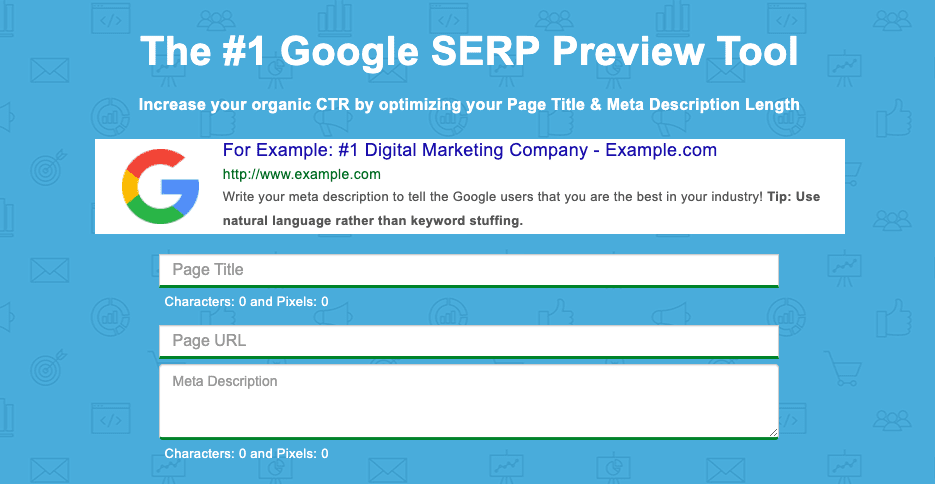
While counting characters has been a long-standing approach to evaluating meta description and title tag length, the reality is Google doesn’t count the meta title and description in the number of characters. It uses pixels instead.
The Counting Characters tool will provide both the character count and the pixel count to ensure you are creating meta tags that are not cut off by an ellipsis – represented by (…).
New customers get $300 in free credits to spend on Natural Language. Use this data to improve your product or site design.
88. Rich Results Test
The Rich Results Test will discover if your website can support rich results, which is when your Google result includes non-textual elements like images.
89. Structured Markup Validator
Google’s structured data tool no longer exists. The Schema Markup Validator is the recommended alternative.
90. Ryte Structured Data Helper
The Ryte Structured Data Helper will provide you with a handy overview, showing you how to quickly and clearly validate your page’s Schema markup.
91. Google Tag Manager
Google Tag Manager allows you to manage your website tags without editing any code!
92. View Rendered Source
See how your browser renders a page with this Chrome extension, including modifications made by JavaScript.
Differences between raw and rendered versions are shown line-by-line.
93. Higher Visibility Google SERP Snippet Optimization Tool
Merkle’s Schema Markup Generator tool will help create JSON-LD markups for articles, breadcrumbs, events, FAQ pages, and how-to guides.
95. Animalz Revive
Find out which of your pages needs an update or an upgrade with Animalz Revive.
You can see the traffic for your pages, including the percentage of traffic your page lost since its peak.
96. Copyscape Free Comparison Tool
Copyscape’s Comparison Tool will help you check the percentage of shared text between two different pages to weed out plagiarism.
97. Internal Linking Tool
An internal linking tool to help you weave a web of internal links on your website, boosting your SEO by making your site more navigable and interconnected. Think of it as laying down a network of roads within your website, guiding visitors and search engines alike.
SEO Research Tools
98. Hunter
Hunter will help find all the important email addresses associated with a given domain.
99. SimilarWeb
Conduct competitor analysis with SimilarWeb that shows you a given domain’s traffic, top pages, engagement, marketing channels, and more.
100. Wappalyzer
Wappalyzer will help you determine if a given website is using a CMS, CRM, ecommerce platform, advertising networks, marketing tools, or analytics.
101. Wayback Machine
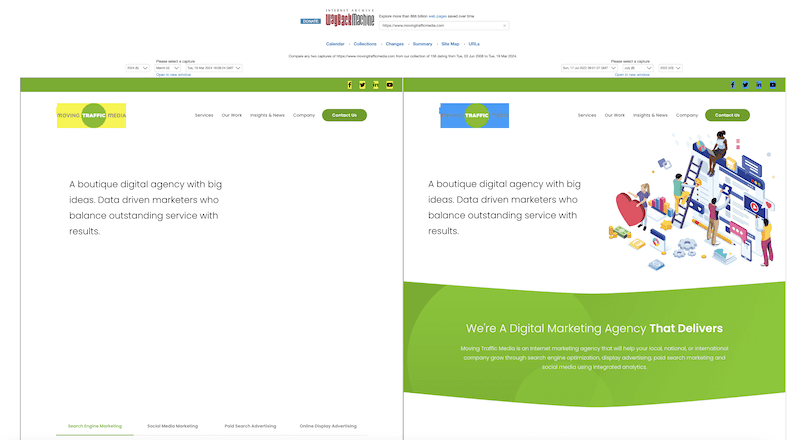
See a website throughout time, including pages that are no longer on the web with the Wayback Machine.
Bonus* check out the Compare tool to visualize how a page has changed based on specific timestamps.
Screenshot by author, March 2024
102. SEO Explorer
SEO Explorer is a free tool for keyword and link research.
103. RedditInsights.ai
This is a cool tool for peering into the vast world of Reddit to uncover trends and topics.
Understanding what’s buzzing on Reddit can guide content creation, helping you tap into what your audience is interested in to inform your keyword and content strategy.
For better or worse, artificial intelligence has completely shaken up the digital world. While it should never replace your current SEO activities, it can certainly enhance them.
Here are some free AI SEO tools; we’ll also explain how to use them.
114. OpenAI Chat (ChatGPT)
Screenshot by author, March 2024
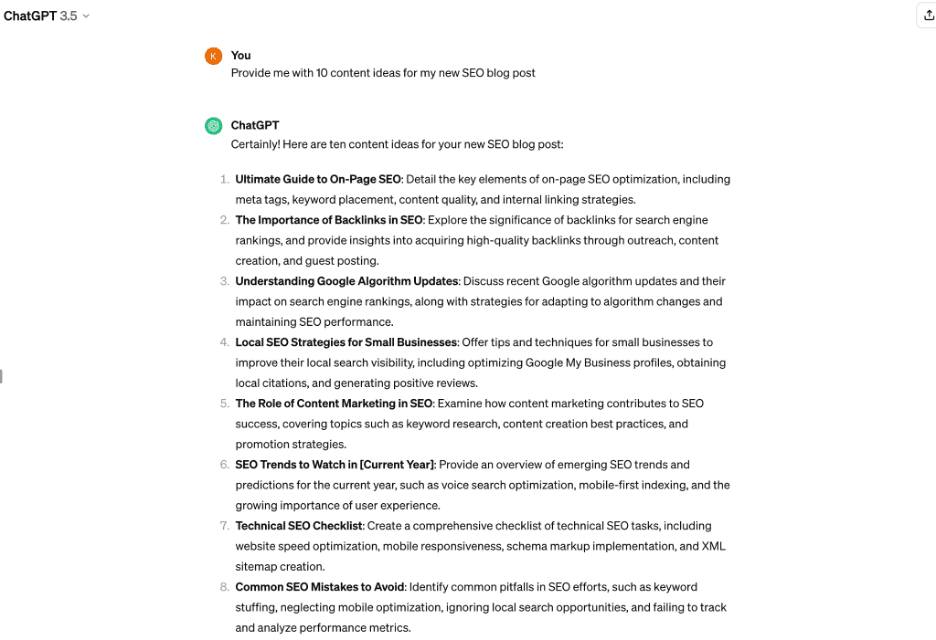
Perhaps the most famous AI tool out there, ChatGPT can be a great help in your SEO efforts.
You can ask for advice, generate content ideas, and even get help with keyword research. It’s like having an SEO buddy you can brainstorm with anytime.
While the Premium ChatGPT, i.e., ChatGPT 4, is paid, ChatGPT 3.5 is free of charge.
115. AIRPM for ChatGPT
Think of AIPRM as your personal assistant to supercharge ChatGPT’s capabilities.
It helps you craft prompts that get straight to the point, whether you’re looking for keyword suggestions, content ideas, or SEO strategies, making your interactions with ChatGPT even more fruitful.
116. SEO.AI
This innovative tool leverages AI to analyze your content’s alignment with SEO best practices and offers suggestions for improvement.
It can provide insights into keyword optimization, readability, and other on-page SEO factors, helping you refine your content to better match search engine algorithms and user expectations.
You can get 10 content audits free!
Time to Take Your SEO Efforts To New Heights
In today’s digital landscape, standing out is not just about having a great website; it’s about making sure it’s seen.
With well over 100 free SEO tools at your disposal, the power to elevate your online presence is literally at your fingertips.
We’ll leave you with some parting tips to help you while using these free SEO tools:
Start with a goal – Have a clear objective before diving into the sea of tools. Are you looking to increase traffic, enhance user engagement, or improve your search engine rankings? Knowing your goal will help you select the right tools and focus your efforts effectively.
Experiment and explore – Don’t hesitate to try different tools to see which ones resonate with your workflow and provide the most valuable insights. What works for one site might not work for another, so exploration is key.
Integrate SEO into your routine – Make SEO a regular part of your content creation and website maintenance routine. It’s not a one-off task but a continuous effort that pays dividends over time.
Stay updated – The world of SEO is dynamic, with search engines constantly updating their algorithms. Keep abreast of the latest trends and adjust your strategies accordingly to maintain and enhance your site’s visibility.
Use data wisely – Leverage the data and insights from these tools to make informed decisions. But remember, data is most powerful when combined with creativity and a deep understanding of your audience.
Patience is key – SEO results don’t happen overnight. Be patient, keep refining your strategies, and the results will come.
So, whether you’re a seasoned SEO strategist or just starting, the wealth of free tools available means there’s no excuse not to optimize your site.
Dive in, explore, and watch as your website climbs the ranks, attracting more visitors and turning clicks into customers.
If you realize that, yes, you are an entrepreneur at heart and accept that you have many advantages you hadn’t previously even considered, there is a decision to be made: Do you want to be an entrepreneur?
Are you truly passionate about building a business that could change everything and make the lives of your customers-to-be infinitely better?
This is a decision not to be taken lightly. Don’t be swayed by the potential for wealth and fame (if that is what motivates you). As outlined at the beginning of the chapter, the odds of failure are high.
It’s not the easiest path. This is the moment to consider what becoming a female founder will mean to you. Will you be happier if you embark on this journey?
When reflecting upon your motivations, there are a number of elements to consider. The first is timing. There is never a perfect time to start a high-growth business.
However, you do need to consider how it will impact your personal circumstances. This means your relationships, but it also refers to money.
It helps to have a little money behind you because you will need to eat and pay the bills while on this entrepreneurial adventure. But, and this may sound counter-intuitive, it is best not to have too much money.
There are entire industries devoted to relieving inexperienced entrepreneurs of their cash. It is very easy to spend money thinking it is helping you to make progress.
However, if you have very little spare, you’ll be much more likely to scrutinize every decision more carefully. Personal finances are an important consideration, but they shouldn’t be a deal breaker.
Consider, also, what else is going on in your life right now. Most entrepreneurs assume their business will be successful in a couple of years and they will exit in five years.
The reality is quite different. If it does succeed, and that is a big if, then it can take 10 years or more.
Rates of entrepreneurialism fall sharply among women after the age of 35, which means children must be a consideration for many potential female founders. In most cases, it is a joint decision to have a family, so partners play a role and, all being well, an equal one.
Indeed, as Sheryl Sandberg wrote in her book Lean In,
“I truly believe that the single most important career decision that a woman makes is whether she will have a life partner and who that partner is.”
Even with help, it will be challenging raising young children and growing a business.
Sophie Adelman, whose first child was six months old when she started with Multiverse, and who subsequently had another child three years into building the start-up, says conscious trade-offs need to be made.
Another concern is how the ecosystem around high-growth businesses views female founders who start families while scaling.
In particular, this means investors who are making the decisions about whether to back these firms. The world has, thankfully, moved on a long way and there are robust maternity protections for women in the workplace.
However, it has not been unheard of for investors to openly question female founders about their intentions when it comes to children, or their decision to have them. This somehow manages to slip through a loophole in the law.
While the Financial Conduct Authority regulates investors, there is no employment contract between the various parties, so discriminatory comments can slip through with little recourse.
Fortunately, this is becoming rarer and the majority of VCs take a more enlightened approach. Again, awareness and open discussion are key.
For a high-growth business to have a chance of success, the timing has to be right in both the market itself and from a personal point of view.
Once female founders feel they have the right idea, they can do themselves some favours by pausing to validate that they are personally ready.
The final motivation is closely linked to the subject of the next chapter, and that is the business you want to create.
Is your idea driven by a sense of mission and purpose, a desire to make the world a better place? Or do you just want to be your own boss?
The former is a much stronger reason to start a high-growth business, and the passion for it will sustain you through the tough times.
When I set up Starling Bank, I wanted to start a business that had a huge impact and was going to break boundaries. I didn’t think about the personal benefits.
In this chapter, we’ve talked a lot about the positive qualities, even superpowers, that might make you a perfect entrepreneur. But, if you know yourself well, you will understand that you do have some personality traits that can also hold you back.
You might be averse to uncertainty, or dislike change. You may even be a perfectionist. How will these characteristics impact your journey to create a high-growth business?
If you consider all of this and still have a burning desire to build a high-growth business, that’s great news.
Now, you just need to get on with it.
To read the full book, SEJ readers have an exclusive 25% discount code and free shipping to the US and UK. Use promo code SEJ25 at koganpage.com here.
More resources:
Featured Image: Paulo Bobita/Search Engine Journal
When it comes to B2B strategy, a holistic approach is the only approach.
Revenue organizations usually operate with siloed teams, and often expect a one-size-fits-all solution (usually buying clicks with paid media).
However, without cohesive brand, infrastructure, and pipeline generation efforts, they’re pretty much doomed to fail.
It’s just like rowing crew, where each member of the team must synchronize their movements to propel the boat forward – successful B2B marketing requires an integrated strategy.
So if you’re ready to ditch your disjointed marketing efforts and try a holistic approach, we’ve got you covered.
Join us on May 15, for an insightful live session with Digital Reach Agency on how to craft a compelling brand and PMF.
We’ll walk through the critical infrastructure you need, and the reliances and dependences of the core digital marketing disciplines.
Thinking Beyond Traditional Silos: Learn why traditional marketing silos are no longer viable and how they spell doom for modern revenue organizations.
How To Identify and Fix Silos: Discover actionable strategies for pinpointing and sealing the gaps in your marketing silos.
The Power of Integration: Uncover the secrets to successfully integrating brand strategy, digital infrastructure, and pipeline generation efforts.
Andrew Seidman, COO/Co-Founder of Digital Reach Agency will show you how to seamlessly integrate various elements of your marketing strategy for optimal results.
Don’t make the common mistake of using traditional marketing silos – sign up now and learn what it takes to transform your B2B go-to-market.
You’ll also get the opportunity to ask Andrew your most pressing questions, following the presentation.
And if you can’t make it to the live event, register anyway and we’ll send you a recording shortly after the webinar.
SEO Twitter reacted strongly when I shared Sundar Pichai’s statements about Search Generative Experience (SGE) from Alphabet’s Q1 earnings call (bolding mine):
“Based on our testing, we are encouraged that we are seeing an increase in search usage among people who use the new AI overviews as well as increased user satisfaction with the results.”
“People question whether these things would be costly to serve, and we are very, very confident we can manage the cost of how to serve these queries. People worried about latency. When I look at the progress we have made in latency and efficiency, we feel comfortable.”
“There are questions about monetization. And based on our testing so far, I’m comfortable and confident that we’ll be able to manage the monetization transition here well as well.”
I get it. Our perception of SGE doesn’t match the CEO of Alphabet suggesting that SGE is ready for prime time. There are only two options: We live in a bubble or it’s PR talk.
The book, “The Facebook Effect: The inside story of the company that is connecting the world,” has a story about how users complained about Facebook’s newsfeed but heavily engaged with it anyway. The public perception was the complete opposite of what eventually happened. There is a real chance the same phenomenon is happening with SGE.
Life taught me that outraging things are often not the way they seem at first. Surprises bear learnings. I’m naturally quick to judge situations and people, but I’m always happy when I pause and take a closer, second look. This could be one of those situations.
Maybe Sundar knows more than we do. If that’s true and users actually enjoy SGE, we, in the SEO community, have a larger disconnect with the average Google user than we might think.
However, there is also a real chance that Pichai’s comments are PR based on Google’s trust-eroding misses over the last 24 months.
Boost your skills with Growth Memo’s weekly expert insights. Subscribe for free!
Friction
Google’s position and public perception are head-butting in several departments:
Lawsuits
The Department of Justice’s 2020 antitrust lawsuit against Google surfaced documents that prove the heavy use of user signals for ranking, which Google vehemently denied for decades.
Another lawsuit filed the same year about Google tracking user data in Chrome’s incognito mode just settled with Google deleting billions of data points, improving its disclosure and stopping to track when users switch to incognito mode.
For years, SEOs suspected user behavior to matter for Google’s Search ranking systems, but Googlers either denied or belittled the point. Internal documents that surfaced in the 2020 US vs. Google anti-trust lawsuit prove the elephant’s existence.
We now have track records, footprints, and photos of the elephant. The house owner doesn’t need to acknowledge it exists. But the biggest takeaway is that we had our mental model of how Search works upside down.
AI Fumbles
Then, there are fumbled AI product launches.
Google’s first reaction to ChatGPT’s stunning success was a stunning failure. The introduction of Bard in February 2023 cost Alphabet $100 billion in market value due to false facts in the announcement.
In December 2023, an impressive demo of Gemini turned into a PR disaster when it turned out to be fake.
In March 2024, Alphabet’s shares dropped by -5% when it turned out Gemini delivered heavily biased and obscure historical images.
Google wants to get AI right so badly that it’s willing to cut corners. It’s not something you’d expect from the company that invented the underlying LLM technology (Transformers) in the first place.
Algorithm Updates
Then, there is communication around algorithm updates. First called out by The Verge, Google’s SEO documentation is quite broad for how search evolved:
There’s an inherent contradiction in what Google promises is the best way to succeed on Search. Publicly, Google representatives like search liaison Danny Sullivan give a simple, almost quaint answer to business owners who want help: you just need to make great content for people, not Google’s robots.
At the same time, Google’s SEO Starter Guide is nearly 9,000 words long with dozens of links to additional material.
To be fair, I do appreciate the work Danny Sullivan, Martin Splitt, John Mueller, Gary Illyes, and others do. I know it’s a tough and thankless job. You can’t really win.
I also acknowledge that The Verge is not a big fan of SEOs, a.k.a. Content Goblins. And yet, there is something to be said about the critique of the SEO guidelines.
We’re also experiencing a growing disconnect between what we hear from Google spokespeople and what we see.
In November, Sullivan came to Brighton SEO San Diego and announced to “buckle up” because “major changes to search ranking” are coming.
Image Credit: Kevin Indig
We had the longest Core Update ever in March 2024, with a 45-day roll-out time that apparently overshot its goal of reducing low-quality results by 5 percentage points. But the effect is barely noticeable.
Google also said this helped reduce low-quality and unoriginal content in search results by 45%, which is up from their estimate of 40%.
What stung was that Google’s official X (Twitter) account announced the completion of the update 7 days late.
Now, you could argue that Google can do whatever it wants and has no obligation to notify SEOs (timely). And that’s correct.
But a couple of years ago, that wouldn’t have happened – especially since Google’s updates have become more hardcore, and owners of negatively affected sites desperately wait for updates.
It seems the transparency between Google and the SEO community has changed.
Public Complaints
Then, we have the (not new) critique of big domains dominating search results.
The Verge published an article about the “best printer” that’s clearly optimized with old-school SEO techniques. But it works and proves that big sites get away with much more than small ones.
Image Credit: Kevin Indig
In the last 12 months, we’ve seen more complaints from marketers and owners of small sites like Housefresh and Retro Dodo for being on the brink of death because of Google.
To be fair, it’s difficult to say whether Google truly prefers big brands or whether users do, and if small publishers are missing something important that matters for SEO.
But brands publishing blog articles about how Google is killing them is new and doesn’t help with Google’s image.
Church And State
Lastly, the separation between church and state seems to fall.
Google now allows ads to appear below the top organic results for specific queries, which would have been unthinkable even five years ago.
It doesn’t help that internal emails surfaced in the DOJ lawsuit, showing how Google’s ads team put significant pressure on the organic search team to make changes that would result in more searches.
We don’t know whether that happened or not, but it doesn’t look great. Neither does the testimony that Google raised cost-per-click (CPC) prices.
Journalist Ed Zitron recently published a story titled “The Man Who Killed Google Search” on his blog that went viral. It’s an extreme take, but it resonates so strongly because of the long list of Google’s misses over the last years paired with record-breaking earnings.
Unbiased Referee
On top of it all comes the growing disconnect between our subjective perception of search quality and Google’s statements (also subjective).
Jeff Bezos wrote, “Customers are always beautifully, wonderfully dissatisfied…” in his 2016 annual shareholder letter.
It’s possible that we all have gotten used to search and are baseline dissatisfied. But it’s also possible that search has become worse, and we just lack an objective way to measure it.
“An overall downwards trend in text quality in all three search engines” despite Google’s regular updates targeting low-quality content, which has only a short-lived impact.
“Higher-ranked pages are on average more optimized, more monetized with affiliate marketing, and they show signs of lower text quality.”
2. A Google satisfaction score based on a survey (n=~8,000) shows a downward trend.
Image Credit: Kevin Indig
3. A Semrush zero-click study from 2022 found more than half of users refine their queries, indicating potential dissatisfaction with results.
We can see that about 55% of the times two searches are performed in a user’s journey contain keywords with a similarity rating of 0.6 (60%) or more, which could mean that many users aren’t satisfied with the results of the first SERP and need to refine their queries.
We need an unbiased referee on the field. But it’s unlikely we’ll get one.
Way Forward
The disconnect with Google leads us to three conclusions:
Guidance around algorithm updates and data about what’s going on in search is unlikely to become more specific.
The search results landscape and how it changes is increasingly complex.
Businesses that rely on organic traffic for survival have a high risk.
We, as SEOs, made two mistakes: saying organic traffic is reliably sustainable and free.
I remember one of the big arguments for SEO that sounded like this: “When you turn ads off, you don’t get any more traffic. When you turn SEO off, traffic keeps coming in.” I’ve used it, too.
But the quickly changing search landscape plus Google’s intransparency make SEO a volatile channel that can bring traffic to our site but doesn’t guarantee that well to keep pouring water.
Rather, we should think about how to bring organic visitors to channels where we can build deeper relationships with our audience.
One way to build closer relationships is to incentivize users to sign up for our email list, download our app(s), and create log-ins.
Then, we need to answer the question of how to nurture them by building trust over time with exclusive, high-quality, and personalized content. What is the second-click experience on your site?
Today, SEO is anything but free. It has much lower variable costs compared to advertising, but fixed costs nonetheless. Those fixed costs have skyrocketed since the bar for high-quality content is so much higher than we think.
Driving traffic takes original research, graphic assets, high-quality writing, and experts who need to be paid.
Tighter SEO unit economics can manage expectations and alleviate volatility because bigger investments lead to higher chances of thriving in search.
We might be disconnected from Google, but we can still connect with our audience.
HTML meta tags have been called one of the most important aspects of SEO for quite a long time. And you know what? This is still true.
You may (and should) write good content, attract backlinks, and do your best in page layout design. But all of the above is hardly useful without HTML tags.
Huh, just like meta tags are useless if the page itself is awful…
Google’s John Mueller said that Google uses HTML meta tags to form SERP snippets, not for rankings. But in this statement, he admits that a good search snippet makes people visit your page. So, meta tags are definitely what you must care about to get traffic.
HTML tags tell Google about the page’s content in the most digestible way, so it is a crucial component for SEO success.
In addition, Google can lower your positions if you misuse HTML meta tags – intentionally or not. This is one more sign that meta tags are essential.
So, let’s dive in. Here are the top 10 HTML meta tags for you to use on your site. Read carefully and borrow best practices.
1. Title Tags
The title tag is your main and most important anchor.
The
element typically appears as a clickable headline in search engine results pages (SERPs) and also shows up on social networks and in browsers.
For example, if you view the HTML for this article, you’ll see the title is:
10 Most Important Meta Tags You Need to Know for SEO
Title tags are placed in the
of your webpage and are meant to provide a clear and comprehensive idea of what the page is all about.
But do they have a major impact on rankings as they used to for many years?
Over the past few years, user behavior factors have often been discussed as logical proof of relevance and thus a ranking signal – even Google representatives admit its impact here and there.
The page’s title is still the first thing a searcher sees in SERPs, and it helps them decide if the page is likely to answer the search intent.
A well-written one may increase the number of clicks and traffic, which has at least some impact on rankings.
A simple experiment can also show that Google no longer needs your title tag to include an exact match keyword to determine the topic the page covers.
For instance, a couple of years ago, a Google search for [how to build brand awareness] would bring up 2 out of the top 5 results with titles exactly matching your query.
Today, though, we see a different picture:
Screenshot from search for [how to build brand awareness], Google, April 2024
Not a single exact match.
And yet, not a single irrelevant result either; every single one of the pages given here explains how to build awareness, and the titles reflect that.
Search engines are looking at the whole picture, and they tend to evaluate a page’s content as a whole, but the cover of a book still matters – especially when it comes to interaction with searchers.
Best Practices
Give each page a unique title that describes the page’s content concisely and accurately.
Keep the titles up to 50-60 characters long (so they do not get truncated in the SERPs). Remember that long titles are shortened to about 600-700px on the SERP.
Put important keywords first, but in a natural manner, as if you write titles for your visitors in the first place.
Make use of your brand name in the title. Even if it ends up not being shown on the SERPs, it’ll still make a difference for the search engine.
Tip: Use Your Title To Attract Attention
The title tag is precious not only because it’s prime SERP real estate but also because it functions as a tab title in your web browser.
This can be used to attract a user’s attention. For example:
Screenshot from author, April 2024
It’s the exact approach used by Facebook and LinkedIn to show you that you have notifications, and it can be used to pretty good effect.
2. Meta Description Tags
Meta description also resides in the
of a webpage and is commonly (though not always) displayed in a SERP snippet along with a title and page URL.
For example, this is the meta description for this article:
Although meta description is not a direct ranking factor, it requires your optimization effort to attract users’ (and Google’s) attention.
The meta description is what people see in the search snippet together with the title, so it is one of the aspects that makes them decide if your page is worth clicking.
The description impacts the number of clicks you get and may also improve CTR and decrease bounce rates if the pages’ content fulfills the promises. That’s why the description must be as realistic as it is inviting and distinctly reflect the content.
If your description contains the keywords a searcher used in their search query, they will appear on the SERP in bold. This goes a long way in helping you stand out and inform the searcher exactly what they’ll find on your page.
If Google considers your description to not match the content of your page, it can generate its own one in a suitable way. So make sure your meta description contains the main keyword and is topically relevant.
There is no way to put every keyword you want to rank for in the meta description, and there is no real need for that – instead, write a couple of cohesive sentences describing the gist of your page, with some keywords included.
A good way to figure out what to write in your meta description, what works best for your particular topic right now, is to do some competition research.
Look up how your top-ranking competition fills out their own descriptions to get a feel for the best use cases in every particular case.
Best Practices
Give each page a unique meta description that clearly reflects what value the page carries.
Google’s snippets typically max out around 150-160 characters (including spaces).
Include your most significant keywords so they can get highlighted on the actual SERP, but be careful to avoid keyword stuffing. Don’t make your description just a combination of keywords you’re targeting.
Optionally, use an eye-catching call-to-action, a unique proposition you offer, or additional hints on what to expect – ‘Learn,’ ‘Buy’ constructions, etc.
Do not use quotation marks, as Google will cut your snippet there.
Meta Tip
The meta description doesn’t have to be just a sentence that repeats the first paragraph of your page’s text.
Be creative — add call to action (CTA) to encourage action if relevant, use keyword variations (i.e. not the keyword you’ve used in the title), and keep search intent in mind.
For example, if you have an informational page about scallops, it’s a nice idea to make your meta description a definition of scallops. If your page tells you how to cook scallops, then think up a tasty, crusty description for your recipe.
If you’re a fishmonger selling fresh scallops, describe how fresh they are and encourage people to buy them ASAP with some CTA.
3. Heading Tags (H1-H6)
Heading tags are HTML tags used to identify different sections of a page’s content and act as mini-titles for different parts.
The usage of heading tags these days is a source of some debate.
While H2-H6 tags are considered not as important to search engines, proper usage of H1 tags has been emphasized in many industry studies.
Although H2-H6 tags were initially used for UX purposes, the introduction of passage indexing in 2021 made them pretty valuable. Like, Google can index and rank a part of your page if the query matches with, say, the H3 heading and the paragraph it is related to.
What we should be thinking about instead is that headings are crucial for text and content organization, and we should take them seriously.
For search engines, it’s easier to read and understand well-organized content than to crawl through structural issues.
For users, headings are like anchors in a wall of text, navigating them through the page and making it easier to digest.
These factors raise the importance of careful optimization, where small details add up to the big SEO- and user-friendly picture and can lead to ranking increases.
Best Practices
Keep your headings relevant to the chunk of text they describe. Just because they aren’t a ranking factor doesn’t mean search engines don’t take them into account.
Always have your headings reflect the sentiment of the text they are placed over. Avoid headings like “Chapter 1… Chapter 2… Chapter 3…”.
Don’t overuse the tags and the keywords in them. Keep it readable for users.
Should Your Title Tag & H1 Match?
According to Google’s recommendations, you are encouraged to match your page’s title and H1, changing the order slightly and changing it up here and there.
So, if you are struggling to come up with the perfect H1, simply use your title again.
4. Image Alt Attributes
The image alt attribute is a tag you add to an image in order to provide a written description. In practice, it may look like this:
Alt attributes are important in terms of on-page optimization for two reasons:
Alt text is displayed to visitors if any particular image cannot be loaded (or if the images are disabled).
Alt attributes provide context because search engines can’t “see” images.
For ecommerce sites, images often have a crucial impact on how a visitor interacts with a page.
Google also says it outright: helping search engines understand what the images are about and how they relate to the rest of the content may help them serve a page for suitable search queries.
Remember, though, the importance of relevance: it’s not just that the alt text, titles, and captions need to be relevant to the image, but the image itself should be placed in its proper relevant context, as well.
Best Practices
Do your best to optimize the most prominent images (product images, infographics, or training images) that will likely be looked up in Google Images search.
Add alt text on pages where there’s not too much content apart from the images.
Keep the alt text clear and descriptive enough, use your keywords reasonably, and ensure they fit naturally into the whole canvas of the page’s content.
Naturally, these are used to refer to proven sources, point people towards other useful resources, or mention a relevant site for some other reason.
These links matter a lot for SEO: they can make your content look like a hand-crafted comprehensive piece backed up by reliable sources or like a link dump with not so much valuable content.
Google is well-known for its severe antipathy to manipulative linking tactics, adhering to which can result in a penalty, and it doesn’t get any less smart at detecting them.
Apart from that, in the age of semantic search, Google may treat the sources you refer to as the context, to better understand the content on your page.
For both these reasons, it’s worth paying attention to where you link and how.
By default, all hyperlinks are followed, and when you place a link on your site, you basically “cast a vote of confidence” to the linked page.
When you add a nofollow attribute to a link, it instructs search engines’ bots not to follow the link (and not to pass any link equity).
In HTML, the nofollow link attribute looks like this:
In addition to the traditional nofollow, Google has introduced two more options to specify a nofollow link, rel=“sponsored” for paid links and rel=“UGC” for user-generated content like forum comments:
Keeping your SEO neat, you would preserve a healthy balance between followed and nofollowed links on your pages but would normally set the following kinds of links to nofollow:
Links to any resources that in any way can be considered as “untrusted content.”
Any paid or sponsored links (you wouldn’t want Google to catch you selling your “vote”).
Links from comments or other kinds of user-generated content which can be spammed beyond your control.
Internal “Sign in” and “Register” links following, which is just a waste of crawl budget.
6. Robots Meta Tag
A page-level robots meta tag with content=“noindex” attribute instructs the search engines not to index any given page.
A nofollow attribute instructs not to follow any links on that page.
While these tags don’t correlate with rankings directly, in some cases, they may have some impact on how your site looks in the eyes of search engines overall.
For instance, Google highly dislikes thin content.
While it might not be intentional, your site could have pages that offer little value to users yet are necessary for certain reasons.
Additionally, there may be “draft” or placeholder pages that need publishing before they are fully optimized.
Ideally, you wouldn’t want these pages to be considered when assessing the overall quality of your site.
In other cases, you may want certain pages to stay out of SERPs as they feature a special deal that is supposed to be accessible only by a direct link (e.g., from a newsletter).
Finally, if you have a sitewide search option, Google recommends closing custom results pages, which can be crawled indefinitely and waste bot’s resources on no unique content.
In the above cases, noindex and nofollow tags are very helpful, as they give you certain control over your site’s appearance to search engines.
Best Practices
Close unnecessary/unfinished pages with thin content that have little value and no intent to appear in the SERPs.
Close pages that unreasonably waste crawl budget.
Make sure carefully you don’t mistakenly restrict important pages from indexing.
7. rel=”canonical” Link Tag
The rel=”canonical” link tag is a way of telling search engines which version of a page you consider the main one and would like to be indexed by search engines and found by people.
It’s commonly used in cases when the same page is available under multiple different URLs, or multiple different pages have very similar content covering the same subject.
Internal duplicate content is not treated as strictly as copied content, as there’s usually no manipulative intent behind it.
Yet this may become a source of confusion for search engines: unless you indicate which URL you prefer to rank with, search engines may choose it for you.
The selected URL gets crawled more frequently, while the others are being left behind.
You can see that while there’s almost no penalty risk, such a state of affairs is far not optimal.
Another benefit is that canonicalizing a page makes it easier to track performance stats associated with the content.
According to Google, using a rel=canonical for duplicate content helps Google consolidate all your efforts and pass the link signals from all the page’s versions to the preferred one.
That is where using the canonical tag may help you steer the SEO effort in one direction.
Best SEO Practices
Pages with similar content on the same subject.
Duplicate pages available under multiple URLs.
Versions of the same page with session IDs or other URL Parameters that do not affect the content.
Use canonical tags for near-duplicate pages carefully: If the two pages connected by a canonical tag differ too much in content, the search engine will simply disregard the tag.
8. Schema Markup
Schema markup is a specific technique for organizing the data on each of your web pages in a way that search engines recognize.
It’s a great feature to implement because it’s a real win-win.
Having a structured schema markup:
Is a great boost to your UX.
Carries huge SEO value.
Improves content understanding.
Helps get into SERP features.
Increases chances of winning rich snippets.
SEO has grown far beyond just keywords and backlinks. Having relevant and properly implemented structured data on your pages is, in many cases, a must if you want to lure traffic and rank high.
For example, if your site is from an ecommerce niche, you will have no choice but to add product schema markup on your product pages. Otherwise, your snippet will just get lost.
The same is true for sites about cooking — search for any recipe, and you will look at nothing but the Recipes SERP feature.
Screenshot of search for [beef wellington recipe], Google, April 2024
Sure thing, you’d want your site to be there.
Note: Most of today’s popular content management systems, especially those related to ecommerce like Shopify, have relevant structured data built-in by default.
A “semantic web” is a “meaningful web,” where the focus shifts from keywords instances and backlinks alone to concepts behind them and relationships between those concepts.
Structured data markup is exactly what helps search engines not only read the content but also understand what certain words relate to.
The SERPs have evolved so much that you may not even need to click through the results to get an answer to your query.
But if one is about to click, a rich snippet – with a nice image, a 5-star rating, specified price range, stock status, operating hours, or whatever is useful – is very likely to catch an eye and attract more clicks than a plain-text result.
Assigning schema tags to certain page elements makes your SERP snippet rich in information that is helpful and appealing to users.
And, back to square one, user behavior factors like CTR and bounce rate affect how search engines rank your site.
Thoroughly test the markup to make sure it isn’t misleading or added improperly.
9. Social Media Meta Tags
Facebook initially introduced Open Graph to let you control how a page would look when shared on social media.
Twitter cards offer similar enhancements but are exclusive to X (Twitter).
Here are the main Open Graph tags:
og:title – Here, you put the title to which you want to be displayed when your page is linked.
og:url – Your page’s URL.
og:description – Your page’s description. Remember that Facebook will display only about 300 characters of description.
og:image – Here, you can put the URL of an image you want shown when your page is linked to.
Use the specific social media meta tags in order to boost how your links look to your following.
It’s not a huge tweak and doesn’t influence your rankings on the search engines.
However, by configuring how the links to your pages look, you can greatly boost your CTR and UX metrics.
Best SEO Practices
10. HTML5 Semantic Tags
HTML5 semantic tags belong to the latest HTML standard and are necessary to help Google and other search engines better understand a page’s content.
Here’s how HTML5 tags look like in the page source code:
10 Most Important Meta Tags You Need to Know for SEO
Title tags are placed in the
of your webpage and are meant to provide a clear and comprehensive idea of what the page is all about.
HTML5 Tags Examples
There are a lot of HTML5 tags widely used today by SEOs. If you take a closer look at these tags, you’ll see that their names repeat the most common elements found on any page, such as videos, menus, etc.
So here they are (most of them):
— Defines a big and meaningful piece of content (an article, a forum post, etc.) that goes as a standalone unit.
— Shows an embedded sound or audio stream.
— Describes a widget from which the user can obtain additional information or controls on-demand.
— Defines a dialog box or a subwindow a user can interact with in case of necessity.
— Embeds a piece of multimedia content like videos, sounds, or any external apps.
— Defines the content of the footer of the page, document, or section.
— Defines the content of the header section of the page, document, or section.
— Defines the most important and meaningful part of the page’s content, or of the ( can be placed inside the
section).
— Defines a page section with navigation links.
— Defines a container for multiple image sources.
— Shows alternative sources for the embedded media elements like
— Along with the
, this element provides a summary visible to the user.
— Embeds an SVG file in an HTML document.
— Encodes dates and times (birthdays, events, meetings, etc.) in a machine-readable format.
— Embeds video content in an HTML document without requiring any additional plugin to play a video.
Best SEO Practices
The truth is that HTML5 tags replace neverending
s all of us know and keep using these days.
Still, HTML5 attributes may help your content index faster and rank better, as Google clearly sees and understands what is an
Welcome to the first of a two-part (and possibly more in the future) article series.
I hope you gain some valuable insights for your brand or organization.
I’m writing these articles from my point of view, having been on the agency side for nearly two decades. I’m the first to admit that I’m not perfect, nor is the agency that I own – or any of those that I have worked for over my career. Let’s get that out of the way right now!
The agency/client relationship and dynamic involve all kinds of perceptions, including assumptions that range in accuracy.
As I get deeper into my career in digital marketing, I’m picking up on some trends.
Some of these aren’t new, but I can attest to what I’m seeing in the marketplace with people (agency and client-side) moving jobs more quickly than in the past and the tech changing more rapidly than it has before.
Whether you’ve been with your current agency for a long time, are considering hiring one at some point, just started with one, or have been burned by many, this is the inside scoop for you.
Yes, you’re paying the agency money, but successful relationships take work from both parties. I can tell you that there are things you can do to get the most out of it.
Here are seven tips for getting the most out of your relationship.
1. Make Sure Your Companies Align
As with most of these tips, this one applies both at the time of considering agencies to partner with as well as if you’re already in an agency relationship. Companies change over time, or new things emerge when you have the chance to start getting into actual work with each other.
Regardless of where you are in the relationship (or if you’re considering one), how it started, or where it is now, you want to ensure you’re never out of alignment for long.
There are some definitive non-negotiables when hiring an agency, and one of them is in your company’s core values. If the agency’s values (just like those of an employee or anyone else you partner with) don’t match up with yours, there will be friction.
Yes, this is one of the hardest or possibly subjective or “fluffy” things to analyze and measure.
However, I can guarantee that if you have a data-driven, accountability, and performance-focused company and the agency you’re working with doesn’t align, then you will have problems – no matter how well people get along.
Or conversely, if you’re a people-first company and you partner with a laser-focused, type-A performance agency only focused on numbers, then your brand, community, and mission-focused goals might not align.
Speaking of goals – you have to be clear about what those are and share them openly.
If they are financial and super tangible, then getting them on paper, doing the math together with the agency, and making sure it is clear how efforts by the agency, as well as your company, come together to reach the ultimate goal for the partnership is important.
In the absence of clear goals or alignment on them, you run the risk of just receiving reports, having reporting meetings, and putting yourself in the middle with having to interpret the agency’s data or deliverables against your company goals.
That can be a challenging spot to be in as you are the one determining whether things are working or not.
2. Have Clearly Defined Communication
We’re in an era of some of the most technical digital marketing and AI-driven strategies ever.
Yet, I often hear from people frustrated with their current agency that the primary reason they are dissatisfied or firing them is about communication; it isn’t subject matter expertise.
Getting communication right and sharing your own expectations about it, including the type, frequency, and ways that you do it, are important.
Want more than just a monthly meeting? Want to be on a texting basis? Do you expect to get a response within minutes versus hours or days?
There are so many misfires and invisible walls that get built by agencies. Sometimes, that’s on purpose to protect scope and to triage things, and in other cases, they don’t know when you’re not getting the level of communication that you expect.
Be vocal about what you expect and make sure it matches up with how the agency works – or can work – if you’re already in a situation where it isn’t where you want it to be. That includes sharing expectations and feelings.
If you struggle with knowing if you’re being direct enough or feel like maybe you’re too direct, then I would encourage you to make sure that all of your communication, and that of the agency, is done in the spirit of shared values.
Beyond that, I strongly recommend Kim Scott’s book “Radical Candor.” It has been a great resource for my team for internal communication and has great examples we use for communication with clients, too, as we work to be tactful, respectful, yet caring and direct.
And, one last note here, wearing my agency hat: If you know that you’re potentially a blocker for frequent communication, then be upfront about that as well, please.
I know the agency will appreciate that so they aren’t filling up your inbox and getting frustrated not knowing how hectic your schedule is. They should be willing to adapt their communication to match your availability, and my hope and assumption is that you’re willing to be available to them (or you wouldn’t be hiring them).
3. Get The Expertise You Need
In the past year, my agency has undergone a pretty dramatic change in how we are niched and focused.
No matter which type is right for you, you definitely need alignment in terms of the expertise offered, both horizontally and vertically.
Know the range of services, channels, and offerings, as well as how deep they go. Plus, how well they layer all that onto your specific industry vertical.
If you’re going to a primarily B2C ecommerce agency and want B2B lead generation, you will likely be out of alignment.
Or, if you’re trying to gain quick sales and are working with a long-form content marketing agency, you might not be properly aligned.
4. Make Sure You Have Your People
Do you know the people you’re working with? Do you have deep conversations? Are you on a texting basis with them? Do you know what they know and what they don’t? Do they often change or are you working with interns?
I’m not here to blow up or bash on other agencies. I believe there’s a right fit agency for every brand. Until we’re all robots or fully replaced with AI (joking), the people will be one of the most important parts of every agency relationship.
If you like who you work with, respect them, have a great communication cadence, and they perform to your expectations, then you have the right people.
Change is inevitable and will happen within your staffing or at the agency. It is important to know upfront how changes will be communicated and handled and what type of “new” people will be in the mix.
Don’t wait for something to happen to get clarity on transitions, the plan, and what level of transparency will be in place if people change, if you have any issues with the people you work with, and how escalations will be handled.
5. Be Clear On Accountability
This is an often misunderstood word.
Most of us don’t love being told that we will be held “accountable” for something if we don’t want to be. Or if we don’t have full control or all the information needed. Or if we’re already wearing too many hats.
I strongly advise that you have a defined level of accountability you’re seeking from an agency. That can include everything from how they communicate, what reporting looks like, how deeply they have visibility into your company, and what lanes to stay within.
If you want them to constantly bring new ideas, follow your processes, define what performance looks like for you, or have ownership in the relationship in other ways, be clear and upfront with that.
Without putting on the table what you expect and want accountability for, the agency can’t be the partner or part of your team that you want, as they’ll default to their standards or be left guessing, leaving you frustrated along the way.
6. Know The Scope
This one is probably obvious, but I can say from the agency side that both agencies and clients sometimes forget what is in scope.
Sometimes, despite the most detailed MSAs, contracts, or SOWs, there are gray areas. Sometimes, agencies are bad at setting expectations and overdeliver or do value-added things that are really nice, but then when they pull back on those, it can be a surprise.
We’re in an era of many value-based, deliverable-based, productized, or flat-rate services. That’s great in the sense that you get all of the things included at a single price, no one has to scrutinize every hour, and we’re more focused on production versus performance.
However, I don’t know any clients who like to hear the words “out of scope” or “change order,” or who get a cold shoulder with the agency slow playing on requests, avoiding the “s” word altogether.
You don’t want that, and I don’t want you to experience that. Agencies aren’t always the best at communicating until things are more acute versus in the moment.
My advice is to be very clear in your understanding of what is in scope, what is out of it, how the agency will manage it, how they will communicate about it, and whether there’s a process for ongoing communication to ensure the scope is the right fit on an ongoing basis if you’re in a retainer or ongoing agreement.
7. Be Willing To Make Resources Available
No, this is not a greedy agency owner saying this. The reality is that, as I mentioned earlier, agencies typically don’t love to surprise you with hidden costs.
However, if they’re constantly thinking about your business and opportunities to grow it, some of those new ideas might be out of scope. If you have this type of agency partner, you’re in a good place and can evaluate each new idea.
Even within the day-to-day scope of your agreement, things might come up. I recently wrote about how SEO isn’t just SEO.
That’s a great example of how even if you have engaged with an agency for search, some of their recommendations might be beyond the scope of what you’re paying them to do within the SEO aspect of things.
Maybe you need to invest in your website, content creation, or IT. Some of these things may or may not be within the agency’s scope. You might have other partners or internal resources that need to help out.
Being willing to make internal resources, software, data, tools, people, or outside contractors available to your agency will go a long way in ensuring you don’t get limited or siloed services that max out below the ROI expectations that you have.
If you’ve budgeted up to your last marketing dollar and don’t have room, let the agency know that upfront, as they can likely stack their work in a way that leverages creative solutions rather than hitting roadblocks along the way.
Build A Relationship That Spans Years
My hope is that if you’re doing an agency search or currently have an agency relationship, this article will help you avoid some of the misalignment or pain that wrong-fit relationships can incur.
Regardless of where you are on your journey, there’s a big two-way street with agency relationships, and getting your right-fit partnership can go a long way in terms of peace of mind and performance.
Starting with values alignment and drilling down through accountability, communication, and resources, you can have a relationship that spans years or decades and don’t have to make sacrifices or find the hidden issues as you go.
Look out for part two next month, which is focused on how agencies can have successful client partnerships. I strongly believe in transparency from both sides of the agency/client relationship, so there are no secrets here.