SEO Experts On Helpful Content: It’s Bigger Than You Think via @sejournal, @BennyJamminS

This is an excerpt from SEJ’s SEO Trends 2024 ebook, our annual roundup of expert opinions on what you can expect over the course of the next 12 months. 

One of the most impactful developments last year was in the meaning of the word “helpful” from Google’s point of view.

Google employees were previously coy about whether and how the algorithms consider site-wide signals. This year’s helpful content updates were explicit: Google’s algorithms generate site-wide signals considered in ranking. It bases these signals on the helpfulness of your site.

Google’s documentation says:

“Any content—not just unhelpful content—on sites determined to have relatively high amounts of unhelpful content overall is less likely to perform well in Search, assuming there is other content elsewhere from the web that’s better to display.

For this reason, removing unhelpful content could help the rankings of your other content.”

Google has struggled to find a way to communicate a precise meaning of helpful content but has answered questions about the helpful content system, and more guidance may be coming.

In the meantime, remember that “helpful” depends on many different circumstances, so intent is becoming a critical part of keyword research.

As you’ll hear, it also seems that the scope of “helpful” goes beyond the immediate impact and quality of the words on a page.

Assessing the unique value of your site as a whole and how authoritatively you speak to broad topics may be necessary to succeed as helpful content continues to expand.

If I had to summarize this article’s insights in three sentences, they would be:

  • Google evaluates the value and helpfulness of your entire site, so make sure your website has clear and unique value.
  • Engage with generative AI and understand how it works before you try to fight it.
  • “Expertise” will be a key differentiating factor – insights and original data attributed to authors with names.

Your Whole Site Must Be Helpful

Adam Riemer, President, Adam Riemer Marketing, LLC

SEO Experts On Helpful Content: It’s Bigger Than You Think

The helpful content update is more than your content; you must ensure your entire site is helpful to the user, not just each piece of content you publish.

That is something many marketers are getting wrong as we move into 2024.

Unlike past systems and algorithms, helpful content looks at your site as a whole. One great piece of helpful content might not cut it. Are all of your other pages helpful and user-friendly?

Or, do you have many legacy pages with poor experience and thin content: giant hero images, irrelevant shopping lists, and broken links?

Instead of taking the word “content” literally, think about making your entire site helpful. This should benefit all channels, not just SEO.


Prove Your Alternate Site Versions Have Unique Value

Dan Taylor, Partner & Head of Technical SEO, SALT.agency

SEO Experts On Helpful Content: It’s Bigger Than You Think

I believe Google’s focus on “helpful quality content” will begin to extend further and impact websites with alternate versions.

International websites with the same value proposition across multiple alternate site versions (e.g., English language for the U.S., Canada, and the UK, but only changing currency and regional spelling differences) will see hreflang and canonical tags ignored.

Many international website structures have been set up to reflect offline business hierarchies or to “channel leads” to the correct SDR teams.

The internet and hreflang don’t always neatly reflect the offline business, and the synergy achieved is frequently clunky and challenging to manage.

Provide value propositions to give Google a reason to invest resources into the alternate versions of your site.

Improve the unique value offered by each. You may also need to discuss how you structure the international alternates of the website and how lead handling is performed so the right teams get suitable leads.


Effective Content Comes From Actual People Demonstrating Real Insight

Mordy Oberstein, Head of SEO Brand, Wix

SEO Experts On Helpful Content: It’s Bigger Than You Think

We often need to pay more attention to the impact of broader content trends on SEO.

Our gospel is the algorithm, which sometimes means we don’t consider what’s outside of it.

However, we well should. In hindsight, it’s not an accident that Google added an extra “E” for experience to E-E-A-T. It didn’t pull it out of a hat; it saw the broader content trends where folks are looking to actual people for content versus static brands.

Google’s machine learning properties, such as RankBrain, make it possible for Google to look at its quite large dataset to observe content consumption trends and act on them.

Situational Content

One trend I would get ahead of that aligns with Google’s focus on expertise and experience is what I’m coining “situational content.”

Situational content attempts to predict the various outcomes of any advice or the like offered within the content to present the next logical steps. If, for example, a piece of content provides advice about how to get a baby to sleep through the night, it would then offer the next steps if that advice didn’t work.

This is “situational” – if X doesn’t work, you might want to try Y.

Situational content creates a compelling form of content I see more frequently. It does a few things for the reader:

  • It addresses them and their needs directly.
  • It’s more conversational than standard content (an emerging content trend itself).
  • To predict various outcomes and situations, you have to actually know what you’re talking about.

That latter point directly addresses E-E-A-T. You can only predict and address secondary situations with expertise and experience.

Most of all, situational content indicates to the user that a real person, not a large language model (LLM), wrote it.

It’s the kind of content that simply can’t be created by AI for various reasons.

Not the least of which is the ability to offer detailed advice, all while keeping the tone that situational-based content intrinsically lends itself towards – conversational, authoritative, and expert.

Because of all this, I would be on the lookout for Google rewarding “situational content” to a far greater degree as time passes.


Generative AI Sets The Bar Your Content Must Beat

Patrick Stox, Product Advisor & Technical SEO, Ahrefs

SEO Experts On Helpful Content: It’s Bigger Than You Think

Don’t fake experience. Add genuine value yourself or ask others for input.

The bar for content creation will be even higher.

For years, just rewriting content was likely enough to rank a page, and many SEO professionals and writers did just that.

But with generative AI making it easier than ever to create content, you will have to do more than you’ve been doing.

Find ways to add additional value.

I like to think of content the same way I would a product and take an iterative approach.

I can add a specific section, expand on a section with more details, add a key point, summarize something better, tell a personal story, or add additional insights from my own knowledge.

For a product comparison page, I might add pricing, reviews, pros and cons, personal experiences with each product, unique photos, or breakdowns by different categories.

You also need to inject your experience and expertise.

Your ability to add new knowledge to a topic will become more important as it becomes easier to create generic content.

If you don’t have that knowledge, find and interview someone who does. Ask them to review the content and check for any mistakes or add their insights and stories.


Generative AI Will Be An Essential SEO Skill, But Not A Replacement For Expertise

Shelley Walsh, SEO Content Strategist, Search Engine Journal

SEO Experts On Helpful Content: It’s Bigger Than You Think

The areas to watch in early 2024 are generative AI and Search Generative Experience (SGE).

Instead of focusing on what SGE could take away (clicks), we need to focus on what Google is trying to achieve and remember they need content and clicks as much as we do.

Right now, Google is experimenting with the SGE search engine results page (SERP) panel, like a featured snippet on steroids. And like featured snippets, as SEO professionals, we can adapt and work with how the information is displayed in the SERP.

We survived featured snippets and can evolve to work with generative AI and not against it.

Firstly, understand that SGE is not an entirely AI-generated information panel. SGE collects the best results in the SERP and then uses AI to create a combined summary of those results.

For SEO, it is more important than ever to be in those top results so that you will be included in SGE. It also means being the source of data and information and providing unique and valuable concepts and content.

This is the challenge in a post-generative AI world.

Google is still experimenting with how SGE will integrate into the SERP.

SGE’s function and appearance will likely keep changing as Google finds the right balance between intent and clicks. It’s important to remember that Google doesn’t want to destroy its own business model!

The clues to show us the way are already there. Consider the helpful content update. Google is driving towards content demonstrating first-hand experience – an author must show exceptional knowledge, expertise, and authority. I’m sure that sounds familiar. (E-E-A-T, anyone?)

The demand for thought leaders and skilled experts is increasing – your ability to demonstrate thorough research and provide unique data is essential for good content.

How Generative AI Tools Will Impact Content Production

Getting the best out of tools like ChatGPT and Gemini (formerly Bard) requires sophisticated prompting. Out of the box, generative AI is not user-friendly for a novice.

It’s like trying to make a cup of tea with a firehose. It’s too intelligent right now for us to handle and grasp.

To get the best results from an AI tool, train it to be self-aware of its mistakes and knowledge gaps. Use a two-way dialogue feedback loop – layer and chain prompts by feeding the results back into the AI to continue refining.

AI is a fantastic assistant. Use it to support your day-to-day productivity.

The creative possibilities of ChatGPT are exponential, and we are still far from fully harnessing the potential.

For example, creating infographics, sorting data into tables, summarizing thoughts, creating transcripts, finding inconsistencies in reports, scanning vast tracts of data, and so on.

AI perfectly complements your knowledge and creativity, so treat it as such. Don’t fall into the trap of thinking AI can do the role of SEO for you.

Expertise and experience are still needed to operate the machine to get the best results.

The essential skill to develop in SEO is integrating generative AI across your workflow’s layers for maximum efficiency. AI development is not unlike the early days of computers in industry.

At first, people tried to use it like a typewriter until they pushed the edges to realize the capacity, such as spreadsheets and graphical representations.

AI is the same process of development, so keep pushing the boundaries.

Don’t forget that AI cannot replace ideas and creativity. As humans, driving the machine is where we can still add value.

More resources:


Featured Image: Paulo Bobita/Search Engine Journal
23 Great Search Engines You Can Use Instead Of Google via @sejournal, @ChuckPrice518

For over two decades, Google has been the search engine that most people use for everyday searches, product research, and staying up to date on the latest news.

Because of this market dominance, Google has also been the main search engine of focus for SEO and marketing professionals.

However, following the introduction of ChatGPT and Bing Chat, Google founders Larry Page and Sergey Brin reportedly returned to take an active role in Google’s plans to add chatbot features to Google Search.

Shortly after that, around May of 2023, Google introduced the chatbot Bard and Search Generative Experience in Google Search. As of writing this article, Google SGE is available in Google Labs only, and may roll out this year.

The next few years in search engine development will certainly be interesting.

However, no matter what happens, there are still several alternative search engines that offer distinct advantages over Google, such as enhanced privacy, specialized content, unique algorithms, and tailored user experiences.

Here are 20 of the best alternative search engines you can try.

AI-Powered Search Engines

Where search engines include AI chatbots based on large language models, they become prone to errors and hallucinations.

Always verify critical information you get from AI-based search engines, such as medical, financial, legal, safety, etc., using authoritative sources.

[Editor’s note: Creating content using generative AI is subject to the implications of a number of unresolved legal proceedings, and you should avoid publishing generative AI outputs as your own content.]

1. Bing.com

Bing.comScreenshot from Bing.com

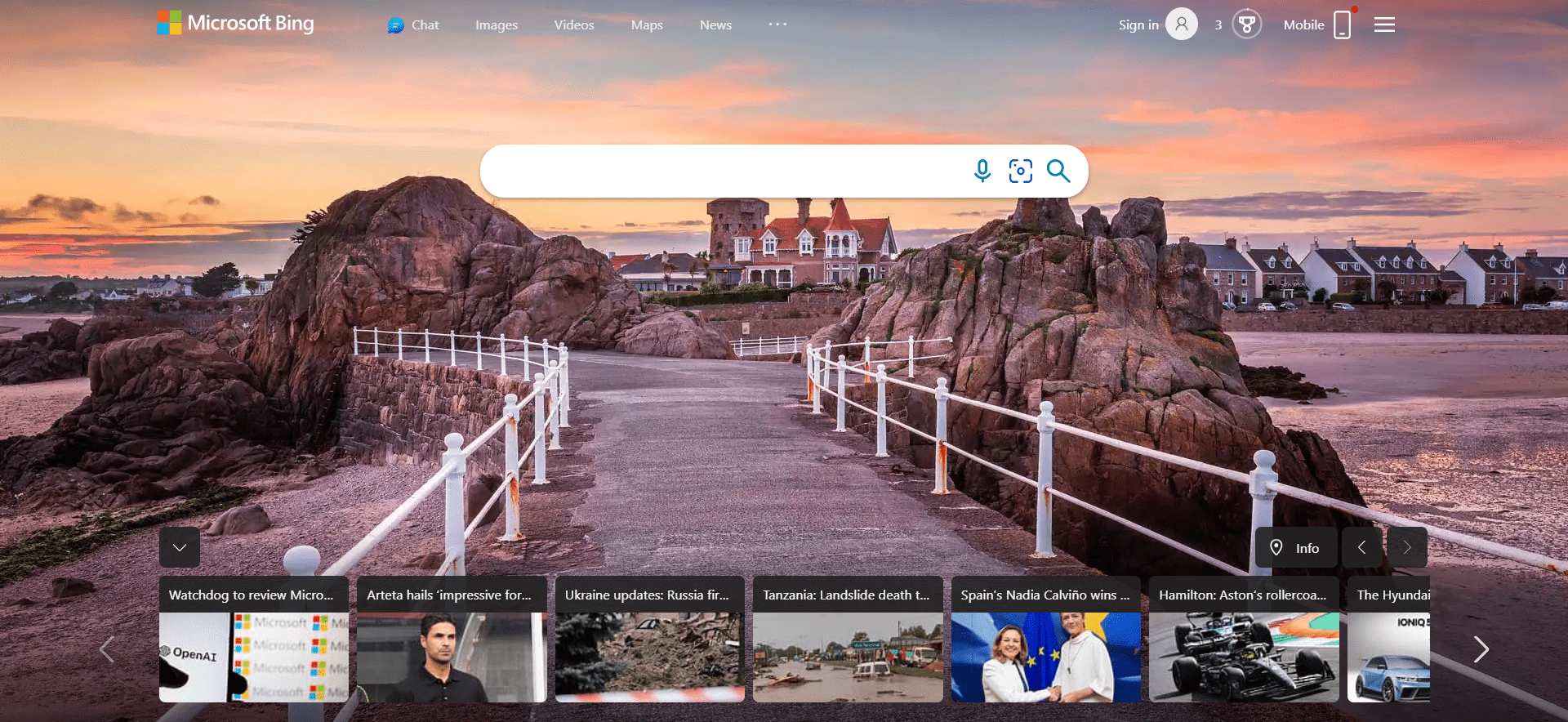
As of December 2023, Microsoft Bing sites handled 7.1% of all search queries in the United States.

One could argue that Bing outperforms Google in certain respects.

For starters, Bing has a rewards program that allows one to accumulate points while searching. These points are redeemable at the Microsoft and Windows stores, which is a nice perk.

In my view, the Bing visual search API is superior to its rivals and much more intuitive.

Bing Visual SearchScreenshot from Bing Visual Search, December 2023

Bing carries that same clean user experience to video, making it the go-to source for video searches without a YouTube bias.

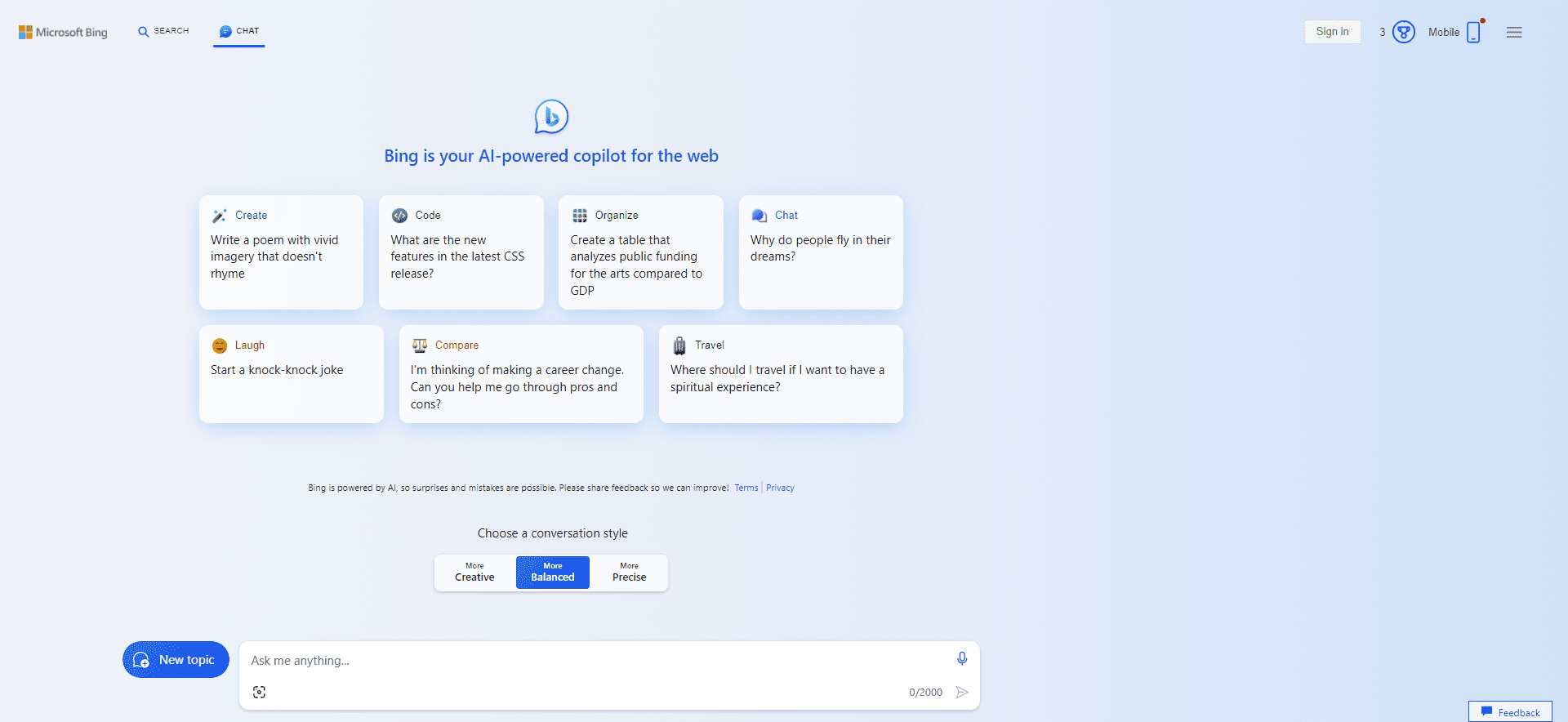
On February 7, 2023, Bing announced an all-new, AI-powered version of its search engine called “Bing Chat,” which is now called Copilot.  The stated goal is to “deliver better search, more complete answers, a new chat experience, and the ability to generate content.”

Copilot (formerly Bing Chat)Screenshot from Copilot (formerly Bing Chat), December 2023

According to Satya Nadella, chairman and CEO of Microsoft, there are 10 billion search queries a day, but approximately half of those go unanswered. Bing is looking to fill that void.

2. Perplexity.ai

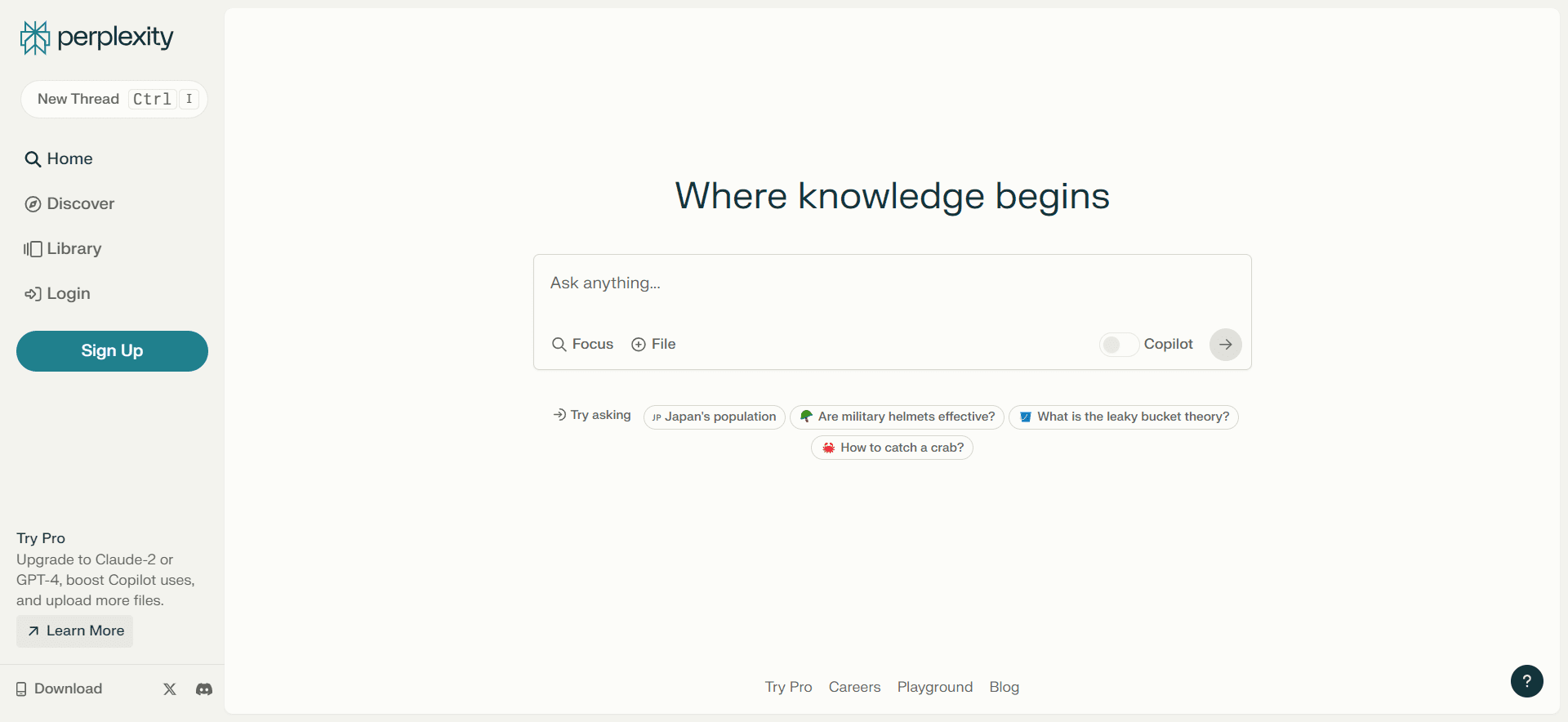
Perplexity.aiScreenshot from Perplexity.ai, December 2023

Perplexity.ai, founded in 2022, is an innovative alternative to Google that provides contextually rich answers and has 10 million monthly active users.

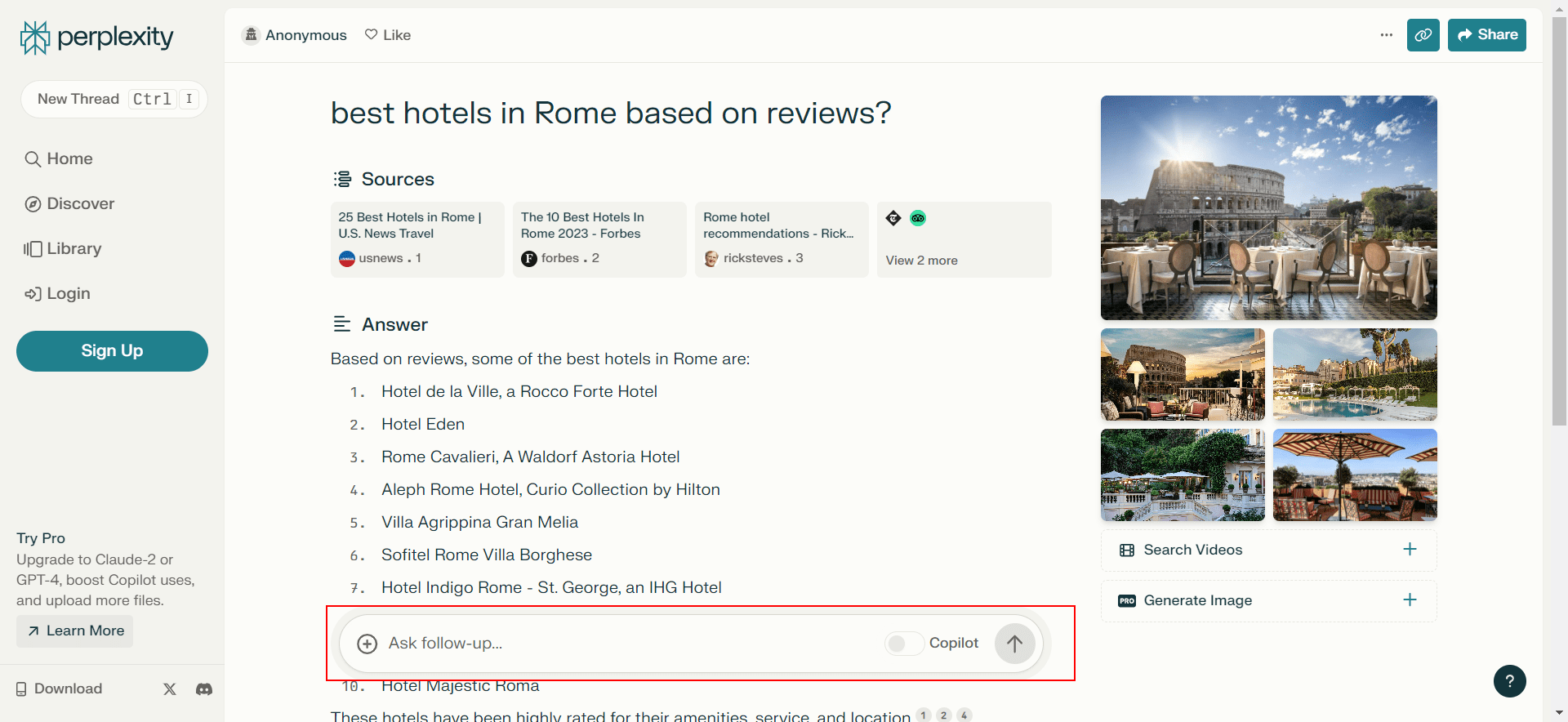
Unlike traditional search engines that primarily link to webpages, Perplexity.ai is a chatbot that directly answers questions by citing sources from which it fetches information, with an option to ask follow-up questions.

Perplexity.ai search result exampleScreenshot from Perplexity.ai, December 2023

This feature allows users to delve deeper into their initial queries by asking subsequent, related questions. This interactive approach mimics a conversational style, making it easier for users to refine their search and get more precise answers.

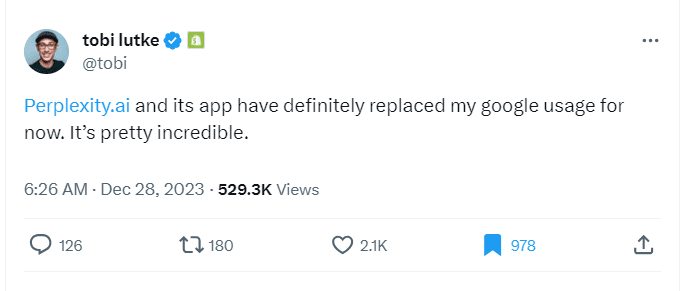
This evolving, dialog-based search experience positions Perplexity.ai as a compelling choice for users seeking a more intuitive and responsive search tool. Below is the feedback from Tobi Lütke, the CEO of Shopify, on Perplexity.ai.

Screenshot from x.comScreenshot from x.com

However, since it uses LLMs for answer extraction, it can hallucinate, leading to incorrect or misleading answers.

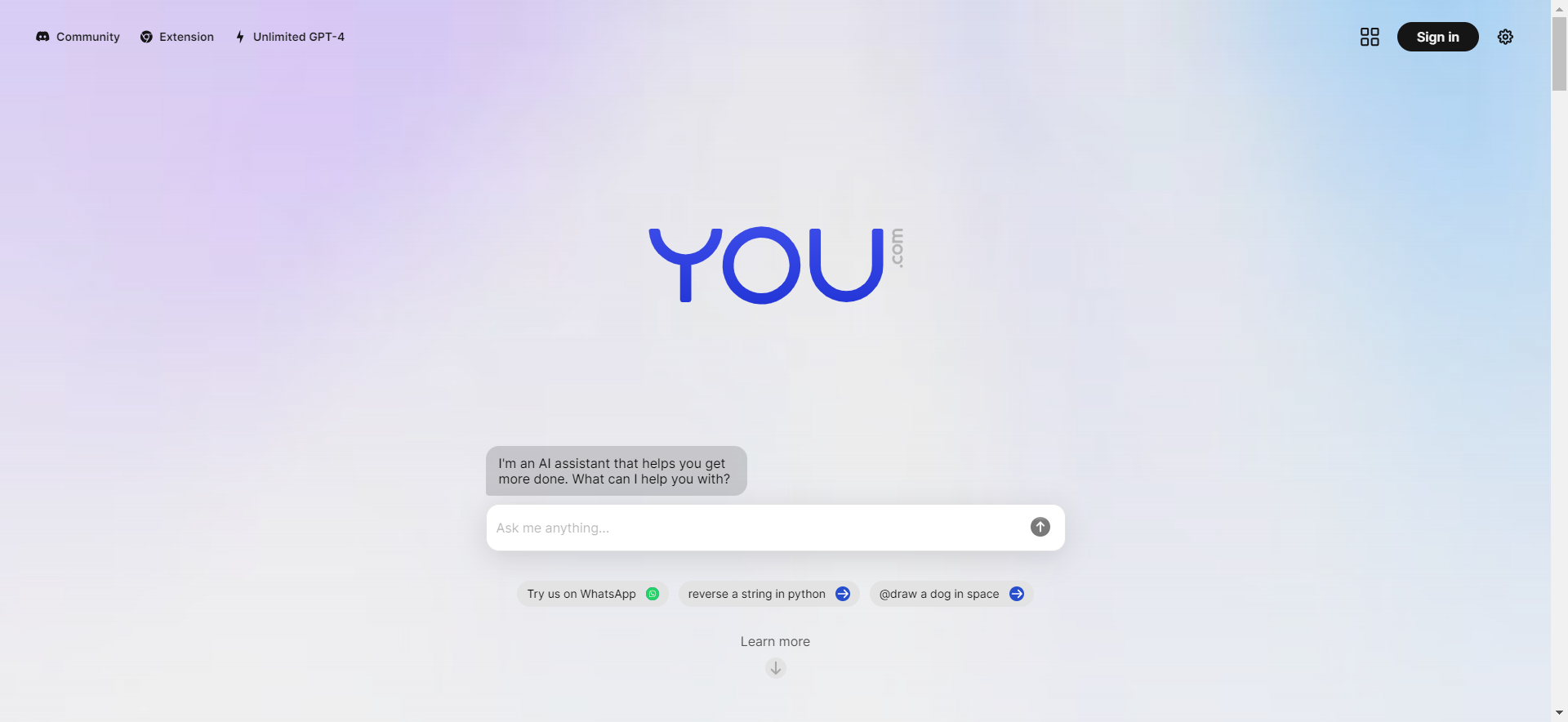
3. You.com

Search Engine 'You'Screenshot from You.com

You.com is an AI-powered search engine founded by Richard Socher, a prominent natural language processing (NLP) researcher and former chief scientist of Salesforce.

The site operates in two modes: a personal mode and a private mode.

In personal mode, users can configure their source preferences.  While in private mode, they enjoy a completely untraceable experience; no telemetry data is recorded.

The company also offers a Chrome extension, AI-powered image generation, and YouWrite, an AI writing assistant.

The open search platform encourages developers to build apps and contribute to a more open and collaborative internet.

A Revenue-Sharing Search Engine

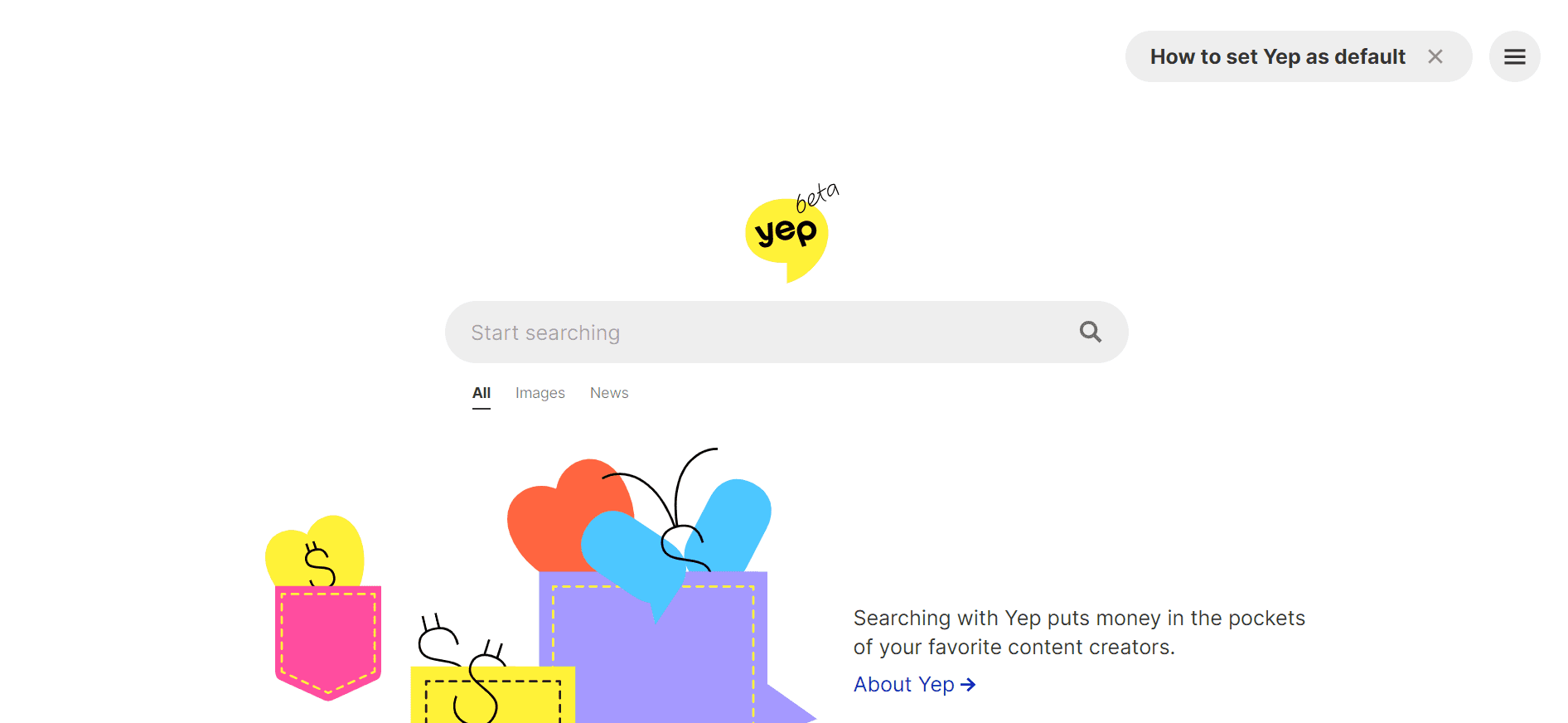
4. Yep.com

Screenshot from Yep.comScreenshot from Yep.com

Yep.com (by Ahrefs) promotes itself as being a search engine with a difference that emphasizes user privacy by not tracking users or selling their data.

It monitors the frequency of specific word searches and the popularity of certain links in terms of clicks. However, it doesn’t compile a personal profile for the purpose of targeted advertising.

It is designed to directly reward and compensate content creators by using a 90/10 revenue share business model.

This means that 90% of all advertising revenue goes directly to the creators of content, allowing them to earn money for their work.

In addition, this business model allows users to directly support their favorite content creators and ensures that content creators are fairly compensated.

A Copyright-Free Search Engine

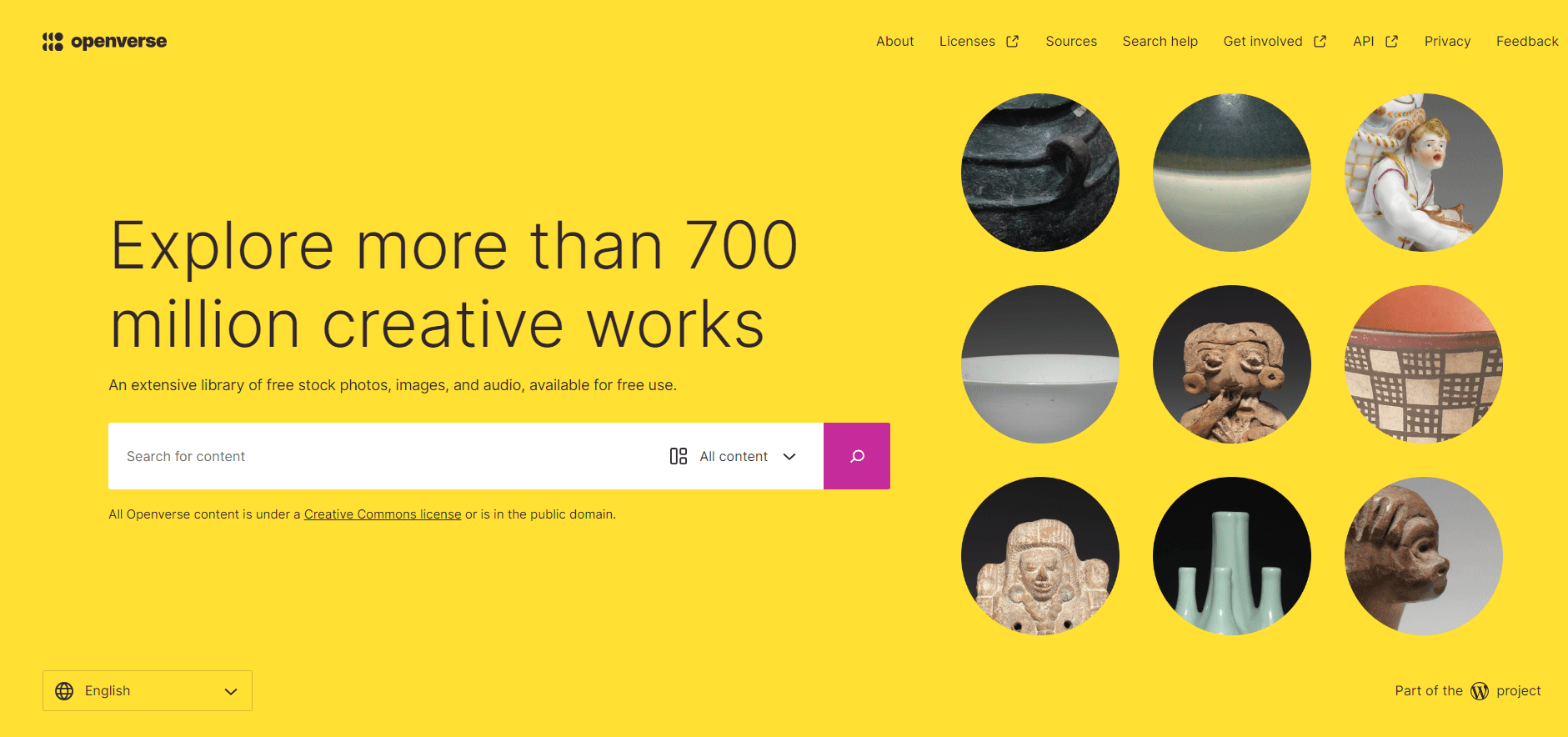
5. Openverse

Screenshot from openverse.orgScreenshot from openverse.org

Openverse should be your first stop on the hunt for nearly any type of copyright-free content.

While Google provides a broader range of search results, Openverse stands out with its focus on a vast, searchable collection of open-source media, including images, audio, and videos.

This search engine is perfect if you need music for a video, an image for a blog post, or anything else without worrying about angry artists coming after you for ripping off their work.

Mainstream Search Engines

Mainstream search engines are the Google alternatives that have managed to maintain a modest market share over the past several years.

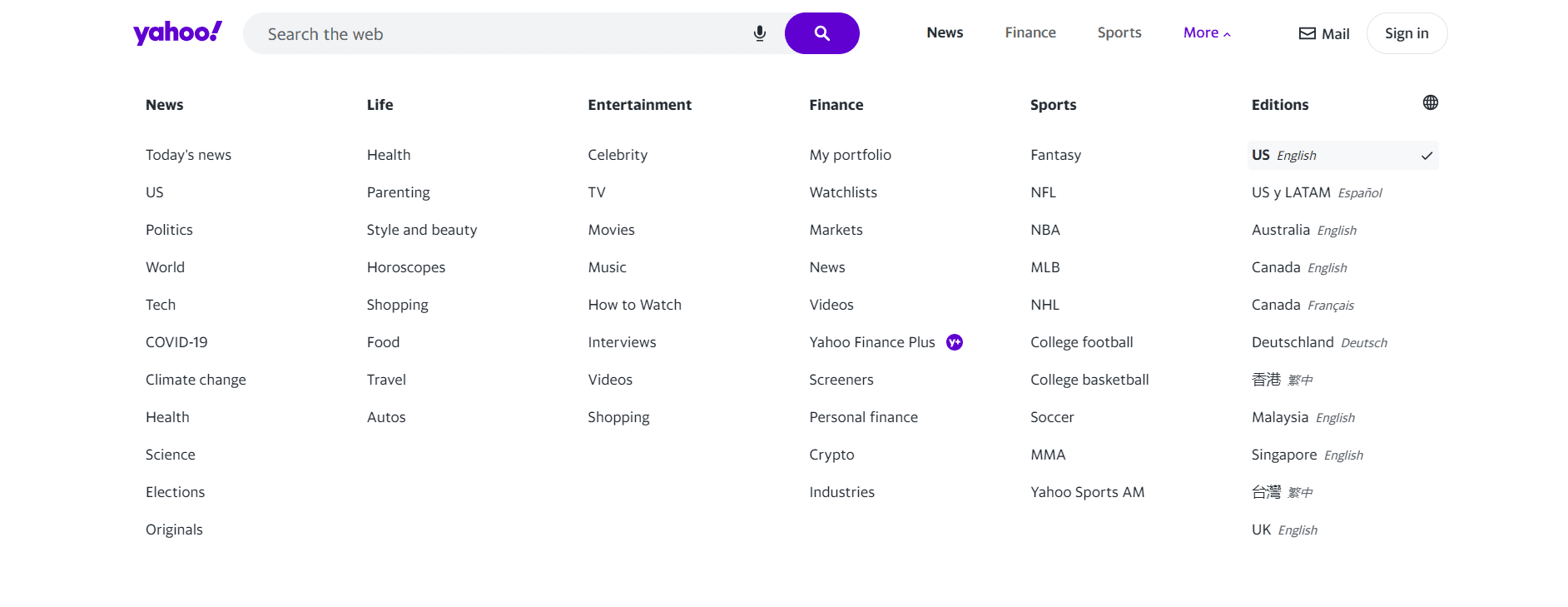
6. Yahoo.com

Screenshot from Yahoo.comScreenshot from Yahoo.com

As of December 2023, Yahoo.com (Verizon Media) had a search market share of 2.37% in the US.

Yahoo’s strength is in diversification by offering services like email, news, finance, and more in addition to search.

Yahoo has been innovating and evolving for more than two decades.

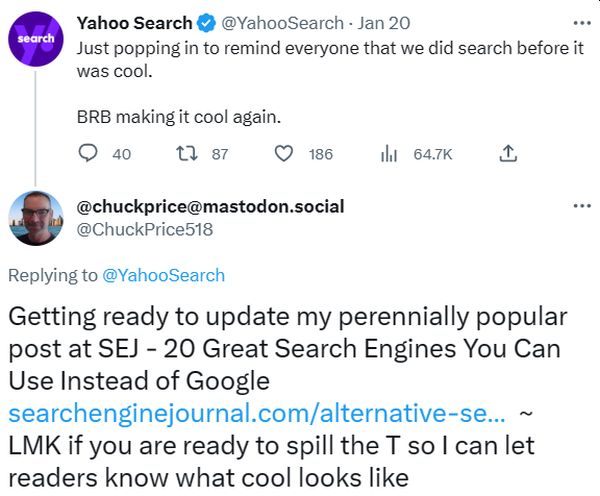
It made a cryptic tweet on January 20 about making search cool again but did not take me up on my request to explain what that means.

TweetScreenshot from Twitter, February 2023

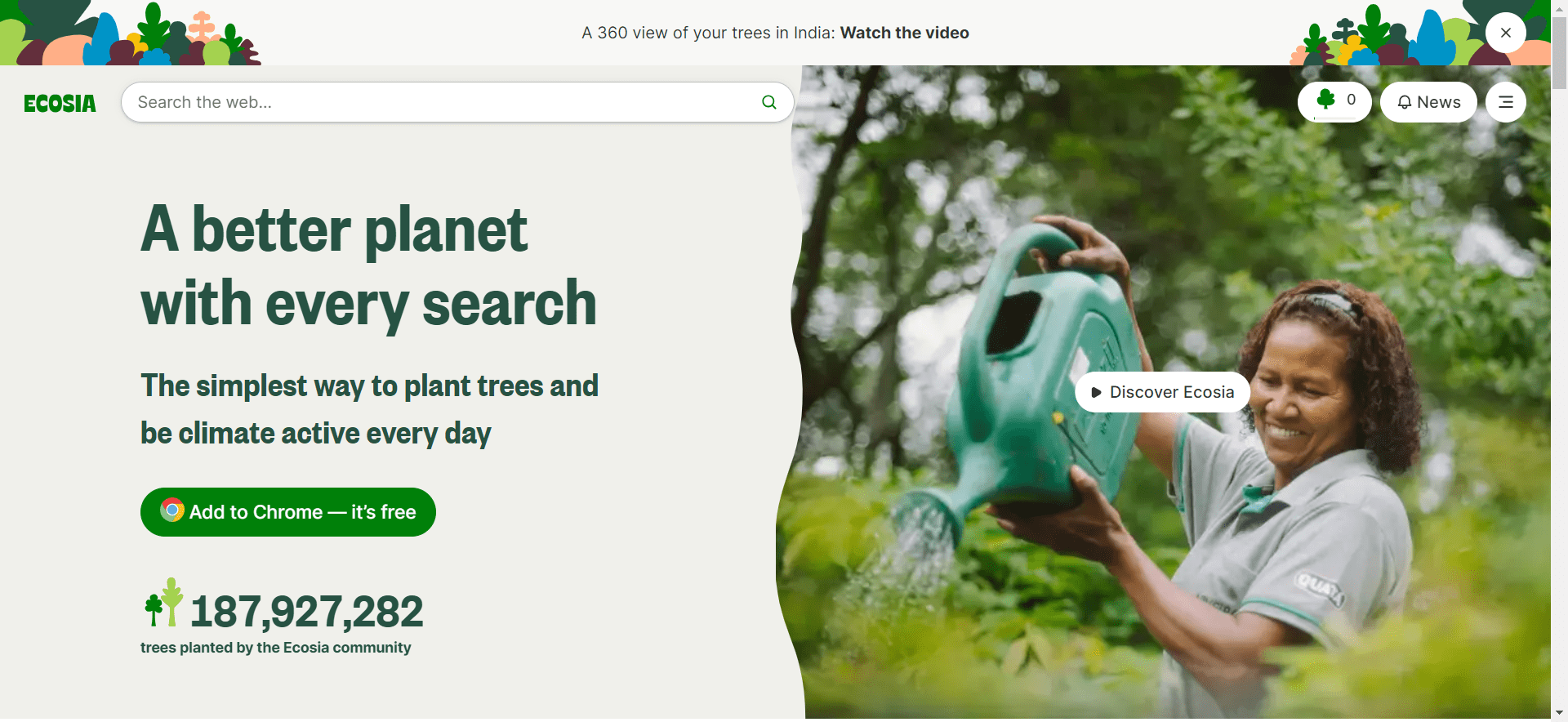
7. Ecosia

Screenshot from Ecosia.orgScreenshot from Ecosia.org, December 2023

Ecosia’s primary distinguishing feature is its commitment to using ad revenue for environmental purposes, specifically tree planting.

The company is a not-for-profit business and dedicates 100% of its profits to the planet, collaborating with local communities to plant and care for trees around the world.

It partners with Microsoft’s Bing to use its search index and web advertisement and offers a browser extension for quicker access to the search engine.

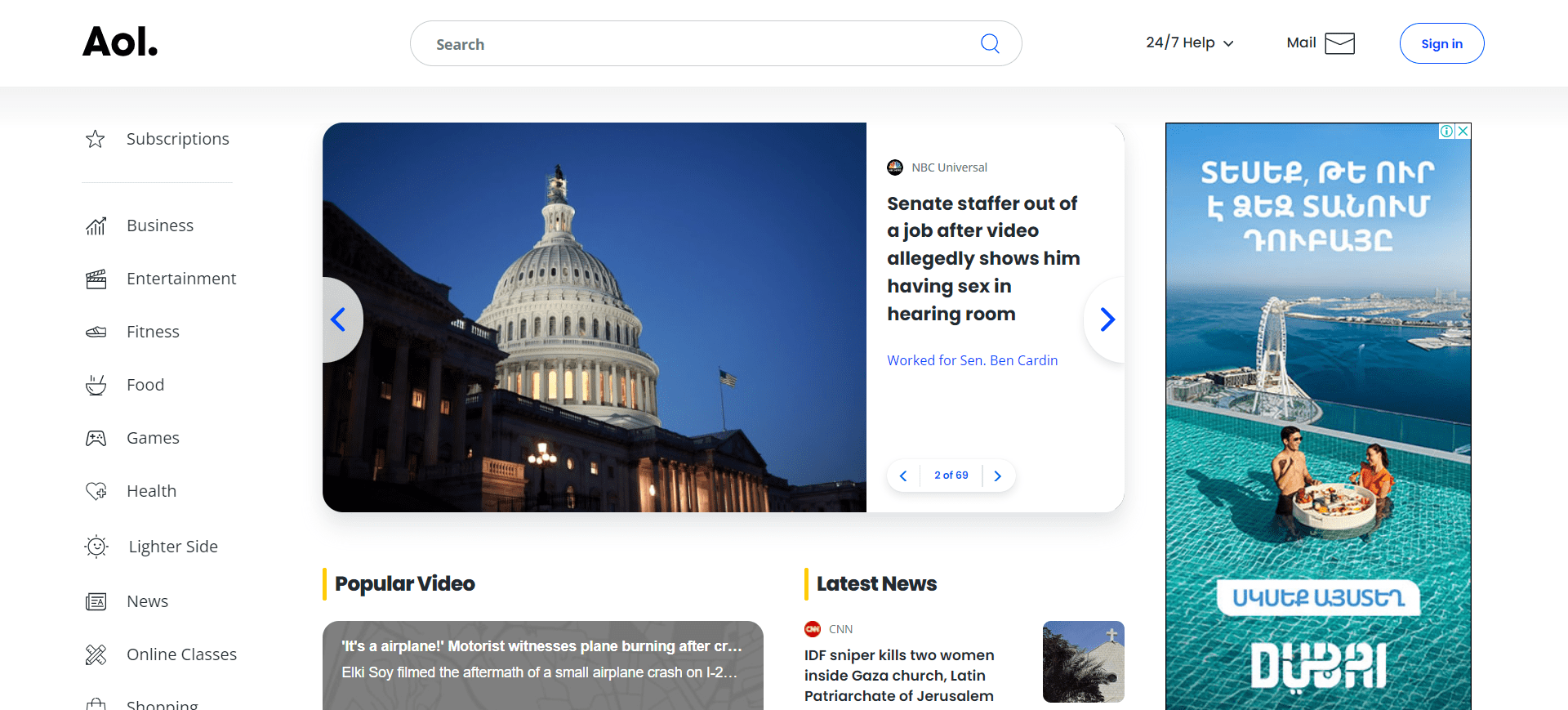
8. Aol

Screenshot from aol.comScreenshot from aol.com, December 2023

AOL Search is one of the first search engines on the Internet, with a market share of 0.08% in the US.

It relies on partnerships with Google and Bing for its search results.

Unlike Google’s broad focus, AOL leans towards curated content, prioritizing news, entertainment, and a mix of AOL-owned, syndicated, and external website results.

While AOL tracks user data to personalize its advertising, it’s generally considered less sophisticated compared to Google. Its targeting relies more on broad demographics and interests than the highly granular individual profiles Google often builds.

Privacy-Focused Search Engines

Privacy is an increasingly important issue among internet users.

Privacy-focused search engines prioritize users’ privacy, and their appeal is that they do not track users’ activities or collect personal data.

Some of the most popular include:

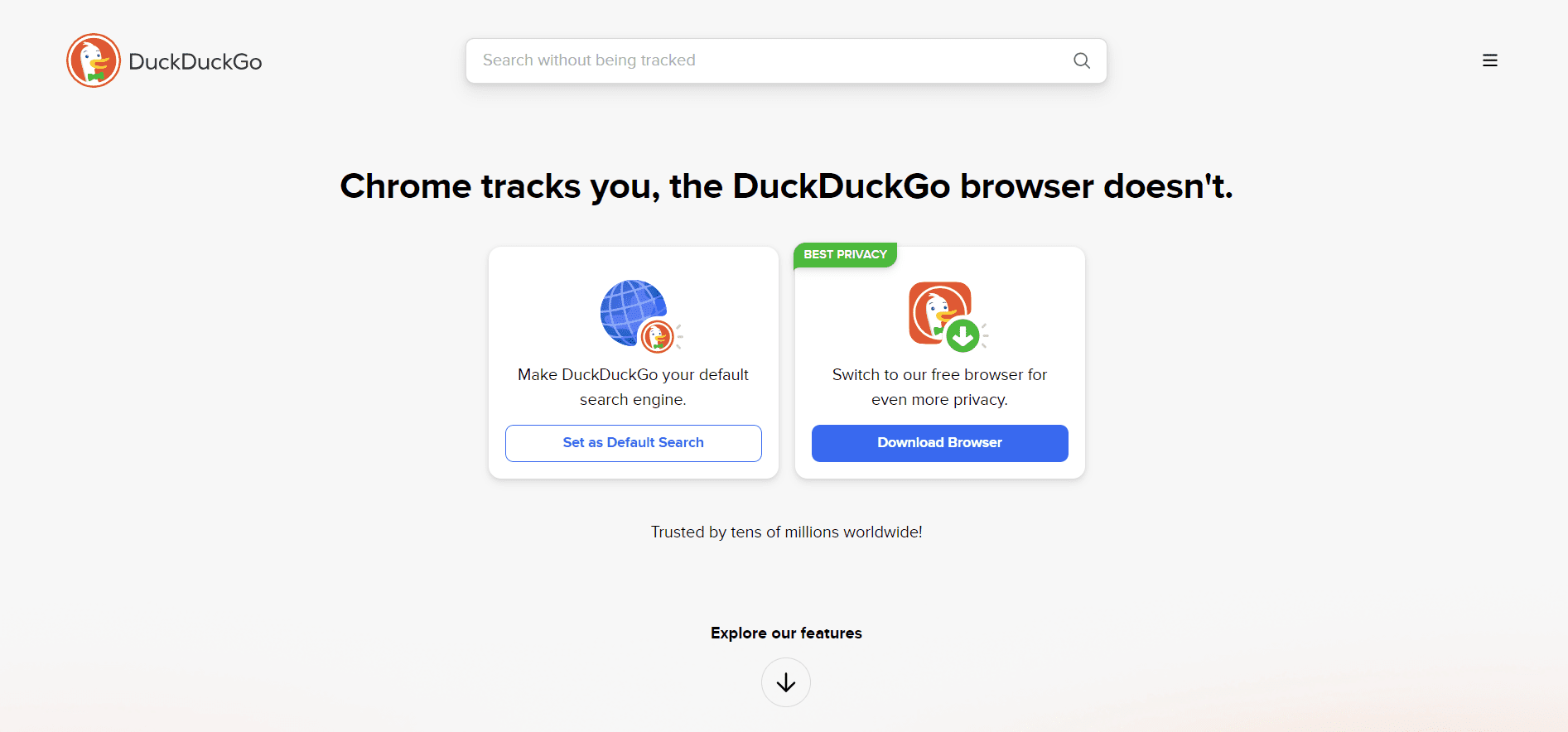
9. DuckDuckGo

Screenshot from DuckDuckGoScreenshot from DuckDuckGo, December 2023

As of December 2023, DuckDuckGo had a search market share of 1.77% in the United States.

DuckDuckGo is a search engine that could also fit into the mainstream category, but the primary “selling feature” is that it doesn’t collect or store any of your personal information.

Unlike Google, which collects extensive user data to personalize search results and advertisements, DuckDuckGo does not track or profile its users. This means that when you search on DuckDuckGo, your activity remains anonymous.

Because DuckDuckGo does not track search history or create user profiles, it does not offer filter options based on a user’s search history profile, and there are no persistent targeted ads.

That means you can run your searches in peace without having to worry about the boogeyman watching you through your computer screen.

DuckDuckGo is the perfect choice for those who wish to keep their browsing habits and personal information private.

DuckDuckGo Lite is the mobile version.

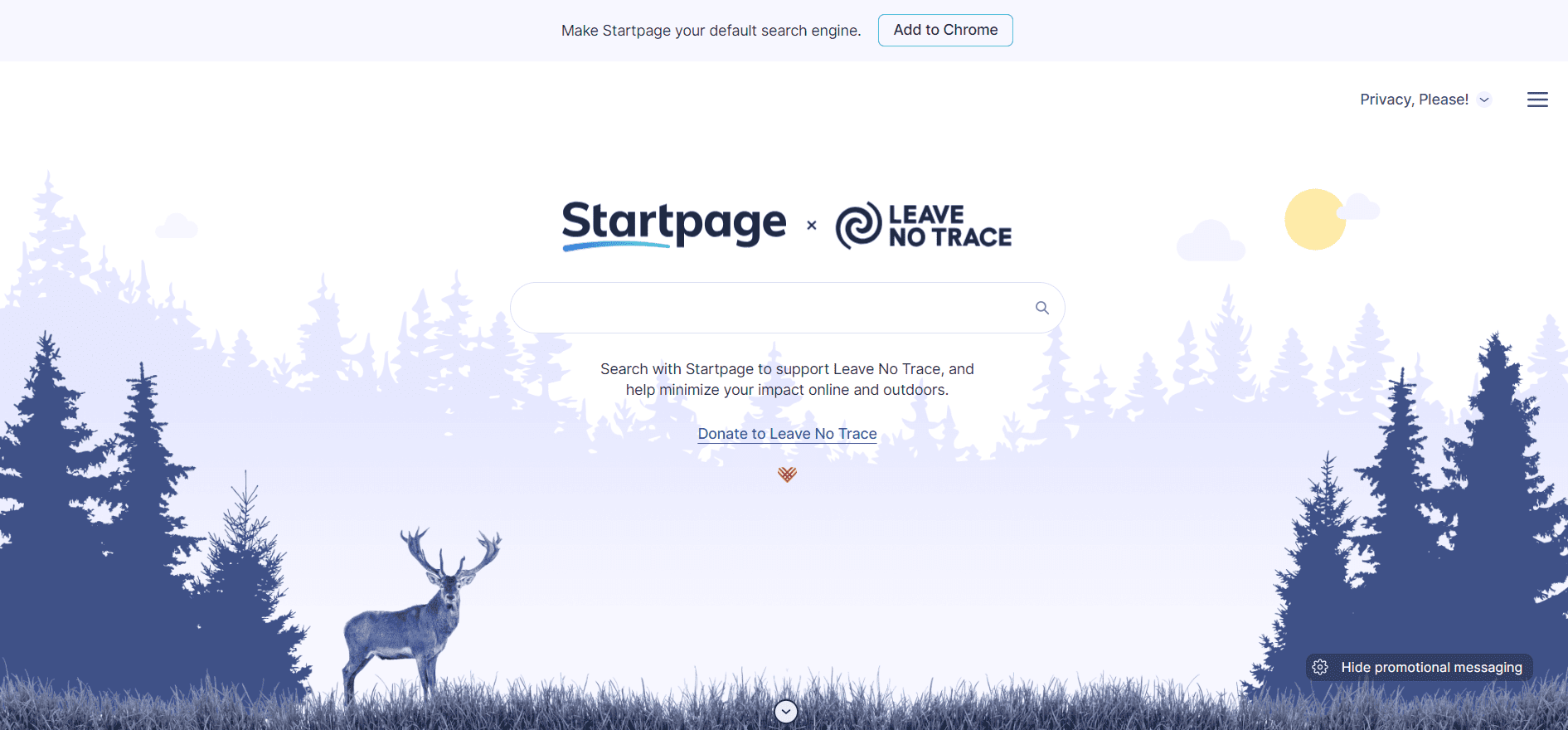
10. Startpage

Screenshot from StartpageScreenshot from Startpage, December 2024

Startpage is a search engine aggregation and does not crawl the web itself.

Instead, it utilizes a metasearch approach, fetching results from multiple search engines, including Google, Bing, DuckDuckGo, etc., and prioritizing links that appear in all.

It’s a great choice for those who prefer Google’s search results but aren’t keen on having their search history tracked and stored.

It also includes a URL generator, proxy service, and HTTPS support.

The URL generator is especially useful because it eliminates the need to collect cookies. Instead, it remembers your settings in a way that promotes privacy.

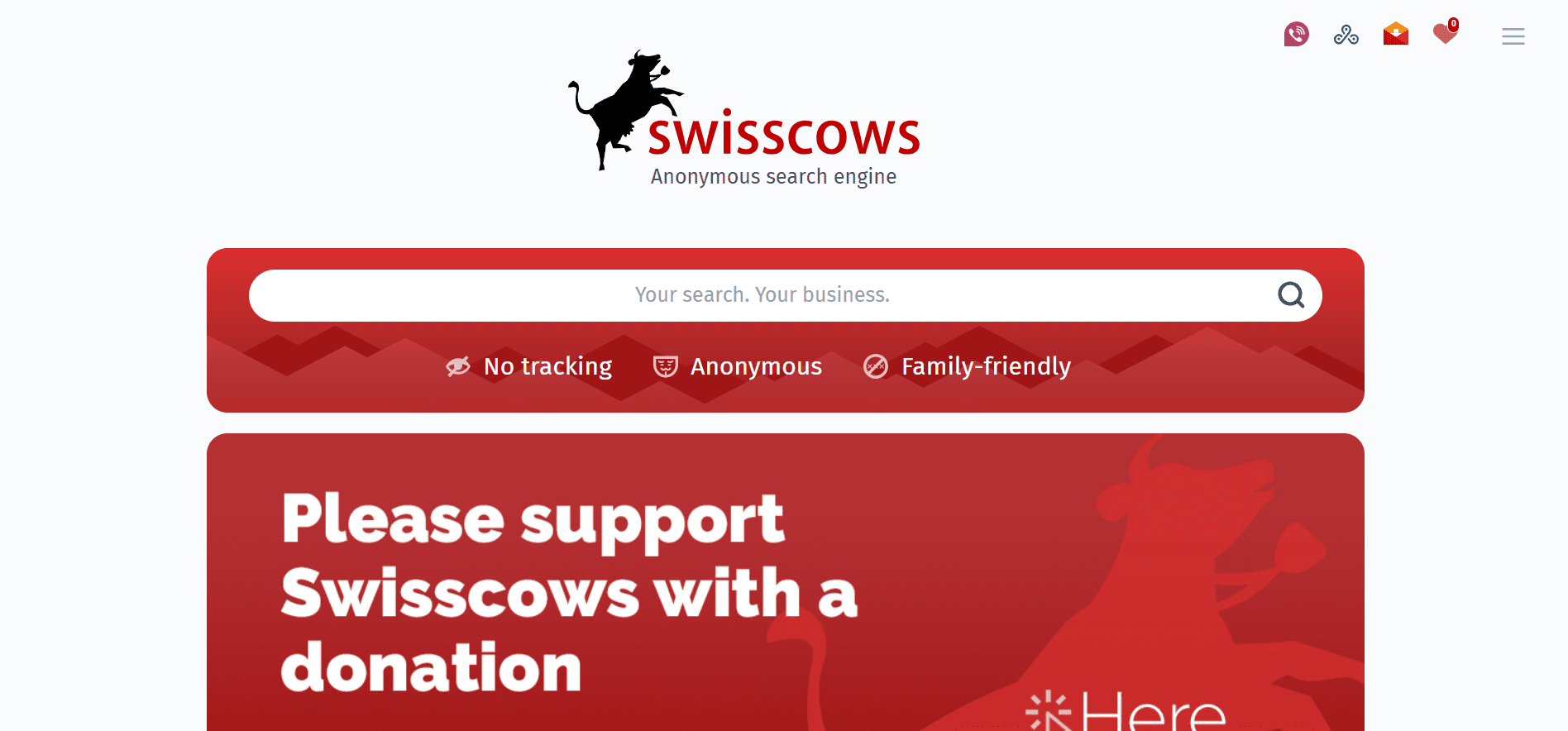
11. Swisscows

Screenshot from Swisscows.comScreenshot from Swisscows.com, December 2023

Swisscows is a unique option on this list, billing itself as a family-friendly semantic search engine.

It utilizes Bing for its web search capabilities but has also developed its own index for the German language edition.

It also prides itself on respecting users’ privacy, never collecting, storing, or tracking data.

It uses artificial intelligence to determine the context of a user’s query.

Over time, Swisscows promises to answer your questions with surprising accuracy.

12. Gibiru

Screenshot from Gibiru.comScreenshot from Gibiru.com, December 2023

According to its website, Gibiru features “Uncensored Private Search” with no retargeting and no selling of private data.

It claims its search results are sourced from a modified Google algorithm, so users are able to query the information they seek without worrying about Google’s tracking activities.

Gibiru earns commissions when users buy something or take action through its search results, aligning with its privacy-centric approach by not relying on personal data for advertising.

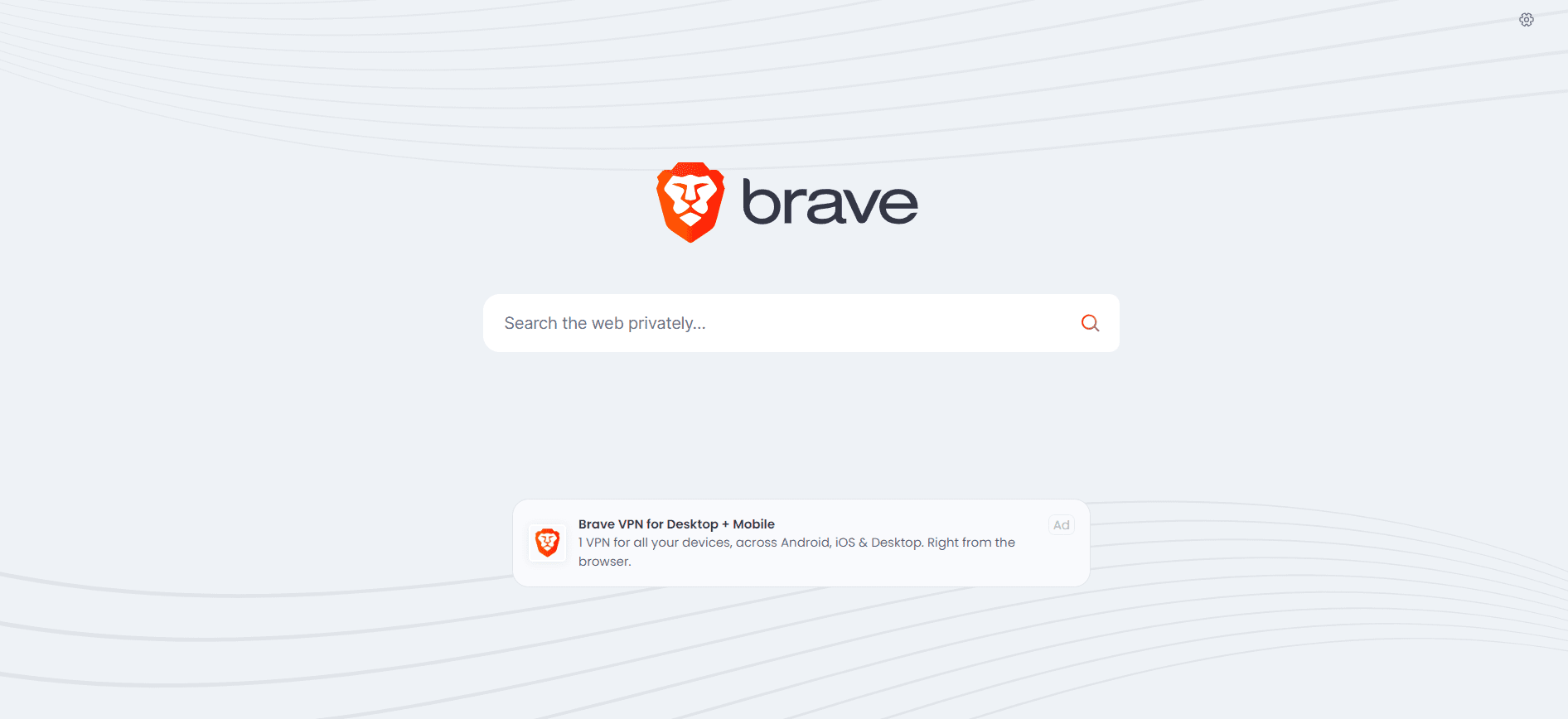
13. Brave

Screenshot from Brave.comScreenshot from Brave.com, December 2023

In 2023, Brave Search achieved full independence from other search engines like Bing. It now operates solely on its own index, a move that emphasizes user privacy and transparency in search results.

Brave Search has experienced rapid growth; as of January 2024, it had 24.57 million daily active users. This growth reflects the increasing popularity of privacy-focused search engines.

It features free video calls, offline playlists, and a customizable news feed.

Advanced security features like IPFS integration, Tor (Onion Routing), and a crypto wallet are also available.

Brave offers rewards for opting into privacy-preserving ads. It claims over 65 million people use its browser each month for a faster and safer web experience.

Knowledge-Based Search Engines

14. Wiki.com

Wiki.comScreenshot from Wiki.com, February 2023

Wiki.com pulls its results from thousands of wikis on the net.

It is the perfect search engine for those who appreciate community-led information, as found on sites like Wikipedia.

15. X (Formerly Twitter)

Screenshot from XScreenshot from X

X is hard to beat as a real-time search engine.

It’s the perfect place to go for minute-by-minute updates in case of an emergency.

Google will catch up eventually, but nothing beats a tweet in the heat of the moment.

To make the most of it, check out our guide to X/Twitter Advanced Search.

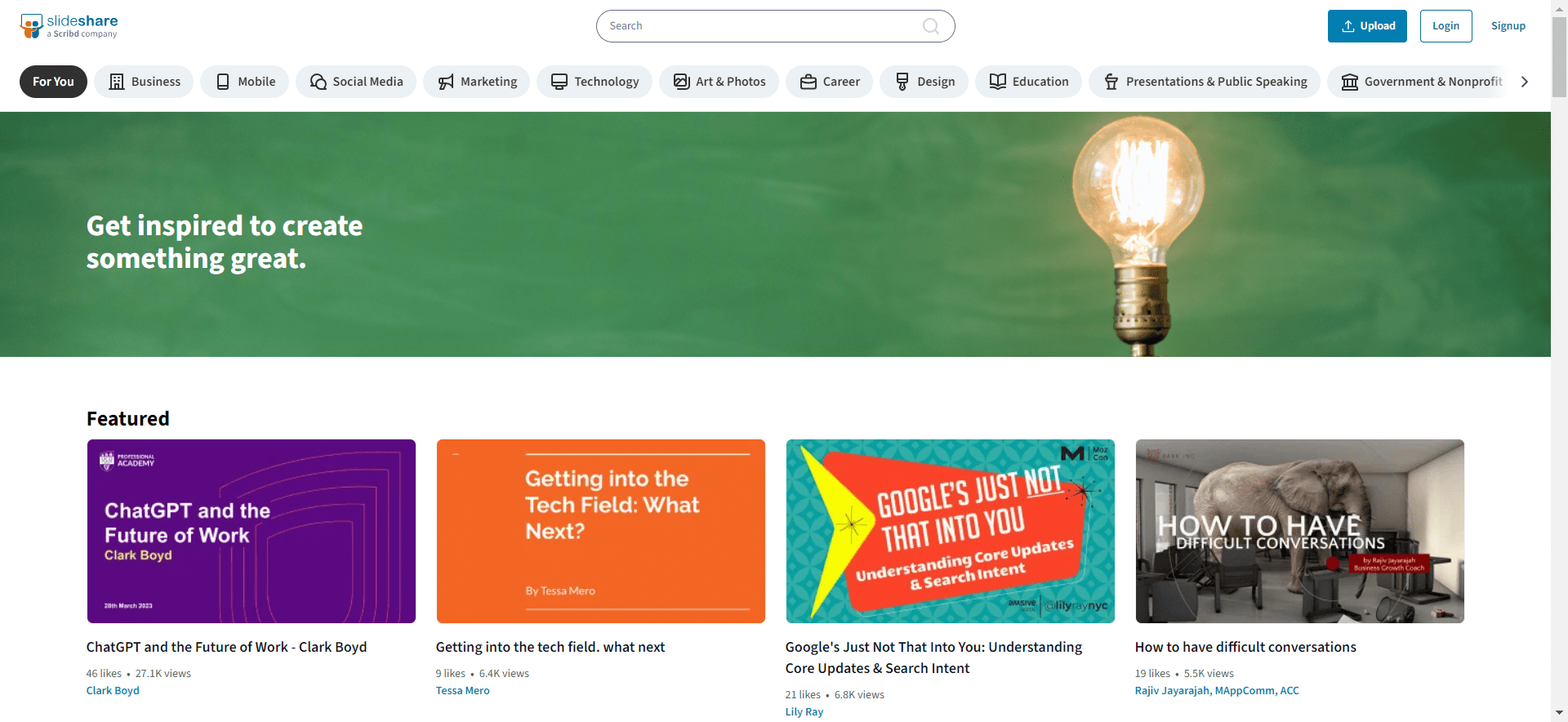
16. SlideShare

Screenshot from SlideShareScreenshot from SlideShare, December 2023

SlideShare allows you to search for documented slideshow presentations.

You can also search for ebooks and PDFs, making it an excellent tool if you have a business presentation to prepare for.

SlideShare also allows you to save slides and even download the entire slideshow for use on your local computer.

17. Wayback Machine

Screenshot from archiveScreenshot from archive.org, December 2023

Internet Archive, a.k.a. the Wayback Machine, is great for researching old websites, but it’s also so much more.

As the name implies, this search engine queries a massive collection of documented material, including millions of free videos, books, music, and software.

Essentially, the Internet Archive is a vast online library where you can access just about anything you could imagine.

Specialized Search Engines

Specialized search engines cater to particular needs, providing results based on specific criteria. For example:

18. WolframAlpha

Screenshot from WolframAlpha.comScreenshot from WolframAlpha.com, December 2023

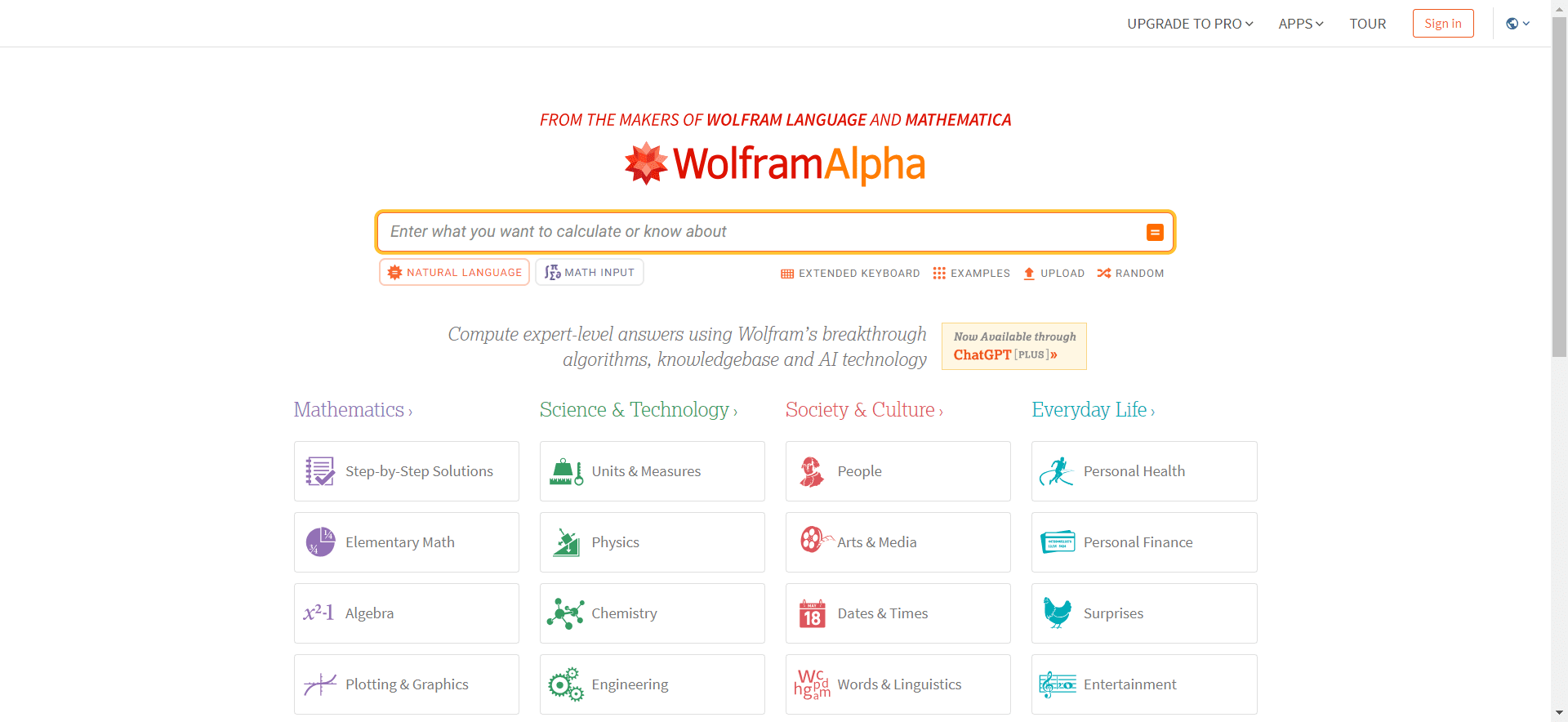
WolframAlpha is a computational knowledge engine that allows you to compute answers to problems and search through expert-level data on a variety of subjects, from algebra to words and linguistics.

It also offers Pro features for individuals, students, and educators who need professional-grade computation and analysis of imported data.

Pricing starts at $5.49 per month.

19. LinkedIn

Screenshot from LinkedinScreenshot from LinkedIn, December 2023

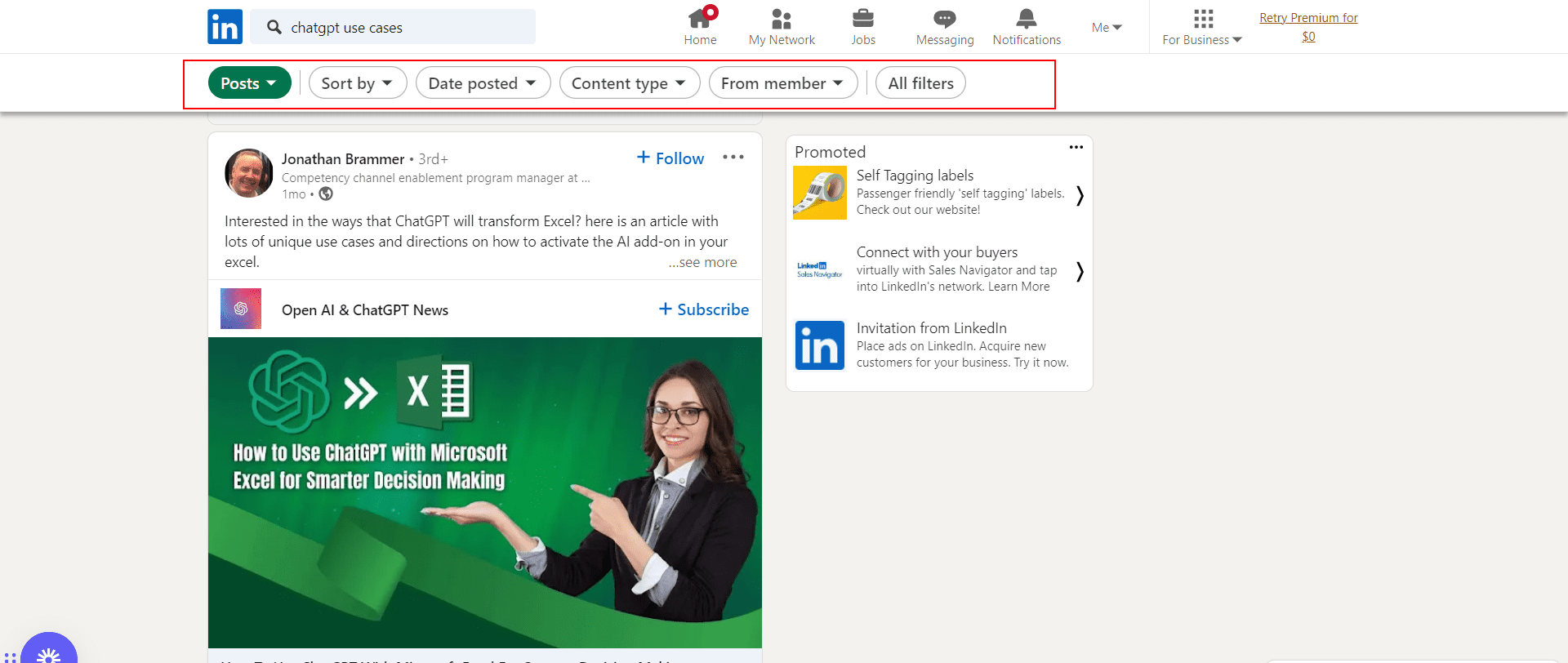
LinkedIn, recognized as a professional networking platform, is increasingly being utilized as a business-focused search engine which has 61 million searches a week.

LinkedIn‘s search algorithm for organizations considers the uniqueness and specificity of an organization’s LinkedIn Page name, as generic names tend to yield broad, less relevant results.

For instance, an organization named “Innovative Tech Solutions” would likely rank higher than one named “Professional Technology Services” due to the uniqueness of the name.

However, overloading a profile with keywords can be counterproductive, as it might trigger spam detection algorithms and negatively impact search visibility.

The algorithm also factors in the number of Page followers, connections between the Page and the searcher, the activity level on the Page, and the ratio of relevant search terms in the organization’s name.

International Search Engines

International search engines cater to specific regions and provide results based on local language and culture.

Some popular international search engines include:

20. Baidu

Screenshot from Baidu.comScreenshot from Baidu.com

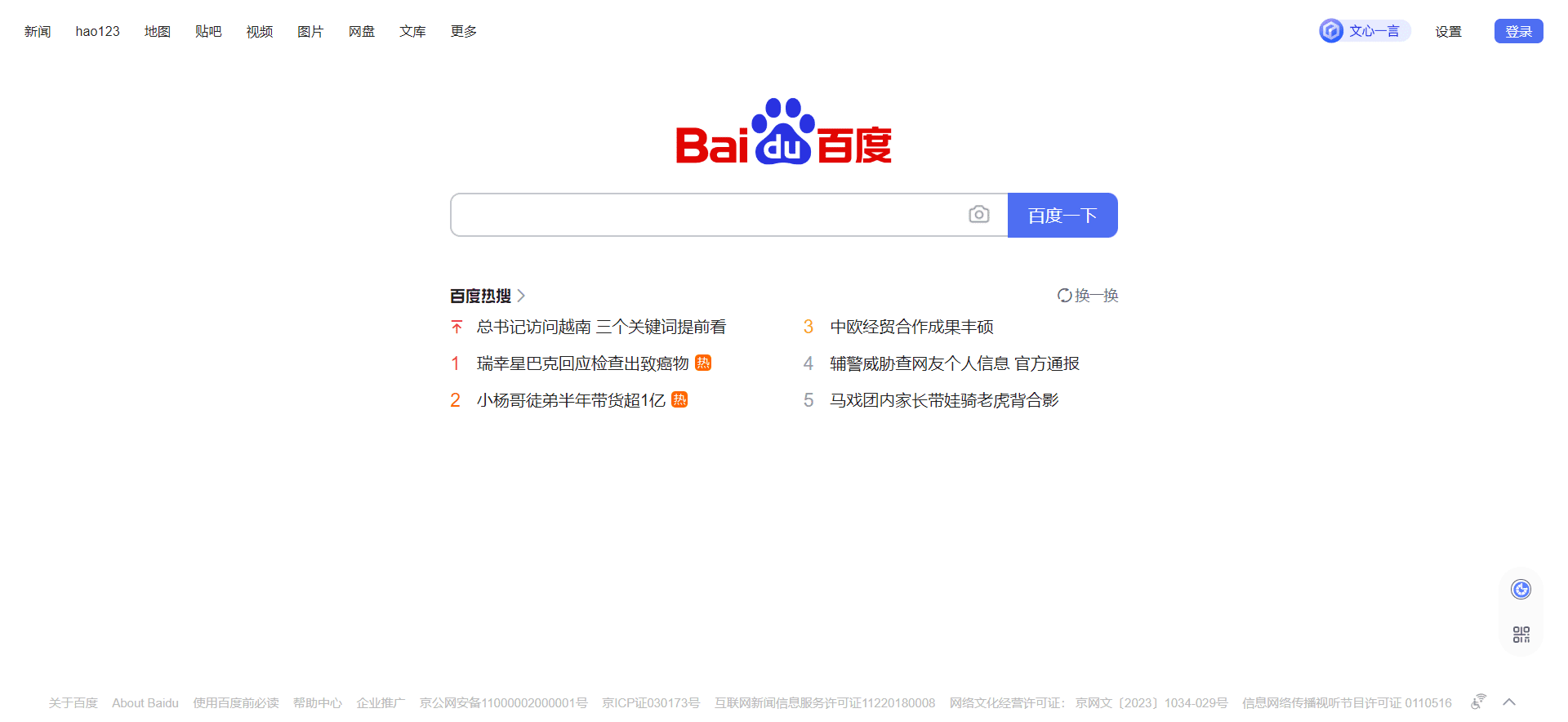
Baidu is the largest search engine in China and has a 66% market share there.

Like Google, it offers a broad range of services, including maps, music, videos, and an app store.

Baidu also has a mobile browser and mobile app.

21. Yandex

Screenshot from YandexScreenshot from Yandex, December 2023

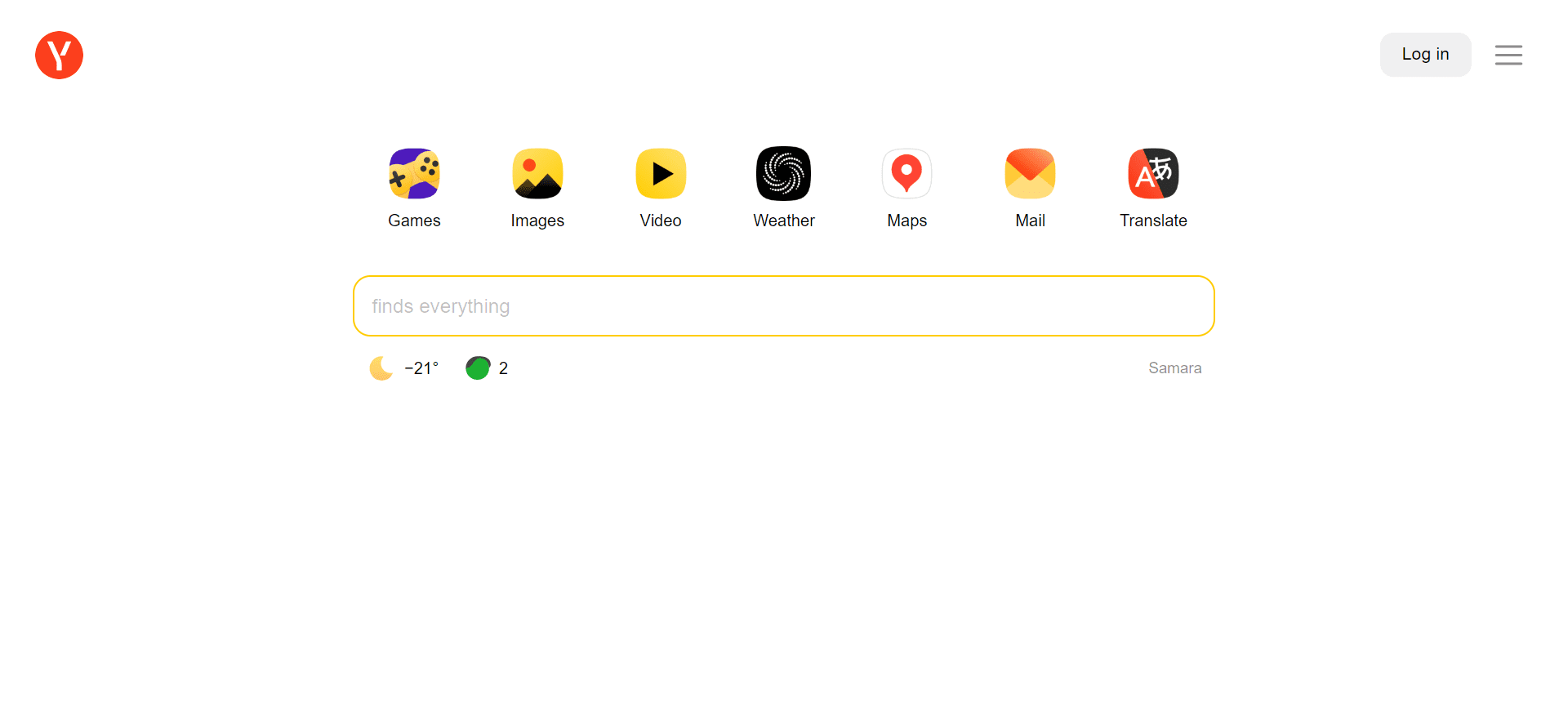
Yandex is used by more than 69% of Russian internet users. It is also used in Belarus, Kazakhstan, Turkey, and Ukraine.

Yandex is an overall easy-to-use search engine.

As a bonus, it offers a suite of some pretty cool tools.

It had a data leak in January 2023, leaving many speculating about the relevance of what was revealed.

22. Sogou

Screenshot from SogouScreenshot from Sogou, December 2023

Sogou is a Chinese search engine that is growing in popularity and has a 5% market share in China.

Sogou Search is an interactive search engine supporting WeChat, article search, English search and translation, and more.

It prides itself on providing users with professional, accurate, and convenient search through self-developed artificial intelligence algorithms.

23. Naver

NaverScreenshot from naver.com, December 2023

Naver is a popular search engine in South Korea with a 34% market share in the country. It offers a range of services, including blogs, news, music, and shopping.

It also has a mobile app for searching on the go.

Naver is a great option for those looking for a search engine tailored to the Korean market.

The Takeaway

Google may be the most popular choice in search engines, but it may not always be the best choice, depending on your needs and priorities.

Alternative search engines can offer a wide range of benefits, including a better search experience and higher levels of privacy.

Nonetheless, do yourself a favor and give some of these a try.

More Resources:


Featured Image: Dilok Klaisataporn/Shutterstock

Get Started With GSC Queries In BigQuery

BigQuery has a number of advantages not found with other tools when it comes to analyzing large volumes of Google Search Console (GSC) data.

It lets you process billions of rows in seconds, enabling deep analysis across massive datasets.

This is a step up from Google Search Console, which only allows you to export 1,000 rows of data and may have data discrepancies.

You read all about why you should be using BigQuery as an SEO pro. You figured out how to plug GSC with BigQuery. Data is flowing!

Now what?

It’s time to start querying the data. Understanding and effectively querying the data is key to gaining actionable SEO insights.

In this article, we’ll walk through how you can get started with your queries.

Understanding GSC Data Structure In BigQuery

Data is organized in tables. Each table corresponds to a specific Google Search Console report. The official documentation is very extensive and clear.

However, if you are reading this, it’s because you want to understand the context and the key elements before diving into it.

Taking the time to figure this out means that you will be able to create better queries more efficiently while keeping the costs down.

GSC Tables, Schema & Fields In BigQuery

Schema is the blueprint that maps what each field (each piece of information) represents in a table.

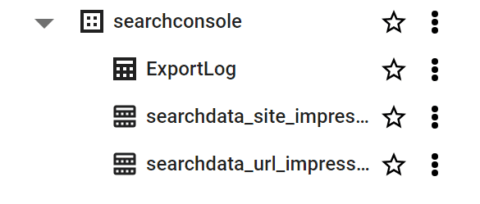
You have three distinct schemas presented in the official documentation because each table doesn’t necessarily hold the same type of data. Think of tables as dedicated folders that organize specific types of information.

Each report is stored separately for clarity. You’ve got:

  • searchdata_site_impression: Contains performance data for your property aggregated by property.
  • searchdata_url_impression: Contains performance data for your property aggregated by URL.
  • exportLog: each successful export to either table is logged here.

A few important notes on tables:

  • You’ll find in the official documentation that things don’t run the way we expect them to: “Search Console exports bulk data once per day, though not necessarily at the same time for each table.”
  • Tables are retained forever, by default, with the GSC bulk export.
  • In the URL level table (searchdata_url_impression), you have Discover data. The field is_anonymized_discover specifies if the data row is subject to the Discover anonymization threshold.

Fields are individual pieces of information, the specific type of data in a table. If this were an Excel file, we’d refer to fields as the columns in a spreadsheet.

If we’re talking about Google Analytics, fields are metrics and dimensions. Here are key data fields available in BigQuery when you import GSC data:

  • Clicks – Number of clicks for a query.
  • Impressions – Number of times a URL was shown for a query.
  • CTR – Clickthrough rate (clicks/impressions).
  • Position – Average position for a query.

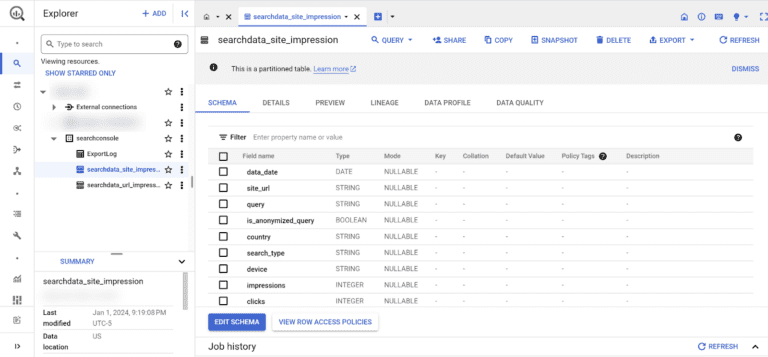
Let’s take the searchdata_site_impression table schema as an example. It contains 10 fields:

Field Explanation
data_date The day when the data in this row was generated, in Pacific Time.
site_url URL of the property, sc-domain:property-name or the full URL, depending on your validation.
query The user’s search query.
is_anonymized_query If true, the query field will return null.
country Country from which the search query originated.
search_type Type of search (web, image, video, news, discover, googleNews).
device The device used by the user.
impressions The number of times a URL was shown for a particular search query.
clicks The number of clicks a URL received for a search query.
sum_top_position This calculation figures out where your website typically ranks in search results. It looks at the highest position your site reaches in different searches and calculates the average.

Putting It Together

In BigQuery, the dataset for the Google Search Console (GSC) bulk export typically refers to the collection of tables that store the GSC data.

The dataset is named “searchconsole” by default.

BigQuery search console tables

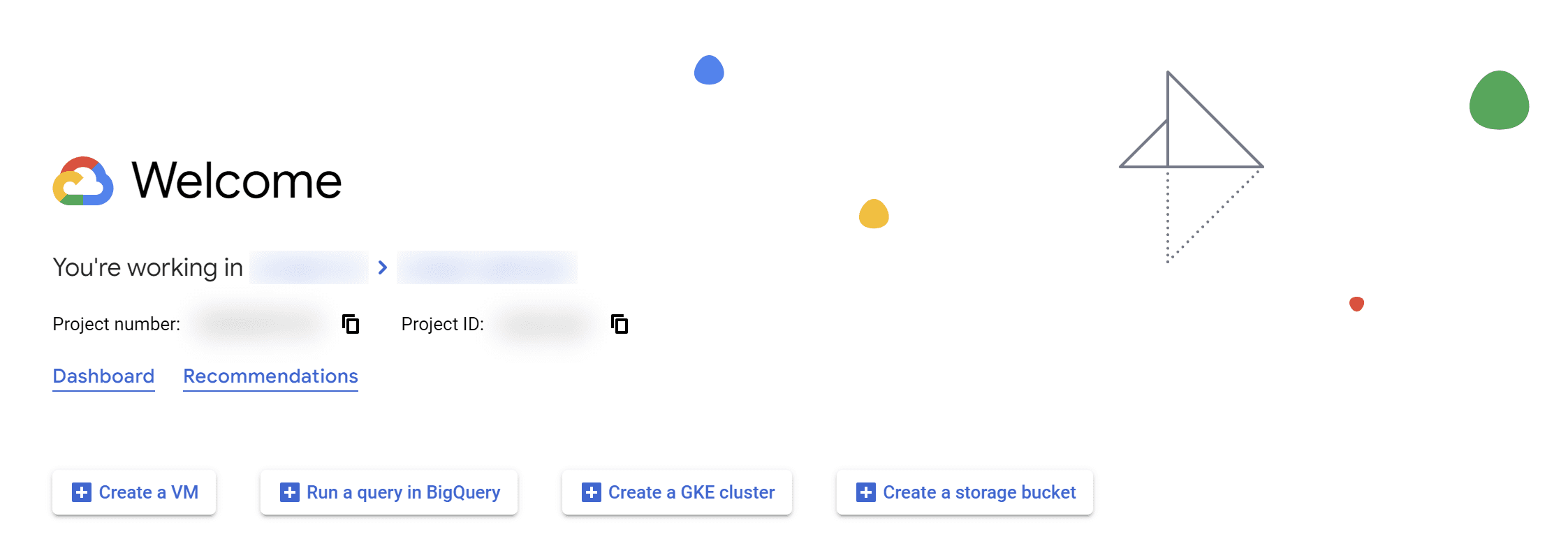
Unlike the performance tab in GSC, you have to write queries to ask BigQuery to return data. To do that, you need to click on the “Run a query in BigQuery” button.

Run SQL query option among three other options on the welcome screenScreenshot from Google Cloud Console, January 2024

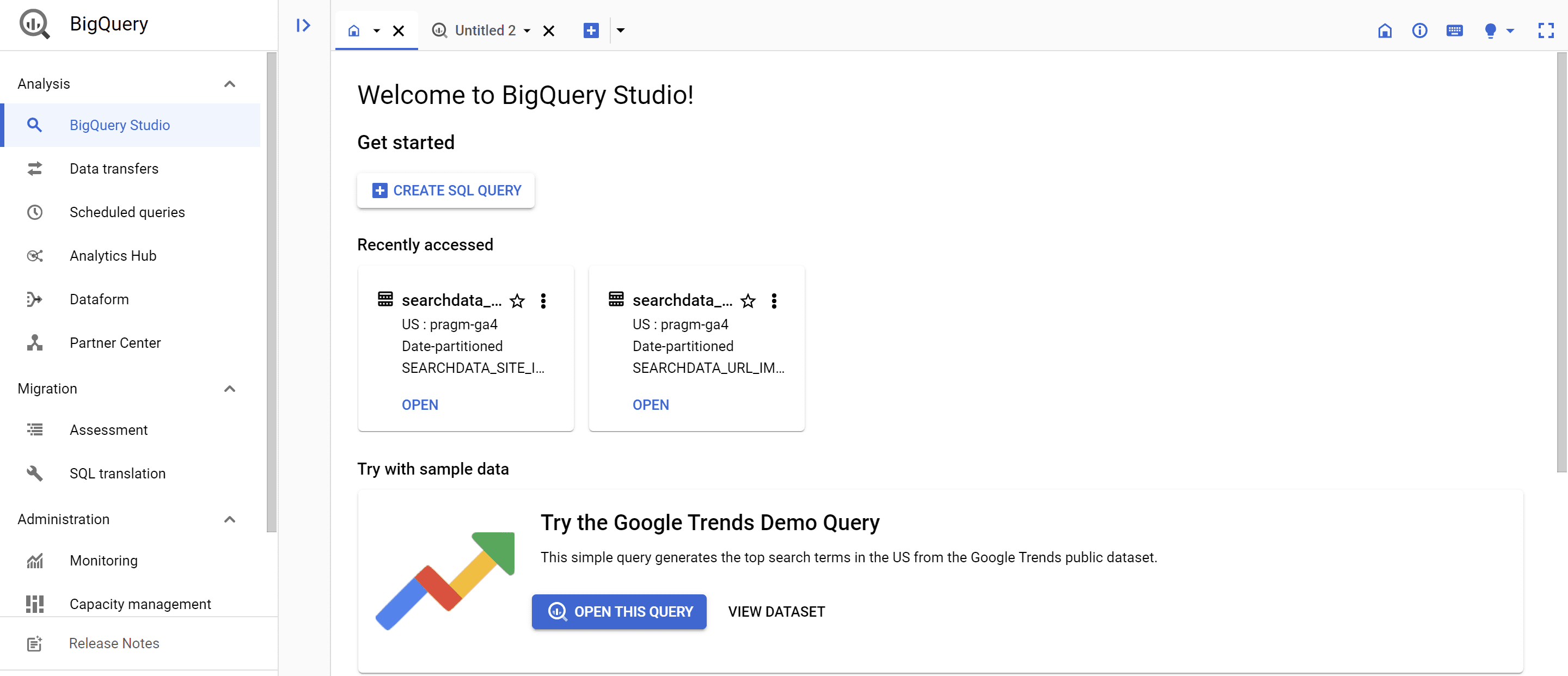
Once you do that, you should have access to the BigQuery Studio, where you will be creating your first SQL query. However, I don’t recommend you click on that button yet.

access screen to the BigQuery Studio where you will be creating your first SQL query. Screenshot of BigQuery Studio, January 2024

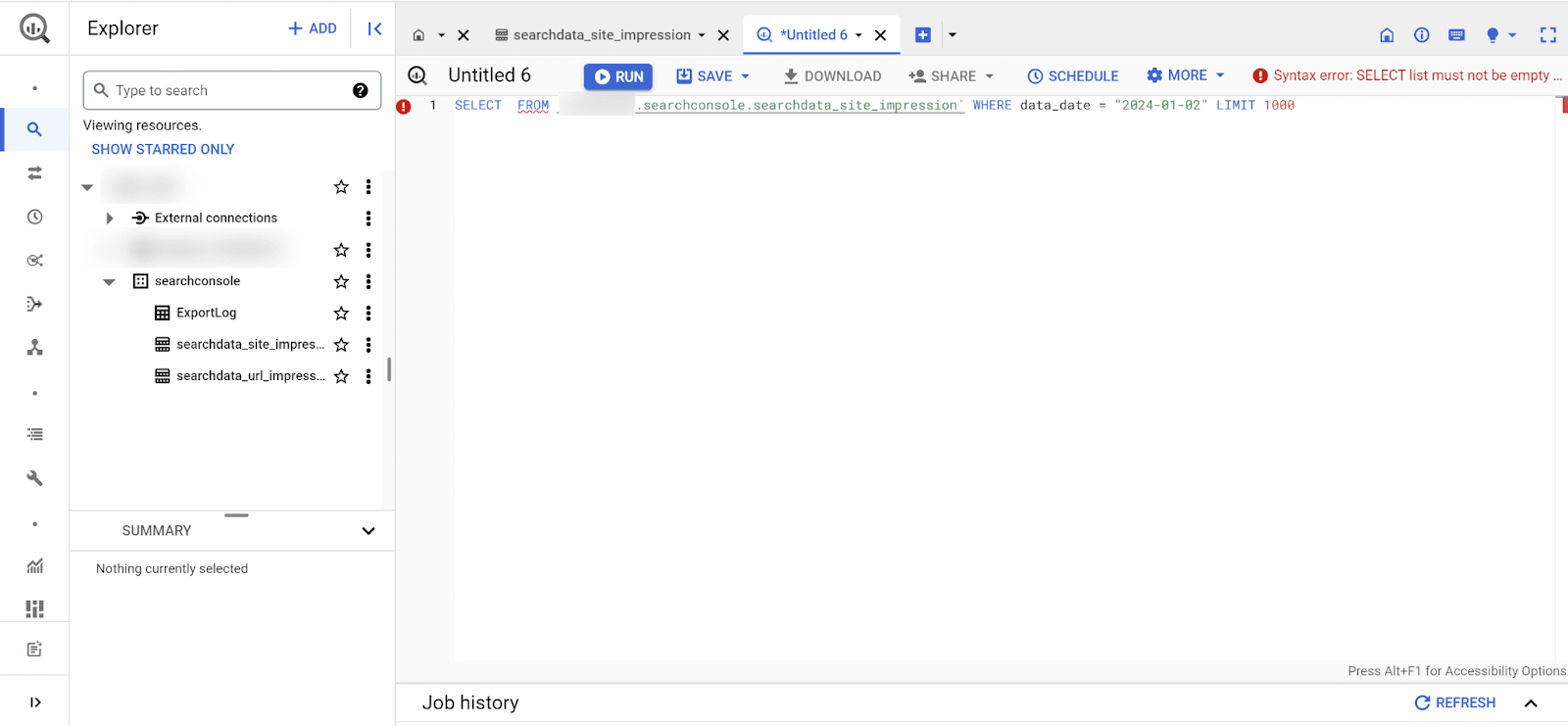
In Explorer, when you open your project, you will see the datasets; it’s a logo with squares with dots in them. This is where you see if you have GA4 and GSC data, for instance.

data set for search impression table

When you click on the tables, you get access to the schema. You can see the fields to confirm this is the table you want to query.

If you click on “QUERY” at the top of the interface, you can create your SQL query. This is better because it loads up some information you need for your query.

It will fill out the FROM with the proper table, establish a default limit, and the date that you can change if you need to.

 If you click on “QUERY” at the top in the interface, you can create your SQL query. This is better because it loads up some information you need for your query.Screenshot from Google Cloud Console, January 2024

Getting Started With Your First Query

The queries we are going to discuss here are simple, efficient, and low-cost.

Disclaimer: The previous statement depends on your specific situation.

Sadly, you cannot stay in the sandbox if you want to learn how to use BigQuery with GSC data. You must enter your billing details. If this has you freaked out, fear not; costs should be low.

  • The first 1 TiB per month of query data is free.
  • If you have a tight budget, you can set cloud billing budget alerts — you can set a BigQuery-specific alert and get notified as soon as data usage charges occur.

In SQL, the ‘SELECT *’ statement is a powerful command used to retrieve all columns from a specified table or retrieve specific columns as per your specification.

This statement enables you to view the entire dataset or a subset based on your selection criteria.

A table comprises rows, each representing a unique record, and columns, storing different attributes of the data. Using “SELECT *,” you can examine all fields in a table without specifying each column individually.

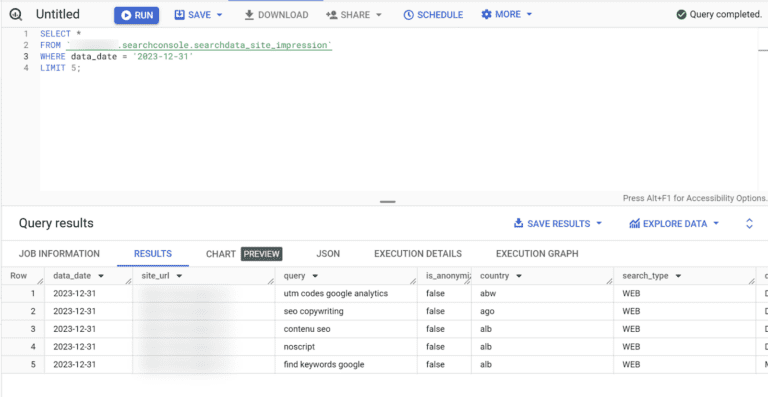
For instance, to explore a Google Search Console table for a specific day, you might employ a query like:

SELECT *

FROM `yourdata.searchconsole.searchdata_site_impression`

WHERE data_date = '2023-12-31'

LIMIT 5;

You always need to make sure that the FROM clause specifies your searchdata_site_impression table. That’s why it is recommended to start by clicking the table first, as it automatically fills in the FROM clause with the right table.

Important: We limit the data we load by using the data_date field. It’s a good practice to limit costs (along with setting a limit).

results from the first query we made shown in a table format

Your First URL Impression Query

If you want to see information for each URL on your site, you’d ask BigQuery to pull information from the ‘searchdata_url_impression’ table, selecting the ‘query’ and ‘clicks’ fields.

This is what the query would look like in the console:

SELECT

url,

SUM(clicks) AS clicks,

SUM(impressions)

FROM

`yourtable.searchdata_url_impression`

WHERE

data_date = ‘2023-12-25’

GROUP BY

url

ORDER BY

clicks DESC

LIMIT

100

You always need to make sure that the FROM clause specifies your searchdata_url_impression table.

When you export GSC data into BigQuery, the export contains partition tables. The partition is the date.

This means that the data in BigQuery is structured in a way that allows for quick retrieval and analysis based on the date.

That’s why the date is automatically included in the query. However, you may have no data if you select the latest date, as the data may not have been exported yet.

Breakdown Of The Query

In this example, we select the URL, clicks, and impressions fields for the 25th of December, 2023.

We group the results based on each URL with the sum of clicks and impressions for each of them.

Lastly, we order the results based on the number of clicks for each URL and limit the number of rows (URLs) to 100.

Recreating Your Favorite GSC Report

I recommend you read the GSC bulk data export guide. You should be using the export, so I will not be providing information about table optimization. That’s a tad bit more advanced than what we are covering here.

GSC’s performance tab shows one dimension at a time, limiting context. BigQuery allows you to combine multiple dimensions for better insights

Using SQL queries means you get a neat table. You don’t need to understand the ins and outs of SQL to make the best use of BigQuery.

This query is courtesy of Chris Green. You can find some of his SQL queries in Github.

SELECT

query,

is_anonymized_query AS anonymized,

SUM(impressions) AS impressions,

SUM(clicks) AS clicks,

SUM(clicks)/NULLIF(SUM(impressions), 0) AS CTR

FROM

yourtable.searchdata_site_impression

WHERE

data_date >= DATE_SUB(CURRENT_DATE(), INTERVAL 28 DAY)

GROUP BY

query,

anonymized

ORDER BY

clicks DESC

This query provides insights into the performance of user queries over the last 28 days, considering impressions, clicks, and CTR.

It also considers whether the queries are anonymized or not, and the results are sorted based on the total number of clicks in descending order.

This recreates the data you would normally find in the Search Console “Performance” report for the last 28 days of data, results by query, and differentiating anonymized queries.

Feel free to copy/paste your way to glory, but always make sure you update the FROM clause with the right table name. If you are curious to learn more about how this query was built, here is the breakdown:

  • SELECT clause:
    • query: Retrieves the user queries.
    • is_anonymized_query AS anonymized: Renames the is_anonymized_query field to anonymized.
    • SUM(impressions) AS impressions: Retrieves the total impressions for each query.
    • SUM(clicks) AS clicks: Retrieves the total clicks for each query.
    • SUM(clicks)/NULLIF(SUM(impressions), 0) AS CTR: Calculates the Click-Through Rate (CTR) for each query. The use of NULLIF prevents division by zero errors.
  • FROM clause:
    • Specifies the source table as mytable.searchconsole.searchdata_site_impression.
  • WHERE clause:
    • Filters the data to include only rows where the data_date is within the last 28 days from the current date.
  • GROUP BY clause:
    • Groups the results by query and anonymized. This is necessary since aggregations (SUM) are performed, and you want the totals for each unique combination of query and anonymized.
  • ORDER BY clause:
    • Orders the results by the total number of clicks in descending order.

Handling The Anonymized Queries

According to Noah Learner, the Google Search Console API delivers 25 times more data than the GSC performance tab for the same search, providing a more comprehensive view.

In BigQuery, you can also access the information regarding anonymized queries.

It doesn’t omit the rows, which helps analysts get complete sums of impressions and clicks when you aggregate the data.

Understanding the volume of anonymized queries in your Google Search Console (GSC) data is key for SEO pros.

When Google anonymizes a query, it means the actual search query text is hidden in the data. This impacts your analysis:

  • Anonymized queries remove the ability to parse search query language and extract insights about searcher intent, themes, etc.
  • Without the query data, you miss opportunities to identify new keywords and optimization opportunities.
  • Not having query data restricts your capacity to connect search queries to page performance.

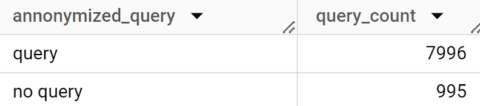
The First Query Counts The Number Of Anonymized Vs. Not Anonymized Queries

SELECT

CASE

WHEN query is NULL AND is_anonymized_query = TRUE THEN "no query"

ELSE

"query"

END

AS annonymized_query,

count(is_anonymized_query) as query_count

FROM

`yourtable.searchdata_url_impression`

GROUP BY annonymized_query

Breakdown Of The Query

In this example, we use a CASE statement in order to verify for each row if the query is anonymized or not.

If so, we return “no query” in the query field; if not, “query.”

We then count the number of rows each query type has in the table and group the results based on each of them. Here’s what the result looks like:

anonymized queries shown in results

Advanced Querying For SEO Insights

BigQuery enables complex analysis you can’t pull off in the GSC interface. This means you can also create customized intel by surfacing patterns in user behavior.

You can analyze search trends, seasonality over time, and keyword optimization opportunities.

Here are some things you should be aware of to help you debug the filters you put in place:

  • The date could be an issue. It may take up to two days for you to have the data you want to query. If BigQuery says on the top right corner that your query would require 0mb to run, it means the data you want isn’t there yet or that there is no data for your query.
  • Use the preview if you want to see what a field will return in terms of value. It shows you a table with the data.
  • The country abbreviations you will get in BigQuery are in a different format (ISO-3166-1-Alpha-3 format) than you are used to. Some examples: FRA for France, UKR for Ukraine, USA for the United States, etc.
  • Want to get “pretty” queries? Click on “more” within your query tab and select “Format query.” BigQuery will handle that part for you!
  • If you want more queries right away, I suggest you sign up for the SEOlytics newsletter, as there are quite a few SQL queries you can use.

Conclusion

Analyzing GSC data in BigQuery unlocks transformative SEO insights, enabling you to track search performance at scale.

By following the best practices outlined here for querying, optimizing, and troubleshooting, you can get the most out of this powerful dataset.

Reading this isn’t going to make you an expert instantly. This is the first step in your adventure!

If you want to know more, check out Jake Peterson’s blog post, start practicing for free with Robin Lord’s Lost at SQL game, or simply stay tuned because I have a few more articles coming!

If you have questions or queries, do not hesitate to let us know.

More resources:


Featured Image: Tee11/Shutterstock

Google Updates Web Stories Availability via @sejournal, @martinibuster

Google updated the Web Stories documentation to reflect that Web Stories will no longer appear in Google Images, among other changes.

Google Web Stories

Web Stories is a visual short content form that is designed for short moments like when riding on a bus. They’re visual with short sentences and are in a carousel form where swiping reveals the next “page” of the content.

Google calls them snackable content and visual storytelling.

This is how Google describes Web Stories:

“Web Stories immerse your readers in fast-loading full-screen experiences. Easily create visual narratives, with engaging animations and tappable interactions.
The Web Story format (formerly known as AMP Stories) is free and part of the open web and are available for everyone to try on their websites. They can be shared and embedded across the web without being confined to a closed ecosystem or platform.

Web Stories provide content publishers with a mobile-focused format for delivering news and information as visually rich, tap-through stories. Web Stories offers a robust set of advertising opportunities for advertisers and publishers to reach a unique audience on the web with immersive experiences.”

Changes to Availability

Web Stories are available in Google Search, which includes Google Discover. They were formerly available in Google Images but that is no longer the case.

According to Google’s Developer Pages changelog:

“Updated the availability of Web Stories
What: Updated the feature availability of Web Stories.

Why: To make sure our documentation aligns with how the feature appears in Google Search. Web Stories don’t appear in Google Images anymore, and the grid view is now a carousel view in Search results.”

Google Search Central Help Page For Web Stories

Google’s Search Central developer page for Web Stories was updated to reflect the changes to where Web Stories are available.

The first change to the documentation is a new heading that emphasizes that Web Stories are a part of Google Search.

This is the new heading:

“A Web Story on Google Search”

The next change is the removable of content about how web stories appear across Google, replaced with a new heading that emphasizes that Web Stories is a Search Feature.

The second new heading:

“Feature availability “

The most substantial change is the addition of a new paragraph that accompanies the above heading.

This is the new section:

Feature availability

“Web Stories can appear as a single result on Google Search, which is available in all regions and languages where Google Search is available. Web Stories can also appear in a carousel on Google Search, which is available in the United States (in English), India (in English and Hindi), and Brazil (in Brazilian Portuguese).

In the Discover feed, Web Stories can appear as a single card where you can tap through the story. While this appearance is available in all regions and languages where Google Discover is available, it’s most likely to appear in the United States, India, and Brazil.”

Read Google’s changelog entry for this change:

February 8 Updated the availability of Web Stories

Featured Image by Shutterstock/Bplanet

Google Clarifies the “Google-Extended” Crawler Documentation via @sejournal, @martinibuster

Google recently updated the documentation of its Google-Extended web crawler user agent, reflecting changes in product naming and clarifying the impact on search, which may be a concern for those who choose to block the crawler. The updated documentation offers clearer guidance on controlling content access for use in AI model training.

Google-Extended User Agent

Introduced on September 28, 2023, Google-Extended offers web publishers a user agent that can be used to control how their sites are crawled. Publishers can allow or disallow the Google-Extended user agent using the Robots Exclusion Protocol, giving them a way to opt-out of having their content scraped and included in AI training datasets.

Google describes Google-Extended as a “standalone product token” but that’s non-standard terminology for how publishers understand the concept of User Agents.

The original announcement described the new user agent:

“Today we’re announcing Google-Extended, a new control that web publishers can use to manage whether their sites help improve Bard and Vertex AI generative APIs, including future generations of models that power those products.

By using Google-Extended to control access to content on a site, a website administrator can choose whether to help these AI models become more accurate and capable over time.”

Blocking Google-Extended is done with the “Google-Extended” User Agent:

User-agent: Google-Extended
Disallow: /

Google Changelog

Google keeps a changelog of important updates made to guidance and communication with web publishers and the search marketing community. The changelog of Google’s developer pages announced a change to the Google-Extended documentation.

The revision comes after the renaming of Bard to Gemini Apps, specifying that Google-Extended’s indexing now contributes to Gemini Apps and Vertex AI generative APIs. The new wording reassures publishers that this does not affect Google Search, addressing potential concerns about the possible implications from opting out of Google-Extended AI data collection.


What Changed?

Google’s changelog clarifies that Google-Extended crawling is exclusive to Gemini Apps and has no impact on Google Search.

The Changelog advises:

“Updated the description of the Google-Extended product token
What: With the name change of Bard to Gemini Apps, we clarified that Gemini Apps is affected by Google-Extended, and, based on publisher feedback, we specified that Google-Extended doesn’t affect Google Search.”

The updated guidance no longer uses the Bard brand name, switching it out to Gemini. And the following sentence was added:

“Google-Extended does not impact a site’s inclusion or ranking in Google Search.”

Read Google’s updated crawler overview:

Overview of Google crawlers and fetchers (user agents)

Featured Image by Shutterstock/Ribkhan

Last Year’s Google Ranking Factors Changes, Explained via @sejournal, @BennyJamminS

This is an excerpt from SEJ’s Ranking Factors 2023 ebook with changes and updates to bring it up to date. SEO changes quickly!

Ranking factors are getting more difficult to fully categorize.

Today, Google uses the terms “systems” and “signals” more than “ranking factors.”

Google says, about how it ranks results:

“Google uses automated ranking systems that look at many factors and signals about hundreds of billions of web pages and other content in our Search index to present the most relevant, useful results, all in a fraction of a second.”

There are multiple ranking systems, and they all make use of different combinations of signals.

Google is (and has been for some time) shifting away from a model where a collection of quantitative factors determines ranking.

Instead, Google is building collections of qualitative signals that come together to approximate bigger – human – questions and decisions, such as:

Many SEO professionals are numbers people. Researchers. Data divers. Google releases a little bit of information about its algorithms, and we cling like limpets.

For many years, some have even attempted to use clues from interpreting patents to try and decipher the algorithmic impact of everything from social media to co-citation.

But Google patents aren’t the Constitution.

No ultimate document holds the secrets to the ranking algorithms – though I’d love to see a heist movie about stealing it from Google HQ. (We all know Nicholas Cage would take part.)

Interpreting patents is a good skill and can provide important insights.

But you should weigh the business impact of obsessing over individual elements against leaning into understanding your audience.

As algorithms get more complex and AI becomes more advanced, it’s only going to become more difficult to pinpoint the exact sources of data they use to make decisions.

Ranking factors aren’t going away; they’re evolving.

The cornerstones of ranking will always be there, but the more complexity gets added to the systems, the less it benefits us to interrogate every potential signal.

What The Heck Happened With “Page Experience” & What’s A Ranking System?

In April 2023, Google moved several entries from its “ranking systems” documentation and placed them elsewhere:

  • Page experience.
  • Mobile-friendliness.
  • Page speed.
  • Security and HTTPs.

Several SEO pros lost their collective cool over this change.

Google’s Search Liaison account on X (formerly Twitter) shared this statement:

“Our guidance on page experience is here, as we shared last week along with our blog post:

https://developers.google.com/search/docs/appearance/page-experience

It does *not* say page experience is somehow ‘retired’ or that people should ignore things like Core Web Vitals or being mobile-friendly. The opposite. It says if you want to be successful with the core ranking systems of Google Search, consider these and other aspects of page experience.

We also made an update to our page on ranking systems last week. Ranking *systems* are different than ranking *signals* (systems typically make use of signals). We had some things listed on that page relating to page experience as “systems” that were actually signals. They shouldn’t have been on the page about systems.

Taking them off didn’t mean we no longer consider aspects of page experience. It just meant these weren’t ranking *systems* but instead signals used by other systems.

The big takeaway? As our guidance on page experience says in the first sentence:

‘Google’s core ranking systems look to reward content that provides a good page experience.’ … ”

This seems to mean that the changes were a matter of organization and not any functional algorithm adjustment.

A ranking system is a broad application of signals that go toward a specific goal or evaluation.

Ranking systems can use ranking signals, but not necessarily all the time or for every query.

“Page experience” is not a ranking system.

However, it is a collection of ranking signals that multiple ranking systems can and do use to evaluate and reward pages with good user experience.

Click Data – The Antitrust Lawsuit & CTR As A Ranking Factor

A software engineer who left Google in November 2022 was called to give testimony during the antitrust suit against Google.

I started seeing chatter all over social media about his smoking gun statement on click data in ranking.

His testimony called attention to the probability that Google uses clicks and other data about interactions on SERPs in ranking algorithms and that Google is evasive about this fact to prevent SEO professionals from influencing the rankings.

This data may not be used for much longer, as Law360 reported: The former Googler’s testimony said the ‘situation is changing rapidly,’ and that Google now has systems that can be trained just as well without user data.

“Great,” I said to myself, “How many conclusions do I need to reassess?”

Thankfully, none so far. My first thought was CTR, but we’re still dubious about CTR as a ranking factor, even with the new information.

There’s a difference between live ranking signals and data used for analysis.

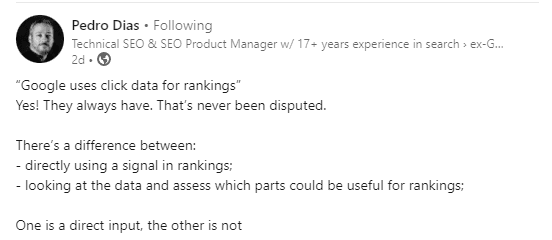
Ex-Google Search Quality team member Pedro Dias has a great take on this, saying in a LinkedIn post,

“There’s a difference between:

  • directly using a signal in rankings;
  • looking at the data and assess which parts could be useful for rankings”
LinkedIn screenshotScreenshot from LinkedIn, October 2023

Using data to analyze results and train algorithms is much, much different from using it live in result delivery. These signals are more likely used for training and evaluation purposes than live results ordering.

Instead of focusing on click metrics just as a direct ranking signal, consider them as a measure of how your user interacts with your page – because that is what matters. So either way, it can be considered important.

If you’re focusing on what matters – content, authority, user experience – then whether CTR and other user behavior is a ranking factor shouldn’t change your overall strategy.

You don’t have control over click data; you can only use it for measurement.

While there is increasing reason to believe that “click data” is used in search as a feedback mechanism, it’s not helpful for you to focus on it as a needle to move. Use it the way Google does: as an assessment tool.

User Signals In Search

The more we find out and with each new event, the more open to speculation the issue of user data seems to become.

When it comes to Appen, I can see arguments in both directions. It could be that Google plans to rely on automated algorithms and aggregate user data instead of human quality ratings.

Or this could simply speak to a cost-cutting decision in the midst of layoffs and unfavorable legal judgments.

As for the declining quality of search results, in my opinion, that’s an argument against the idea that user behavior data is a ranking factor.

People are unsatisfied with search results and in quite large numbers.

This being the case, an algorithm that accounts for user behavior should see this and adjust, right? This presents four alternative situations in my mind:

  1. The algorithms are, to use a technical term, completely borked.
  2. User behavior and click data are not direct ranking signals.
  3. Both of the above.
  4. The fourth situation requires reading into a recent Google announcement about the upcoming Gemini AI model and speculating about its meaning. At the end of this post, we find this:

“We’re already starting to experiment with Gemini in Search, where it’s making our Search Generative Experience (SGE) faster for users, with a 40% reduction in latency in English in the U.S., alongside improvements in quality.”

There are two things going on here:

  • “We’re already starting to experiment with Gemini in Search …”
  • “… making our Search Generative Experience (SGE) faster …”

Gemini is at least in Labs. Are some elements of it in live Search too?

Will a Gemini release herald an SGE release?

This is happening fast. Google could well have decided that the current algorithms aren’t capable of solving the current issues, and are, instead, moving ahead as quickly as possible with Gemini. This could change what we know about ranking signals and systems.

Will Google Use Click / Behavior Data As Ranking Signals In The Future?

There is still an argument supporting the fact that Google uses, or at least would like to use, behavioral data to rank content.

In fact, it’s objectively true that it already does this in YouTube search.

Engagement is one of the three pillars of YouTube search. On YouTube, user engagement signals, in aggregate, directly impact a video’s ranking on the platform.

In explaining how the YouTube search algorithm works, the documentation says:

“At YouTube Search, we prioritize three main elements to provide the best search results: relevance, engagement and quality. These three elements are given differing importance based on the type of search.

To estimate relevance we look into many factors, such as how well the title, tags, description, and video content match your search query.

Engagement signals are a valuable way to determine relevance. We incorporate aggregate engagement signals from users, i.e. we may look at the watch time of a particular video for a particular query to determine if the video is considered relevant to the query by other users.

Finally, for quality, our systems are designed to identify signals that can help determine which channels demonstrate expertise, authoritativeness, and trustworthiness on a given topic.”

In its documentation for creators about how to grow a channel, YouTube says this:

“Insider tip: Our algorithm doesn’t pay attention to videos, it pays attention to viewers.

So, rather than trying to make videos that’ll make an algorithm happy, focus on making videos that make your viewers happy.”

This is a pretty good indication that Google would absolutely use behavior and click signals in search if it could do so reliably.

Therein lies the problem. On YouTube, all the data it needs is right there, contained inside the platform.

This isn’t the case for Google Search because not all websites use Google Analytics, and not all users use Chrome.

In addition, it’s much easier to interpret positive and negative engagement behaviors with videos than it is text.

I believe these two things to be true:

  • Google knows that direct user feedback is the best way to determine whether content is “good” and would implement this into live results ordering in Search if it could.
  • Currently, and previously, this was not achievable algorithmically.

Who knows, maybe further development of AI will present new solutions.

This is a very roundabout way of saying:

User behavior data is probably used in search to fine-tune and evaluate results, but probably not to make in-the-moment delivery decisions. Even if it was used this way, it shouldn’t matter to you all that much because you can only control engagement by making better content, which should be your goal anyway.

The more interesting question right now is how the heck do we, as SEO professionals, advise people to stand by content best practices while the search results seem to reward spam?

Still working on that one.

More resources:


Featured Image: Paulo Bobita/Search Engine Journal

23 Alternative Search Engines You Can Use Instead Of Google via @sejournal, @ChuckPrice518

For over two decades, Google has been the search engine that most people use for everyday searches, product research, and staying up to date on the latest news.

Because of this market dominance, Google has also been the main search engine of focus for SEO and marketing professionals.

However, following the introduction of ChatGPT and Bing Chat, Google founders Larry Page and Sergey Brin reportedly returned to take an active role in Google’s plans to add chatbot features to Google Search.

Shortly after that, around May of 2023, Google introduced the chatbot Bard and Search Generative Experience in Google Search. As of writing this article, Google SGE is available in Google Labs only, and may roll out this year.

The next few years in search engine development will certainly be interesting.

However, no matter what happens, there are still several alternative search engines that offer distinct advantages over Google, such as enhanced privacy, specialized content, unique algorithms, and tailored user experiences.

Here are 20 of the best alternative search engines you can try.

AI-Powered Search Engines

Where search engines include AI chatbots based on large language models, they become prone to errors and hallucinations.

Always verify critical information you get from AI-based search engines, such as medical, financial, legal, safety, etc., using authoritative sources.

[Editor’s note: Creating content using generative AI is subject to the implications of a number of unresolved legal proceedings, and you should avoid publishing generative AI outputs as your own content.]

1. Bing.com

Bing.com
Screenshot from Bing.com

As of December 2023, Microsoft Bing sites handled 7.1% of all search queries in the United States.

One could argue that Bing outperforms Google in certain respects.

For starters, Bing has a rewards program that allows one to accumulate points while searching. These points are redeemable at the Microsoft and Windows stores, which is a nice perk.

In my view, the Bing visual search API is superior to its rivals and much more intuitive.

Bing Visual SearchScreenshot from Bing Visual Search, December 2023

Bing carries that same clean user experience to video, making it the go-to source for video searches without a YouTube bias.

On February 7, 2023, Bing announced an all-new, AI-powered version of its search engine called “Bing Chat,” which is now called Copilot.  The stated goal is to “deliver better search, more complete answers, a new chat experience, and the ability to generate content.”

Copilot (formerly Bing Chat)Screenshot from Copilot (formerly Bing Chat), December 2023

According to Satya Nadella, chairman and CEO of Microsoft, there are 10 billion search queries a day, but approximately half of those go unanswered. Bing is looking to fill that void.

2. Perplexity.ai

Perplexity.aiScreenshot from Perplexity.ai, December 2023

Perplexity.ai, founded in 2022, is an innovative alternative to Google that provides contextually rich answers and has 10 million monthly active users.

Unlike traditional search engines that primarily link to webpages, Perplexity.ai is a chatbot that directly answers questions by citing sources from which it fetches information, with an option to ask follow-up questions.

Perplexity.ai search result exampleScreenshot from Perplexity.ai, December 2023

This feature allows users to delve deeper into their initial queries by asking subsequent, related questions. This interactive approach mimics a conversational style, making it easier for users to refine their search and get more precise answers.

This evolving, dialog-based search experience positions Perplexity.ai as a compelling choice for users seeking a more intuitive and responsive search tool. Below is the feedback from Tobi Lütke, the CEO of Shopify, on Perplexity.ai.

Screenshot from x.com

However, since it uses LLMs for answer extraction, it can hallucinate, leading to incorrect or misleading answers.

3. You.com

Search Engine 'You'
Screenshot from You.com

You.com is an AI-powered search engine founded by Richard Socher, a prominent natural language processing (NLP) researcher and former chief scientist of Salesforce.

The site operates in two modes: a personal mode and a private mode.

In personal mode, users can configure their source preferences.  While in private mode, they enjoy a completely untraceable experience; no telemetry data is recorded.

The company also offers a Chrome extension, AI-powered image generation, and YouWrite, an AI writing assistant.

The open search platform encourages developers to build apps and contribute to a more open and collaborative internet.

A Revenue-Sharing Search Engine

4. Yep.com

Screenshot from Yep.com

Yep.com (by Ahrefs) promotes itself as being a search engine with a difference that emphasizes user privacy by not tracking users or selling their data.

It monitors the frequency of specific word searches and the popularity of certain links in terms of clicks. However, it doesn’t compile a personal profile for the purpose of targeted advertising.

It is designed to directly reward and compensate content creators by using a 90/10 revenue share business model.

This means that 90% of all advertising revenue goes directly to the creators of content, allowing them to earn money for their work.

In addition, this business model allows users to directly support their favorite content creators and ensures that content creators are fairly compensated.

A Copyright-Free Search Engine

5. Openverse

Screenshot from openverse.org

Openverse should be your first stop on the hunt for nearly any type of copyright-free content.

While Google provides a broader range of search results, Openverse stands out with its focus on a vast, searchable collection of open-source media, including images, audio, and videos.

This search engine is perfect if you need music for a video, an image for a blog post, or anything else without worrying about angry artists coming after you for ripping off their work.

Mainstream Search Engines

Mainstream search engines are the Google alternatives that have managed to maintain a modest market share over the past several years.

6. Yahoo.com

Screenshot from Yahoo.com

As of December 2023, Yahoo.com (Verizon Media) had a search market share of 2.37% in the US.

Yahoo’s strength is in diversification by offering services like email, news, finance, and more in addition to search.

Yahoo has been innovating and evolving for more than two decades.

It made a cryptic tweet on January 20 about making search cool again but did not take me up on my request to explain what that means.

TweetScreenshot from Twitter, February 2023

7. Ecosia

Screenshot from Ecosia.orgScreenshot from Ecosia.org, December 2023

Ecosia’s primary distinguishing feature is its commitment to using ad revenue for environmental purposes, specifically tree planting.

The company is a not-for-profit business and dedicates 100% of its profits to the planet, collaborating with local communities to plant and care for trees around the world.

It partners with Microsoft’s Bing to use its search index and web advertisement and offers a browser extension for quicker access to the search engine.

8. Aol

Screenshot from aol.comScreenshot from aol.com, December 2023

AOL Search is one of the first search engines on the Internet, with a market share of 0.08% in the US.

It relies on partnerships with Google and Bing for its search results.

Unlike Google’s broad focus, AOL leans towards curated content, prioritizing news, entertainment, and a mix of AOL-owned, syndicated, and external website results.
While AOL tracks user data to personalize its advertising, it’s generally considered less sophisticated compared to Google. Its targeting relies more on broad demographics and interests than the highly granular individual profiles Google often builds.

Privacy-Focused Search Engines

Privacy is an increasingly important issue among internet users.

Privacy-focused search engines prioritize users’ privacy, and their appeal is that they do not track users’ activities or collect personal data.

Some of the most popular include:

9. DuckDuckGo

Screenshot from DuckDuckGoScreenshot from DuckDuckGo, December 2023

As of December 2023, DuckDuckGo had a search market share of 1.77% in the United States.

DuckDuckGo is a search engine that could also fit into the mainstream category, but the primary “selling feature” is that it doesn’t collect or store any of your personal information.
Unlike Google, which collects extensive user data to personalize search results and advertisements, DuckDuckGo does not track or profile its users. This means that when you search on DuckDuckGo, your activity remains anonymous.

Because DuckDuckGo does not track search history or create user profiles, it does not offer filter options based on a user’s search history profile, and there are no persistent targeted ads.

That means you can run your searches in peace without having to worry about the boogeyman watching you through your computer screen.

DuckDuckGo is the perfect choice for those who wish to keep their browsing habits and personal information private.

DuckDuckGo Lite is the mobile version.

10. Startpage

Screenshot from StartpageScreenshot from Startpage, December 2024

Startpage is a search engine aggregation and does not crawl the web itself.

Instead, it utilizes a metasearch approach, fetching results from multiple search engines, including Google, Bing, DuckDuckGo, etc., and prioritizing links that appear in all.

It’s a great choice for those who prefer Google’s search results but aren’t keen on having their search history tracked and stored.

It also includes a URL generator, proxy service, and HTTPS support.

The URL generator is especially useful because it eliminates the need to collect cookies. Instead, it remembers your settings in a way that promotes privacy.

11. Swisscows

Screenshot from Swisscows.comScreenshot from Swisscows.com, December 2023

Swisscows is a unique option on this list, billing itself as a family-friendly semantic search engine.

It utilizes Bing for its web search capabilities but has also developed its own index for the German language edition.

It also prides itself on respecting users’ privacy, never collecting, storing, or tracking data.

It uses artificial intelligence to determine the context of a user’s query.

Over time, Swisscows promises to answer your questions with surprising accuracy.

12. Gibiru

Screenshot from Gibiru.comScreenshot from Gibiru.com, December 2023

According to its website, Gibiru features “Uncensored Private Search” with no retargeting and no selling of private data.

It claims its search results are sourced from a modified Google algorithm, so users are able to query the information they seek without worrying about Google’s tracking activities.

Gibiru earns commissions when users buy something or take action through its search results, aligning with its privacy-centric approach by not relying on personal data for advertising.

13. Brave

Screenshot from Brave.comScreenshot from Brave.com, December 2023

In 2023, Brave Search achieved full independence from other search engines like Bing. It now operates solely on its own index, a move that emphasizes user privacy and transparency in search results.

Brave Search has experienced rapid growth; as of December 2023, it had 24.57 million daily active users. This growth reflects the increasing popularity of privacy-focused search engines.

It features free video calls, offline playlists, and a customizable news feed.

Advanced security features like IPFS integration, Tor (Onion Routing), and a crypto wallet are also available.

Brave offers rewards for opting into privacy-preserving ads. It claims over 65 million people use its browser each month for a faster and safer web experience.

Knowledge-Based Search Engines

14. Wiki.com

Wiki.comScreenshot from Wiki.com, February 2023

Wiki.com pulls its results from thousands of wikis on the net.

It is the perfect search engine for those who appreciate community-led information, as found on sites like Wikipedia.

15. X (Formerly Twitter)

Screenshot from X
Screenshot from X

X is hard to beat as a real-time search engine.

It’s the perfect place to go for minute-by-minute updates in case of an emergency.

Google will catch up eventually, but nothing beats a tweet in the heat of the moment.

To make the most of it, check out our guide to X/Twitter Advanced Search.

16. SlideShare

Screenshot from SlideShareScreenshot from SlideShare, December 2023

SlideShare allows you to search for documented slideshow presentations.

You can also search for ebooks and PDFs, making it an excellent tool if you have a business presentation to prepare for.

SlideShare also allows you to save slides and even download the entire slideshow for use on your local computer.

17. Wayback Machine

Screenshot from archiveScreenshot from archive.org, December 2023

Internet Archive, a.k.a. the Wayback Machine, is great for researching old websites, but it’s also so much more.

As the name implies, this search engine queries a massive collection of documented material, including millions of free videos, books, music, and software.

Essentially, the Internet Archive is a vast online library where you can access just about anything you could imagine.

Specialized Search Engines

Specialized search engines cater to particular needs, providing results based on specific criteria. For example:

18. WolframAlpha

Screenshot from WolframAlpha.comScreenshot from WolframAlpha.com, December 2023

WolframAlpha is a computational knowledge engine that allows you to compute answers to problems and search through expert-level data on a variety of subjects, from algebra to words and linguistics.

It also offers Pro features for individuals, students, and educators who need professional-grade computation and analysis of imported data.

Pricing starts at $5.49 per month.

19. LinkedIn

Screenshot from LinkedinScreenshot from LinkedIn, December 2023

LinkedIn, recognized as a professional networking platform, is increasingly being utilized as a business-focused search engine which has 61 million searches a week.

LinkedIn‘s search algorithm for organizations considers the uniqueness and specificity of an organization’s LinkedIn Page name, as generic names tend to yield broad, less relevant results.

For instance, an organization named “Innovative Tech Solutions” would likely rank higher than one named “Professional Technology Services” due to the uniqueness of the name.

However, overloading a profile with keywords can be counterproductive, as it might trigger spam detection algorithms and negatively impact search visibility.

The algorithm also factors in the number of Page followers, connections between the Page and the searcher, the activity level on the Page, and the ratio of relevant search terms in the organization’s name.

International Search Engines

International search engines cater to specific regions and provide results based on local language and culture.

Some popular international search engines include:

20. Baidu

Screenshot from Baidu.com

Baidu is the largest search engine in China and has a 66% market share there.

Like Google, it offers a broad range of services, including maps, music, videos, and an app store.

Baidu also has a mobile browser and mobile app.

21. Yandex

Screenshot from YandexScreenshot from Yandex, December 2023

Yandex is used by more than 69% of Russian internet users. It is also used in Belarus, Kazakhstan, Turkey, and Ukraine.

Yandex is an overall easy-to-use search engine.

As a bonus, it offers a suite of some pretty cool tools.

It had a data leak in January 2023, leaving many speculating about the relevance of what was revealed.

22. Sogou

Screenshot from SogouScreenshot from Sogou, December 2023

Sogou is a Chinese search engine that is growing in popularity and has a 5% market share in China.

Sogou Search is an interactive search engine supporting WeChat, article search, English search and translation, and more.

It prides itself on providing users with professional, accurate, and convenient search through self-developed artificial intelligence algorithms.

23. Naver

NaverScreenshot from naver.com, December 2023

Naver is a popular search engine in South Korea with a 34% market share in the country. It offers a range of services, including blogs, news, music, and shopping.

It also has a mobile app for searching on the go.

Naver is a great option for those looking for a search engine tailored to the Korean market.

The Takeaway

Google may be the most popular choice in search engines, but it may not always be the best choice, depending on your needs and priorities.

Alternative search engines can offer a wide range of benefits, including a better search experience and higher levels of privacy.

Nonetheless, do yourself a favor and give some of these a try.

More Resources:


Featured Image: Dilok Klaisataporn/Shutterstock

2024 SEO Outlook: Priorities, Challenges & Growth Strategies via @sejournal, @hethr_campbell

The search industry is always throwing a new curveball your way – and recently, the world of SEO saw many major shifts, from AI to SGE.

So how do you respond to the disruptions caused by technology advancements and algorithm changes?

How can you adapt your strategy to not just keep up with the latest trends, but stay steps ahead?

Join us on February 21 for an exclusive webinar with Conductor, where we’ll explore the seismic shifts, emerging trends, and imminent challenges shaping SEO in 2024.

Shannon Vize, Conductor’s Sr. Content Marketing Manager, and Ryan Maloney, Conductor’s SEO Success Manager will share exclusive survey data from today’s top SEOs and digital marketers to help you navigate search in the era of AI.

Register now to get the insights you need to guide you through the twists and turns of this ever-evolving landscape.

3 key takeaways from this webinar:

  • Top SEO priorities and challenges of 2023 and what’s changed for 2024.
  • The role of AI in SEO – anticipated disruption of SGE and AI overall, plus SGE-specific SEO priorities.
  • Winning SEO resourcing strategies and reporting insights to fuel success.

In this live session, you’ll discover:

The State of SEO in 2023: Learn about the most significant transformations in SEO last year and what they mean for your strategy. Take a retrospective dive into the biggest trends that impacted SEO pros in 2023, what worked for them, what didn’t, and the lessons that set the stage for the year ahead.

Shifting Priorities in SEO for 2024: This dynamic digital realm demands adaptability, and what worked yesterday might not be what drives results for your business in 2024. We’ll cover what it takes to stay relevant this year, from content strategies to user experience, and beyond.

SEO Responses to Generative AI Disruptions: Generative AI advancements, like Google’s SGE, have reshaped the search landscape, influencing how content is created, discovered, and ranked. We’ll be uncovering new tactics to help you harness the benefits of generative AI and mitigate potential pitfalls.

The Role of AI in SEO Overall: Explore how SEO professionals are integrating AI into their workflows, leveraging machine learning algorithms for enhanced insights, and redefining the boundaries of what’s achievable in the search landscape.

Are you ready to start charting your course for SEO success this year?

Sign up now and learn the top priorities, challenges, and trends in SEO last year, as well as projections for 2024. 

We’re sharing new expert insights to inform your strategy and put you ahead of the curve. Don’t miss out!

Plus, if you stick around for the live Q&A session, you’ll get a chance to ask your most burning SEO questions and get expert answers on the spot.

Get Ready For Google’s INP Metric With These 5 Tools via @sejournal, @martinibuster

Interaction to Next Paint (INP) is a new Core Web Vital metric focused on responsiveness that is scheduled to replace First Input Delay on March 4, 2023. Optimizing for INP is easier with the right tools to monitor and track it.

What Is Interaction to Next Paint (INP)?

INP measures the amount of time a site visitor waits after doing something like clicking a button or typing and the time it takes for the website to provide a visual feedback. INP is a metric showing the amount of time visual feedback is blocked after a user interaction.

The idea behind this metric is that an unresponsive webpage is a poor user experience. For example, adding a product into a shopping cart should immediately produce a visual feedback response showing the site visitor that the interaction was responded to. In that specific example, INP is not measuring the time it takes to add a product to the shopping cart, it only measures how long the visual feedback of that action is blocked.

Lower INP scores mean fast response times, which is the goal. Good INP scores are those under 200 milliseconds.

JavaScript and CSS are the primary targets to look at for INP optimization.

INP measures the following user interactions:

  • Mouse clicks
  • Taps on devices that have a touchscreen.
  • Pressing on a keyboard (both physical and virtual keyboards)

INP Measurement And Optimization Tools

There is no tool that can singlehandedly fix INP problems because the problems originate in the JavaScript and CSS used by themes, plugins, features and extra functionalities used on a webpage.

For example, installing and using an image carousel or animation effects will load extra JavaScript and CSS code which can negatively impact INP scores. Minifying JavaScript and CSS isn’t always the solution, which means a key step for optimizing for Interaction To Next Paint is to audit the code and identify anything that doesn’t help the webpage and the user achieve their purpose.

Thus, the key functionality of an INP optimization tool is to identify what’s blocking or delaying the visual feedback from a user interaction.

5 Interaction To Next Paint Diagnostic Tools

1. Site Kit by Google – Analytics, Search Console, AdSense, Speed
WordPress Plugin By Google

Site Kit by Google, with over 4 million WordPress installations, is one of the most powerful ways to integrate Google search data into a WordPress dashboard for easy access while inside WordPress.

This tool displays PageSpeed Insights and Search Console data, including actionable advice on what to improve.

2. DebugBear Interaction to Next Paint Tool (Free And Paid Versions)
Free INP Debugger

DebugBear is a popular page speed monitoring tool that has a pro version that offers scheduled tests, event notifications, performance tests that preview impacts before live deployment another benefits.

But it also offers free tools like this excellent Interaction to Next Paint tool that will crawl a webpage and diagnose issues and provide actionable tips for fixing Interaction To Next Paint issues.

3. Web Vitals Chrome Extension

This Chrome extension offers core web vitals metrics, including INP. A useful feature of this extension is the unique heads up display (HUD) that overlays the webpage which can be helpful when developing or making changes to a webpage.

4. TREO Site Speed

The Treo site speed tool offers incredibly fast Page Speed tools with an attractive user interface that’s easy to read and understand.

Screenshot of Treo CWV tool

5. Chrome Web Vitals Library
There is an advanced tool for measuring core web vitals metrics from actual site visitors that can be deployed by individual publishers on their own web servers. This tool can enable publishers to see real core web vitals scores that are useful for troubleshooting actual webpage issues. An overview and explainer is available here.

Get Ready For INP

While INP might not be a direct ranking factor, INP is still a useful metric for creating the fastest page experience because site speed is known to improve sales, clicks and ad views and it aligns with signals that Google uses for ranking.

Featured Image by Shutterstock/Kues

Google Case Study Reveals Search Console Evolution Via APIs via @sejournal, @martinibuster

New Google case study shows how Search Console APIs allows data to be reviewed and manipulated within a CMS or a proprietary SEO dashboard. While the article is a case study, a call to action at the end of the article reveals how Google is using APIs to transform search console from a SaaS to a data stream that can be manipulated in the GUI of your choice.

Application Programming Interface (API)

API is a widely used technology that acts as a bridge between two applications that enables one to manipulate the other. It’s use is everywhere, particularly in WordPress where an API can allow a plugin to access and manipulate the website information contained in the database.

Wix Case Study

The collaboration between Google and Wix embedded Google’s Search Console APIs within the Wix dashboard, streamlining the SEO process for millions of Wix users globally.

Users benefit by gaining easy access to useful insights and functionalities of Google Search Console within the familiar Wix dashboard, keeping a unified experience within Wix without having to learn a different user interface.

Implementation and User Benefits

Wix’s integration strategy focused on leveraging Google APIs to enhance its own SEO tools that users are already familiar with. The process involved choosing and integrating specific Google functionalities that complement Wix’s user interface (dashboard UI), resulting in a more intuitive experience of Google’s search console features.

The case study reports that users who integrated search console APIs experienced an average increase in traffic of 15% over the course of one year.

Ecommerce sites experienced a 24% increase in Gross Product Value compared to Wix similar Wix ecommerce sites that did not use the search console API integrations.

According to the case study:

“So far, over 2 million Wix sites connected their Search Console account and submitted a sitemap to Google through the new integration. They also regularly used the new features, such as Site Inspection and Analytics Reports to troubleshoot indexing errors, fix them and get insights on resulting changes in performance. “

APIs Enables Evolution Of Search Console

The successful integration of Google’s APIs into Wix’s platform demonstrates the value of collaborations between Google and companies that offer content management systems, including webhosts that develop their own point and click web builders based on WordPress.

But another goal of the case study is to show how inhouse SEO tools and dashboards can integrate Google Search Console functionalities through the use of APIs.

It’s not until the end of the case study that Google discretely makes a call to action soliciting organizations to contact them through a web form or Twitter.

The article writes:

“If you’re a CMS and interested in collaborating with us, reach out using this form or through our social media.”

The call to action shows how the API is changing how Google’s search console data is accessed and pointing toward a trend where it’s less about signing in to search console to view data within Google’s user interface.

APIs already enable importing search console data into Screaming Frog to combine it with crawl data and of course there are WordPress plugins that can use it, too. The Wix case study shows a novel application that showcases the flexibility of how search console data can be used in the future beyond how it’s currently accessed.

Read Google’s Wix case study:

How Wix generated value for their users by integrating stats and functionality via Google APIs directly into the Wix UI

Featured Image by Shutterstock/Catalyst Labs