AI Has Changed How Search Works via @sejournal, @marie_haynes

This extract is from SEO in the Gemini Era by Marie Haynes ©2024 and reproduced with permission from Marie Haynes Consulting Inc.

Much of the SEO advice you will see online today is borne from shared community wisdom that was learned about Search in the days before Google was actively using AI.

So much of what many of us do as SEOs and treat as standard practice is based on a search engine that was a list of heuristics – handwritten rules programmed by humans. So much has changed.

For example, let’s say you are tasked with creating a new article for the website you are working on.

You’ll likely start with keyword research because we know that in order to appear relevant to a search engine, you need to write content that covers a topic thoroughly and uses keywords that are semantically related to your topic.

So much of the content that we have on the web today is borne from a process that looks like this:

  • Do keyword research to see what your competitors have written.
  • Create content that’s similar but perhaps a little bit better, or more comprehensive than theirs.
  • Do keyword research to see what other people have covered, but you have not included.
  • Create content that covers that stuff too.
  • Do People Also Ask research to find related questions to cover so that we can write content that looks even more relevant and comprehensive to search engines.
  • Create more content to answer those questions even though Google already has content to answer them.

Nothing in that process is causing us to create content that truly is original, insightful, and substantially more helpful than what exists online.

Yet, that is what Google wants to reward!

An SEO agency will often spend many hours each month improving the technical SEO of a site, improving the internal link structure, or perhaps getting external links and mentions. These are all things that can possibly help a webpage to look better to a search engine.

They are not bad things to do and some of them have the potential to help a site improve. But again, those things are unlikely to make the content on a page substantially more helpful to searchers, which is, once again, what Google wants to reward.

I want to be clear here. I’m not saying that technical SEO is dead.

There are benefits to be had by having a technically sound, fast site that search engines can easily navigate and understand, especially if you have a large site.

Schema can still do wonders when it comes to helping Google understand your business and its E-E-A-T, especially a new one. There are some verticals where technical improvements will give you enough advantage to improve rankings to some degree.

There is one thing that makes content more helpful.

Are you ready for this deep, insightful secret?

Here it is…

The secret to having content that is likely to be considered by Google as more helpful than others’ is to have content that users are finding helpful.

A Mindset Shift Is Needed For SEOs

For more than a decade now, my main source of income has come from advising businesses how to improve their search presence.

I have pored over every word Google has published that talks about what it is that they want to reward and have produced pages and pages of checklists, training documents and advice.

I had one goal: Help people understand what it is that Google rewards, and help them become that result.

Do you see the paradox that is hidden in that statement? The more I think about it, it’s laughable!

I didn’t realize the whole time that while I was preaching on creating People-first content, as Google now calls it, much of what I was doing was geared far more towards satisfying Google than searchers.

Other SEOs are catching on to this mindset as well now. What users do on our websites matters immensely. The actions of users shape Google’s rankings dramatically.
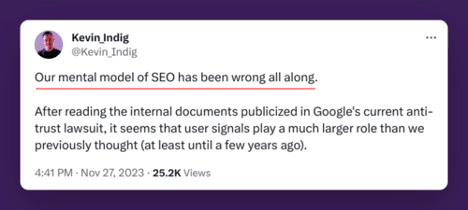
Kevin Indig's take on SEO tweetScreenshot from X/Twitter, July 2024

I have historically treated Google’s guidance on creating helpful content as a checklist of things we could look to for improvement.

Have an author bio? Check. Good descriptive heading? Check. Demonstrating experience? Information gain? Another check.

My first book on creating helpful content takes you through multiple checklists like this. You can see improvement by working through these checklists.

Actually, I know this as I commonly will have people reach out to me to tell me that they have implemented changes based on the checklists and have been seeing improvements.

But, it turns out what Google gave us was not a list of criteria to be analyzed as a checklist!

I realize now that what Google was telling us was: Our systems are built to reward the types of things that people tend to find helpful and reliable. And if you want to know what that is, here are some ideas.

It’s not a checklist, but rather, a list of the types of things that searchers tend to like. The algorithm is built to reward what it is that searchers like.

An author bio isn’t a ranking factor, but, in many verticals, demonstrating the experience of your authors is something that users like.

Core web vitals, metrics used to measure load time and other similar things, used to be a score we’d aim to get…but really, the reason we work to improve on core web vital scores is because users tend to like pages that load fast and don’t jump around.

It’s not like Google has a checklist or a scorecard when it comes to the quality of every page. Google doesn’t know exactly what your content is or whether it is high quality.

As we discussed earlier, search is a complex AI driven system that is trying to predict what searchers are going to find helpful.

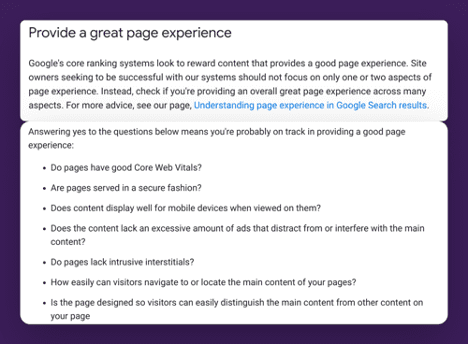
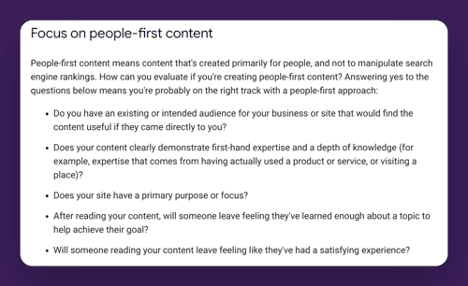
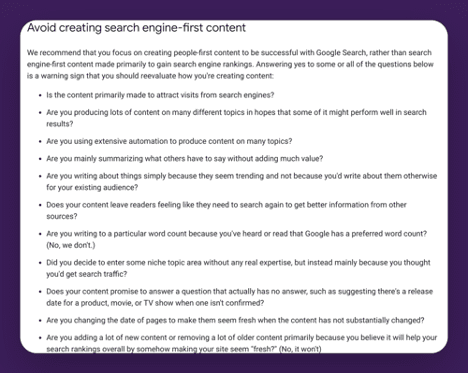
Here are the full list of “ideas” Google gives us to help us understand what searchers might find helpful:
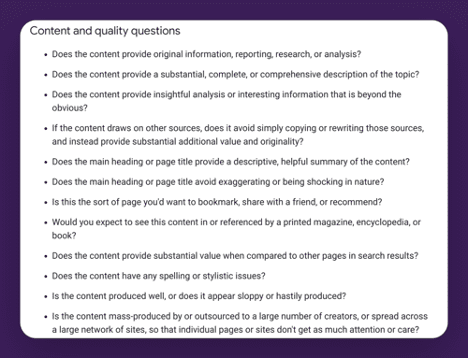
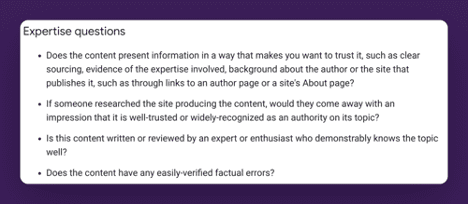
Content and quality questions

Expertise questions

Expertise questions

Provide a great page experience

Focus on people first content

Avoid creating search engine-first content

In the past I’ve taught on looking at these ideals one by one for inspiration on how you can improve your site. I still think there is great value in doing this.

But, now I realize I was missing the main point. I have been thinking about helpful content like an SEO.

If you are truly creating People-First content, you will already be aligned with Google’s helpful content recommendations.

I had it the wrong way around.

If you know what your audience’s needs are, and know the questions that they have, and you create content that answers those questions you are on your way to creating the type of People-First Content Google wants to reward.

People First Content Is:

  • Usually created by people with real world experience on a topic. A store that sells a product to real customers is more likely to produce helpful content advising people on that product. A person who advises professionally on a topic, is more likely to have fresh content that understands the current needs of that audience.
  • There is an exception to this: Sometimes authority can trump experience. We see this when a website like Forbes is ranking for [BBQ reviews]. In this case, Forbes is likely seen as a place that users trust for its overall authority in journalism. It’s got sufficient E-E-A-T to be considered a trustworthy answer for this query. And as long as searchers are indicating they are satisfied, it will continue to rank. (I think this will change though as we learn to create truly helpful content. We should start to see more truly helpful content from topic experts recommended.)
  • Content that provides real value to searchers.
  • Written clearly and concisely in a manner that is easy to understand.
  • Original and insightful.

But how does Google determine this?

In the next section we’ll talk about something that has been mostly unknown to SEOs until just recently – just how much Google uses user engagement signals.

It turns out that Google knows what it is that’s helpful to people because signals from every single interaction that happens in search are fed back into machine learning systems with one goal in mind – for the systems to learn how to best work together to create present the searcher with information that they are most likely to find helpful.

Notes

[1] Creating Helpful Content. Marie Haynes. 2023. https://mariehaynes.com/product/creating-helpful-content-workbook/


To read the full book, SEJ readers have an exclusive 20% discount for Marie’s book, workbook and course bundle. The discount will be applied automatically by following these links:


More resources:


Featured Image: MT.PHOTOSTOCK/Shutterstock
The Reason Why Google Uses The Word “Creators” via @sejournal, @martinibuster

Google’s SearchLiaison responded to criticism over how they refer to website publishers with an answer that reflects not just changing times but also the practical reasons for doing so. The answer reflects how important it is for digital marketing to maintain the flexibility to bend with change.

Change: There Isn’t Always A Motivation

The discussion began with a tweet by someone who objected to the use of the phrase “creators” instead of other terms like businesses or publishers because the word creators minimizes the fact that there are businesses behind the websites.

This is the tweet:

“Notice the term “creators” in this piece. This is an example of Google’s successful effort to change the narrative. In the past they have used “publishers”, “businesses”, and just “web sites”. But “creators” minimizes business impact. And clearly some are falling for the trap.”

Keeping Up With The Pace Of Change

SearchLiaison’s response reflected something that is commonly misunderstood, which is that everything changes, including fashion, customs, norms and even speech. Those who lack self-awareness on this point will blink and miss it when the page turns on their generation and another one steps forward to take take their place at the center of the world.

This is especially true for SEO, where Google typically is a brand new search engine every five years.

This is SearchLiaison’s answer:

“We used to say “webmasters” in the past, and that doesn’t really speak to so many people who have an interest in appearing in search results. That’s in part why we have tended to say “creators” more — though not exclusively — for years now. It’s not a particularly new thing. It’s also why Search Central got its new name in 2020, the whole “webmasters” isn’t really that inclusive (or used) term: https://developers.google.com/search/blog/2020/11/goodbye-google-webmasters

“Publishers” tends to be heard by and used by those involved in news publishing. Businesses often just think of themselves as businesses. SEOs tend to be SEOs, and if you use that term, you exclude those who don’t think of SEOs but want to understand some of the things we share.

So “creators” tends to be the catch-all term we used, as imperfect as it is, because sometime you really need one term rather than “Here’s what creators and SEO and businesses and brands and news publishers and etc etc should know about something….”

All that said, I am seeing more of a need to use creators as less a catch-all and more to refer to people like Brandon who really do view themselves as content creators first-and-foremost. The work they do can be much different than an SEO, or a content marketer, or a local business and so on.”

And in a follow up he continued:

“We do say web sites when talking about web sites. But “web sites” isn’t a term that’s workable when addressing the people who are involved with web sites and have questions about their content appearing in search results.”

Ephemeral Quality Of Digital Marketing

It’s not just Google that changes, people change as well. Demand for certain products peak and then disappear. Ringtones used to be the hot affiliate product and then it was not. Technology drives change as well, as we’re currently seeing with AI.

Google’s choice of the word creators is a small marker of change. You can roll with it or simply roll your own.

Featured Image by Shutterstock/Mix and Match Studio

Google’s Indifference To Site Publishers Explained via @sejournal, @martinibuster

An interview with Google’s SearchLiaison offered hope that quality sites hit by Google’s algorithms may soon see their traffic levels bounce back. But that interview and a recent Google podcast reveal deeper issues that may explain why Google seems indifferent to publishers with every update.

The interview by Brandon Saltalamacchia comes against the background of many websites having lost traffic due to Google’s recent algorithm updates that have created the situation where Google feels that their algorithms are generally working fine for users while many website publishers are insisting that no, Google’s algorithms are not working fine.

Search ranking updates are just one reason why publishers are hurting. The decision at Google to send more traffic Reddit is also impacting website owners. It’s a fact that Reddit traffic is surging.  Another issue bedeviling publishers is AI Overviews, where Google’s AI is summarizing answers derived from websites so that users no longer have to visit a website to get their answers.

Those changes are driven by a desire to increase user satisfaction. The problem is that website publishers have been left out of the equation that determines whether the algorithm is working as it should.

Google Historically Doesn’t Focus On Publishers

A remark by Gary Illyes in a recent Search Off The Record indicated that in Gary’s opinion Google is all about the user experience because if search is good for the user then that’ll trickle down to the publishers and will be good for them too.

In the context of Gary explaining whether Google will announce that something is broken in search, Gary emphasized that search relations is focused on the search users and not the publishers who may be suffering from whatever is broken.

John Mueller asked:

“So, is the focus more on what users would see or what site owners would see? Because, as a Search Relations team, we would focus more on site owners. But it sounds like you’re saying, for these issues, we would look at what users would experience.”

Gary Illyes answered:

“So it’s Search Relations, not Site Owners Relations, from Search perspective.”

Google’s Indifference To Publishers

Google’s focus on satisfying search users can in practice turn into indifference toward publishers.  If you read all the Google patents and research papers related to information retrieval (search technology) the one thing that becomes apparent is that the measure of success is always about the users. The impact to site publishers are consistently ignored. That’s why Google Search is perceived as indifferent to site publishers, because publishers have never been a part of the search satisfaction equation.

This is something that publishers and Google may not have wrapped their minds around just yet.

Later on, in the Search Off The Record  podcast, the Googlers specifically discuss how an update is deemed to be working well regardless if a (relatively) small amount of publishers are complaining that Google Search is broken, because what matters is if Google perceives that they are doing the right thing from Google’s perspective.

John said:

“…Sometimes we get feedback after big ranking updates, like core updates, where people are like, “Oh, everything is broken.”

At the 12:06 minute mark of the podcast Gary made light of that kind of feedback:

“Do we? We get feedback like that?”

Mueller responded:

“Well, yeah.”

Then Mueller completed his thought:

“I feel bad for them. I kind of understand that. I think those are the kind of situations where we would look at the examples and be like, “Oh, I see some sites are unhappy with this, but overall we’re doing the right thing from our perspective.”

And Gary responded:

“Right.”

And John asks:

“And then we wouldn’t see it as an issue, right?”

Gary affirmed that Google wouldn’t see it as an issue if a legit publisher loses traffic when overall the algorithm is working as they feel it should.

“Yeah.”

It is precisely that shrugging indifference that a website publisher, Brandon Saltalamacchia, is concerned about and discussed with SearchLiaison in a recent blog post.

Lots of Questions

SearchLiaison asked many questions about how Google could better support content creators, which is notable because Google has a long history of focusing on their user experience but seemingly not also considering what the impact on businesses with an online presence.

That’s a good sign from SearchLiaison but not entirely a surprise because unlike most Googlers, SearchLiaison (aka Danny Sullivan) has decades of experience as a publisher so he knows what it’s like on our side of the search box.

It will be interesting if SearchLiaison’s concern for publishers makes it back to Google in a more profound way so that there’s a better understanding that the Search Ecosystem is greater than Google’s users and encompasses website publishers, too. Algorithm updates should be about more than how they impact users, the updates should also be about how they impact publishers.

Hope For Sites That Lost Traffic

Perhaps the most important news from the interview is that SearchLiaison expressed that there may be changes coming over the next few months that will benefit the publishers who have lost rankings over the past few months of updates.

Brandon wrote:

“One main take away from my conversation with Danny is that he did say to hang on, to keep doing what we are doing and that he’s hopeful that those of us building great websites will see some signs of recovery over the coming months.”

Yet despite those promises from Danny, Brandon didn’t come away with hope.

Brandon wrote:

“I got the sense things won’t change fast, nor anytime soon. “

Read the entire interview:

A Brief Meeting With Google After The Apocalypse

Listen to the Search Off The Record Podcast

Featured Image by Shutterstock/Roman Samborskyi

Google Says There’s No Way To Block Content From Discover Feed via @sejournal, @MattGSouthern

Google officials confirmed on X (formerly Twitter) that there’s no way to block content from appearing in Google Discover, despite the ability to do so for Google News.

The conversation was initiated by Lily Ray, who raised concerns about a common challenge where certain content may not be suitable for Google News or Discover but performs well in organic search results.

Ray states:

“We have experienced many situations with publisher clients where it would be helpful to prevent some content from being crawled/indexed specifically for Google News & Discover.

However, this content often performs incredibly well in organic search, so it’s not a good idea to noindex it across the board.

This content often falls in the grey area of what is forbidden in Google’s News & Discover guidelines, but still drives massive SEO traffic. We have noticed that having too much of this content appears to be detrimental to Discover performance over time.

Outside of your guidelines for SafeSearch – has Google considered a mechanism to prevent individual pages from being considered for News/Discover?”

Google’s Response

In response to Ray’s question, Google’s Search Liaison pointed to existing methods for blocking content from Google News.

However, upon checking with John Mueller of Google’s Search Relations team, the Liaison confirmed these methods don’t extend to Google Discover.

The Search Liaison stated:

“John [Mueller] and I pinged, and we’re pretty sure there’s not an option to just block content from Discover.”

Recognizing the potential value of such a feature, he added:

“That would seem useful, so we’ll pass it on.”

What Does This Mean?

This admission from Google highlights a gap in publishers’ ability to control how Google crawls their content.

While tools exist to manage content crawling for Google News and organic search results, the lack of similar controls for Discover presents a challenge.

Google’s Search Liaison suggests there’s potential for more granular controls, though there are no immediate plans to introduce content blocking features for Discover.


Featured Image: Informa Plus/Shutterstock

Google Renders All Pages For Search, Including JavaScript-Heavy Sites via @sejournal, @MattGSouthern

In a recent episode of Google’s “Search Off The Record” podcast, Zoe Clifford from the rendering team joined Martin Splitt and John Mueller from Search Relations to discuss how Google handles JavaScript-heavy websites.

Google affirms that it renders all websites in its search results, even if those sites rely on JavaScript.

Rendering Process Explained

In the context of Google Search, Clifford explained that rendering involves using a headless browser to process web pages.

This allows Google to index the content as a user would see it after JavaScript has executed and the page has fully loaded.

Clifford stated

“We run a browser in the indexing pipeline so we can index the view of the web page as a user would see it after it has loaded and JavaScript has executed.”

All HTML Pages Rendered

One of the podcast’s most significant revelations was that Google renders all HTML pages, not just a select few. Despite the resource-intensive process, Google has committed to this approach to ensure comprehensive indexing.

Clifford confirmed:

“We just render all of them, as long as they’re HTML and not other content types like PDFs.”

She acknowledged that while the process is expensive, accessing the full content of web pages, especially those relying heavily on JavaScript, is necessary.

Continuous Browser Updates

The team also discussed Google’s shift to using the “Evergreen Googlebot” in 2019.

This update ensures that Googlebot, Google’s web crawling bot, stays current with the latest stable version of Chrome.

This change has improved Google’s ability to render and index modern websites.

What This Means for Website Owners & Developers

  1. Good news for JavaScript: If your website uses a lot of JavaScript, Google will likely understand it.
  2. Speed still matters: Although Google can handle JavaScript better, having a fast-loading website is still important.
  3. Keep it simple when you can: While it’s okay to use JavaScript, try not to overdo it. Simpler websites are often easier for both Google and visitors to understand.
  4. Check your work: Use Google’s free tools, like Fetch As Google, to ensure search crawlers can render your site.
  5. Think about all users: Remember that some people might have slow internet or older devices. Ensure your main content works even if JavaScript doesn’t load perfectly.

Wrapping Up

Google’s ability to handle JavaScript-heavy websites gives developers more freedom. However, it’s still smart to focus on creating fast, easy-to-use websites that work well for everyone.

By keeping these points in mind, you can keep your website in good shape for both Google and your visitors.

Listen to the full podcast episode below:

Holistic Search Strategies: Attain Superior Growth & ROI With Organic & Paid Tips via @sejournal, @hethr_campbell

Silos don’t cut it anymore. User journeys are too complex for you to view and track channels separately.

To improve your campaign performance, you need a holistic view of your marketing activities and how they intertwine. This is especially true for organic and paid search strategies. 

You need to be front and center with your ideal customers at multiple touchpoints, including active interactions and passive awareness. An ideal marketing strategy has paid and organic campaigns working in tandem, and it’s becoming harder to succeed without doing both.

If you’re looking to drive quality growth in your own campaigns, iQuanti can help.

Join us live on July 24 as we delve into this intricate relationship between organic and paid search channels. You’ll get actionable insights for measuring success to maximize their combined potential.

You’ll gain a comprehensive, data-driven understanding of how to measure, analyze, and optimize holistic search marketing efforts, ensuring sustainable growth and superior ROI for your business.

You’ll walk away with:

  • Integrated Metrics and KPIs: Learn how to define and track key metrics to capture the performance of your organic and paid search campaigns, so you can make informed strategic decisions that work.
  • Attribution Models: You’ll see firsthand how strong attribution models are crucial to understanding your customers’ journeys, allowing you to identify influential touchpoints and allocate budget effectively for maximum ROI.
  • Optimization Strategies: You’ve gathered data from your campaigns…now what? Take the data and leverage it to further optimize your paid and organic search campaigns, increasing conversions along the way.

Shaubhik Ray, Senior Director of Digital Analytics Solutions at iQuanti is an expert at crafting holistic search strategies to reach more of your ideal audiences at relevant stages in their journeys. Now, he’s ready to share his insights with you.

You’ll walk away equipped with the knowledge and tools necessary to execute a combined organic and paid strategy that improves the performance of each channel.  You’ll gain data-driven insights on how to align a combined strategy with business goals and lead your organization to success.

Sign up now and prepare to maximize the potential of combining your organic and paid campaigns.

At the end of the presentation, you’ll get a chance to ask Shaubhik your burning questions in our live Q&A, so be sure to attend.

And if you can’t make it that day, register here and we’ll send you a recording following the webinar. 

11 Copyscape Alternatives To Check Plagiarism via @sejournal, @annabellenyst

Are you certain that the content you’re publishing on your website is 100% original?

Steering clear of plagiarism is a top priority for content creators, educators, businesses, and others in order to maintain credibility and avoid legal issues – among other things.

While Copyscape has long been one of the most well-known and popular options for plagiarism checking, the range of available tools has expanded significantly, with various features designed to meet people’s unique needs.

In this article, we will cover the basics of plagiarism – what it is, why you should check for it, how to check, and what to do if someone plagiarizes your content – before highlighting some of the top alternatives to Copyscape, helping you keep your content unique and valuable.

What Is Plagiarism? 

Plagiarism is when you use someone else’s work, whether words or ideas, and present it as your own without proper attribution.

Plagiarism can range from directly copying someone’s work to closely paraphrasing something without acknowledging the source. Sometimes, it’s purposeful, while other times, the perpetrator might not even realize they’re doing it.

Regardless of intent, plagiarism is a widespread problem that is difficult to combat – but the first step is detecting it.

Why It’s Important To Check For Plagiarism

The consequences of plagiarism can be severe – you can lose credibility, harm your reputation, and even face legal repercussions.

Here are a few reasons why it’s essential to check for (and avoid) plagiarism:

  • Prevent legal problems. Engaging in plagiarism or copyright infringement can expose you to a range of potential legal issues.
  • Maintain your reputation. Trust is vital. But why should audiences trust you if you’re stealing somebody else’s work? Checking for plagiarism is crucial to preserving your reputation and trust with your audience or customers.
  • Preserve your SEO efforts. Google and other search engines are actively trying to crack down on plagiarism and will penalize any plagiarized content. This can hurt your website’s ranking and visibility.

How You Can Check For Plagiarism

There are a handful of different ways to check for plagiarism, including:

  • Manual checks. This is precisely what it sounds like: manually reviewing content for plagiarism by cross-checking text using search engines and academic databases. If you’re examining a small chunk of text, this can work, but it can get unwieldy fast.
  • Use alerts. It’s possible to create your own plagiarism checker by setting up Google Alerts. Simply enter your content into the search query field and let Google know how frequently you want it to alert you of copied content. While not a totally accurate or complete method, it can be effective at times.
  • Monitoring services. You can use existing tools that help flag unauthorized use of your content. They do so by scanning the internet and leveraging algorithms to detect plagiarized content.
  • Online plagiarism checker tools. Software and tools designed specifically to analyze content and run a comprehensive check for plagiarism.

While checking text for direct plagiarism is one thing, identifying paraphrased content or ideas is much more complicated.

And while we will highlight many useful tools in this article, it’s worth remembering that no tool is perfect.

With the sheer amount of content available and more being produced and published every second, it’s nearly impossible to complete a full check. Hence, why plagiarism is an ongoing issue.

What To Do If Someone Plagiarized Your Content

So, what do you do if you discover that somebody else has plagiarized your content? Here are a few steps you can take:

  • Collect evidence. Take screenshots, make notes, and save any URLs as proof of the offense.
  • Contact the perpetrator. As we mentioned earlier, sometimes, plagiarism can be an innocent mistake. No matter the situation, we recommend contacting the offending party and requesting that they either remove your content or label it with the proper attribution.
  • File a complaint. If that doesn’t work, you can file a Digital Millennium Copyright Act (DMCA) takedown complaint, which will send notice to the service provider (e.g., Google or web hosting companies) to remove the content or face legal liability.
  • Seek legal advice. If the case is particularly egregious, or the above steps fail, you can consider speaking with a legal professional.

Top 11 Plagiarism-Checking Alternative Tools To Copyscape

1. Grammarly

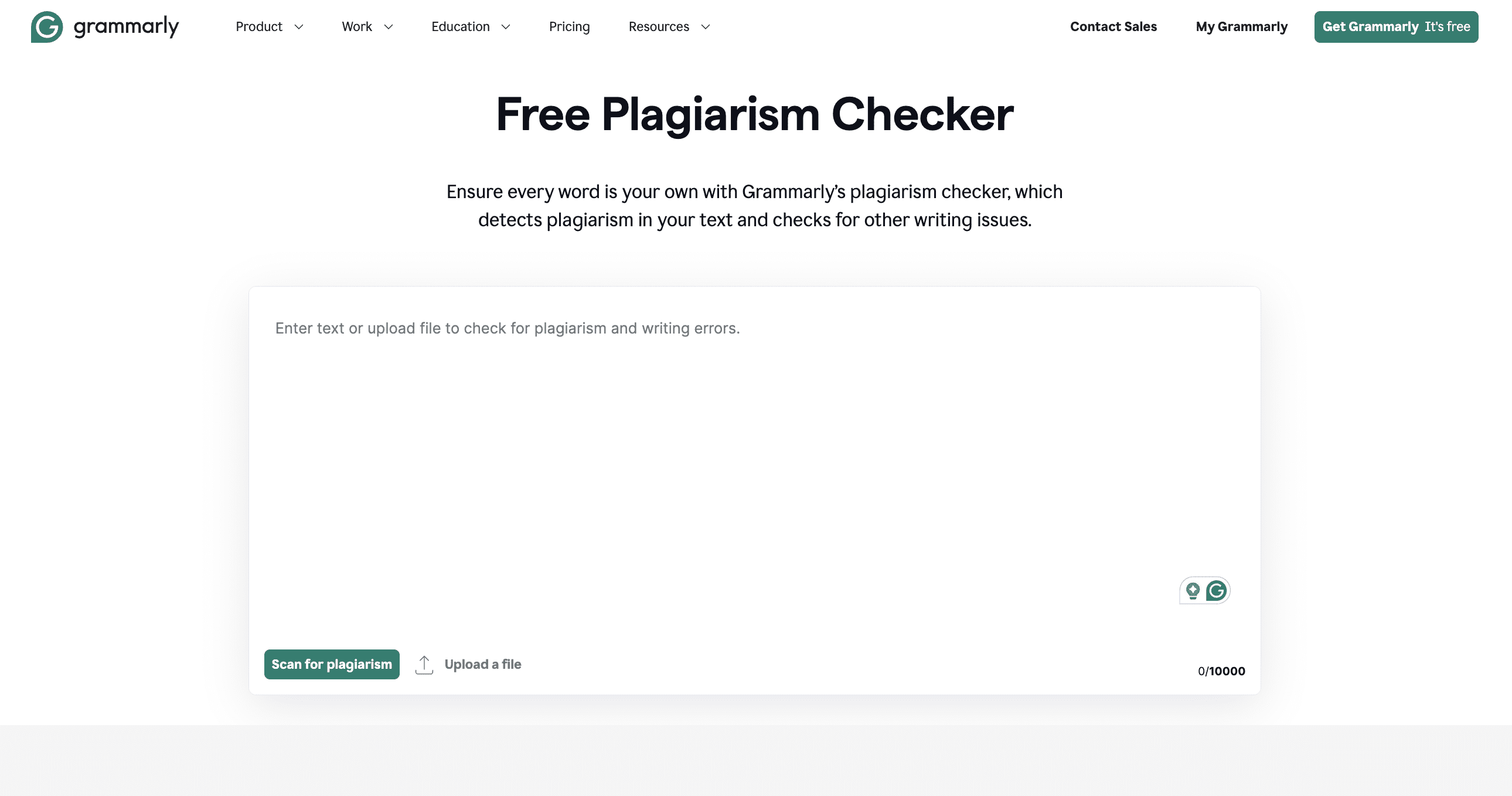
Screenshot of Grammarly's Free Plagiarism Checker page, showing a text box for uploading or pasting text to scan for plagiarism and writing issues. Screenshot from Grammarly.com, June 2024

While most people know Grammarly for its spelling and grammar check capabilities, it also offers a useful plagiarism checker tool.

Grammarly’s free plagiarism checker will compare your text (up to 10,000 characters) against academic databases and billions of webpages, then give you an immediate report that lets you know whether it found any plagiarized content.

As a helpful bonus, it will also flag if it finds problems with grammar, spelling, punctuation, conciseness, readability, word choice, or other writing issues.

If you want to take it a step further, Grammarly offers a Premium version of the tool with more advanced capabilities. The paid version will highlight specific sentences of concern, include source information, give you deeper writing feedback, and even allocate your text an “overall originality score.”

Cost

  • Free version available with limited plagiarism detection as well as basic grammar, spelling, etc. checks.
  • Premium Grammarly membership starts at $12/month and includes advanced plagiarism detection.

2. Plagiarisma

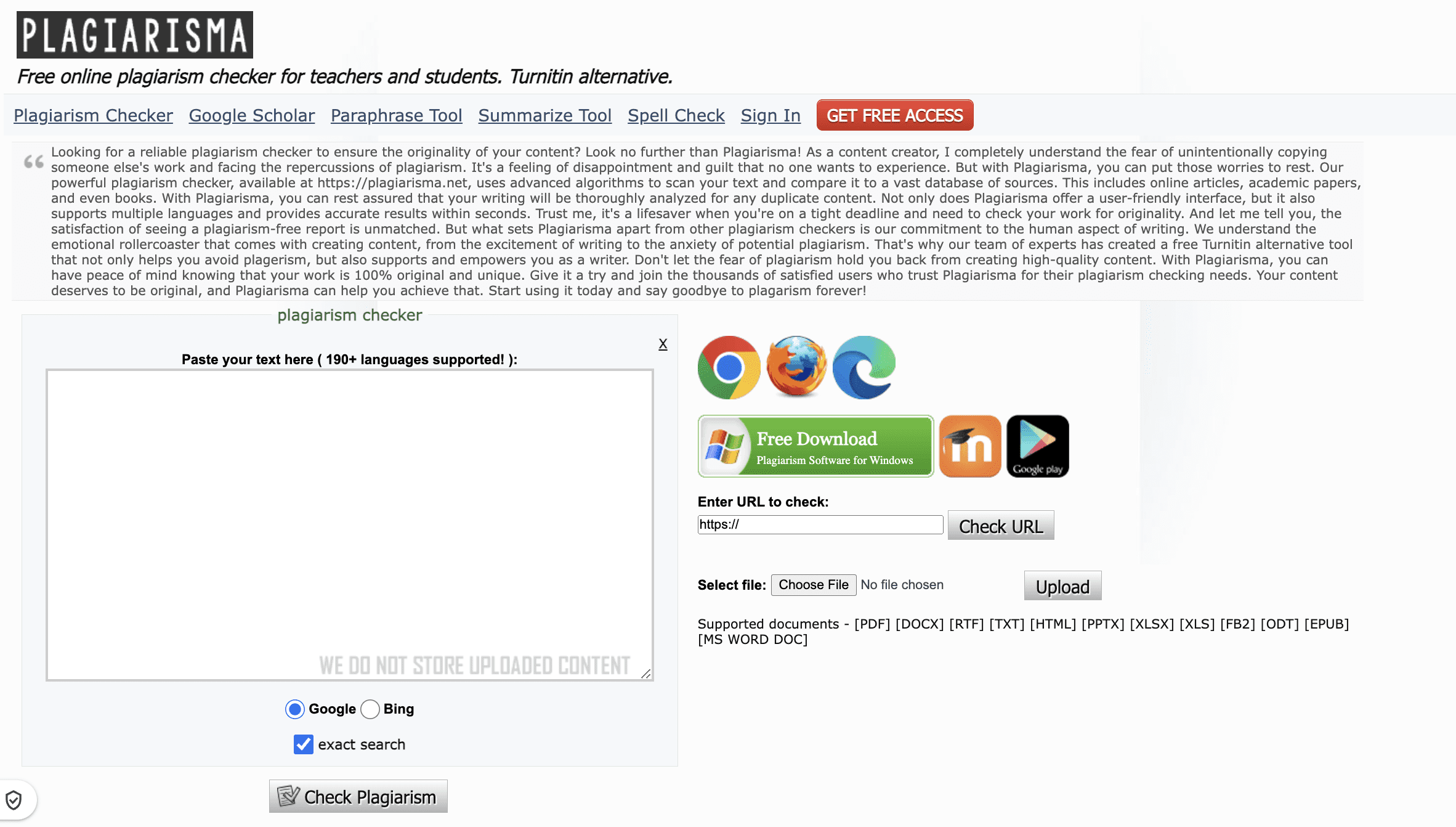
Screenshot of Plagiarisma homepage showing a text box for URL input, file upload options, and various supported languages icons. The page includes detailed information about the tool and highlights its effectiveness.Screenshot from Plagiarisma.net, June 2024

If you’re looking for a plagiarism checker that works in several languages, look no further than Plagiarisma. It supports 190+ languages and offers both free and paid versions.

Users can enter text into Plagiarisma in a variety of ways, including uploading documents, entering URLs, or pasting text directly into the tool. Once you’ve shared your copy, it will check it against sources like books, websites (you can choose between Google and Bing as your search engine of choice), and academic papers.

With the free version, users can run plagiarism checks up to three times in one day. You can also upgrade to a Premium membership for access to more features, including a Synonymizer (which helps you leverage synonyms to recreate sentences), a Similarity Checker (which compares documents for similarity), and unlimited access to plagiarism checks.

Cost

  • Free version with up to three plagiarism checks per day.
  • Premium membership starts at $5/month and offers unlimited plagiarism checks and more advanced features.

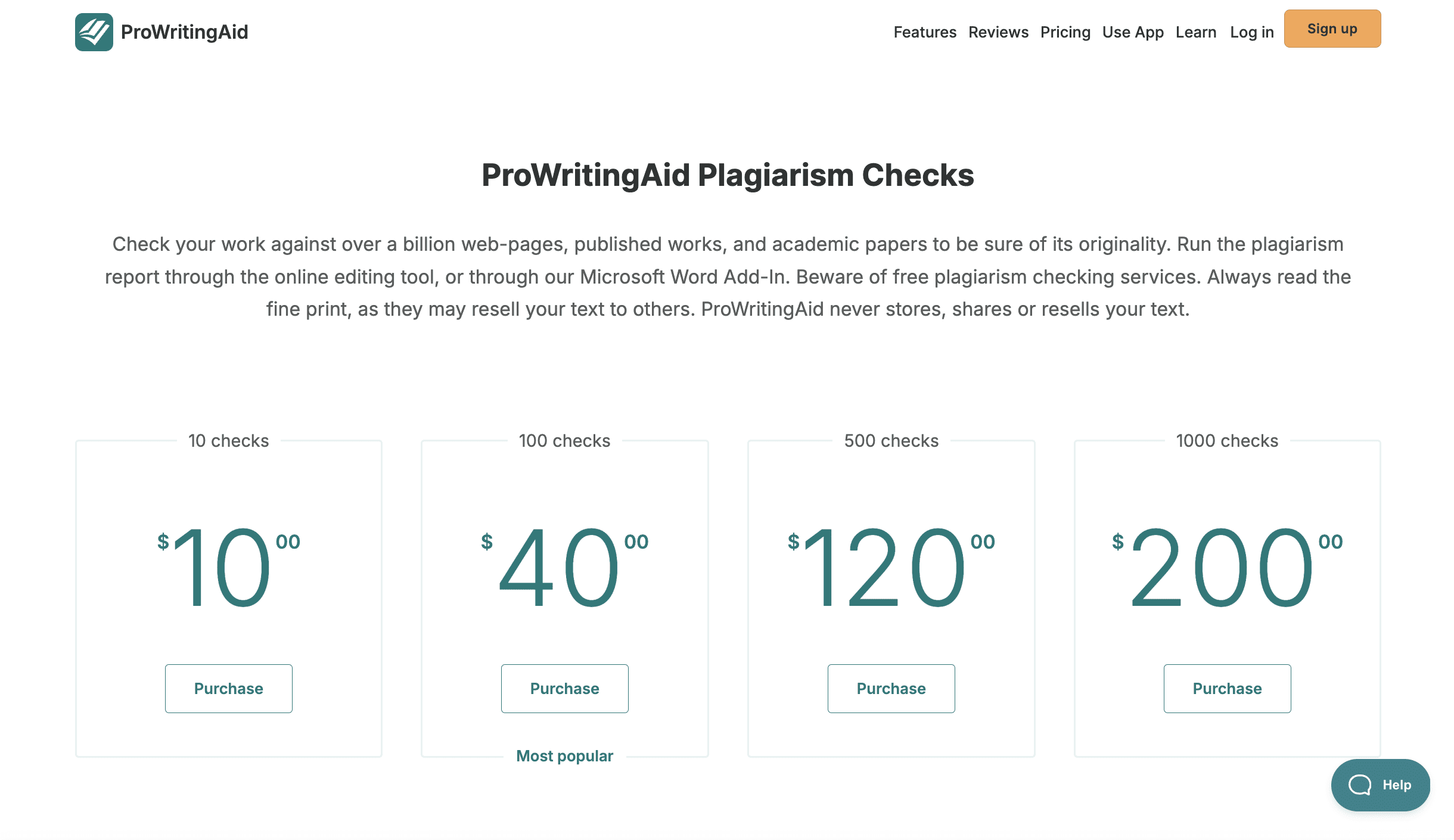
3. ProWritingAid

Screenshot from ProWritingAid.com, June 2024

Similar to Grammarly, ProWritingAid is an AI-powered writing assistant tool that analyzes your copy and suggests areas for improvement. It also offers a helpful plagiarism checker – and while there is no free version, it’s still reasonably affordable.

According to ProWritingAid, its plagiarism detection tool can compare your text (up to 2,000 words) against billions of sources, both online and offline, including databases, periodicals, and websites.

It will flag directly copied content and give similarity percentages to show areas needing improved paraphrasing or citation.

You can use ProWritingAid’s online editing tool to conduct your check or leverage its Microsoft Word Add-In.

Unlike some other tools, you pay for ProWritingAid based on the number of checks you want to conduct versus a monthly or yearly subscription – so that is worth noting, and might be a benefit if you only have a specific number of documents you need to look at.

Cost

  • No free version.
  • Pricing starts at $10 for 10 checks, $40 for 100 checks, $120 for 500 checks, and $200 for 1,000 checks.

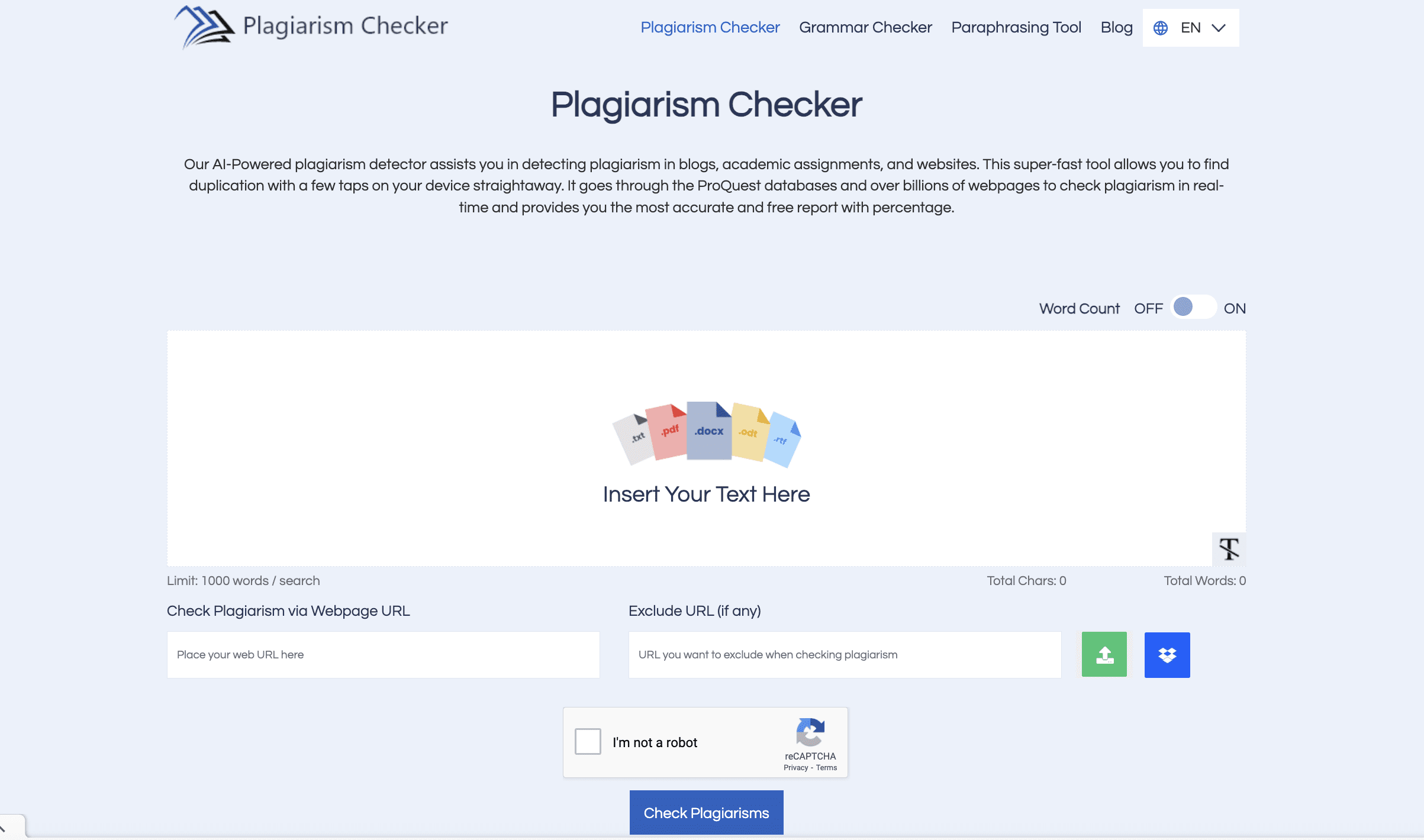
4. Plagiarism Checker

Screenshot of Plagiarism Checker tool showing a text box to insert text, options to check plagiarism via URL, and buttons for grammar checking, paraphrasing, and various other settings.Screenshot from Plagiarism-Checker.me, June 2024

Plagiarism Checker is a fairly straightforward plagiarism detection tool that’s both free and easy to use. If you need a quick and simple option, this is worth checking out.

It boasts a simple user interface and allows users to insert their text directly into the web-based editor, share a URL, or upload a document. You can even denote a URL you want it to exclude, which is a helpful feature if there are particular pages on your site that you want to ignore for now.

Plagiarism Checker scans your text against blogs, websites, and academic papers to detect plagiarism, which it delivers as a percentage. It’s compatible with Mac, Windows, and Android, and supports multiple file formats, including .rtf, .pdf., .docx, .odt, and txt.

Note that there is a limit of 1,000 words per check. The tool also includes a grammar checker and word counter, and you can download the reports it gives you.

Cost

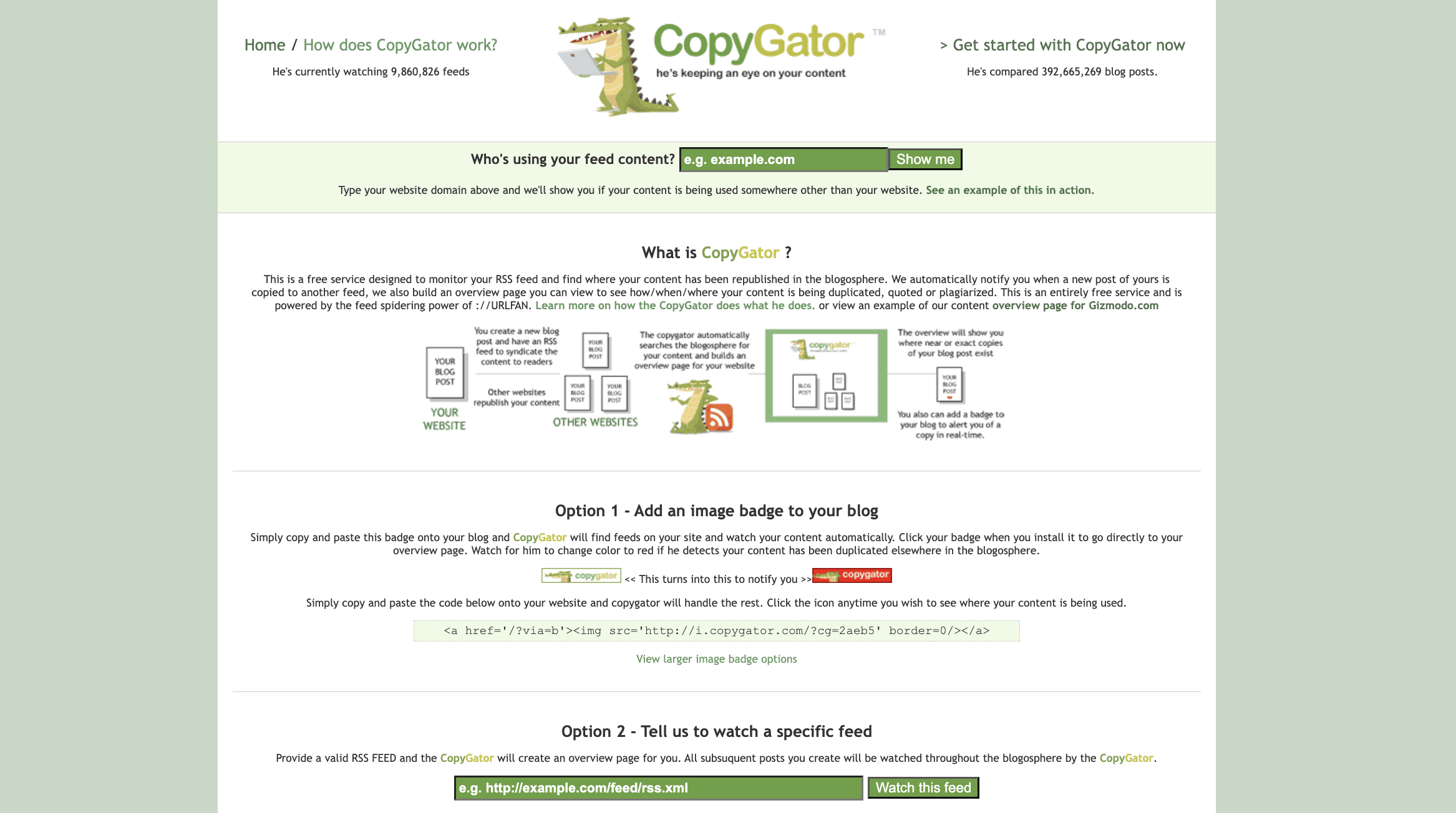
5. CopyGator

Screenshot of CopyGator website explaining how it helps monitor and track content feeds.Screenshot from CopyGator.com, June 2024

CopyGator is a free service designed to help bloggers and content creators monitor and detect duplicate versions of their content on other blogs or websites.

It works by monitoring your website’s RSS feed to see whether content has been republished elsewhere – and automatically notifying you if it finds plagiarism or quotations.

There are two different options for using CopyGator:

  • Image badge: By copying and pasting some code into your site, you can add a CopyGator image badge to your blog that will monitor your feeds for you. When you want to run a check, simply click the badge. If it turns red, CopyGator has detected plagiarized versions of your content.
  • RSS feed: Your other option is to input an RSS feed directly into CopyGator’s tool and ask it to watch the feed. It will create your own custom overview page where you can get updates.

Cost

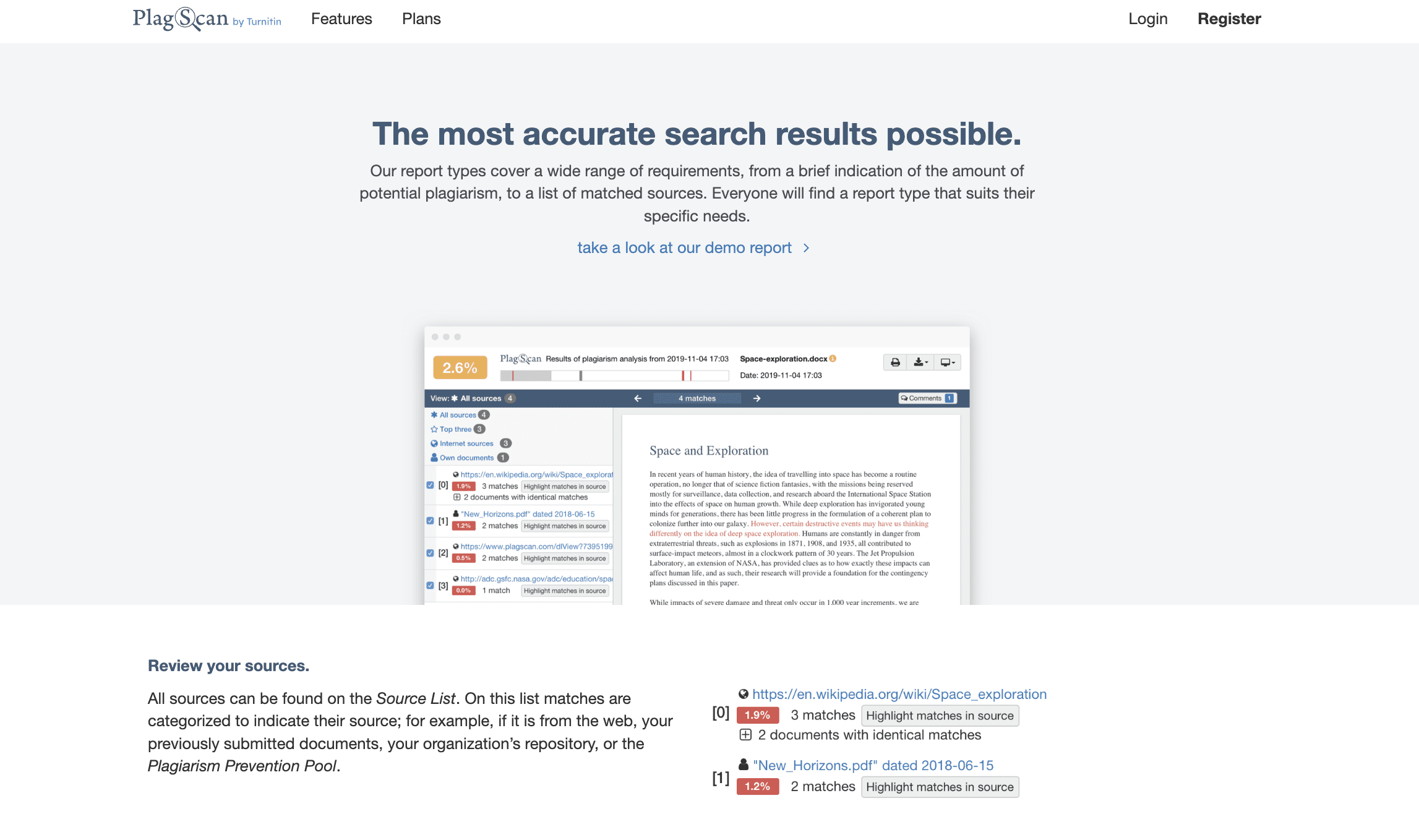
6. PlagScan

Screenshot from PlagScan.com, June 2024

PlagScan is quite a robust plagiarism detection tool most commonly used by academic institutions and professional writers. One thing to note upfront: There is no free version of this tool.

PlagScan compares your text to a massive database of websites, academic resources, and journals to find plagiarism and compiles a report to help you understand the results.

You’ll receive a PlagLevel score, which summarizes the level of duplicate text found within a document, as well as colored highlighting for possible plagiarism:

  • Red for direct matches.
  • Blue for potentially altered copy.
  • Green for correctly cited text.

With PlagScan, you get a list of sources that match your document to help you with proper citation. You can also compare two documents side-by-side to find similarities. It works with most file types, and your data is protected.

Cost

  • No free version.
  • PlagScan uses a prepaid pricing model based on the number of words/pages. Pricing starts at $6.5 for 6,000 words/24 pages.

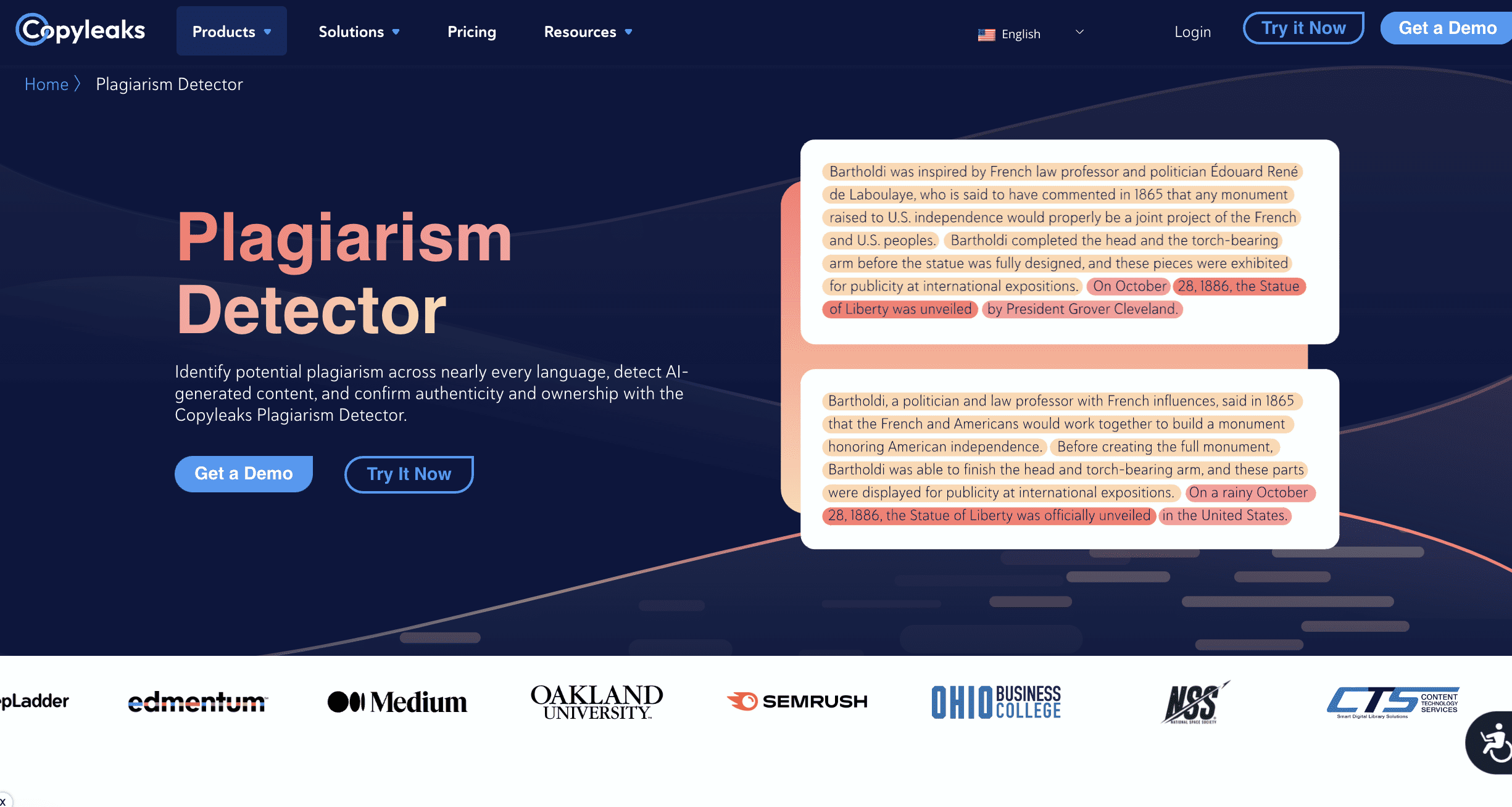
7. CopyLeaks

Screenshot of the CopyLeaks Plagiarism Detector homepage, displaying highlighted text sections within an example showing potential plagiarized content. Various partner logos are visible below the displayed text.Screenshot from CopyLeaks.com, June 2024

CopyLeaks is a more sophisticated plagiarism detection tool than many of the options used on this list, making it a popular choice for businesses, educational institutions, and individuals around the world.

According to CopyLeaks, it uses “advanced AI” to detect instances of plagiarism across over 100 languages, including paraphrasing, plagiarism in programming code, and even AI-generated plagiarism. Each scan checks content against 60 trillion websites, more than 16,000 journals, over 1 million internal documents, and 20+ code data repositories.

The tool has a very user-friendly interface, allowing you to choose from different types of files you might want to scan – text, documents, code, URLs, etc. You can also use the “compare” option to compare two documents or URLs to each other.

Another handy feature within CopyLeaks is the ability to schedule recurring scans so that it will automatically check for duplicate content on a regular basis. It also offers easy and flexible API integration,

Cost

  • Free trial available.
  • Paid plans start at $8.99/month for up to 1,200 credits (equal to 300,000 words). For $13.99/month, you’ll get access to both the plagiarism detection and AI content detection tools in one.

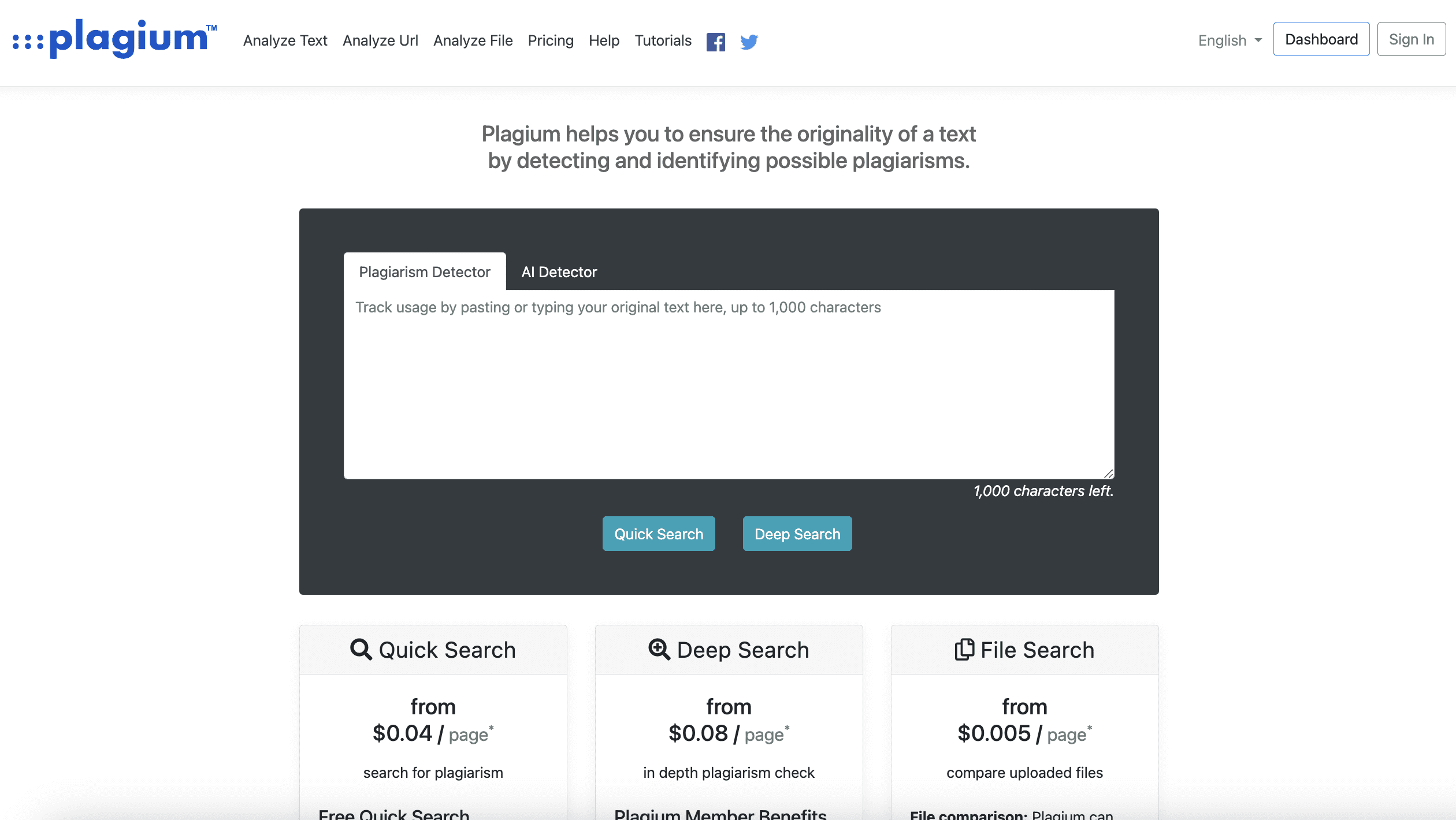
8. Plagium

Screenshot of Plagium's plagiarism detection interface, featuring options for quick search, deep search, and file search with pricing details below. Screenshot from Plagium.com, June 2024

Plagium is a good choice if you’re looking for an easy and cost-effective plagiarism checker. It uses a simple web-based text box and offers both “quick search” and “Deep Search” functions, the latter of which is basically a term for a closer check and the ability to scan large documents.

A quick search is free and allows up to 500 characters – though the website appears to indicate that the number of quick searches is capped. In order to use the Deep Search feature, you’ll need to create an account – and these searches start at $0.08/page using Plagium’s credits system.

As a member, you’re able to upload different types of documents – such as PDFs – and Plagium also integrates with Google Drive and offers a Google Docs Add-on.

Cost

  • Free quick search up to 500 characters.
  • Paid plans start at $9.99/month for over 143,000 characters, with options for prepaid plans if that is more your speed.

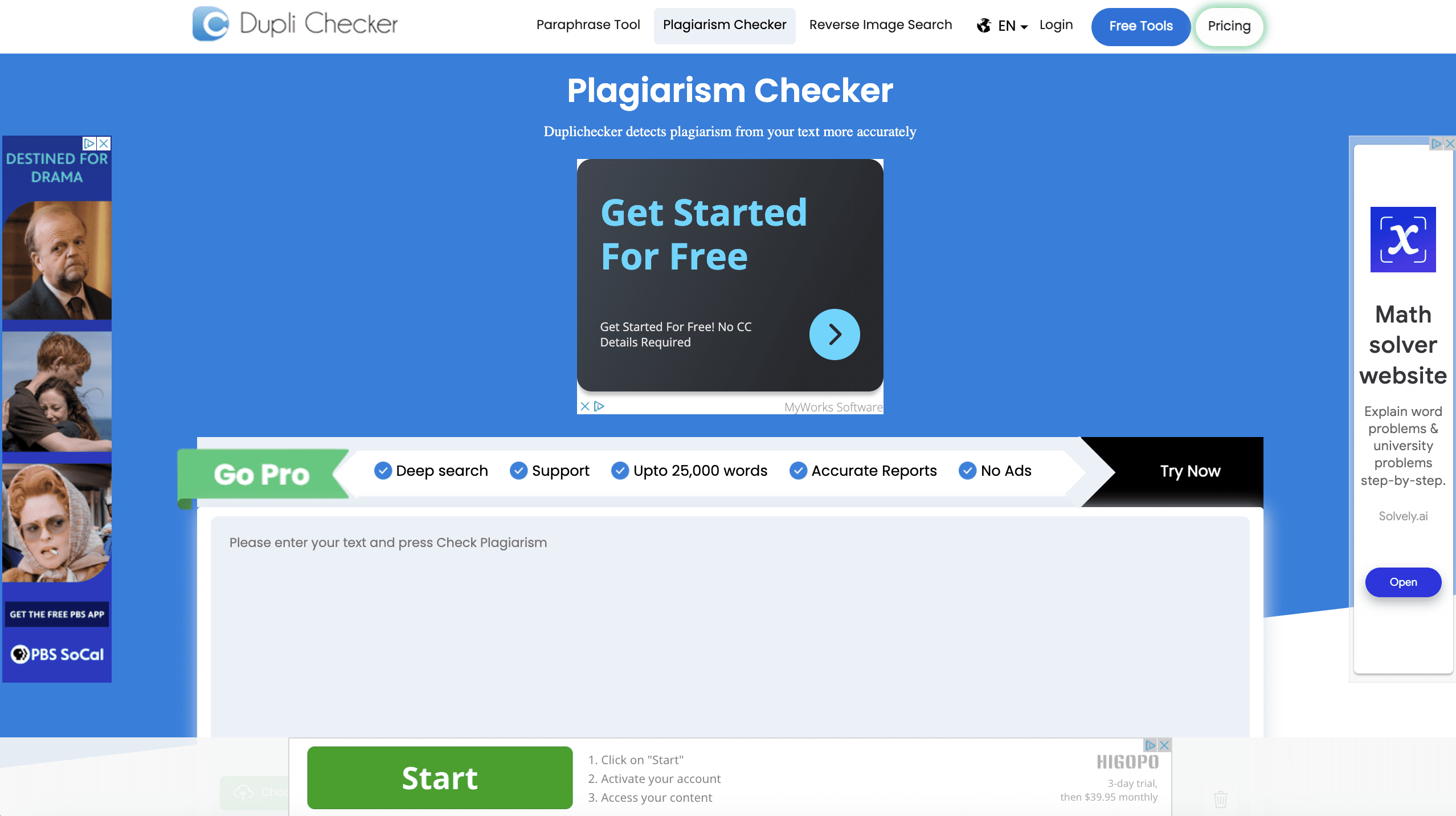
9. Dupli Checker

Screenshot from DupliChecker.com, June 2024

Need a free, easy-to-use plagiarism checker that’s available in up to seven languages and accepts a variety of file formats? Dupli Checker could be for you.

Dupli Checker’s simple interface makes it easy to scan your documents for plagiarism. You can paste directly into the website or upload files from your computer, Dropbox, or Google Drive. Like other tools in this list, you can also share a URL you’d like the tool to check, and up to five URLs you want it to exclude.

The tool promises 100% privacy – meaning it doesn’t save any of your documents – and summarizes your results in a report that highlights duplicate copy, gives you a percentage rating, and offers more features like grammar issues.

Cost

  • Free version with up to 1,000 words per search.
  • Paid plans start at $10/month for increased searches, higher word limits, and other advanced features.

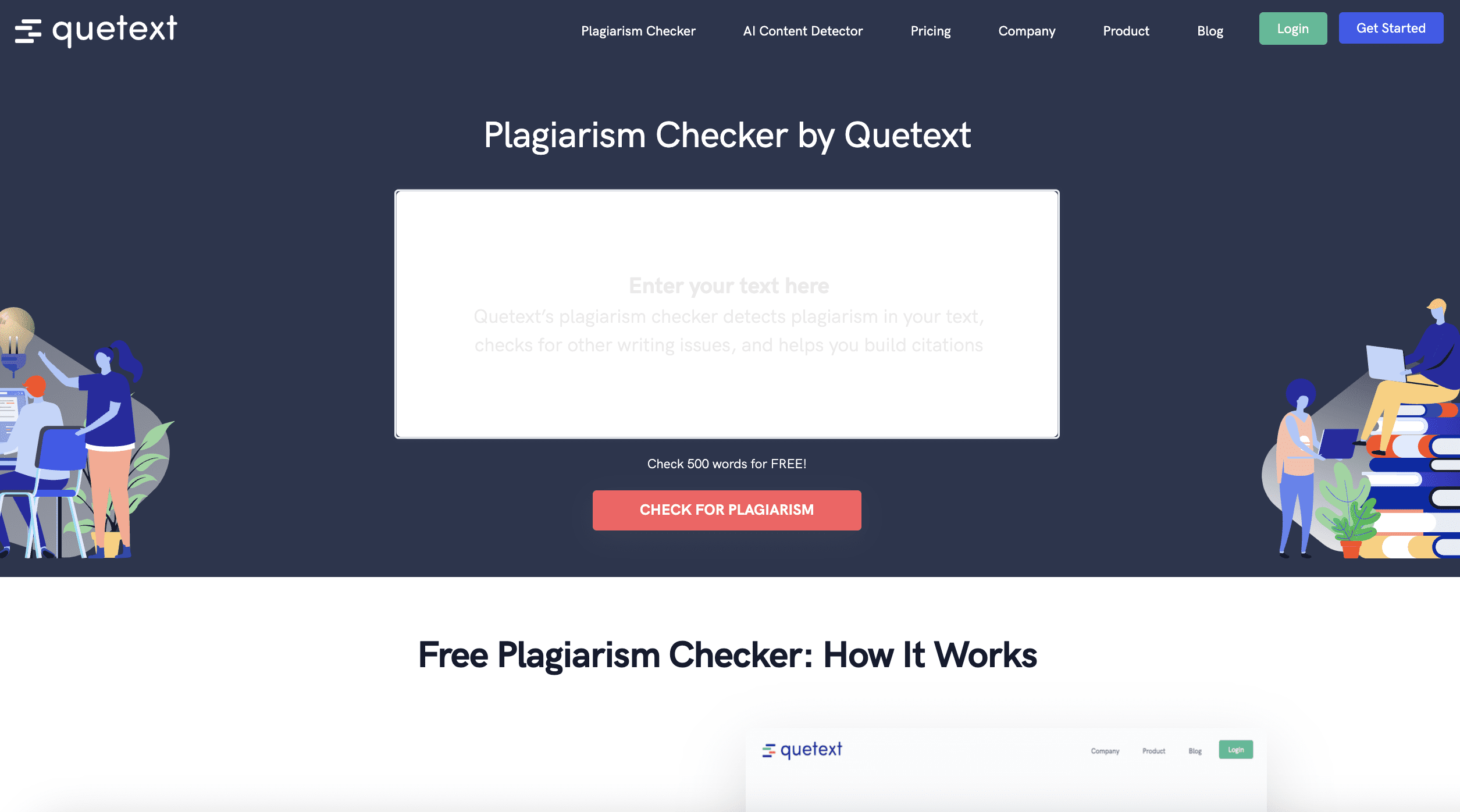
10. Quetext

Screenshot from quetext.com, June 2024

Quetext has become a popular plagiarism detection tool, and for good reason. It’s dependable and user-friendly, with some handy little features to help you spot plagiarism in your documents.

How does it work? You just enter your text into the web-based browser box and click “Check for plagiarism.” Quetext then uses its DeepSearch™ Technology (a machine-learning algorithm) to scan your text against billions of internet sources and spot plagiarism.

It provides you with a report that includes a plagiarism score and both exact matches and near matches to other existing text.

It highlights the latter using its ColorGrade™ feedback feature, which uses different colors to highlight exact match copy vs. “fuzzy” matches (or close matches) – a valuable tool for spotting plagiarism that might have otherwise flown under the radar.

It also offers a “Cite Source” feature, which helps you produce citations across Chicago, MLA, and APA formats.

Cost

  • Free version available, which includes up to 500 words, a website citation generator, and a citation assistant.
  • Paid tiers start at $8.80/month, which includes 100,000 words per month and a range of other advanced features.

11. PlagTracker

Screenshot from Plagtracker.com, June 2024

PlagTracker is an online, web-based plagiarism detector that bills itself as “the most accurate plagiarism checking service.” The tool lists students, teachers, publishers, and site owners as its intended users, and it checks text against over 14 billion webpages and “more than 20 million academic works.”

Using PlagTracker is pretty straightforward. Users upload a document into the tool, which scans it and then returns a detailed report that shows what percentage of their document is plagiarized and highlights specific sections with sources.

It supports multiple languages –English, German, French, Romanian, Spanish, and Italian – making it a versatile tool. PlagTracker has a 5,000-word limit for free users, though you can pay for a Premium membership for unlimited access.

Cost

  • Free version is available with a 5,000-word limit.
  • Premium subscription starts at $7.49/month for unlimited volume and other advanced features.

The Best Plagiarism Detection Tools On The Market

And there you have it: Copyscape is by no means the only option for plagiarism detection tools.

Those listed above are great alternatives that cater to a wide range of use cases, whether you’re looking for a cheap and easy solution or an all-in-one AI-powered writing assistant.

If you’re a content creator of any kind, you must produce work that’s original and unique – and these tools can help you do just that.

However, always remember that these tools are far from perfect; you should have other checks and balances in place to ensure the quality of your work.

Avoiding plagiarism will protect your credibility and reputation and ultimately drive more traffic to your website. Not to mention, it’ll keep you out of trouble.

More resources: 


Featured Image: VectorMine/Shutterstock

Reddit Subreddits To Google Search: Maximizing Your Brand’s Impact [Webinar Recap] via @sejournal, @brentcsutoras

Recently, I had the pleasure of hosting a webinar discussing Reddit, its growth, and how it impacts search results.

It’s been quite a while since I covered Reddit as a topic, but I could talk about it all day, and I think it has and is one of the most influential communities around today.

If you missed the presentation and would like to watch it, you can find it on demand here: From Subreddits to Search: Maximizing Your Brand’s Impact on Reddit.

Let’s dive into the key points we covered during the session.

The Current State Of Reddit

Reddit has seen explosive growth recently. Here are some stats that highlight this surge:

Reddit’s growth rate of 37% year-over-year is phenomenal, and it’s now 50% non-US, marking its impressive international expansion.

Why Reddit Has Become So Influential

Reddit is successful because it addresses a significant problem: the oversaturation of low-quality content on the internet.

Traditional search experiences are becoming less effective, and users seek more reliable, conversational answers.

Reddit fills this gap by providing authentic, user-generated content that is trusted by so many searchers today that they actually add [reddit] to the end of their search queries to force Reddit results.

Google has recognized this and has incorporated Reddit into its search results more prominently after the 2022 helpful content update.

Deals with Google and OpenAI underscore Reddit’s value, with Google signing a $60 million deal for real-time content access and training future AI models using Reddit data.

Tips For Having Success On Reddit

1. Understand The Platform

Reddit isn’t just another social media site; it’s a content-sharing platform.

This fundamental distinction is crucial for understanding how to navigate and succeed on Reddit. Unlike traditional social media platforms, Reddit is designed around user-generated subreddits –communities where content is shared and discussed.

Each subreddit is unique, with its own tone, culture, and rules. Think of subreddits as completely separate communities rather than categories of the same community.

The individuality of each subreddit means you must tailor your approach to fit the specific norms and expectations of each community.

On Reddit, the focus is on topics, not individuals. Influencer marketing, as it exists on other platforms, doesn’t translate well here.

While notable figures like Bill Gates participate, it’s their contributions and the topics they discuss that matter, not their personal brand. This topic-centric approach sets Reddit apart from other social media sites.

Anonymity is a core feature of Reddit, encouraging users to speak freely and honestly.

This anonymity fosters open discussion, as seen in subreddits like “/r/AmItheAsshole,” where users seek unbiased opinions on personal situations. Understanding and valuing this anonymity is key to engaging authentically with the Reddit community.

It’s important to distinguish between moderators and admins on Reddit. Moderators are regular users who manage subreddits, while admins are Reddit employees.

Confusing the two can lead to frustration, as moderators don’t have the same powers or responsibilities as admins. Recognize this distinction to better navigate issues and interactions within the platform.

Understanding these fundamental aspects of Reddit is critical for making a strong first impression and achieving success on the platform.

Mistakes can quickly derail your efforts, but with the right approach, Reddit offers a unique and valuable space for content sharing and community engagement.

2. Avoid Spamming

Spamming on Reddit can take many forms, and it’s essential to avoid behaviors that may be perceived as spammy.

Understanding and respecting the community guidelines is crucial for maintaining a positive presence on the platform.

Spam can be defined differently by each subreddit, but common behaviors include:

  • Posting off-topic content.
  • Submitting too frequently, even with good content.
  • Sharing the same content across multiple subreddits.
  • Trying to bypass subreddit rules (such as using redirects to post prohibited links).
  • Posting without engaging in comments.
  • Engaging in excessive self-promotion.

Each subreddit often lists its specific rules and definitions of spam in the sidebar, so make sure to read and follow them.

Additionally, Reddit continuously enhances its spam prevention measures, making it harder to game the system. Key improvements include:

  • AutoMod: Automated moderation scripts that filter submissions based on various parameters like account age and karma.
  • Contributor Quality Tiers: Assessing users based on their overall activity and legitimacy.
  • Ban Evasion Filters: Using AI to detect and prevent users from creating new accounts to bypass bans.

These evolving measures ensure a better community experience by reducing spam and encouraging genuine engagement.

Avoid attempting to game the system, as these improvements make it increasingly difficult – and ultimately, it just doesn’t lead to success.

3. Become A Redditor And Build Karma

Engage authentically by commenting and participating in discussions before starting your own posts. Build karma and learn what works within different communities.

To establish a presence on Reddit, it’s essential to start by becoming an active member of the community. Engage in subreddits that align with your passions, whether it’s growing peppers or discussing “Rick and Morty.”

This involvement helps you understand Reddit’s unique features, language, and community norms. By participating in discussions, you can start building karma – a reputation score based on upvotes and downvotes.

While karma is a simplified measure of your acceptance on Reddit, it’s vital for unlocking certain privileges and ensuring your posts aren’t hidden by automated moderation.

Focus on subreddits with low restrictions to accumulate karma easily. For instance, posting cute pictures in a cat subreddit or offering advice in a subreddit dedicated to questions can help you earn upvotes and interaction.

However, it’s crucial to approach this naturally and avoid trying to game the system, as patterns of inauthentic engagement can lead to bans and negative karma.

Before diving into posting your own content, prioritize commenting on existing posts.

Commenting helps you blend into the community and learn what types of content generate engagement. By focusing on “rising” posts – threads likely to gain significant visibility – you can maximize your exposure and karma.

This strategic approach allows your comments to receive more attention as the post gains popularity.

Starting with comments also offers insights into the community’s interests and opinions, helping you tailor future submissions to better resonate with the audience.

Submitting content places you directly under scrutiny, whereas commenting allows you to learn and experiment while becoming a Redditor.

Take the time to craft thoughtful, well-considered comments, as Reddit users value effort and sincerity.

Even as a brand, adopt a personable tone. Engaging authentically can shift perceptions positively, as seen in successful campaigns like the one we did for TikTok.

By focusing on building karma through comments first and understanding the community dynamics, you set a strong foundation for successful content submissions in the future.

4. Choose Your Subreddits Carefully

When you’re ready to submit content on Reddit, the first step is to identify the subreddits that align with your interests and goals.

Use Reddit’s search functionality to explore relevant subreddits. You can search specific domains by using “site:searchenginejournal.com” to see where your content or similar content is being discussed.

This helps you understand which subreddits have positive engagement with your topics. Additionally, you can research your competitors to see where they are active and successful.

Look for subreddits that address user journeys and questions related to your content, ensuring they match the topics you want to discuss.

Once you’ve identified potential subreddits, evaluate their activity levels. Check both the number of members and the current active users to ensure the subreddit is lively and engaged.

A large member count doesn’t always mean high engagement, so prioritize active subreddits over those with inflated, inactive memberships.

Review each subreddit’s rules meticulously. If the rules don’t align with your content goals – such as restrictions on link submissions – find a more suitable subreddit. Attempting to bypass rules will only harm your efforts.

Observe the subreddit moderators to understand their tone and interaction style. Knowing how moderators behave and what content they support can provide valuable insights into how your submissions might be received.

Since moderators play a crucial role in approving or removing content, aligning with their preferences increases your chances of success.

Finally, assess the overall tone around your topics within the subreddit. Even if a subreddit focuses on a relevant subject, the community might have varying opinions.

Be mindful of these nuances to ensure your content resonates positively with the audience. By carefully selecting and evaluating subreddits, you can effectively position your content for maximum engagement and success.

5. Create Your Own Subreddit

For brands, having a dedicated subreddit can be highly beneficial. It allows you to control the tone and foster in-depth discussions that not only solve your customers’ needs but also enhance your search and AI visibility.

Selecting knowledgeable moderators is crucial. They should understand Reddit culture and handle interactions professionally. Avoid arguing with users or getting defensive, which only incites negative responses.

Establish clear rules and use automated moderation tools to manage your subreddit effectively, ensuring a positive experience even when you’re not online.

Embrace critical comments and engage thoughtfully rather than deleting negative posts or banning users. The community respects genuine engagement and can differentiate between legitimate criticism and trolling.

By responding as a relatable, empathetic person, you can turn potential conflicts into opportunities for positive interaction.

Always approach interactions as if you’re the Redditor who convinced your company to join Reddit, focusing on authentic, helpful communication. This personal touch can significantly enhance your brand’s reputation on the platform.

6. Post The Right Content That Adds Value

Once you found the right subreddit and know where you want to submit content, focus on providing value to the community.

Research thoroughly to understand what topics resonate and where you can contribute your expertise. This will ensure positive engagement and brand interaction.

Support existing discussions by offering solutions or insights, enhancing the conversation with your brand’s unique perspective. Reviewing top content from the past year in your chosen subreddit can help you identify successful topics and understand the community’s interests.

Pay attention to standout users and comments to gauge what works and anticipate reactions.

Engage with moderators by studying their submissions and preferences. Building a rapport with them can significantly influence your content’s success, as they play a crucial role in approving and promoting submissions.

Always consider the needs of the subreddit members. While you have the freedom to post as you like, focusing on what the community wants will lead to greater success.

Again,  avoid the temptation to spam or overpromote your content. Focus on what will really provide value to the community.

Finally, keep in mind the broader impact on search and AI. Reddit’s influence on search engine results is significant, and the platform’s content is increasingly used to train AI models.

Choose content that enhances your brand’s visibility and reputation, ensuring it aligns with how you want your brand and products to be perceived. This strategic approach will maximize your reach and effectiveness on Reddit.

7. Post At The Right Time

Timing is crucial for gaining initial engagement on Reddit. Content typically thrives for about 24 hours, although exceptionally popular content can remain visible longer. The general trend is a rapid decline after the initial 24-hour period, and the initial votes are the most critical for boosting visibility.

Avoid the temptation to game the system by creating multiple accounts to upvote your own content, as this can lead to bans and diminish your credibility. Instead, focus on organic engagement to achieve those vital first votes.

To maximize your reach, consider using tools to analyze the best times for posting in your specific subreddit. Generally, posting between 8 a.m. and 10 a.m. Eastern Time is effective, as it captures a full day of high activity, including both domestic and international users.

8. Stay Engaged After You Submit

After submitting a post on Reddit, it’s crucial to stay engaged. Monitor your post closely for the full 24 hours it’s live.

Engage with comments by voting and responding thoughtfully. Upvote genuine comments and downvote trolls or low-quality contributions to manage comment visibility effectively.

Engage with commenters without being defensive, but don’t feel obligated to respond to every single comment.

Approach interactions naturally, applying common social standards. The goal is to foster a positive, constructive discussion, enhancing your presence on Reddit.

Reddit Is An Invaluable Platform If You Invest The Time And Effort

Reddit is one of the hardest communities to break into. It takes a lot of dedication and sometimes years of experience, but Reddit’s community-driven approach and authentic content make it an invaluable platform for marketers willing to invest the time and effort.

Whether it’s engaging in existing subreddits, creating your own, or running ads, Reddit offers unique opportunities for meaningful connections and impactful marketing.

Thank you to everyone who joined the webinar. It was definitely fun talking about Reddit again. If you have any questions or need help with your brand’s impact on Reddit, feel free to reach out.

A Little Something About Me You Might Not Know…

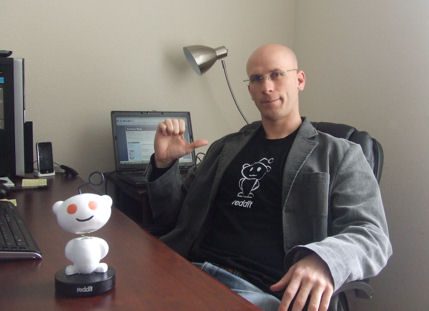
Brent Csutoras - 2007

I’ve been an avid Redditor since 2006. My journey with social media started in San Francisco, where I got involved with companies like Digg, Reddit, and StumbleUpon right as they were taking off.

One of my favorite memories is emailing Alexis Ohanian, Reddit’s co-founder, to tell him how much I loved the site. He responded, we chatted, and before I knew it, we were hanging out.

From tacos to SEO chats, we bonded over our shared passion for Reddit. Fun fact: My son is the first baby Redditor, thanks to Alexis.

More resources: 


Featured Image: Damir Khabirov/Shutterstock

Google’s Now Translating SERPs Into More Languages via @sejournal, @martinibuster

Google updated their documentation to reflect that it added eight new languages to its translated results feature, broadening the reach of publishers to an increasingly global scale, with automatic  translations to a site visitor’s native language.

Google Translated Results

Translated Results is a Google Search feature that will automatically translate the title link and meta description into the local language of a user, making a website published in one language available to a searcher in another language. If the searcher clicks on the link of a translated result the web page itself will also be automatically translated.

According to Google’s documentation for this feature:

“Google doesn’t host any translated pages. Opening a page through a translated result is no different than opening the original search result through Google Translate or using Chrome in-browser translation. This means that JavaScript on the page is usually supported, as well as embedded images and other page features.”

This feature benefits publishers because it makes their website available to a larger audience.

Search Feature Available In More Languages

Google’s documentation for this feature was updated to reflect that it is now available in eight more languages.

Users who speak the following languages will now have automatic access to a broader range of websites.

List Of Added Languages

  • Arabic
  • Gujarati
  • Korean
  • Persian
  • Thai
  • Turkish
  • Urdu
  • Vietnamese

Why Did It Take So Long?

It seems odd that Google didn’t already translate results into so many major languages like Turkish, Arabic or Korean. So I asked international SEO expert Christopher Shin (LinkedIn profile) about why it might have taken so long for Google to do this in the Korean language.

Christopher shared:

Google was always facing difficulties in the South Korean market as a search engine, and that has to do mainly with Naver and Kakao, formerly known as Daum.

But the whole paradigm shift to Google began when more and more students that went abroad to where Google is the dominant search engine came back to South Korea. When more and more students, travelers abroad etc., returned to Korea, they started to realize the strengths and weaknesses of the local search portals and the information capabilities these local portals provided. Laterally, more and more businesses in South Korea like Samsung, Hyundai etc., started to also shift marketing and sales to global markets, so the importance of Google as a tool for companies was also becoming more important with the domestic population.

Naver is still the dominant search portal, but not to retrieve answers to specific queries, rather for the purpose of shopping, reviews etc.

So I believe that market prioritization may be a big part as to the delayed introduction of Translated Google Search Results. And in terms of numbers, Korea is smaller with only roughly 52M nationwide and continues to decline due to poor birth rates.

Another big factor as I see it, has to do with the complexity of the Korean language which would make it more challenging to build out a translation tool that only replicates a simple English version. We use the modern Korean Hangeul but also the country uses Hanja, which are words from the Chinese origin. I used to have my team use Google Translate until all of them complained that Naver’s Papago does a better job, but with the introduction of ChatGPT, the competitiveness offered by Google was slim.”

Takeaway

It’s not an understatement to say that 2024 has not been a good year for publishers, from the introduction of AI Overviews to the 2024 Core Algorithm Update, and missing image thumbnails on recipe blogger sites, there hasn’t been much good news coming out of Google. But this news is different because it creates the opportunity for publisher content to be shown in even more languages than ever.

Read the updated documentation here:

Translated results in Google Search

Featured Image by Shutterstock/baranq

START Planning Steps To Develop Your Digital Marketing Success Plan – S For Strategy via @sejournal, @coreydmorris

This excerpt is from The Digital Marketing Success Plan, the new book from SEJ VIP Contributor Corey Morris.

In what is the most distracted and disrupted era in digital marketing–especially SEO–history, we’re testing and trying things out faster than ever. While change is coming at us fast, it is critically important to still have a documented, actionable, and accountable plan for your digital marketing efforts.

In his new book, Corey Morris, details a five-step START Planning process to help brands arrive at their own digital marketing success plans to ensure ROI and business outcomes are at the heart of every effort while allowing plenty of room and agility for the rapid changes we’re experiencing in digital and search marketing.

Search Engine Journal has an exclusive feature of the first step in the START Planning process–”S for Strategy”–unpacking the four steps in this first and most critical phase.

Chapter 3: S For Strategy

The Strategy Phase is the most comprehensive part of the START planning process. The subsequent phases are all dependent on the work done and defined in this phase.

Strategy works through profiling, auditing, research, and goal setting. Knowing what marketing has been done in the past, where things stand currently, and—most importantly—where you want to go is critical at this juncture and overall for any digital marketing success plan.

The strategy phase has four steps, the first of which is profile. This could be considered a simple step, as we’re just gathering information and definitions.

However, it could also be misinterpreted, and it is challenging because it requires an expert to ask the right questions. That includes detailing the team involved in the effort and defining the product (services) we must sell, the brand, and the target audiences.

In short, we’re putting the details on the table about who we are, our resources, and our capabilities. We are identifying what we’re selling, what value it has, how we deliver it, and the pricing model. We also must know what our brand is in terms of positioning, differentiation, and equity that it holds.

And, as important as anything, we must know who our target audience personas are, their customer behaviors, and the funnels or journeys they take to buy.

Anyone can ramble off some demographics or targets. But, as companies grow, having a mutually agreed understanding of what the business sells, who it sells to, and the money it costs to do so is extremely hard.

I say all of this in hopes that you don’t get stuck here on some of the hard details, and also knowing that if it is easy, you might want to challenge some things and see if you can go deeper and ensure that you truly have the agreement and buy-in that you seem to.

The second step in the strategy phase is audit. We need to know what we’ve done in the past and are currently doing so we have a full picture of what has worked, what hasn’t, and why. Audits are important at this juncture, and this step might be one of the most time-consuming in the entire digital marketing success plan development journey.

As you obtain or create documentation of historical activities, you’ll need access to all the past and present networks and platforms. Then, you can deep dive into audits, including technical paid search, technical SEO, content SEO, web systems, email marketing systems, and more, based on what has been done in the past and what is available for you at this juncture.

The third step in the strategy phase is research. So far, the focus has been on who we are and what we’ve done leading up to where we currently stand with our efforts. This phase is where we get perspectives beyond our own data and understanding.

This is where we seek out internal perspectives from marketing, sales, ops, product, and other relevant teams and stakeholders—as well as from our customers or clients. Additionally, we’re doing external research to learn new insights or validate what we think when it comes to competitors, target audiences, and what the future opportunity forecasts or models out for us.

The final step in strategy is goals. With a thorough picture of who we are, where we stand, and what opportunities are out there for us, we can workshop to arrive at a realistic set of goals. Maybe we came into the process with our own goals, or maybe at this point, we’re starting from scratch.

Regardless, this step is critical to the rest of the process and arriving at a plan that can drive success. This is where we look at business goals and how marketing can affect them and ensure we set proper expectations before we move the strategy from ideas to action.

“WE HAVE A PROBLEM” Premium Roofing Manufacturer Story

A high-end roofing manufacturing company came to us with a unique problem. Marcy, their marketing manager, had a lot of past success with SEO, their website and email marketing, and extensive campaigns driving traffic to their websites for homeowners and contractors alike–fueling their sales operations.

Marcy had gone through several different agencies over the past few years. She had varying experiences with them, had a great one for a while, and then had a couple that didn’t value or know as much about SEO. She didn’t realize that, at the time, it was a line item to some of those agencies. It was getting done, and rankings and traffic were fine. Nothing was sticking out of the ordinary.

One day, Marcy noticed a problem in Google Analytics. Traffic is starting to drop overall. She dives in and, as she is very familiar with the reports and channels and diagnoses this as an SEO problem within a minute. SEO traffic is dropping, but she can’t tell why.

The agency says everything looks good on their end. Marcy can’t find any errors on the site. However, there’s this mysterious drop where she can see they’re not where they used to be in the Google rankings. Subsequent drops in traffic, conversions, and form submissions going through to their sales team validate it.

She remembered her work with me a few years prior at a different agency and reached out. She thought of me as someone she could trust to fix any SEO problem, which I take as high praise. I was at a conference in Silicon Valley, getting ready to take the stage to speak about SEO troubleshooting.

And so that was the ironic part of it to me. I gave my speech and immediately after had a longer conversation with Marcy over the phone. I could dive in and see the same things she saw, and I knew that we needed to do a full audit very quickly and understand what was going on.

I brought the rest of my team back home into the challenge. Within two days, we had diagnosed two very acute issues that were hidden and that most people wouldn’t see. We wouldn’t have found them unless we had gone through our analysis auditing process to get that deep.

We presented those findings to Marcy and her CEO, who both knew how big of a negative impact this would have on their business if they didn’t get this corrected.

We presented three options. One was to fix the issues technically within their current site. Still, being forward-thinking and ROI-driven, we didn’t want just to offer to patch the holes and wait for the next problem to come. So, we presented two other plans. They included a midrange plan and a long-range plan to build a new website and not only fix the issues but also strategically amplify some other things.

They opted to invest in the new website, and that turned into an ongoing relationship with us to monitor and amplify their SEO and take it to new heights, not just reclaiming what they had lost but making new ground. And I’m excited that we saw that all the way through. It played out exactly as we had projected and was validated by growth for them.

The company eventually sold for a record amount and won awards from our peers for that work. The moral of the story is not just to accept the status quo but to realize that not all professionals who have SEO in their title have an equal set of skills. Auditing is an important tool in getting to the root cause, not just for fixing an immediate problem but even more critically for long-term success.

“WE HAVE TO GET THIS RIGHT” Continuing Care Retirement Community Story

Jamaal found us through Google. He was the director of admissions and marketing for a high-end retirement facility that serves as a continuing care community. They had everything: independent living, dining in chef-inspired restaurants, activities, a pub, and anything that active senior living would want through the continuum of care, including assisted living and skilled nursing.

They have an excellent reputation in their city and are well known; however, that’s with the community at large. They needed help to reach their target audience, who could be potential residents or adult child influencers in their lives—the next generation down.

When something happens, and it’s time to look for this type of living situation, the people at that important step are less aware and less prepared for the conversations they must have with their loved ones in a critical phase of life. These people were supposed to be moving into research and action toward admission.

Also, while it was a wealthy, high-end property, it was nonprofit, very benevolent, and gave back so much. The margins were tight, and there wasn’t a large marketing budget, but they knew they needed to do something.

Jamaal’s challenge when he came to us was, “I know you can do everything. I know I probably need all the things under the digital marketing umbrella. I even need a new website, but I don’t have the budget.”

We said, “That’s not a problem. We start small with many of our clients and find the areas where we can have the greatest ROI and impact. Then, we build from there and create budgets, opening up dollars for investment in other opportunities.”

So, we came into the situation, and we analyzed their audience. They had a wealth of data. They knew their business inside and out, and it was fantastic for us to see that. Still, they needed help understanding digital marketing and couldn’t connect the dots.

They had talked to three or four other providers who gave them high-ticket products or service offerings and didn’t want to work with them to find the right solution or where they should get the most bang for their buck.

We returned to them and recommended, “You should start with SEO.”

Jamaal laughed because he said that was the opposite recommendation that several of the other agencies had made. They had said, “No, you should start with $100,000 a month in Google Ads.”

I said, “You should start on SEO at a fraction of that,” even though we knew the challenges were there with being unable to build a new website. We’d have to navigate their antiquated website and optimize what they had.

We knew that telling the story, getting the content right, and even optimizing a lousy website would get us further along in the long-term journey of driving new leads to the website. We knew we only needed a handful of people to find the site to understand what they did at the right moment, get the right story, and come through the doors and experience this wonderful place.

After building momentum, one lead at a time, we could start talking about a new website, activate additional marketing channels, and layer in aspects of the digital marketing success plan to see success in the long term.

Ultimately, they grew as a business and their marketing investment grew respectively. Eventually, they were acquired by a large hospital system, where everyone could flourish and get the mission and the word out.

The moral of the story is it’s always better to do something rather than nothing.

But if you’re on a limited budget, understand that the obvious answers or the expensive ones aren’t necessarily the best ones. Be willing to dig into the data, do the hard work, and see the opportunity to create new budgets.

By seeing small successes, one at a time, you can build toward bigger things.


To learn more about why digital marketing planning is so important, Corey’s START Planning process, and how to implement which he details in the full book (including more real stories and “how to” sections for each phase of the process), download the book now on Amazon.

For a limited time through July 17, the Kindle version is only 99 cents.

You can also find out more information and free resources at https://thedmsp.com


More resources:


Featured Image: nuruddean/Shutterstock