Google’s John Mueller answered a question about llms.txt related to duplicate content, stating that it doesn’t make sense that it would be viewed as duplicate content, but he also stated it could make sense to take steps to prevent indexing.
LLMs.txt
Llms.txt is a proposal to create a new content format standard that large language models can use to retrieve the main content of a web page without having to deal with other non-content data, such as advertising, navigation, and anything else that is not the main content. It offers web publishers the ability to provide a curated, Markdown-formatted version of the most important content. The llms.txt file sits at the root level of a website (example.com/llms.txt).
Contrary to some claims made about llms.txt, it is not in any way similar in purpose to robots.txt. The purpose of robots.txt is to control robot behavior, while the purpose of llms.txt is to provide content to large language models.
Will Google View Llms.txt As Duplicate Content?
Someone on Bluesky asked if llms.txt could be seen by Google as duplicate content, which is a good question. It could happen that someone outside of the website might link to the llms.txt and that Google might begin surfacing that content instead of or in addition to the HTML content.
“Will Google view LLMs.txt files as duplicate content? It seems stiff necked to do so, given that they know that it isn’t, and what it is really for.
Should I add a “noindex” header for llms.txt for Googlebot?”
Google’s John Mueller answered:
“It would only be duplicate content if the content were the same as a HTML page, which wouldn’t make sense (assuming the file itself were useful).
That said, using noindex for it could make sense, as sites might link to it and it could otherwise become indexed, which would be weird for users.”
Noindex For Llms.txt
Using a noindex header for the llms.txt is a good idea because it will prevent the content from entering Google’s index. Using a robots.txt to block Google is not necessary because that will only block Google from crawling the file which will prevent it from seeing the noindex.
A new study from GrowthSRC Media finds that click-through rates (CTRs) for Google’s top-ranking search result have declined from 28% to 19%. This 32% drop correlates with the expansion of AI Overviews, a feature that now appears across a wide range of search results.
Position #2 experienced an even steeper decline, with CTRs falling 39% from 20.83% to 12.60% year-over-year.
The research analyzed more than 200,000 keywords from 30 websites across ecommerce, SaaS, B2B, and EdTech industries. Here are more highlights from the study.
Key Findings
According to the report, AI Overviews appeared for just 10,000 keywords in August 2024. By May 2025, that number had grown to over 172,000.
This expansion followed the March core update and was confirmed during Google’s full U.S. rollout announcement at the I/O developer conference.
These developments appear to contrast with comments from Google CEO Sundar Pichai, who said in a Decoderinterview with The Verge:
“If you put content and links within AI Overviews, they get higher click-through rates than if you put it outside of AI Overviews.”
CTRs Shift Downward and Upward
While top positions saw notable declines, the study observed a 30.63% increase in CTRs for positions 6 through 10 compared to the previous year. This suggests that users may be scrolling past AI-generated summaries to find original sources further down the page.
Across positions 1 through 5, the study reported an average CTR decline of 17.92%. The analysis focused on approximately 74,000 keywords ranking in the top 10.
Major Publishers Report Similar Trends
The findings align with reports from major publishers. Carly Steven, SEO and editorial ecommerce director at MailOnline, told attendees at the WAN-IFRA World News Media Congress that CTRs drop when AI Overviews are present.
“On desktop, when we are ranking number one in organic search, [CTR] is about 13% on desktop and about 20% on mobile. When there is an AI Overview present, that drops to less than 5% on desktop and 7% on mobile.”
MailOnline’s broader data showed CTRs falling by 56.1% on desktop and 48.2% on mobile for keywords with AI Overviews.
Ecommerce Affected by Product Widgets
The study also highlighted changes in ecommerce performance tied to Google’s Product Widgets.
Widgets like “Popular Products” and “Under [X] Price” began appearing more frequently from November 2024 onward, especially in categories such as home care, fashion, and beauty.
These widgets open a Google Shopping interface directly within search results, which may reduce clicks to traditional organic listings.
Methodology
GrowthSRC analyzed year-over-year data from Google Search Console across clients in multiple industries, focusing on changes before and after the full rollout of AI Overviews and Product Widgets.
The dataset included queries, clicks, impressions, CTRs, and average positions.
Data was segmented by content type, including product pages, collection pages, and blog posts. Additional keyword data from Ahrefs helped determine which queries triggered AI Overviews or Product Widgets.
What This Means
Mahendra Choudhary, Partner at GrowthSRC Media, encouraged SEO professionals to reconsider traditional performance benchmarks:
“With lower clicks to websites from informational content becoming the new normal, this is the perfect time to let your clients and internal stakeholders know that chasing website traffic as a KPI should be thought of differently.”
He recommends shifting focus toward brand visibility in social search, geographic relevance, mentions in LLM outputs, and overall contribution to revenue or leads.
This shift may require:
Tracking engagement beyond clicks, such as on-site conversions, branded search growth, or assisted conversions.
Diversifying content distribution across platforms like YouTube, TikTok, and Reddit, where users often bypass traditional search.
Investing in high-authority content at the top of the funnel to build brand awareness, even if direct clicks decline.
These strategies can help ensure SEO continues to drive measurable value as user behavior evolves.
Looking Ahead
The decline in organic CTRs for top positions highlights how search behavior is changing as AI-generated content plays a larger role in discovery.
Adapting to this environment may involve placing less emphasis on rankings alone and focusing more on how visibility supports broader business goals.
As zero-click search becomes more common, understanding where users are engaging, and where they aren’t, will be essential to maintaining visibility.
There was a post on social media about so-called hustle bros, and one on Reddit about an SEO who lost a prospective client to a digital marketer whose pitch included a song and dance about AI search visibility. Both discussions highlight a trend in which potential customers want to be assured of positive outcomes and may want to discuss AI search positioning.
Hustle Bro Culture?
Two unrelated posts touched on SEOs who are hustling for clients and getting them. The first post was about SEO “hustle bros” who post search console screenshots to show the success of their work.
I know of a guy who used to post a lot in a Facebook SEO group until the moderators discovered that his Search Console screenshots were downloaded from Google Images. SEO hustle bros who post fake screenshots are an actual thing, and sometimes they get caught.
So, a person posted a rant on Bluesky about people who do that.
“How much of SEO is “chasing after wind”. There’s so many hustle bros, programmatic promoters and people posting graphs with numbers erased off to show their “success”.”
Has Something Changed?
Google’s John Mueller responded:
“I wonder if it has changed over the years, or if it’s just my (perhaps your) perception that has changed.
Or maybe all the different kinds of SEOs are just in the same few places, rather than their independent forums, making them more visible?”
Mueller might be on to something because social media and YouTube have made it easier for legit SEOs and “hustle bros” to find a larger audience. But I think the important point to consider is that those people are connecting to potential clients in a way that maybe legit SEOs might not be connecting.
And that leads into the next social media discussion, which is about SEOs who are talking about what clients want to hear: AI Fluff.
SEOs Selling AI “Fluff”
There is a post on Reddit where an SEO shares how they spent months communicating with a potential client, going out of their way to help a small business as a favor to a friend. After all the discussions the SEO gets to the part where they expect the small business to commit to an agreement and they walk away, saying they’re going with another SEO who sold them with something to do with AI.
After answering a bunch of questions via email over 3 months (unusually needy client) but essentially presales, it all sounds good to go and we hop on a kickoff call. Recap scope and reshare key contacts, and tee up a chat with the we design agency. So far so good.
Then dropped.
Clients reason? The other SEO who they’ve been chatting with is way more clued up with the AI technicals
I’d love to know what crystal ball AI mysticism they were sold on. Maybe a “cosine similarity audit”, maybe we’ll include “schema embeddings analysis” within our migration project plan to make sure AI bots can read your site. Lol cool whatever bro.”
John Mueller responded to that person’s post but then retracted it.
Nevertheless, a lively discussion ensued with three main points:
Is AI SEO this year’s EEAT?
Some potential clients want to discuss AI SEO
SEOs may need to address AEO/AIO/GEO
1. Is AI For SEO This Year’s EEAT?
Many Redditors in that discussion scoffed at the idea of SEO for AI. This isn’t a case of luddites refusing to change with the times. SEO tactics for AI Search are still evolving.
Reddit moderator WebLinkr received eight upvotes for their comment:
“Yup – SEOs been like that for years – EEAT, “SEO Audits” – basically people buy on what “makes sense” or “sounds sensible” even though they’ve already proven they have no idea what SEO is.”
Unlike EEAT, AI Search is most definitely disrupting visibility. It’s a real thing. And I do know of at least one SEO with a computer science degree who has it figured out.
But I think it’s not too off the mark to say that many digital marketers are still figuring things out. The amount of scoffing in that discussion seems to support the idea that AI Search is not something all SEOs are fully confident about.
2. Some Clients Are Asking For AI SEO
Perhaps the most important insight is that potential clients want to know what an SEO can do for AI optimization. If clients are asking about AI SEO, does that mean it’s no longer hype? Or is this a repeat of what happened with EEAT where it was a lot of wheels spinning for nothing?
Redditor mkhaytman shared:
“Like it or not, clients are asking questions about AIs impact and how they can leverage the new tools people are using for search and just telling them that “Nobody knows!” isn’t a satisfactory answer. You need to be able to tell them something – even if its just “good seo practices are the same things that will improve your AI citations”.”
3. AI Search Is Real: SEOs Need To Talk About It With Clients
A third point of view emerged: this is something real that all SEOs need to be having a conversation about. It’s not something that can be ignored and only discussed if a client or prospect asks about it.
SVLibertine shared:
“Battling AIO, GEO, and AEO may seem like snake oil to some, but…it’s where we’re headed. Right now.
To stay relevant in our field you need to be able to eloquently and convincingly speak to this brave new world we’ve found ourselves in. Either to potential clients, or to our boss’s bosses.
I spend almost as much time after work staying on top of developments as I do during the day working. …That being said… SEO fundamentals absolutely still apply, and content is still king.”
Uncertainty About Answer Engine SEO
There are many ways to consider SEO for AI. For example, there’s a certain amount of consensus that AI gets web search data from traditional search engines, where traditional SEO applies. That’s what the comment about content being king seems to be about.
But then we have folks who are using share buttons to raise visibility by getting people to ask ChatGPT, Claude, and Perplexity about their web pages. That’s kind of edgy, but it’s a natural part of how SEO reacts to new things: by experimenting and seeing how the algorithmic black box responds.
This is a period similar to what I experienced at the dawn of SEO, when search marketers were playing around with different approaches and finding what works until it doesn’t.
But here’s something to be aware of: there are times when a client will demand certain things, and it’s tempting to give clients what they’re asking for. But if you have reservations, it may be helpful to share your doubts.
There are many businesses relatively new to SEO that eventually face the decision to build or buy links because they are told that links are important, which, of course, links are important. But the need to buy links presupposes that buying them is the only way to acquire them. Links are important, but less important than at any time in the history of SEO.
How Do I Know So Much About Links?
I have been doing SEO for 25 years, at one time specializing in links. I did more than links, but I was typecast as a “links guy” because I was the moderator of the Link Building Forum at WebmasterWorld under the martinibuster nickname. WebmasterWorld was at one time the most popular source of SEO information in the world. Being a WebmasterWorld moderator was an honor, and only the best of the very best were invited to become one. Many top old-school SEOs were moderators there, like Jennifer Slegg, Greg Boser, Todd Friesen, Dixon Jones, Ash Nallawalla, and many more.
That’s not to brag, but to explain that my opinion comes from decades-long experience starting from the very dawn of link building. There are very few people who have as deep hands-on experience with links. So this is my advice based on my experience.
Short History Of Link Building
Google’s link algorithms have steadily improved since the early days. As early as 2003, I was told by Google engineer Marissa Mayer (then at Google, before becoming CEO of Yahoo) that Google was able to distinguish that a link in the footer was a “built by” link and to not count it for PageRank. This crushed sites that relied on footer links to power their rankings.
2005 – Statistical Analysis In 2005, Google engineers announced at the Pubcon New Orleans search conference that they were using statistical analysis to catch unnatural linking patterns. Their presentation featured graphs showing a curve representing normal linking patterns and then a separate cloud of red dots that represented unnatural links.
Links That “Look” Natural If you’ve ever read the phrase “links that look natural” or “natural-looking links” and wondered where that came from, statistical analysis algorithms is the answer. After 2005, the goal for manipulative links was to look natural, which meant doing things like alternating the anchor text, putting links into context, and being careful about outbound link targets.
Demise Of Easy Link Tactics By 2006, Google had neutralized the business of reciprocal links, traffic counter link building, and was winding down the business of link directories.
WordPress Was Good For Link Building WordPress was a boon to link builders because it made it possible for more people to get online and build websites, increasing the ability to obtain links by asking or throwing money at them. There were also sites like Geocities that hosted mini-sites, but most of the focus was on standalone sites, maybe because of PageRank considerations (PageRank was visible in the Google Toolbar).
Rise Of Paid Links Seemingly everyone built websites on virtually any topic, which made link building easier to do simply by asking for a link. Companies like Text-Link-Ads came along and built huge networks of thousands of independent websites on virtually every topic, and they made a ton of money. I knew some people who sold links from their network of sites who were earning $40,000/month in passive income. White hat SEOs celebrated link selling because they said it was legitimate advertising (wink, wink), and therefore Google wouldn’t penalize it.
Fall Of Paid Links The paid links party ended in the years leading up to 2012, when paid links began losing their effectiveness. As a link building moderator, I had access to confidential information and was told by insiders that paid links were having less and less effect. Then 2012’s Penguin Update happened, and suddenly thousands of websites got hit by manual actions for paid links and guest posting links.
Ranking Where You’re Supposed To Rank
The Penguin Algorithm marked a turning point in the business of building links. Internally at Google there must have been a conversation about the punitive aspect of catching links and at some point not long after Google started ranking sites where they were supposed to rank instead of penalizing them.
In fact, I coined the phrase “ranking where you’re supposed to rank” in 2014 to show that while sites with difficulty ranking may not technically have a penalty, their links are ineffective and they are ranking where they are supposed to rank.
There’s a class of link sellers that sell what they call Private Blog Network links. PBN sellers depend on Google to not penalize a site and depend on Google to give a site a temporary boost which happens for many links. But the sites inevitably return to ranking where they’re supposed to rank.
Ranking poorly is not a big deal for churn and burn affiliate sites designed to rank high for a short period of time. But it’s a big deal for businesses that depend on a website to be ranking well every day.
Consequences Of Poor SEO
Receiving a manual action is a big deal because it takes a website out of action until Google restores the rankings. Recovering from a manual action is difficult and requires a site to go above and beyond by removing every single low-quality link they are responsible for, and sometimes more than that. Publishers are often disappointed after a manual action is lifted because their sites don’t return to their former high rankings. That’s because they’re ranking where they’re supposed to rank.
For that reason, buying links is not an option for B2B sites, personal injury websites, big-brand websites, or any other businesses that depend on rankings. An SEO or business owner will have to answer for a catastrophic loss in traffic and earnings should their dabbling in paid links backfire.
Personal injury SEO is a good example of why relying on links can be risky. It’s a subset of local search, where rankings are determined by local search algorithms. While links may help, the algorithm is influenced by other factors like local citations, which are known to have a strong impact on rankings. Even if a site avoids a penalty, links alone won’t carry it, and the best-case scenario is that the site ends up ranking where it’s supposed to rank. The worst-case scenario is a manual action for manipulative links.
I’ve assisted businesses with their reconsideration requests to get out of a manual action, and it’s a major hassle. In the old days, I could just send an email to someone at Google or Yahoo and get the penalty lifted relatively quickly. Getting out of a manual action today is not easy. It’s a big, big deal.
The point is that if the consequences of a poor SEO strategy are catastrophic, then buying links is not an option.
Promotion Is A Good Strategy
Businesses can still promote their websites without depending heavily on links. SEOs tend to narrow their views of promotion to just links. Link builders will turn down an opportunity to publish an article for distribution to tens of thousands of potential customers because the article is in an email or a PDF and doesn’t come with a link on a web page.
How dumb is that, right? That’s what thinking in the narrow terms of SEO does: it causes people to avoid promoting a site in a way that builds awareness in customers—the people who may be interested in a business. Creating awareness and building love for a business is the kind of thing that, in my opinion, leads to those mysterious external signals of trustworthiness that Google looks for.
Promotion is super important, and it’s not the kind of thing that fits into the narrow “get links” mindset. Any promotional activity a business undertakes outside the narrow SEO paradigm is going to go right over the head of the competition. Rather than obsessing over links, it may be a turning point for all businesses to return to thinking of ways to promote the site, because links are less important today than they ever have been, while external signals of trust, expertise, and authoritativeness are quite likely more important today than at any other time in SEO history.
Takeaways
Link Building’s Declining Value: Links are still important, but less so than in the past; their influence on rankings has steadily decreased.
Google’s Increasingly Sophisticated Link Algorithms: Google has increasingly neutralized manipulative link strategies through algorithm updates and statistical detection methods.
Rise and Fall of Paid Link Schemes: Paid link networks once thrived but became increasingly ineffective by 2012, culminating in penalties via the Penguin update.
Ranking Where You’re Supposed to Rank: Google now largely down-ranks or ignores manipulative links, meaning sites rank based on actual quality and relevance. Sites can still face manual actions, so don’t depend on Google continuing to down-rank manipulative links.
Risks of Link Buying: Manual actions are difficult to recover from and can devastate sites that rely on rankings for revenue.
Local SEO Factors Rely Less On Links: For industries like personal injury law, local ranking signals (e.g., citations) often outweigh link impact.
Promotion Beyond Links: Real promotion builds brand awareness and credibility, often in ways that don’t involve links but may influence user behavior signals. External user behavior signals have been a part of Google’s signals since the very first PageRank algorithm, which itself models user behavior.
Learn more about Google’s external user behavior signals and ranking without links:
Google’s John Mueller and Martin Splitt discussed making changes to a web page, observing the SEO effect, and the importance of tracking those changes. There has been long-standing hesitation around making too many SEO changes because of a patent filed years ago about monitoring frequent SEO updates to catch attempts to manipulate search results, so Mueller’s answer to this question is meaningful in the context of what’s considered safe.
Does this mean it’s okay now to keep making changes until the site ranks well? Yes, no, and probably. The issue was discussed on a recent Search Off the Record podcast.
Is It Okay To Make Content Changes For SEO Testing?
The context of the discussion was a hypothetical small business owner who has a website and doesn’t really know much about SEO. The situation is that they want to try something out to see if it will bring more customers.
Martin Splitt set up the discussion as the business owner asking different people for their opinions on how to update a web page but receiving different answers. Splitt then asks whether going ahead and changing the page is safe to do.
Martin asked:
“And I want to try something out. Can I just do that or do I hurt my website when I just try things out?”
Mueller affirmed that it’s okay to get ahead and try things out, commenting that most content management systems (CMS) enable a user to easily make changes to the content.
He responded:
“…for the most part you can just try things out. One of the nice parts about websites is, often, if you’re using a CMS, you can just edit the page and it’s live, and it’s done. It’s not that you have to do some big, elaborate …work to put it live.”
In the old days, Google used to update its index once a month. So SEOs would make their web page changes and then wait for the monthly update to see if those changes had an impact. Nowadays, Google’s index is essentially on a rolling update, responding to new content as it gets indexed and processed, with SERPs being re-ranked in reaction to changes, including user trends where something becomes newsworthy or seasonal (that’s where the freshness algorithm kicks in).
Making changes to a small site that doesn’t have much traffic is an easy thing. Making changes to a website responsible for the livelihood of dozens, scores, or even hundreds of people is a scary thing. So when it comes to testing, you really need to balance the benefits against the possibility that a change might set off a catastrophic chain of events.
Monitoring The SEO Effect
Mueller and Splitt next talked about being prepared to monitor the changes.
Mueller continued his answer:
“It’s very easy to try things out, let it sit for a couple of weeks, see what happens and kind of monitor to see is it doing what you want it to be doing. I guess, at that point, when we talk about monitoring, you probably need to make sure that you have the various things installed so that you actually see what is happening.
Perhaps set up Search Console for your website so that you see the searches that people are doing. And, of course, some way to measure the goal that you want, which could be something perhaps in Analytics or perhaps there’s, I don’t know, some other way that you track in person if you have a physical store, like are people actually coming to my business after seeing my website, because it’s all well and good to do SEO, but if you have no way of understanding has it even changed anything, you don’t even know if you’re on the right track or recognize if something is going wrong.”
Something that Mueller didn’t mention is the impact on user behavior on a web page. Does the updated content make people scroll less? Does it make them click on the wrong thing? Do people bounce out at a specific part of the web page?
That’s the kind of data Google Analytics does not provide because that’s not what it’s for. But you can get that data with a free Microsoft Clarity account. Clarity is a user behavior analytics SaaS app. It shows you where (anonymized) users are on a page and what they do. It’s an incredible window on web page effectiveness.
Martin Splitt responded:
“Yeah, that’s true. Okay, so I need a way of measuring the impact of my changes. I don’t know, if I make a new website version and I have different texts and different images and everything is different, will I immediately see things change in Search Console or will that take some time?”
Mueller responded that the amount of time it takes for changes to show up in Search Console depends on how big the site is and the scale of the changes.
Mueller shared:
“…if you’re talking about something like a homepage, maybe one or two other pages, then probably within a week or two, you should see that reflected in Search. You can search for yourself initially.
That’s not forbidden to search for yourself. It’s not that something will go wrong or anything. Searching for your site and seeing, whatever change that you made, has that been reflected. Things like, if you change the title to include some more information, you can see fairly quickly if that got picked up or not.”
When Website Changes Go Wrong
Martin next talks about what I mentioned earlier: when a change goes wrong. He makes the distinction between a technical change and changes for users. A technical change can be tested on a staging site, which is a sandboxed version of the website that search engines or users don’t see. This is actually a pretty good thing to do before updating WordPress plugins or doing something big like swapping out the template. A staging site enables you to test technical changes to make sure there’s nothing wrong. Giving the staged site a crawl with Screaming Frog to check for broken links or other misconfigurations is a good idea.
Mueller said that changes for SEO can’t be tested on a staged site, which means that whatever changes are made, you have to be prepared for the consequences.
Listen to The Search Off The Record from about the 24 minute mark:
The CEO of Conductor started a LinkedIn discussion about the future of AI SEO platforms, suggesting that the established companies will dominate and that 95 percent of the startups will disappear. Others argued that smaller companies will find their niche and that startups may be better positioned to serve user needs.
Besmertnik published his thoughts on why top platforms like Conductor, Semrush, and Ahrefs are better positioned to provide the tools users will need for AI chatbot and search visibility. He argued that the established companies have over a decade of experience crawling the web and scaling data pipelines, with which smaller organizations cannot compete.
Conductor’s CEO wrote:
“Over 30 new companies offering AI tracking solutions have popped up in the last few months. A few have raised some capital to get going. Here’s my take: The incumbents will win. 95% of these startups will flatline into the SaaS abyss.
…We work with 700+ enterprise brands and have 100+ engineers, PMs, and designers. They are all 100% focused on an AI search only future. …Collectively, our companies have hundreds of millions of ARR and maybe 1000x more engineering horsepower than all these companies combined.
Sure we have some tech debt and legacy. But our strengths crush these disadvantages…
…Most of the AEO/GEO startups will be either out of business or 1-3mm ARR lifestyle businesses in ~18 months. One or two will break through and become contenders. One or two of the largest SEO ‘incumbents’ will likely fall off the map…”
Is There Room For The “Lifestyle” Businesses?
Besmertnik’s remarks suggested that smaller tool companies earning one to three million dollars in annual recurring revenue, what he termed “lifestyle” businesses, would continue as viable companies but stood no chance of moving upward to become larger and more established enterprise-level platforms.
Rand Fishkin, cofounder of SparkToro, defended the smaller “lifestyle” businesses, saying that it feels like cheating at business, happiness, and life.
He wrote:
“Nothing better than a $1-3M ARR “lifestyle” business.
…Let me tell you what I’m never going to do: serve Fortune 500s (nevermind 100s). The bureaucracy, hoops, and friction of those orgs is the least enjoyable, least rewarding, most avoid-at-all-costs thing in my life.”
Not to put words into Rand’s mouth but it seems that what he’s saying is that it’s absolutely worthwhile to scale a business to a point where there’s a work-life balance that makes sense for a business owner and their “lifestyle.”
Case For Startups
Not everyone agreed that established brands would successfully transition from SEO tools to AI search, arguing that startups are not burdened by legacy SEO ideas and infrastructure, and are better positioned to create AI-native solutions that more accurately follow how users interact with AI chatbots and search.
Daniel Rodriguez, cofounder of Beewhisper, suggested that the next generation of winners may not be “better Conductors,” but rather companies that start from a completely different paradigm based on how AI users interact with information. His point of view suggests that legacy advantages may not be foundations for building strong AI search tools, but rather are more like anchors, creating a drag on forward advancement.
He commented:
“You’re 100% right that the incumbents’ advantages in crawling, data processing, and enterprise relationships are immense.
The one question this raises for me is: Are those advantages optimized for the right problem? All those strengths are about analyzing the static web – pages, links, and keywords.
But the new user journey is happening in a dynamic, conversational layer on top of the web. It’s a fundamentally different type of data that requires a new kind of engine.
My bet is that the 1-2 startups that break through won’t be the ones trying to build a better Conductor. They’ll be the ones who were unburdened by legacy and built a native solution for understanding these new conversational journeys from day one.”
Venture Capital’s Role In The AI SEO Boom
Mike Mallazzo, Ads + Agentic Commerce @ PayPal, questioned whether there’s a market to support multiple breakout startups and suggested that venture capital interest in AEO and GEO startups may not be rational. He believes that the market is there for modest, capital-efficient companies rather than fund-returning unicorns.
Mallazzo commented:
“I admire the hell out of you and SEMRush, Ahrefs, Moz, etc– but y’all are all a different breed imo– this is a space that is built for reasonably capital efficient, profitable, renegade pirate SaaS startups that don’t fit the Sand Hill hyper venture scale mold. Feels like some serious Silicon Valley naivete fueling this funding run….
Even if AI fully eats search, is the analytics layer going to be bigger than the one that formed in conventional SEO? Can more than 1-2 of these companies win big?”
New Kinds Of Search Behavior And Data?
Right now it feels like the industry is still figuring out what is necessary to track, what is important for AI visibility. For example, brand mentions is emerging as an important metric, but is it really? Will brand mentions put customers in the ecommerce checkout cart?
And then there’s the reality of zero click searches, the idea that AI Search significantly wipes out the consideration stage of the customer’s purchasing journey, the data is not there, it’s swallowed up in zero click searches. So if you’re going to talk about tracking user’s journey and optimizing for it, this is a piece of the data puzzle that needs to be solved.
Michael Bonfils, a 30-year search marketing veteran, raised these questions in a discussion about zero click searches and what to do to better survive it, saying:
“This is, you know, we have a funnel, we all know which is the awareness consideration phase and the whole center and then finally the purchase stage. The consideration stage is the critical side of our funnel. We’re not getting the data. How are we going to get the data?
So who who is going to provide that? Is Google going to eventually provide that? Do they? Would they provide that? How would they provide that?
But that’s very important information that I need because I need to know what that conversation is about. I need to know what two people are talking about that I’m talking about …because my entire content strategy in the center of my funnel depends on that greatly.”
There’s a real question about what type of data these companies are providing to fill the gaps. The established platforms were built for the static web, keyword data, and backlink graphs. But the emerging reality of AI search is personalized and queryless. So, as Michael Bonfils suggested, the buyer journeys may occur entirely within AI interfaces, bypassing traditional SERPs altogether, which is the bread and butter of the established SEO tool companies.
AI SEO Tool Companies: Where Your Data Will Come From Next
If the future of search is not about search results and the attendant search query volumes but a dynamic dialogue, the kinds of data that matter and the systems that can interpret them will change. Will startups that specialize in tracking and interpreting conversational interactions become the dominant SEO tools? Companies like Conductor have a track record of expertly pivoting in response to industry needs, so how it will all shake out remains to be seen.
I’ve spent years working with Google’s SEO tools, and while there are countless paid options out there, Google’s free toolkit remains the foundation of my optimization workflow.
These tools show you exactly what Google considers important, and that offers invaluable insights you can’t get anywhere else.
Let me walk you through the five Google tools I use daily and why they’ve become indispensable for serious SEO work.
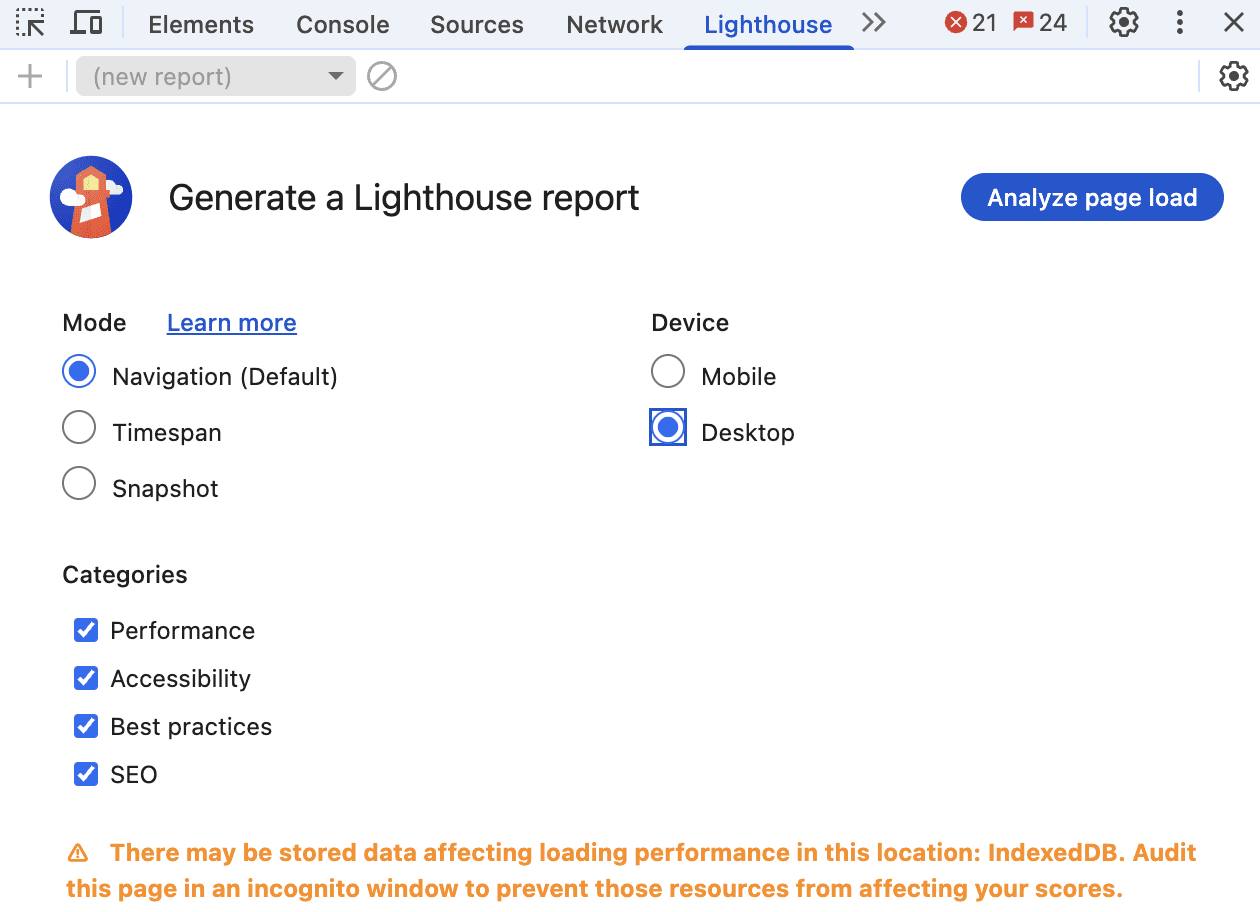
1. Lighthouse
Screenshot from Chrome DevTool, July 2025
When I first discovered Lighthouse tucked away in Chrome’s developer tools, it felt like finding a secret playbook from Google.
This tool has become my go-to for quick site audits, especially when clients come to me wondering why their perfectly designed website isn’t ranking.
Getting Started With Lighthouse
Accessing Lighthouse is surprisingly simple.
On any webpage, press F12 (Windows) or Command+Option+C (Mac) to open developer tools. You’ll find Lighthouse as one of the tabs. Alternatively, right-click any page, select “Inspect,” and navigate to the Lighthouse tab.
What makes Lighthouse special is its comprehensive approach. It evaluates five key areas: performance, progressive web app standards, best practices, accessibility, and SEO.
While accessibility might not seem directly SEO-related, I’ve learned that Google increasingly values sites that work well for all users.
Real-World Insights From The Community
The developer community has mixed feelings about Lighthouse, and I understand why.
As _listless noted, “Lighthouse is great because it helps you identify easy wins for performance and accessibility.”
However, CreativeTechGuyGames warned about the trap of chasing perfect scores: “There’s an important trade-off between performance and perceived performance.”
I’ve experienced this firsthand. One client insisted on achieving a perfect 100 score across all categories.
We spent weeks optimizing, only to find that some changes actually hurt user experience. The lesson? Use Lighthouse as a guide, not gospel.
Why Lighthouse Matters For SEO
The SEO section might seem basic as it checks things like meta tags, mobile usability, and crawling issues, but these fundamentals matter.
I’ve seen sites jump in rankings just by fixing the simple issues Lighthouse identifies. It validates crucial elements like:
Proper viewport configuration for mobile devices.
Title and meta description presence.
HTTP status codes.
Descriptive anchor text.
Hreflang implementation.
Canonical tags.
Mobile tap target sizing.
One frustrating aspect many developers mention is score inconsistency.
As one Redditor shared, “I ended up just re-running the analytics WITHOUT changing a thing and I got a performance score ranging from 33% to 90%.”
I’ve seen this too, which is why I always run multiple tests and focus on trends rather than individual scores.
Making The Most Of Lighthouse
My best advice? Use the “Opportunities” section for quick wins. Export your results as JSON to track improvements over time.
And remember what one developer wisely stated: “You can score 100 on accessibility and still ship an unusable [website].” The scores are indicators, not guarantees of quality.
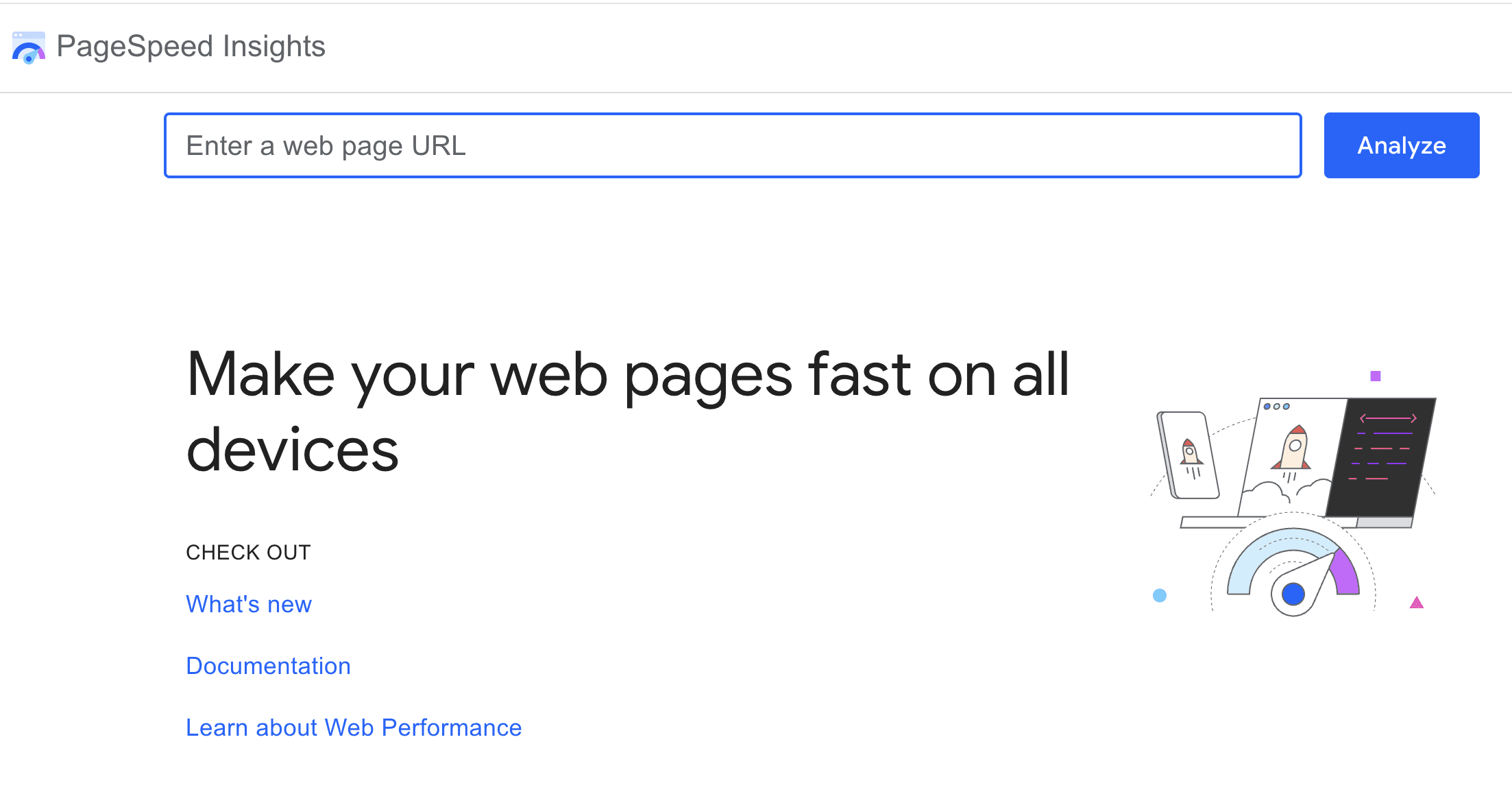
2. PageSpeed Insights
Screenshot from pagespeed.web.dev, July 2025
PageSpeed Insights transformed from a nice-to-have tool to an essential one when Core Web Vitals became ranking considerations.
What sets PageSpeed Insights apart is its combination of lab data (controlled test results) and field data (real user experiences from the Chrome User Experience Report).
This dual approach has saved me from optimization rabbit holes more times than I can count.
The field data is gold as it shows how real users experience your site over the past 28 days. I’ve had situations where lab scores looked terrible, but field data showed users were having a great experience.
This usually means the lab test conditions don’t match your actual user base.
Community Perspectives On PSI
The Reddit community has strong opinions about PageSpeed Insights.
NHRADeuce perfectly captured a common frustration: “The score you get from PageSpeed Insights has nothing to do with how fast your site loads.”
While it might sound harsh, there’s truth to it since the score is a simplified representation of complex metrics.
Practical Optimization Strategies
Through trial and error, I’ve developed a systematic approach to PSI optimization.
Arzishere’s strategy mirrors mine: “Added a caching plugin along with minifying HTML, CSS & JS (WP Rocket).” These foundational improvements often yield the biggest gains.
DOM size is another critical factor. As Fildernoot discovered, “I added some code that increased the DOM size by about 2000 elements and PageSpeed Insights wasn’t happy about that.” I now audit DOM complexity as part of my standard process.
Mobile optimization deserves special attention. A Redditor asked the right question: “How is your mobile score? Desktop is pretty easy with a decent theme and Litespeed hosting and LScaching plugin.”
In my experience, mobile scores are typically 20-30 points lower than desktop, and that’s where most of your users are.
The Diminishing Returns Reality
Here’s the hard truth about chasing perfect PSI scores: “You’re going to see diminishing returns as you invest more and more resources into this,” as E0nblue noted.
I tell clients to aim for “good” Core Web Vitals status rather than perfect scores. The jump from 50 to 80 is much easier and more impactful than 90 to 100.
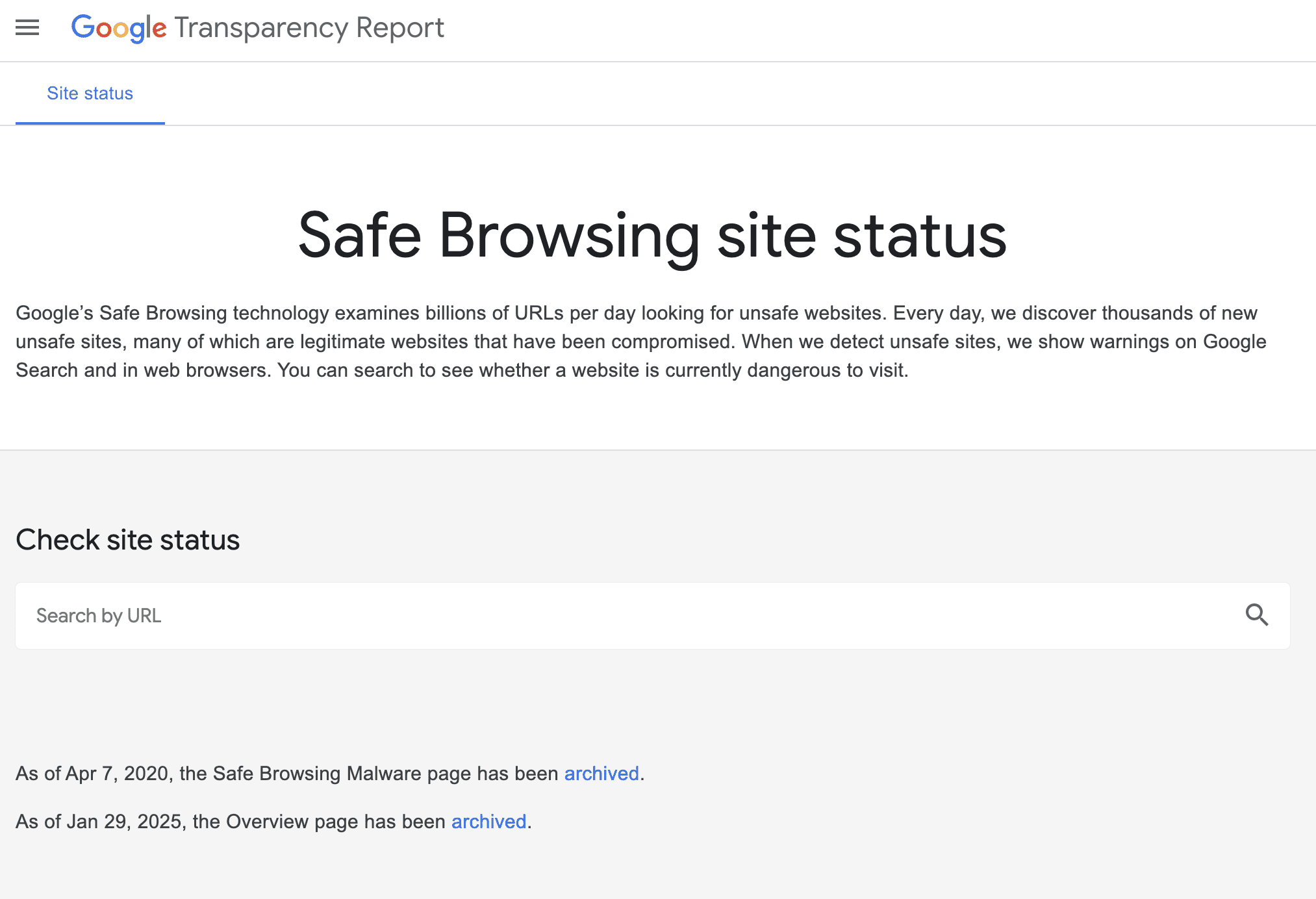
3. Safe Browsing Test
Screenshot from transparencyreport.google.com/safe-browsing/search, July 2025
The Safe Browsing Test might seem like an odd inclusion in an SEO toolkit, but I learned its importance the hard way.
A client’s site got hacked, flagged by Safe Browsing, and disappeared from search results overnight. Their organic traffic dropped to zero in hours.
Understanding Safe Browsing’s Role
Google’s Safe Browsing protects users from dangerous websites by checking for malware, phishing attempts, and deceptive content.
As Lollygaggindovakiin explained, “It automatically scans files using both signatures of diverse types and uses machine learning.”
The tool lives in Google’s Transparency Report, and I check it monthly for all client sites. It shows when Google last scanned your site and any current security issues.
The integration with Search Console means you’ll get alerts if problems arise, but I prefer being proactive.
Community Concerns And Experiences
The Reddit community has highlighted some important considerations.
One concerning trend expressed by Nextdns is false positives: “Google is falsely flagging apple.com.akadns.net as malicious.” While rare, false flags can happen, which is why regular monitoring matters.
Privacy-conscious users raise valid concerns about data collection.
As Mera-beta noted, “Enhanced Safe Browsing will send content of pages directly to Google.” For SEO purposes, standard Safe Browsing protection is sufficient.
Why SEO Pros Should Care
When Safe Browsing flags your site, Google may:
Remove your pages from search results.
Display warning messages to users trying to visit.
Drastically reduce your click-through rates.
Impact your site’s trust signals.
I’ve helped several sites recover from security flags. The process typically takes one to two weeks after cleaning the infection and requesting a review.
That’s potentially two weeks of lost traffic and revenue, so prevention is infinitely better than cure.
Best Practices For Safe Browsing
My security checklist includes:
Weekly automated scans using the Safe Browsing API for multiple sites.
Immediate investigation of any Search Console security warnings.
Regular audits of third-party scripts and widgets.
Monitoring of user-generated content areas.
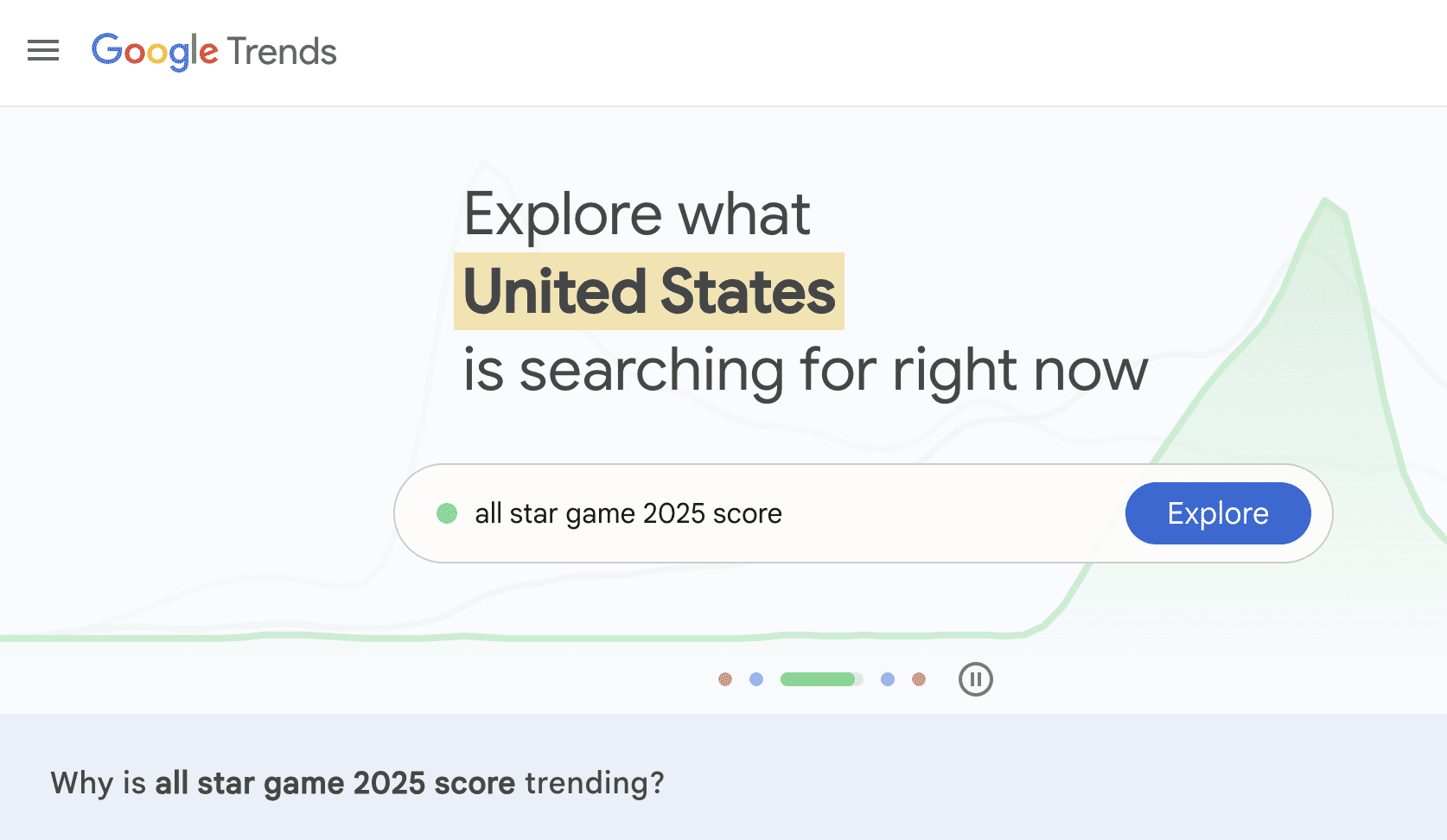
4. Google Trends
Screenshot from Google Trends, July 2025
Google Trends has evolved from a curiosity tool to a strategic weapon in my SEO arsenal.
With updates now happening every 10 minutes and AI-powered trend detection, it’s become indispensable for content strategy.
Beyond Basic Trend Watching
What many SEO pros miss is that Trends isn’t just about seeing what’s popular. I use it to:
Validate content ideas before investing resources.
The Reddit community offers balanced perspectives on Google Trends.
Maltelandwehr highlighted its unique value: “Some of the data in Google Trends is really unique. Even SEOs with monthly 7-figure budgets will use Google Trends for certain questions.”
However, limitations exist. As Dangerroo_2 clarified, “Trends does not track popularity, but search demand.”
This distinction matters since a declining trend doesn’t always mean fewer total searches, just decreasing relative interest.
For niche topics, frustrations mount. iBullyDummies complained, “Google has absolutely ruined Google Trends and no longer evaluates niche topics.” I’ve found this particularly true for B2B or technical terms with lower search volumes.
Advanced Trends Strategies
My favorite Trends hacks include:
The Comparison Method: I always compare terms against each other rather than viewing them in isolation. This reveals relative opportunity better than absolute numbers.
Category Filtering: This prevents confusion between similar terms. The classic example is “jaguar” where without filtering, you’re mixing car searches with animal searches.
Rising Trends Mining: The “Rising” section often reveals opportunities before they become competitive. I’ve launched successful content campaigns by spotting trends here early.
Geographic Arbitrage: Finding topics trending in one region before they spread helps you prepare content in advance.
Addressing The Accuracy Debate
Some prefer paid tools, as Contentwritenow stated: “I prefer using a paid tool like BuzzSumo or Semrush for trends and content ideas simply because I don’t trust Google Trends.”
While I use these tools too, they pull from different data sources. Google Trends shows actual Google search behavior, which is invaluable for SEO.
“A line trending downward means that a search term’s relative popularity is decreasing. But that doesn’t necessarily mean the total number of searches for that term is decreasing.”
I always combine Trends data with absolute volume estimates from other tools.
No list of Google SEO tools would be complete without Search Console.
If the other tools are your scouts, Search Console is your command center, showing exactly how Google sees and ranks your site.
Why Search Console Is Irreplaceable
Search Console provides data you literally cannot get anywhere else. As Peepeepoopoobutler emphasized, “GSC is the accurate real thing. But it doesn’t really give suggestions like ads does.”
That’s exactly right. While it won’t hold your hand with optimization suggestions, the raw data it provides is gold.
The tool offers:
Actual search queries driving traffic (not just keywords you think matter).
True click-through rates by position.
Index coverage issues before they tank your traffic.
Core Web Vitals data for all pages.
Manual actions and security issues that could devastate rankings.
I check Search Console daily, and I’m not alone.
Successful site owner ImportantDoubt6434 shared, “Yes monitoring GSC is part of how I got my website to the front page.”
The Performance report alone has helped me identify countless optimization opportunities.
Setting Up For Success
Getting started with Search Console is refreshingly straightforward.
As Anotherbozo noted, “You don’t need to verify each individual page but maintain the original verification method.”
I recommend domain-level verification for comprehensive access since you can “verify ownership by site or by domain (second level domain),” but domain gives you data across all subdomains and protocols.
The verification process takes minutes, but the insights last forever. I’ve seen clients discover they were ranking for valuable keywords they never knew about, simply because they finally looked at their Search Console data.
Hidden Powers Of Search Console
What many SEO pros miss are the advanced capabilities lurking in Search Console.
Seosavvy revealed a powerful strategy: “Google search console for keyword research is super powerful.” I couldn’t agree more.
By filtering for queries with high impressions but low click-through rates, you can find content gaps and optimization opportunities your competitors miss.
The structured data reports have saved me countless hours. CasperWink mentioned working with schemas, “I have already created the schema with a review and aggregateRating along with confirming in Google’s Rich Results Test.”
Search Console will tell you if Google can actually read and understand your structured data in the wild, something testing tools can’t guarantee.
Sitemap management is another underutilized feature. Yetisteve correctly stated, “Sitemaps are essential, they are used to give Google good signals about the structure of the site.”
I’ve diagnosed indexing issues just by comparing submitted versus indexed pages in the sitemap report.
The Reality Check: Limitations To Understand
Here’s where the community feedback gets really valuable.
An experienced SimonaRed warned, “GSC only shows around 50% of the reality.” This is crucial to understand since Google samples and anonymizes data for privacy. You’re seeing a representative sample, not every single query.
Some find the interface challenging. As UncleFeather6000 admitted, “I feel like I don’t really understand how to use Google’s Search Console.”
I get it because the tool has evolved significantly, and the learning curve can be steep. My advice? Start with the Performance report and gradually explore other sections.
Recent changes have frustrated users, too. “Google has officially removed Google Analytics data from the Search Console Insights tool,” Shakti-basan noted.
This integration loss means more manual work correlating data between tools, but the core Search Console data remains invaluable.
Making Search Console Work Harder
Through years of daily use, I’ve developed strategies to maximize Search Console’s value:
The Position 11-20 Gold Mine: Filter for keywords ranking on page two. These are your easiest wins since Google already thinks you’re relevant. You just need a push to page one.
Click-Through Rate Optimization: Sort by impressions, then look for low CTR. These queries show demand but suggest your titles and descriptions need work.
Query Matching: Compare what you think you rank for versus what Search Console shows. The gaps often reveal content opportunities or user intent mismatches.
Page-Level Analysis: Don’t just look at site-wide metrics. Individual page performance often reveals technical issues or content problems.
Integrating Search Console With Other Tools
The magic happens when you combine Search Console data with the other tools:
Use Trends to validate whether declining traffic is due to ranking drops or decreased search interest.
Cross-reference PageSpeed Insights recommendations with pages showing Core Web Vitals issues in Search Console.
Verify Lighthouse mobile-friendliness findings against Mobile Usability reports.
Monitor Safe Browsing status directly in the Security Issues section.
Mr_boogieman asked rhetorically, “How are you tracking results without looking at GSC?” It’s a fair question.
Without Search Console, you’re flying blind, relying on third-party estimations instead of data straight from Google.
Bringing It All Together
These five tools form the foundation of effective SEO work. They’re free, they’re official, and they show you exactly what Google values.
While specialized SEO platforms offer additional features, mastering these Google tools ensures your optimization efforts align with what actually matters for rankings.
My workflow typically starts with Search Console to identify opportunities, using Trends to validate content ideas, employing Lighthouse and PageSpeed Insights to optimize technical performance, and includes Safe Browsing checks to protect hard-won rankings.
Remember, these tools reflect Google’s current priorities. As search algorithms evolve, so do these tools. Staying current with their features and understanding their insights keeps your SEO strategy aligned with Google’s direction.
The key is using them together, understanding their limitations, and remembering that tools are only as good as the strategist wielding them. Start with these five, master their insights, and you’ll have a solid foundation for SEO success.
Google’s June 2025 Core Update just finished. What’s notable is that while some say it was a big update, it didn’t feel disruptive, indicating that the changes may have been more subtle than game changing. Here are some clues that may explain what happened with this update.
Two Search Ranking Related Breakthroughs
Although a lot of people are saying that the June 2025 Update was related to MUVERA, that’s not really the whole story. There were two notable backend announcements over the past few weeks, MUVERA and Google’s Graph Foundation Model.
Google MUVERA
MUVERA is a Multi-Vector via Fixed Dimensional Encodings (FDEs) retrieval algorithm that makes retrieving web pages more accurate and with a higher degree of efficiency. The notable part for SEO is that it is able to retrieve fewer candidate pages for ranking, leaving the less relevant pages behind and promoting only the more precisely relevant pages.
This enables Google to have all of the precision of multi-vector retrieval without any of the drawbacks of traditional multi-vector systems and with greater accuracy.
Google’s MUVERA announcement explains the key improvements:
“Improved recall: MUVERA outperforms the single-vector heuristic, a common approach used in multi-vector retrieval (which PLAID also employs), achieving better recall while retrieving significantly fewer candidate documents… For instance, FDE’s retrieve 5–20x fewer candidates to achieve a fixed recall.
Moreover, we found that MUVERA’s FDEs can be effectively compressed using product quantization, reducing memory footprint by 32x with minimal impact on retrieval quality.
These results highlight MUVERA’s potential to significantly accelerate multi-vector retrieval, making it more practical for real-world applications.
…By reducing multi-vector search to single-vector MIPS, MUVERA leverages existing optimized search techniques and achieves state-of-the-art performance with significantly improved efficiency.”
Google’s Graph Foundation Model
A graph foundation model (GFM) is a type of AI model that is designed to generalize across different graph structures and datasets. It’s designed to be adaptable in a similar way to how large language models can generalize across different domains that it hadn’t been initially trained in.
Google’s GFM classifies nodes and edges, which could plausibly include documents, links, users, spam detection, product recommendations, and any other kind of classification.
This is something very new, published on July 10th, but already tested on ads for spam detection. It is in fact a breakthrough in graph machine learning and the development of AI models that can generalize across different graph structures and tasks.
It supersedes the limitations of Graph Neural Networks (GNNs) which are tethered to the graph on which they were trained on. Graph Foundation Models, like LLMs, aren’t limited to what they were trained on, which makes them versatile for handling new or unseen graph structures and domains.
Google’s announcement of GFM says that it improves zero-shot and few-shot learning, meaning it can make accurate predictions on different types of graphs without additional task-specific training (zero-shot), even when only a small number of labeled examples are available (few-shot).
Google’s GFM announcement reported these results:
“Operating at Google scale means processing graphs of billions of nodes and edges where our JAX environment and scalable TPU infrastructure particularly shines. Such data volumes are amenable for training generalist models, so we probed our GFM on several internal classification tasks like spam detection in ads, which involves dozens of large and connected relational tables. Typical tabular baselines, albeit scalable, do not consider connections between rows of different tables, and therefore miss context that might be useful for accurate predictions. Our experiments vividly demonstrate that gap.
We observe a significant performance boost compared to the best tuned single-table baselines. Depending on the downstream task, GFM brings 3x – 40x gains in average precision, which indicates that the graph structure in relational tables provides a crucial signal to be leveraged by ML models.”
What Changed?
It’s not unreasonable to speculate that integrating both MUVERA and GFM could enable Google’s ranking systems to more precisely rank relevant content by improving retrieval (MUVERA) and mapping relationships between links or content to better identify patterns associated with trustworthiness and authority (GFM).
Integrating Both MUVERA and GFM would enable Google’s ranking systems to more precisely surface relevant content that searchers would find to be satisfying.
Google’s official announcement said this:
“This is a regular update designed to better surface relevant, satisfying content for searchers from all types of sites.”
This particular update did not seem to be accompanied by widespread reports of massive changes. This update may fit into what Google’s Danny Sullivan was talking about at Search Central Live New York, where he said they would be making changes to Google’s algorithm to surface a greater variety of high-quality content.
Search marketer Glenn Gabe tweeted that he saw some sites that had been affected by the “Helpful Content Update,” also known as HCU, had surged back in the rankings, while other sites worsened.
Although he said that this was a very big update, the response to his tweets was muted, not the kind of response that happens when there’s a widespread disruption. I think it’s fair to say that, although Glenn Gabe’s data shows it was a big update, it may not have been a disruptive one.
So what changed? I think, I speculate, that it was a widespread change that improved Google’s ability to better surface relevant content, helped by better retrieval and an improved ability to interpret patterns of trustworthiness and authoritativeness, as well as to better identify low-quality sites.
OpenAI announced a new way for users to interact with the web to get things done in their personal and professional lives. ChatGPT agent is said to be able to automate planning a wedding, booking an entire vacation, updating a calendar, and converting screenshots into editable presentations. The impact on publishers, ecommerce stores, and SEOs cannot be overstated. This is what you should know and how to prepare for what could be one of the most consequential changes to online interactions since the invention of the browser.
OpenAI ChatGPT Agent Overview
OpenAI ChatGPT agent is based on three core parts, OpenAI’s Operator and Deep Research, two autonomous AI agents, plus ChatGPT’s natural language capabilities.
Operator can browse the web and interact with websites to complete tasks.
Deep Research is designed for multi-step research that is able to combine information from different resources and generate a report.
ChatGPT agent requests permission before taking significant actions and can be interrupted and halted at any point.
ChatGPT Agent Capabilities
ChatGPT agent has access to multiple tools to help it complete tasks:
A visual browser for interacting with web pages with the on-page interface.
Text based browser for answering reasoning-based queries.
A terminal for executing actions through a command-line interface.
Connectors, which are authorized user-friendly integrations (using APIs) that enable ChatGPT agent to interact with third-party apps.
Connectors are like bridges between ChatGPT agent and your authorized apps. When users ask ChatGPT agent to complete a task, the connectors enable it to retrieve the needed information and complete tasks. Direct API access via connectors enables it to interact with and extract information from connected apps.
ChatGPT agent can open a page with a browser (either text or visual), download a file, perform an action on it, and then view the results in the visual browser. ChatGPT connectors enable it to connect with external apps like Gmail or a calendar for answering questions and completing tasks.
ChatGPT Agent Automation of Web-Based Tasks
ChatGPT agent is able to complete entire complex tasks and summarize the results.
Here’s how OpenAI describes it:
“ChatGPT can now do work for you using its own computer, handling complex tasks from start to finish.
You can now ask ChatGPT to handle requests like “look at my calendar and brief me on upcoming client meetings based on recent news,” “plan and buy ingredients to make Japanese breakfast for four,” and “analyze three competitors and create a slide deck.”
ChatGPT will intelligently navigate websites, filter results, prompt you to log in securely when needed, run code, conduct analysis, and even deliver editable slideshows and spreadsheets that summarize its findings.
….ChatGPT agent can access your connectors, allowing it to integrate with your workflows and access relevant, actionable information. Once authenticated, these connectors allow ChatGPT to see information and do things like summarize your inbox for the day or find time slots you’re available for a meeting—to take action on these sites, however, you’ll still be prompted to log in by taking over the browser.
Additionally, you can schedule completed tasks to recur automatically, such as generating a weekly metrics report every Monday morning.”
What Does ChatGPT Agent Mean For SEO?
ChatGPT agent raises the stakes for publishers, online businesses, and SEO, in that making websites Agentic AI–friendly becomes increasingly important as more users become acquainted with it and begin sharing how it helps them in their daily lives and at work.
A recent study about AI agents found that OpenAI’s Operator responded well to structured on-page content. Structured on-page content enables AI agents to accurately retrieve specific information relevant to their tasks, perform actions (like filling in a form), and helps to disambiguate the web page (i.e., make it easily understood). I usually refrain from using jargon, but disambiguation is a word all SEOs need to understand because Agentic AI makes it more important than it has ever been.
Examples Of On-Page Structured Data
Headings
Tables
Forms with labeled input forms
Product listing with consistent fields like price, availability, name or label of the product in a title.
Authors, dates, and headlines
Menus and filters in ecommerce web pages
Takeaways
ChatGPT agent is a milestone in how users interact with the web, capable of completing multi-step tasks like planning trips, analyzing competitors, and generating reports or presentations.
OpenAI’s ChatGPT agent combines autonomous agents (Operator and Deep Research) with ChatGPT’s natural language interface to automate personal and professional workflows.
Connectors extend Agent’s capabilities by providing secure API-based access to third-party apps like calendars and email, enabling task execution across platforms.
Agent can interact directly with web pages, forms, and files, using tools like a visual browser, code execution terminal, and file handling system.
Agentic AI responds well to structured, disambiguated web content, making SEO and publisher alignment with structured on-page elements more important than ever.
Structured data improves an AI agent’s ability to retrieve and act on website information. Sites that are optimized for AI agents will gain the most, as more users depend on agent-driven automation to complete online tasks.
OpenAI’s ChatGPT agent is an automation system that can independently complete complex online tasks, such as booking trips, analyzing competitors, or summarizing emails, by using tools like browsers, terminals, and app connectors. It interacts directly with web pages and connected apps, performing actions that previously required human input.
For publishers, ecommerce sites, and SEOs, ChatGPT agent makes structured, easily interpreted on-page content critical because websites must now accommodate AI agents that interact with and act on their data in real time.
In a recent installment of SEO Office Hours, Google’s John Mueller offered guidance on how to keep unwanted pages out of search results and addressed a common source of confusion around sitelinks.
The discussion began with a user question: how can you remove a specific subpage from appearing in Google Search, even if other websites still link to it?
Sitelinks vs. Regular Listings
Mueller noted he wasn’t “100% sure” he understood the question, but assumed it referred either to sitelinks or standard listings. He explained that sitelinks, those extra links to subpages beneath a main result, are automatically generated based on what’s indexed for your site.
Mueller said:
“There’s no way for you to manually say I want this page indexed. I just don’t want it shown as a sitelink.”
In other words, you can’t selectively prevent a page from being a sitelink while keeping it in the index. If you want to make sure a page never appears in any form in search, a more direct approach is required.
How To Deindex A Page
Mueller outlined a two-step process for removing pages from Google Search results using a noindexdirective:
Allow crawling: First, make sure Google can access the page. If it’s blocked by robots.txt, the noindex tag won’t be seen and won’t work.
Apply a noindex tag: Once crawlable, add a noindex meta tag to the page to instruct Google not to include it in search results.
This method works even if other websites continue linking to the page.
Removing Pages Quickly
If you need faster action, Mueller suggested using Google Search Console’s URL Removal Tool, which allows site owners to request temporary removal.
“It works very quickly” for verified site owners, Mueller confirmed.
For pages on sites you don’t control, there’s also a public version of the removal tool, though Mueller noted it “takes a little bit longer” since Google must verify that the content has actually been taken down.
Hear Mueller’s full response in the video below:
What This Means For You
If you’re trying to prevent a specific page from appearing in Google results:
You can’t control sitelinks manually. Google’s algorithm handles them automatically.
Use noindex to remove content. Just make sure the page isn’t blocked from crawling.
Act quickly when needed. The URL Removal Tool is your fastest option, especially if you’re a verified site owner.
Choosing the right method, whether it’s noindex or a removal request, can help you manage visibility more effectively.