How To Set A Winning Data Strategy For Value-Based Bidding via @sejournal, @adsliaison

Value-based bidding is only as successful as the inputs you provide. It’s not just about having data; it’s about having the right data.

In last week’s article of this value-based bidding series, we looked at how to determine whether this strategy will be a good fit for your business.

Now, we’re going to dig into the steps needed to ensure you’ve got the right data foundation for value-based bidding to be effective in this second video of our series.

Once you’ve got your data foundation established, the other key piece is telling Google what your goals are. You need to set clear goals so that Google’s AI knows what to aim for.

It may sound a bit daunting at first, but with a few steps, you can ensure your value-based bidding campaigns are firing on all cylinders.

Step 1: Tighten Up Your Tracking

The first order of business is to make sure your Google Tag or Google Tag Manager is properly installed and configured across your website.

This little snippet of code is responsible for measuring crucial information about user interactions, particularly those important lead form submissions to be used as your initial conversion action.

Step 2: Share Offline Conversion Data

Not all valuable customer interactions happen online.

Phone calls and other offline conversion events are often just as important in your lead generation efforts.

Each stage of the offline sales cycle – lead, marketing qualified lead, sales qualified lead, closed deal, etc. – has a certain value for your business.

Sharing this offline conversion event data back into your campaigns helps drive your value-based bidding strategy to find more of the conversions you value most.

Enhanced Conversions for Leads: Now, let’s dive a bit deeper. The most durable method for sharing offline sales conversion data is enhanced conversions for leads.

Enhanced conversions for leads allows you to attribute offline conversions back to your Google Ads campaigns. When a user submits a form on your site, it sends back hashed lead information that you specify, such as an email address.

You then store that lead in your CRM or database, and when that lead converts or completes a further action, you upload that hashed lead information for Google to match it back to the ad that drove the lead (auto-tagging is required).

If you’re currently using offline conversion import (OCI) to bring in your offline data, we recommend transitioning to enhanced conversions for leads for several reasons: It’s privacy-safe and can provide more accurate measurement, supports cross-device conversions and engaged-view conversions, and is easier to implement because you don’t need to make any modifications to your lead forms or CRM systems to receive a GCLID.

You can implement enhanced conversions for lead using the Google tag or with Google Tag Manager – more on making this switch here.

Google Ads Data Manager: Google Ads Data Manager is designed to make it easier to import and activate your offline conversion and first party-data in one central location.

You’ll find “Data manager” under the Tools icon in your Google Ads account. This is where you can connect your first-party data sources, such as BigQuery, Google Cloud, HTTPS, HubSpot, Snowflake, Google Sheets and more via a direct partner connection or Zapier.

Note, if you don’t see your preferred data source listed among the featured products, be sure to click “Search all” to find more options.

Configure your data sources to ensure that all your conversion data, regardless of where it originates, is feeding into Google’s AI.

You can also access and configure your Google tag from Data Manager.

Step 3: Use Data-Driven Attribution

As you know, the customer journey is rarely linear. People might visit your website several times from various sources and interact with your brand on multiple channels before finally submitting a lead, signing up for your newsletter, or becoming a customer.

A data-driven attribution model takes all of these touchpoints into account, assigning credit to each interaction based on its actual contribution to the conversion.

It looks at conversions from your website and Google Analytics from Search, Shopping, YouTube, Display and Demand Gen ads, and determines which keywords, ads and campaigns have the most impact on your goals.

The benefit of this approach to attribution, especially when using value-based bidding strategies, is that it gives Google’s AI a more nuanced understanding of what’s driving results than a last-click or other static attribution model.

This means the system can make better-informed decisions about where and how to allocate your ad spend to find more conversion value based on your goals.

Setting The Right Goals

Now that you’ve got the right data flowing in, it’s time to tell Google’s AI what to focus on.

While you can – and should – track a variety of actions within Google Ads, when it comes to bid optimization, it’s important to choose a single, primary goal and focus on one single stage of the customer journey.

Ideally, your primary goal should be the action that’s closest to the end of the customer journey where you have sufficient conversion volume.

You’ll want to make sure this action occurs at least 15 times per month at the account level so that Google’s AI has enough data to work with.

Additionally, the shorter the conversion delay (the time between an ad click and the conversion), the better.

That doesn’t mean that if you have a long sales cycle and relatively low closed-deal conversion volume you can’t use value-based bidding.

You’ll just need to look at other actions your potential customers take that have more volume and a shorter conversion delay. This could be a lead form submission, a product demo request, a free trial sign-up, etc.

Keep The Data Fresh

Lastly, you want to be sure to upload your conversion data to Google Ads frequently, preferably on a daily basis.

This ensures that Google AI always has the most up-to-date information, allowing it to make the most accurate predictions and optimizations.

Again, you can upload this data by connecting your sources in Data Manager or the Google Ads API.

What’s Next

We’ve covered a lot of ground, from ensuring you’re capturing the right data to setting clear goals for Google’s AI.

Next week, we’ll get into actually assigning values to your conversions, a crucial step in maximizing the return on your ad spend and bidding to value.

More resources: 


Featured Image: BestForBest/Shutterstock

Is Value-Based Bidding Your Ticket To Higher Quality Leads? via @sejournal, @adsliaison

For lead gen marketers, we know it’s not just about generating leads; it’s about attracting the right leads – those that are most likely to convert into valuable customers.

Value-based bidding is a strategic approach that allows businesses to focus on optimizing campaigns for conversions that truly matter.

We’ve seen value-based bidding work for online sales and brick-and-mortar businesses as well, but here we’re going to focus on using it for driving higher quality leads.

This is the first of five articles I’ll be sharing weekly to delve in deeper and build on each episode of our new video series on value-based bidding for lead generation.

As you’ll see in this first video below, each is short enough to take in over a quick coffee break.

We’ll start from the beginning and cover what it is and whether value-based bidding could be the right strategy to elevate your lead generation efforts in Google Ads.

The Power Of Quality Leads

Not every customer brings the same value to your business. High-quality leads are more likely to engage with your brand, convert into paying customers, and contribute to long-term business growth.

Value-based bidding is particularly beneficial for businesses that typically need to nurture relationships with customers between an initial online conversion and a final sale.

By focusing on quality leads, you can streamline your sales funnel, improve conversion rates, and ultimately boost your bottom line.

So how can you do that with value-based bidding?

Bidding To Value

Value-based bidding allows you to prioritize specific value goals that align with your business goals.

These goals could encompass sales, revenue, profit margins, or even the lifetime value of a customer.

With this strategy, Google’s AI uses billions of combinations of signals along with your first party data to identify conversions that are most likely to deliver on your defined value objectives.

It then optimizes bids to focus your ad spend on reaching those higher value customers.

The Basic Mechanics Of Value-Based Bidding

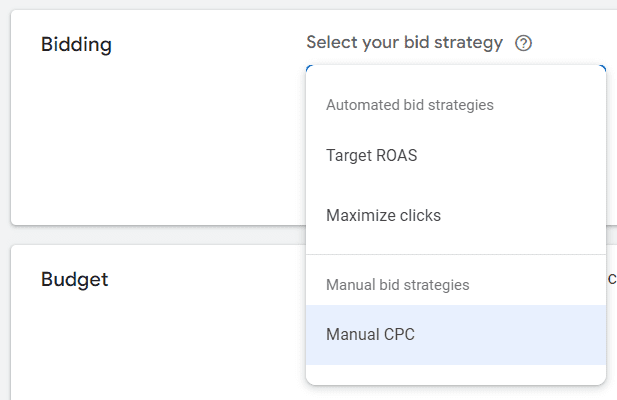
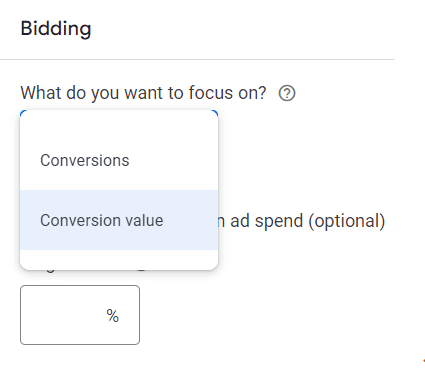
Value-based bidding offers two primary pathways to optimize your campaigns by bringing values into Smart Bidding:

VALUE-BASED BIDDING
Maximize conversion value
with a target ROAS Drive as much conversion value at a particular ROI.
Maximize conversion value
(no ROAS target specified) Get as much value within a set budget.
  • Maximize conversion value: If you’re working with a fixed budget, this option focuses on extracting the maximum lead conversion value from your campaign within the constraints of your budget.
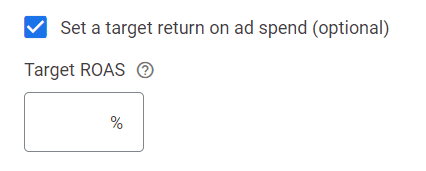
  • Set a ROAS (Return on Ad Spend) target: This option enables you to optimize for conversion value at a specific target ROAS to help ensure your ad spend generates a desired level of return. When you set a ROAS target, the system will optimize to find as much value as possible on average at your target. There are data thresholds to using target ROAS which we will cover later in this series, but this is the preferred strategy when you want to achieve specific ROAS goals and be able to respond dynamically to shifts in demand. Target ROAS is available for single campaigns or a portfolio strategy applied to multiple campaigns.

Value-based bidding will maximize the conversion value based on budget constraints and ROAS targets where applicable, so higher value customers will be prioritized over volume alone.

Keep this in mind when comparing target CPA performance, which optimizes for conversion volume irrespective of value.

While the emphasis will be on attracting high-value customers, it’s important to note that you might still see some medium to low-value customers depending on the dynamics of the ad auction.

When using ROAS targets, the higher your target, the fewer auctions your ads are likely to enter. In other words, ROAS targets are your lever to make your ads more or less likely to enter the auction.

Is Value-Based Bidding The Right Fit For Your Business?

Value-based bidding has seen success across a spectrum of industries, but whether it’s the right fit for you depends on your specific business needs and capabilities.

Before embracing this strategy, you’ll need to address these key questions:

Can You Assign Meaningful Values To Your Conversion Actions?

You are likely already differentiating your customers’ value in some facet, formally or informally.

You’ll need to set a concrete value to each conversion, whether through static proxy values like lead scores or dynamic economic values such as total profit. (We’ll cover proxy values more in the third article in this series.)

Do You Need To Strike A Balance Between Volume And Value Goals?

Bidding to value means your campaigns likely will not generate the same volume of conversions as they would using Maximize conversions with an optional target CPA bid strategy. This strategy is designed to return a higher total value of conversions. Bid simulators can help you to understand this tradeoff.

If you want to maintain a certain level of traffic, use the Smart Bidding bid simulator to help you gauge the optimal ROAS target that will yield your desired volume of leads while maintaining a focus on quality.

Lowering your target ROAS will increase your reach, and raising your target ROAS will decrease reach while seeking out higher value conversions.

Are You Able To Measure And Connect Your Value Data To Google Ads?

Access to accurate and comprehensive value data is a must for implementing value-based bidding effectively. To start, this means having proper site tagging to track conversions.

Feeding the right first-party data values into Google Ads is key to training the system to identify and differentiate predicted customer value for each auction.

If your value objective is sales value, for example, you’ll need to be able to measure and connect that data back to your Google Ads account. We’ll cover how to do that later in this series.

Reaping The Rewards Of Value-Based Bidding

The initial setup of value-based bidding typically requires some effort up front, but don’t let that intimidate you.

You can start with a more basic set up and adopt more sophisticated approaches that have more technical requirements, such as optimizing for margin or lifetime values for example, later if you wish.

Value-based Smart Bidding gives the system the flexibility to set each bid based on the predicted value of the conversion and target higher value conversions. Over time, it learns which users are more likely to be higher value and more profitable, then bids accordingly.

Bidding to find the most valuable customers can deliver incremental revenue uplift and profitability. Businesses that have found success with this strategy report a marked improvement in lead quality.

On average, advertisers that switch their bid strategy from a target CPA to target ROAS can see 14% more conversion value at a similar return on ad spend.1

Beyond The Basics

While we’ve covered the foundational aspects of value-based bidding, we’re just getting started.

In the upcoming articles in this series, we’ll dive deeper into this strategy, including how to identify and leverage the right data and values for your business, and how to share your value information with Google Ads.

By aligning your campaigns with the conversions that truly matter most to your business objectives, you can optimize your ad spend, maximize your return on investment, and achieve sustainable business growth.

Up next week, we’ll talk about figuring out the right data and values.

SOURCE: Google Internal Data, Global, March 2021

More resources: 


Featured Image: BestForBest/Shutterstock

A Guide To Keyword Prioritization & The Newest Query Matching Controls In Google Ads via @sejournal, @adsliaison

There are often times when more than one keyword (and/or search theme) in your account will be eligible to match for a search term. Yet only one will be selected to compete in each auction.

So, how does Google choose which of your keywords to put forward?

There’s a prioritization framework for that!

We’ve also recently launched several updates to query matching controls, including the new brand inclusions and brand exclusions, to help you steer traffic where you want it.

While the keyword and search theme prioritization framework for query matching isn’t entirely new, it’s evolved in meaningful ways with recent AI advancements.

Now is a good time to dive into the mechanics of keyword prioritization and query matching controls. This will give you a better foundation for organizing your campaigns and ad groups, building keyword lists (positive and negative), selecting keyword match types, and using search themes to drive performance.

We’ll cover various scenarios and what to keep in mind for each prioritization rule – as well as what you need to know about the latest in query matching controls.

Why Keyword Prioritization Matters

Keyword prioritization rules help ensure keyword-to-query relevance to deliver better user experiences and advertiser outcomes.

But another big benefit of keyword prioritization rules is that they help address the reasons why advertisers resorted to using “keyword sculpting” techniques that entailed complex account and bid structures in order to route traffic where they wanted.

Google Ads <span class=

How Keyword Prioritization Works In Google Ads

I think of the four priority levels, or rules, shown above in two batches:

  • Priority rules 1 & 2 apply to scenarios when you have a keyword or search theme that’s identical to the search term or spell-corrected search term.
  • Priority rules 3 & 4 apply to scenarios when you don’t have an identical keyword or search theme and have multiple matches that could enter the auction.

Top Priority: Identical Exact Match Keywords

If you have an eligible exact match keyword that is identical to the search term or spell-corrected search term, that keyword will be prioritized to enter the auction over all other keywords in the account.

This prioritization rule means:

  • The exact match keyword [skydiving license] will match to the identical query “skydiving license”.
  • The identical exact match keyword [skydiving license] will also be prioritized over the same keyword duplicated in phrase or broad match – whether in the same or a different ad group.
  • It will be prioritized over Performance Max for Search text ads.
  • And it will be prioritized over any other relevant phrase or broad match keyword that could otherwise match to the query, such as “skydiving certification” or “skydiving licensing.”
  • Also important to note, if you have the broad match campaign setting enabled, those keywords will be treated as if both a broad match and an exact match version of the keyword were enabled.
If this: Then that:
Identical or spell-corrected exact match keyword to the query. The identical exact match keyword will be prioritized.
Identical or spell-corrected exact match keyword to the query is duplicated in phrase and/or broad match in the account. The identical exact match keyword will be prioritized over the duplicated phrase and/or broad match keywords.
Identical or spell-corrected exact match keyword to the query is duplicated in a Performance Max search theme. The identical exact match keyword will be prioritized over Performance Max, even if there is a duplicate search theme.
The broad match campaign setting is enabled, and an identical keyword to the query. The identical broad match keyword will be treated as an exact match version and will be prioritized.
The broad match campaign setting is enabled and an identical exact match keyword to the query in another campaign. The keyword with the highest Ad Rank will be prioritized.

Keep in mind:

  • Misspelled/spell-corrected search terms are considered “identical,” but plurals or synonyms are not.
    • So [skydoiving license] would be considered identical to [skydiving license], but [skydiving licenses] or [freefall license] would not.
  • The keyword has to be eligible to serve in order to match – this is true across all prioritization rules.
    • For example, if the campaign is limited by budget the keyword won’t always be able to trigger an ad.
    • Or if the targeting doesn’t align, the creatives or landing pages in the ad group are all disapproved, or the keyword has low search volume status, you may see traffic go to other keywords or Performance Max.

2nd Priority: Phrase, Broad Match, Or Search Themes That Are Identical To The Query

Next up, if you don’t have the identical exact match keyword, the system will look to see if there’s a phrase or broad match keyword, or Performance Max search theme that’s identical to the query or spell-corrected query.

This prioritization rule means:

  • A Search keyword that’s identical to the query will be prioritized over Performance Max, regardless of match type – exact (as covered by the first priority), phrase or broad.
    • This is worth reiterating because I often see it misunderstood: If you have an identical Search keyword to the query of any match type, Performance Max will not be considered for selection. With one exception . . .
  • If you have duplicate search themes and phrase or broad match keywords that are identical to the query, priority will be based on Ad Rank.
    • For example, if you have both the search theme and phrase match keyword “skydiving license” and that’s the query, the ad with the highest Ad Rank will be selected for the auction.
    • That’s because Performance Max search themes have the same prioritization as phrase and broad match keywords.
  • If you have the identical search theme to the query in Performance Max but not an identical keyword in Search, the search theme will be prioritized.
If this: Then that:
Identical or spell-corrected Search keyword and not an identical Performance Max search theme. The identical Search keyword will be prioritized over Performance Max, regardless of match type.
Identical or spell-corrected Search keyword + an identical Performance Max search theme. Prioritization will be based on Ad Rank.
Identical or spell-corrected phrase match + broad match Search keywords.
Identical search theme in Performance Max and not an identical Search keyword. The identical Performance Max search theme will be prioritized.

Keep in mind:

  • Misspelled/spell-corrected search terms are considered “identical,” but plurals or synonyms are not. So [skydoiving license] would be considered identical to [skydiving license], but [skydiving licenses] or [freefall license] would not.
  • There is no performance benefit from repeating the same keyword in multiple match types in a campaign.
    • Because the system prioritizes eligible keywords that are identical to the search term, you will have the identical keyword covered with any single match type.
  • Further, there’s a misconception that exact match keywords are “cheaper” than their phrase or broad match types.
    • If the factors are equal (ad, landing page, bid strategy), the cost for the same broad or phrase match keyword to pick up the identical exact match traffic will be equivalent. More on keyword matching options here.
    • If you are using phrase and/or broad match keywords and have duplicate keywords across match types within your ad groups, you can dedupe and remove the redundant keywords in the most restricted match types.
  • We recommend using search themes to fill gaps, rather than duplicate your keywords, in order to help steer the AI in Performance Max. More on search themes here.

Alright, now for the scenarios when you don’t have the identical match to the query in your account, we’re moving on to the next two rules of prioritization . . .

3rd Priority: Relevance (AI-Based Keyword Prioritization)

This is the new(ish) kid on the prioritization block – and the biggest recent advancement in keyword selection for Search campaigns.

AI-based keyword prioritization introduces relevance signals to identify the best keywords from the most relevant ad groups when multiple ad groups are eligible to match to a query.

This prioritization rule means:

  • Relevance is determined by looking at:
    • The meaning of the search term.
    • The meaning of all the keywords in the ad group.
    • The landing pages within the ad group.
  • Keywords with a lower Ad Rank but higher relevance can be selected over keywords with lower relevance.
  • AI-based prioritization currently works on keyword-based Search campaigns only (e.g. it does not work on Dynamic Search Ads).
  • It is used when your keywords aren’t identical to the search term.
If this Then that
Phrase and/or broad match keywords in multiple ad groups are eligible to match to a query. AI prioritization first looks at each ad group as a whole to better understand the creative and intent and selects the most relevant ad group(s) and keyword(s) for the auction.

If more than one keyword/ad group is found to be highly relevant, the one with the highest Ad Rank will be selected.

Multiple phrase and/or broad match keywords in the same ad group are eligible to match to a query.

Keep in mind:

  • A big benefit of AI-based keyword prioritization is that it reduces the need to create granular campaign structures to route traffic manually while still giving you control over which keyword matches to a query using thoughtful ad group theming.
  • To that end, AI-based prioritization only works as well, as it can infer relevance. This is why ad group theming is so important, particularly when using broad match.
  • Grouping your keywords into similar themes with relevant assets and landing pages makes it easier for Google to understand the intent of your keywords and landing pages and select the best match for the intent of the user’s search.

For example: Looking closer at the example outlined in the Help Center, a search for “skydiving certifications near me” could match to the ad groups “Skydiving License” and “Advanced Skydiving Courses.”

Both ad groups have related intent to the query, but the “Skydiving License” ad group has keywords and a landing page specific to licensing. Whereas the “Advanced Skydiving Courses” ad group has keywords and a landing page focused on advanced courses.

Because ‘license’ (included in both the keywords and landing page) + ‘certifications’ (included in the search term) are seen as significantly more related than ‘courses’ + ‘certifications’ to a search for “skydiving certifications,” the “Skydiving License” ad group is selected.

(Having worked on many education and certification campaigns over the years, I particularly appreciate this example!)

4th And Final: Ad Rank

Ad Rank is the final prioritization rule used to determine which keyword (or search theme) in your account will be selected to enter the auction. We’ve already covered some of the scenarios in which Ad Rank is used when the other rule criteria aren’t met.

Ad Rank considers a number of factors, including ad quality components, in real-time with every auction to determine which, if, and where your ads are shown relative to other advertisers. More on Ad Rank here.

This prioritization rule means:

  • If you have the identical keyword to the query repeated in both phrase and broad match, priority will be based on Ad Rank. The ad with the highest Ad Rank will be prioritized.
  • If you have the identical search theme in Performance Max and phrase or broad match keyword in Search, priority will be based on Ad Rank.
  • If there are multiple highly relevant phrase and/or broad match keywords eligible after being considered by AI-based keyword prioritization, Ad Rank is then used to make the final selection to enter the auction.
If this Then that
Duplicated phrase and broad match keywords that are identical to the query or spell-corrected query. Prioritization will be based on Ad Rank.
Identical or spell-corrected keyword + an identical Performance Max search theme to the query or spell-corrected query.
Duplicated phrase and broad match keywords that are identical to the query or spell-corrected query.
AI prioritization finds multiple highly relevant phrase and/or broad match keywords.
The broad match campaign setting is enabled and an identical exact match keyword to the query in another campaign.

Keep in mind:

  • Ad Rank also considers other factors, such as your bid, the expected impact of assets and ad formats (e.g., sitelinks, location assets, etc.), and the context of the person’s search.
  • When you run Performance Max and Search campaigns and don’t have an identical keyword to the search query, the campaign or ad with the highest Ad Rank will be selected.
  • And a quick note on Quality Score: Quality Score is based on historical impressions for identical searches of your keyword, which means the match type you use doesn’t impact Quality Score – nor does changing match types.
    • For example, if all else is equal (bid, ad, etc.), the broad match keyword running shoes and exact match keyword [running shoes] will have the same Quality Score.
    • If your broad match keyword running shoes matches to the search “shoes for running”, that doesn’t factor into Quality Score.

New Controls For Query Matching

In June, we announced several updates for query matching and brand controls. I’ll explain a bit more about each update and answer some of the questions I’ve received about them.

Brand Inclusions For Broad Match Campaigns

This feature (initially called brand restrictions) ensures your ads match only to queries related to your brand name in broad match campaigns.

To use brand inclusions, you’ll need to turn the broad match keywords setting on in your campaign. This will automatically set or change your keywords in the campaign to broad match.

After you create a brand list at the account level, you can apply it to the campaign.

It’s first important to note that there are ongoing, continuous improvements in broad match, and AI advancements are helping to accelerate progress.

For example, in the recent six months, broad match performance improved by 10% for advertisers using Smart Bidding due to AI-powered improvements to quality, relevance, and language understanding1.

And, in addition to using Smart Bidding, there are key controls for steering broad match. We have already touched on the importance of ad group theming, for example.

Brand inclusions is a new control that enables advertisers to use broad match effectively in their branded campaigns.

This means:

  • You can focus traffic only on queries that include your brand while also using the additional signals available to broad match, including landing pages, keywords in your ad group, previous searches, and more.
  • You may also now see recommendations to switch your brand-focused campaigns to broad match and apply brand inclusions.
If this Then that
A search query contains a brand that is applied to your branded campaign with brand inclusions. The query will match to the most relevant broad match brand keyword(s) in your brand campaign.
A search query does not contain a brand that is applied to your branded campaign with brand inclusions. The query will not match to any of the broad match keywords in your branded campaign.
A search query contains a competitor brand that is not applied to your branded campaign with brand inclusions.

Keep in mind:

  • Brands are not the same as keywords. Unlike keywords, brands are treated like individual entities.
  • We use logos, websites, and trademarks to determine the right brand and related products.
  • There’s no need to include misspellings, variants, or versions in other languages in your brand lists.
  • If there is a strong correlation between the query and brand entity, your brand products will be associated with the brand.

Brand Exclusions For Search

Already available for Performance Max, brand exclusions will be rolling out for Search in the coming months.

Brand exclusions offer a streamlined solution to prevent traffic from queries associated with certain brand names and misspellings.

As with brand inclusions, you create brand lists at the account level. Then apply them for exclusion to your Search and/or Performance Max campaigns.

This means:

  • You can exclude matches to searches for competitor brands, for example.
  • Brand exclusions for Search apply to all match types and Dynamic Search Ads.
  • You can also use brand exclusions to prevent matches to other brands mentioned alongside the brand you’ve specified.
    • For example, if you want traffic for “google” but want to avoid comparisons like “google vs samsung phone.”
  • Or you can prevent traffic on sub-brand queries. For example, you may want traffic for “google” but not “google maps.”
  • You will be able to apply brand lists for exclusion to multiple Search and/or Performance Max campaigns.
If this Then that
A search query contains a brand that is applied to your campaign(s) with brand exclusions. The query will not match to any of the keywords in those campaign(s).
A search query does not contain a brand name. The query may match to eligible, relevant keywords in your campaigns.
A search query contains a competitor brand that is not applied to your campaign(s) with brand exclusions. The query may match to eligible, relevant keywords in your campaign(s).

Keep in mind:

  • Brands are not the same as keywords. Unlike keywords, brands are treated like individual entities.
  • We use logos, websites, and trademarks to determine the right brand and related products.
  • There’s no need to include misspellings, variants, or versions in other languages in your brand lists.
  • If there is a strong correlation between the query and brand entity, the brand’s products will be associated with the brand.
  • The simplest variant will typically capture all variants when multiple variants of a brand have at least one common word, such as “Google” and “Google LLC.”
    • For example, “Google” will capture all variants of search queries that include “Google.” You don’t need to add the other variants to your list.
  • However, when multiple variants of a brand don’t have common words, such as “Google”, “YouTube”, and “Alphabet”, you’ll need to create a list that includes all of the variants.
    • Otherwise, the more general brand will often, but not always, capture all traffic related to all brands. (More here.)
  • Brands vs. keywords: You can still add brands as negative keywords, but since negative keywords are limited in that they don’t exclude brand variants, we recommend only using negative keywords for blocking traffic that’s undesired, regardless of performance.

Negative Keywords Block Misspellings

Negative keywords are a valuable control to prevent traffic from unwanted search terms.

And this is a very welcomed update. Negative keywords now prevent matching to misspelled queries. Below are examples of scenarios I’ve been asked about.

This means:

  • Now, instead of having to monitor your search terms or think of possible ways people might misspell your keywords, you just have to enter the correct spelling.
  • Misspellings as negatives won’t block correctly spelled queries, but correct spellings as negatives will block their misspelled queries. See examples below.
  • It will block misspellings but not synonyms, singular or plural versions, and other close variations.
  • You’ll still need to add those if you want to exclude them. (e.g., YT would be a variant of YouTube, and the misspelling would be yiotube.) See examples below.
  • You can likely do some negative keyword list culling to remove misspellings and streamline things in your account.
If this Then that
You add the correctly spelled “loan” as a negative keyword. It will block searches with “lian,” “laon,” etc. because they will be recognized as misspellings of “loan.”
You have the correctly spelled keyword “car loan” and add the misspelling “lian” as a negative. It will not block correctly spelled “loan” queries.

It will block queries such as “car lian.”

You have the keyword “bedding” and add the correctly spelled negative keyword “beds.” You’d still be able to match for “bedding” searches because “beds” is a variant, not a misspelling of “bedding.”
You have the keyword “YouTube” and the search query is “YT”. You’d still be able to match for “YT” searches because beds

Keep in mind:

  • This update applies to campaign-level and account-level keywords. More on negative keywords here.
  • Misspellings will apply to all negative keywords, regardless of match type.
  • Wondering if a word will be considered a misspelling of your keyword? A good way to check is to search on Google to see if it returns “These are results for” the spell-corrected query.

Will Pausing Low Volume Keywords And/or Ad Groups Impact Query Matching And Performance?

Lastly, another recent change raised some questions that I want to touch on.

Earlier this year, we notified advertisers that we would be automatically pausing Search ad groups and keywords that haven’t received an impression within the previous 13 months.

Clutter happens and idle ad groups and keywords that hadn’t been contributing to performance for some time can add up.

We don’t expect pausing ad groups or keywords that haven’t had an impression for more than a year to have a noticeable impact on your Search campaign traffic or to change the traffic mix between your Search and Performance Max campaigns.

You can continue to review and unpause any keywords or ad groups you think are still needed…however, this brings us back to account structure and ad group theming for relevance.

If you think these paused ad groups or keywords should have been matching to queries and generating impressions, consider before simply re-enabling them:

  • Check the keyword status for potential issues.
  • Look at whether these ad groups/keywords will be additive or if other keywords or ad groups are already covering this traffic.
  • Consider expanding the match type of these keywords to capture more queries.
  • Then, take a broader look at your ad groups’ creative theming, keeping the relevance signals that AI-based prioritization looks at in mind, including the other keywords and landing pages in the ad group.

Key Takeaway

Now that you have a deeper understanding of how these keyword prioritization rules and query matching controls work, take a fresh look at your account.

You may find opportunities to reorganize and consolidate your campaigns and focus on making your ad groups more tightly themed.

These efforts will help you streamline your account (e.g., simplify management) while also ensuring you are matching relevant queries with your most relevant ads to drive results.


Notes

1Google Internal Data, Oct 2023 – Mar 2024. Performance refers to conversions/conversion value at constant ROI.

More resources:


Featured Image: BestForBest/Shutterstock

How To Reduce Wasted Ad Budget: The Hidden Cost of Close Variants

This post was sponsored by Adpulse. The opinions expressed in this article are the sponsor’s own.

As managers of paid media, one question drives us all: “How do I improve paid ad performance?”. 

Given that our study found close variant search terms perform poorly, yet more than half of the average budget on Google & Microsoft Ads is being spent on them, managing their impact effectively could well be one of your largest optimization levers toward driving significant improvements in ROI. 

“Close variants help you connect with people who are looking for your business, despite slight variations in the way they search.” support.google.com

Promising idea…but what about the execution?

We analyzed over 4.5 million clicks and 400,000 conversions to answer this question: With the rise in close variants (intent matching) search terms, what impact are they having on budgets and account performance? Spoiler alert, the impact is substantial. 


True Match Vs. Close Variants: How Do They Perform?

To understand close variant (CV) performance, we must first define the difference between a true match and a close variant. 

What Is a True Match? 

We still remember the good-old-days where keyword match types gave you control over the search terms they triggered, so for this study we used the literal match types to define ‘close variant’ vs ‘true match’. 

  • Exact match keyword => search term matches the keyword exactly. 
  • Phrase match keyword => search term must contain the keyword (same word order).
  • Broad match keyword => search term must contain every individual word in the keyword, but the word order does not matter (the way modified broad match keywords used to work).   

What Is a Close Variant? 

If you’re not familiar with close variants (intent matching) search terms, think of them as search terms that are ‘fuzzy matched’ to the keywords you are actually bidding on. 

Some of these close variants are highly relevant and represent a real opportunity to expand your keywords in a positive way. 

Some are close-ish, but the conversions are expensive. 

And (no shocks here) some are truly wasteful. 

….Both Google and Microsoft Ads do this, and you can’t opt-out.

To give an example: if you were a music therapist, you might bid on the phrase match keyword “music therapist”. An example of a true match search term would be ‘music therapist near me’ because it contains the keyword in its true form (phrase match in this case) and a CV might be ‘music and art therapy’.


How Do Close Variants Compare to True Match?

Short answer… poorly, on both Google and Microsoft Ads. Interestingly however, Google showed the worst performance on both metrics assessed, CPA and ROAS. 

Image created by Adpulse, May 2024

Image created by Adpulse, May 2024

Want to see the data – jump to it here…

CVs have been embraced by both platforms with (as earlier stated), on average more than half of your budget being spent on CV variant matches. That’s a lot of expansion to reach searches you’re not directly bidding for, so it’s clearly a major driver of performance in your account and, therefore, deserving of your attention. 

We anticipated a difference in metrics between CVs and true match search terms, since the true match search terms directly align with the keywords you’re bidding on, derived from your intimate knowledge of the business offering. 

True match conversions should therefore be the low-hanging fruit, leaving the rest for the platforms to find via CVs. Depending on the cost and ROI, this isn’t inherently bad, but logically we would assume CVs would perform worse than true matches, which is exactly what we observed. 


How Can You Limit Wastage on Close Variants?

You can’t opt out of them, however, if your goal is to manage their impact on performance, you can use these three steps to move the needle in the right direction. And of course, if you’re relying on CVs to boost volume, you’ll need to take more of a ‘quality-screening’ rather than a hard-line ‘everything-must-go’ approach to your CV clean out!

Step 1: Diagnose Your CV Problem 

We’re a helpful bunch at Adpulse so while we were scoping our in-app solution, we built a simple spreadsheet that you can use to diagnose how healthy your CVs are. Just make a copy, paste in your keyword and search term data then run the analysis for yourself. Then you can start to clean up any wayward CVs identified. Of course, by virtue of technology, it’s both faster and more advanced in the Adpulse Close Variant Manager 😉.

Step 2: Suggested Campaign Structures for Easier CV Management  

Brand Campaigns

If you don’t want competitors or general searches being matched to your brand keywords, this strategy will solve for that. 

Set up one ad group with your exact brand keyword/s, and another ad group with phrase brand keyword/s, then employ the negative keyword strategies in Step 3 below. You might be surprised at how many CVs have nothing to do with your brand, and identifying variants (and adding negative keywords) becomes easy with this structure.

Don’t forget to add your phrase match brand negatives to non-brand campaigns (we love negative lists for this).

Non-Brand Campaigns with Larger Budgets

We suggest a campaign structure with one ad group per match type:

Example Ad Groups:

    • General Plumbers – Exact
    • General Plumbers – Phrase
    • General Plumbers – Broad
    • Emergency Plumbers – Exact
    • Emergency Plumbers – Phrase
    • Emergency Plumbers – Broad

This allows you to more easily identify variants so you can eliminate them quickly. This also allows you to find new keyword themes based on good quality CVs, and add them easily to the campaign. 

Non-Brand Campaigns with Smaller Budgets

Smaller budgets mean the upside of having more data per ad group outweighs the upside of making it easier to trim unwanted CVs, so go for a simpler theme-based ad group structure:

Example Ad Groups:

    • General Plumbers
    • Emergency Plumbers

Step 3: Ongoing Actions to Tame Close Variants

Adding great CVs as keywords and poor CVs as negatives on a regular basis is the only way to control their impact.

For exact match ad groups we suggest adding mainly root negative keywords. For example, if you were bidding on [buy mens walking shoes] and a CV appeared for ‘mens joggers’, you could add the single word “joggers” as a phrase/broad match negative keyword, which would prevent all future searches that contain joggers. If you added mens joggers as a negative keyword, other searches that contain the word joggers would still be eligible to trigger. 

In ad groups that contain phrase or broad match keywords you shouldn’t use root negatives unless you’re REALLY sure that the root negative should never appear in any search term. You’ll probably find that you use the whole search term added as an exact match negative much more often than using root negs.


The Proof: What (and Why) We Analyzed

We know CVs are part of the conversations marketers frequently have, and by virtue of the number of conversations we have with agencies each week, we’ve witnessed the increase of CV driven frustration amongst marketers. 

Internally we reached a tipping point and decided to data dive to see if it just felt like a large problem, or if it actually IS a large enough problem that we should devote resources to solving it in-app. First stop…data. 

Our study of CV performance started with thousands of Google and Microsoft Ads accounts, using last 30-day data to May 2024, filtered to exclude:

  • Shopping or DSA campaigns/Ad Groups.
  • Accounts with less than 10 conversions.
  • Accounts with a conversion rate above 50%.
  • For ROAS comparisons, any accounts with a ROAS below 200% or above 2500%.

Search terms in the study are therefore from keyword-based search campaigns where those accounts appear to have a reliable conversion tracking setup and have enough conversion data to be individually meaningful.

The cleaned data set comprised over 4.5 million clicks and 400,000 conversions (over 30 days) across Google and Microsoft Ads; a large enough data set to answer questions about CV performance with confidence.

Interestingly, each platform appears to have a different driver for their lower CV performance. 

CPA Results:

Google Ads was able to maintain its conversion rate, but it chased more expensive clicks to achieve it…in fact, clicks at almost double the average CPC of true match! Result: their CPA of CVs worked out roughly double the CPA of true match.                 

Microsoft Ads only saw slightly poorer CPA performance within CVs; their conversion rate was much lower compared to true match, but their saving grace was that they had significantly lower CPCs, and you can afford to have a lower conversion rate if your click costs are also lower. End outcome? Microsoft Ads CPA on CVs was only slightly more expensive when compared to their CPA on true matches; a pleasant surprise 🙂.

Image created by Adpulse, May 2024

ROAS Results:

Both platforms showed a similar story; CVs delivered roughly half the ROAS of their true match cousins, with Microsoft Ads again being stronger overall. 


Image created by Adpulse, May 2024

Underlying Data:

For the data nerds amongst us (at Adpulse we self-identify here !) 

Image created by Adpulse, May 2024


TL;DR

Close variant search terms consume, on average, more than half an advertiser’s budget whilst in most cases, performing significantly worse than search terms that actually match the keywords. How much worse? Read above for details ^. Enough that managing their impact effectively could well be one of your largest optimization levers toward driving significant improvements in account ROI. 


Image Credits

Featured Image: Image by Adpulse. Used with permission.

10 Tips On How To Rock A Small PPC Budget via @sejournal, @LisaRocksSEM

Many advertisers have a tight budget for pay-per-click (PPC) advertising, making it challenging to maximize results.

One of the first questions that often looms large is, “How much should we spend?” It’s a pivotal question, one that sets the stage for the entire PPC strategy.

Read on for tips to get started or further optimize budgets for your PPC program to maximize every dollar spent.

1. Set Expectations For The Account

With a smaller budget, managing expectations for the size and scope of the account will allow you to keep focus.

A very common question is: How much should our company spend on PPC?

To start, you must balance your company’s PPC budget with the cost, volume, and competition of keyword searches in your industry.

You’ll also want to implement a well-balanced PPC strategy with display and video formats to engage consumers.

First, determine your daily budget. For example, if the monthly budget is $2,000, the daily budget would be set at $66 per day for the entire account.

The daily budget will also determine how many campaigns you can run at the same time in the account because that $66 will be divided up among all campaigns.

Be aware that Google Ads and Microsoft Ads may occasionally exceed the daily budget to maximize results. The overall monthly budget, however, should not exceed the Daily x Number of Days in the Month.

Now that we know our daily budget, we can focus on prioritizing our goals.

2. Prioritize Goals

Advertisers often have multiple goals per account. A limited budget will also limit the number of campaigns – and the number of goals – you should focus on.

Some common goals include:

  • Brand awareness.
  • Leads.
  • Sales.
  • Repeat sales.

In the example below, the advertiser uses a small budget to promote a scholarship program.

They are using a combination of leads (search campaign) and awareness (display campaign) to divide up a daily budget of $82.

daily budget example for small ppc budget Screenshot from author, May 2024

The next several features can help you laser-focus campaigns to allocate your budget to where you need it most.

Remember, these settings will restrict traffic to the campaign. If you aren’t getting enough traffic, loosen up/expand the settings.

3. Location Targeting

Location targeting is a core consideration in reaching the right audience and helps manage a small ad budget.

To maximize a limited budget, you should focus on only the essential target locations where your customers are located.

While that seems obvious, you should also consider how to refine that to direct the limited budget to core locations. For example:

  • You can refine location targeting by states, cities, ZIP codes, or even a radius around your business.
  • Choosing locations to target should be focused on results.
  • The smaller the geographic area, the less traffic you will get, so balance relevance with budget.
  • Consider adding negative locations where you do not do business to prevent irrelevant clicks that use up precious budget.

If the reporting reveals targeted locations where campaigns are ineffective, consider removing targeting to those areas. You can also try a location bid modifier to reduce ad serving in those areas.

managing ppc budget by location interactionScreenshot by author from Google Ads, May 2024

4. Ad Scheduling

Ad scheduling also helps to control budget by only running ads on certain days and at certain hours of the day.

With a smaller budget, it can help to limit ads to serve only during hours of business operation. You can choose to expand that a bit to accommodate time zones and for searchers doing research outside of business hours.

If you sell online, you are always open, but review reporting for hourly results over time to determine if there are hours of the day with a negative return on investment (ROI).

Limit running PPC ads if the reporting reveals hours of the day when campaigns are ineffective.

Manage a small ppc budget by hour of dayScreenshot by author from Google Ads, May 2024

5. Set Negative Keywords

A well-planned negative keyword list is a golden tactic for controlling budgets.

The purpose is to prevent your ad from showing on keyword searches and websites that are not a good match for your business.

  • Generate negative keywords proactively by brainstorming keyword concepts that may trigger ads erroneously.
  • Review query reports to find irrelevant searches that have already led to clicks.
  • Create lists and apply to the campaign.
  • Repeat on a regular basis because ad trends are always evolving!

6. Smart Bidding

Smart Bidding is a game-changer for efficient ad campaigns. Powered by Google AI, it automatically adjusts bids to serve ads to the right audience within budget.

The AI optimizes the bid for each auction, ideally maximizing conversions while staying within your budget constraints.

Smart bidding strategies available include:

  • Maximize Conversions: Automatically adjust bids to generate as many conversions as possible for the budget.
  • Target Return on Ad Spend (ROAS): This method predicts the value of potential conversions and adjusts bids in real time to maximize return.
  • Target Cost Per Action (CPA): Advertisers set a target cost-per-action (CPA), and Google optimizes bids to get the most conversions within budget and the desired cost per action.

7. Try Display Only Campaigns

display ads for small ppc budgetsScreenshot by author from Google Ads, May 2024

For branding and awareness, a display campaign can expand your reach to a wider audience affordably.

Audience targeting is an art in itself, so review the best options for your budget, including topics, placements, demographics, and more.

Remarketing to your website visitors is a smart targeting strategy to include in your display campaigns to re-engage your audience based on their behavior on your website.

Let your ad performance reporting by placements, audiences, and more guide your optimizations toward the best fit for your business.

audience targeting options for small ppc budgetScreenshot by Lisa Raehsler from Google Ads, May 2024

8. Performance Max Campaigns

Performance Max (PMax) campaigns are available in Google Ads and Microsoft Ads.

In short, automation is used to maximize conversion results by serving ads across channels and with automated ad formats.

This campaign type can be useful for limited budgets in that it uses AI to create assets, select channels, and audiences in a single campaign rather than you dividing the budget among multiple campaign types.

Since the success of the PMax campaign depends on the use of conversion data, that data will need to be available and reliable.

9. Target Less Competitive Keywords

Some keywords can have very high cost-per-click (CPC) in a competitive market. Research keywords to compete effectively on a smaller budget.

Use your analytics account to discover organic searches leading to your website, Google autocomplete, and tools like Google Keyword Planner in the Google Ads account to compare and get estimates.

In this example, a keyword such as “business accounting software” potentially has a lower CPC but also lower volume.

Ideally, you would test both keywords to see how they perform in a live campaign scenario.

comparing keywords for small ppc budgetsScreenshot by author from Google Ads, May 2024

10. Manage Costly Keywords

High volume and competitive keywords can get expensive and put a real dent in the budget.

In addition to the tip above, if the keyword is a high volume/high cost, consider restructuring these keywords into their own campaign to monitor and possibly set more restrictive targeting and budget.

Levers that can impact costs on this include experimenting with match types and any of the tips in this article. Explore the opportunity to write more relevant ad copy to these costly keywords to improve quality.

Every Click Counts

As you navigate these strategies, you will see that managing a PPC account with a limited budget isn’t just about monetary constraints.

Rocking your small PPC budgets involves strategic campaign management, data-driven decisions, and ongoing optimizations.

In the dynamic landscape of paid search advertising, every click counts, and with the right approach, every click can translate into meaningful results.

More resources: 


Featured Image: bluefish_ds/Shutterstock

15 Ways To Improve Conversion Rates In Google Ads via @sejournal, @brookeosmundson

Are you tired of pouring money into Google Ads campaigns with poor conversion rates?

You’re not alone.

Many businesses struggle to convert ad clicks into meaningful actions like purchases, sign-ups, or leads. But fear not, because in this article, we’re diving into real-life tips and tactics that can make a tangible difference to your conversion rates.

From refining your keyword selection to crafting compelling ad copies and optimizing your landing pages, we’ll explore practical, actionable tips that have proven to help improve Google Ads conversion rates.

Read on to understand how these strategies will help you turn your clicks into conversions.

1. Implement Proper Conversion Tracking

This first one seems like a no-brainer, but it’s often overlooked by many accounts.

The only way to understand whether your Google Ads campaigns are performing or not performing is to properly set up conversion tracking.

The most common ways Google Ads conversion tracking is implemented is through:

The other key component to proper conversion tracking is identifying what conversions make sense to track.

Oftentimes, brands have one big conversion in mind. For ecommerce, that is likely a purchase or a sale. For B2B companies, it’s likely a lead or a demo signup.

But what about all the other available touchpoints before a customer makes that leap?

Consider tracking “micro” conversions on your sites to really identify the positive impact your PPC campaigns have.

Examples of “micro” conversions to track include:

  • Email newsletter signups.
  • Free samples.
  • Whitepaper download.
  • Webinar signup.
  • And more.

Taking a step back from the ins and outs of the platforms helps you hone in through the lens of a consumer. Setting up accurate measurements from the purchase journey can make a big impact on how you structure and optimize your Google Ads campaigns.

2. Optimize Keyword Lists

The second way to help increase Google Ads conversion rates is continuous optimization of keyword lists.

The Google Ads search terms report is a perfect tool for this. Not only can you see what users are searching for, in their own words, that leads to conversions, but you can see what is not converting.

We’ll get to negative keywords later.

Screenshot of a Google Ads interface showing the Screenshot taken by author, April 2024

Keep in mind which match types you’re using throughout the keyword optimization process.

Broad match keywords have the biggest leniency when it comes to what types of searches will show for your ad. It also has the largest reach because of its flexible nature.

Turning some of your top-performing Broad match keywords into Exact match can help increase those Quality Scores, which can lead to lower cost per click (CPCs) and better efficiency for your campaigns.

3. Match Ad Copy To Landing Pages

Alright, so you’ve gotten a user to click on your ad. Great!

But you’re finding that not a lot of people are actually purchasing. What gives?

Surely, it must be a problem with the PPC campaigns.

Not always.

Typically, one of the most common reasons users leave a website right after clicking on an ad has to do with a mismatch of expectations.

Simply put, what the user was promised in an ad was not present or prominent on the landing page.

A great way to optimize conversion rates is to ensure the landing page copy is tailored to match your PPC ad copy.

Doing this ensures a relatively seamless user experience, which can help speed up the purchase process.

4. Use Clear Call-To-Actions

If a user isn’t performing the actions you’d expect to after clicking on an ad, it may be time to review your ad copy.

Since the emergence of responsive search ads (RSAs), I’ve seen many redundant headlines and generic call-to-actions (CTAs).

No wonder a user doesn’t know what you want them to do!

When creating CTAs either in ad copy or on the landing page, keep these principles in mind:

  • Use action-oriented language that clearly communicates what you want them to do.
  • For landing pages, make sure the CTA button is visually distinct and easily clickable. It helps if a CTA is shown before a user has to scroll down to find it.
  • Test different CTAs to determine what resonates best with users.

Examples of action-oriented CTA language could sound like:

  • “Download Now”
  • “Request A Quote”
  • “Shop Now”

Try steering away from generic language such as “Learn More” unless you’re truly running a more top-of-funnel (TOF) campaign.

5. Optimize For Mobile

With mobile phones so prevalent in our society, it’s shocking how many websites are still not optimizing their mobile experience!

Creating a landing page with desktop top-of-mind should really be revisited, given that mobile traffic has overtaken desktop.

So, what can you do to help increase your conversion rates on mobile?

  • Use a responsive web design to accommodate different mobile layouts.
  • Make sure the site speed has fast loading times.
  • Create any mobile-specific features like CTA placement to make sure it’s easily viewable for users.
  • Optimize form fills on mobile devices.

6. Experiment With Ad Copy Testing

Ad copy is one of the biggest levers you can control in your PPC campaigns.

Even slight changes or tweaks to a headline or description can have a big impact on CTR and conversion rates.

Having multiple ad copy variants is crucial when trying to understand what resonates most with users.

Part of the beauty of Google’s Responsive Search ads is the number of headline inputs you can have at once. Google’s algorithm then determines the best-performing ad copy combinations to increase conversion rates.

Google Ads also has tools built into the platform for more controlled testing if that is a route you want to take.

You can create ad variants or create an experiment directly in Google Ads for more precise A/B testing.

Where to find experiments and ad variations in Google Ads.Screenshot taken by author, May 2024

It’s also important to test one element at a time to isolate the impact of each change. Testing too many elements at once can muddy up analysis.

7. Utilize Ad Assets

Ad assets are a great way to help influence a click to your website, which can help improve conversion rates.

Assets like callouts, structured snippets, and sitelinks can provide additional detail that couldn’t be shown in headlines or descriptions.

When your Ad Rank is higher, you have a better likelihood of showing ad assets, which helps increase the overall visibility of your ad.

Your ad assets can be customized to fit your campaign goals, and can even show specific promotions, special product features, and social proof like seller ratings.

8. Don’t Be Shy With Negative Keywords

A sound negative keyword strategy is one of the best ways to improve Google Ads conversion rates.

You may be wasting your paid search budget on keywords that aren’t producing conversions.

You may also notice that some broad keywords have gone rogue and are triggering your ads for terms they definitely shouldn’t be showing up for!

As mentioned earlier, the search terms report can help mitigate a lot of these types of keywords.

You can choose to add negative keywords at the following levels:

  • Ad group.
  • Campaign.
  • Negative keyword lists to apply to campaigns.

You also have the ability to add negative keywords as Broad, Phrase, or Exact match.

Alleviating poor-performing keywords allows your budget to optimize for your core keyword sets that lead to conversions.

9. Set Proper Bid Strategies

The type of bid strategy you choose for your Google Ads campaigns can make or break performance.

In recent years, Google has moved towards its fully automated bidding strategies, using machine learning to align performance with the chosen goal and bid strategy.

Currently, Google has five Smart Bidding strategies focused on conversion-based goals:

  • Target CPA (Cost-Per-Action): Helps increase conversions while targeting a specific CPA.
  • Target ROAS (Return on Ad Spend): Helps increase conversions while targeting a specific ROAS.
  • Maximize Conversions: Optimizes for conversions, not focused on a target ROAS outcome, and spends the entire budget.
  • Maximize Conversion Value: Optimizes for conversion value, not focused on a target ROAS outcome, and spends the entire budget.
  • Enhanced CPC: A way to automatically adjust your manual bids to try to maximize conversions.

Choosing the right bidding strategy is just one piece of the puzzle.

The inputs of the chosen bid strategy are just as important, where more context is needed to have a successful campaign.

For example, suppose you choose a Target CPA bid strategy for a search campaign and set the target CPA to $50.

However, in that campaign, you notice that your average CPC ranges anywhere from $10-$20.

Suddenly, your impressions go down, and you’re not sure what’s happening!

It could be your bid strategy inputs.

In the example above, if you have high CPCs but set your target CPA to just slightly higher than the CPCs, that means you need to have a stellar conversion rate in order to stay within that $50 CPA threshold.

Additionally, many make the mistake of setting the same target CPA for all campaigns, regardless of Brand or Non-Brand intent.

Most often, Non-Brand keywords will have much higher CPAs than Brand terms, so the inputs should be set accordingly based on performance.

Make sure you set your Target CPA thresholds high enough initially for the campaigns to gather information to meet expectations.

10. Add Audience Segmentation

As keyword match types tend to get looser, there is more emphasis on leveraging audience segmentation to reach the right people.

Using audience segments allows you to tailor your ads towards specific groups or utilize audiences as exclusions so your ads aren’t triggered.

Examples of audience segments within Google Ads include:

  • Demographics: Can be based on gender, age, household income, education, and other areas.
  • Interests and behaviors: Based on hobbies, lifestyle choices, website browsing behavior, and purchase history.
  • Actively researching or planning: Based on a user’s past or recent purchase intent.
  • Past interactions with your business: Can be based off previous engagements like website visits, add-to-cart, other online interactions, existing customer relationship management (CRM) data, and more.

By segmenting audiences within your PPC campaigns, you can customize ad messaging based on those segments.

This can lead to maximizing relevance and engagement, ultimately increasing conversion rates.

You can also use insights from GA4 to inform your segmentation strategy to identify high-value audience segments.

11. Create A Retargeting Strategy

On average, average e-commerce conversion rates range from 2.5 – 3%.

That means 97% of people leave a website without purchasing. Talk about a missed opportunity!

With a retargeting strategy in place, you have the opportunity to win back those missed customers and turn them into your brand champions.

Retargeting keeps track of website or app visitors who don’t take the desired action you’d like them to. You can create retargeting lists as niche or as broad as you prefer, but keep in mind that audiences must be a certain size before they’re eligible to use.

Examples of utilizing retargeting could be:

  • Creating segmented lists of users based on certain category pages of a website.
  • Users who have added an item to their cart but didn’t purchase it.
  • Users who have viewed at least three to five pages.

These segments can be used to create retargeting campaigns, which show those users ads to help increase the likelihood of them converting. Be sure to set those ad frequencies within the campaign so you don’t annoy your audience, though!

12. Offer Incentives

These days, shoppers are more accustomed to expecting a discount whenever they purchase.

There’s certainly an argument that programming people to buy only during a sale can diminish a product’s value perception.

However, there are strategies that can boost sales and conversion rates without devaluing the product.

If possible, try making the offers more personal towards the user and their behavior.

Additionally, you can set smaller windows of sale times and incorporate real-time purchase behavior so users can see how many people have taken advantage of the sale.

13. Choose The Right Location Settings

One of the easiest ways to waste precious PPC dollars is to set up location targeting wrong.

Google Ads offers multiple ways to geo-target locations within the campaign settings to help reach your goals.

Location targeting allows you to set specific locations for your ads to show, including:

  • City.
  • Region.
  • State.
  • Country.
  • Radius.

For example, if you have products that can only be purchased in the United States, you would likely target “United States” within the campaign setting.

Nowadays, it’s not as easy as just choosing “United States” (in this example). This is where advanced settings come in.

Within the Google campaign settings, you have two location-targeting options:

  • Presence or interest: People in, regularly in, or who’ve shown interest in your targeted location.
  • Presence: People in or regularly in your targeted locations.
Google Ads location targeting options.Screenshot taken by author, May 2024

In the example above, it would make sense to choose “Presence” – otherwise, the campaign could show ads in areas where the products aren’t available.

If users in those countries click on the ad but see they can’t purchase when they get to the website, that is a recipe for poor conversion rates.

14. Use Social Proof To Build Trust

Brands can leverage social proof in their Google Ads campaigns to help boost conversion rates.

The goal of using social proof is to incorporate elements that demonstrate positive sentiment from customers, endorsements, or validation that the customer’s needs will be met.

There are many ways brands can add social proof to their campaigns:

  • Seller ratings ad asset.
  • Callout ad assets.
  • Adding customer reviews and testimonials to the landing page.
  • Share case studies and success stories on the landing page.

Additionally, strategies like creating limited-time offers with an emphasis on social proof can help boost sales and conversion rates.

This could mean showing in real-time how many customers have taken advantage of the offer, which creates urgency for the customer to act.

Focusing on social proof and validation can build trust, credibility, and confidence among potential customers – ultimately leading to higher conversion rates.

15. Schedule Your Ads Based on Performance

Ad scheduling is an underestimated tool in Google Ads that helps improve conversion rates.

The beauty of ad scheduling is that you can control when your ad will or will not show.

Make sure to have ample budget and schedule ads when potential customers are most actively searching and are more engaged.

This can lead to higher effectiveness of the campaign and increased conversion rates.

For example, if you run a B2B software company, it’s highly unlikely that potential customers are searching in the middle of the night.

Optimize your spend by not showing ads at certain times of the day (such as the middle of the night) or days of the week (like weekends).

Google Ads scheduling capabilities.Screenshot taken by author, May 2024

If you’re not sure how to start optimizing campaigns by time, consider the following:

  • Use tools like GA4 to understand when most purchases are happening on the website.
  • Look for trends like website traffic, conversion times, engagement rates, etc., by time.
  • Align your ad schedule with peak business operations times, especially if customer service is involved.
  • Adjust ad schedules around key events like holidays or peak seasonality.

In Summary

There’s no magic bullet in Google Ads that will guarantee high conversion rates.

There are many variables that can add up to the overall performance of a campaign.

Small tweaks and optimizations like the 15 examples above can go a long way in increasing your Google Ads conversion rates.

From refining keyword selections and testing ad copy to improving your landing pages for optimal user experience, these strategies can help maximize the effectiveness of your PPC efforts.

More resources: 


Featured Image: The KonG/Shutterstock

Google Ads: A Quick Guide To Every AI-Powered Ad Creative Feature (And What’s Coming Soon) via @sejournal, @adsliaison

I know, we can’t go two minutes without hearing “AI” – much like in the early days (years) of “mobile” and “social media.”

In these early days of the generative AI era, creatives is an area where we’re seeing rapid development for advertisers.

We saw this at Google Marketing Live this year, too, with new AI creative capabilities announced for Search, Shopping, Performance Max, and YouTube ads.

If you’re feeling overwhelmed, I get it. With so many changes and new applications of AI in ad creatives, it can be hard to keep up with what’s available, how these features are designed to work – and how they’re evolving.

Want to maintain control of your ad creatives? I get that, too.

In this primer, we’ll look at the ways these features can support your unique creative strategy.

It’s important to remember the overarching goals of all of these features are to:

  • Help generate ideas and scale relevant ad creatives to reach more customers.
  • Save you time and resources.

What they are not designed to be are:

  • Set-it-and-forget-it campaign tools.
  • Replacements for your own creative inputs and insights.

Marketers need to bring their expertise to ensure the creatives that are generated are accurate and represent their brand.

This is also why these features are grounded in your own inputs, such as landing pages, manual assets, and keywords.

Here, we’ll break down each of the creatives features that use AI in Google Ads today, look at what’s coming soon, and provide an overview of how these tools can play a role in your creative efforts to drive performance.

Automatically Created Assets

First up, automatically created assets. When the automatically created assets (ACA) setting is enabled, it will create headlines and descriptions for your responsive search ads (RSAs) and Performance Max asset groups.

The aim is to augment your manual assets to provide incremental conversion opportunities by creating more relevant ads for more queries.

When enabled, RSAs assemble ad combinations that are predicted to perform best using both the assets you’ve provided and ACAs.

As of February, automatically created assets can use generative AI for advertisers with English language assets. We plan to expand to more languages.

Applicable campaign types: Search, Performance Max.

What it generates: Text assets for responsive search ads and Performance Max asset groups.

Setting location: Campaign level settings.

When it generates assets: After the campaign is live.

What it sources from: Automatically created assets are generated based on your ad’s unique context, which includes your landing page, existing ads, and keywords in your ad group.

Reporting: In the ad level asset report, these assets are labeled “Automatically created” in the “Asset source” column. Combination reports also include automatically created assets.

Controls:

  • Opt in or out at the campaign level.
  • Review and remove assets you no longer want to serve from the asset details report. The system removes any automatically created assets with low performance or if the asset source changes, well, automatically.

What else you need to know:

  • Website content is used to generate ACA, so you need to be sure your website content is accurate, up-to-date, not misleading and in compliance with Google Ads policies and any applicable laws when automatically created assets are enabled in your campaigns.
  • Automatically created assets should augment – not replace – your own headlines and descriptions. They can show alongside your manual headlines and descriptions and also don’t count toward asset limits.
  • Draft and Experiments are compatible with ACA in Search campaigns. You will see automatically created assets on both the test and control arm. However, the control side will serve zero automatically created assets impressions.
  • Ad Strength ratings also now reflect automatically created assets in responsive search ads and in Performance Max campaigns.
  • Learn more about automatically created assets for RSAs here and Performance Max here.

Dynamic Assets

There are a number of automated assets (formerly known as extensions) options offered at the account level, such as seller ratings, automated locations, and longer headlines.

Here, we’re going to focus on the five dynamic asset types available:

  • Dynamic Image assets.
  • Dynamic Sitelinks.
  • Dynamic Structured snippets.
  • Dynamic Callouts.

Applicable campaign types: Most are eligible to show with all ad types across multiple campaigns.

Setting location: Campaigns > Assets > three-dot menu icon > Account level automated assets settings tab.

When it generates assets: When an asset is predicted to improve your ad’s performance, Google Ads automatically creates and displays it below your ad.

What it sources from: Dynamic assets are sourced from content and images on your landing page. Dynamic assets don’t currently use generative AI.

Reporting: Available from the Assets tab.

Controls: You may remove individual dynamic assets you no longer want to show from the Assets tab. Specific dynamic assets can be turned off entirely at the account level (see settings location above).

What else you need to know:

  • Dynamic assets should be used in addition to, not as replacements for, your manual assets.
  • As of March, dynamic assets can show alongside your manual assets. For example, if you only have two eligible manual sitelinks, your ad can show two additional dynamic sitelinks for four sitelinks in total.
  • Review account-level automated assets, including dynamic assets, and their performance from the Assets tab.
  • Learn more about account-level automated assets here.

Asset Generation In Performance Max

This feature is available when creating or editing your Performance Max campaigns. You can generate custom assets using text-to-text and text-to-image prompts.

Applicable campaign types: Performance Max. This was launched globally in May for customers whose Google Ads language is set to English.

What it generates: Text and image assets.

Setting location: Optional during campaign creation and asset group editing workflows.

When it generates assets: This option is available when creating new campaigns and asset groups and when editing existing asset groups.

Start by entering your final URL (a webpage or a social media page) in the “Asset generation panel,” and it will generate a summary of the business, including products or services being advertised in the asset group and unique selling points.

You then choose to “generate assets” for review and editing before publishing.

What it sources from: Gemini models are used to generate text assets based on your website.

For images, it will show assets curated from your website and social channels, our stock image inventory, and those generated via AI. You can also generate unique images using text prompts.

Autogenerated videos are created from the other assets in the asset group.

With image references announced at GML this year, soon you’ll be able to input the type of image you want in a text-to-prompt form and then upload a reference image. It will generate original images that match the original theme, style, and context. (English only to start.)

Reporting: The assets you approve and publish will be reflected in your asset reports.

Controls: During campaign and asset group construction, you can review, edit, and remove any assets prior to launching your campaign.

What else you need to know:

  • Asset generation may not be available if your site is related to a sensitive category, is not in English, and/or recently launched online.
  • There are also some content restrictions when generating images. For example, the tools will avoid generating content with individual people or products with brand names and logos. Often, this means you’ll receive no results for requests like this, but sometimes, you might see an irrelevant response for a prompt that requests people or brands. More on generated images here.
  • Assets created by generative AI go through an Ads Policy review and may not be approved.
  • You should review all assets for accuracy and compliance with Google advertising policies or applicable laws before publishing them.
  • Learn more about building asset groups with generative AI here.

Conversational Experience For Search Ads

Introduced in November, this is the chat-based feature powered by large language models to help when creating new Search campaigns. It’s somewhat similar to asset generation in PMax.

Applicable campaign types: Eligible Search campaigns where the language is set to English.

What it generates: Keywords, headlines and descriptions, images, sitelinks.

Setting location: You’ll see the option when you reach the “Keywords and ad” step during Search campaign construction, if eligible.

When it generates assets: During campaign construction.

What it sources from: Your text prompts and landing page. Image suggestions are either sourced from your landing page or generated by Google AI.

Reporting: The keywords and assets you approve will be reflected in their respective reports.

Controls: You’re able to review and revise suggested assets created in the conversational experience for accuracy and to ensure they are accurate and reflect your brand voice. You can also enter new prompts.

What else you need to know:

  • Not available for domains in sensitive verticals or sub-verticals (for example, sexual content and gambling).
  • Chat in natural language and rephrase your prompt if you aren’t satisfied with the response.
  • The more unique details you use to guide and inform the AI, the more likely the generated ad assets will be unique and set your ads apart.
  • It won’t always get it right. Be sure to carefully review all suggestions for accuracy before publishing.
  • Learn more about using the conversational experience here.

Coming Soon … AI Creatives News From Google Marketing Live

Brand Guidelines For Performance Max

With brand guidelines for PMax creative assets, you’ll soon be able to set your brand colors, either by providing them directly or confirming the colors we detect from your website.

We’ll also aim to closely match the brand font detected on your website.

These guidelines will then be applied to auto-generated videos and responsive display ads, which are also getting a much-needed, modern facelift.

You will be able to review and edit your brand guidelines at any time. Brand guidelines is now in beta, and will be rolling out generally in the coming months.

AI Image Editor In The Asset Library And In Performance Max

Retailers will soon be able to integrate products from their Google Merchant Feed into the image editor in Google Ads (in the U.S. to start).

Editing tools now include cropping, background removal, adjusting color, and removing or restoring aspect ratio. You’ll also be able to create more variations of your assets.

You’ll find the image editor when you create a new image from the Asset library in your Shared library under Tools.

Animated Image Ads For Shorts

Animated image ads in Shorts will be built automatically from the images in your account for a more Shorts-native feel.

For example, when you add your feed to Demand Gen, it will be able to pull product images together and animate them into one ad.

Shopping Ads: 3D Spin & Try on

With 3D Spin, you’ll be able to show 360-degree views of your products in Shopping ads. Shoes will be our first product available with 3D Spin.

You’ll need to have high-resolution images from at least five angles for the 3D view to be assembled. These can show in both Shopping ads and free listings. More details here.

Already available for apparel in free listings, try-on ads are launching with tops. Users can choose to see apparel in this category on models of all different sizes right from the ad.

You’ll need high-resolution images that are at least 512 x 512 pixels, but ideally 1024 pixels or higher. The image should feature one garment on one front-facing model or mannequin in a simple pose. More details here.

Ok, But Are “AI Ads” All Going To Look The Same?

If everyone uses AI, will ads all look the same? It’s a good question.

As we’ve covered, most of these tools use your own unique assets as their primary source to help steer Google AI.

That means, the more unique your landing pages, existing assets, and prompts are, the more that generated assets will uniquely reflect your business.

Hopefully, this primer will give you a clearer picture of what’s available, where these tools appear in your account – and where we’re headed with ad creatives capabilities – to help spark your creativity and ultimately improve campaign performance.

More resources: 


Featured Image: BestForBest/Shutterstock

Ad Strength Deep Dive: All Your Tough Ad Strength Questions Answered via @sejournal, @adsliaison

Recently, there has been a lot of discussion about Ad Strength in Google Ads, including debate about its value, how it works, whether it plays a role in the auction (it doesn’t), and how to think about it in your accounts.

Like almost everything in paid advertising, there’s nuance to Ad Strength. No, it’s not a perfect indicator of how your ads will perform nor do well-performing ads with lower Ad Strength mean it’s useless information.

And what’s up with Ad Strength decreasing with pinning? We’ll get into that, too.

What Is Ad Strength?

It’s first important to understand the fundamentals of Ad Strength and what it’s designed to reflect.

Ad Strength is a diagnostic tool developed with the introduction of responsive search ads (RSAs) to help advertisers understand how the diversity and relevancy of their creative assets can maximize the number of relevant ad combinations that may show for a query.

More ad combinations typically mean more opportunities to show relevant ads to more users.

Ad Strength has four ratings: Poor, Average, Good, or Excellent.

As you construct or edit your RSAs, you’ll see the Ad Strength rating adjust in real-time as you build out or edit your assets.

Having a variety of quality assets (e.g., ensuring your headlines aren’t repetitive) is not only helpful for the system to learn, but it also gives you the opportunity to serve relevant assets to subsets of searchers you may not have reached otherwise.

This is why you may see some assets perform well even though they have a relatively low number of impressions.

Why Does Google Ads Seem To Put So Much Emphasis On Ad Strength?

After years of building and testing static text ads, RSAs required a mindset shift in how to build, test, and optimize search ads.

The fundamentals of what makes a good ad haven’t changed, but the mechanics have.

Responsive search ads use AI to test and learn which assets and ad combinations perform best for each query.

Ad Strength was developed to give advertisers a tool to understand which attributes have been shown to correlate with the increased performance of RSAs.

You may have seen the stat that advertisers who improve Ad Strength for their responsive search ads from “Poor” to “Excellent” see 12% more conversions on average.

That’s a look across search campaigns globally, and of course, your actual performance improvements may vary from that average. However, it’s a statistically significant indication that Ad Strength can be a useful tool to consider as you build out and test your ads.

What Does Ad Strength Look At?

Ad Strength looks at four categories that have been shown to result in better performance through Google regression analyses (holdback experiments).

The categories Ad Strength looks at are:

  • Number of headlines.
  • Keyword relevance of headlines and descriptions.
  • Uniqueness of headlines.
  • Uniqueness of description lines.

The score reflects the variety and relevancy of your assets. Rating-to-rating improvements are expected to result in increased performance based on the factors we’ve seen lead to improvement.

Note that Ad Strength also now takes automatically created assets into account if enabled in your campaign.

We’ve also introduced the Ad Strength concept to Performance Max campaigns. More on that in a bit.

Is Ad Strength A Factor In The Auction?

This is probably the biggest misconception I hear about Ad Strength. No, Ad Strength is not a factor in the auction.

Ad Strength is a feedback mechanism for your creative assets. It is meant to be used as a helpful guide to improve the effectiveness of your ads. It is not used directly in the auction.

Ad Strength has no effect on bidding or the ability of your ads to enter the auction.

To quote directly from the “About Ad Strength” article in the Help Center:

“The Ad Strength rating of an ad doesn’t directly influence your ad’s serving eligibility.

Instead, the Ad Strength rating identifies opportunities (during the ad creation or editing stage) to improve your ads to optimize their performance.”

Does A Low Ad Strength Rating Limit My Impressions Or Prevent My Ads From Serving?

A low Ad Strength could explain a lack of impressions because it indicates that your ads likely don’t have the asset diversity or relevancy to be eligible for many auctions, and your ads are not resonating with users.

However, a low Ad Strength does not prevent ads from entering into auctions. Ad Strength is not a factor in the auction. In other words, the system doesn’t “hold back” or “promote” ads based on Ad Strength.

Ad Strength is a forward-looking tool that reflects whether you’re maximizing the number of high-quality, relevant ad combinations your ad can serve.

Is Ad Strength Related To Quality Score Or Ad Rank?

No.

The Quality Score that is shown in your account is a separate (and older) diagnostic tool that looks at expected ad click-through rate, ad relevance, and landing page experience.

It’s worth noting that Quality Score is also not used in the auction. Keywords are given a Quality Score based on historical impressions for exact searches of the keyword.

Quality Score reflects some of the values in Ad Rank, which determines whether your ad is eligible to show and where your ad is ranked relative to other eligible advertisers’ ads.

Ad Strength is not used in Ad Rank.

Further, bidding plays no role in Ad Strength.

Why Does Pinning Change My Ad Strength Rating?

We know pinning can be necessary and valuable, but it restricts the number of ad combinations that can be matched to a query.

That’s why you’ll see an impact on the Ad Strength when you use pinning. A lower Ad Strength score shouldn’t stop you from pinning when needed or helpful.

It’s also why we recommend pinning two or three headlines or descriptions to each position when possible to increase the number of combinations available. We know many advertisers find this to be a successful strategy.

What Should I Do If I See A Low Ad Strength Notification?

When you’re creating new ads, you’ll see Ad Strength suggestions based on the categories covered above.

Are these recommendations hard and fast rules? No. Like any best practice, they’re recommended starting points based on observed past performance.

A low Ad Strength notice indicates that your ads may have limited impression opportunities based on the number, diversity, and relevancy of the assets you’ve provided.

Again, though, a low Ad Strength won’t prevent your ads from entering auctions.

And, yes, you may see ads with lower Ad Strength perform well and meet your targets.

However, there may still be opportunities to remove low-rated assets and test new ones, or to add new assets that could appeal to subsets of your target audiences, for example.

Does High Ad Strength Guarantee Strong Performance?

Across campaigns globally, we see better performance on average when there is at least one ad with Good or Excellent Ad Strength in each ad group.

However, Good or Excellent Ad Strength doesn’t necessarily guarantee your ad will meet your performance expectations.

Regardless of your Ad Strength rating, you should continue to evaluate the performance of your ads and assets and continue testing and optimizing.

What Is Ad Strength In Performance Max & Demand Gen?

Ad Strength was introduced in Performance Max in February. In Performance Max, Ad Strength reflects the quantity and variety of assets that can serve across Google channels, not just search.

For example, Poor Ad Strength in Performance Max reflects that an asset group doesn’t have the breadth of assets to serve on all available inventory formats – and an Excellent Ad Strength reflects that you’ve included all asset types and have a diverse variety of text and other assets.

You can read more about the Performance Max asset recommendations for text, images, videos, and more in the Help Center here.

Similarly, Ad Strength is also available in Demand Gen campaigns. In this Help Center article, you’ll find Ad Strength guidelines for the various ad formats supported in Demand Gen, including single image, dynamic, carousel, and video.

How Should I Use Ad Strength?

To put it all together, Ad Strength is a feedback mechanism for creative content and meant to be used as a helpful guide to improve the effectiveness of your ads.

Ad Strength is a tool. It isn’t a key performance indicator (KPI). It isn’t used in the auction. It shouldn’t inhibit your testing.

Use Ad Strength as a guide to understand what may help improve performance during ad creation and optimization.

The reason we recommend having at least one ad with Good or Excellent Ad Strength per ad group is because that’s what has been shown to increase conversion performance on average.

To dive in even deeper, I recommend checking out the Responsive Search Ads technical guide. You’ll find more on Ad Strength on pages 5 and 6 of the guide.

More resources:


Featured Image: eamesBot/Shutterstock

Act Now: Your Ads Measurement & Privacy Readiness Plan For 2024 & Beyond via @sejournal, @adsliaison

The PPC ecosystem is about to undergo significant changes driven by regulation.

With regulation updates such as regional consent requirements and Chrome’s deprecation of third-party cookies later this year (see the timeline from Chrome), as well as other shifts such as Apple’s App Tracking Transparency (ATT) policy and cross-device customer journeys, the amount of visible data available to marketers is on the decline.

With that, Google’s ad measurement products and the ecosystem as a whole must evolve to meet this moment and be positioned for the next era.

So much change can feel overwhelming, but with a solid plan, you’ll be ready.

When I joined Google in early 2021, it was clear that regulatory and privacy changes and AI advancements would be key focus areas for marketers over the next several years. Fast-forward three years, and we’re now at the inflection point.

In this article, we’ll walk through the big pieces to put in place to ensure your measurement capabilities continue now and in the years ahead.

Preparation Is Key

AI has been playing a critical role by enabling predictive and analytical capabilities and filling measurement gaps where data is not available.

AI-powered conversion modeling, for example, is essential for maintaining measurement, campaign optimization, and improved bidding capabilities.

As I wrote last year about GA4, for example, these shifts were a major driver for developing a measurement platform that can account for less observable data via third-party cookies and more data being aggregated to protect user anonymity.

Many marketers are still deeply reliant on third-party cookies.

As our products have evolved, there are important actions you should take now to ensure you’re taking advantage of new capabilities designed to help you maintain ad measurement in 2024 and beyond.

Let’s dive in.

Sitewide Tagging

This may sound basic, but the very first step you should take is to implement sitewide tagging with either the Google Tag or Google Tag Manager.

And if you have tagging set up, do a double-check to ensure it’s implemented correctly and collecting the data you need to measure conversions. Here’s how to get started with conversion tracking.

To check that you are tracking conversions correctly, check the “Status” column for each of your conversion actions in the summary table (Goals > Conversions > Summary). You can then troubleshoot if you think there may be problems – Tag Assistant is also a helpful tool for this.

Once your tagging is implemented fully, you have your measurement foundation in place and can start building on top of it. Which leads me to…

First-party Data

For years, discussions have been going on about the growing importance of first-party data – consented information you have collected directly from your visitors and customers – as a key part of building a durable measurement plan.

The need to focus on building your first-party data strategy may still have felt abstract, but with the deprecation of third-party cookies and less observable data, first-party data is what will power your advertising strategy in this new landscape.

Of course, better ads measurement is just one reason to have a first-party data strategy. When thinking about your first-party data plan, it’s important to start with a customer-centric point of view.

What’s the value exchange you’ll be able to deliver for your customers?

It could be early access to new products or services, special discounts, bonus content, loyalty rewards, or other offers that can help you build stronger customer relationships, improve customer lifetime value, and grow your customer base.

We’ve discussed how enhanced conversions for leads uses first-party data.

Additionally, you can connect CRM and customer data platform (CDP) platforms with Google Ads, Google Analytics 4, Campaign Manager 360, and Search Ads 360.

First-party audience lists like Customer Match can help improve audience modeling, expansion, and remarketing. Working with a Customer Match partner can make this process simpler.

Additionally, we introduced Google Ads Data Manager last year to make it much easier to connect and use your first-party data, including Customer Match lists, offline conversions and leads, store sales, and app data.

It’s continuing to roll out and will reach general availability this quarter. You’ll be able to access it in a new “Data manager” section within “Tools” when it becomes available in your account.

When you connect your customer and product data to Google’s advertising and measurement tools, you’ll have a more holistic view of the impact of your advertising.

This is also where AI comes in to enable conversion modeling, predictive targeting, and analytics solutions, even when user-level data isn’t available.

Enhanced Conversions

Enhanced conversions is an increasingly important feature as the privacy landscape evolves.

It can help provide a more accurate, aggregated view of how people convert after engaging with your ads, including post-view and cross-device conversions than is possible with site tagging alone.

Enhanced conversions work by sending hashed, user-provided data from your website to Google, which is then matched to signed-in Google accounts. Sales originating from Google Search and YouTube can then be attributed to ads in a privacy-safe way.

Supplementing your existing conversion tags with more observable data also strengthens conversion modeling and provides more comprehensive data to be able to measure conversion lift from your advertising, understand the incremental impact of your advertising, and help better inform Smart Bidding.

There are two flavors of enhanced conversions:

Enhanced Conversions For Web In Google Ads And GA4

Already available in Google Ads, we recently rolled out support for enhanced conversions for web in GA4 as well.

An advantage of implementing enhanced conversions in GA4 rather than only in Google Ads is that user-provided data can be used for additional purposes (such as demographics and interests, as well as paid and organic measurement).

Wondering if you should set up enhanced conversions in one or both? Here’s some guidance:

  • If you are using Google Ads conversion actions, you should use Google Ads enhanced conversions.
  • If you’re using GA4 for cross-channel conversion measurement, you should use Google Analytics-enhanced conversions.
  • If you’re doing both, you can opt to set them both up on the same property. However, you need to be aware of which one you are bidding to and including in the Conversion counts to avoid double counting conversions. Be sure your Google Ads conversion tracking setup only includes the appropriate conversions in the Conversions column. In other words, be sure you’re not including the same action from both Ads and GA4.

You’ll find details on setting up enhanced conversions in GA4 and/or Google Ads here.

Enhanced Conversions For Leads

If you’re tracking offline conversions, enhanced conversions for leads in Google Ads enable you to upload or import conversion data into Google Ads using first-party customer data from your website lead forms.

If you’re using offline conversion imports to measure offline leads (i.e., Lead-gen), we recommend upgrading to Enhanced conversions for leads.

Unlike OCI, with enhanced conversions for leads, you don’t need to modify your lead forms or CRM to receive a Google Click ID (GCLID).

Instead, enhanced conversions for leads uses information already captured about your leads – like email addresses – to measure conversions in a way that protects user privacy.

It’s also easy to set up with Google Tag, Google Tag Manager, or via that API if you want additional flexibility. It can then be configured right from within your Google Ads account.

Learn more about enhanced conversions for leads here. Note there are policy requirements and restrictions for using enhanced conversions.

Consent Mode

The accuracy of conversion measurement can also be improved with consent mode.

Consent choice requirements are part of regulatory changes and evolving privacy expectations (your legal and/or privacy teams can provide further guidance). Consent mode is the mechanism for passing your users’ consent choices to Google.

Consent mode has become especially relevant for advertisers with end-users in the European Economic Area (EEA) and the UK as Google strengthens enforcement of its EU user consent policy in March.

As part of this, consent mode (v2) now includes two new parameters – ad_user_data and ad_personalization – to send consent signals for ad personalization and remarketing purposes to Google.

You can find more details on consent mode v2 here. The simplest way to implement consent mode is to work with a Google CMP Partner.

If you have consent mode implemented but don’t update to v2, you will not have the option to remarket/personalize ads to these audiences in the future. To retain measurement for these audiences, you should implement consent mode by the end of 2024.

Consent mode also enables conversion tracking when consent is provided and conversion modeling when users don’t consent to ads or analytics cookies.

In Google Ads, when conversion modeling becomes available after you’ve met the thresholds, you’ll be able to view your conversion modeling uplift on “domain x country level” in the conversion Diagnostics tab.

You may have seen a notification in Google Ads asking you to check your consent settings. This message will appear to all customers globally to alert you to the new Google Services selection in your account and to check your settings.

We recommend all relevant Google services be configured to receive data labeled with consent to maintain campaign performance.

Conversion Modeling

Conversion modeling has long been used in Google’s measurement solutions and is increasingly important with the deprecation of individual identifiers like cookies on the web and device IDs in apps.

Additionally, Google privacy policies prohibit the use of fingerprinting and other tactics that use heuristics to identify and track individual users.

How it works:

Google’s conversion modeling uses AI/machine learning trained on a set of observable data sources – including first-party data; data from platform APIs like Apple’s SKAdNetwork and Chrome’s Privacy Sandbox Attribution Reporting API; and data sets of users similar to those interacting with your ads – to help fill in the gaps when those signals are missing.

Conversions are categorized as “observable” (conversions that can be tied directly to an ad interaction) and “unobservable” (conversions that can’t be directly linked to specific ad interactions).

We then identify an observable group of conversions with similar behaviors and characteristics  (again, based on a diverse set of observable data sources noted above) and train the campaign model to arrive at a total number of conversions made by all users who interacted with your ad.

To validate model accuracy, we apply the conversion models to a portion of traffic that’s held back.

We then compare modeled and actual observed conversions from this traffic to check that there are no significant discrepancies and ensure our models can correctly quantify the number of conversions that took place on each campaign channel.

This information is also used to tune the models. You can read more about how conversion modeling works here.

You’ll find modeled data in your conversions and cross-device conversions reporting columns.

How To Improve Your Conversion Modeling

This is where everything we’ve discussed so far comes together! 

The following steps will ensure you’re capturing as many “observable” conversions as possible. This will provide a more solid foundation for your conversion modeling.

The first step to improving your conversion modeling, no surprise, is to be sure your conversion tracking is set up properly with Google Tag or Google Tag Manager.

Next, implement enhanced conversions for web. For conversions affected by Apple’s ITP, enhanced conversions help advertisers recover up to 15% additional conversions compared to advertisers who haven’t implemented enhanced conversions.

Advertisers who implement enhanced conversions also see a conversion uplift of 17% on YouTube and a 3.5% impact on Search bidding.

Then, consider using consent mode. Again, this is particularly relevant for advertisers in the EEA, UK, and CH regions whose measurement is affected by the ePrivacy Directive.

Additionally, for app developers, on-device conversion measurement helps increase the number of observable app install or in-app conversions from your iOS App campaigns in a privacy-centric manner.

Data-driven attribution looks at all of your ad interaction account-wide and compares the paths of customers who convert to those of users who don’t convert to identify conversion patterns. It identifies the steps in the journey that have a higher predictability of leading to a conversion. The model then gives more credit to those ad interactions.

Each data-driven model is specific to each advertiser. Those who switch to a data-driven attribution model from a non-data-driven one typically see a 6% average increase in conversions.

That additional conversion data also helps inform Smart Bidding.

GA4 properties began including paid and organic channel-modeled conversions around the end of July 2021.

Reports such as the Event, Conversions, and Attribution reports and Explorations will include modeled data and automatically attribute conversion events across channels based on a mix of observed data where possible and modeled data where necessary.

Marketing Mix Modeling

With the loss of visible event-level data, many CMOs are also taking a fresh look at aggregated measurement methods such as marketing mix modeling (MMM).

While MMMs aren’t new, they are privacy-friendly and have become increasingly accessible for companies with robust first-party data strategies.

This month, we introduced an open-source MMM called Meridian to help advertisers get a more holistic picture across channels.

By open-sourcing the model, advertisers can choose to use the MMM solution as it is, build on top of it, or use whichever pieces they find most useful.

It’s launching with three primary methodologies to help marketers:

  • Get better video measurement by modeling reach and frequency in MMMs.
  • Improve lower funnel measurement by accounting for organic search volume; and
  • Calibrate MMMs for accuracy by integrating incrementality experiments across channels.

Meridian is currently in closed beta, but all eligible non-Meridian MMM users can now review and use any of these three methodologies in their own models.

Take Action Now

Now is the time to ensure you have an action plan for durable, future-proof, privacy-first measurement.

I know these may sound like a bunch of buzzwords, but the aim is to have a plan that will prepare you for third-party cookie deprecation and can evolve with future changes.

More resources:


Featured Image: Photon photo/Shutterstock

Google Ads Checklist: 5 Ways To Audit & Optimize Your Campaigns To Boost Results

This post was sponsored by That PPC Guy. The opinions expressed in this article are the sponsor’s own.

Google Ads campaigns not yielding the desired results?

Want to turn things around, but don’t quite know where to start?

Unsure of where your PPC campaign may have gone wrong?

Google Ads can be a powerful tool to drive traffic, generate leads, and increase sales.

However, managing your campaigns successfully can be a complicated task – especially as a small business owner competing for search visibility against the big spenders.

Between proper audience targeting, conversion tracking, and keyword optimization, there’s a lot that goes into making a Google Ads campaign effective.

So, if you’re going to invest your precious time and money, you might as well get the results you deserve.

With that said, let’s explore how you can: 

First, what should you avoid when creating Google Ads?

5 Common Causes For Underperforming Google Ads

Some of the most common issues encountered by small businesses using Google Ads are:

  1. Missing or incorrect audience targeting.
  2. Lack of proper conversion tracking setup.
  3. Irrelevant or poorly targeted search terms/keywords.
  4. Failure to establish negative keywords.
  5. No connection to Google Business pages.

So, let’s dive into how you can fix each of these issues to improve your Google Ads campaigns.

1. How To Improve Google Ads Audience Targeting

One of the most common pitfalls in Google Ads campaigns is improper audience targeting, as many tend to ignore or neglect to select the bulk of their audience.

It’s estimated that $37 Billion in marketing spend is wasted every year due to poor targeting and a lack of relevancy.

This is why it’s important to optimize your audience targeting effectively by refining your settings to ensure they align with your campaign objectives and audience demographics.

You can select and segment your audience based on:

  • Who they are.
  • Their interests and habits.
  • What they’re actively researching.
  • People who’ve already interacted with your ads or website, and may return.

Google offers many in-market and affinity audiences to select from, and you can also add bid adjustments to emphasize the most relevant audiences.

Another option is to build custom audience segments using URLs, customer lists, and keywords.

The Easy Way: 

While you focus on your favorite tasks that grow your business, That PPC Guy can build your custom audiences, using your customer data to get you in front of your ideal audience.

2. How To Improve Future Conversions With Conversion Tracking

Accurate conversion tracking is essential for determining your ROI and measuring the effectiveness of your Google Ads campaigns.

If you don’t take the time to set up conversion tracking properly, you’ll miss out on valuable information about what makes your customers decide to convert.

With Google Ads, you can track conversion actions such as web purchases and sign-ups, phone calls, app installs and in-app actions, local actions, and more.

How To Import GA4 Conversions Into Google Ads

Once you’ve set up conversions in Google Analytics 4, you can import them into Google Ads for reporting and bidding, using the following steps:

  1. Sign in to your Google Ads account.
  2. In the top right, click Tools and Settings Google Ads | tools [Icon].
  3. Go to Measurement > Conversions.
  4. In the top left, click + New conversion action.
  5. Click Import, select Google Analytics 4 properties, then click Continue.
  6. Select each conversion event you want to import, then click Import and continue.
  7. Click Done.

The Easy Way:

That PPC Guy can audit your attribution and conversion tracking and give you a personalized strategy to increase your paid ad ROI.

3. How To Focus On Keyword Relevance & Targeting

The success of your Google Ads campaigns ultimately hinges on the relevance of your keywords.

Irrelevant or poorly targeted search terms can lead to wasted ad spend and low-quality traffic.

Which Keywords Are Irrelevant?

If you’re choosing the “wrong” keywords to target in your campaigns, it usually means that the search terms or phrases you’re using don’t align with the products, services, or content offered on your website.

For example, if you own a clothing store specializing in formal wear, targeting keywords related to casual or athletic wear would be irrelevant.

And ultimately, these keywords won’t accurately reflect the intent of users or attract your desired audience.

Making sure you target the right keywords helps ensure your ads are being shown to users who are interested in or actively searching for what you have to offer. 

How To Find Relevant Keywords That Will Attract The Right Visitors

First, you’ll want to conduct thorough keyword research to identify relevant keywords that align with your campaign goals and audience intent.

Then, you’ll want to make sure you’re refining your keyword lists regularly so they remain targeted and effective.

Whether you use an exact keyword match or a broad match type, you should continually review to ensure you’re reaching the right audience.

Or, you could try the easy way and let That PPC Guy do the keyword research for you, and then build out a campaign around your objectives and budget. Get started by outsourcing your Google Ads Management now.

4. How To Manage Your Negative Keyword Lists

Neglecting to establish negative keyword lists can result in your ads being displayed for irrelevant search queries, leading to wasted clicks and low conversion rates.

As you set up your campaigns, you want to create these lists in order to prevent your ads from being triggered by certain search terms that are not relevant to your business or likely to attract clicks from your targeted users.

A negative keyword list is an effective way to exclude specific categories of keywords across multiple campaigns or the entire account.

However, sifting through individual negative keywords within a campaign or ad group can be quite time-consuming, much like identifying duplicate keywords.

With negative keyword lists, you can organize certain keywords into groups and apply them to different campaigns with ease.

To access this feature in Google Ads, navigate to Tools and Settings>> Shared Library >> Negative keyword lists.

Creating and regularly updating a negative keyword list is an essential part of optimizing your campaigns and ensuring that your ads are reaching the right audience.

The Easy Way: 

That PPC Guy will take the time to identify and implement negative keywords to filter out irrelevant traffic and improve the overall performance of your campaigns.

Learn more about how PPC management services can help your business.

5. How To Integrate Your Google Business Profile

Integrating your Google Business Profile with your Google Ads campaigns can not only enhance your local visibility but also improve the overall performance of your ads. 

A Google Business Profile is a free tool that allows businesses to create and manage their online presence, providing essential information such as location, contact details, hours of operation, and customer reviews to help users find and connect with them on Google Search and Maps.

You’ll want to make sure that your Google Business Profiles are properly connected to your ads and optimize them for local SEO in order to maximize your reach within your target market.

With location assets from Google Business pages, your ads can display information such as your address, a map to your location, or the distance to your business to help people find your stores.

People can then click or tap your location when shown with your final ad to get further details about your location on your location page, which includes the most relevant business information all in one place.

For seamless integration with Google Business pages, try Google Ads management with That PPC Guy.

Start Auditing & Optimizing Your Campaigns With That PPC Guy

Optimizing your Google Ads campaigns requires proactive effort and attention to detail – not to mention a deep understanding of the platform and its nuances, which can be overwhelming for those without extensive experience.

That’s where active campaign management resources like That PPC Guy come in, with expert advice and solutions to help you master Google Ads and grow your brand.

By addressing common challenges such as audience targeting, conversion tracking, keyword relevance, negative keyword management, and Google Business page integration, you can optimize your campaigns for success.

Schedule a discovery call with That PPC Guy and learn more about how to achieve your business goals through Google Ad management.


Image Credits

Featured Image: Image by That PPC Guy. Used with permission.