Ray Reddy is a two-time mobile commerce entrepreneur, a Google veteran, and, now, the head of Shopify POS, the company’s in-store platform. He says the future of retail is location-agnostic, where shoppers can easily transition from online to brick-and-mortar without losing account details, order history, and similar info.
That, he says, is the path of Shopify POS.
In our recent conversation, he addressed Shopify’s physical-store penetration, the needs of modern shoppers, backend complexities, and more.
Our entire audio is embedded below. The transcript is edited for length and clarity.
Eric Bandholz: Give us a rundown of what you do.
Ray Reddy: I lead Shopify’s retail product team, focused on evolving Shopify POS into an all-in-one system for in-person commerce, from pop-ups to large multi-store enterprises.
Before Shopify, I built two commerce companies. The first, PushLife, was a mobile commerce platform acquired by Google, which I then joined and led the company’s mobile commerce products. Later, I founded Ritual, a social ordering app for restaurants and businesses. My team and I left Ritual in January this year and joined Shopify.
Shopify serves online and offline merchants in over 170 countries across nearly every vertical.
In online commerce, workflows are largely standardized, including product pages, carts, and checkout flows. But in-person retail varies drastically. A coffee shop operates nothing like a furniture store or a spa. Each vertical has distinct workflows, such as table management, appointment scheduling, or barcode scanning.
Historically, success in physical retail meant focusing on a single niche. However, many verticals also sell online and want one unified system for inventory, customers, and transaction data. They’d rather use a single platform than patch together disconnected tools.
Shopify POS’s flexibility and ecosystem are a long-term fit for many growing businesses.
Bandholz: Tell us about your target audience.
Reddy: Our core point-of-sale customers tend to fall into a few categories: apparel, sporting goods, beauty and cosmetics, and gift or novelty retailers. We’re also seeing growth in pet stores, bike shops, and jewelry retailers.
We now serve brands with over 1,000 stores. That’s been a considerable shift over the last couple of years, from a system that works for a single store to one that also meets the complex needs of large chains.
Point-of-sale capability at Shopify was originally a lightweight add-on to ecommerce. No more. Over 10% of POS users are brick-and-mortar only.
Our vision remains a POS system that’s simple enough for a single store and robust enough to support thousands. We’re making progress, but there’s a lot of work ahead.
Bandholz: How can direct-to-consumer brands use POS?
Reddy: We refer to individuals selling at pop-ups or farmers’ markets as “casual sellers.” That’s often the first offline step for online brands. We’ve seen companies such as Allbirds start small with Shopify and scale into publicly traded businesses with dozens of stores. That kind of journey — from side hustle to national brand — is something we’re proud to support.
Contactless payments — tap to pay — are widespread. We’ve integrated the technology into the entire POS experience. But selling in person is more than taking payments. Sellers need lightweight inventory tools, stock counts, and real-time syncing between online and offline. Something as simple as buying a mattress in-store and having it shipped requires more than a basic payment app.
The key is minimizing friction. A good POS platform shouldn’t force sellers to fumble through screens. It should handle all the backend complexity — inventory, fulfillment, compliance — so sellers can stay present and build relationships with customers.
Bandholz: What’s the POS experience of placing in-person orders for shipment?
Reddy: One of our most recent improvements in Shopify POS is “mixed baskets,” orders that include in-store and shipped items. Merchants previously had to create multiple orders or use workarounds. With the launch of POS 10 in April, in-store staff can process a single mixed-basket order and payment. It simplifies complex workflows.
We look for opportunities to reduce friction by monitoring how customers use POS. For example, POS 10 reduced cart-building times by 5% across the board. Some merchants with complex carts saw up to a 10% improvement in speed.
We’ve also overhauled search. Previously, it required exact text matches, which was frustrating for staff with extensive catalogs. We’ve now introduced fuzzy matching that behaves more like Google Search. One home goods retailer with 47,000 SKUs reported it was a game-changer.
We also focus on ease of use for temporary or seasonal staff. Many stores don’t have time for extensive training. One pop-up apparel brand reported that their seasonal employees were able to learn the POS system in a single shift.
Bandholz: Does Shopify POS link with Shop Pay?
Reddy: Shopify POS integrates with Shop Pay at many retailers, though not all. This integration is a key area of ongoing investment. The future of retail combines the convenience of online shopping with the tangible in-store experience. One common frustration for in-store shoppers is the time it takes to find products or wait for staff assistance, unlike the quick, one-click experience online.
Our goal is to merge online profiles and capabilities with in-store shopping. For example, customers who want items shipped to their homes often have to provide their full address at checkout — information already stored in their Shop Pay profile. Transferring that data instantly to the store system would remove friction and speed up the checkout.
Beyond payment, there’s a huge opportunity to enhance the buyer experience by linking online activity to in-store shopping. Imagine seeing items you added to your online cart just a few feet away in a physical store, ready for purchase. Connecting customers’ online intent with their in-store experience offers a significant advantage and exciting possibilities.
Bandholz: Where can people learn about POS and connect with you?
The CEO of Conductor started a LinkedIn discussion about the future of AI SEO platforms, suggesting that the established companies will dominate and that 95 percent of the startups will disappear. Others argued that smaller companies will find their niche and that startups may be better positioned to serve user needs.
Besmertnik published his thoughts on why top platforms like Conductor, Semrush, and Ahrefs are better positioned to provide the tools users will need for AI chatbot and search visibility. He argued that the established companies have over a decade of experience crawling the web and scaling data pipelines, with which smaller organizations cannot compete.
Conductor’s CEO wrote:
“Over 30 new companies offering AI tracking solutions have popped up in the last few months. A few have raised some capital to get going. Here’s my take: The incumbents will win. 95% of these startups will flatline into the SaaS abyss.
…We work with 700+ enterprise brands and have 100+ engineers, PMs, and designers. They are all 100% focused on an AI search only future. …Collectively, our companies have hundreds of millions of ARR and maybe 1000x more engineering horsepower than all these companies combined.
Sure we have some tech debt and legacy. But our strengths crush these disadvantages…
…Most of the AEO/GEO startups will be either out of business or 1-3mm ARR lifestyle businesses in ~18 months. One or two will break through and become contenders. One or two of the largest SEO ‘incumbents’ will likely fall off the map…”
Is There Room For The “Lifestyle” Businesses?
Besmertnik’s remarks suggested that smaller tool companies earning one to three million dollars in annual recurring revenue, what he termed “lifestyle” businesses, would continue as viable companies but stood no chance of moving upward to become larger and more established enterprise-level platforms.
Rand Fishkin, cofounder of SparkToro, defended the smaller “lifestyle” businesses, saying that it feels like cheating at business, happiness, and life.
He wrote:
“Nothing better than a $1-3M ARR “lifestyle” business.
…Let me tell you what I’m never going to do: serve Fortune 500s (nevermind 100s). The bureaucracy, hoops, and friction of those orgs is the least enjoyable, least rewarding, most avoid-at-all-costs thing in my life.”
Not to put words into Rand’s mouth but it seems that what he’s saying is that it’s absolutely worthwhile to scale a business to a point where there’s a work-life balance that makes sense for a business owner and their “lifestyle.”
Case For Startups
Not everyone agreed that established brands would successfully transition from SEO tools to AI search, arguing that startups are not burdened by legacy SEO ideas and infrastructure, and are better positioned to create AI-native solutions that more accurately follow how users interact with AI chatbots and search.
Daniel Rodriguez, cofounder of Beewhisper, suggested that the next generation of winners may not be “better Conductors,” but rather companies that start from a completely different paradigm based on how AI users interact with information. His point of view suggests that legacy advantages may not be foundations for building strong AI search tools, but rather are more like anchors, creating a drag on forward advancement.
He commented:
“You’re 100% right that the incumbents’ advantages in crawling, data processing, and enterprise relationships are immense.
The one question this raises for me is: Are those advantages optimized for the right problem? All those strengths are about analyzing the static web – pages, links, and keywords.
But the new user journey is happening in a dynamic, conversational layer on top of the web. It’s a fundamentally different type of data that requires a new kind of engine.
My bet is that the 1-2 startups that break through won’t be the ones trying to build a better Conductor. They’ll be the ones who were unburdened by legacy and built a native solution for understanding these new conversational journeys from day one.”
Venture Capital’s Role In The AI SEO Boom
Mike Mallazzo, Ads + Agentic Commerce @ PayPal, questioned whether there’s a market to support multiple breakout startups and suggested that venture capital interest in AEO and GEO startups may not be rational. He believes that the market is there for modest, capital-efficient companies rather than fund-returning unicorns.
Mallazzo commented:
“I admire the hell out of you and SEMRush, Ahrefs, Moz, etc– but y’all are all a different breed imo– this is a space that is built for reasonably capital efficient, profitable, renegade pirate SaaS startups that don’t fit the Sand Hill hyper venture scale mold. Feels like some serious Silicon Valley naivete fueling this funding run….
Even if AI fully eats search, is the analytics layer going to be bigger than the one that formed in conventional SEO? Can more than 1-2 of these companies win big?”
New Kinds Of Search Behavior And Data?
Right now it feels like the industry is still figuring out what is necessary to track, what is important for AI visibility. For example, brand mentions is emerging as an important metric, but is it really? Will brand mentions put customers in the ecommerce checkout cart?
And then there’s the reality of zero click searches, the idea that AI Search significantly wipes out the consideration stage of the customer’s purchasing journey, the data is not there, it’s swallowed up in zero click searches. So if you’re going to talk about tracking user’s journey and optimizing for it, this is a piece of the data puzzle that needs to be solved.
Michael Bonfils, a 30-year search marketing veteran, raised these questions in a discussion about zero click searches and what to do to better survive it, saying:
“This is, you know, we have a funnel, we all know which is the awareness consideration phase and the whole center and then finally the purchase stage. The consideration stage is the critical side of our funnel. We’re not getting the data. How are we going to get the data?
So who who is going to provide that? Is Google going to eventually provide that? Do they? Would they provide that? How would they provide that?
But that’s very important information that I need because I need to know what that conversation is about. I need to know what two people are talking about that I’m talking about …because my entire content strategy in the center of my funnel depends on that greatly.”
There’s a real question about what type of data these companies are providing to fill the gaps. The established platforms were built for the static web, keyword data, and backlink graphs. But the emerging reality of AI search is personalized and queryless. So, as Michael Bonfils suggested, the buyer journeys may occur entirely within AI interfaces, bypassing traditional SERPs altogether, which is the bread and butter of the established SEO tool companies.
AI SEO Tool Companies: Where Your Data Will Come From Next
If the future of search is not about search results and the attendant search query volumes but a dynamic dialogue, the kinds of data that matter and the systems that can interpret them will change. Will startups that specialize in tracking and interpreting conversational interactions become the dominant SEO tools? Companies like Conductor have a track record of expertly pivoting in response to industry needs, so how it will all shake out remains to be seen.
I’ve spent years working with Google’s SEO tools, and while there are countless paid options out there, Google’s free toolkit remains the foundation of my optimization workflow.
These tools show you exactly what Google considers important, and that offers invaluable insights you can’t get anywhere else.
Let me walk you through the five Google tools I use daily and why they’ve become indispensable for serious SEO work.
1. Lighthouse
Screenshot from Chrome DevTool, July 2025
When I first discovered Lighthouse tucked away in Chrome’s developer tools, it felt like finding a secret playbook from Google.
This tool has become my go-to for quick site audits, especially when clients come to me wondering why their perfectly designed website isn’t ranking.
Getting Started With Lighthouse
Accessing Lighthouse is surprisingly simple.
On any webpage, press F12 (Windows) or Command+Option+C (Mac) to open developer tools. You’ll find Lighthouse as one of the tabs. Alternatively, right-click any page, select “Inspect,” and navigate to the Lighthouse tab.
What makes Lighthouse special is its comprehensive approach. It evaluates five key areas: performance, progressive web app standards, best practices, accessibility, and SEO.
While accessibility might not seem directly SEO-related, I’ve learned that Google increasingly values sites that work well for all users.
Real-World Insights From The Community
The developer community has mixed feelings about Lighthouse, and I understand why.
As _listless noted, “Lighthouse is great because it helps you identify easy wins for performance and accessibility.”
However, CreativeTechGuyGames warned about the trap of chasing perfect scores: “There’s an important trade-off between performance and perceived performance.”
I’ve experienced this firsthand. One client insisted on achieving a perfect 100 score across all categories.
We spent weeks optimizing, only to find that some changes actually hurt user experience. The lesson? Use Lighthouse as a guide, not gospel.
Why Lighthouse Matters For SEO
The SEO section might seem basic as it checks things like meta tags, mobile usability, and crawling issues, but these fundamentals matter.
I’ve seen sites jump in rankings just by fixing the simple issues Lighthouse identifies. It validates crucial elements like:
Proper viewport configuration for mobile devices.
Title and meta description presence.
HTTP status codes.
Descriptive anchor text.
Hreflang implementation.
Canonical tags.
Mobile tap target sizing.
One frustrating aspect many developers mention is score inconsistency.
As one Redditor shared, “I ended up just re-running the analytics WITHOUT changing a thing and I got a performance score ranging from 33% to 90%.”
I’ve seen this too, which is why I always run multiple tests and focus on trends rather than individual scores.
Making The Most Of Lighthouse
My best advice? Use the “Opportunities” section for quick wins. Export your results as JSON to track improvements over time.
And remember what one developer wisely stated: “You can score 100 on accessibility and still ship an unusable [website].” The scores are indicators, not guarantees of quality.
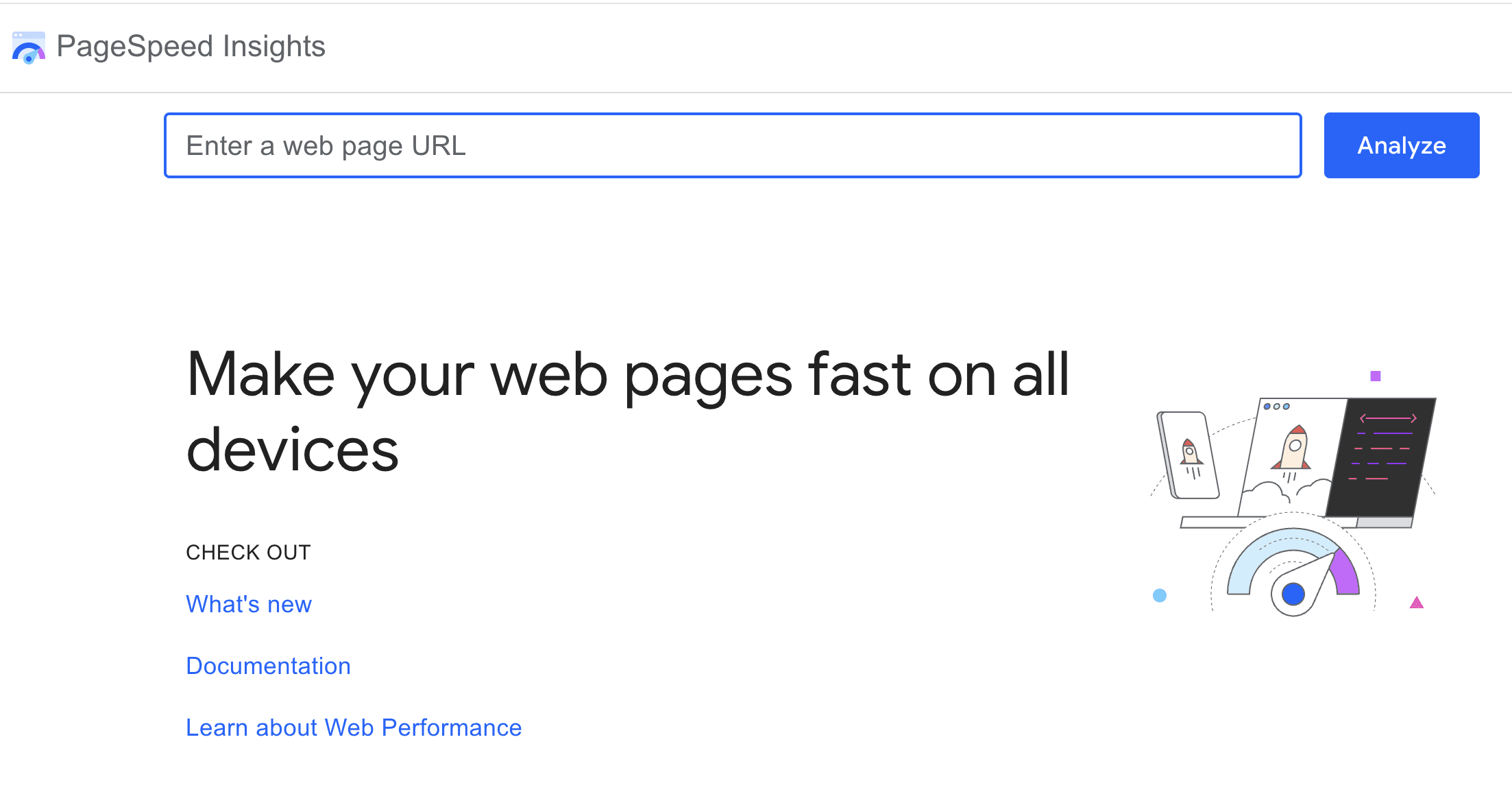
2. PageSpeed Insights
Screenshot from pagespeed.web.dev, July 2025
PageSpeed Insights transformed from a nice-to-have tool to an essential one when Core Web Vitals became ranking considerations.
What sets PageSpeed Insights apart is its combination of lab data (controlled test results) and field data (real user experiences from the Chrome User Experience Report).
This dual approach has saved me from optimization rabbit holes more times than I can count.
The field data is gold as it shows how real users experience your site over the past 28 days. I’ve had situations where lab scores looked terrible, but field data showed users were having a great experience.
This usually means the lab test conditions don’t match your actual user base.
Community Perspectives On PSI
The Reddit community has strong opinions about PageSpeed Insights.
NHRADeuce perfectly captured a common frustration: “The score you get from PageSpeed Insights has nothing to do with how fast your site loads.”
While it might sound harsh, there’s truth to it since the score is a simplified representation of complex metrics.
Practical Optimization Strategies
Through trial and error, I’ve developed a systematic approach to PSI optimization.
Arzishere’s strategy mirrors mine: “Added a caching plugin along with minifying HTML, CSS & JS (WP Rocket).” These foundational improvements often yield the biggest gains.
DOM size is another critical factor. As Fildernoot discovered, “I added some code that increased the DOM size by about 2000 elements and PageSpeed Insights wasn’t happy about that.” I now audit DOM complexity as part of my standard process.
Mobile optimization deserves special attention. A Redditor asked the right question: “How is your mobile score? Desktop is pretty easy with a decent theme and Litespeed hosting and LScaching plugin.”
In my experience, mobile scores are typically 20-30 points lower than desktop, and that’s where most of your users are.
The Diminishing Returns Reality
Here’s the hard truth about chasing perfect PSI scores: “You’re going to see diminishing returns as you invest more and more resources into this,” as E0nblue noted.
I tell clients to aim for “good” Core Web Vitals status rather than perfect scores. The jump from 50 to 80 is much easier and more impactful than 90 to 100.
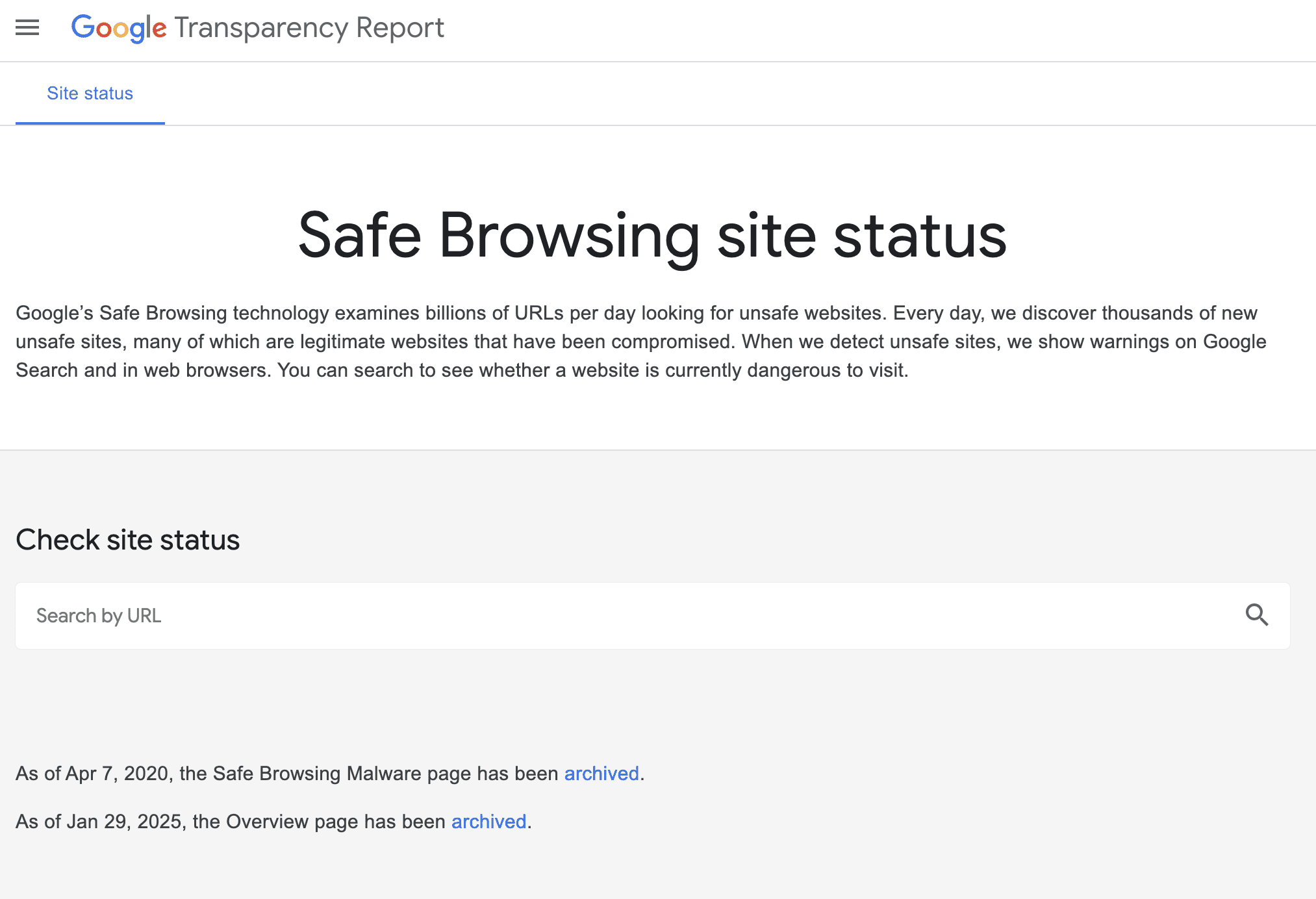
3. Safe Browsing Test
Screenshot from transparencyreport.google.com/safe-browsing/search, July 2025
The Safe Browsing Test might seem like an odd inclusion in an SEO toolkit, but I learned its importance the hard way.
A client’s site got hacked, flagged by Safe Browsing, and disappeared from search results overnight. Their organic traffic dropped to zero in hours.
Understanding Safe Browsing’s Role
Google’s Safe Browsing protects users from dangerous websites by checking for malware, phishing attempts, and deceptive content.
As Lollygaggindovakiin explained, “It automatically scans files using both signatures of diverse types and uses machine learning.”
The tool lives in Google’s Transparency Report, and I check it monthly for all client sites. It shows when Google last scanned your site and any current security issues.
The integration with Search Console means you’ll get alerts if problems arise, but I prefer being proactive.
Community Concerns And Experiences
The Reddit community has highlighted some important considerations.
One concerning trend expressed by Nextdns is false positives: “Google is falsely flagging apple.com.akadns.net as malicious.” While rare, false flags can happen, which is why regular monitoring matters.
Privacy-conscious users raise valid concerns about data collection.
As Mera-beta noted, “Enhanced Safe Browsing will send content of pages directly to Google.” For SEO purposes, standard Safe Browsing protection is sufficient.
Why SEO Pros Should Care
When Safe Browsing flags your site, Google may:
Remove your pages from search results.
Display warning messages to users trying to visit.
Drastically reduce your click-through rates.
Impact your site’s trust signals.
I’ve helped several sites recover from security flags. The process typically takes one to two weeks after cleaning the infection and requesting a review.
That’s potentially two weeks of lost traffic and revenue, so prevention is infinitely better than cure.
Best Practices For Safe Browsing
My security checklist includes:
Weekly automated scans using the Safe Browsing API for multiple sites.
Immediate investigation of any Search Console security warnings.
Regular audits of third-party scripts and widgets.
Monitoring of user-generated content areas.
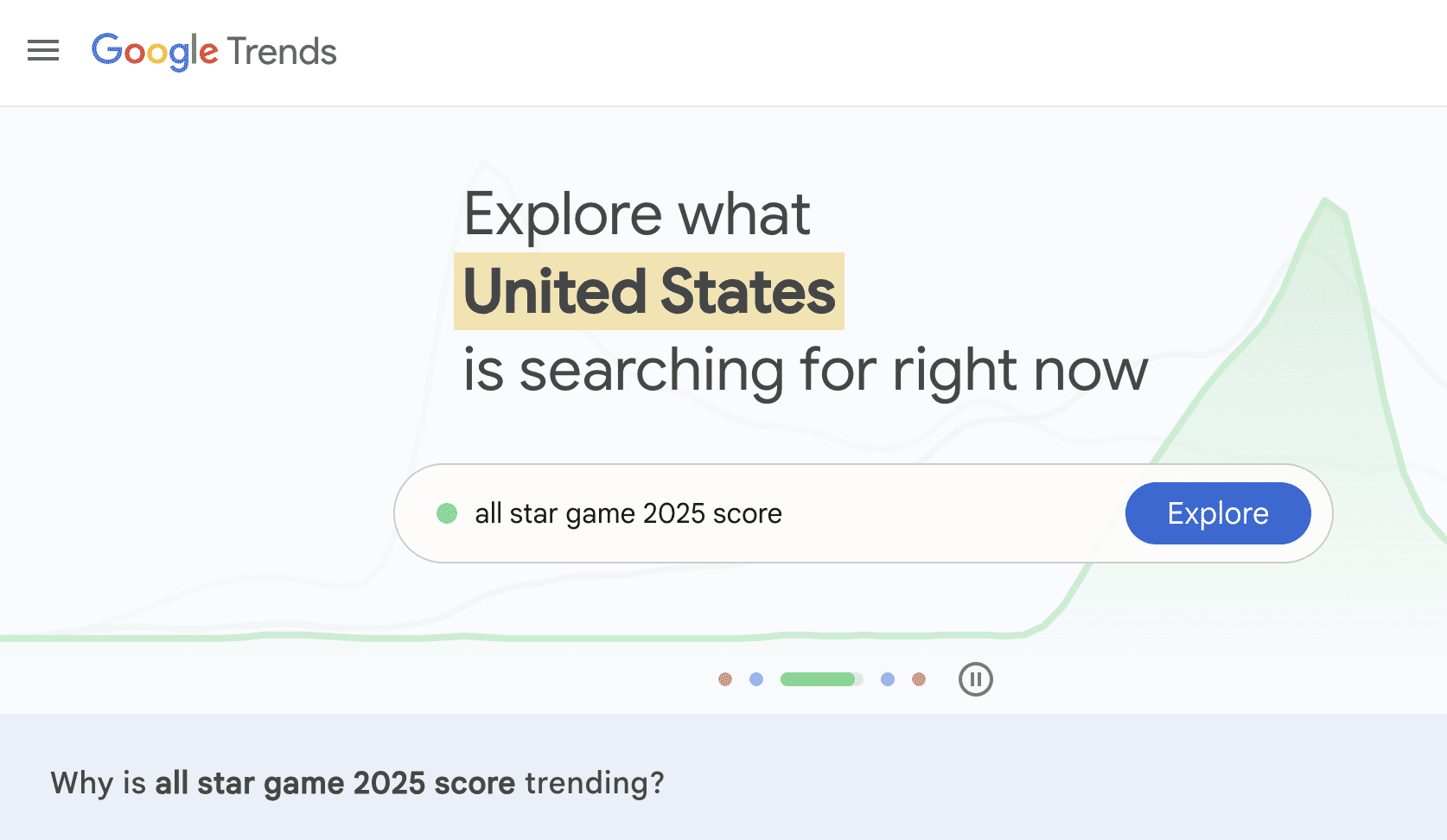
4. Google Trends
Screenshot from Google Trends, July 2025
Google Trends has evolved from a curiosity tool to a strategic weapon in my SEO arsenal.
With updates now happening every 10 minutes and AI-powered trend detection, it’s become indispensable for content strategy.
Beyond Basic Trend Watching
What many SEO pros miss is that Trends isn’t just about seeing what’s popular. I use it to:
Validate content ideas before investing resources.
The Reddit community offers balanced perspectives on Google Trends.
Maltelandwehr highlighted its unique value: “Some of the data in Google Trends is really unique. Even SEOs with monthly 7-figure budgets will use Google Trends for certain questions.”
However, limitations exist. As Dangerroo_2 clarified, “Trends does not track popularity, but search demand.”
This distinction matters since a declining trend doesn’t always mean fewer total searches, just decreasing relative interest.
For niche topics, frustrations mount. iBullyDummies complained, “Google has absolutely ruined Google Trends and no longer evaluates niche topics.” I’ve found this particularly true for B2B or technical terms with lower search volumes.
Advanced Trends Strategies
My favorite Trends hacks include:
The Comparison Method: I always compare terms against each other rather than viewing them in isolation. This reveals relative opportunity better than absolute numbers.
Category Filtering: This prevents confusion between similar terms. The classic example is “jaguar” where without filtering, you’re mixing car searches with animal searches.
Rising Trends Mining: The “Rising” section often reveals opportunities before they become competitive. I’ve launched successful content campaigns by spotting trends here early.
Geographic Arbitrage: Finding topics trending in one region before they spread helps you prepare content in advance.
Addressing The Accuracy Debate
Some prefer paid tools, as Contentwritenow stated: “I prefer using a paid tool like BuzzSumo or Semrush for trends and content ideas simply because I don’t trust Google Trends.”
While I use these tools too, they pull from different data sources. Google Trends shows actual Google search behavior, which is invaluable for SEO.
“A line trending downward means that a search term’s relative popularity is decreasing. But that doesn’t necessarily mean the total number of searches for that term is decreasing.”
I always combine Trends data with absolute volume estimates from other tools.
No list of Google SEO tools would be complete without Search Console.
If the other tools are your scouts, Search Console is your command center, showing exactly how Google sees and ranks your site.
Why Search Console Is Irreplaceable
Search Console provides data you literally cannot get anywhere else. As Peepeepoopoobutler emphasized, “GSC is the accurate real thing. But it doesn’t really give suggestions like ads does.”
That’s exactly right. While it won’t hold your hand with optimization suggestions, the raw data it provides is gold.
The tool offers:
Actual search queries driving traffic (not just keywords you think matter).
True click-through rates by position.
Index coverage issues before they tank your traffic.
Core Web Vitals data for all pages.
Manual actions and security issues that could devastate rankings.
I check Search Console daily, and I’m not alone.
Successful site owner ImportantDoubt6434 shared, “Yes monitoring GSC is part of how I got my website to the front page.”
The Performance report alone has helped me identify countless optimization opportunities.
Setting Up For Success
Getting started with Search Console is refreshingly straightforward.
As Anotherbozo noted, “You don’t need to verify each individual page but maintain the original verification method.”
I recommend domain-level verification for comprehensive access since you can “verify ownership by site or by domain (second level domain),” but domain gives you data across all subdomains and protocols.
The verification process takes minutes, but the insights last forever. I’ve seen clients discover they were ranking for valuable keywords they never knew about, simply because they finally looked at their Search Console data.
Hidden Powers Of Search Console
What many SEO pros miss are the advanced capabilities lurking in Search Console.
Seosavvy revealed a powerful strategy: “Google search console for keyword research is super powerful.” I couldn’t agree more.
By filtering for queries with high impressions but low click-through rates, you can find content gaps and optimization opportunities your competitors miss.
The structured data reports have saved me countless hours. CasperWink mentioned working with schemas, “I have already created the schema with a review and aggregateRating along with confirming in Google’s Rich Results Test.”
Search Console will tell you if Google can actually read and understand your structured data in the wild, something testing tools can’t guarantee.
Sitemap management is another underutilized feature. Yetisteve correctly stated, “Sitemaps are essential, they are used to give Google good signals about the structure of the site.”
I’ve diagnosed indexing issues just by comparing submitted versus indexed pages in the sitemap report.
The Reality Check: Limitations To Understand
Here’s where the community feedback gets really valuable.
An experienced SimonaRed warned, “GSC only shows around 50% of the reality.” This is crucial to understand since Google samples and anonymizes data for privacy. You’re seeing a representative sample, not every single query.
Some find the interface challenging. As UncleFeather6000 admitted, “I feel like I don’t really understand how to use Google’s Search Console.”
I get it because the tool has evolved significantly, and the learning curve can be steep. My advice? Start with the Performance report and gradually explore other sections.
Recent changes have frustrated users, too. “Google has officially removed Google Analytics data from the Search Console Insights tool,” Shakti-basan noted.
This integration loss means more manual work correlating data between tools, but the core Search Console data remains invaluable.
Making Search Console Work Harder
Through years of daily use, I’ve developed strategies to maximize Search Console’s value:
The Position 11-20 Gold Mine: Filter for keywords ranking on page two. These are your easiest wins since Google already thinks you’re relevant. You just need a push to page one.
Click-Through Rate Optimization: Sort by impressions, then look for low CTR. These queries show demand but suggest your titles and descriptions need work.
Query Matching: Compare what you think you rank for versus what Search Console shows. The gaps often reveal content opportunities or user intent mismatches.
Page-Level Analysis: Don’t just look at site-wide metrics. Individual page performance often reveals technical issues or content problems.
Integrating Search Console With Other Tools
The magic happens when you combine Search Console data with the other tools:
Use Trends to validate whether declining traffic is due to ranking drops or decreased search interest.
Cross-reference PageSpeed Insights recommendations with pages showing Core Web Vitals issues in Search Console.
Verify Lighthouse mobile-friendliness findings against Mobile Usability reports.
Monitor Safe Browsing status directly in the Security Issues section.
Mr_boogieman asked rhetorically, “How are you tracking results without looking at GSC?” It’s a fair question.
Without Search Console, you’re flying blind, relying on third-party estimations instead of data straight from Google.
Bringing It All Together
These five tools form the foundation of effective SEO work. They’re free, they’re official, and they show you exactly what Google values.
While specialized SEO platforms offer additional features, mastering these Google tools ensures your optimization efforts align with what actually matters for rankings.
My workflow typically starts with Search Console to identify opportunities, using Trends to validate content ideas, employing Lighthouse and PageSpeed Insights to optimize technical performance, and includes Safe Browsing checks to protect hard-won rankings.
Remember, these tools reflect Google’s current priorities. As search algorithms evolve, so do these tools. Staying current with their features and understanding their insights keeps your SEO strategy aligned with Google’s direction.
The key is using them together, understanding their limitations, and remembering that tools are only as good as the strategist wielding them. Start with these five, master their insights, and you’ll have a solid foundation for SEO success.
Google’s June 2025 Core Update just finished. What’s notable is that while some say it was a big update, it didn’t feel disruptive, indicating that the changes may have been more subtle than game changing. Here are some clues that may explain what happened with this update.
Two Search Ranking Related Breakthroughs
Although a lot of people are saying that the June 2025 Update was related to MUVERA, that’s not really the whole story. There were two notable backend announcements over the past few weeks, MUVERA and Google’s Graph Foundation Model.
Google MUVERA
MUVERA is a Multi-Vector via Fixed Dimensional Encodings (FDEs) retrieval algorithm that makes retrieving web pages more accurate and with a higher degree of efficiency. The notable part for SEO is that it is able to retrieve fewer candidate pages for ranking, leaving the less relevant pages behind and promoting only the more precisely relevant pages.
This enables Google to have all of the precision of multi-vector retrieval without any of the drawbacks of traditional multi-vector systems and with greater accuracy.
Google’s MUVERA announcement explains the key improvements:
“Improved recall: MUVERA outperforms the single-vector heuristic, a common approach used in multi-vector retrieval (which PLAID also employs), achieving better recall while retrieving significantly fewer candidate documents… For instance, FDE’s retrieve 5–20x fewer candidates to achieve a fixed recall.
Moreover, we found that MUVERA’s FDEs can be effectively compressed using product quantization, reducing memory footprint by 32x with minimal impact on retrieval quality.
These results highlight MUVERA’s potential to significantly accelerate multi-vector retrieval, making it more practical for real-world applications.
…By reducing multi-vector search to single-vector MIPS, MUVERA leverages existing optimized search techniques and achieves state-of-the-art performance with significantly improved efficiency.”
Google’s Graph Foundation Model
A graph foundation model (GFM) is a type of AI model that is designed to generalize across different graph structures and datasets. It’s designed to be adaptable in a similar way to how large language models can generalize across different domains that it hadn’t been initially trained in.
Google’s GFM classifies nodes and edges, which could plausibly include documents, links, users, spam detection, product recommendations, and any other kind of classification.
This is something very new, published on July 10th, but already tested on ads for spam detection. It is in fact a breakthrough in graph machine learning and the development of AI models that can generalize across different graph structures and tasks.
It supersedes the limitations of Graph Neural Networks (GNNs) which are tethered to the graph on which they were trained on. Graph Foundation Models, like LLMs, aren’t limited to what they were trained on, which makes them versatile for handling new or unseen graph structures and domains.
Google’s announcement of GFM says that it improves zero-shot and few-shot learning, meaning it can make accurate predictions on different types of graphs without additional task-specific training (zero-shot), even when only a small number of labeled examples are available (few-shot).
Google’s GFM announcement reported these results:
“Operating at Google scale means processing graphs of billions of nodes and edges where our JAX environment and scalable TPU infrastructure particularly shines. Such data volumes are amenable for training generalist models, so we probed our GFM on several internal classification tasks like spam detection in ads, which involves dozens of large and connected relational tables. Typical tabular baselines, albeit scalable, do not consider connections between rows of different tables, and therefore miss context that might be useful for accurate predictions. Our experiments vividly demonstrate that gap.
We observe a significant performance boost compared to the best tuned single-table baselines. Depending on the downstream task, GFM brings 3x – 40x gains in average precision, which indicates that the graph structure in relational tables provides a crucial signal to be leveraged by ML models.”
What Changed?
It’s not unreasonable to speculate that integrating both MUVERA and GFM could enable Google’s ranking systems to more precisely rank relevant content by improving retrieval (MUVERA) and mapping relationships between links or content to better identify patterns associated with trustworthiness and authority (GFM).
Integrating Both MUVERA and GFM would enable Google’s ranking systems to more precisely surface relevant content that searchers would find to be satisfying.
Google’s official announcement said this:
“This is a regular update designed to better surface relevant, satisfying content for searchers from all types of sites.”
This particular update did not seem to be accompanied by widespread reports of massive changes. This update may fit into what Google’s Danny Sullivan was talking about at Search Central Live New York, where he said they would be making changes to Google’s algorithm to surface a greater variety of high-quality content.
Search marketer Glenn Gabe tweeted that he saw some sites that had been affected by the “Helpful Content Update,” also known as HCU, had surged back in the rankings, while other sites worsened.
Although he said that this was a very big update, the response to his tweets was muted, not the kind of response that happens when there’s a widespread disruption. I think it’s fair to say that, although Glenn Gabe’s data shows it was a big update, it may not have been a disruptive one.
So what changed? I think, I speculate, that it was a widespread change that improved Google’s ability to better surface relevant content, helped by better retrieval and an improved ability to interpret patterns of trustworthiness and authoritativeness, as well as to better identify low-quality sites.
I’ll admit that I’ve rarely hesitated to point an accusing finger at air-conditioning. I’ve outlined in manystoriesand newsletters that AC is a significant contributor to global electricity demand, and it’s only going to suck up more power as temperatures rise.
But I’ll also be the first to admit that it can be a life-saving technology, one that may become even more necessary as climate change intensifies. And in the wake of Europe’s recent deadly heat wave, it’s been oddly villainized.
We should all be aware of the growing electricity toll of air-conditioning, but the AC hate is misplaced. Yes, AC is energy intensive, but so is heating our homes, something that’s rarely decried in the same way that cooling is. Both are tools for comfort and, more important, for safety. So why is air-conditioning cast as such a villain?
In the last days of June and the first few days of July, temperatures hit record highs across Europe. Over 2,300 deaths during that period were attributed to the heat wave, according to early research from World Weather Attribution, an academic collaboration that studies extreme weather. And human-caused climate change accounted for 1,500 of the deaths, the researchers found. (That is, the number of fatalities would have been under 800 if not for higher temperatures because of climate change.)
We won’t have the official death toll for months, but these early figures show just how deadly heat waves can be. Europe is especially vulnerable, because in many countries, particularly in the northern part of the continent, air-conditioning is not common.
Popping on a fan, drawing the shades, or opening the windows on the hottest days used to cut it in many European countries. Not anymore. The UK was 1.24 °C (2.23 °F) warmer over the past decade than it was between 1961 and 1990, according to the Met Office, the UK’s national climate and weather service. One recent study found that homes across the country are uncomfortably or dangerously warm much more frequently than they used to be.
The reality is, some parts of the world are seeing an upward shift in temperatures that’s not just uncomfortable but dangerous. As a result, air-conditioning usage is going up all over the world, including in countries with historically low rates.
The reaction to this long-term trend, especially in the face of the recent heat wave, has been apoplectic. People are decrying AC across social media and opinion pages, arguing that we need to suck it up and deal with being a little bit uncomfortable.
Now, let me preface this by saying that I do live in the US, where roughly 90% of homes are cooled with air-conditioning today. So perhaps I am a little biased in favor of AC. But it baffles me when people talk about air-conditioning this way.
I spent a good amount of my childhood in the southeastern US, where it’s very obvious that heat can be dangerous. I was used to many days where temperatures were well above 90 °F (32 °C), and the humidity was so high your clothes would stick to you as soon as you stepped outdoors.
For some people, being active or working in those conditions can lead to heatstroke. Prolonged exposure, even if it’s not immediately harmful, can lead to heart and kidney problems. Older people, children, and those with chronic conditions can be more vulnerable.
In other words, air-conditioning is more than a convenience; in certain conditions, it’s a safety measure. That should be an easy enough concept to grasp. After all, in many parts of the world we expect access to heating in the name of safety. Nobody wants to freeze to death.
And it’s important to clarify here that while air-conditioning does use a lot of electricity in the US, heating actually has a higher energy footprint.
In the US, about 19% of residential electricity use goes to air-conditioning. That sounds like a lot, and it’s significantly more than the 12% of electricity that goes to space heating. However, we need to zoom out to get the full picture, because electricity makes up only part of a home’s total energy demand. A lot of homes in the US use natural gas for heating—that’s not counted in the electricity being used, but it’s certainly part of the home’s total energy use.
When we look at the total, space heating accounts for a full 42% of residential energy consumption in the US, while air conditioning accounts for only 9%.
I’m not letting AC off the hook entirely here. There’s obviously a difference between running air-conditioning (or other, less energy-intensive technologies) when needed to stay safe and blasting systems at max capacity because you prefer it chilly. And there’s a lot of grid planning we’ll need to do to make sure we can handle the expected influx of air-conditioning around the globe.
But the world is changing, and temperatures are rising. If you’re looking for a villain, look beyond the air conditioner and into the atmosphere.
This article is from The Spark, MIT Technology Review’s weekly climate newsletter. To receive it in your inbox every Wednesday,sign up here.
This is today’s edition of The Download, our weekday newsletter that provides a daily dose of what’s going on in the world of technology.
Researchers announce babies born from a trial of three-person IVF
Eight babies have been born in the UK thanks to a technology that uses DNA from three people: the two biological parents plus a third person who supplies healthy mitochondrial DNA. The babies were born to mothers who carry genes for mitochondrial diseases and risked passing on severe disorders.
In the team’s approach, patients’ eggs are fertilized with sperm, and the DNA-containing nuclei of those cells are transferred into donated fertilized eggs that have had their own nuclei removed. The new embryos contain the DNA of the intended parents along with a tiny fraction of mitochondrial DNA from the donor, floating in the embryos’ cytoplasm.
The study, which makes use of a technology called mitochondrial donation, has been described as a “tour de force” and “a remarkable accomplishment” by others in the field. But not everyone sees the trial as a resounding success. Read the full story.
—Jessica Hamzelou
These four charts show where AI companies could go next in the US
No one knows exactly how AI will transform our communities, workplaces, and society as a whole. Because it’s hard to predict the impact AI will have on jobs, many workers and local governments are left trying to read the tea leaves to understand how to prepare and adapt.
A new interactive report released by the Brookings Institution attempts to map how embedded AI companies and jobs are in different regions of the United States in order to prescribe policy treatments to those struggling to keep up. Here are four charts to help understand the issues.
—Peter Hall
In defense of air-conditioning
—Casey Crownhart
I’ll admit that I’ve rarely hesitated to point an accusing finger at air-conditioning. I’ve outlined in many stories and newsletters that AC is a significant contributor to global electricity demand, and it’s only going to suck up more power as temperatures rise.
But I’ll also be the first to admit that it can be a life-saving technology, one that may become even more necessary as climate change intensifies. And in the wake of Europe’s recent deadly heat wave, it’s been oddly villainized. Read our story to learn more.
This article is from The Spark, MIT Technology Review’s weekly climate newsletter. To receive it in your inbox every Wednesday, sign up here.
The must-reads
I’ve combed the internet to find you today’s most fun/important/scary/fascinating stories about technology.
1 Donald Trump is cracking down on “dangerous science” But the scientists affected argue their work is essential to developing new treatments. (WP $) + How MAHA is infiltrating states across the US. (The Atlantic $)
2 The US Senate has approved Trump’s request to cancel foreign aid The White House is determined to reclaim around $8 billion worth of overseas aid. (NYT $) + The bill also allocates around $1.1 billion to public broadcasting. (WP $) + HIV could infect 1,400 infants every day because of US aid disruptions. (MIT Technology Review)
3 American air strikes only destroyed one Iranian nuclear site The remaining two sites weren’t damaged that badly, and could resume operation within months. (NBC News)
4 The US is poised to ban Chinese technology in submarine cables The cables are critical to internet connectivity across the world. (FT $) + The cables are at increasing risk of sabotage. (Bloomberg $)
5 The US measles outbreak is worsening Health officials’ tactics for attempting to contain it aren’t working. (Wired $) + Vaccine hesitancy is growing, too. (The Atlantic $) + Why childhood vaccines are a public health success story. (MIT Technology Review)
6 A new supercomputer is coming The Nexus machine will search for new cures for diseases. (Semafor)
7 Elon Musk has teased a Grok AI companion inspired by Twilight No really, you shouldn’t have… (The Verge) + Inside the Wild West of AI companionship. (MIT Technology Review)
8 Future farms could be fully autonomous Featuring AI-powered tractors and drone surveillance. (WSJ $) + African farmers are using private satellite data to improve crop yields. (MIT Technology Review)
9 Granola is Silicon Valley’s favorite new tool No, not the tasty breakfast treat. (The Information $)
10 WeTransfer isn’t going to train its AI on our files after all After customers reacted angrily on social media. (BBC)
Quote of the day
“He’s doing the exact opposite of everything I voted for.”
—Andrew Schulz, a comedian and podcaster who interviewed Donald Trump last year, explains why he’s starting to lose faith in the President to Wired.
One more thing
The open-source AI boom is built on Big Tech’s handouts. How long will it last?
In May 2023 a leaked memo reported to have been written by Luke Sernau, a senior engineer at Google, said out loud what many in Silicon Valley must have been whispering for weeks: an open-source free-for-all is threatening Big Tech’s grip on AI.
In many ways, that’s a good thing. AI won’t thrive if just a few mega-rich companies get to gatekeep this technology or decide how it is used. But this open-source boom is precarious, and if Big Tech decides to shut up shop, a boomtown could become a backwater. Read the full story.
—Will Douglas Heaven
We can still have nice things
A place for comfort, fun and distraction to brighten up your day. (Got any ideas? Drop me a line or skeet ’em at me.)
+ Happy birthday David Hasselhoff, 73 years young today! + The trailer for the final season of Stranger Things is here, and things are getting weird. + Windows 95, you will never be bettered. + I don’t know about you, but I’m ready for a fridge cigarette.
MIT Technology Review’s How To series helps you get things done.
Simon Willison has a plan for the end of the world. It’s a USB stick, onto which he has loaded a couple of his favorite open-weight LLMs—models that have been shared publicly by their creators and that can, in principle, be downloaded and run with local hardware. If human civilization should ever collapse, Willison plans to use all the knowledge encoded in their billions of parameters for help. “It’s like having a weird, condensed, faulty version of Wikipedia, so I can help reboot society with the help of my little USB stick,” he says.
But you don’t need to be planning for the end of the world to want to run an LLM on your own device. Willison, who writes a popular blog about local LLMs and software development, has plenty of compatriots: r/LocalLLaMA, a subreddit devoted to running LLMs on your own hardware, has half a million members.
For people who are concerned about privacy, want to break free from the control of the big LLM companies, or just enjoy tinkering, local models offer a compelling alternative to ChatGPT and its web-based peers.
The local LLM world used to have a high barrier to entry: In the early days, it was impossible to run anything useful without investing in pricey GPUs. But researchers have had so much success in shrinking down and speeding up models that anyone with a laptop, or even a smartphone, can now get in on the action. “A couple of years ago, I’d have said personal computers are not powerful enough to run the good models. You need a $50,000 server rack to run them,” Willison says. “And I kept on being proved wrong time and time again.”
Why you might want to download your own LLM
Getting into local models takes a bit more effort than, say, navigating to ChatGPT’s online interface. But the very accessibility of a tool like ChatGPT comes with a cost. “It’s the classic adage: If something’s free, you’re the product,” says Elizabeth Seger, the director of digital policy at Demos, a London-based think tank.
OpenAI, which offers both paid and free tiers, trains its models on users’ chats by default. It’s not too difficult to opt out of this training, and it also used to be possible to remove your chat data from OpenAI’s systems entirely, until a recent legal decision in the New York Times’ ongoing lawsuit against OpenAI required the company to maintain all user conversations with ChatGPT.
Google, which has access to a wealth of data about its users, also trains its models on both free and paid users’ interactions with Gemini, and the only way to opt out of that training is to set your chat history to delete automatically—which means that you also lose access to your previous conversations. In general, Anthropic does not train its models using user conversations, but it will train on conversations that have been “flagged for Trust & Safety review.”
Training may present particular privacy risks because of the ways that models internalize, and often recapitulate, their training data. Many people trust LLMs with deeply personal conversations—but if models are trained on that data, those conversations might not be nearly as private as users think, according to some experts.
“Some of your personal stories may be cooked into some of the models, and eventually be spit out in bits and bytes somewhere to other people,” says Giada Pistilli, principal ethicist at the company Hugging Face, which runs a huge library of freely downloadable LLMs and other AI resources.
For Pistilli, opting for local models as opposed to online chatbots has implications beyond privacy. “Technology means power,” she says. “And so who[ever] owns the technology also owns the power.” States, organizations, and even individuals might be motivated to disrupt the concentration of AI power in the hands of just a few companies by running their own local models.
Breaking away from the big AI companies also means having more control over your LLM experience. Online LLMs are constantly shifting under users’ feet: Back in April, ChatGPT suddenly started sucking up to users far more than it had previously, and just last week Grok started calling itself MechaHitler on X.
Providers tweak their models with little warning, and while those tweaks might sometimes improve model performance, they can also cause undesirable behaviors. Local LLMs may have their quirks, but at least they are consistent. The only person who can change your local model is you.
Of course, any model that can fit on a personal computer is going to be less powerful than the premier online offerings from the major AI companies. But there’s a benefit to working with weaker models—they can inoculate you against the more pernicious limitations of their larger peers. Small models may, for example, hallucinate more frequently and more obviously than Claude, GPT, and Gemini, and seeing those hallucinations can help you build up an awareness of how and when the larger models might also lie.
“Running local models is actually a really good exercise for developing that broader intuition for what these things can do,” Willison says.
How to get started
Local LLMs aren’t just for proficient coders. If you’re comfortable using your computer’s command-line interface, which allows you to browse files and run apps using text prompts, Ollama is a great option. Once you’ve installed the software, you can download and run any of the hundreds of models they offer with a single command.
If you don’t want to touch anything that even looks like code, you might opt for LM Studio, a user-friendly app that takes a lot of the guesswork out of running local LLMs. You can browse models from Hugging Face from right within the app, which provides plenty of information to help you make the right choice. Some popular and widely used models are tagged as “Staff Picks,” and every model is labeled according to whether it can be run entirely on your machine’s speedy GPU, needs to be shared between your GPU and slower CPU, or is too big to fit onto your device at all. Once you’ve chosen a model, you can download it, load it up, and start interacting with it using the app’s chat interface.
As you experiment with different models, you’ll start to get a feel for what your machine can handle. According to Willison, every billion model parameters require about one GB of RAM to run, and I found that approximation to be accurate: My own 16 GB laptop managed to run Alibaba’s Qwen3 14B as long as I quit almost every other app. If you run into issues with speed or usability, you can always go smaller—I got reasonable responses from Qwen3 8B as well.
And if you go really small, you can even run models on your cell phone. My beat-up iPhone 12 was able to run Meta’s Llama 3.2 1B using an app called LLM Farm. It’s not a particularly good model—it very quickly goes off into bizarre tangents and hallucinates constantly—but trying to coax something so chaotic toward usability can be entertaining. If I’m ever on a plane sans Wi-Fi and desperate for a probably false answer to a trivia question, I now know where to look.
Some of the models that I was able to run on my laptop were effective enough that I can imagine using them in my journalistic work. And while I don’t think I’ll depend on phone-based models for anything anytime soon, I really did enjoy playing around with them. “I think most people probably don’t need to do this, and that’s fine,” Willison says. “But for the people who want to do this, it’s so much fun.”
Imagine AI so sophisticated it could read a customer’s mind? Or identify and close a cybersecurity loophole weeks before hackers strike? How about a team of AI agents equipped to restructure a global supply chain and circumnavigate looming geopolitical disruption? Such disruptive possibilities explain why agentic AI is sending ripples of excitement through corporate boardrooms.
Although still so early in its development that there lacks consensus on a single, shared definition, agentic AI refers loosely to a suite of AI systems capable of connected and autonomous decision-making with zero or limited human intervention. In scenarios where traditional AI typically requires explicit prompts or instructions for each step, agentic AI will independently execute tasks, learning and adapting to its environment to refine decisions over time.
From assuming oversight for complex workflows, such as procurement or recruitment, to carrying out proactive cybersecurity checks or automating support, enterprises are abuzz at the potential use cases for agentic AI.
“It’s creating such a buzz – software enthusiasts seeing the possibilities unlocked by LLMs, venture capitalists wanting to find the next big thing, companies trying to find the ‘killer app,” says Matt McLarty, chief technology officer at Boomi. But, he adds, “right now organizations are struggling to get out of the starting blocks.”
The challenge is that many organizations are so caught up in the excitement that they risk attempting to run before they can walk when it comes to deployment of agentic AI, believes McLarty. And in so doing they risk turning it from potential business breakthrough into a source of cost, complexity, and confusion.
Keeping agentic AI simple
The heady capabilities of agentic AI have created understandable temptation for senior business leaders to rush in, acting on impulse rather than insight risks turning the technology into a solution in search of a problem, points out McLarty.
It’s a scenario that’s unfolded with previous technologies. The decoupling of Blockchain from Bitcoin in 2014 paved the way for a Blockchain 2.0 boom in which organizations rushed to explore the applications for a digital, decentralized ledger beyond currency. But a decade on, the technology has fallen far short of forecasts at the time, dogged by technology limitations and obfuscated use cases.
“I do see Blockchain as a cautionary tale,” says McLarty. “The hype and ultimate lack of adoption is definitely a path the agentic AI movement should avoid.” He explains, “The problem with Blockchain is that people struggle to find use cases where it applies as a solution, and even when they find the use cases, there is often a simpler and cheaper solution,” he adds. “I think agentic AI can do things no other solution can, in terms of contextual reasoning and dynamic execution. But as technologists, we get so excited about the technology, sometimes we lose sight of the business problem.”
Instead of diving in headfirst, McLarty advocates for an iterative attitude toward applications of agentic AI, targeting “low-hanging fruit” and incremental use cases. This includes focusing investment on the worker agents that are set to make up the components of more sophisticated, multi-agent agentic systems further down the road.
However, with a narrower, more prescribed remit, these AI agents with agentic capabilities can add instant value. Enabled with natural language processing (NLP) they can be used to bridge the linguistic shortfalls in current chat agents for example or adaptively carry out rote tasks via dynamic automation.
“Current rote automation processes generate a lot of value for organizations today, but they can lead to a lot of manual exception processing,” points out McLarty. “Agentic exception handling agents can eliminate a lot of that.”
It’s also essential to avoid use cases for agentic AI that could be addressed with a cheaper and simpler technology. “Configuring a self-manager, ephemeral agent swarm may sound exciting and be exhilarating to build, but maybe you can just solve the problem with a simple reasoning agent that has access to some in-house contextual data and API-based tools,” says McLarty. “Let’s call it the KASS principle: Keep agents simple, stupid.”
Connecting the dots
The future value of agentic AI will lie in its interoperability and organizations that prioritize this pillar at the earliest phase of their adoption will find themselves ahead of the curve.
As McLarty explains, the usefulness of agentic AI agents in scenarios like customer support chats lies in their combination of four elements: a defined business scope, large language models (LLM), the wider context derived from an organization’s existing data, and capabilities executed through its core applications. These latter two rely on in-built interoperability. For example, an AI agent tasked with onboarding new employees will require access to updated HR policies, asset catalogs and IT. “Organizations can get a massive head start on business value through AI agents by having interoperable data and applications to plug and play with agents,” he says.
Agent-to-agent frameworks like the model context protocol (MCP) – an open and standardized plug-and-play that connects AI models to internal (or external) information sources – can be layered onto an existing API architecture to embed connectedness from the outset. And while it might feel like an additional hurdle now, in the longer-term those organizations that make this investment early will reap the benefits.
“The icing on the cake for interoperability is that all the work you do to connect agents to data and applications now will help you prepare for the multi-agent future where interoperability between agents will be essential,” says McLarty.
In this future, multi-agent systems will work collectively on more intricate, cross-functional tasks. Agentic systems will draw on AI agents across inventory, logistics and production to coordinate and optimize supply chain management for example or perform complex assembly tasks.
Conscious that this is where the technology is headed, third-party developers are already beginning to offer multi-agent capability. In December, Amazon launched such a tool for its Bedrock service, providing users access to specialized agents coordinated by a supervisor agent capable of breaking down requests, delegating tasks and consolidating outputs.
But though such an off-the-rack solution has the advantage of allowing enterprises to bypass both the risk and complexity in leveraging such capabilities, the digital heterogeneity of larger organizations in particular will likely mean – in the longer-term at least – they’ll need to rely on their own API architecture to realize the full potential in multi-agent systems.
McLarty’s advice is simple, “This is definitely a time to ground yourself in the business problem, and only go as far as you need to with the solution.”
This content was produced by Insights, the custom content arm of MIT Technology Review. It was not written by MIT Technology Review’s editorial staff.
This content was researched, designed, and written entirely by human writers, editors, analysts, and illustrators. This includes the writing of surveys and collection of data for surveys. AI tools that may have been used were limited to secondary production processes that passed thorough human review.
Every week we publish a handpicked list of new products and services from vendors to ecommerce merchants. This installment includes updates on AI-powered shopping assistants, email and SMS marketing tools, ad management platforms, automated tax solutions, and last-mile delivery networks.
Got an ecommerce product release? Email releases@practicalecommerce.com.
New Tools for Merchants
Genus AI launches Sage, an AI growth agent for ecommerce brands.Genus AI, a developer of AI tools for D2C brands, has launched Sage, an AI growth agent to help merchants scale across digital channels. Available for Shopify and Meta platforms, Sage is an AI agent that unifies creative generation, product catalog management, digital campaigns, customer insights, and order data. According to Genus AI, Sage can enhance product catalogs, optimize campaigns, and provide real-time visibility into the customer lifecycle.
Genus AI – Sage
Infobip brings voice calling to WhatsApp Business users.Infobip, a cloud communications platform for connected experiences across the customer journey, has launched WhatsApp Business Calling, enabling businesses to make and receive voice calls via WhatsApp. Users can start calls directly from WhatsApp chats, interactive messages, or deep links embedded in websites and apps. Integration with Infobip Conversations, the company’s cloud contact center platform, enables customer support agents to switch from chat to voice while maintaining a unified conversation history and context.
Xnurta expands full-funnel Amazon Ads support to five markets.Xnurta, an agentic AI-powered ad management platform for brands, has announced its continued international expansion with full-funnel support now live in Poland, Belgium, Sweden, Egypt, and South Africa. Xnurta equips advertisers in these five countries with advanced automation, performance insights, and AI-assisted campaign management across Sponsored Products, Sponsored Brands, Sponsored Display, and Amazon Demand-Side Platform (DSP). Xnurta’s latest expansion brings its presence to nearly all of Amazon’s 23 international marketplaces.
Klaviyo introduces an AI shopping assistant.Klaviyo, an email and SMS marketing platform for B2C sellers, has launched its Conversational AI Agent to help brands deliver personalized, always-on support using real-time session context, storefront knowledge, and marketing insights, all powered by the Klaviyo Data Platform. Built into Customer Hub, Klaviyo’s Conversational AI Agent trains quickly using data from a brand’s storefront, including its product catalog and FAQs. The agent guides shoppers from discovery to purchase by answering common questions and recommending products.
Klaviyo
Avalara embeds AI-powered assistant into tax research.Avalara, a platform for tax compliance automation, has launched Avi, a generative AI assistant embedded within Avalara Tax Research. According to Avalara, Avi for Tax Research can (i) quickly obtain precise sales tax rates tailored to specific street addresses, (ii) instantly check the tax status of products and services through straightforward queries, and (iii) access real-time guidance that supports defensible tax positions and enables proactive adaptation to evolving tax regulations.
New Gen unveils AI-native storefronts for agentic commerce.New Gen, a company building infrastructure for the AI internet, now enables agentic commerce, powering secure, AI-initiated transactions through intelligent storefronts and embedded payment flows. The platform allows AI agents to quickly and securely check out from merchant sites across chat, voice, and (soon) through emerging agent-driven channels. New Gen leverages trusted payments infrastructure from Visa and is among the first collaborators in the Visa Intelligent Commerce sandbox.
UniUni simplifies ecommerce shipping for Canada-based sellers.UniUni, a last-mile delivery company, has announced the launch of Small Business, a system of local drop-off and service points to simplify shipping for Canada-based sellers. Through UniUni Small Business, merchants gain access to a full-stack domestic and cross-border shipping platform that includes broad carrier partnerships, an in-house last-mile delivery network, real-time tracking and automation tools, and an all-in-one dashboard for managing shipments. UniUni Small Business is now available in Toronto.
UniUni Small Business
Ordoro launches branded tracking pages for ecommerce.Ordoro, a provider of ecommerce logistics and inventory management tools, has launched Branded Tracking Pages to help merchants transform generic shipping updates into branded touchpoints. The feature provides ecommerce businesses a tracking page (already visited by customers) to reinforce their brand, answer common questions, and drive repeat purchases. Branded Tracking Pages are included with Shipping Premium.
Oro Inc. launches OroPay, a unified payment solution for B2B commerce.Oro Inc., a developer of open-source B2B digital commerce tools, has launched OroPay, an integrated payment platform for OroCommerce, its ecommerce platform. OroPay unifies invoicing, payments, ERP connectivity, and commerce. Powered by Global Payments, a technology provider, OroPay supports Level 2 and Level 3 credit card processing, dramatically lowering fees for high-value B2B transactions. Customers also benefit from advanced fraud protection, SCA/PSD2 compliance, tokenization, and support for local and global payment methods.
Clearco launches Rolling Funding for ecommerce brands.Clearco, a lender to ecommerce companies, has announced the launch of Rolling Funding, a continuous loan for D2C brands. Customer merchants pay weekly and can now automatically increase their available debt limit in real-time, dollar for dollar. This eliminates the need to submit new funding applications, providing founders and finance teams with real-time visibility into available and projected capacity through their Clearco dashboard.
Privy acquires Emotive to launch a unified email-SMS platform.Privy, an ecommerce marketing automation provider, has acquired Emotive, an SMS platform. The acquisition enables Privy to offer a unified platform where merchants can manage email campaigns, SMS automation, and on-site pop-ups from one place. Privy says it will soon roll out real-time 1:1 conversation capabilities and a slate of new features, including advanced marketing automations, more zero-party data collection options, and improved third-party integrations.
The United States Postal Service released new postage and shipping rates this month, increasing costs for popular services such as Priority Mail by up to 51%.
The USPS announced the increases in April 2025 to help achieve financial stability, meet regulatory requirements, and cover the transportation cost of packages.
New USPS rates help achieve financial stability.
Rate Changes
The average increase for Priority Mail is 6.3%, but shipping software maker Pirate Ship noted that for some Zone 4-6 shipments, the increase was much higher, i.e., 51%.
The cost of USPS Flat Rate boxes rose by 3%, 11%, and 7% for the small, medium, and large options, respectively.
Ground Advantage rates climbed an average of 7.1%. A new $4 fee on non-standard packages, such as mailing tubes, could add up quickly for businesses selling posters, rods, or other rolled products.
The USPS also lowered some rates. According to Pirate Ship, small 2-3 pound Priority Mail shipments to Zones 1-4 are now about 6.5% less expensive.
Similarly, prices for Priority Mail Cubic shipments within the same zone dropped 10%. And Media Mail rates dropped slightly, by about 2%.
Some additional services, such as insurance, also experienced price decreases.
Thus for small and midsize ecommerce businesses, the rate changes are uneven. Some shipments increased just a few cents. Others, depending on weight and zone, jumped by 30% or more. Still others decreased.
The result is a potential reshuffling of fulfillment costs, product margins, and, perhaps, carrier selections.
Shipping Review
The USPS transports more than 7 billion packages annually — more than UPS and FedEx. The rate changes present an opportunity for sellers to audit shipping and fulfillment practices.
A good first step is to export and analyze past orders. Download the last three months of shipping data and prompt a generative AI platform to organize it by type and zone, for example. The aim is to create a profile that estimates a merchant’s shipping services and regions.
The review should be recurring, as the USPS now adjusts rates every January and July.
Trimming just 25¢ off a per-order shipping cost could have the same bottom-line impact as increasing average order value or decreasing customer acquisition costs.
Once it knows its shipping profile, an ecommerce business can apply the new USPS rates and estimate the cost. The process is as simple as duplicating the existing rate sheet and updating the numbers for a reusable shipping cost model.
Profit Impact
Armed with new costs, sellers can calculate the impact on profit.
For shops that offer free or flat-rate shipping, recalculating profits will be straightforward.
Sellers that pass shipping costs to customers should estimate how the changes could affect conversion rates. And don’t forget to include the cost of return shipping.
Ultimately, merchants can increase prices, adjust free shipping offers or thresholds, create product bundles, or change carriers or service levels for specific shipments.
Third-party tools can help with the analysis. Examples include Pitney Bowes’ PitneyShip software, Pirate Ship, ShipStation, and EasyPost.
Compare policies and packaging, too. Do the new USPS rates, for example, impact dimensional weight enough that it makes sense to adjust box sizes?
USPS Value
Despite the rate changes, the USPS is often the most cost-effective option for ecommerce shippers, especially those with limited volume.
The USPS is vital for last-mile delivery. The UPS and FedEx rely on it, for example.
The USPS is the only option for serving some rural or military customers.
In short, recurring USPS price changes can be frustrating, but they are essential for the future of U.S. ecommerce. The agency loses billions of dollars annually and could cease to exist if it cannot recoup the shortfalls.