A tool that lets users fight misinformation online

Social media platforms are often urged to fight the spread of misinformation through content moderation, but two MIT-affiliated researchers are proposing an alternative: empowering users themselves to identify which information sources are trustworthy.

The Trustnet browser extension, built by EECS professor David Karger and Farnaz Jahanbakhsh, SM ’21, PhD ’23, an assistant professor at the University of Michigan, works for content on any website, including news aggregators and video-­streaming platforms as well as social media sites.

Users click a button to open a side panel where they label content as accurate or inaccurate or question its accuracy, and they can identify other sources whose assessments are trustworthy. Then, when the user visits a website that contains assessments from these sources, the side panel automatically pops up to show them. The extension also checks all links on the page a user is reading. If trusted sources have assessed content on any linked pages, the extension indicates as much and fades the links to content deemed inaccurate.

In a two-week study, the researchers found that untrained individuals could use the tool effectively. Participants said having the ability to assess content and see assessments from others helped them think critically about it. The researchers are considering ways to keep users from being trapped in their own information bubbles by identifying trust relationships in a more structured way, perhaps by suggesting reliable sources like the FDA as assessors to follow.

“In today’s world, it’s trivial for bad actors to create unlimited amounts of misinformation that looks accurate, well-sourced, and carefully argued. The only way to protect ourselves from this flood will be to rely on information that has been verified by trustworthy sources,” Karger says. “Trustnet presents a vision of how that future could look.” 

Screening new materials with computer vision

Boosting the performance of solar cells and other devices will require novel electronic materials that researchers are working to identify with the help of AI. Now a computer vision technique developed by MIT engineers offers a speedy way to confirm that such materials perform as expected—one of the biggest bottlenecks in the screening process. 

The technique automatically analyzes images of semiconductor samples created by a robotic printer and estimates two key properties for each one: band gap (a major factor in a semiconductor’s ability to convert light to electricity) and stability.

Graduate students Eunice Aissi and Alexander Siemenn, SM ’21, who reported on the work with colleagues including professor of mechanical engineering Tonio Buonassisi, used the technique to analyze perovskites, materials that have great promise for solar cells but tend to degrade quickly. About 70 samples—each with a slightly different composition—were deposited on a single slide that was then scanned with a hyperspectral camera, which captures much richer visual information than a human can process. With this data, one of the algorithms they developed was able to compute the band gap for three slides of samples in a total of six minutes—a process that would take a human expert several days.

To test for stability, the team placed the slide in a chamber in which they varied conditions such as humidity, temperature, and light exposure. They photographed the samples with a standard camera every 30 seconds for two hours and used a second algorithm to estimate how they changed color over time, indicating the degree to which they degraded in the different environments. It took 20 minutes to analyze 48,000 images.

The ultimate goal is an autonomous lab, says Aissi: “The whole system would allow us to give a computer a materials problem, have it predict potential compounds, and then run 24-7 making and characterizing those predicted materials until it arrives at the desired solution.” 

Lakes and seas on Titan may be shaped by waves

Saturn’s moon Titan is the only body in the solar system besides Earth that has active lakes and seas—in this case thought to have formed as liquid methane and ethane flooded a landscape crisscrossed with river valleys. Now MIT geologists have found evidence that those mysterious features may be shaped by waves.

Until now, scientists have found indirect and conflicting signs of wave activity by studying images of Titan’s surface taken by NASA’s Cassini spacecraft between 2004 and 2017. “Some people who tried to see evidence for waves didn’t see any and said, ‘These seas are mirror-smooth,’” says Rose Palermo, PhD ’22, a research geologist at the US Geological Survey, who is first author of a paper on the work. “Others said they did see some roughness on the liquid surface but weren’t sure if waves caused it.”

The MIT team took a different approach: investigating the shoreline shape. First they modeled the ways in which a lake’s shores can erode on Earth; then they used their model to determine what could have eroded the shorelines in Cassini’s images. Waves, they found, were the most likely explanation.

“If we could stand at the edge of one of Titan’s seas, we might see waves of liquid methane and ethane lapping on the shore and crashing on the coasts during storms,” says Taylor Perron, a professor of Earth, Atmospheric, and Planetary Sciences. “And they would be capable of eroding the material that the coast is made of.”

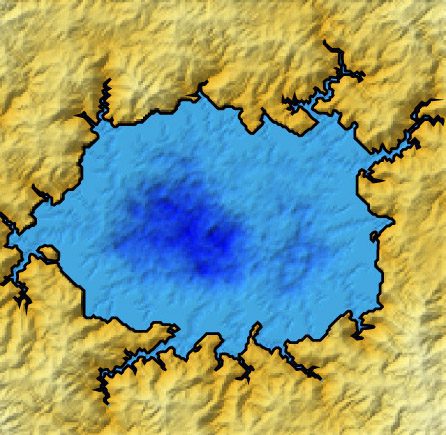
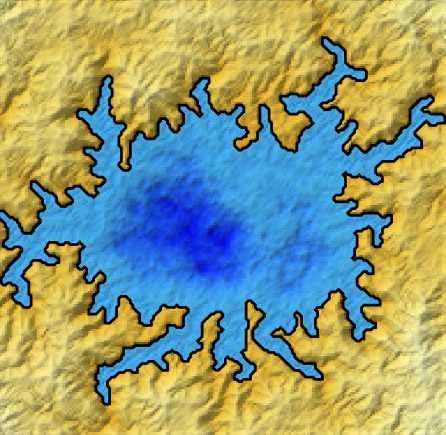
The researchers simulated how hundreds of different shoreline shapes would evolve under each of three scenarios: no coastal erosion; erosion driven by waves; and “uniform erosion,” which occurs when liquid passively dissolves a coast’s material or the coast gradually sloughs off under its own weight.

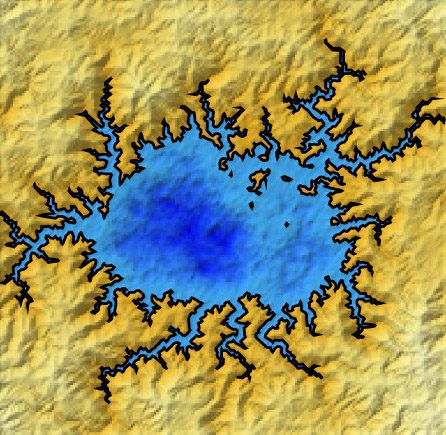
In the model, an initial shoreline (first) evolves differently under conditions of wave erosion (second) and uniform erosion (third).

“We had the same starting shorelines, and we saw that you get a really different final shape under uniform erosion versus wave erosion,” Perron says. “They all kind of look like the Flying Spaghetti Monster because of the flooded river valleys, but the two types of erosion produce very different endpoints.”

The team mapped the shorelines of the four large seas that were completely imaged by Cassini and applied their modeling to see which erosion mechanism best explained their shapes. They found that all four shorelines resembled those produced by the wave-driven model. “We found that if the coastlines have eroded, their shapes are more consistent with erosion by waves than by uniform erosion or no erosion at all,” Perron says.

The researchers, who note that their results must still be confirmed by direct observation, are now working to determine how strong Titan’s winds must be in order to stir up waves that could repeatedly chip away at the coasts. They also hope to decipher, from the shape of Titan’s shorelines, the directions from which the wind is predominantly blowing.

“Titan presents this case of a completely untouched system,” Palermo says. “It could help us learn more fundamental things about how coasts erode without the influence of people, and maybe that can help us better manage our coastlines on Earth in the future.” 

12 Free Open-Source Content Management Systems

A content management system helps users build and modify websites and create, manage, and modify online content — all without coding.

Here is a list of open-source content management systems. Many have large developer communities and thousands of themes and extensions. The base systems are free, though most offer premium add-ons and paid plans for hosting services.

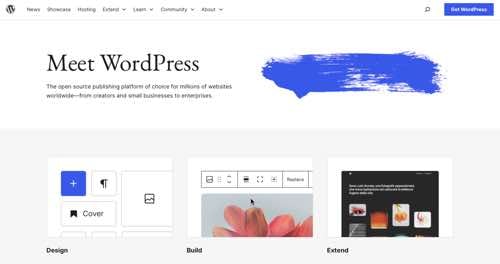
WordPress

Home page of WordPress.org

WordPress.org

WordPress launched in 2003 as a blogging platform. Today, it is a sophisticated CMS built on PHP and MySQL, running approximately 40% of all websites worldwide, from hobby blogs to the biggest news portals. Over 70,000 free plugins and themes help customize WordPress installations, including robust ecommerce functionality, galleries, mailing lists, forums, analytics, security, and more.

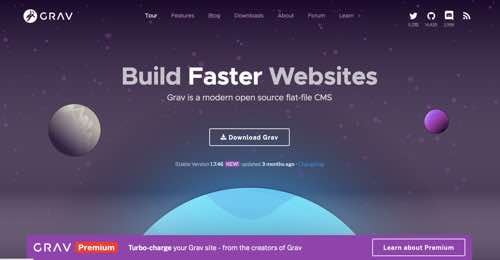
Grav

Home page of Grav

Grav

Grav is a CMS focusing on speed, simplicity, and flexibility. Grav is written in PHP, based on the Symfony framework, and uses Twig for templating. It comes with a package management system for simple installation and upgrading of plugins, themes, and the platform itself. It features a straightforward content creation method with a minimal learning curve. Create blogs, websites, landing pages, portfolios, ecommerce sites, and more.

Drupal

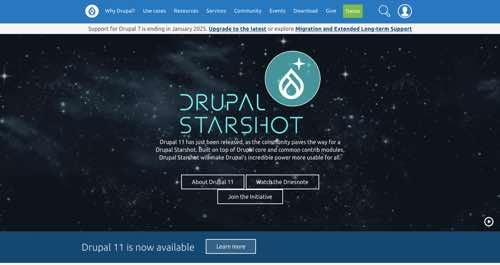
Home page of Drupal

Drupal

Drupal is a free and open-source content management system and framework. It has standard features, such as easy content authoring, reliable performance, and security. Its modularity is advanced and highly scalable, with roughly 40,000 modules to extend site functionality and 2,500 themes to modify site appearance. Users can easily create a site, online store, social network, blog, wiki, or anything else. The Drupal community has more than 1 million members. Many government agencies in the U.S., U.K., and France and media companies such as NBC and BBC use the Drupal platform.

Typo3

Home page of Typo3

Typo3

Typo3 is a free, open-source CMS based on PHP. It offers full support for marketers, from content planning and modeling to smart workflows, digital asset management, search engine optimization, and more. Create and publish content on multiple sites, in multiple languages, and across all digital channels while maintaining control with role-based access. Build information-rich digital experiences that perform well at any scale.

Joomla

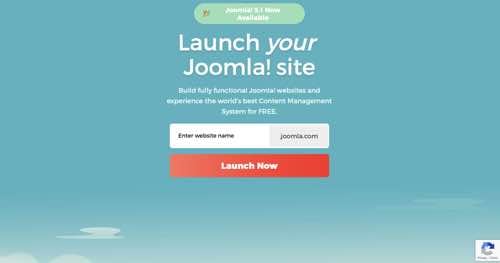
Home page of Joomla

Joomla

Joomla is a free and open-source CMS that’s mobile and search-engine friendly, multilingual, and flexible, with more than 5,000 extensions. It can be used for small business websites, ecommerce, online reservations, corporate websites, online publications, and government and non-profit sites. Joomla is built on a model–view–controller web application framework to build online applications, integrated ecommerce systems, data reporting tools, inventory control systems, communication tools, and more.

Umbraco

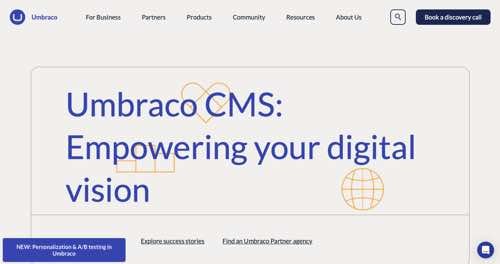
Home page of Umbraco

Umbraco

Umbraco is a flexible CMS built on the .NET framework. With an intuitive interface optimized for creating and managing content, editors can fulfill daily tasks, preview and publish content, schedule campaigns, and more. Create and manage content in multiple languages for various channels, and reuse content where needed — blog posts, data for a mobile app, or promotional campaigns. Umbraco features over 300 extensions and plugins and a support community of more than 220,000 members.

Concrete CMS

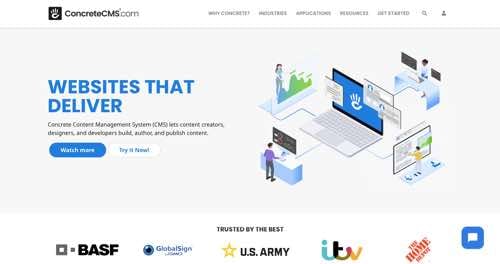
Home page of Concrete CMS

Concrete CMS

Concrete CMS is an open-source CMS for content creators, designers, and developers. The modular and extendable platform makes it easy to build and run a website. Concrete CMS features in-context editing, a WYSIWYG content editor, modular blocks, a form builder, integrated reporting, an integrated commenting system, collaborative and controlled access, advanced security, and thousands of themes and add-ons to broaden the functionality.

SilverStripe CMS

Home page of SilverStripe CMS

SilverStripe CMS

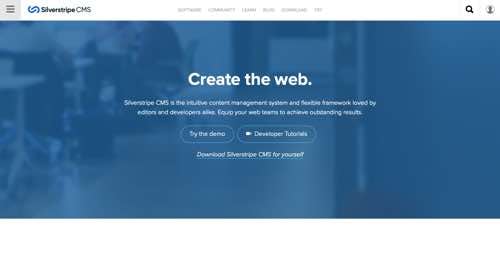
SilverStripe CMS is an easy-to-use CMS with a front-end templating engine, a customizable framework, and an extensive list of modules to extend functionality. Create custom fields, page types, data structures, and logic. Launch campaign pages straight from the CMS without the time-consuming development process. SilverStripe CMS has over 2,500 modules and 50,000 live sites.

Craft CMS

Home page of Craft CMS

Craft CMS

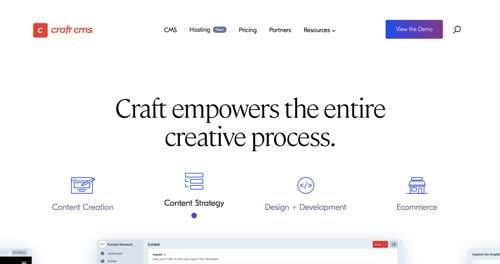
Craft CMS is a flexible, user-friendly CMS for creating custom digital experiences. Craft provides distinct building blocks, each appropriate for different kinds of content. Pick the features and functionality you need, and update content with Craft’s built-in management features. Build and manage an ecommerce store, customize the checkout flow, run promotions, set shipping rules, and more. Templates in Craft are powered by Twig, the templating system from the creators of Symfony. Solo plan is free for self-hosted sites.

Contao

Home page of Contao

Contao

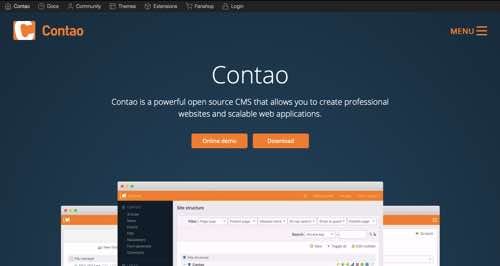
Contao is an open-source CMS and framework for creating scalable web applications. The Con­tao Man­ag­er, a graph­i­cal in­ter­face for Com­pos­er, al­lows users to in­stall and man­age the framework and ex­ten­sions di­rect­ly in your brows­er. Contao features multiple backend languages and advanced editing, a permission system, multiple page types and websites in one tree, a flexible form generator, advanced search options, built-in modules, extensions, and more. Con­tao us­es pass­word hash­ing al­go­rithms and sup­ports us­er ac­counts with two-fac­tor au­then­ti­ca­tion.

OpenCart

Home page of OpenCart

OpenCart

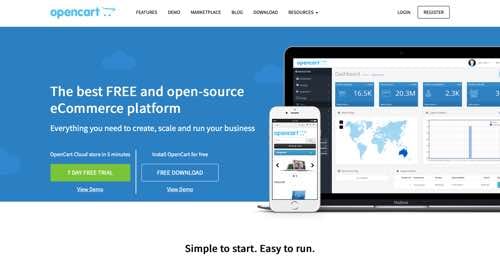
OpenCart is an open-source CMS for ecommerce. Stick with the modern, responsive default theme, or choose from thousands via third-party providers. OpenCart comes with a mobile-friendly admin area, complete with product, order and customer management, sales reports, and marketing tools, along with an active support community. OpenCart has over 14,000 extensions available to download.

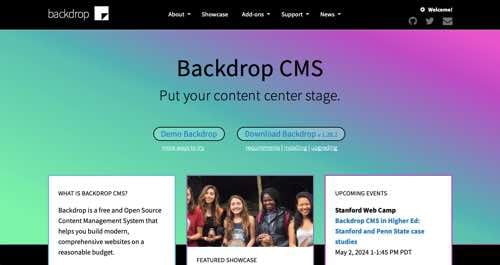
Backdrop CMS

Home page of Backdrop CMS

Backdrop CMS

Backdrop CMS is an open-source and easy-to-use CMS for small to medium-sized businesses, non-profits, or organizations needing a comprehensive website for free or low cost. Use Backdrop CMS for everything from a personal blog site to a complex multi-role ecommerce platform. Backdrop is easily extended with modules, themes, and layouts. Backdrop CMS was created through a fork from Drupal 7, maintaining code with a proven track record of success.

Google On YouTube “Cannibalization” Of Web Content via @sejournal, @martinibuster

Google’s Martin Splitt answered a question in the SEO Office Hours podcast about whether reproducing YouTube video content into text on a web page would be seen as duplicate content and have a negative impact on the web page rankings.

Although duplicate content is not a negative ranking factor, content published on a more authoritative site can cause the content on the less authoritative site to be outranked. It’s a valid question to ask because content on an authoritative will outrank the same content on a less authoritative one.

Some in the search community refer to one piece of content usurping the rankings of another as ‘cannibalization’ of the webpage’s ranking potential. This is the concern of the person asking the question.

Google’s Martin Splitt narrated the submitted question:

“If I create a YouTube video and then take that exact text or content and place it on a web page, could Google flag that web page or site for duplicate content?”

Different Content Media Are Treated As Separate

Martin Splitt answered that the two forms of content are different and will not be treated as the same content, thus publishing text content extracted from a video will not be considered duplicate content.

This is his answer:

“No, one is a video and the other one is text content, and that would be unique content!”

Publishing Extracted Text From Video

Martin praised the idea of extracting text content from a video and republishing it as text, noting that some people prefer to consume content in text form rather than watching a video. Reversing the flow of content from text to audio or video is probably not a bad idea also because some people have trouble reading text content and may prefer listening to it from a video or a podcast format.

Martin commented on publishing video content in a textual version:

“It’s also not a bad idea, some users (like me) might prefer a text version and others might not be able to use a video version of the content in the first place due to bandwidth or visual constraints.”

Takeaways

The idea behind the question is repurposing content and it’s a good idea. Search is more than Google, it’s also YouTube and wherever people get their audio content, like Spotify. The fact that there is no cannibalization of the content between mediums makes repurposing a viable approach to extending your content reach.

Listen to the podcast at the 8:20 minute mark:

Featured Image by Shutterstock/Roman Samborskyi

WordPress Translation Plugin Vulnerability Affects +1 Million Sites via @sejournal, @martinibuster

A critical vulnerability was discovered in the WPML WordPress plugin, affecting over a million installations. The vulnerability allows an authenticated attacker to perform remote code execution, potentially leading to a total site takeover. It is listed as rated 9.9 out of 10 by the Common Vulnerabilities and Exposures (CVE) organization.

WPML Plugin Vulnerability

The plugin vulnerability is due to a lack of a security check called sanitization, a process for filtering user input data to protect against the upload of malicious files. Lack of sanitization in this input makes the plugin vulnerable to a Remote Code Execution.

The vulnerability exists within a function of a shortcode for creating a custom language switcher. The function renders the content from the shortcode into a plugin template but without sanitizing the data, making it vulnerable to code injection.

The vulnerability affects all versions of the WPML WordPress plugin up to and including 4.6.12.

Timeline Of Vulnerability

Wordfence discovered the vulnerability in late June and promptly notified the publishers of WPML which remained unresponsive for about a month and a half, confirming response on August 1, 2024.

Users of the paid version of Wordfence received protection eight days after discovery of the vulnerability, the free users of Wordfence received protection on July 27th.

Users of the WPML plugin who did not use either version of Wordfence did not receive protection from WPML until August 20th, when the publishers finally issued a patch in version 4.6.13.

Plugin Users Urged To Update

Wordfence urges all users of the WPML plugin to make sure they are using the latest version of the plugin, WPML 4.6.13.

They wrote:

“We urge users to update their sites with the latest patched version of WPML, version 4.6.13 at the time of this writing, as soon as possible.”

Read more about the vulnerability at Wordfence:

1,000,000 WordPress Sites Protected Against Unique Remote Code Execution Vulnerability in WPML WordPress Plugin

Featured Image by Shutterstock/Luis Molinero

Google Updates ProfilePage Structured Data Documentation via @sejournal, @martinibuster

Google updated their documentation for the profile page structured data, a structured data that all creators including recipe bloggers can use and become eligible for enhanced listings in the search results.

What is ProfilePage Structured Data?

ProfilePage structured data is a Schema.org markup that Google uses for enhanced listings in the search results. It’s well known for use with forum and discussion communities but it’s also of use for any profile page where there’s information about the author.

What Changed In The Official Documentation?

Google updated the opening paragraph to make it clearer how Google uses it in the search results and removes the mention of “Perspectives” and replaces it with references to Forums, which aligns with how Google Search refers to them in the search results.

The new version of the opening paragraph is about 26% shorter but offers more precise information.

This is the original version (64 words):

“ProfilePage markup is designed for any site where creators (either people or organizations) share first-hand perspectives. It helps Google Search highlight information about the creator, such as their name or social handle, profile photo, follower count, or the popularity of their content. Google Search also makes use of this markup when disambiguating the creator, and in features such as Perspectives and Discussions and Forums.”

This is the revised version (47 words):

“ProfilePage markup is designed for any site where creators (either people or organizations) share first-hand perspectives. Adding this markup helps Google Search understand the creators that post in an online community, and show better content from that community in search results, including the Discussions and Forums feature.”

What’s ProfilePage Markup Good For?

The ProfilePage structured data markup can be used on any profile page where there’s a creator. It’s not just for communities and can make a profile page eligible to show an enhanced listing in the search results.

This is what Google’s documentation says:

“Other structured data features can link to pages with ProfilePage markup too. For example, Article and Recipe structured data have authors…”

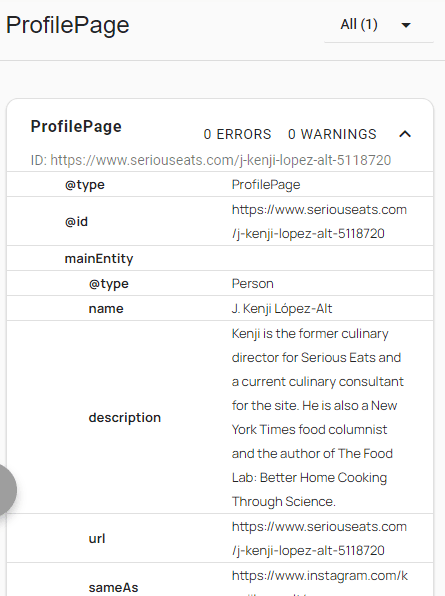
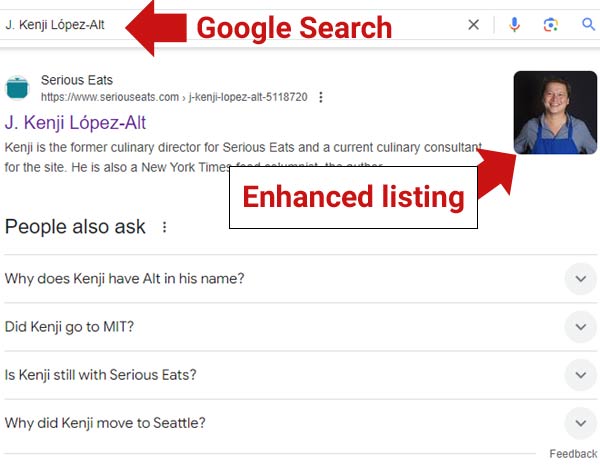
It seems like the ProfilePage markup is underused in the recipe blogger space, not sure why. For example, the Serious Eats profile page for recipe writer J. Kenji López-Alt has ProfilePage structured data markup on his profile page and Google appears to reward that markup with an enhanced listing for his Serious Eats profile page.

Screenshot Of Serious Eats ProfilePage Markup

Screenshot Of Rich Results For Profile Page

Another Screenshot

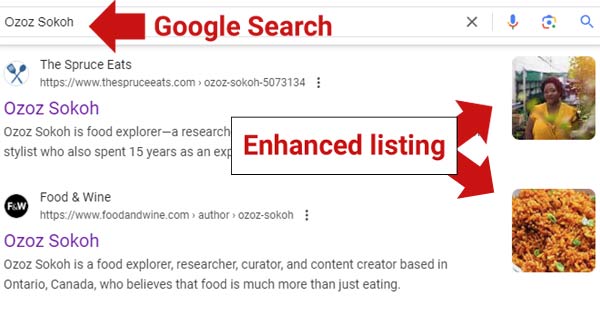
Screenshot of a rich result for two recipe site profile pages that use ProfilePage structured data markup

The above two screenshots are of rich results for the profile pages of recipe authors, pages that use the ProfilePage structured data markup.

Read Google’s updated ProfilePage documentation:

Profile page (ProfilePage) structured data

Featured Image by Shutterstock/Krakenimages.com

Google Updates Organization Structured Data Documentation via @sejournal, @martinibuster

Google updated the opening paragraph of the Organization Structured Data documentation to provide a clearer, more comprehensive description of its purpose, with improved clarity on four specific points. The result is a model of how to write a high quality opening paragraph.

The new documentation has a high level of information density, which is the quality of communicating more information with less words. The importance of information density is that it communicates ideas better.

The changes add the following four points:

  1. It emphasizes that organization structured data disambiguates one organization from others using structured data properties like iso6523 and naics. Disambiguate means to make something less ambiguous.
  2. It explains how certain Schema.org properties can influence visual elements in search results and in a knowledge panel. A knowledge panel is a box containing data about an organization (or person) that appears on the right side of search results when a user queries about those entities.
  3. It specifically mentions how organization structured data can enrich merchant knowledge panels and brand profiles with details about return policies, addresses, and contact information.
  4. The new opening paragraph now states that there are no required properties for organization structured data and recommends adding as many structured data properties as necessary for relevance. This is not new to the documentation, but it is newly emphasized in the opening paragraph.

None of the four above points existed in the opening paragraph of the previous version of the documentation, serving as an example of how to keep on topic and communicate what a web page is about.

Here is the previous opening paragraph

“You can use organization structured data to let Google know about your organization’s administrative details, for example, logo, address, contact information, and business identifiers. Google can make use of this markup in knowledge panels and other visual elements (such as attribution), which helps users to find your organization’s details on Google Search.”

This is the new opening paragraph:

“Adding organization structured data to your home page can help Google better understand your organization’s administrative details and disambiguate your organization in search results. Some properties are used behind the scenes to disambiguate your organization from other organizations (like iso6523 and naics), while others can influence visual elements in Search results (such as which logo is shown in Search results and your knowledge panel). If you’re a merchant, you can influence more details in your merchant knowledge panel and brand profile, such as return policy, address, and contact information. There are no required properties; instead, we recommend adding as many properties that are relevant to your organization.”

The above opening paragraph is the only change to the document and yet it vastly improves the entire document because a reader knows what to expect as they continue reading.

Takeaways:

Understanding why the documentation is improved gives publishers and SEOs new ideas for understanding why a web page needs to be refreshed.

The changes to Google’s documentation improve it by clearly explaining what the web page is about, how organization structured data benefits users, and identifying a specific class of users who especially benefit from this kind of structured data. The opening paragraph invites readers to continue reading by ensuring they understand the web page’s purpose.

Why the new documentation is improved:

  • Higher information density
  • Improved topicality (communicates what the document is about)
  • Gets to the point fast
  • Offers more details and examples
  • Is more comprehensive
  • Mentions users who will benefit ( merchants)

Why the previous version needed to be fixed:

  • Lacked specifics
  • Limited in scope
  • Lacking in actionable information
  • Didn’t prepare the reader for what the entire page is about

Read the new documentation here:

Organization (Organization) structured data

Compare it to the old documentation here:

Organization (Organization) structured data – WaybackMachine

Featured Image by Shutterstock/Mix and Match Studio