Conversion Tracking & Reporting For Enterprise Accounts: Avoid Common Pitfalls via @sejournal, @navahf

One of the biggest areas of contention in enterprise PPC advertising is conversion tracking efficacy.

This is in part due to how difficult it is to get approvals, make changes to your sites, and ensure that there’s buy-in to how you will be tracking conversions.

We’re going to dive into how to secure permission to get your conversion tracking set up, as well as how to report on those metrics.

While you will need to adopt this for your business and your needs, it should hopefully provide a very useful framework.

Getting Buy-In From IT

The biggest issue most IT teams will have is lags in performance (site speed).

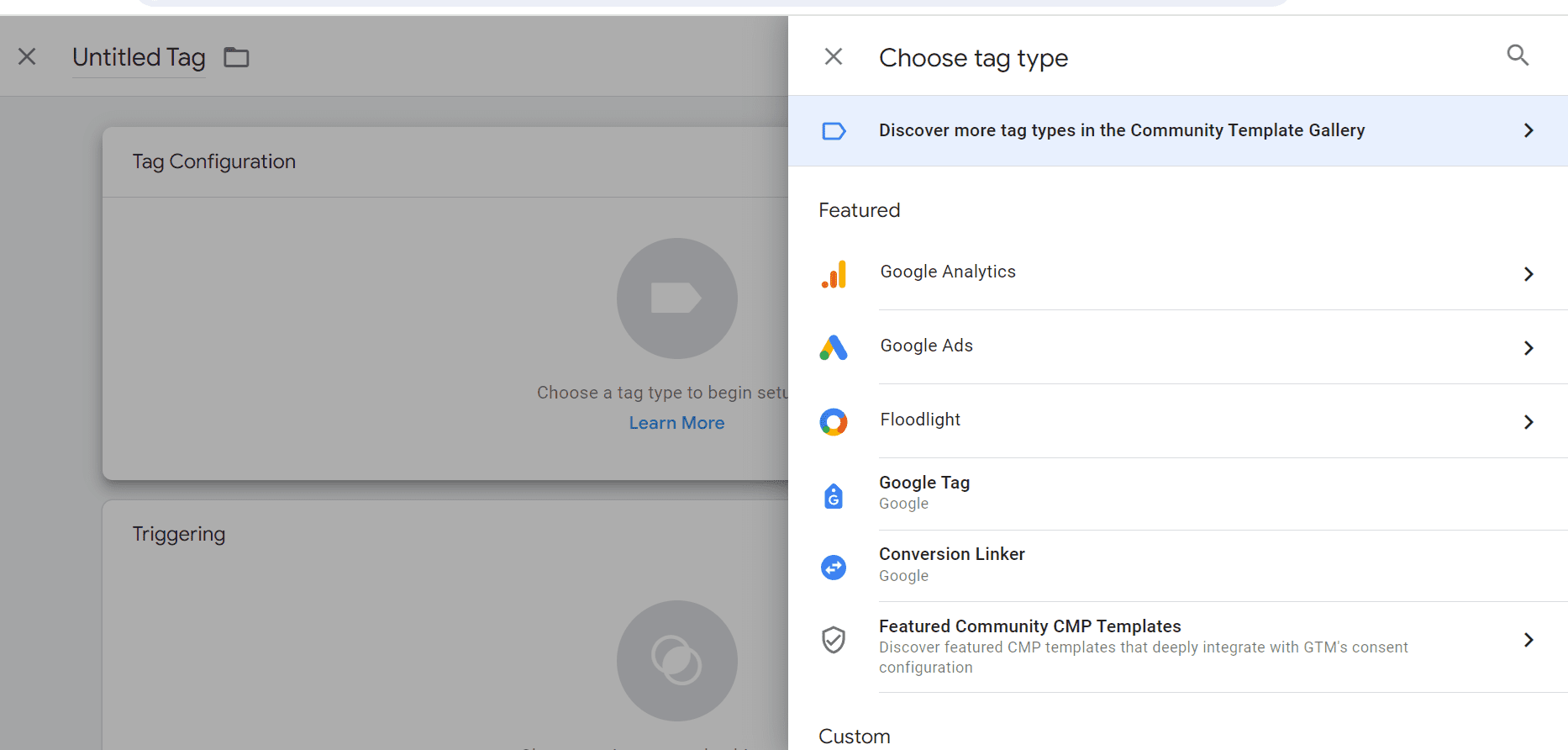
Google Tag Manager is one of the easiest ways to get tags onto your site.

This is because the install goes in once, and it’s one set of assets that will impact the site. You can then make whatever changes you need.

<span class=

However, you need to make sure the events you’re going to track are trackable and that there won’t be any changes once tracking is set up.

For example, if you have an event for a form that registers a conversion when users submit, changing the language to contact us could easily cause a lapse in conversions.

You’ll need to make sure that there is a strong communication line between your IT team, your design team, and of course, your own ideas and strategies.

What Events Will You Track?

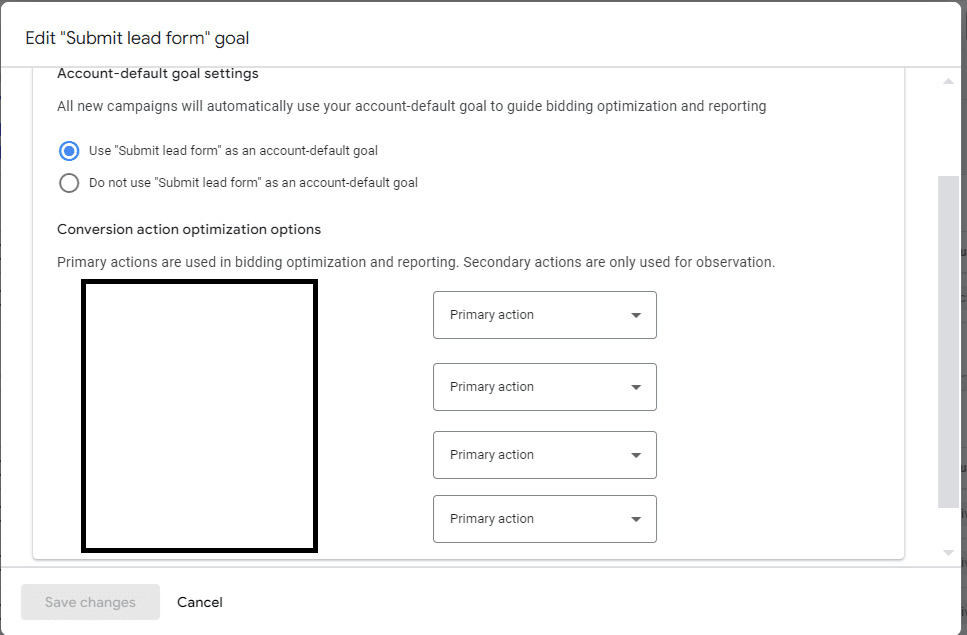
A big part of success is which events you designate as primary (influences reporting and bidding) and which ones are secondary.

primary and secondary conversionsScreenshot from Google Tag Manager, July 2024

These can be beginning an application or starting a purchase. While you may decide to keep most events as primary, you do need to make sure that the appropriate values are set.

Additionally, it is very important that you connect your CRM so that you can score your leads and, ultimately, convey the conversion values of true customers.

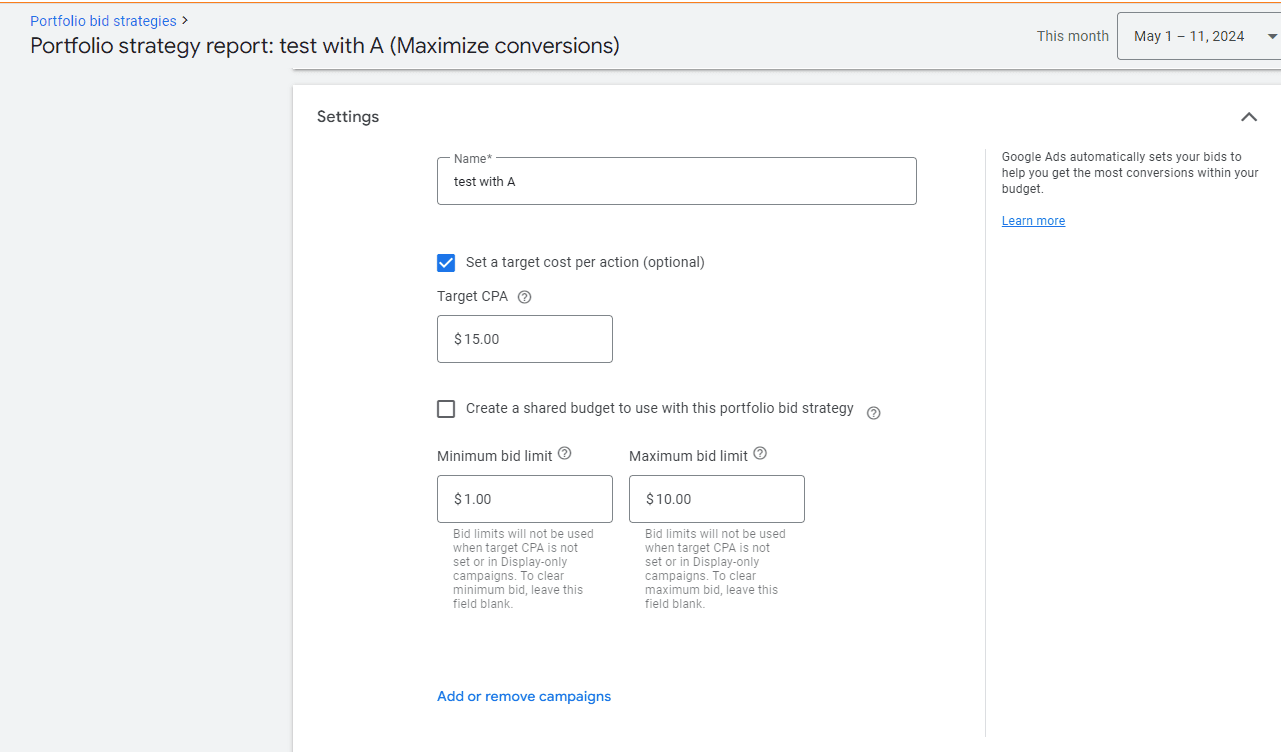
portfolio bid with bid capScreenshot from Google Tag Manager, July 2024

Ad platforms do best when you’re able to share revenue and profit information versus only relying on a placeholder number. While there is a valid fear around price gauging when an ad platform knows your profit numbers, you can mitigate that with bid floors/caps in portfolio bidding.

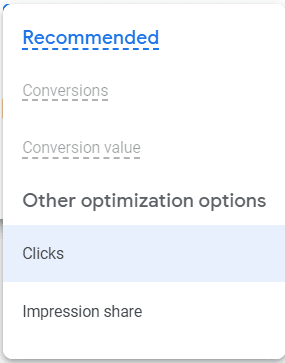
If you can’t track conversions for whatever reason, hope is not lost! Auto-bidding and manual can be reasonable solutions.

no conversion biddingScreenshot from Google Tag Manager, July 2024

Reporting Your Success

It’s critical that stakeholders understand (and buy into) the information you’ll be sharing with them. If all they care about is signed customers, you’re not going to show them every single type of conversion action.

You should still track what you need, i.e., segmenting conversion actions and seeing which types happened when.

As a general rule, these metrics are safe to include in reports:

  • Conversions: what you’re tracking and the value of these conversions.
  • Return on ad spend (ROAS).
  • Budget efficiency: percent of the budget going to converting entities.
  • Cost.

Every other metric is nice to have, but on a case-by-case basis.

As you share reports and agree on conversion actions, make sure you have their buy-in for privacy and consent work. This ensures you’ll be able to track effectively, and you’ll also be able to use any contact information secured in future marketing efforts.

Call tracking is going to be a critical step for many. You can use:

  • On-site: dynamic numbers based on anticipated impression and click volume.
  • Off-site: a static number assigned to an action.

When you share reporting information, you will want to ensure calls are scored based on whether they became leads and on their duration.

By default, conversions are considered at 60 seconds. However, in most cases, that will not be adequate. Make sure you’re building in at least two minutes (ideally five minutes) before considering a call a conversion.

The final consideration is how much you will rely on GA4 events vs ad platform conversion. If your team requires the same “sources of truth,” you may want to opt for GA4.

However, you can also collaborate with your SEO teams by building in organic reporting.

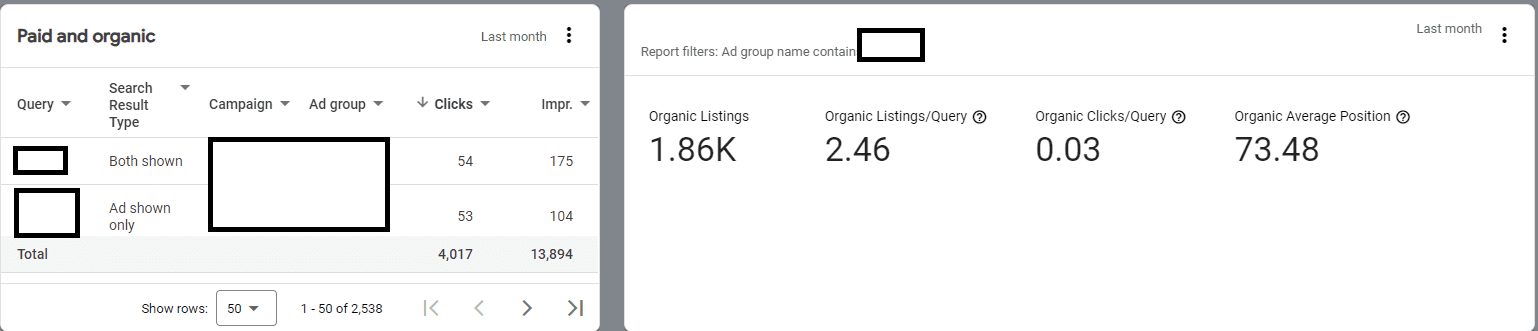
organic reportsScreenshot from Google Analytics 4, July 2024

By doing this, you can report on how much budget is needed in paid vs organic due to overlap and potential cannibalization. To access these reports, connect your search console to Google Ads.

User Experience

The final consideration is the user experience when they convert with you. Essentially, how easy is it for them to accidentally convert multiple times or not convert at all (despite believing that they have)? This can skew your numbers and budget allocation.

It’s important to review the conversion path for your customers on multiple devices and multiple operating systems.

For example, when you design on an iOS system, sometimes fonts and colors get skewed when moving to Windows. This can cause a bad user experience and impact the conversion tracking itself.

Another potential hurdle is form-fill confirmation.

If users don’t see a thank you page confirming their appointment and offering the opportunity to add it to their calendar, they may not realize the appointment went through.

Make sure it’s clear that the user accomplished the action you’re trying to get them to take.

Creative Solutions If You Can’t Track Conversions

If you are unable to get your IT team to set up conversion tracking properly, all is not lost. You can still create something approaching tracking, you just will need to do a little bit more manual work.

Use UTMs with tracking parameters to help your CRM system convey that a lead came from the ad platform. Then, you can share that information with the ad platform.

It’s a little bit riskier to rely wholly on analytics because it’s typically best to use a non-ad platform-oriented tracking solution as your source of truth of what value happened.

While you can use analytics, you may get more value out of using your CRM.

Final Takeaways

To sum up, conversion tracking is a critical part of any campaign, especially enterprise.

While your implementation may not be perfect, you can still get a lot of value out of using Google Tag Manager to get the most pixels on and using call tracking rules of engagement to set yourself up for success.

Be sure that you use Auto or manual bidding unless you’re able to connect off-line conversions.

More resources: 


Featured Image: Akarawut/Shutterstock

Here’s how people are actually using AI

This story is from The Algorithm, our weekly newsletter on AI. To get it in your inbox first, sign up here.

When the generative AI boom started with ChatGPT in late 2022, we were sold a vision of superintelligent AI tools that know everything, can replace the boring bits of work, and supercharge productivity and economic gains. 

Two years on, most of those productivity gains haven’t materialized. And we’ve seen something peculiar and slightly unexpected happen: People have started forming relationships with AI systems. We talk to them, say please and thank you, and have started to invite AIs into our lives as friends, lovers, mentors, therapists, and teachers. 

We’re seeing a giant, real-world experiment unfold, and it’s still uncertain what impact these AI companions will have either on us individually or on society as a whole, argue Robert Mahari, a joint JD-PhD candidate at the MIT Media Lab and Harvard Law School, and Pat Pataranutaporn, a researcher at the MIT Media Lab. They say we need to prepare for “addictive intelligence”, or AI companions that have dark patterns built into them to get us hooked. You can read their piece here. They look at how smart regulation can help us prevent some of the risks associated with AI chatbots that get deep inside our heads. 

The idea that we’ll form bonds with AI companions is no longer just hypothetical. Chatbots with even more emotive voices, such as OpenAI’s GPT-4o, are likely to reel us in even deeper. During safety testing, OpenAI observed that users would use language that indicated they had formed connections with AI models, such as “This is our last day together.” The company itself admits that emotional reliance is one risk that might be heightened by its new voice-enabled chatbot. 

There’s already evidence that we’re connecting on a deeper level with AI even when it’s just confined to text exchanges. Mahari was part of a group of researchers that analyzed a million ChatGPT interaction logs and found that the second most popular use of AI was sexual role-playing. Aside from that, the overwhelmingly most popular use case for the chatbot was creative composition. People also liked to use it for brainstorming and planning, asking for explanations and general information about stuff.  

These sorts of creative and fun tasks are excellent ways to use AI chatbots. AI language models work by predicting the next likely word in a sentence. They are confident liars and often present falsehoods as facts, make stuff up, or hallucinate. This matters less when making stuff up is kind of the entire point. In June, my colleague Rhiannon Williams wrote about how comedians found AI language models to be useful for generating a first “vomit draft” of their material; they then add their own human ingenuity to make it funny.

But these use cases aren’t necessarily productive in the financial sense. I’m pretty sure smutbots weren’t what investors had in mind when they poured billions of dollars into AI companies, and, combined with the fact we still don’t have a killer app for AI,it’s no wonder that Wall Street is feeling a lot less bullish about it recently.

The use cases that would be “productive,” and have thus been the most hyped, have seen less success in AI adoption. Hallucination starts to become a problem in some of these use cases, such as code generation, news and online searches, where it matters a lot to get things right. Some of the most embarrassing failures of chatbots have happened when people have started trusting AI chatbots too much, or considered them sources of factual information. Earlier this year, for example, Google’s AI overview feature, which summarizes online search results, suggested that people eat rocks and add glue on pizza. 

And that’s the problem with AI hype. It sets our expectations way too high, and leaves us disappointed and disillusioned when the quite literally incredible promises don’t happen. It also tricks us into thinking AI is a technology that is even mature enough to bring about instant changes. In reality, it might be years until we see its true benefit.


Now read the rest of The Algorithm

Deeper Learning

AI “godfather” Yoshua Bengio has joined a UK project to prevent AI catastrophes

Yoshua Bengio, a Turing Award winner who is considered one of the godfathers of modern AI, is throwing his weight behind a project funded by the UK government to embed safety mechanisms into AI systems. The project, called Safeguarded AI, aims to build an AI system that can check whether other AI systems deployed in critical areas are safe. Bengio is joining the program as scientific director and will provide critical input and advice. 

What are they trying to do: Safeguarded AI’s goal is to build AI systems that can offer quantitative guarantees, such as risk scores, about their effect on the real world. The project aims to build AI safety mechanisms by combining scientific world models, which are essentially simulations of the world, with mathematical proofs. These proofs would include explanations of the AI’s work, and humans would be tasked with verifying whether the AI model’s safety checks are correct. Read more from me here.

Bits and Bytes

Google DeepMind trained a robot to beat humans at table tennis

Researchers managed to get a robot  wielding a 3D-printed paddle to win 13 of 29 games against human opponents of varying abilities in full games of competitive table tennis. The research represents a small step toward creating robots that can perform useful tasks skillfully and safely in real environments like homes and warehouses, which is a long-standing goal of the robotics community. (MIT Technology Review)

Are we in an AI bubble? Here’s why it’s complex.

There’s been a lot of debate recently, and even some alarm, about whether AI is ever going to live up to its potential, especially thanks to tech stocks’ recent nosedive. This nuanced piece explains why although the sector faces significant challenges, it’s far too soon to write off AI’s transformative potential. (Platformer

How Microsoft spread its bets beyond OpenAI

Microsoft and OpenAI have one of the most successful partnerships in AI. But following OpenAI’s boardroom drama last year, the tech giant and its CEO, Satya Nadella, have been working on a strategy that will make Microsoft more independent of Sam Altman’s startup. Microsoft has diversified its investments and partnerships in generative AI, built its own smaller, cheaper models, and hired aggressively to develop its consumer AI efforts. (Financial Times

Humane’s daily returns are outpacing sales

Oof. The extremely hyped AI pin, which was billed as a wearable AI assistant, seems to have flopped. Between May and August, more Humane AI Pins were returned than purchased. Infuriatingly, the company has no way to reuse the returned pins, so they become e-waste. (The Verge)

The Download: how we’re using AI, and Trump’s campaign hack

This is today’s edition of The Download, our weekday newsletter that provides a daily dose of what’s going on in the world of technology.

Here’s how people are actually using AI

When the generative AI boom started with ChatGPT in late 2022, we were sold a vision of superintelligent AI tools that know everything, can replace the boring bits of work, and supercharge productivity and economic gains.

Two years on, those productivity gains mostly haven’t materialized. Instead, we’ve seen something peculiar and slightly unexpected happen: People have started forming relationships with AI systems. We talk to them, say please and thank you, and have started to invite AIs into our lives as friends, lovers, mentors, therapists, and teachers. It’s a fascinating development, and shows how hard it is to predict how cutting-edge technology will be adopted.  Read the full story.

—Melissa Heikkilä

This story is from The Algorithm, our weekly newsletter giving you the inside track on all things AI. Sign up to receive it in your inbox every Monday.

If you’re interested in how people are forming connections with AI, why not take a look at:

+ Deepfakes of your dead loved ones are a booming Chinese business. Read the full story.

+ Technology that lets us “speak” to our dead relatives has arrived. Are we ready? Digital clones of the people we love could forever change how we grieve. Read the full story.

+ My colleagues turned me into an AI-powered NPC. I hate him. Take a look behind the controls of a new way to create video-game characters that engage with players in unique, ever-changing ways.

+ An AI startup made a hyperrealistic deepfake of me that’s so good it’s scary. Synthesia’s new technology is impressive but raises big questions about a world where we increasingly can’t tell what’s real. Read the full story.

The must-reads

I’ve combed the internet to find you today’s most fun/important/scary/fascinating stories about technology.

1 Hackers infiltrated Donald Trump’s electoral campaign 
His team is blaming Iran and accusing Tehran of political interference. (FT $)
+ Microsoft appears to have confirmed the country’s involvement. (The Guardian)
+ The news outlet Politico received emails containing stolen documents. (Politico)

2 The meat industry’s sustainability claims don’t add up
Environmental groups are reluctant to challenge the sector, which is a major problem. (Vox)
+ How I learned to stop worrying and love fake meat. (MIT Technology Review)

3 How a crypto data leak led the FBI to a notorious sex trafficker
Michael Pratt is facing a possible life sentence as a result. (Insider $)

4 Brands are begging influencers to swerve politics
And they’re even using AI to predict whether influencers they’re thinking of partnering with are likely to express political opinions. (NYT $)
+ Elon Musk, meanwhile, is becoming increasingly political. (WP $)

5 How a fake cricket match exposed an illegal gambling ring 🏏
Online gamblers had no idea they were betting on fixed tournaments. (Bloomberg $)
+ How mobile money supercharged Kenya’s sports betting addiction. (MIT Technology Review)

6 Where did it all go wrong for Cameo?
The celebrity video app has fallen on hard times. (The Guardian

7 Coral reefs may have an unlikely new savior
Release the sea urchins! (The Atlantic $)
+ The race is on to save coral reefs—by freezing them. (MIT Technology Review)

8 Calorie counting has had a 2024 makeover
And AI is involved, naturally. (WSJ $)

9 What a kinder online community can teach us
Vermont’s Front Porch Forum has succeeded where other platforms have failed. (WP $)
+ How to fix the internet. (MIT Technology Review)

10 How tech workers-turned athletes fared in this year’s Olympics
They juggled their day jobs and training for the prestigious tournament. (The Information $)

Quote of the day

“I’m looking for an EV. I just don’t want a Tesla.”

—Esther Chun, manager of a Polestar car dealership in San Jose, says customers frequently cite Elon Musk as a reason not to buy his electric cars to the Washington Post.

The big story

Meet the divers trying to figure out how deep humans can go

February 2024

Two hundred thirty meters into one of the deepest underwater caves on Earth, Richard “Harry” Harris knew that not far ahead of him was a 15-meter drop leading to a place no human being had seen before.

Getting there had taken two helicopters, three weeks of test dives, two tons of equipment, and hard work to overcome an unexpected number of technical problems. But in the moment, Harris was hypnotized by what was before him: the vast, black, gaping unknown.

Staring into it, he felt the familiar pull—maybe he could go just a little farther. Instead, he and his diving partner, Craig Challen, decided to turn back. That’s because they weren’t there to set records. Instead, they were there to test what they saw as a possible key to unlocking depths beyond even 310 meters: breathing hydrogen. Read the full story

—Samantha Schuyler

We can still have nice things

A place for comfort, fun and distraction to brighten up your day. (Got any ideas? Drop me a line or tweet ’em at me.)

+ A portrait of Simone Biles using thousands of dice, because why not?
+ This simple practice could help you to feel more positive on a daily basis. Why not try it?
+ Treat yourself to a juicy tomato sandwich this week.
+ Scary stuff: New York is getting a colossal pigeon sculpture named Dinosaur. 🐦

New Ecommerce Tools: August 12, 2024

Every week we publish a rundown of new products from companies offering services to ecommerce and omnichannel merchants. This installment includes updates on AI writing assistants, biometric payments, social commerce, fraud protection, and cross-border payments.

Got an ecommerce product release? Email releases@practicalecommerce.com.

New Tools for Merchants: August 12, 2024

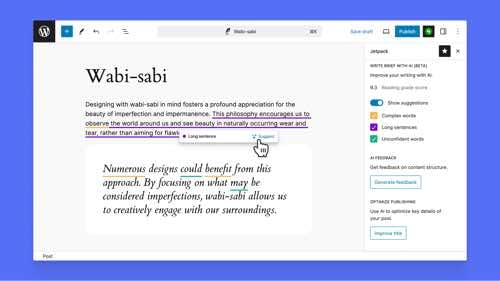
Automattic rolls out AI-powered writing assistant for WordPress. Automattic, the company behind WordPress.com and its Jetpack AI performance and security application, has released Write Brief with AI, an AI-powered writing tool in JetPack. Write Brief with AI can measure readability, simplify lengthy sentences, write and suggest strong and clear prose, and suggest word alternatives to keep your writing clear and direct. Write Brief with AI is free (while in beta) for all WordPress.com plans and users.

Web page for Write Brief with AI

Write Brief with AI

Adobe launches generative AI-powered Journey Optimizer for B2B marketing. Adobe has announced the general availability of Adobe Journey Optimizer B2B Edition, leveraging generative AI to engage customers. Built natively on the Adobe Experience Platform, which provides a single view of customers across every channel, AJO B2B Edition can identify buying groups while creating personalized journeys for each individual.

Amazon Deals lets shoppers buy products on TikTok and Pinterest. Amazon has partnered with TikTok and Pinterest to allow visitors to purchase products from the ecommerce company without leaving the social media apps. Shoppers can link profiles from TikTok and Pinterest to their Amazon accounts and then buy products directly from ads. Amazon’s agreements with TikTok and Pinterest follow similar deals with Meta and Snap. The Pinterest-Amazon partnership extends an existing relationship to help Amazon fill excess ad inventory.

WorldFirst partners with Walmart for secure online fund collection. WorldFirst, a digital payment and financial services platform, has partnered with Walmart to enable China-based ecommerce sellers to collect funds from Walmart Marketplace securely. Funds collected are directly deposited into the merchant’s WorldFirst account. Merchants benefit from no service charges and protection against exchange rate losses on collected payments. Additionally, fees for withdrawals and transfers are capped at 0.3%.

Home page of WorldFirst

WorldFirst

One Page Inventory introduces feature to help ecommerce sellers fight fees. One Page Inventory, a multichannel inventory management solution, has launched a financial feature to provide insights into inventory financials, helping ecommerce sellers to understand fees, sales costs, and profitability. Sellers can (i) track unit totals and potential gross sales, gaining a clear understanding of inventory performance and revenue potential, (ii) evaluate potential profit margins and manufacturer costs, and (iii) break down financial data by total inventory or by individual warehouses for localized analysis.

Checkout.com launches secure payment authentication service from Google Pay. Checkout.com, a payment authentication platform, will offer Google Pay’s biometric authentication to brands. Per Checkout.com, Google Pay is a streamlined alternative to other authentication methods where customers verify their identity with a one-time passcode and are often redirected to multiple pages. Checkout.com says it is the first payment provider to partner with Google Pay to bring its biometric-based secure payment authentication service to merchants.

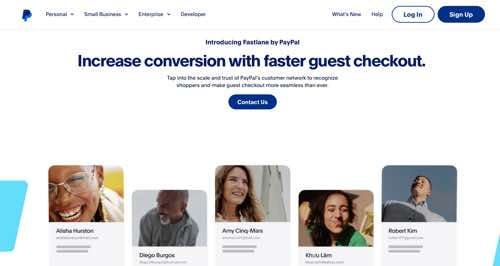
Fastlane by PayPal provides a fast and simple guest checkout. Fastlane by PayPal is now available for all U.S. businesses to accelerate the guest checkout experience. Fastlane helps merchants recognize consumers early in the guest checkout process using their email, allowing them to access their saved information with a one-time passcode so they may autofill their checkout and complete their purchase in as little as one click. Consumers with a Fastlane profile can speed through checkouts anywhere Fastlane is enabled.

Web page for Fastlane by PayPal

Fastlane by PayPal

Kombatix launches Shopify app to protect merchants from friendly fraud and refund abuse. Kombatix, a fraud-prevention platform, has launched a Shopify app. According to Kombatix, the app helps online merchants fight against friendly fraud and refund abuse, retain revenue, and improve dispute deflection success rates. The app can determine if transaction details match a disputing customer. Customer and transaction data is run against a fraud network in real time to determine friendly fraud vs. true fraud.

Flexport and Passport partner to provide international shipping for DTC brands. Passport, a platform to help brands go global, has partnered with Flexport, a provider of global supply chain technology. The partnership will allow Passport to expand its international shipping and customs clearance options for Flexport’s clients who are fulfilling direct-to-consumer orders from the U.S. This will help Flexport merchants sell in 180-plus countries. With Delivered Duty Paid, brands can prepay import duties before the package crosses the border.

Bluehost unveils enhancements for web professionals and agencies. Bluehost, a WordPress hosting provider, has announced the expansion of its agency partner program, providing web professionals, agencies, and freelancers with enhanced solutions and updated product offerings. Along with the expanded partner program, agencies can take advantage of Bluehost’s Cloud product with new features such as a migration tool, AI-powered WordPress website builder, and a refreshed lineup of virtual private server and dedicated server options.

DHL Express launches Small Business PartnerSHIP Program. DHL Express has launched its Small Business PartnerSHIP Program, a free service to provide small and medium-sized enterprises with resources and support to tap global markets. Benefits include shipping promo codes and discounts, simplified shipping solutions, the Global Trade Services for guidance on international shipping regulations, and the GoGreen Plus program to reduce carbon emissions. Additionally, SMBs can access ecommerce guidance, mentorship, informative webinars and events, and dedicated support from certified international specialists.

Web page for DHL Small Business PartnerSHIP Program

DHL Small Business PartnerSHIP Program

SEO Tools to Analyze HTML Headings

HTML headings such as H2 and H3 are powerful ranking signals to search engines. Their importance is increasing because Google’s featured snippet algorithm looks for sections of a page to answer a query. Headings help Google better understand the content.

Thus analyzing competitors’ HTML headings and optimizing your own can improve rankings.

Here are three tools to help.

Devaka Tools

Screenshot of Devaka Tools SEO bookmarklet.

Devaka Tools SEO bookmarklet.

Devaka Tools offers a quick (and free) way to identify and extract on-page headings via a bookmarklet, which the site explains:

Bookmarklets are small JavaScript programs that can be stored as bookmarks in a web browser. Unlike regular bookmarks, which simply navigate to a specific webpage, bookmarklets perform actions on the current page you are viewing. They are executed by clicking on the bookmark, triggering the JavaScript code embedded within.

Install on any desktop browser. Then click the bookmarklet in your browser’s toolbar for any page, select “Headings” in the bookmarklet’s controls, and it will highlight all HTML headings.

Thruuu

Thruuu home page

Thruuu

Thruuu is an AI-powered analyzer of search engine result pages. Type in a keyword, and the tool will perform a SERP analysis that includes images, keywords, and HTML headings.

Use the “Extended view” to access heading information for every ranking page. The “Explore Headings” feature uses AI to pull headings from all ranking pages. Clicking the “i” icon to the right of any heading shows which URLs use it or a similar version.

Thruuu is a helpful tool for understanding competitors’ HTML headings relative to search queries.

Thruuu’s free trial includes 10 SERP analyses. Paid plans start at $13 per month for 75 SERPs.

Surfer

Surfer home page

Surfer

Surfer is a content writing tool using AI to create search-engine-optimized copy. Like Thruuu, Surfer analyzes SERPs for keywords but doesn’t show the details, only the content recommendations.

To use, paste your article text into Surfer with the target keyword. The tool will then provide on-page suggestions — including the number of headings and their keywords — in a guided and clear process.

Pricing for Surfer starts at $89 per month to optimize 20 pages.

Thruuu is more affordable than Surfer and offers a free trial. Plus it provides more details on high-ranking competitors, which I appreciate. Yet busy entrepreneurs and managers may prefer Surfer’s streamlined approach.

Google Halts AdSense Monetization For Russia-Based Publishers via @sejournal, @MattGSouthern

Google’s halting ad monetization for Russian publishers on AdSense, AdMob, and Ad Manager, effective August 12, citing “ongoing developments” in the country.

This impacts Russian digital publishers, content creators, and app devs who use these platforms for revenue generation through ad impressions and clicks.

Background & Context

Google’s decision to halt ad monetization in Russia is not an isolated incident but part of a series of actions the company has taken since 2022 amid geopolitical tensions.

Previous measures include:

  • Halting ad serving to users in Russia in March 2022
  • Demonetizing content that exploited, dismissed, or condoned the conflict in Ukraine
  • Cracking down on state-sponsored YouTube channels and videos, blocking over 1,000 channels and 5.5 million videos

Google will make final payouts to eligible Russian AdSense users in late August, provided there are no payment issues and minimum thresholds are met.

This closes a revenue source for Russian creators who’ve been monetizing non-Russian traffic up to this point.

Google’s latest move has drawn criticism from some Russian officials. Anton Gorelkin, deputy head of Russia’s parliamentary committee on information policy, stated on Telegram that Google is “segregating citizens according to nationality” and supporting the division of the online space.

Potential Impact

The financial impact on Russian content creators could be substantial. Many have used these platforms to monetize traffic from both domestic and international audiences.

With this revenue stream now cut off, creators may need to explore alternative monetization methods or potentially face income reductions.

Beyond individual creators, this move could have broader implications for the Russian digital economy.

As a major player in the global digital advertising market, Google’s withdrawal may create a void that local Russian ad networks might struggle to fill completely.

This could lead to a decrease in overall digital ad spending within the country and potentially affect the quality and quantity of content available to Russian internet users.

Looking Ahead

Google’s exit from Russia’s ad market will force local publishers to pivot. They’ll likely explore alternative platforms or rev streams. This could boost Russian ad tech development, potentially siloing the RuNet further.

We may see similar actions from other companies as geopolitical tensions persist.


Featured Image: Mojahid Mottakin/Shutterstock

Google’s AI Overviews Ditch Reddit, Embrace YouTube [Study] via @sejournal, @MattGSouthern

A new study by SEO software company SE Ranking has analyzed the sources and links used in Google’s AI-generated search overviews.

The research, which examined over 100,000 keywords across 20 niches, offers insights into how these AI-powered snippets are constructed and what types of sources they prioritize.

Key Findings

Length & Sources

The study found that 7.47% of searches triggered AI overviews, a slight decrease from previous research.

The average length of these overviews has decreased by approximately 40%, now averaging 2,633 characters.

According to the data, the most frequently linked websites in AI overviews were:

  1. YouTube.com (1,346 links)
  2. LinkedIn.com (1,091 links)
  3. Healthline.com (1,091 links)

Government & Education

The research indicates that government and educational institutions are prominently featured in AI-generated answers.

Approximately 19.71% of AI overviews included links to .gov websites, while 26.61% referenced .edu domains.

Media Representation

Major media outlets appeared frequently in the AI overviews.

Forbes led with 804 links from 723 AI-generated answers, followed by Business Insider with 148 links from 139 overviews.

HTTPS Dominance

The study reported that 99.75% of links in AI overviews use the HTTPS protocol, with only 0.25% using HTTP.

Niche-Specific Trends

The research revealed variations in AI overviews across niches:

  • The Relationships niche dominated, with 40.64% of keywords in this category triggering AI overviews.
  • Food and Beverage maintained its second-place position, with 23.58% of keywords triggering overviews.
  • Notably, the Fashion and Beauty, Pets, and Ecommerce and Retail niches saw significant declines in AI overview appearances compared to previous studies.

Link Patterns

The study found that AI overviews often incorporate links from top-ranking organic search results:

  • 93.67% of AI overviews linked to at least one domain from the top 10 organic search results.
  • 56.50% of all detected links in AI overviews matched search results from the top 1-100, with most (73.01%) linking to the top 1-10 search results.

International Content

The research noted trends regarding international content:

  • 9.85% of keywords triggering AI overviews included links to .in (Indian) domains.
  • This was prevalent in certain niches, with Sports and Exercise leading at 36.83% of keywords in that category linking to .in sites.

Reddit & Quora Absent

Despite these platforms ‘ popularity as information sources, the study found no instances of Reddit or Quora being linked in the analyzed AI overviews. This marks a change from previous studies where these sites were more frequently referenced.

Methodology

The research was conducted using Google Chrome on an Ubuntu PC, with sessions based in New York and all personalization features disabled.

The data was collected on July 11, 2024, providing a snapshot of AI overview behavior.

SE Ranking has indicated that they plan to continue this research, acknowledging the need for ongoing analysis to understand evolving trends.

What Does This Mean?

These findings have several implications for SEO professionals and publishers:

  1. Google’s AI favors trusted sources. Keep building your site’s credibility.
  2. AI overviews are getting shorter. Focus on clear, concise content.
  3. HTTPS is a must. Secure your site if you haven’t already.
  4. Diversify your sources. Mix in .edu and .gov backlinks where relevant.
  5. AI behavior varies across industries. Adapt your strategy accordingly.
  6. Think globally. You might be competing with international sites more than before.

Remember, this is just a snapshot. Google’s AI overviews are changing fast. Monitor these trends and be ready to pivot your SEO strategy as needed.

The full report on SE Ranking’s website provides a detailed breakdown of the findings, including niche-specific data.


Featured Image: DIA TV / Shutterstock.com

Maximize Your Organic Traffic for Enterprise Ecommerce Sites via @sejournal, @hethr_campbell

In the enterprise ecommerce space, staying ahead of the competition on Google can be challenging. With so much at stake, it’s key to ensure that your site is performing at its best and capturing as much market share as possible. But how can you make sure your ecommerce platform is fully optimized to reach its potential in organic search?

On August 21st, we invite you to join us for an in-depth webinar where we’ll explore the strategies that can help you make the most of your existing site. Whether you’re looking to resolve technical challenges or implement scalable solutions that are proven to drive results, this session will provide the practical insights you need.

Why Attend This Webinar?

Wayland Myers, with his 18 years of experience working with major brands like Expedia and Staples, will lead the discussion. Save your spot to learn the common issues that often prevent large ecommerce sites from reaching their full potential in organic search and he’ll explain that, if left unaddressed, can significantly limit your site’s ability to attract and convert visitors.

Wayland will dive into actionable solutions that can help overcome these challenges. You’ll learn about proven strategies that can be applied at scale, ensuring that your site is not only optimized for performance but also prepared to handle the complexities of enterprise-level ecommerce. 

What Will You Learn?

From technical fixes to advanced tactics like AI-enhanced programmatic content creation and internal linking, this session will cover the approaches that have been proven to work in real-world scenarios.

This webinar will also highlight the importance of careful implementation. Making changes to an enterprise ecommerce site requires a thoughtful approach to avoid potential pitfalls. Wayland will share his insights on what to watch out for during the process, ensuring that your efforts lead to positive outcomes without unintended consequences.

Key Takeaways:

  • Identifying and resolving issues that hinder your site’s organic growth.
  • Implementing solutions that enhance search performance at scale.
  • Learning from successful strategies used by industry leaders.

Live Q&A: Get Your Questions Answered

After the presentation, there will be a LIVE Q&A session where you can bring your specific questions. Whether you’re dealing with technical challenges or looking to fine-tune your current strategy, this is your chance to get expert advice tailored to your needs.

If you’re focused on improving your ecommerce site’s performance and capturing a larger share of the market on Google, this webinar is an opportunity you won’t want to miss.

Can’t make it to the live session? No worries. By registering, you’ll receive a recording of the webinar to watch at your convenience.

Take this chance to learn from an industry expert and ensure your ecommerce site is fully optimized for success.

13 Steps To Boost Your Site’s Crawlability And Indexability via @sejournal, @MattGSouthern

One of the most important elements of search engine optimization, often overlooked, is how easily search engines can discover and understand your website.

This process, known as crawling and indexing, is fundamental to your site’s visibility in search results. Without being crawled your pages cannot be indexed, and if they are not indexed they won’t rank or display in SERPs.

In this article, we’ll explore 13 practical steps to improve your website’s crawlability and indexability. By implementing these strategies, you can help search engines like Google better navigate and catalog your site, potentially boosting your search rankings and online visibility.

Whether you’re new to SEO or looking to refine your existing strategy, these tips will help ensure that your website is as search-engine-friendly as possible.

Let’s dive in and discover how to make your site more accessible to search engine bots.

1. Improve Page Loading Speed

Page loading speed is crucial to user experience and search engine crawlability. To improve your page speed, consider the following:

  • Upgrade your hosting plan or server to ensure optimal performance.
  • Minify CSS, JavaScript, and HTML files to reduce their size and improve loading times.
  • Optimize images by compressing them and using appropriate formats (e.g., JPEG for photographs, PNG for transparent graphics).
  • Leverage browser caching to store frequently accessed resources locally on users’ devices.
  • Reduce the number of redirects and eliminate any unnecessary ones.
  • Remove any unnecessary third-party scripts or plugins.

2. Measure & Optimize Core Web Vitals

In addition to general page speed optimizations, focus on improving your Core Web Vitals scores. Core Web Vitals are specific factors that Google considers essential in a webpage’s user experience.

These include:

To identify issues related to Core Web Vitals, use tools like Google Search Console’s Core Web Vitals report, Google PageSpeed Insights, or Lighthouse. These tools provide detailed insights into your page’s performance and offer suggestions for improvement.

Some ways to optimize for Core Web Vitals include:

  • Minimize main thread work by reducing JavaScript execution time.
  • Avoid significant layout shifts by using set size attribute dimensions for media elements and preloading fonts.
  • Improve server response times by optimizing your server, routing users to nearby CDN locations, or caching content.

By focusing on both general page speed optimizations and Core Web Vitals improvements, you can create a faster, more user-friendly experience that search engine crawlers can easily navigate and index.

3. Optimize Crawl Budget

Crawl budget refers to the number of pages Google will crawl on your site within a given timeframe. This budget is determined by factors such as your site’s size, health, and popularity.

If your site has many pages, it’s necessary to ensure that Google crawls and indexes the most important ones. Here are some ways to optimize for crawl budget:

  • Using a clear hierarchy, ensure your site’s structure is clean and easy to navigate.
  • Identify and eliminate any duplicate content, as this can waste crawl budget on redundant pages.
  • Use the robots.txt file to block Google from crawling unimportant pages, such as staging environments or admin pages.
  • Implement canonicalization to consolidate signals from multiple versions of a page (e.g., with and without query parameters) into a single canonical URL.
  • Monitor your site’s crawl stats in Google Search Console to identify any unusual spikes or drops in crawl activity, which may indicate issues with your site’s health or structure.
  • Regularly update and resubmit your XML sitemap to ensure Google has an up-to-date list of your site’s pages.

4. Strengthen Internal Link Structure

A good site structure and internal linking are foundational elements of a successful SEO strategy. A disorganized website is difficult for search engines to crawl, which makes internal linking one of the most important things a website can do.

But don’t just take our word for it. Here’s what Google’s search advocate, John Mueller, had to say about it:

“Internal linking is super critical for SEO. I think it’s one of the biggest things that you can do on a website to kind of guide Google and guide visitors to the pages that you think are important.”

If your internal linking is poor, you also risk orphaned pages or pages that don’t link to any other part of your website. Because nothing is directed to these pages, search engines can only find them through your sitemap.

To eliminate this problem and others caused by poor structure, create a logical internal structure for your site.

Your homepage should link to subpages supported by pages further down the pyramid. These subpages should then have contextual links that feel natural.

Another thing to keep an eye on is broken links, including those with typos in the URL. This, of course, leads to a broken link, which will lead to the dreaded 404 error. In other words, page not found.

The problem is that broken links are not helping but harming your crawlability.

Double-check your URLs, particularly if you’ve recently undergone a site migration, bulk delete, or structure change. And make sure you’re not linking to old or deleted URLs.

Other best practices for internal linking include using anchor text instead of linked images, and adding a “reasonable number” of links on a page (there are different ratios of what is reasonable for different niches, but adding too many links can be seen as a negative signal).

Oh yeah, and ensure you’re using follow links for internal links.

5. Submit Your Sitemap To Google

Given enough time, and assuming you haven’t told it not to, Google will crawl your site. And that’s great, but it’s not helping your search ranking while you wait.

If you recently made changes to your content and want Google to know about them immediately, you should submit a sitemap to Google Search Console.

A sitemap is another file that lives in your root directory. It serves as a roadmap for search engines with direct links to every page on your site.

This benefits indexability because it allows Google to learn about multiple pages simultaneously. A crawler may have to follow five internal links to discover a deep page, but by submitting an XML sitemap, it can find all of your pages with a single visit to your sitemap file.

Submitting your sitemap to Google is particularly useful if you have a deep website, frequently add new pages or content, or your site does not have good internal linking.

6. Update Robots.txt Files

You’ll want to have a robots.txt file for your website. It’s a plain text file in your website’s root directory that tells search engines how you would like them to crawl your site. Its primary use is to manage bot traffic and keep your site from being overloaded with requests.

Where this comes in handy in terms of crawlability is limiting which pages Google crawls and indexes. For example, you probably don’t want pages like directories, shopping carts, and tags in Google’s directory.

Of course, this helpful text file can also negatively impact your crawlability. It’s well worth looking at your robots.txt file (or having an expert do it if you’re not confident in your abilities) to see if you’re inadvertently blocking crawler access to your pages.

Some common mistakes in robots.text files include:

  • Robots.txt is not in the root directory.
  • Poor use of wildcards.
  • Noindex in robots.txt.
  • Blocked scripts, stylesheets, and images.
  • No sitemap URL.

For an in-depth examination of each of these issues – and tips for resolving them, read this article.

7. Check Your Canonicalization

What a canonical tag does is indicate to Google which page is the main page to give authority to when you have two or more pages that are similar, or even duplicate. Although, this is only a directive and not always applied.

Canonicals can be a helpful way to tell Google to index the pages you want while skipping duplicates and outdated versions.

But this opens the door for rogue canonical tags. These refer to older versions of a page that no longer exist, leading to search engines indexing the wrong pages and leaving your preferred pages invisible.

To eliminate this problem, use a URL inspection tool to scan for rogue tags and remove them.

If your website is geared towards international traffic, i.e., if you direct users in different countries to different canonical pages, you need to have canonical tags for each language. This ensures your pages are indexed in each language your site uses.

8. Perform A Site Audit

Now that you’ve performed all these other steps, there’s still one final thing you need to do to ensure your site is optimized for crawling and indexing: a site audit.

That starts with checking the percentage of pages Google has indexed for your site.

Check Your Indexability Rate

Your indexability rate is the number of pages in Google’s index divided by the number of pages on your website.

You can find out how many pages are in the Google index from the Google Search Console Index by going to the “Pages” tab and checking the number of pages on the website from the CMS admin panel.

There’s a good chance your site will have some pages you don’t want indexed, so this number likely won’t be 100%. However, if the indexability rate is below 90%, you have issues that need investigation.

You can get your no-indexed URLs from Search Console and run an audit for them. This could help you understand what is causing the issue.

Another helpful site auditing tool included in Google Search Console is the URL Inspection Tool. This allows you to see what Google spiders see, which you can then compare to actual webpages to understand what Google is unable to render.

Audit (And request Indexing) Newly Published Pages

Any time you publish new pages to your website or update your most important pages, you should ensure they’re being indexed. Go into Google Search Console and use the inspection tool to make sure they’re all showing up. If not, request indexing on the page and see if this takes effect – usually within a few hours to a day.

If you’re still having issues, an audit can also give you insight into which other parts of your SEO strategy are falling short, so it’s a double win. Scale your audit process with tools like:

9. Check For Duplicate Content

Duplicate content is another reason bots can get hung up while crawling your site. Basically, your coding structure has confused it, and it doesn’t know which version to index. This could be caused by things like session IDs, redundant content elements, and pagination issues.

Sometimes, this will trigger an alert in Google Search Console, telling you Google is encountering more URLs than it thinks it should. If you haven’t received one, check your crawl results for duplicate or missing tags or URLs with extra characters that could be creating extra work for bots.

Correct these issues by fixing tags, removing pages, or adjusting Google’s access.

10. Eliminate Redirect Chains And Internal Redirects

As websites evolve, redirects are a natural byproduct, directing visitors from one page to a newer or more relevant one. But while they’re common on most sites, if you’re mishandling them, you could inadvertently sabotage your indexing.

You can make several mistakes when creating redirects, but one of the most common is redirect chains. These occur when there’s more than one redirect between the link clicked on and the destination. Google doesn’t consider this a positive signal.

In more extreme cases, you may initiate a redirect loop, in which a page redirects to another page, directs to another page, and so on, until it eventually links back to the first page. In other words, you’ve created a never-ending loop that goes nowhere.

Check your site’s redirects using Screaming Frog, Redirect-Checker.org, or a similar tool.

11. Fix Broken Links

Similarly, broken links can wreak havoc on your site’s crawlability. You should regularly check your site to ensure you don’t have broken links, as this will hurt your SEO results and frustrate human users.

There are a number of ways you can find broken links on your site, including manually evaluating every link on your site (header, footer, navigation, in-text, etc.), or you can use Google Search Console, Analytics, or Screaming Frog to find 404 errors.

Once you’ve found broken links, you have three options for fixing them: redirecting them (see the section above for caveats), updating them, or removing them.

12. IndexNow

IndexNow is a protocol that allows websites to proactively inform search engines about content changes, ensuring faster indexing of new, updated, or removed content. By strategically using IndexNow, you can boost your site’s crawlability and indexability.

However, using IndexNow judiciously and only for meaningful content updates that substantially enhance your website’s value is crucial. Examples of significant changes include:

  • For ecommerce sites: Product availability changes, new product launches, and pricing updates.
  • For news websites: Publishing new articles, issuing corrections, and removing outdated content.
  • For dynamic websites, this includes updating financial data at critical intervals, changing sports scores and statistics, and modifying auction statuses.
  • Avoid overusing IndexNow by submitting duplicate URLs too frequently within a short timeframe, as this can negatively impact trust and rankings.
  • Ensure that your content is fully live on your website before notifying IndexNow.

If possible, integrate IndexNow with your content management system (CMS) for seamless updates. If you’re manually handling IndexNow notifications, follow best practices and notify search engines of both new/updated content and removed content.

By incorporating IndexNow into your content update strategy, you can ensure that search engines have the most current version of your site’s content, improving crawlability, indexability, and, ultimately, your search visibility.

13. Implement Structured Data To Enhance Content Understanding

Structured data is a standardized format for providing information about a page and classifying its content.

By adding structured data to your website, you can help search engines better understand and contextualize your content, improving your chances of appearing in rich results and enhancing your visibility in search.

There are several types of structured data, including:

  • Schema.org: A collaborative effort by Google, Bing, Yandex, and Yahoo! to create a unified vocabulary for structured data markup.
  • JSON-LD: A JavaScript-based format for encoding structured data that can be embedded in a web page’s or .
  • Microdata: An HTML specification used to nest structured data within HTML content.

To implement structured data on your site, follow these steps:

  • Identify the type of content on your page (e.g., article, product, event) and select the appropriate schema.
  • Mark up your content using the schema’s vocabulary, ensuring that you include all required properties and follow the recommended format.
  • Test your structured data using tools like Google’s Rich Results Test or Schema.org’s Validator to ensure it’s correctly implemented and free of errors.
  • Monitor your structured data performance using Google Search Console’s Rich Results report. This report shows which rich results your site is eligible for and any issues with your implementation.

Some common types of content that can benefit from structured data include:

  • Articles and blog posts.
  • Products and reviews.
  • Events and ticketing information.
  • Recipes and cooking instructions.
  • Person and organization profiles.

By implementing structured data, you can provide search engines with more context about your content, making it easier for them to understand and index your pages accurately.

This can improve search results visibility, mainly through rich results like featured snippets, carousels, and knowledge panels.

Wrapping Up

By following these 13 steps, you can make it easier for search engines to discover, understand, and index your content.

Remember, this process isn’t a one-time task. Regularly check your site’s performance, fix any issues that arise, and stay up-to-date with search engine guidelines.

With consistent effort, you’ll create a more search-engine-friendly website with a better chance of ranking well in search results.

Don’t be discouraged if you find areas that need improvement. Every step to enhance your site’s crawlability and indexability is a step towards better search performance.

Start with the basics, like improving page speed and optimizing your site structure, and gradually work your way through more advanced techniques.

By making your website more accessible to search engines, you’re not just improving your chances of ranking higher – you’re also creating a better experience for your human visitors.

So roll up your sleeves, implement these tips, and watch as your website becomes more visible and valuable in the digital landscape.

More Resources:


Featured Image: BestForBest/Shutterstock

Google’s “Branded Search” Patent For Ranking Search Results via @sejournal, @martinibuster

Back in 2012 Google applied for a patent called “Ranking Search Results” that shows how Google can use branded search queries as a ranking factor. The patent is about using branded search queries and navigational queries as ranking factors, plus a count of independent links. Although this patent is from 2012, it’s possible that it may still play a role in ranking.

The patent was misunderstood by the search marketing community in 2012 and the knowledge contained in it was lost.

What Is The Ranking Search Results Patent About? TL/DR

The patent is explicitly about an invention for ranking search results, that’s why the patent is called “Ranking Search Results.” The patent describes an algorithm that uses to ranking factors to re-rank web pages:

Sorting Factor 1: By number of independent inbound links
This is a count of links that are independent from the site being ranked.

Sorting Factor 2: By number of branded search queries & navigational search queries.
The branded and navigational search queries are called “reference queries” and also are referred to as implied links.

The counts of both factors are used to modify the rankings of the web pages.

Why The Patent Was Misunderstood TL/DR

First, I want to say that in 2012, I didn’t understand how to read patents. I was more interested in research papers and left the patent reading to others. When I say that everyone in the search marketing community misunderstood the patent, I include myself in that group.

The “Ranking Search Results” patent was published in 2012, one year after the release of a content quality update called the Panda Update. The Panda update was named after one of the engineers who worked on it, Navneet Panda. Navneet Panda came up with questions that third party quality raters used to rate web pages. Those ratings were used as a test to see if changes to the algorithm were successful at removing “content farm” content.

Navneet Panda is also a co-author of the “Ranking search results” patent. SEOs saw his name on the patent and immediately assumed that this was the Panda patent.

The reason why that assumption is wrong is because the Panda update is an algorithm that uses a “classifier” to classify web pages by content quality. The “Ranking Search Results” patent is about ranking search results, period. The Ranking Search Results patent is not about content quality nor does it feature a content quality classifier.

Nothing in the “Ranking Search Results” patent relates in any way with the Panda update.

Why This Patent Is Not The Panda Update

In 2009 Google released the Caffeine Update which enabled Google to quickly index fresh content but inadvertently created a loophole that allowed content farms to rank millions of web pages on rarely searched topics.

In an interview with Wired, former Google search engineer Matt Cutts described the content farms like this:

“It was like, “What’s the bare minimum that I can do that’s not spam?” It sort of fell between our respective groups. And then we decided, okay, we’ve got to come together and figure out how to address this.”

Google subsequently responded with the Panda Update, named after a search engineer who worked on the algorithm which was specifically designed to filter out content farm content. Google used third party site quality raters to rate websites and the feedback was used to create a new definition of content quality that was used against content farm content.

Matt Cutts described the process:

“There was an engineer who came up with a rigorous set of questions, everything from. “Do you consider this site to be authoritative? Would it be okay if this was in a magazine? Does this site have excessive ads?” Questions along those lines.

…we actually came up with a classifier to say, okay, IRS or Wikipedia or New York Times is over on this side, and the low-quality sites are over on this side. And you can really see mathematical reasons…”

In simple terms, a classifier is an algorithm within a system that categorizes data. In the context of the Panda Update, the classifier categorizes web pages by content quality.

What’s apparent when reading the “Ranking search results” patent is that it’s clearly not about content quality, it’s about ranking search results.

Meaning Of Express Links And Implied Links

The “Ranking Search Results” patent uses two kinds of links to modify ranked search results:

  1. Implied links
  2. Express links

Implied links:
The patent uses branded search queries and navigational queries to calculate a ranking score as if the branded/navigational queries are links, calling them implied links. The implied links are used to create a factor for modifying web pages that are relevant (responsive) to search queries.

Express links:
The patent also uses independent inbound links to the web page as a part of another calculation to come up with a factor for modifying web pages that are responsive to a search query.

Both of those kinds of links (implied and independent express link) are used as factors to modify the rankings of a group of web pages.

Understanding what the patent is about is straightforward because the beginning of the patent explains it in relatively easy to understand English.

This section of the patent uses the following jargon:

  • A resource is a web page or website.
  • A target (target resource) is what is being linked to or referred to.
  • A “source resource” is a resource that makes a citation to the “target resource.”
  • The word “group” means the group of web pages that are relevant to a search query and are being ranked.

The patent talks about “express links” which are just regular links. It also describes “implied links” which are references within search queries, references to a web page (which is called a “target resource”).

I’m going to add bullet points to the original sentences so that they are easier to understand.

Okay, so this is the first important part:

“Links for the group can include express links, implied links, or both.

An express link, e.g., a hyperlink, is a link that is included in a source resource that a user can follow to navigate to a target resource.

An implied link is a reference to a target resource, e.g., a citation to the target resource, which is included in a source resource but is not an express link to the target resource. Thus, a resource in the group can be the target of an implied link without a user being able to navigate to the resource by following the implied link.”

The second important part uses the same jargon to define what implied links are:

  • A resource is a web page or website.
  • The site being linked to or referred to is called a “target resource.”
  • A “group of resources” means a group of web pages.

This is how the patent explains implied links:

“A query can be classified as referring to a particular resource if the query includes a term that is recognized by the system as referring to the particular resource.

For example, a term that refers to a resource may be all of or a portion of a resource identifier, e.g., the URL, for the resource.

For example, the term “example.com” may be a term that is recognized as referring to the home page of that domain, e.g., the resource whose URL is “http://www.example.com”.

Thus, search queries including the term “example.com” can be classified as referring to that home page.

As another example, if the system has data indicating that the terms “example sf” and “esf” are commonly used by users to refer to the resource whose URL is “http://www.sf.example.com,” queries that contain the terms “example sf” or “esf”, e.g., the queries “example sf news” and “esf restaurant reviews,” can be counted as reference queries for the group that includes the resource whose URL is “http://www.sf.example.com.” “

The above explanation defines “reference queries” as the terms that people use to refer to a specific website. So, for example (my example), if people search using “Walmart” with the keyword Air Conditioner within their search query then the query  “Walmart” + Air Conditioner is counted as a “reference query” to Walmart.com, it’s counted as a citation and an implied link.

The Patent Is Not About “Brand Mentions” On Web Pages

Some SEOs believe that a mention of a brand on a web page is counted by Google as if it’s a link. They have misinterpreted this patent to support the belief that an “implied link” is a brand mention on a web page.

As you can see, the patent does not describe the use of “brand mentions” on web pages. It’s crystal clear that the meaning of “implied links” within the context of this patent is about references to brands within search queries, not on a web page.

It also discusses doing the same thing with navigational queries:

“In addition or in the alternative, a query can be categorized as referring to a particular resource when the query has been determined to be a navigational query to the particular resource. From the user point of view, a navigational query is a query that is submitted in order to get to a single, particular web site or web page of a particular entity. The system can determine whether a query is navigational to a resource by accessing data that identifies queries that are classified as navigational to each of a number of resources.”

The takeaway then is that the parent describes the use of “reference queries” (branded/navigational search queries) as a factor similar to links and that’s why they’re called implied links.

Modification Factor

The algorithm generates a “modification factor” which re-ranks (modifies) the a group of web pages that are relevant to a search query based on the “reference queries” (which are branded search queries) and also using a count of independent inbound links.

This is how the modification (or ranking) is done:

  1. A count of inbound links using only “independent” links (links that are not controlled by the site being linked to).
  2. A count is made of the reference queries (branded search queries) (which are given a ranking power like a link).

Reminder: “resources” is a reference to web pages and websites.

Here is how the patent explains the part about the ranking:

“The system generates a modification factor for the group of resources from the count of independent links and the count of reference queries… For example, the modification factor can be a ratio of the number of independent links for the group to the number of reference queries for the group.”

What the patent is doing is it is filtering links in order to use links that are not associated with the website and it is also counting how many branded search queries are made for a webpage or website and using that as a ranking factor (modification factor).

In retrospect it was a mistake for some in the SEO industry to use this patent as “proof” for their idea about brand mentions on websites being a ranking factor.

It’s clear that “implied links” are not about brand mentions in web pages as a ranking factor but rather it’s about brand mentions (and URLs & domains) in search queries that can be used as ranking factors.

Why This Patent Is Important

This patent describes a way to use branded search queries as a signal of popularity and relevance for ranking web pages. It’s a good signal because it’s the users themselves saying that a specific website is relevant for specific search queries. It’s a signal that’s hard to manipulate which may make it a clean non-spam signal.

We don’t know if Google uses what’s described in the patent. But it’s easy to understand why it could still be a relevant signal today.

Read The Patent Within The Entire Context

Patents use specific language and it’s easy to misinterpret the words or overlook the meaning of it by focusing on specific sentences. The biggest mistake I see SEOs do is to remove one or two sentences from their context and then use that to say that Google is doing something or other. This is how SEO misinformation begins.

Read my article about How To Read Google Patents to understand how to read them and avoid misinterpreting them. Even if you don’t read patents, knowing the information is helpful because it’ll make it easier to spot misinformation about patents, which there is a lot of right now.

I limited this article to communicating what the “Ranking Search Results” patent is and what the most important points are. There many granular details about different implementations that I don’t cover because they’re not necessary to understanding the overall patent itself.

If you want the granular details, I strongly encourage first reading my article about how to read patents before reading the patent.

Read the patent here:

Ranking search results