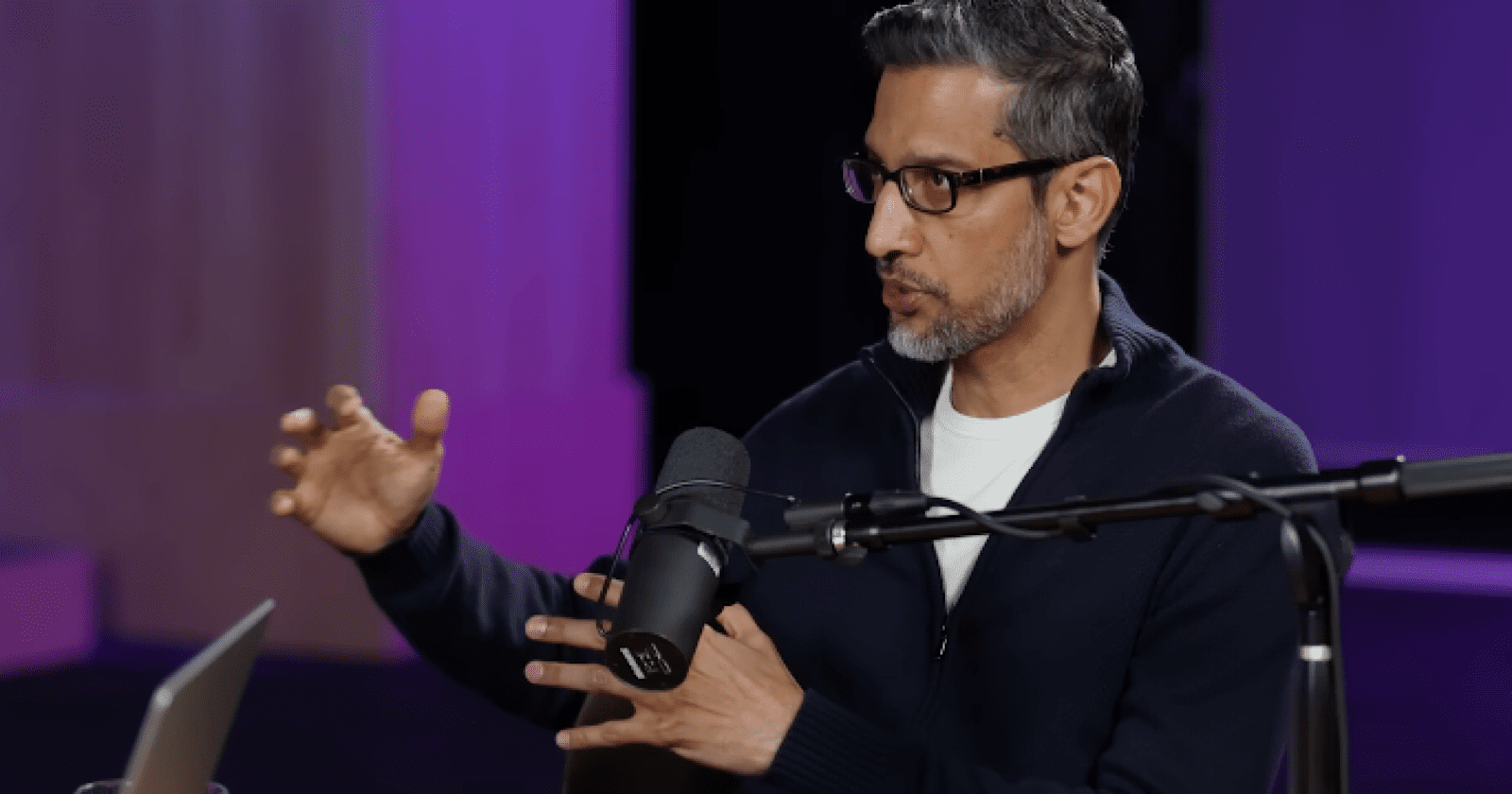
Why Google Runs AI Mode On Flash, Explained By Google’s Chief Scientist via @sejournal, @MattGSouthern

Google Chief Scientist Jeff Dean said Flash’s low latency and cost are why Google can run Search AI at scale. Retrieval is a design choice, not a limitation, he added.

In an interview on the Latent Space podcast, Dean explained why Flash became the production tier for Search. He also laid out why the pipeline that narrows the web to a handful of documents will likely persist.

Google started rolling out Gemini 3 Flash as the default for AI Mode in December. Dean’s interview explains the rationale behind that decision.

Why Flash Is The Production Tier

Dean called latency the critical constraint for running AI in Search. As models handle longer and more complex tasks, speed becomes the bottleneck.

“Having low latency systems that can do that seems really important, and flash is one direction, one way of doing that.”

Podcast hosts noted Flash’s dominance across services like Gmail and YouTube. Dean said search is part of that expansion, with Flash’s use growing across AI Mode and AI Overviews.

Flash can serve at this scale because of distillation. Each generation’s Flash inherits the previous generation’s Pro-level performance, getting more capable without getting more expensive to run.

“For multiple Gemini generations now, we’ve been able to make the sort of flash version of the next generation as good or even substantially better than the previous generation’s pro.”

That’s the mechanism that makes the architecture sustainable. Google pushes frontier models for capability development, then distills those capabilities into Flash for production deployment. Flash is the tier Google designed to run at search scale.

Retrieval Over Memorization

Beyond Flash’s role in search, Dean described a design philosophy that keeps external content central to how these models work. Models shouldn’t waste capacity storing facts they can retrieve.

“Having the model devote precious parameter space to remember obscure facts that could be looked up is actually not the best use of that parameter space.”

Retrieval from external sources is a core capability, not a workaround. The model looks things up and works through the results rather than carrying everything internally.

Why Staged Retrieval Likely Persists

AI search can’t read the entire web at once. Current attention mechanisms are quadratic, meaning computational cost grows rapidly as context length increases. Dean said “a million tokens kind of pushes what you can do.” Scaling to a billion or a trillion isn’t feasible with existing methods.

Dean’s long-term vision is models that give the “illusion” of attending to trillions of tokens. Reaching that requires new techniques, not just scaling what exists today. Until then, AI search will likely keep narrowing a broad candidate pool to a handful of documents before generating a response.

Why This Matters

The model reading your content in AI Mode is getting better each generation. But it’s optimized for speed over reasoning depth, and it’s designed to retrieve your content rather than memorize it. Being findable through Google’s existing retrieval and ranking signals is the path into AI search results.

We’ve tracked every model swap in AI Mode and AI Overviews since Google launched AI Mode with Gemini 2.0. Google shipped Gemini 3 to AI Mode on release day, then started rolling out Gemini 3 Flash as the default a month later. Most recently, Gemini 3 became the default for AI Overviews globally.

Every model generation follows the same cycle. Frontier for capability, then distillation into Flash for production. Dean presented this as the architecture Google expects to maintain at search scale, not a temporary fallback.

Looking Ahead

Based on Dean’s comments, staged retrieval is likely to persist until attention mechanisms move past their quadratic limits. Google’s investment in Flash suggests the company expects to use this architecture across multiple model generations.

One change to watch is automatic model selection. Google’s Robby Stein described mentioned the concept previously, which involves routing complex queries to Pro while keeping Flash as the default.


Featured Image: Robert Way/Shutterstock

5 Ways Emerging Businesses Can Show up in ChatGPT, Gemini & Perplexity via @sejournal, @nofluffmktg

This post was sponsored by No Fluff. The opinions expressed in this article are the sponsor’s own.

When ChatGPT, Gemini, and Perplexity mention a company, these large language models (LLMs) are deciding whether that business is safe to reference, not how long it has existed.

Most business leaders assume one thing when they don’t show up in AI-generated answers:

We’re too new.

In reality, early testing across multiple AI platforms suggests something else is going on. In many cases, the problem has less to do with company age and more to do with how AI systems evaluate structure, repetition, and trust signals.

It is possible for new brands to be mentioned in AI search results.

Even well-built products with real expertise are routinely missing from AI recommendations. Yet when buyers ask who to trust, the same legacy names keep appearing.

Why Most New Businesses Don’t Show Up In AI Search Results

This isn’t random.

AI systems lean on existing training data and visible digital footprints, which favor brands that have been cited for years. Because every answer carries risk, these systems act conservatively.

They don’t look for the most optimized page; they look for the most verifiable entity. If your footprint is thin, inconsistent, or poorly supported by third parties, the AI will often swap you out for a competitor it can trust more easily.

Most new businesses launch with:

  • Minimal historical signals
    Very little online content or mentions, so AI has almost nothing to work with.
  • Few credibility signals
    Few backlinks, reviews, or press, so you don’t “look” trustworthy yet.
  • Blending brand names
    Similar or generic brand names are easier for AI systems to confuse, misattribute, or skip entirely if trust signals are weak.
  • Unclear positioning
    Unclear positioning or ideas that appear only once on a company website are less likely to be trusted.

Together, these create unreliable signals.

In generative search, visibility is less about ranking and more about reasoning.

This is why most new brands aren’t evaluated as “bad,” but as too uncertain to reference safely.

That distinction matters. Being referenced by AI is not just exposure; it influences who buyers consider credible before they ever reach a website. AI-referred visitors often convert at higher rates than traditional organic traffic.

For new businesses, the lack of legacy signals isn’t “just a disadvantage.” Handled correctly, it can be an opening to establish clarity and trust faster than older competitors that rely on outdated authority.

There’s surprisingly little guidance on whether a new or growing brand can actually appear in AI-generated answers. Given how much these systems depend on past signals, it’s easy to assume established companies appear by default.

To test that assumption, a brand-new B2B company was tracked from launch as part of a 12-week AI search visibility experiment. The findings below reflect the first six weeks of that ongoing test. The company started with no prior history, no backlinks, and no press coverage. A true zero.

Visibility was measured across 150 buyer-style prompts in ChatGPT, Google AI Overviews, and Perplexity rather than inferred from third-party dashboards.

Using weekly GEO sprints focused on technical foundations, answer-first content, and reinforcing signals like social, video, and early backlinks, the goal was to see how far a best-practice GEO playbook could move a truly new brand.

Within six weeks, the emerging business saw the following results:

  • Appeared in 5% of relevant AI responses.
  • Showed up across 39 of 150 questions.
  • Mentioned 74 times, with 42 cited mentions.
  • 6% citation accuracy, ~11% pointing to the brand’s own site.

6 Patterns Observed in Early AI Visibility Testing

Across the first six weeks, six patterns consistently influenced whether the brand was included, replaced by a competitor, or excluded entirely from AI-generated answers:

Pattern 1: Structure Matters More Than Topic

Image created by No Fluff, February 2026

Content that wandered (even if it was thoughtful or “robust”) consistently lagged in AI pickup. The pages that were picked up were tighter: they answered the question up front, broke the content into clear steps, and stuck to one idea at a time.

Pattern 2: The Social “Amplifier” Effect

AI is more likely to cite sources it already trusts. In the first two weeks, most citations came from the brand’s LinkedIn and Medium posts rather than its website. For a new brand, publishing key ideas first on high-authority platforms, including LinkedIn or Medium, often triggers AI pickup before the same content is indexed on your own website.

Image created by No Fluff, February 2026

Pattern 3: Hallucinations are Often Signal Failures

Image created by No Fluff, February 2026

When AI systems misidentify a new brand or confuse it with competitors, the cause is typically thin, slow, or conflicting signals. When pages failed to load within roughly 5–15 seconds, AI systems issue broader “fan-out” queries and assemble answers from adjacent or incorrect sources. Following improvements in site speed, crawl reliability, and entity clarity, the share of answers that correctly referenced this company’s own domain increased, while misattributed mentions declined.

Pattern 4: The 3-Week Indexing Window

The first AI pickup from a new domain can happen within three to four weeks. In this experiment, the first page was discovered on day 27. After that initial discovery, subsequent pages were picked up faster, with the shortest lag around eight days.

Image created by No Fluff, February 2026

Early inclusion wasn’t driven by content volume. It was driven by structure: a solid schema, consistent metadata, a clean, crawlable site, and machine-readable files such as llms.txt.

Pattern 5: Win the Explanatory Round First

New brands typically will not start by winning highly competitive, decision-stage prompts like “best” or “top” lists, unless the offering is truly unique or non-competitive. Before a brand can realistically be shortlisted, it must first be sourced as a primary authority for definitional or educational questions.

In the first 45 days, the goal wasn’t comparison visibility, but recognition and trust: getting AI systems to associate the brand with the right topics and sources. Early success is best measured by citation frequency, or how often a brand is used as the primary source for a given topic.

Pattern 6: Solve the Unfinished Trust Gap (Most Important)

Even with a well-structured site and strong content, brands struggle to get recommended without outside validation. The initial stages of this experiment showed AI answers defaulted to familiar domains and replaced newer brands with competitors that had clearer third-party mentions. This validates the importance of press and authoritative coverage early on. Waiting to “add it later” only slows trust.

5 Steps To Set A New Business Up For AI Visible Success

By now, the takeaway is clear: AI visibility doesn’t happen automatically once a site is live or a few campaigns are running. The good news is that this can be influenced deliberately. The steps below reflect the sequence that consistently moved a new brand from zero visibility to being cited in AI-generated answers. Rather than treating AI visibility as a side effect of SEO, this approach treats it as an operational problem: how to make a brand easy for AI systems to recognize, verify, and reuse.

Step 1: Map Your Brand Entity

Before building a site, you must define your brand in a way machines understand. ChatGPT, Gemini, and Perplexity don’t read your website the way humans do. They connect facts, names, and relationships into entities that define who you are. If those connections are missing or inconsistent, your brand simply won’t appear (no matter how much content you publish).

  • Define your business clearly using semantic triples: Use the [Subject] → [Predicate] → [Object] format (e.g., “Brand X” → “offers” → “Service Y”) to provide machine-readable facts.
  • Stick to public, widely understood language: Pull terminology from widely accepted sources like Wikipedia or Wikidata. If you describe your product using internal jargon that doesn’t match how the category is commonly defined, you risk being misclassified or overlooked.
  • State your authority: Define why your brand deserves trust. What facts, evidence, and proof back you up? Write 3–5 simple, factual claims you want to be known for.
  • Define your competitive counter-position: Be clear about what makes you different. Scope the specific niche you own (audience, problem, angle, or offering) that sets you apart from alternatives.

Step 2: Engineer Your Benchmark Prompt Set

You cannot rely on traditional SEO tools designed to track AI visibility. Most rely on inferred data or simulations, not on real prompts.

  • Map the competitive landscape: Identify which brands AI systems already reference, which buyer questions are realistically winnable, and where category language creates confusion.
  • Reverse-engineer buyer questions: Identify how buyers phrase real questions using keyword and competitor analysis (SEO tool data, People Also Ask, Google SERPS, and asking multiple AI engines themselves)
  • Lock your data set: Create a fixed set of 150 buyer-authentic questions across six clusters: Branded, Category, Problem, Comparison, and Advanced Semantic.
  • Start testing: Run these prompts weekly across ChatGPT, Gemini, and Perplexity to track your mentions and citation growth.

Step 3:  Make the Brand Machine-Readable

Make your site machine-readable to ensure AI bots don’t skip your content. AI systems don’t care about your website’s aesthetic; they care about how easily they can parse your data. If your technical signals are thin or conflicting, AI will hallucinate or substitute your brand with a competitor.

  • Implement JSON-LD Schema: Use Organization, Service, and FAQ schemas to tell AI exactly who you are and what you do.
  • Deploy an txt File: Place this at your domain root to provide a plain-text guide for AI crawlers, telling them how to describe your company and which pages to prioritize.
  • Eliminate crawling issues: Make sure your site is fully crawlable via robots.txt and that no content is hidden in gated PDFs or images. Most importantly, check site speed using PageSpeed Insights. Models don’t patiently wait for slow pages!

Step 4:  Publish “Retrieval-Ready” Content

Write for the impatient analyst (the AI bot). Start with high-leverage prompts, questions with real buyer intent that AI already answers, but only using a small and weak set of sources, making them easier to influence before trust fully locks in.

  • Lead with the answer: Start every section with a direct, factual answer.
  • Chunk semantically: Divide content into logical, independent sections that can be extracted and reused by AI without requiring the context of the entire page.
  • Consider the freshness factor: AI favors content updated within the last 60–90 days. For high-competition sectors like SaaS or Finance, content should be refreshed every three months to remain a “trusted” recommendation.

Step 5:  Earn External Validation

AI systems cross-check your site’s claims against the rest of the web.

  • Claim directory profiles: Align your entity data across Crunchbase, G2, LinkedIn, and Yelp. Inconsistencies across these profiles are a primary cause of AI hallucinations.
  • Target authoritative mentions: Secure mentions in industry-specific publications with consistent pickup throughout your prompts and or a strong domain rating.
  • External reinforcement: For every important page on your site, aim for at least three intentional external link-backs from authoritative sources to trigger AI pickup.

The Biggest Takeaway: Prioritize Authority as a Long-Term Game

For new brands, the limiting factor in AI search is not optimization. It’s authority.

AI systems are more likely to surface unfamiliar companies first in low-risk, explanatory answers, not in “best,” “top,” or comparison prompts. A clean site and solid SEO help a brand get recognized, but being recommended is a different hurdle.

In practice, early progress is about reducing uncertainty. When a brand consistently appears in third-party articles, reviews, or other independent sources, it becomes easier to explain and safer to reference. Without that outside validation, recommendations stall, no matter how strong the content or how fast the site loads.

This analysis covers the first phase of a live 90-day test examining how a new B2B brand earns visibility in AI-generated search results. Ongoing findings and final results will be published as the experiment concludes.


Image Credits

Featured Image: Image by No Fluff. Used with permission.

In-Post Images: Images by No Fluff. Used with permission.

Synthetic Personas For Better Prompt Tracking via @sejournal, @Kevin_Indig

Boost your skills with Growth Memo’s weekly expert insights. Subscribe for free!

We all know prompt tracking is directional. The most effective way to reduce noise is to track prompts based on personas.

This week, I’m covering:

  • Why AI personalization makes traditional “track the SERP” models incomplete, and how synthetic personas fill the gap.
  • The Stanford validation data showing 85% accuracy at one-third the cost, and how Bain cut research time by 50-70%.
  • The five-field persona card structure and how to generate 15-30 trackable prompts per segment across intent levels.
The best way to make your prompt tracking much more accurate is to base it on personas. Synthetic Personas speed you up at a fraction of the price. (Image Credit: Kevin Indig)

A big difference between classic and AI search is that the latter delivers highly personalized results.

  • Every user gets different answers based on their context, history, and inferred intent.
  • The average AI prompt is ~5x longer than classic search keywords (23 words vs. 4.2 words), conveying much richer intent signals that AI models use for personalization.
  • Personalization creates a tracking problem: You can’t monitor “the” AI response anymore because each prompt is essentially unique, shaped by individual user context.

Traditional persona research solves this – you map different user segments and track responses for each – but it creates new problems. It takes weeks to conduct interviews and synthesize findings.

By the time you finish, the AI models have changed. Personas become stale documentation that never gets used for actual prompt tracking.

Synthetic personas fill the gap by building user profiles from behavioral and profiling data: analytics, CRM records, support tickets, review sites. You can spin up hundreds of micro-segment variants and interact with them in natural language to test how they’d phrase questions.

Most importantly: They are the key to more accurate prompt tracking because they simulate actual information needs and constraints.

The shift: Traditional personas are descriptive (who the user is), synthetic personas are predictive (how the user behaves). One documents a segment, the other simulates it.

Image Credit: Kevin Indig

Example: Enterprise IT buyer persona with job-to-be-done “evaluate security compliance” and constraint “need audit trail for procurement” will prompt differently than an individual user with the job “find cheapest option” and constraint “need decision in 24 hours.”

  • First prompt: “enterprise project management tools SOC 2 compliance audit logs.”
  • Second prompt: “best free project management app.”
  • Same product category, completely different prompts. You need both personas to track both prompt patterns.

Build Personas With 85% Accuracy For One-Third Of The Price

Stanford and Google DeepMind trained synthetic personas on two-hour interview transcripts, then tested whether the AI personas could predict how those same real people would answer survey questions later.

  • The method: Researchers conducted follow-up surveys with the original interview participants, asking them new questions. The synthetic personas answered the same questions.
  • Result: 85% accuracy. The synthetic personas replicated what the actual study participants said.
  • For context, that’s comparable to human test-retest consistency. If you ask the same person the same question two weeks apart, they’re about 85% consistent with themselves.

The Stanford study also measured how well synthetic personas predicted social behavior patterns in controlled experiments – things like who would cooperate in trust games, who would follow social norms, and who would share resources fairly.

The correlation between synthetic persona predictions and actual participant behavior was 98%. This means the AI personas didn’t just memorize interview answers; they captured underlying behavioral tendencies that predicted how people would act in new situations.

Bain & Company ran a separate pilot that showed comparable insight quality at one-third the cost and one-half the time of traditional research methods. Their findings: 50-70% time reduction (days instead of weeks) and 60-70% cost savings (no recruiting fees, incentives, transcription services).

The catch: These results depend entirely on input data quality. The Stanford study used rich, two-hour interview transcripts. If you train on shallow data (just pageviews or basic demographics), you get shallow personas. Garbage in, garbage out.

How To Build Synthetic Personas For Better Prompt Tracking

Building a synthetic persona has three parts:

  1. Feed it with data from multiple sources about your real users: call transcripts, interviews, message logs, organic search data.
  2. Fill out the Persona Card – the five fields that capture how someone thinks and searches.
  3. Add metadata to track the persona’s quality and when it needs updating.

The mistake most teams make: trying to build personas from prompts. This is circular logic – you need personas to understand what prompts to track, but you’re using prompts to build personas. Instead, start with user information needs, then let the persona translate those needs into likely prompts.

Data Sources To Feed Synthetic Personas

The goal is to understand what users are trying to accomplish and the language they naturally use:

  1. Support tickets and community forums: Exact language customers use when describing problems. Unfiltered, high-intent signal.
  2. CRM and sales call transcripts: Questions they ask, objections they raise, use cases that close deals. Shows the decision-making process.
  3. Customer interviews and surveys: Direct voice-of-customer on information needs and research behavior.
  4. Review sites (G2, Trustpilot, etc.): What they wish they’d known before buying. Gap between expectation and reality.
  5. Search Console query data: Questions they ask Google. Use regex to filter for question-type queries:
    (?i)^(who|what|why|how|when|where|which|can|does|is|are|should|guide|tutorial|course|learn|examples?|definition|meaning|checklist|framework|template|tips?|ideas?|best|top|lists?|comparison|vs|difference|benefits|advantages|alternatives)b.*

    (I like to use the last 28 days, segment by target country)

Persona card structure (five fields only – more creates maintenance debt):

These five fields capture everything needed to simulate how someone would prompt an AI system. They’re minimal by design. You can always add more later, but starting simple keeps personas maintainable.

  1. Job-to-be-done: What’s the real-world task they’re trying to accomplish? Not “learn about X” but “decide whether to buy X” or “fix problem Y.”
  2. Constraints: What are their time pressures, risk tolerance levels, compliance requirements, budget limits, and tooling restrictions? These shape how they search and what proof they need.
  3. Success metric: How do they judge “good enough?” Executives want directional confidence. Engineers want reproducible specifics.
  4. Decision criteria: What proof, structure, and level of detail do they require before they trust information and act on it?
  5. Vocabulary: What are the terms and phrases they naturally use? Not “churn mitigation” but “keeping customers.” Not “UX optimization” but “making the site easier to use.”

Specification Requirements

This is the metadata that makes synthetic personas trustworthy; it prevents the “black box” problem.

When someone questions a persona’s outputs, you can trace back to the evidence.

These requirements form the backbone of continuous persona development. They keep track of changes, sources, and confidence in the weighting.

  • Provenance: Which data sources, date ranges, and sample sizes were used (e.g., “Q3 2024 Support Tickets + G2 Reviews”).
  • Confidence score per field: A High/Medium/Low rating for each of the five Persona Card fields, backed by evidence counts. (e.g., “Decision Criteria: HIGH confidence, based on 47 sales calls vs. Vocabulary: LOW confidence, based on 3 internal emails”).
  • Coverage notes: Explicitly state what the data misses (e.g., “Overrepresents enterprise buyers, completely misses users who churned before contacting support”).
  • Validation benchmarks: Three to five reality checks against known business truths to spot hallucinations. (e.g., “If the persona claims ‘price’ is the top constraint, does that match our actual deal cycle data?”).
  • Regeneration triggers: Pre-defined signals that it’s time to re-run the script and refresh the persona (e.g., a new competitor enters the market, or vocabulary in support tickets shifts significantly).

Where Synthetic Personas Work Best

Before you build synthetic personas, understand where they add value and where they fall short.

High-Value Use Cases

  • Prompt design for AI tracking: Simulate how different user segments would phrase questions to AI search engines (the core use case covered in this article).
  • Early-stage concept testing: Test 20 messaging variations, narrow to the top five before spending money on real research.
  • Micro-segment exploration: Understand behavior across dozens of different user job functions (enterprise admin vs. individual contributor vs. executive buyer) or use cases without interviewing each one.
  • Hard-to-reach segments: Test ideas with executive buyers or technical evaluators without needing their time.
  • Continuous iteration: Update personas as new support tickets, reviews, and sales calls come in.

Crucial Limitations Of Synthetic Personas You Need To Understand

  • Sycophancy bias: AI personas are overly positive. Real users say, “I started the course but didn’t finish.” Synthetic personas say, “I completed the course.” They want to please.
  • Missing friction: They’re more rational and consistent than real people. If your training data includes support tickets describing frustrations or reviews mentioning pain points, the persona can reference these patterns when asked – it just won’t spontaneously experience new friction you haven’t seen before.
  • Shallow prioritization: Ask what matters, and they’ll list 10 factors as equally important. Real users have a clear hierarchy (price matters 10x more than UI color).
  • Inherited bias: Training data biases flow through. If your CRM underrepresents small business buyers, your personas will too.
  • False confidence risk: The biggest danger. Synthetic personas always have coherent answers. This makes teams overconfident and skip real validation.

Operating rule: Use synthetic personas for exploration and filtering, not for final decisions. They narrow your option set. Real users make the final call.

Solving The Cold Start Problem For Prompt Tracking

Synthetic personas are a filter tool, not a decision tool. They narrow your option set from 20 ideas to five finalists. Then, you validate those five with real users before shipping.

For AI prompt tracking specifically, synthetic personas solve the cold-start problem. You can’t wait to accumulate six months of real prompt volume before you start optimizing. Synthetic personas let you simulate prompt behavior across user segments immediately, then refine as real data comes in.

Where they’ll cause you to fail is if you use them as an excuse to skip real validation. Teams love synthetic personas because they’re fast and always give answers. That’s also what makes them dangerous. Don’t skip the validation step with real customers.


Featured Image: Paulo Bobita/Search Engine Journal

OpenAI Begins Testing Ads In ChatGPT For Free And Go Users via @sejournal, @MattGSouthern

OpenAI is testing ads inside ChatGPT, bringing sponsored content to the product for the first time.

The test is live for logged-in adult users in the U.S. on the free and Go subscription tiers. Plus, Pro, Business, Enterprise, and Education subscribers won’t see ads.

OpenAI announced the launch with a brief blog post confirming that the principles it outlined in January are now in effect.

OpenAI’s post also adds Education to the list of ad-free tiers, which wasn’t included in the company’s initial plans.

How The Ads Work

Ads appear at the bottom of ChatGPT responses, visually separated from the answer and labeled as sponsored.

OpenAI says it selects ads by matching advertiser submissions with the topic of your conversation, your past chats, and past interactions with ads. If someone asks about recipes, they might see an ad for a meal kit or grocery delivery service.

Advertisers don’t see users’ conversations or personal details. They receive only aggregate performance data like views and clicks.

Users can dismiss ads, see why a specific ad appeared, turn off personalization, or clear all ad-related data. OpenAI also confirmed it won’t show ads in conversations about health, mental health, or politics, and won’t serve them to accounts identified as under 18.

Free users who don’t want ads have another option. OpenAI says you can opt out of ads in the Free tier in exchange for fewer daily free messages. Go users can avoid ads by upgrading to Plus or Pro.

The Path To Today

OpenAI first announced plans to test ads on January 16, alongside the U.S. launch of ChatGPT Go at $8 per month. The company laid out five principles. They cover mission alignment, answer independence, conversation privacy, choice and control, and long-term value.

The January post was careful to frame ads as supporting access rather than driving revenue. Altman wrote on X at the time:

“It is clear to us that a lot of people want to use a lot of AI and don’t want to pay, so we are hopeful a business model like this can work.”

That framing sits alongside OpenAI’s financial reality. Altman said in November that the company is considering infrastructure commitments totaling about $1.4 trillion over eight years. He also said OpenAI expects to end 2025 with an annualized revenue run rate above $20 billion. A source told CNBC that OpenAI expects ads to account for less than half of its revenue long term.

OpenAI has confirmed a $200,000 minimum commitment for early ChatGPT ads, Adweek reported. Digiday reported media buyers were quoted about $60 per 1,000 views for sponsored placements during the initial U.S. test.

Altman’s Evolving Position

The launch represents a notable turn from Altman’s earlier public statements on advertising.

In an October 2024 fireside chat at Harvard, Altman said he “hates” ads and called the idea of combining ads with AI “uniquely unsettling,” as CNN reported. He contrasted ChatGPT’s user-aligned model with Google’s ad-driven search, saying Google’s results depended on “doing badly for the user.”

By November 2025, Altman’s position had softened. He told an interviewer he wasn’t “totally against” ads but said they would “take a lot of care to get right.” He drew a line between pay-to-rank advertising, which he said would be “catastrophic,” and transaction fees or contextual placement that doesn’t alter recommendations.

The test rolling out today follows the contextual model Altman described. Ads sit below responses and don’t affect what ChatGPT recommends. Whether that distinction holds as ad revenue grows will be the longer-term question.

Where Competitors Stand

The timing puts OpenAI’s decision in sharp contrast with its two closest rivals.

Anthropic ran a Super Bowl campaign last week centered on the tagline “Ads are coming to AI. But not to Claude.” The spots showed fictional chatbots interrupting personal conversations with sponsored pitches.

Altman called the campaign “clearly dishonest,” writing on X that OpenAI “would obviously never run ads in the way Anthropic depicts them.”

Google has also kept distance from chatbot ads. DeepMind CEO Demis Hassabis said at Davos in January that Google has no current plans for ads in Gemini, calling himself “a little bit surprised” that OpenAI moved so early. He drew a distinction between assistants, where trust is personal, and search, where Google already shows ads in AI Overviews.

That was the second time in two months that Google leadership publicly denied plans for Gemini advertising. In December, Google Ads VP Dan Taylor disputed an Adweek report claiming advertisers were told to expect Gemini ads in 2026.

The three companies are now on distinctly different paths. OpenAI is testing conversational ads at scale. Anthropic is marketing its refusal to run them. Google is running ads in AI Overviews but holding off on its standalone assistant.

Why This Matters

OpenAI says ChatGPT is used by hundreds of millions of people. CNBC reported that Altman told employees ChatGPT has about 800 million weekly users. That creates pressure to find revenue beyond subscriptions, and advertising is the proven model for monetizing free users across consumer tech.

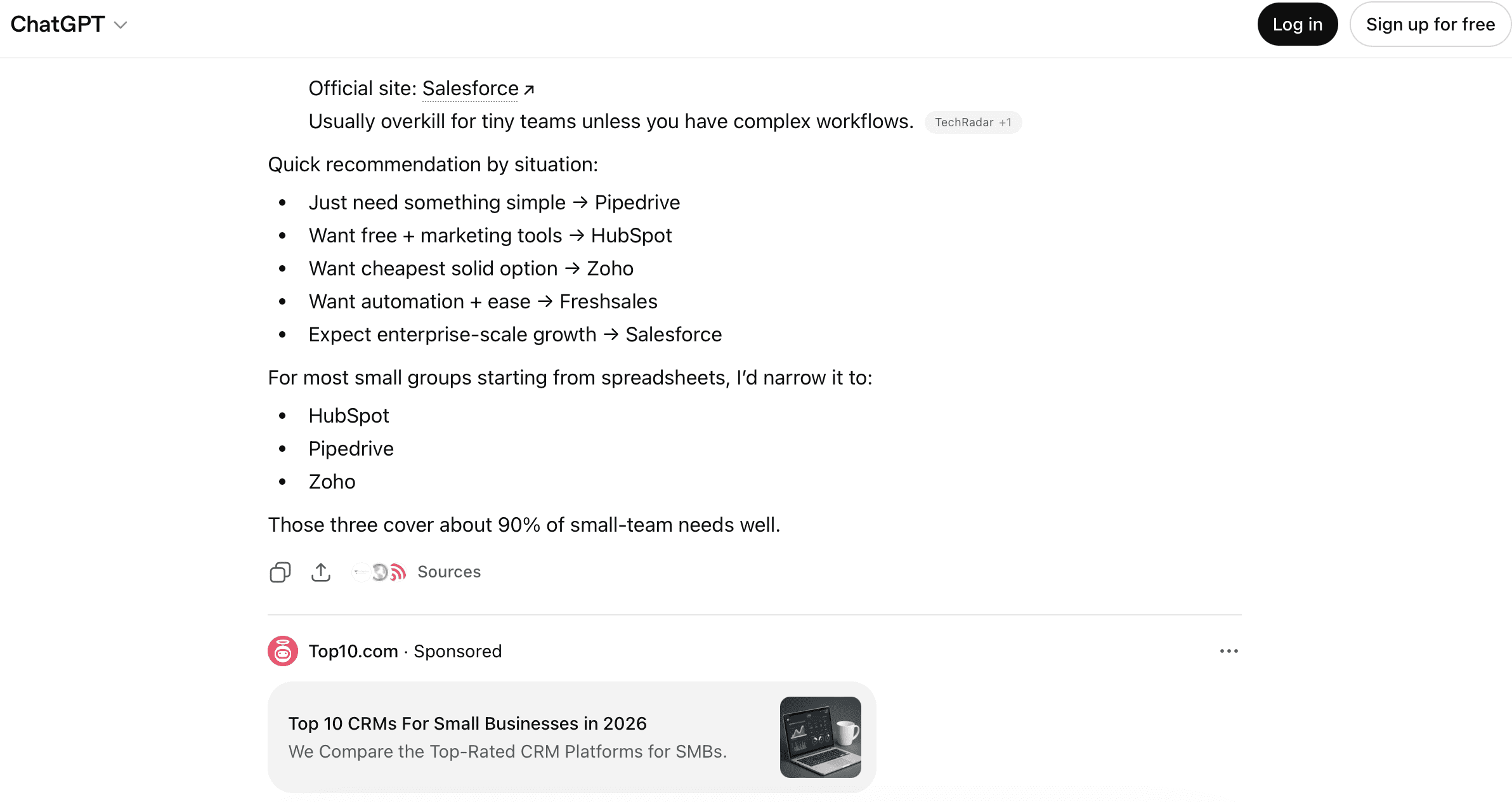
For practitioners, today’s launch opens a new ad channel for AI platform monetization. The targeting mechanism uses conversation context rather than search keywords, which creates a different kind of intent signal. Someone asking ChatGPT for help planning a trip is further along in the decision process than someone typing a search query.

The restrictions are also worth watching. No ads near health, politics, or mental health topics means the inventory is narrower than traditional search. Combined with reported $60 CPMs and a $200K minimum, this starts as a premium play for a limited set of advertisers rather than a self-serve marketplace.

Looking Ahead

OpenAI described today’s rollout as a test to “learn, listen, and make sure we get the experience right.” No timeline was given for expanding beyond the U.S. or beyond free and Go tiers.

Separately, CNBC reported that Altman told employees in an internal Slack message that ChatGPT is “back to exceeding 10% monthly growth” and that an “updated Chat model” is expected this week.

How users respond to ads in their ChatGPT conversations will determine whether this test scales or gets pulled back. It will also test whether the distinction Altman drew in November between trust-destroying ads and acceptable contextual ones holds up in practice.

Google’s Mueller Calls Markdown-For-Bots Idea ‘A Stupid Idea’ via @sejournal, @MattGSouthern

Some developers have been experimenting with bot-specific Markdown delivery as a way to reduce token usage for AI crawlers.

Google Search Advocate John Mueller pushed back on the idea of serving raw Markdown files to LLM crawlers, raising technical concerns on Reddit and calling the concept “a stupid idea” on Bluesky.

What’s Happening

A developer posted on r/TechSEO, describing plans to use Next.js middleware to detect AI user agents such as GPTBot and ClaudeBot. When those bots hit a page, the middleware intercepts the request and serves a raw Markdown file instead of the full React/HTML payload.

The developer claimed early benchmarks showed a 95% reduction in token usage per page, which they argued should increase the site’s ingestion capacity for retrieval-augmented generation (RAG) bots.

Mueller responded with a series of questions.

“Are you sure they can even recognize MD on a website as anything other than a text file? Can they parse & follow the links? What will happen to your site’s internal linking, header, footer, sidebar, navigation? It’s one thing to give it a MD file manually, it seems very different to serve it a text file when they’re looking for a HTML page.”

On Bluesky, Mueller was more direct. Responding to technical SEO consultant Jono Alderson, who argued that flattening pages into Markdown strips out meaning and structure,

Mueller wrote:

“Converting pages to markdown is such a stupid idea. Did you know LLMs can read images? WHY NOT TURN YOUR WHOLE SITE INTO AN IMAGE?”

Alderson argued that collapsing a page into Markdown removes important context and structure, and framed Markdown-fetching as a convenience play rather than a lasting strategy.

Other voices in the Reddit thread echoed the concerns. One commenter questioned whether the effort could limit crawling rather than enhance it. They noted that there’s no evidence that LLMs are trained to favor documents that are less resource-intensive to parse.

The original poster defended the theory, arguing LLMs are better at parsing Markdown than HTML because they’re heavily trained on code repositories. That claim is untested.

Why This Matters

Mueller has been consistent on this. In a previous exchange, he responded to a question from Lily Rayabout creating separate Markdown or JSON pages for LLMs. His position then was the same. He said to focus on clean HTML and structured data rather than building bot-only content copies.

That response followed SE Ranking’s analysis of 300,000 domains, which found no connection between having an llms.txt file and how often a domain gets cited in LLM answers. Additionally, Mueller has compared llms.txt to the keywords meta tag, a format major platforms haven’t documented as something they use for ranking or citations.

So far, public platform documentation hasn’t shown that bot-only formats, such as Markdown versions of pages, improve ranking or citations. Mueller raised the same objections across multiple discussions, and SE Ranking’s data found nothing to suggest otherwise.

Looking Ahead

Until an AI platform publishes a spec requesting Markdown versions of web pages, the best practice remains as it is. Keep HTML clean, reduce unnecessary JavaScript that blocks content parsing, and use structured data where platforms have documented schemas.

WordPress Announces AI Agent Skill For Speeding Up Development via @sejournal, @martinibuster

WordPress announced wp-playground, a new AI agent skill designed to be used with the Playground CLI so AI agents can run WordPress for testing and check their work as they write code. The skill helps agents test code quickly while they work.

Playground CLI

Playground is a WordPress sandbox that enables users to run a full WordPress site without setting it all up on a traditional server. It is used for testing plugins, creating and adjusting themes, and experimenting safely without affecting a live site.

The new AI agent skill is for use with Playground CLI, which runs locally and requires knowledge of terminal commands, Node.js, and npm to manage local WordPress environments.

The wp-playground skill starts WordPress automatically and determines where generated code should exist inside the installation. The skill then mounts the code into the correct directory, which allows the agent to move directly from generated code to a running the WordPress site without manual setup.

Once WordPress is running, the agent can test behavior and verify results using common tools. In testing, agents interacted with WordPress through tools like curl and Playwright, checked outcomes, applied fixes, and then re-tested using the same environment. This process creates a repeatable loop where the agent can confirm whether a change works before making further changes.

The skill also includes helper scripts that manage startup and shutdown. These scripts reduce the time it takes for WordPress to become ready for testing from about a minute to only a few seconds. The Playground CLI can also log into WP-Admin automatically, which removes another manual step during testing.

The creator of the AI agent skill, Brandon Payton, is quoted explaining how it works:

“AI agents work better when they have a clear feedback loop. That’s why I made the wp-playground skill. It gives agents an easy way to test WordPress code and makes building and experimenting with WordPress a lot more accessible.”

The WordPress AI agent skill release also introduces a new GitHub repository dedicated to hosting WordPress agent skill. Planned ideas include persistent Playground sites tied to a project directory, running commands against existing Playground instances, and Blueprint generation.

Featured Image by Shutterstock/Here

AI Recommendations Change With Nearly Every Query: Sparktoro via @sejournal, @MattGSouthern

AI tools produce different brand recommendation lists nearly every time they answer the same question, according to a new report from SparkToro.

The data showed a <1-in-100 chance that ChatGPT or Google>

Rand Fishkin, SparkToro co-founder, conducted the research with Patrick O’Donnell from Gumshoe.ai, an AI tracking startup. The team ran 2,961 prompts across ChatGPT, Claude, and Google Search AI Overviews (with AI Mode used when Overviews didn’t appear) using hundreds of volunteers over November and December.

What The Data Found

The authors tested 12 prompts requesting brand recommendations across categories, including chef’s knives, headphones, cancer care hospitals, digital marketing consultants, and science fiction novels.

Each prompt was run 60-100 times per platform. Nearly every response was unique in three ways: the list of brands presented, the order of recommendations, and the number of items returned.

Fishkin summarized the core finding:

“If you ask an AI tool for brand/product recommendations a hundred times nearly every response will be unique.”

Claude showed slightly higher consistency in producing the same list twice, but was less likely to produce the same ordering. None of the platforms came close to the authors’ definition of reliable repeatability.

The Prompt Variability Problem

The authors also examined how real users write prompts. When 142 participants were asked to write their own prompts about headphones for a traveling family member, almost no two prompts looked similar.

The semantic similarity score across those human-written prompts was 0.081. Fishkin compared the relationship to:

“Kung Pao Chicken and Peanut Butter.”

The prompts shared a core intent but little else.

Despite the prompt diversity, the AI tools returned brands from a relatively consistent consideration set. Bose, Sony, Sennheiser, and Apple appeared in 55-77% of the 994 responses to those varied headphone prompts.

What This Means For AI Visibility Tracking

The findings question the value of “AI ranking position” as a metric. Fishkin wrote: “any tool that gives a ‘ranking position in AI’ is full of baloney.”

However, the data suggests that how often a brand appears across many runs of similar prompts is more consistent. In tight categories like cloud computing providers, top brands appeared in most responses. In broader categories like science fiction novels, the results were more scattered.

This aligns with other reports we’ve covered. In December, Ahrefs published data showing that Google’s AI Mode and AI Overviews cite different sources 87% of the time for the same query. That report focused on a different question: the same platform but with different features. This SparkToro data examines the same platform and prompt, but with different runs.

The pattern across these studies points in the same direction. AI recommendations appear to vary at every level, whether you’re comparing across platforms, across features within a platform, or across repeated queries to the same feature.

Methodology Notes

The research was conducted in partnership with Gumshoe.ai, which sells AI tracking tools. Fishkin disclosed this and noted that his starting hypothesis was that AI tracking would prove “pointless.”

The team published the full methodology and raw data on a public mini-site. Survey respondents used their normal AI tool settings without standardization, which the authors said was intentional to capture real-world variation.

The report is not peer-reviewed academic research. Fishkin acknowledged methodological limitations and called for larger-scale follow-up work.

Looking Ahead

The authors left open questions about how many prompt runs are needed to obtain reliable visibility data and whether API calls yield the same variation as manual prompts.

When assessing AI tracking tools, the findings suggest you should ask providers to demonstrate their methodology. Fishkin wrote:

“Before you spend a dime tracking AI visibility, make sure your provider answers the questions we’ve surfaced here and shows their math.”


Featured Image: NOMONARTS/Shutterstock

Chrome Updated With 3 AI Features Including Nano Banana via @sejournal, @martinibuster

Gemini in Chrome has just been refreshed with three new features that integrate more Gemini capabilities within Chrome for Windows, MacOS, and Chromebook Plus. The update adds an AI side panel, agentic AI Auto Browse, and Nano Banana image editing of whatever image is in the browser window.

AI Side Panel For Multitasking

Chrome adds a new side panel that enables users to slide open a side panel to open up a session with Gemini without having to jump around across browser tabs. The feature is described as a way to save time by making it easier to multitask.

Google explains:

“Our testers have been using it for all sorts of things: comparing options across too-many-tabs, summarizing product reviews across different sites, and helping find time for events in even the most chaotic of calendars.”

Opt-In Requirement For AI Chat

Before enabling the side panel AI chat feature, a user must first consent to sending their URLs and browser data back to Google.

Screenshot Of Opt-In Form

Nano Banana In Chrome

Using the AI side panel, users can tell it to update and change an image in the browser window without having to do any copying, downloading, or uploading. Nano banana will change it right there in the open browser window.

Chrome Autobrowse (Agentic AI)

This feature is for subscribers of Google’s AI Pro and Ultra tiers. Autobrowse enables an agentic AI to take action on behalf of the user. It’s described as being able to researching hotel and flights and doing cost comparisons across a given range of dates, obtaining quotes for work, and checking if bills are paid.

Autobrowse is multimodal which means that it can identify items in a photo then go out and find where they can be purchased and add them to a cart, including adding any relevant discount codes. If given permission, the AI agent can also access passwords and log in to online stores and services.

Adds More Features To Existing Ones

Google announced on January 12, 2026 that Chrome’s AI was upgraded with app connections, able to connect to Calendar, Gmail,Google Shopping, Google Flights, Maps, and YouTube. This is part of Google’s Personal Intelligence initiative, which it said is Google’s first step toward a more personalized AI assistant.

Personalization And User Intent Extraction For AI Chat And Agents

On a related note, Google recently published a research paper that shows how an on-device and in-browser AI can extract a user’s intent so as to provide better personalized and proactive responses, pointing to how on-device AI may be used in the near future. Read Google’s New User Intent Extraction Method.

Featured Image by Shutterstock/f11photo

Google May Let Sites Opt Out Of AI Search Features via @sejournal, @MattGSouthern

Google says it’s exploring updates that could let websites opt out of AI-powered search features specifically.

The blog post came the same day the UK’s Competition and Markets Authority opened a consultation on potential new requirements for Google Search, including controls for websites to manage their content in Search AI features.

Ron Eden, Principal, Product Management at Google, wrote:

“Building on this framework, and working with the web ecosystem, we’re now exploring updates to our controls to let sites specifically opt out of Search generative AI features.”

Google provided no timeline, technical specifications, or firm commitment. The post frames this as exploration, not a product roadmap.

What’s New

Google currently offers several controls for how content appears in Search, but none cleanly separate AI features from traditional results.

Google-Extended lets publishers block their content from training Gemini and Vertex AI models. But Google’s documentation states Google-Extended doesn’t impact inclusion in Google Search and isn’t a ranking signal. It controls AI training, not AI Overviews appearance.

The nosnippet and max-snippet directives do apply to AI Overviews and AI Mode. But they also affect traditional snippets in regular search results. Publishers wanting to limit AI feature exposure currently lose snippet visibility everywhere.

Google’s post acknowledges this gap exists. Eden wrote:

“Any new controls need to avoid breaking Search in a way that leads to a fragmented or confusing experience for people.”

Why This Matters

I wrote in SEJ’s SEO Trends 2026 ebook that people would have more influence on the direction of search than platforms do. Google’s post suggests that dynamic is playing out.

Publishers and regulators have spent the past year pushing back on AI Overviews. The UK’s Independent Publishers Alliance, Foxglove, and Movement for an Open Web filed a complaint with the CMA last July, asking for the ability to opt out of AI summaries without being removed from search entirely. The US Department of Justice and South African Competition Commission have proposed similar measures.

The BuzzStream study we covered earlier this month found 79% of top news publishers block at least one AI training bot, and 71% block retrieval bots that affect AI citations. Publishers are already voting with their robots.txt files.

Google’s post suggests it’s responding to pressure from the ecosystem by exploring controls it previously didn’t offer.

Looking Ahead

Google’s language is cautious. “Exploring” and “working with the web ecosystem” are not product commitments.

The CMA consultation will gather input on potential requirements. Regulatory processes move slowly, but they do produce outcomes. The EU’s Digital Markets Act investigations have already pushed Google to make changes in Europe.

For now, publishers wanting to limit AI feature exposure can use nosnippet or max-snippet directives, but note that these affect traditional snippets as well. Google’s robots meta tag documentation covers the current options.

If Google follows through on specific opt-out controls, the technical implementation will matter. Whether it’s a new robots directive, a Search Console setting, or something else will determine how practical it is for publishers to use.


Featured Image: ANDRANIK HAKOBYAN/Shutterstock